What is FS Form 4000?
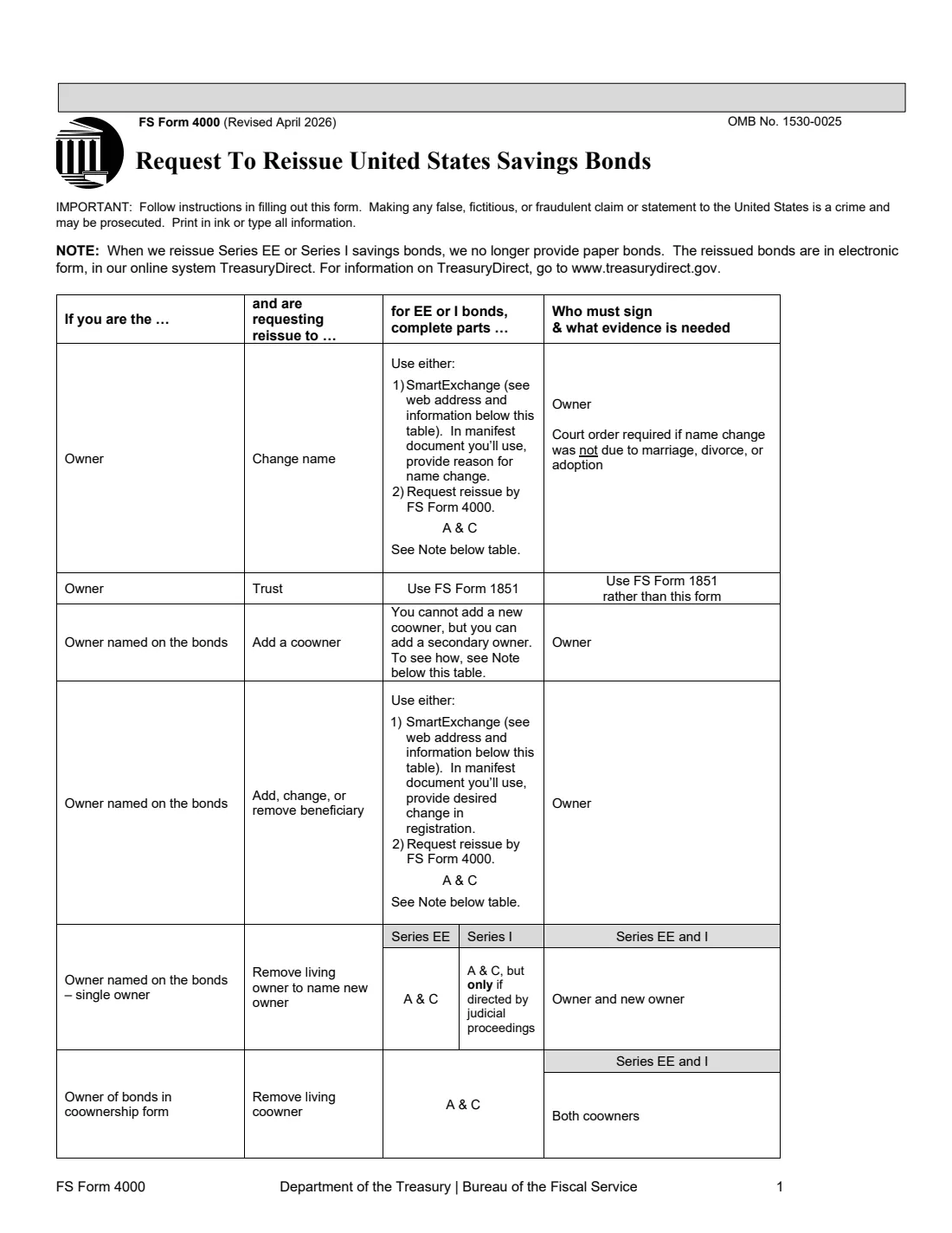
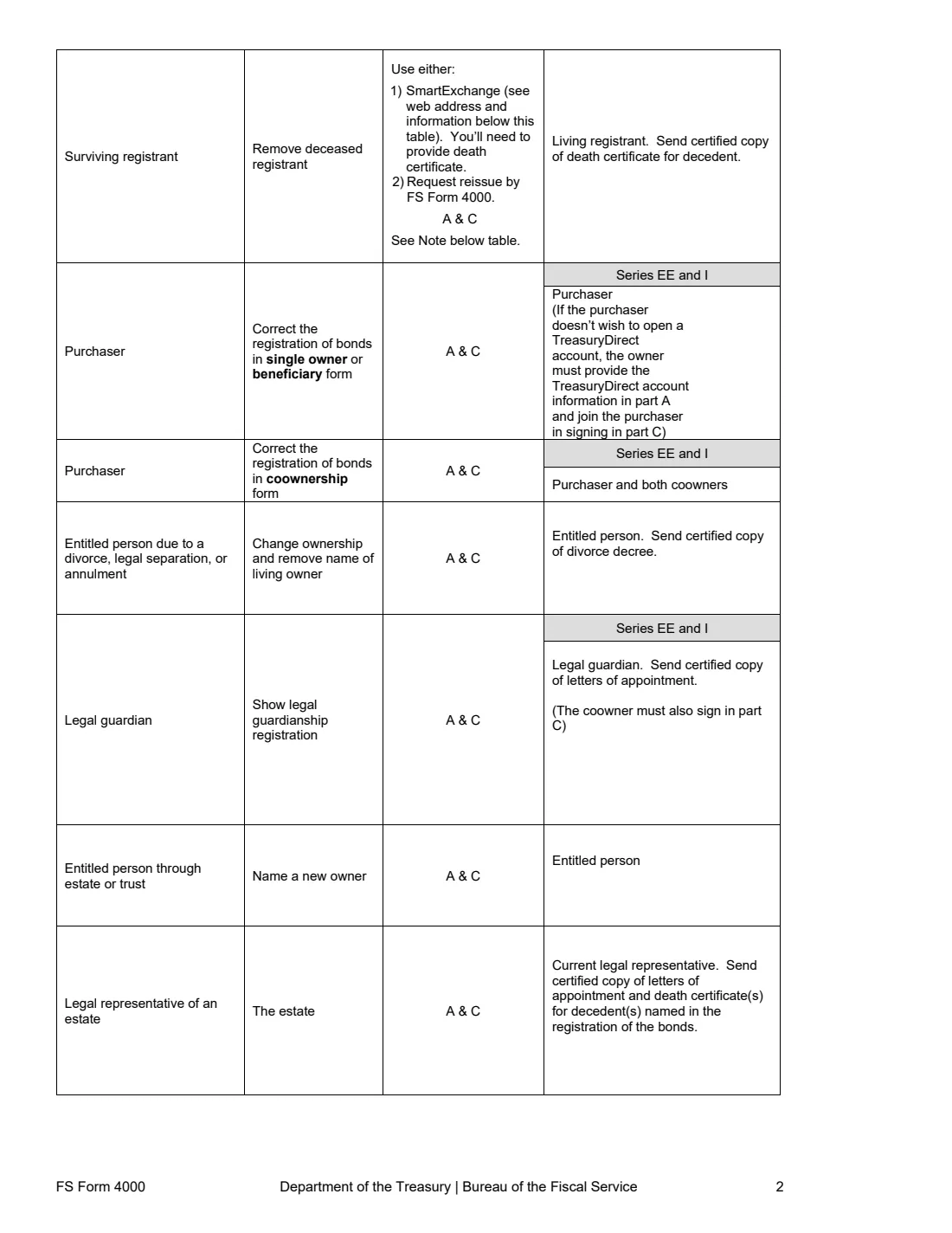
FS Form 4000 is how you ask the Bureau of the Fiscal Service to reissue paper savings bonds with a different registration. Its opening table covers the common cases: an owner's name change, adding, changing or removing a beneficiary, removing a deceased registrant, removing a living coowner, correcting a registration error, a divorce or annulment, a guardianship, and estates or trusts naming a new owner. For each it says who must sign and what evidence to send.
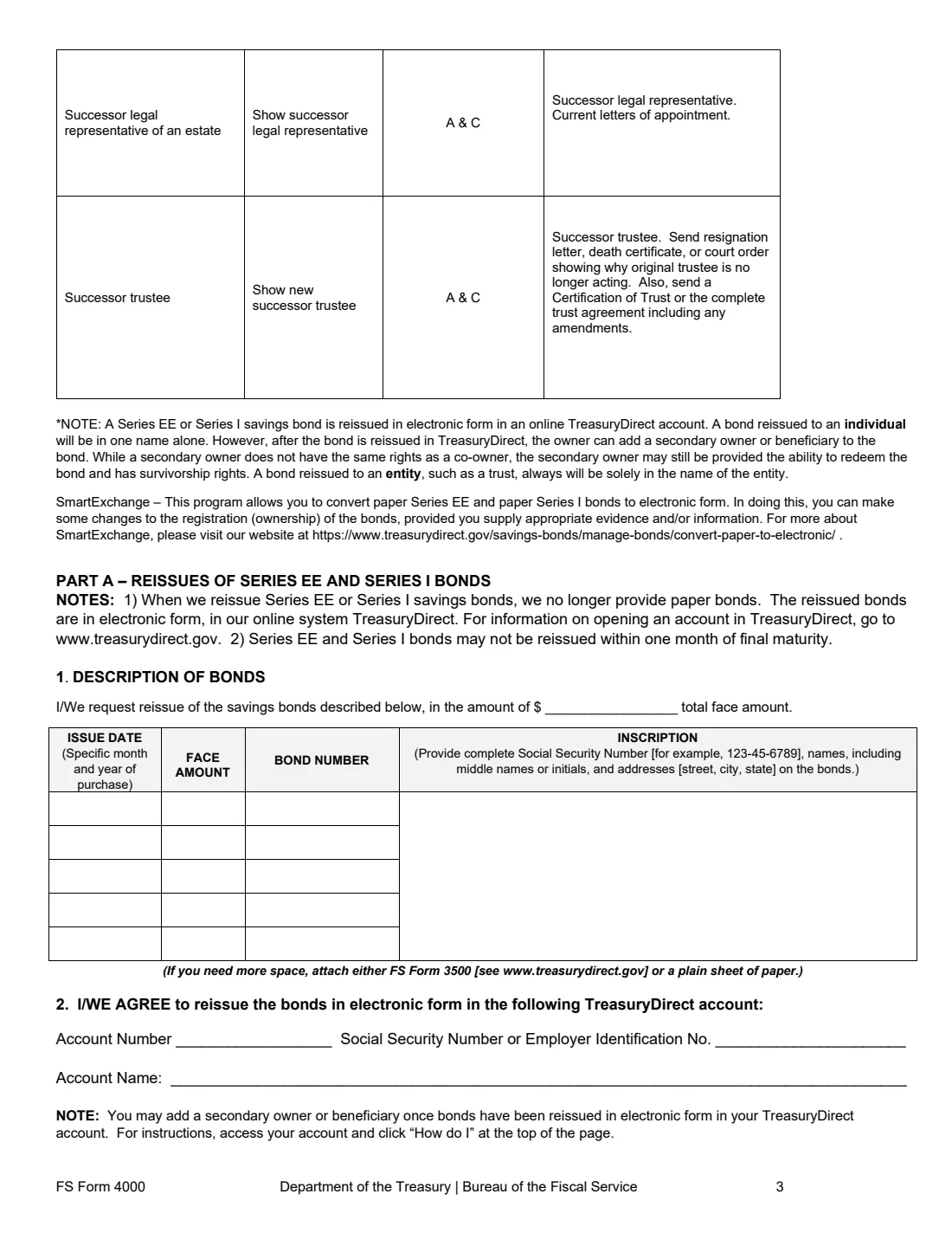
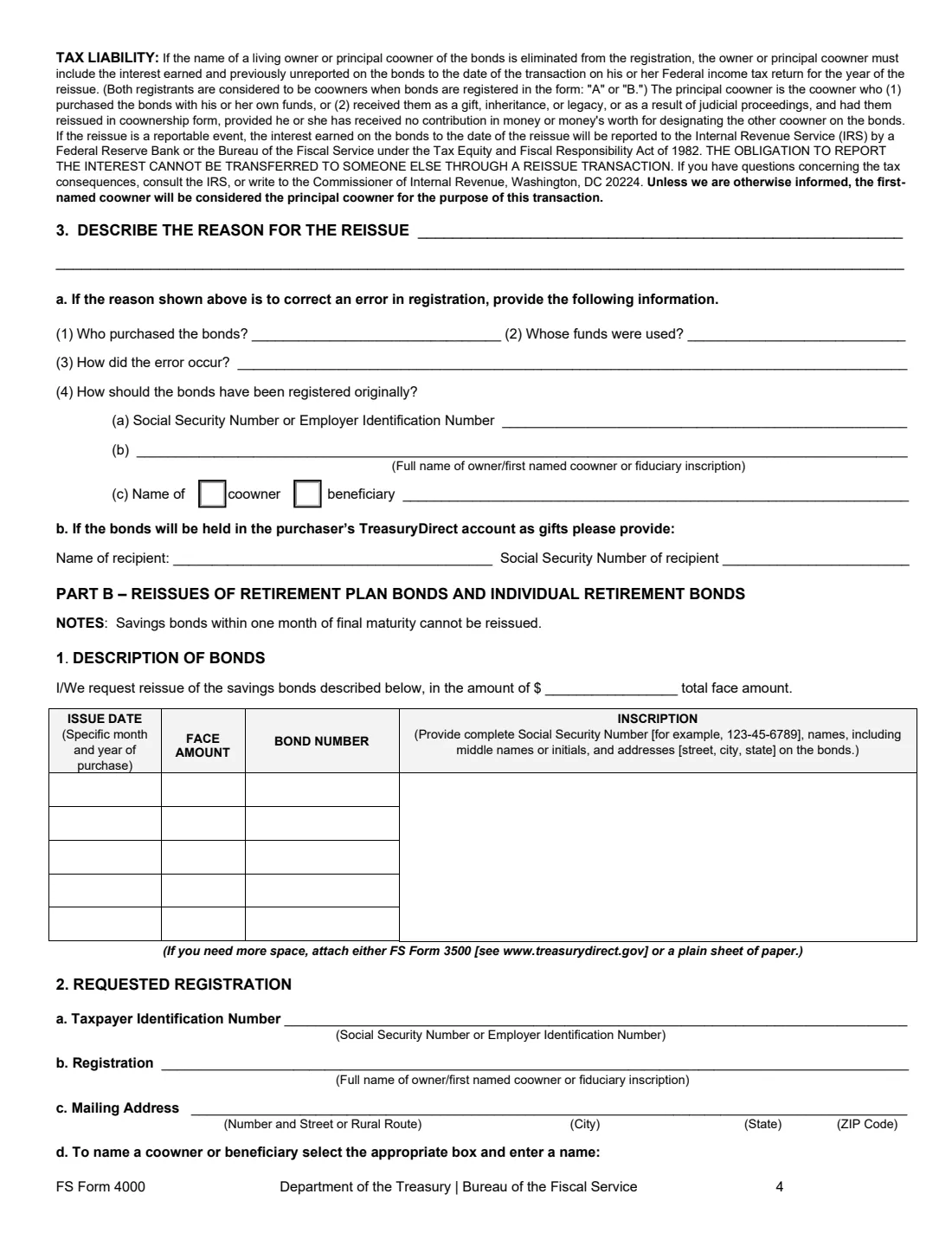
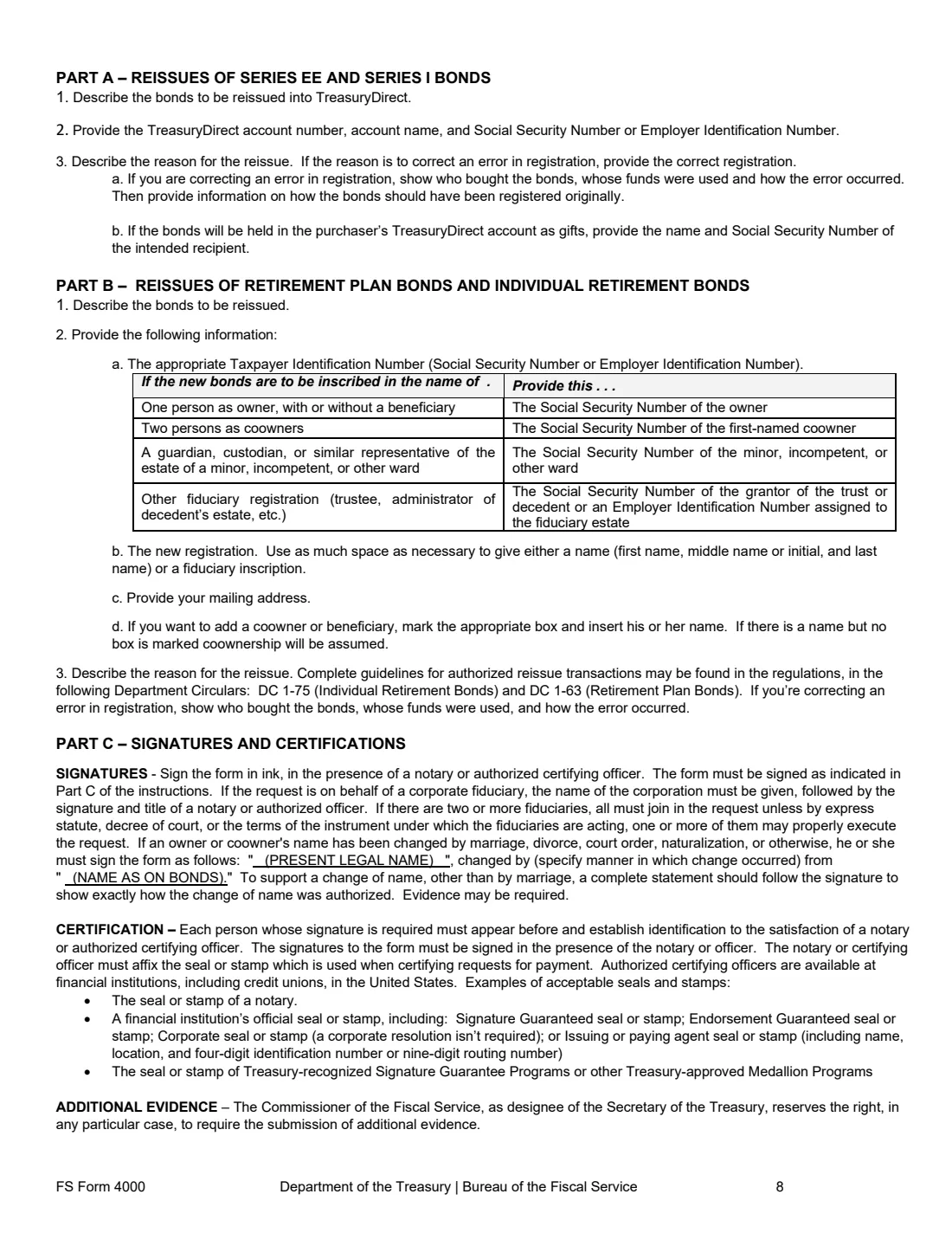
Part A is for Series EE and Series I bonds. Treasury no longer issues them on paper, so the new bonds go into a TreasuryDirect account you name. Part B is for Retirement Plan Bonds and Individual Retirement Bonds, with the new registration and mailing address written out. In both you list each bond and explain the reason; if it's correcting an error, you say who bought the bonds, whose money was used and how the mistake happened.
FileIt fills either part or both, checks the bond list, and prints everything on the Treasury's April 2026 PDF. Everyone who has to sign does so in front of a notary or certifying officer. Moving bonds into a trust uses FS Form 1851 instead, and cashing them uses FS Form 1522.
- Who signs
- The persons named on the bonds, plus the TreasuryDirect account owner or manager if different, as the form's table says.
- Parts
- A for Series EE and I bonds, B for Retirement Plan and Individual Retirement Bonds, C for signatures.
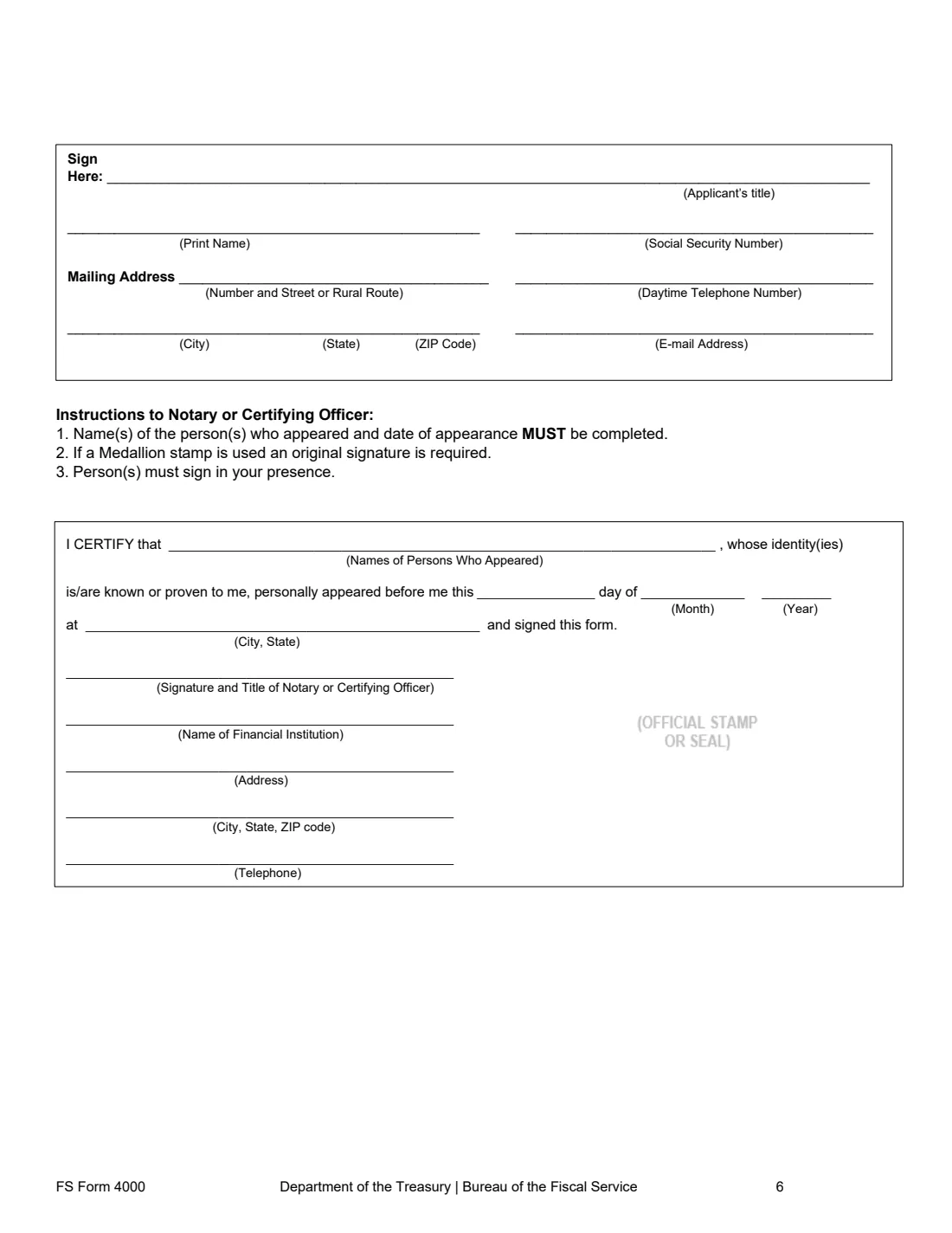
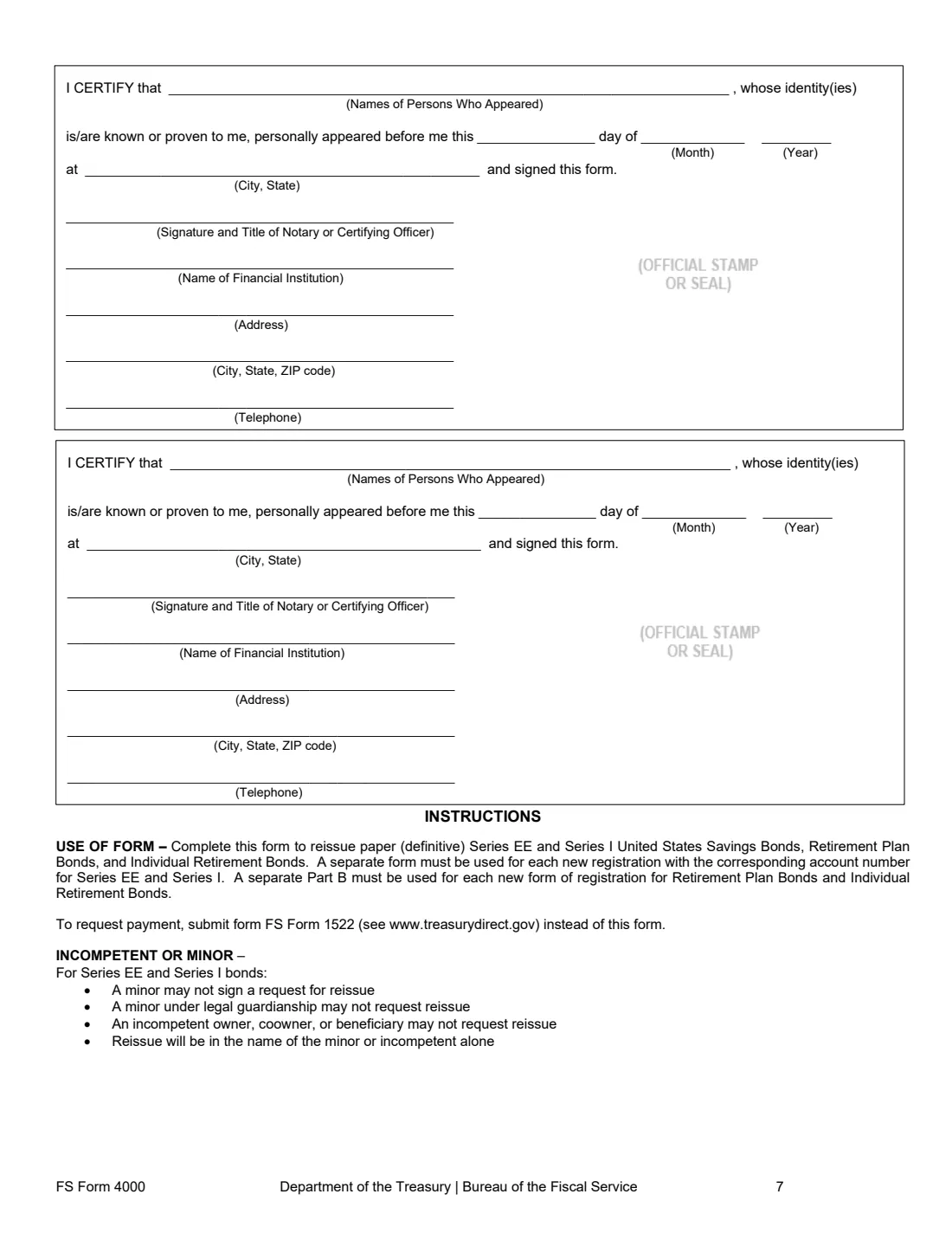
- Certification
- Each signer signs in ink before a notary or certifying officer.
- Send to
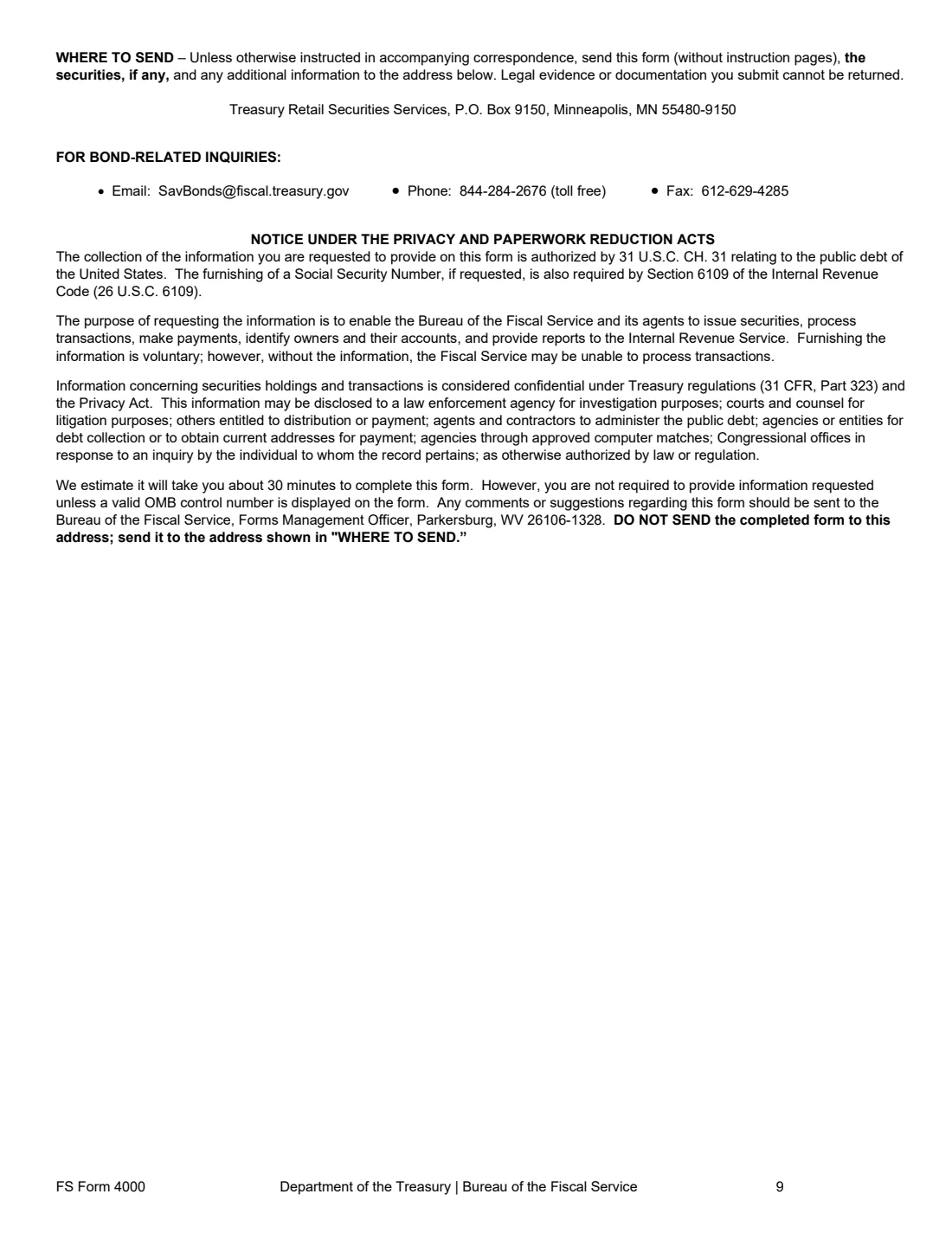
- Treasury Retail Securities Services, P.O. Box 9150, Minneapolis, MN 55480-9150, with the bonds.
- Edition
- Revised April 2026 (OMB No. 1530-0025)
- Agency
- U.S. Department of the Treasury, Bureau of the Fiscal Service
Who needs to fill out FS Form 4000?
- Owners whose name changed by marriage, divorce or court order.
- Owners adding, changing or removing a beneficiary on paper bonds.
- Surviving coowners removing a deceased registrant.
- Purchasers correcting a registration mistake made when the bonds were bought.
- Divorced spouses, guardians, executors and successor trustees who need the bonds in a new name.
When to use FS Form 4000
- When paper bonds need a new registration and you're not cashing them.
- For a name change, beneficiary change or deceased registrant, when you'd rather not use TreasuryDirect's SmartExchange.
- Not within one month of a bond's final maturity: the form says those can't be reissued.
What you need before you start
- The paper bonds: issue date, face amount, bond number and inscription of each.
- For Part A, the TreasuryDirect account number, its SSN or EIN and the account name.
- For Part B, the new owner's taxpayer ID, registration and mailing address, and any coowner or POD beneficiary.
- The reason for the reissue, and the facts of any registration error.
- Evidence the table asks for, such as a certified death certificate, divorce decree or letters of appointment.
- Each signer's Social Security number, address, phone and email, and a notary or certifying officer.
What’s on FS Form 4000
The 2026 edition has 9 pages. FileIt asks for it in 5 parts, and it is signed by First applicant and Second applicant and Third applicant:
- Part A: Reissue of Series EE and Series I bondsFirst applicant
- Part B: Reissue of Retirement Plan Bonds and Individual Retirement BondsFirst applicant
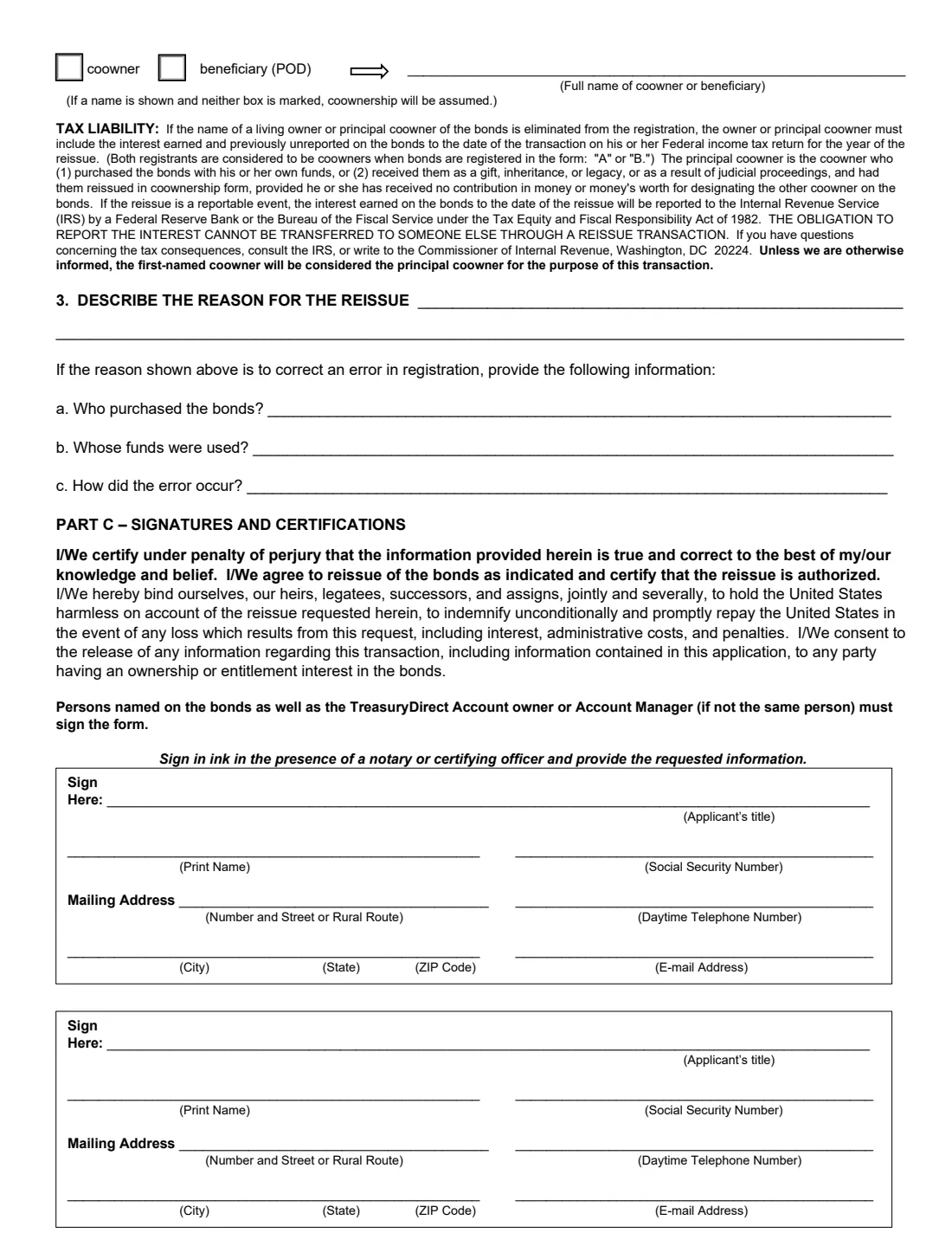
- Part C: Signature of the first applicantFirst applicant
- Part C: Second applicantSecond applicant
- Part C: Third applicantThird applicant
How to fill out FS Form 4000, step by step
1 Part A: Series EE and I bonds
List each bond with its inscription and the total face amount, then the TreasuryDirect account they should go into. Describe the reason, and for an error say who bought the bonds, whose funds were used, how it happened and how they should have been registered. If the bonds will be held as gifts in the purchaser's account, name the recipient.
2 Part B: Retirement bonds
The same bond list for Retirement Plan Bonds or Individual Retirement Bonds, then the requested registration: the right taxpayer ID (the instructions have a table), the new owner or fiduciary inscription, mailing address and any coowner or POD beneficiary. If you name someone without ticking a box, coownership is assumed.
3 Tax liability
Removing a living owner or principal coowner makes the previously unreported interest reportable on that person's tax return for the year of the reissue. The form says this obligation can't be passed to someone else through a reissue.
4 Part C: Signatures
Up to three signers give a title if they sign in a capacity (purchaser, guardian, executor), their SSN, address, phone and email, and sign before the notary or certifying officer. A changed name is signed as present name, changed by marriage or otherwise, from the name on the bonds.
Common mistakes to avoid
- Using it to cash bonds (that's FS Form 1522) or to move them into a trust (FS Form 1851).
- Expecting paper EE or I bonds back: they're reissued electronically.
- Using one form for several new registrations: the instructions ask for a separate form per registration and account.
- Missing a signer the table requires, such as both coowners or the new owner.
- Leaving out the death certificate, decree or letters of appointment.
- Signing before seeing the notary or certifying officer.
After you fill it out
Sign before the notary or certifying officer, then mail the form (without the instruction pages), the bonds and the evidence to Treasury Retail Securities Services, P.O. Box 9150, Minneapolis, MN 55480-9150.
For Series EE and I bonds, watch the TreasuryDirect account you named. You can add a secondary owner or beneficiary there once they arrive.
Bond questions go to [email protected] or 844-284-2676, the contacts on the form. FileIt keeps your filled copy in the vault.
Fill out FS Form 4000 online with FileIt
- Pick the person. Choose someone from People and FileIt fills in their name, date of birth, address and other details it already knows.
- Answer plain-language questions. One part of the form at a time, with the official help text beside each question — 96 fields in all. Your answers save as you go.
- Check the live preview. Watch your answers land on the real U.S. Department of the Treasury, Bureau of the Fiscal Service form, and let FileIt do any worksheet arithmetic.
- Generate the official PDF. FileIt prints your answers into the agency’s own PDF and files it in that person’s folder in your vault. Sign it, or send it for e-signature.
FileIt fills the form — it never files or submits anything for you. Deliver the finished form to whoever asked for it, the way the form’s instructions say.
Start FS Form 4000 now — it’s freeFS Form 4000: frequently asked questions
Can I add a coowner to my savings bonds?
Not as a new coowner, the form's table says, but once Series EE or I bonds are reissued in TreasuryDirect you can add a secondary owner, who can redeem the bonds and has survivorship rights.
How do I remove a deceased coowner?
The surviving registrant signs, sends a certified copy of the death certificate, and uses either SmartExchange or Parts A and C of this form.
Is reissuing a taxable event?
It can be. If a living owner or principal coowner is removed, they report the unreported interest for the year of the reissue. Ask the IRS or a tax adviser about your case.
What is SmartExchange?
A TreasuryDirect program that converts paper Series EE and I bonds to electronic form and allows some registration changes with the right evidence.
Do I need a notary?
Yes, or a certifying officer at a financial institution: the form asks every signer to sign in ink in their presence.
Does FileIt submit it?
No. FileIt prints your answers on the Treasury's PDF and saves it in your vault. You sign it and mail it with the bonds.
Official sources
- Blank form (PDF), published by U.S. Department of the Treasury, Bureau of the Fiscal Service: https://www.treasurydirect.gov/forms/sav4000.pdf
- Official instructions and guidance: https://www.treasurydirect.gov/savings-bonds/manage-bonds/convert-paper-to-electronic/
- Edition shown on this page: FS Form 4000 (Revised April 2026), OMB No. 1530-0025 (checked 2026-10-19).
FileIt is not affiliated with or endorsed by U.S. Department of the Treasury, Bureau of the Fiscal Service or any government. This page explains the form in general terms and is not legal, tax or immigration advice. Always read the official instructions, and check that you are using the edition the recipient accepts. Page last reviewed 2026-10-19.