What is Form 8332?
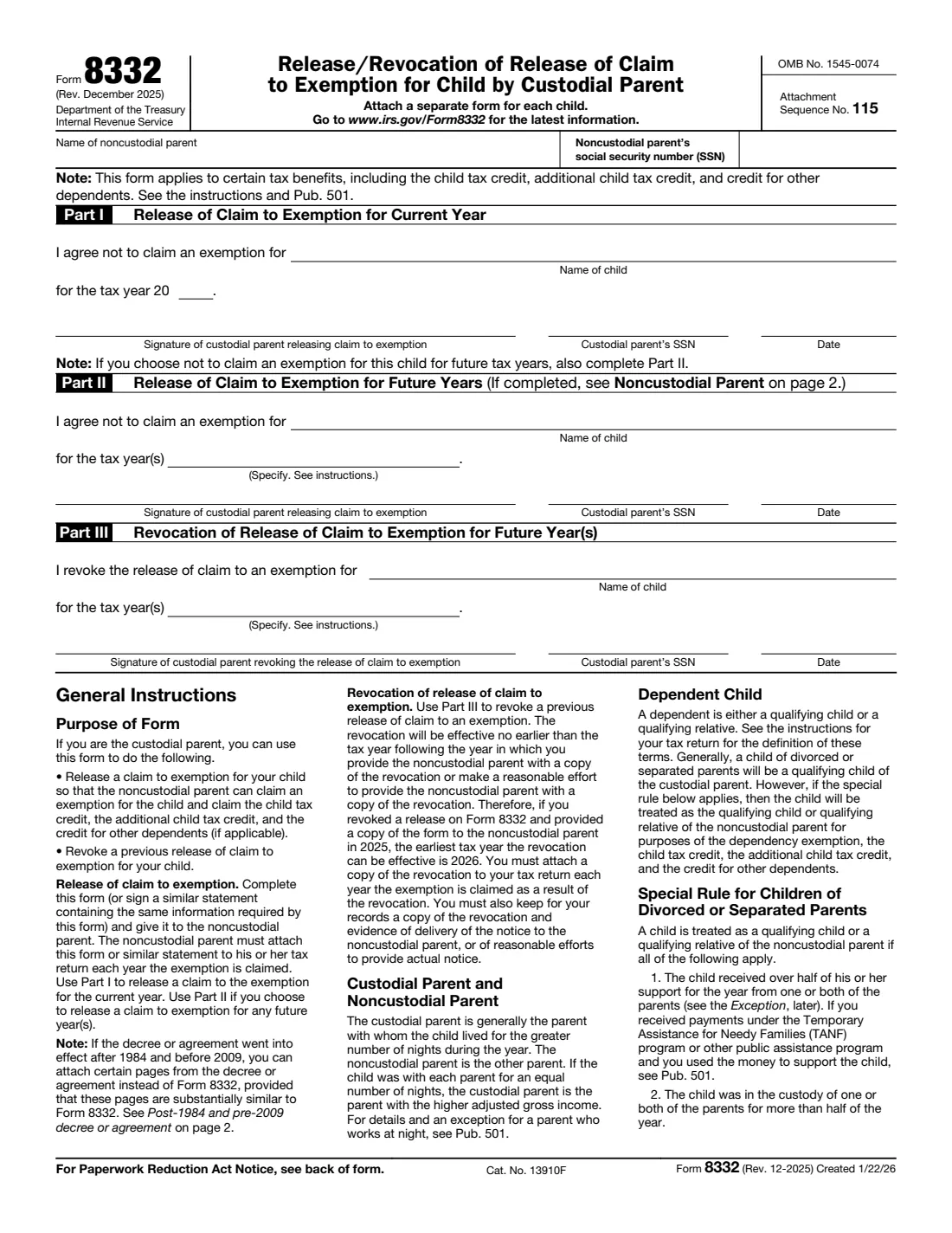
Generally, a child of divorced or separated parents is the qualifying child of the custodial parent: the parent the child lived with for the greater number of nights during the year. Form 8332 is how that custodial parent agrees not to claim the child, so the noncustodial parent can claim the child as a dependent along with the child tax credit, the additional child tax credit and the credit for other dependents. The custodial parent signs it and gives it to the noncustodial parent, who attaches it to their tax return each year they claim the child.
The form has three parts. Part I releases the claim for the current tax year. Part II releases it for future years you name, or for all future years. Part III revokes an earlier release; a revocation takes effect no earlier than the tax year after the year you give the other parent a copy (or make a reasonable effort to). One form covers one child.
FileIt asks for the parents' details and the child's name once, prints them into each part you use, and checks the rules the form states — for example, that a release and a revocation aren't mixed on one form. The finished IRS PDF is saved in your vault. You sign it by hand and hand it to the other parent yourself; FileIt never sends anything to the IRS.
- Who fills it
- The custodial parent (generally the parent the child lived with for more nights).
- Given to
- The noncustodial parent, who attaches it to their return. For a revocation, the custodial parent attaches a copy to their own return.
- One form per
- Child. Attach a separate form for each child.
- E-filed returns
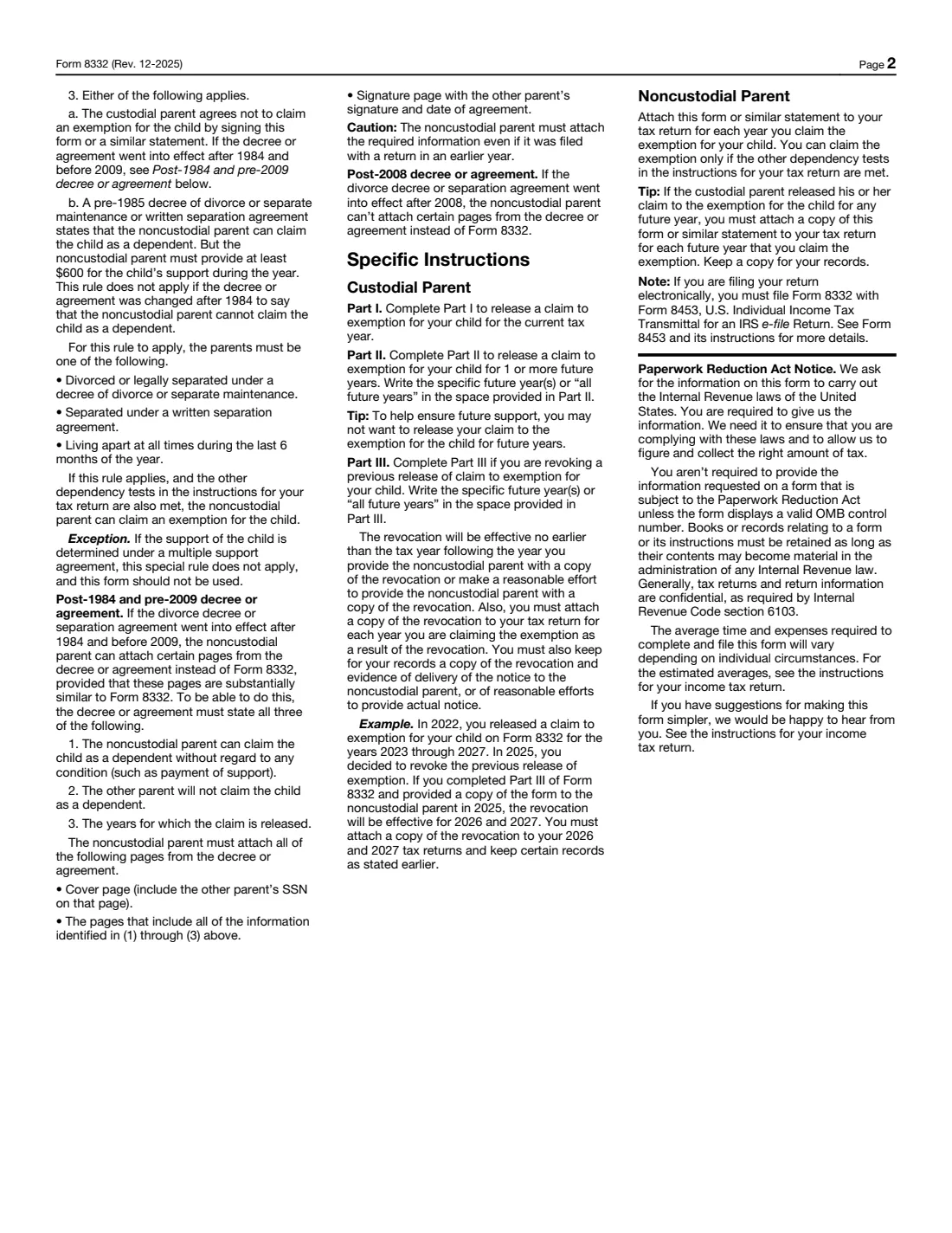
- The noncustodial parent sends Form 8332 with Form 8453 (page 2 of the form).
- Signatures
- The custodial parent signs each part used.
- Edition
- Rev. December 2025
Who needs to fill out Form 8332?
- Divorced or separated parents who agree the noncustodial parent will claim the child for a year or for several years.
- Parents alternating years, where the custodial parent releases the claim for the other parent's years.
- Parents who were never married and live apart, when the special rule for children of divorced or separated parents applies (for example, living apart for the last 6 months of the year).
- A custodial parent who wants to take back (revoke) a release given in an earlier year.
- Not for cases where the child's support is determined under a multiple support agreement: the form says the special rule doesn't apply then.
When to use Form 8332
- When you agree the noncustodial parent will claim the child for the current tax year (Part I).
- When a divorce or separation agreement says the other parent may claim the child in future years (Part II). For decrees that went into effect after 2008, the other parent can't attach pages of the decree instead; they need Form 8332 or a similar statement.
- When circumstances change and you want to stop a future-year release (Part III). Give the other parent a copy, keep proof of delivery, and attach a copy to your own return each year you claim the child because of it.
- Each time the noncustodial parent files, they attach the form (or a copy) for that year.
What you need before you start
- The noncustodial parent's full name and Social Security number.
- Your own Social Security number.
- The child's name.
- The tax year (Part I) or the specific future years, or "all future years" (Parts II and III).
- Your divorce decree or separation agreement, if it says who may claim the child.
What’s on Form 8332
The 2025 edition has 2 pages. FileIt asks for it in 4 parts:
- The parents and the childCustodial parent
- Part I: Release of claim for the current yearCustodial parent
- Part II: Release of claim for future yearsCustodial parent
- Part III: Revoke an earlier release for future yearsCustodial parent
How to fill out Form 8332, step by step
1 Heading: the noncustodial parent
Enter the name and SSN of the noncustodial parent — the parent who will claim the child. The note under it reminds you the form covers the child tax credit, the additional child tax credit and the credit for other dependents.
2 Part I: Release for the current year
Enter the child's name and the tax year, then sign with your SSN and the date. This releases your claim for that one year.
3 Part II: Release for future years
Enter the child's name and the specific future year(s), such as "2027 through 2030", or "all future years". The form's own tip: to help ensure future support, you may not want to release future years. The noncustodial parent must attach a copy of the form for every year they claim the child.
4 Part III: Revocation
Enter the child's name and the future year(s) you revoke, or "all future years", and sign. The instructions' example: a release for 2023 through 2027 revoked and given to the other parent in 2025 is effective for 2026 and 2027. Keep a copy and evidence that you delivered it or reasonably tried to.
Common mistakes to avoid
- Using one form for several children. Attach a separate form for each child.
- Writing "future years" loosely in Part II or III. Name the specific years, or write "all future years".
- Expecting a revocation to apply to the year you sign it. It takes effect no earlier than the following tax year.
- The noncustodial parent forgetting to attach the form every year they claim the child, even when it was attached in an earlier year.
- E-filing without sending Form 8332 with Form 8453.
- Assuming it moves every benefit. The special rule covers the dependency exemption and the credits named on the form; see Pub. 501 for the rest.
After you fill it out
Sign and date each part you completed, then give the form to the noncustodial parent (for a release) or deliver a copy to them (for a revocation), keeping proof of delivery.
The noncustodial parent attaches it to their return for each year they claim the child. If they file electronically, they send it with Form 8453.
For a revocation, attach a copy to your own return each year you claim the child as a result.
FileIt keeps the PDF in your vault, so both years and parts are easy to find later.
Fill out Form 8332 online with FileIt
- Pick the person. Choose someone from People and FileIt fills in their name, date of birth, address and other details it already knows.
- Answer plain-language questions. One part of the form at a time, with the official help text beside each question — 13 fields in all. Your answers save as you go.
- Check the live preview. Watch your answers land on the real Internal Revenue Service (IRS) form, and let FileIt do any worksheet arithmetic.
- Generate the official PDF. FileIt prints your answers into the agency’s own PDF and files it in that person’s folder in your vault.
FileIt fills the form — it never files or submits anything for you. Deliver the finished form to whoever asked for it, the way the form’s instructions say.
Start Form 8332 now — it’s freeForm 8332: frequently asked questions
Who is the custodial parent for Form 8332?
Generally the parent the child lived with for the greater number of nights during the year. If the nights were equal, it's the parent with the higher adjusted gross income. Pub. 501 has an exception for a parent who works at night.
Does the noncustodial parent file Form 8332?
The custodial parent completes and signs it; the noncustodial parent attaches it (or a similar statement with the same information) to their tax return each year they claim the child.
Can I release my claim for several years at once?
Yes, in Part II: name the specific future years or write "all future years". The other parent then attaches a copy of the form to each of those years' returns.
How do I revoke a Form 8332 release?
Complete Part III for the future years you revoke and give the other parent a copy (or make a reasonable effort to). It takes effect no earlier than the tax year after you do that. Attach a copy to your own return each year you claim the child because of it.
Can my divorce decree replace Form 8332?
Only for a decree or agreement that went into effect after 1984 and before 2009 and states all three required items; then specific pages can be attached instead. For decrees after 2008, the noncustodial parent can't attach decree pages instead of the form.
Can I fill out Form 8332 online?
Yes. FileIt prints your answers into the official IRS PDF and saves it in your vault. You sign it by hand and give it to the other parent.
Official sources
- Blank form (PDF), published by Internal Revenue Service (IRS): https://www.irs.gov/pub/irs-pdf/f8332.pdf
- Official instructions and guidance: https://www.irs.gov/forms-pubs/about-form-8332
- Edition shown on this page: Rev. December 2025 (created 1/22/26) (checked 2026-09-28).
FileIt is not affiliated with or endorsed by Internal Revenue Service (IRS) or any government. This page explains the form in general terms and is not legal, tax or immigration advice. Always read the official instructions, and check that you are using the edition the recipient accepts. Page last reviewed 2026-09-28.