What is Form 13614-C?
Form 13614-C is the intake sheet used at IRS Volunteer Income Tax Assistance (VITA) and Tax Counseling for the Elderly (TCE) sites, where IRS-certified volunteers prepare tax returns for free for people who qualify. Before the volunteer starts, you complete pages 1 to 4: who you are, who lives with you or depends on you, what kinds of income you had, what you paid for, and what happened during the year. The volunteer then works through it with you to prepare the return.
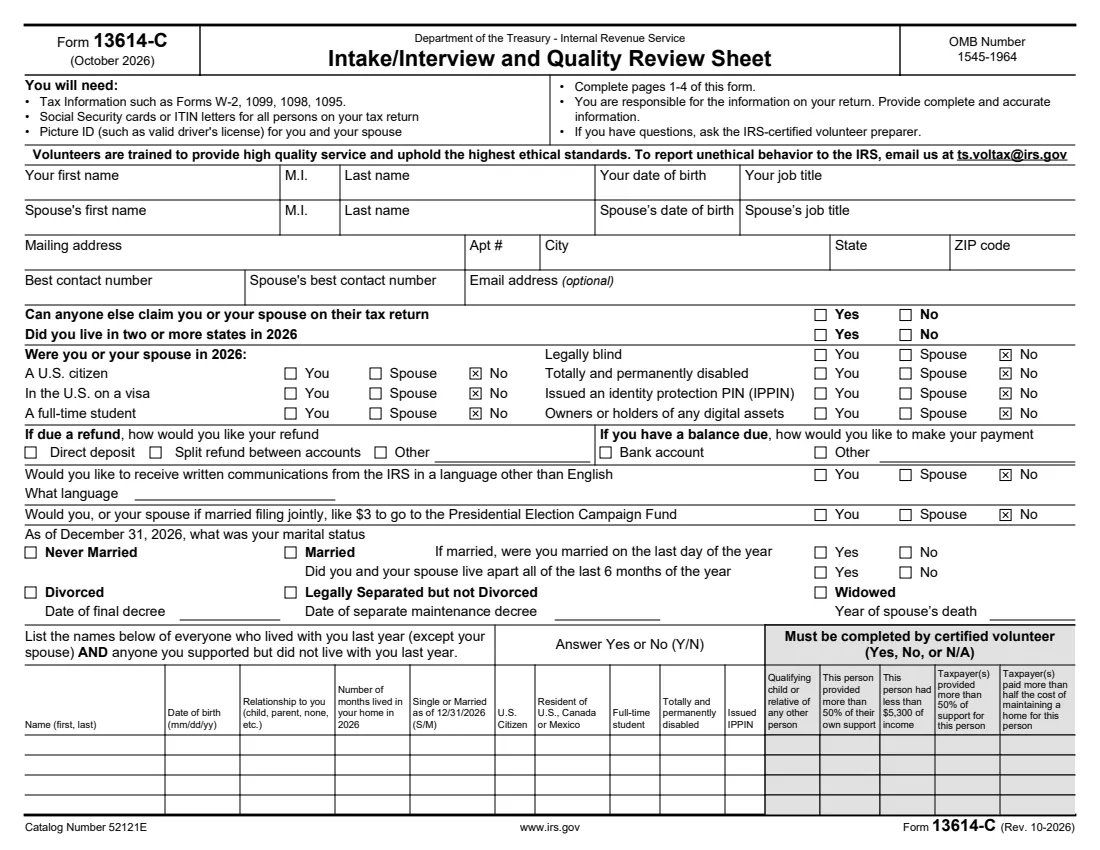
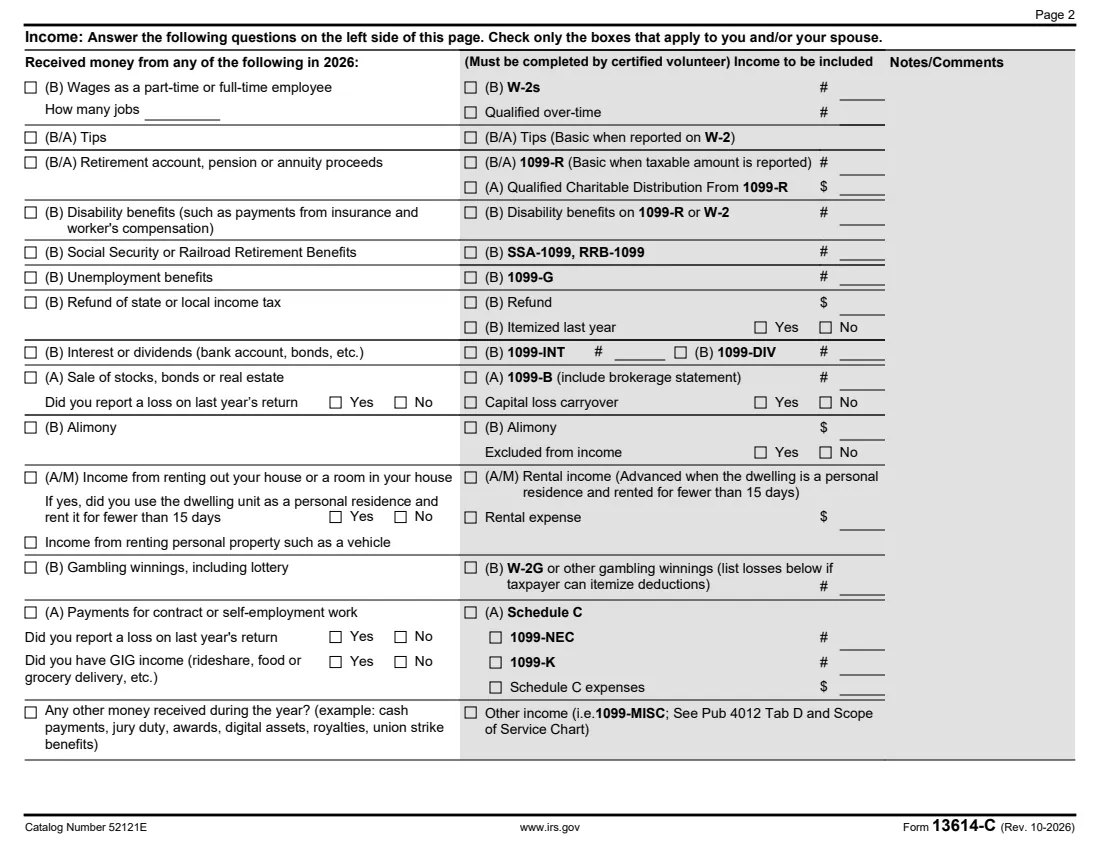
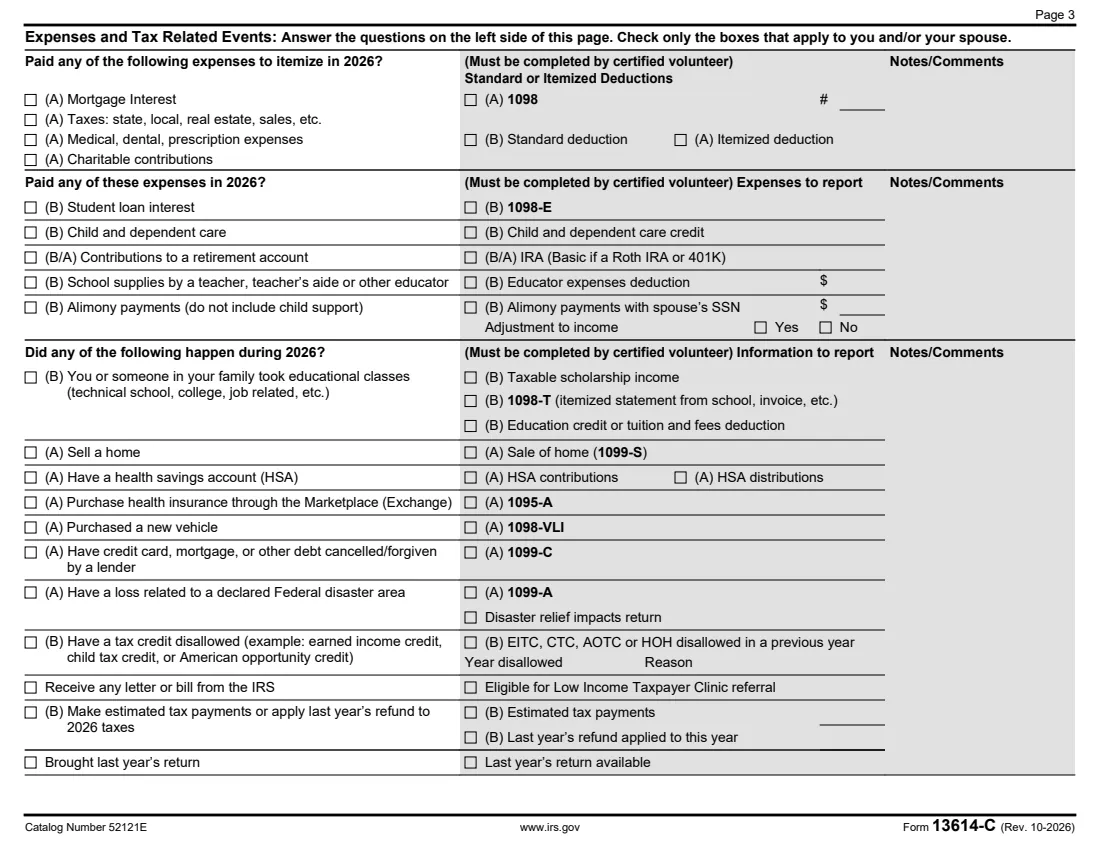
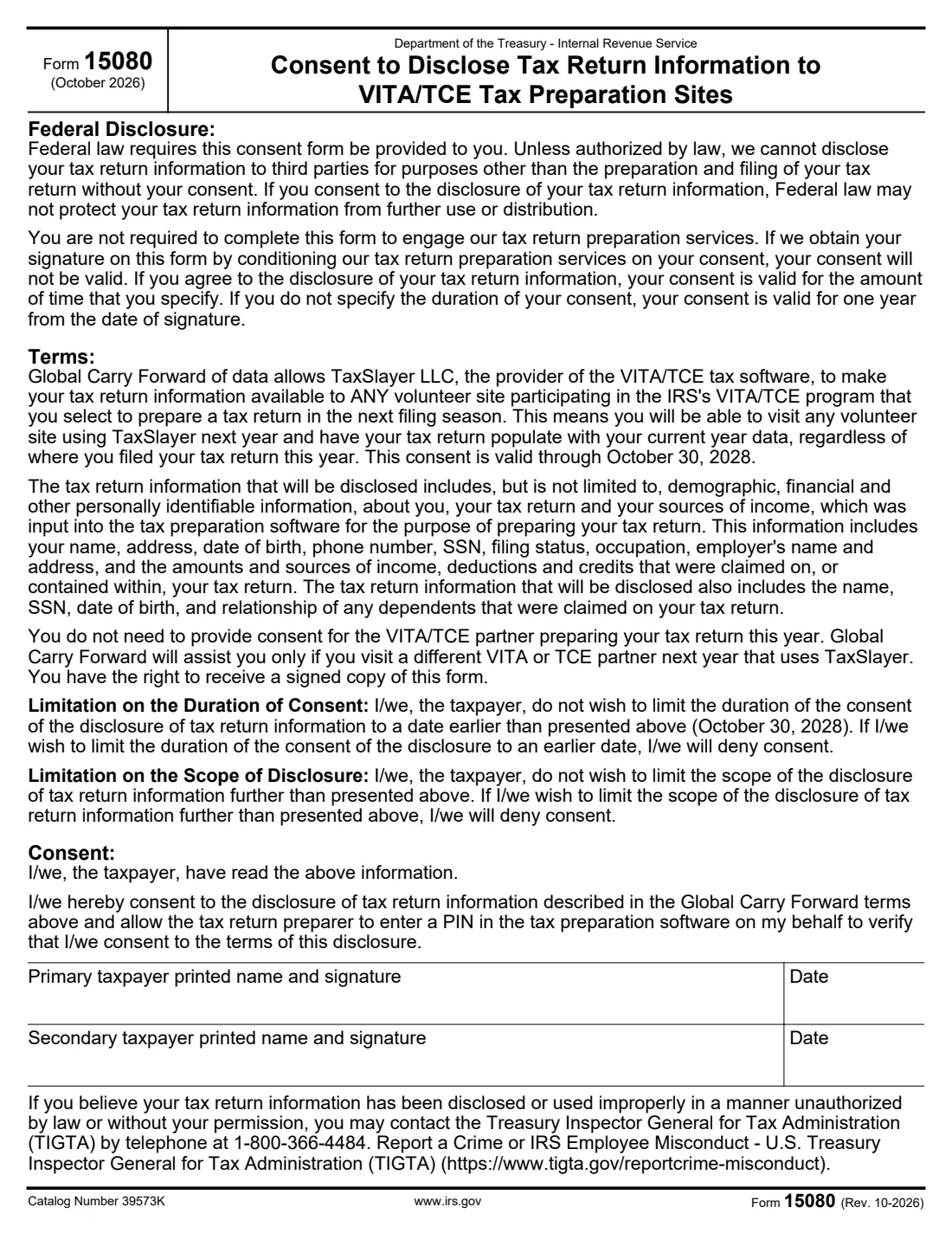
This October 2026 edition is for 2026 tax returns, prepared in the 2027 filing season. It is mostly tick boxes. On page 1 you answer questions about yourself, your spouse and your household, and how you'd like a refund paid or a balance settled. Page 2 covers income such as wages, tips, retirement, Social Security, unemployment and gig work. Page 3 covers expenses and events like mortgage interest, child care, education, a home sale, Marketplace insurance or an IRS letter, and page 4 has optional statistical questions. The shaded columns are for the volunteer. The file also includes Form 15080, an optional consent that lets your data be carried forward to any VITA/TCE site next year.
FileIt walks you through each page in plain language, pre-fills your name, date of birth and email from the People in your vault, shows the spouse questions only when they apply, and prints your answers into the IRS's official PDF, saved in your vault so you can print it or bring it on your phone. If you choose to sign the optional Form 15080 consent, FileIt eSignature places the signature and date boxes for you. FileIt doesn't prepare or file your return; the volunteer does that.
- Who fills it
- Anyone getting free tax preparation at a VITA or TCE site, with their spouse if filing jointly.
- Sent to
- Nobody: you bring it to your VITA/TCE appointment and go through it with the volunteer.
- When
- Before your appointment in the filing season for 2026 returns.
- Signatures
- None on the intake sheet; the optional Form 15080 consent is signed by each taxpayer who agrees.
- Edition
- Rev. 10-2026 (October 2026), for tax year 2026
- Agency
- Internal Revenue Service (IRS), VITA and TCE programs
Who needs to fill out Form 13614-C?
- People going to a VITA site for free help with their federal return.
- Older taxpayers using the Tax Counseling for the Elderly (TCE) program.
- Families who want to list children and other dependents, with their months at home and student or disability status, before the appointment.
- Couples filing jointly, who answer for both spouses.
- Anyone who'd like to take less time at the site by preparing their answers ahead.
When to use Form 13614-C
- Before each VITA or TCE appointment for a 2026 return, using this edition.
- Again whenever your situation changes significantly from what you told the volunteer, such as a new job, a move or a new dependent.
- Not if you're preparing your own return or using a paid preparer. The form is specific to the volunteer programs.
What you need before you start
- Your name, date of birth, job title, address, phone and email, and your spouse's.
- Names, dates of birth and relationships of everyone who lived with you or whom you supported.
- A list of the kinds of income you received, with the forms: W-2, 1099-R, SSA-1099, 1099-G, 1099-INT, 1099-B, W-2G, 1099-NEC, 1099-K.
- Statements for expenses and events, such as Form 1098, 1098-E, 1098-T, 1095-A, 1099-C or 1099-A.
- Social Security cards or ITIN letters for everyone on the return, and photo ID for you and your spouse.
- Bank routing and account numbers if you want direct deposit, and any IRS letters or IP PINs.
What’s on Form 13614-C
The 2026 edition has 6 pages. FileIt asks for it in 10 parts, and it is signed by Primary taxpayer (form 15080 consent) and Secondary taxpayer (form 15080 consent):
- Part I: About youTaxpayer
- Refund, payment and preferencesTaxpayer
- Marital status as of December 31, 2026Taxpayer
- People who lived with you or whom you supportedTaxpayer
- Part II: Income received in 2026Taxpayer
- Part III: Expenses and tax-related events in 2026Taxpayer
- Part IV: Optional informationTaxpayer
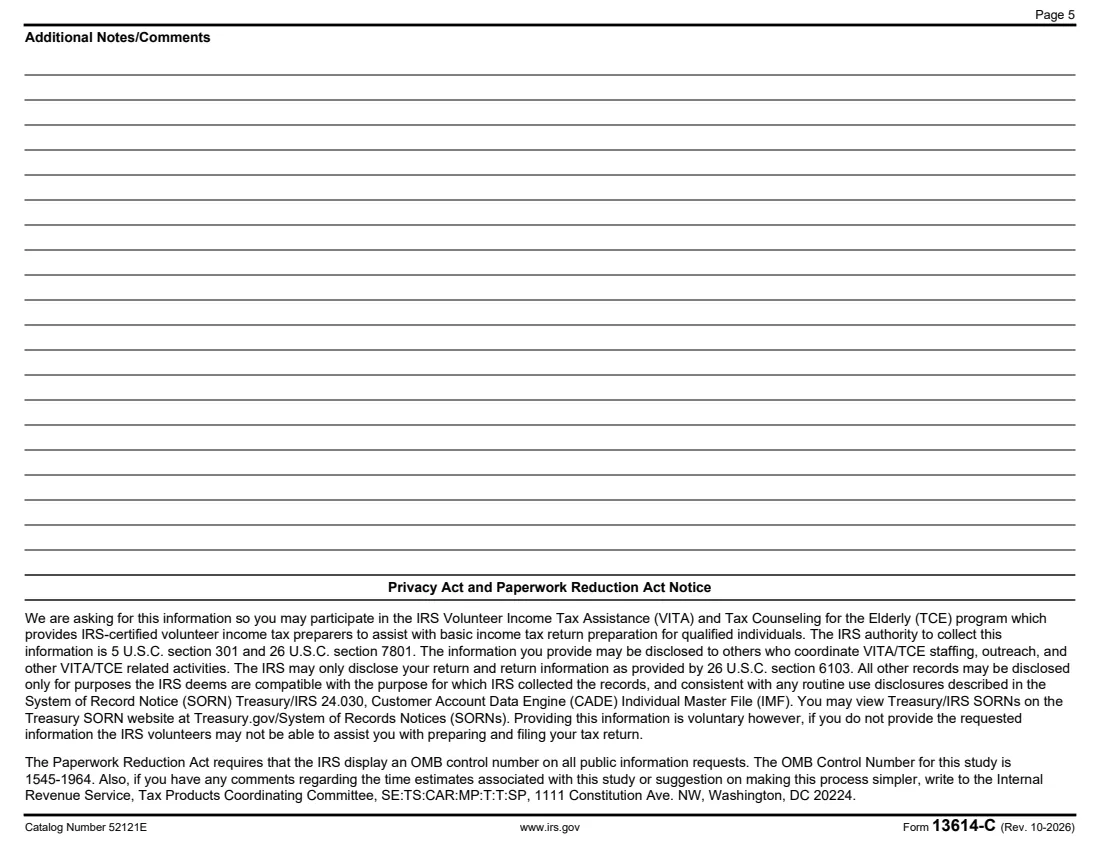
- Additional notes or commentsTaxpayer
- Form 15080: Consent to disclose (Global Carry Forward)Primary taxpayer (form 15080 consent)
- Form 15080: Secondary taxpayerSecondary taxpayer (form 15080 consent)
How to fill out Form 13614-C, step by step
1 Page 1: About you and your household
Enter your details and your spouse's, then answer whether anyone else can claim you, whether you lived in more than one state, and the You / Spouse questions: citizenship, visa, student, blindness, disability, IP PIN and digital assets. FileIt ticks No for you when neither applies.
2 Page 1: Refund, payment and status
Choose direct deposit, a split refund or another method, and how you'd pay a balance. Say whether you'd like IRS letters in another language and whether you want $3 to go to the Presidential Election Campaign Fund. Then give your marital status as of December 31, 2026, with the dates or follow-up questions it asks.
3 Page 1: People who lived with you
List up to four people who lived with you (other than your spouse) or whom you supported: name, date of birth, relationship, months in your home, single or married, and Yes/No for U.S. citizen, resident of the U.S., Canada or Mexico, full-time student, disability and IP PIN.
4 Page 2: Income
Tick each kind of money you or your spouse received in 2026: wages (and how many jobs), tips, retirement payments, disability, Social Security, unemployment, state refunds, interest, sales of stocks or property, alimony, rentals, gambling, self-employment or gig work, and anything else. A few follow-up questions appear only when they apply.
5 Page 3: Expenses and events
Tick the expenses you paid, such as mortgage interest, taxes, medical costs, donations, student loan interest, child care, retirement contributions, educator supplies or alimony. Then mark the events that happened during the year, from classes and home sales to Marketplace insurance, cancelled debt, disaster losses, disallowed credits or an IRS letter.
6 Pages 4-6: Optional parts
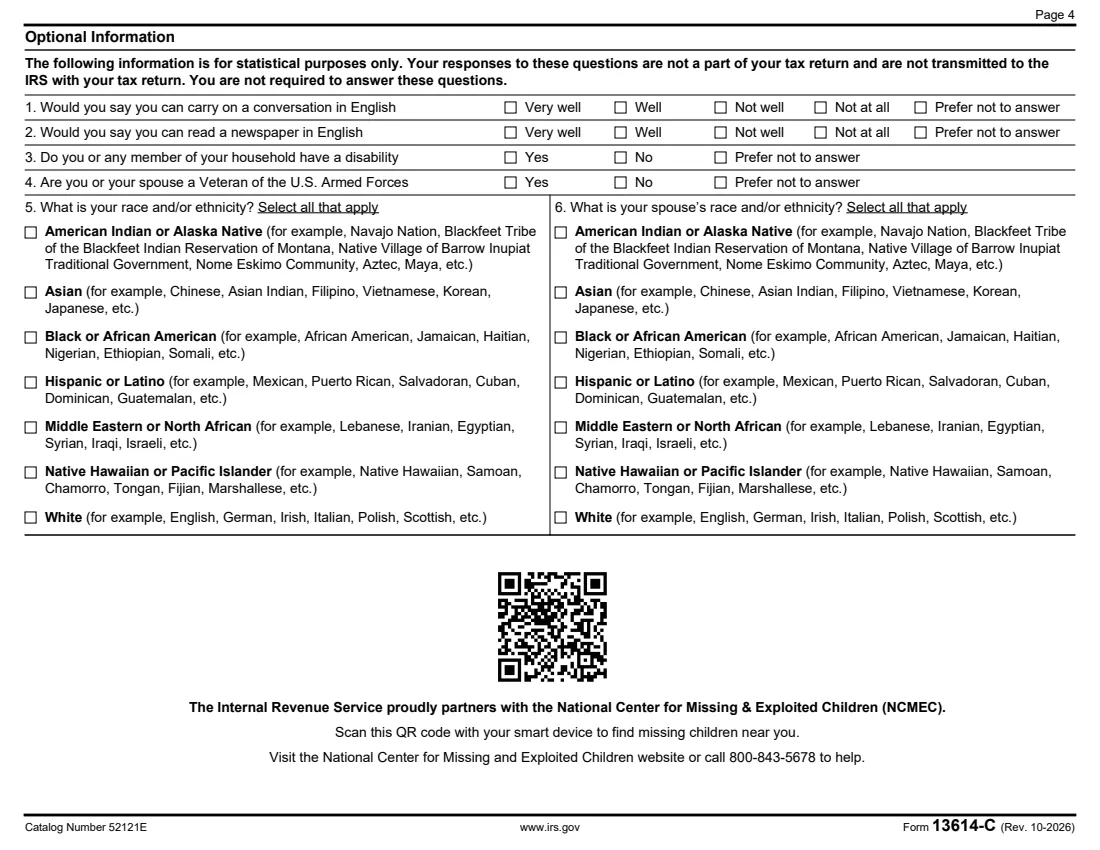
Page 4's questions about English, disability, veteran status and race or ethnicity are optional and aren't sent with your return. You can add notes for the volunteer on page 5. On page 6, Form 15080 is an optional consent that lets your return data follow you to another VITA/TCE site next year; you don't have to sign it to get help.
Common mistakes to avoid
- Forgetting someone who lived with you or whom you supported. The volunteer needs everyone to work out dependents and credits.
- Leaving out small income such as a 1099-INT or gig payments. Tick it and bring the form.
- Not bringing Social Security cards or ITIN letters for everyone on the return.
- Filling in the shaded volunteer columns. Those are for the IRS-certified volunteer.
- Not mentioning an IRS letter or an IP PIN, which can hold up e-filing.
- Thinking you must sign Form 15080 to get help. The consent is optional.
After you fill it out
Save or print the PDF from your vault and bring it to your VITA or TCE appointment together with your tax documents, ID and Social Security cards. Use the IRS VITA/TCE locator to find a site near you.
The volunteer reviews every answer with you, completes the shaded columns and prepares your return. You remain responsible for the information on it, so check it before you sign the return.
Keep the intake sheet with your tax records for the year, and start a new one with the next edition for next year's return.
Fill out Form 13614-C online with FileIt
- Pick the person. Choose someone from People and FileIt fills in their name, date of birth, address and other details it already knows.
- Answer plain-language questions. One part of the form at a time, with the official help text beside each question — 181 fields in all. Your answers save as you go.
- Check the live preview. Watch your answers land on the real Internal Revenue Service (IRS) form, and let FileIt do any worksheet arithmetic.
- Generate the official PDF. FileIt prints your answers into the agency’s own PDF and files it in that person’s folder in your vault. Sign it, or send it for e-signature.
FileIt fills the form — it never files or submits anything for you. Deliver the finished form to whoever asked for it, the way the form’s instructions say.
Start Form 13614-C now — it’s freeForm 13614-C: frequently asked questions
Can I fill out Form 13614-C online?
Yes. FileIt guides you through the intake sheet and prints your answers into the official IRS PDF, saved in your vault, so you can print it or bring it to your appointment. Filling forms is available on every FileIt account, including the free plan.
Do I have to complete the shaded columns?
No. The columns marked 'Must be completed by certified volunteer' are for the volunteer who prepares your return.
Do I need to sign Form 13614-C?
The intake sheet itself has no signature line. The attached Form 15080 consent has signature lines, but signing it is optional.
What is Form 15080?
A consent that lets TaxSlayer, the VITA/TCE software provider, make your return data available to any VITA/TCE site you choose next filing season. The form says it is valid through October 30, 2028, and that you don't need it for the site preparing your return this year.
Are the optional questions sent to the IRS with my return?
No. The form says the page 4 answers are for statistical purposes only and aren't part of your tax return.
What should I bring with the form?
The form lists tax information such as Forms W-2, 1099, 1098 and 1095, Social Security cards or ITIN letters for everyone on the return, and picture ID for you and your spouse.
Official sources
- Blank form (PDF), published by Internal Revenue Service (IRS): https://www.irs.gov/pub/irs-pdf/f13614c.pdf
- Official instructions and guidance: https://www.irs.gov/forms-pubs/about-form-13614-c
- Edition shown on this page: Rev. 10-2026 (October 2026), for tax year 2026 (checked 2026-10-19).
FileIt is not affiliated with or endorsed by Internal Revenue Service (IRS) or any government. This page explains the form in general terms and is not legal, tax or immigration advice. Always read the official instructions, and check that you are using the edition the recipient accepts. Page last reviewed 2026-10-19.