What is MOM Work Permit application for a helper?
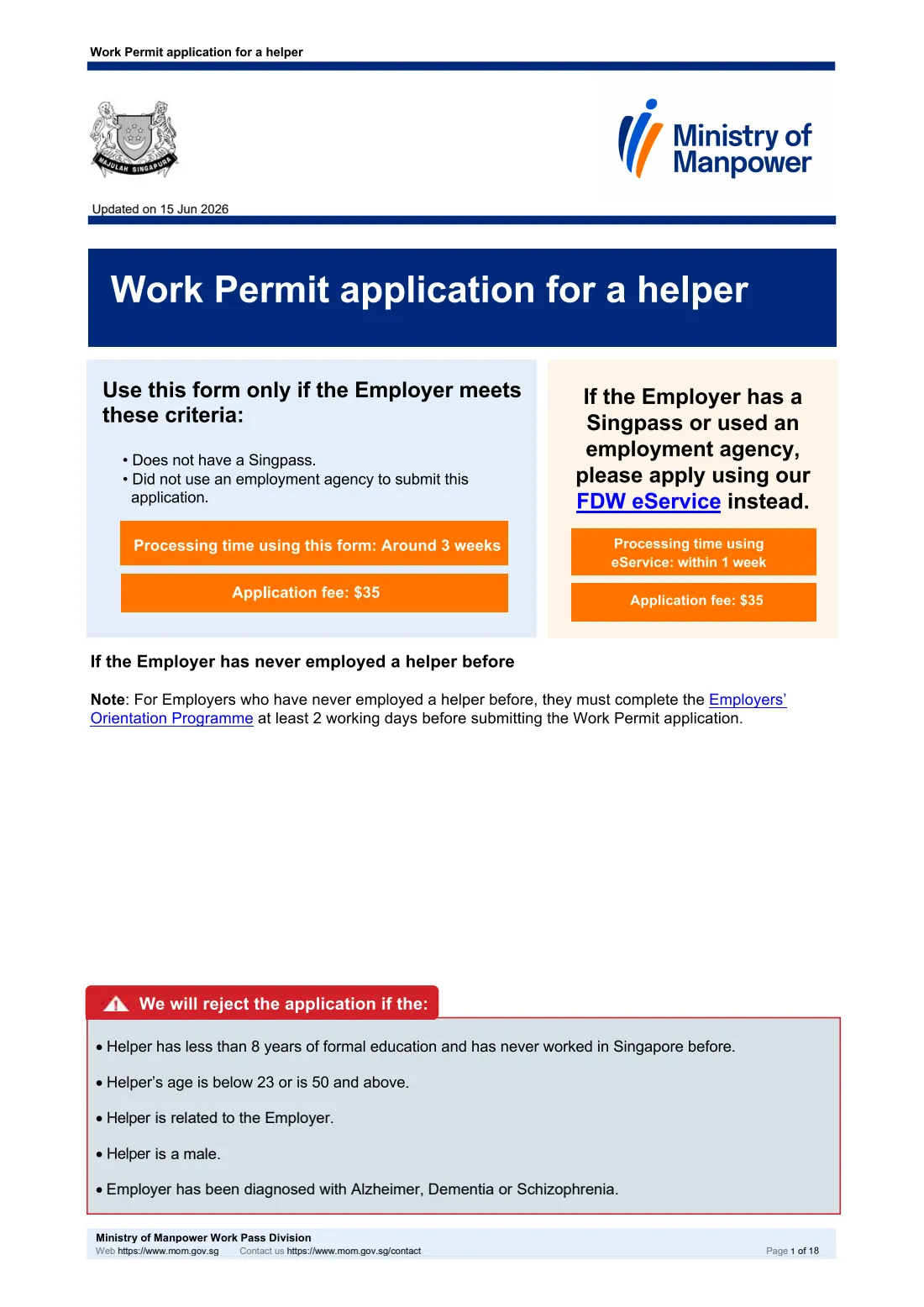
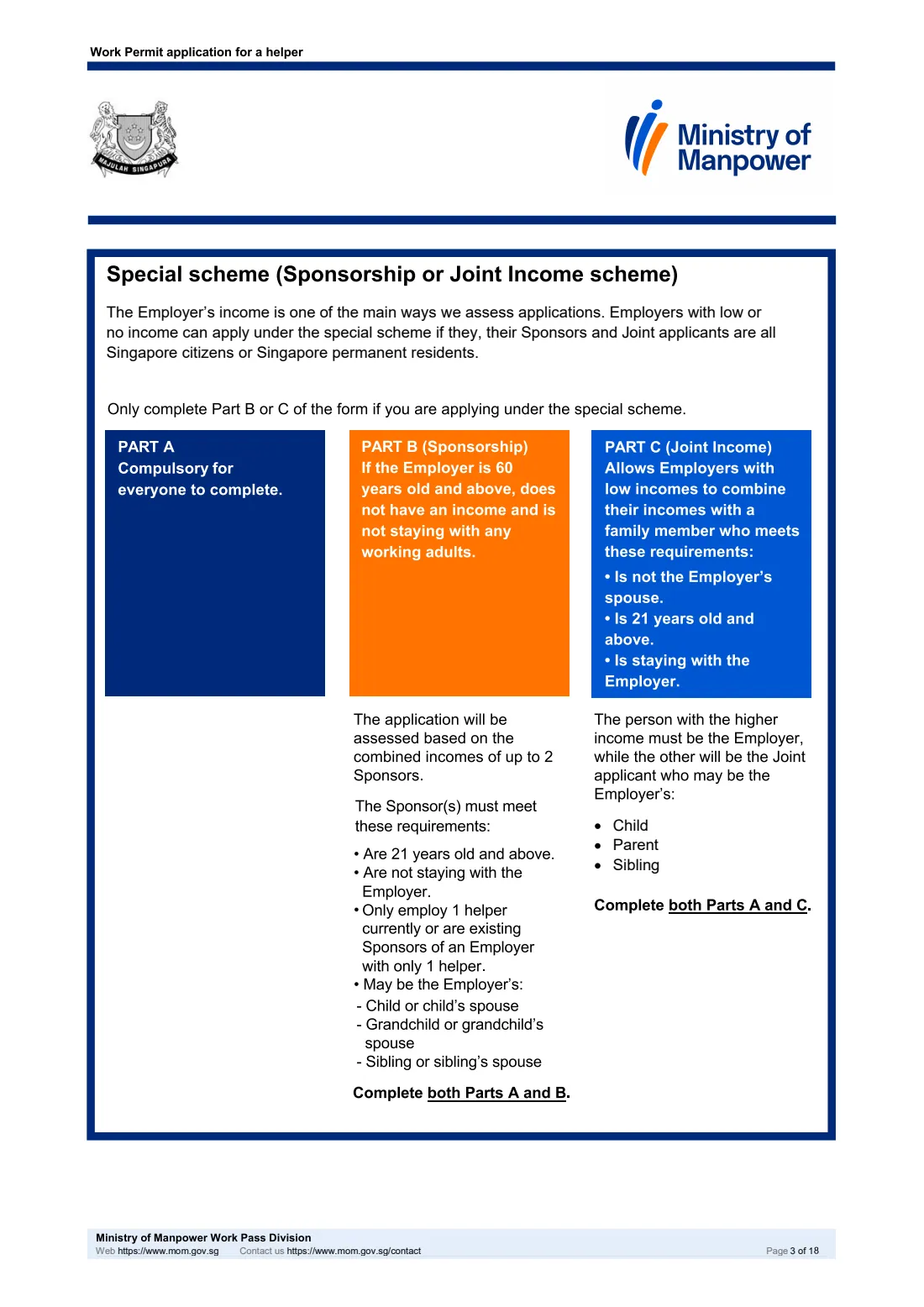
The Work Permit application for a helper is the Ministry of Manpower (MOM) form for hiring a foreign domestic worker (FDW), or maid, when the Employer has no Singpass and is not using an employment agency, so cannot use MOM's FDW eService. One PDF covers an application on the Employer's own income (Part A) and the two special schemes for Employers with low or no income: Sponsorship (Parts A and B) and Joint Income (Parts A and C).
MOM asks for the form to be filled in as a soft copy and uploaded as a PDF, with the supporting documents, at go.gov.sg/submit-fdw-form, where the fee is paid. There are no signature boxes. The edition updated on 15 June 2026 states a $35 fee and processing of around 3 weeks.
FileIt guides you through every part in plain English, pre-fills the Employer's details from the People in your vault, shows only the questions that apply, and checks the form's own rules before printing your answers into MOM's PDF. The finished file is saved in the person's vault folder, ready for you to upload to MOM yourself. FileIt does not submit anything to MOM.
- Who fills it
- The Employer (the person who will employ the helper), with details of the helper, the household, and any Sponsors or Joint applicant.
- Given to
- Ministry of Manpower (MOM), Work Pass Division — uploaded by you as a PDF at go.gov.sg/submit-fdw-form.
- When
- Before the helper starts work, when the Employer has no Singpass and is not using an employment agency.
- Signatures
- None on this form. If approved, MOM emails declaration forms for the Employer and helper to sign.
- Fee
- $35 application fee (as printed on the 15 June 2026 edition), paid online by PayNow, Visa, Mastercard or Amex.
Who needs to fill out MOM Work Permit application for a helper?
- Singapore households hiring a foreign domestic worker where the Employer has no Singpass.
- Employers applying themselves, not through an employment agency (agents must use the FDW eService).
- Employers aged 60 or above with no income, supported by children, grandchildren or siblings as Sponsors.
- Employers with a low income who combine it with a child, parent or sibling living with them.
- Employers replacing a current helper.
When to use MOM Work Permit application for a helper
- When you have chosen a helper and are ready to apply, before she starts work.
- For a first-time Employer, at least 2 working days after completing the Employers' Orientation Programme.
- When applying under the Sponsorship or Joint Income scheme — the Employer, Sponsors and Joint applicant must all be Singapore citizens or permanent residents.
- Not if the Employer has a Singpass or an agency is applying: use the FDW eService instead.
What you need before you start
- The helper's passport: name, passport number and expiry date, date of birth, nationality and place of birth — plus a copy of the personal particulars page (and any amendment pages) to upload.
- The helper's Work Permit number and FIN if she has worked or is working in Singapore.
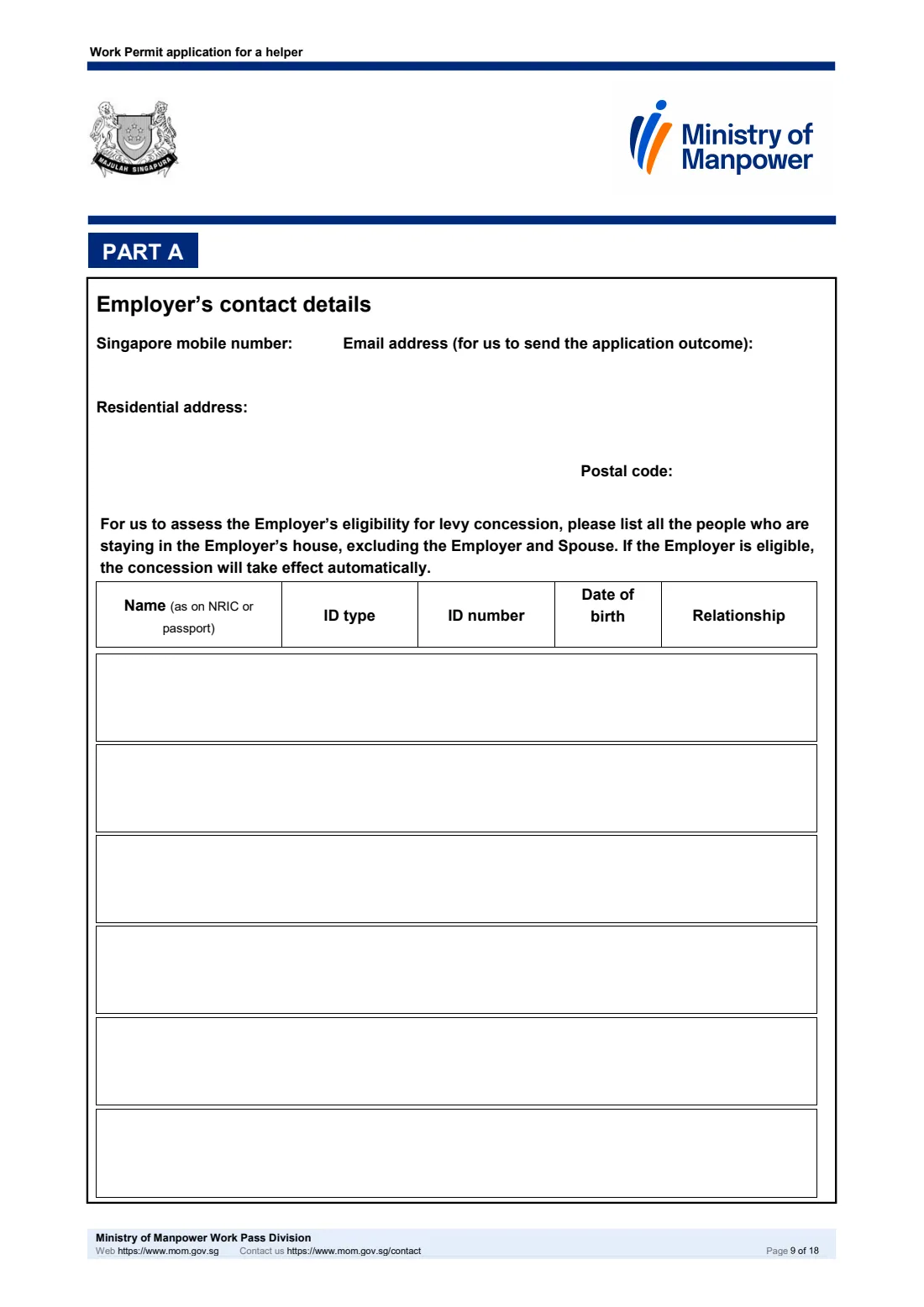
- The Employer's NRIC, FIN or passport details, date of birth, housing type, nationality, residential status, Singapore mobile number, email address and residential address with postal code.
- The Employer's Spouse's particulars and marriage details, if the Employer is married.
- The name, ID type and number, date of birth and relationship of everyone else living in the Employer's home, for the levy concession assessment.
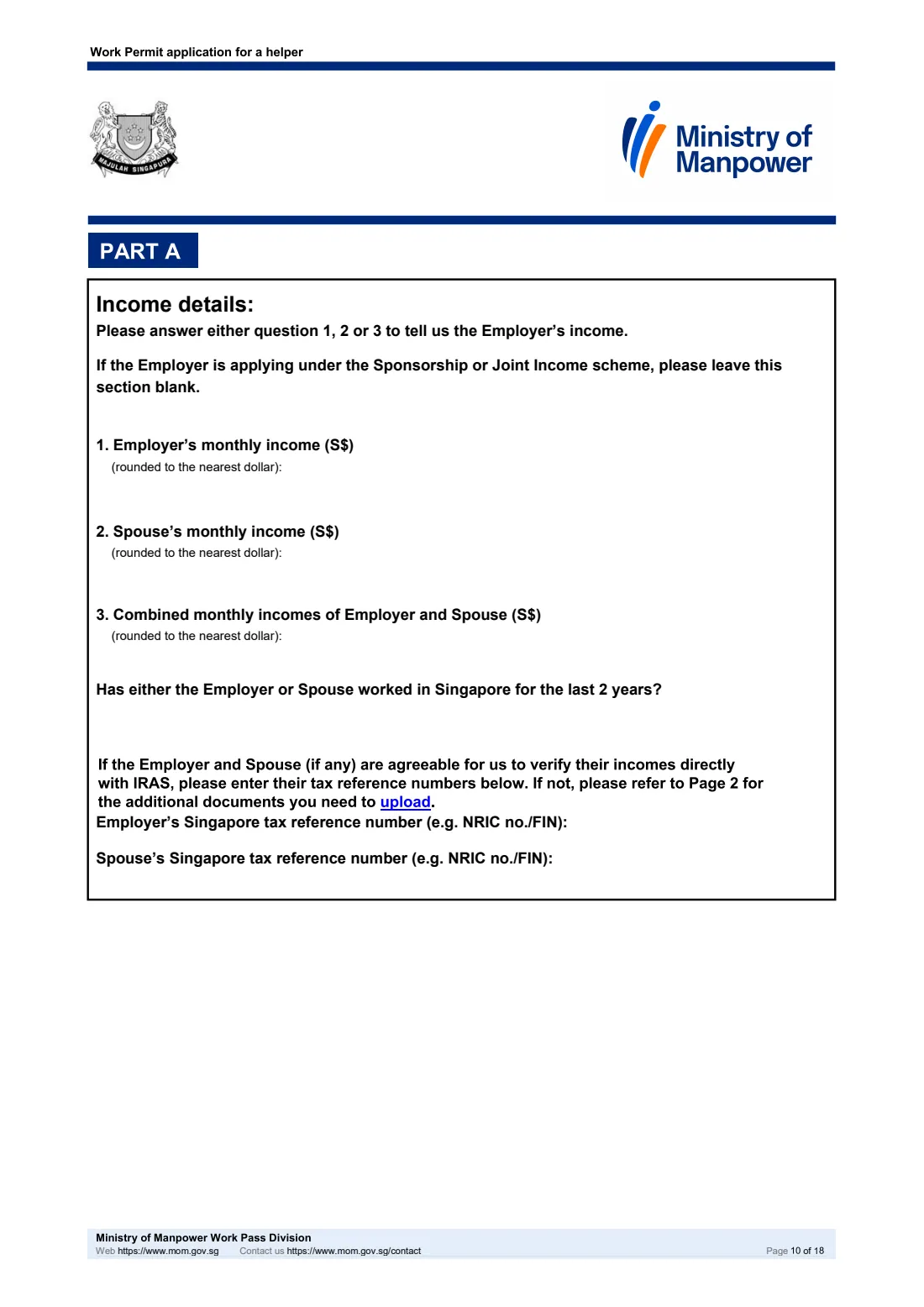
- Income information: an income band for the Employer (and Spouse), or for the Sponsors or Joint applicant under a special scheme.
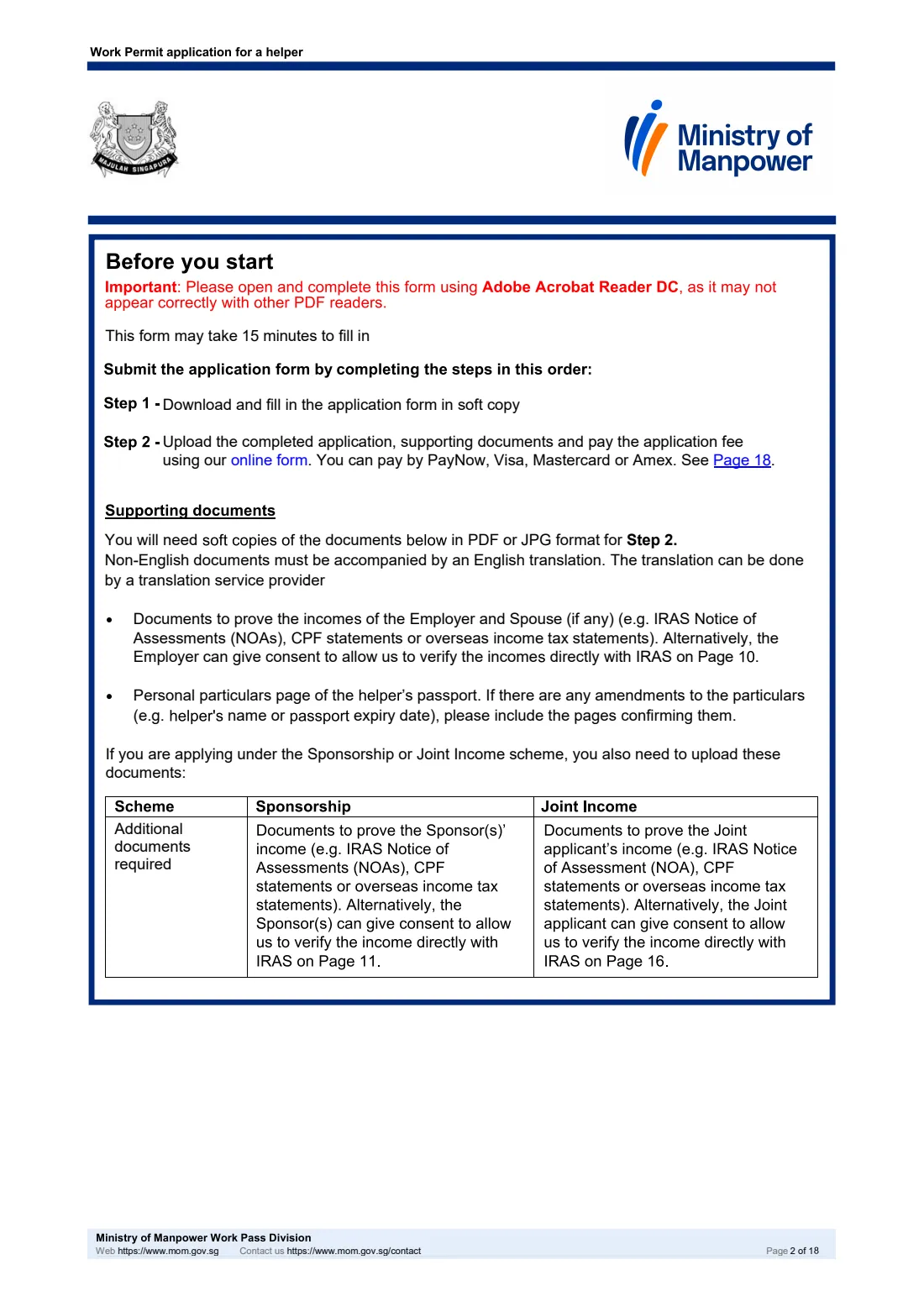
- Either the Singapore tax reference numbers of the people whose income is assessed (if they agree to MOM checking with IRAS) or proof of income such as IRAS Notices of Assessment, CPF statements or overseas income tax statements.
What’s on MOM Work Permit application for a helper
The 2026 edition has 18 pages. FileIt asks for it in 8 parts:
- Before you start: scheme and declarationsEmployer
- Part A: About the helperHelper
- Part A: About the EmployerEmployer
- Part A: People staying in the Employer's houseEmployer
- Part A: Income detailsEmployer
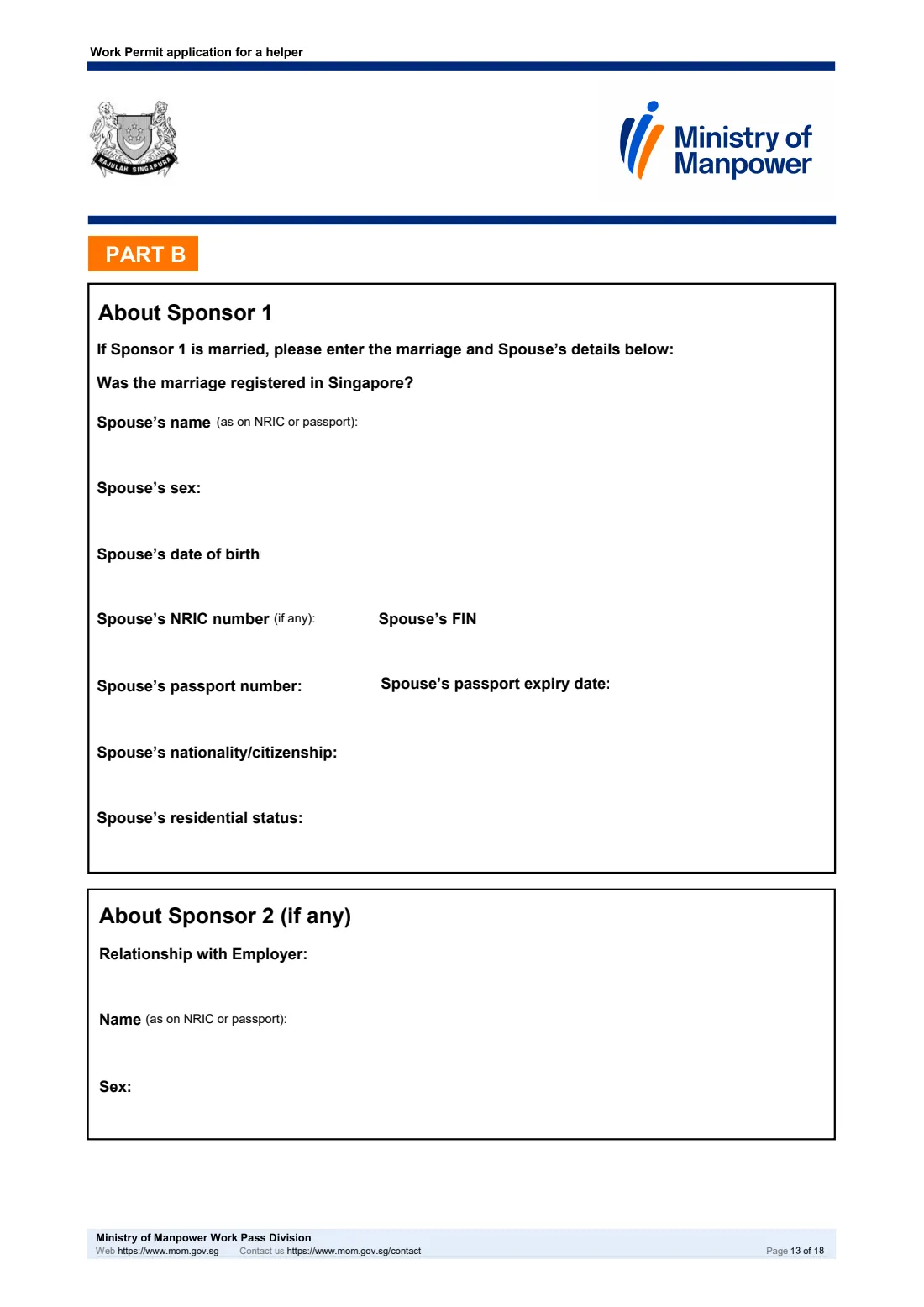
- Part B: Sponsorship scheme - income and Sponsor 1Sponsor
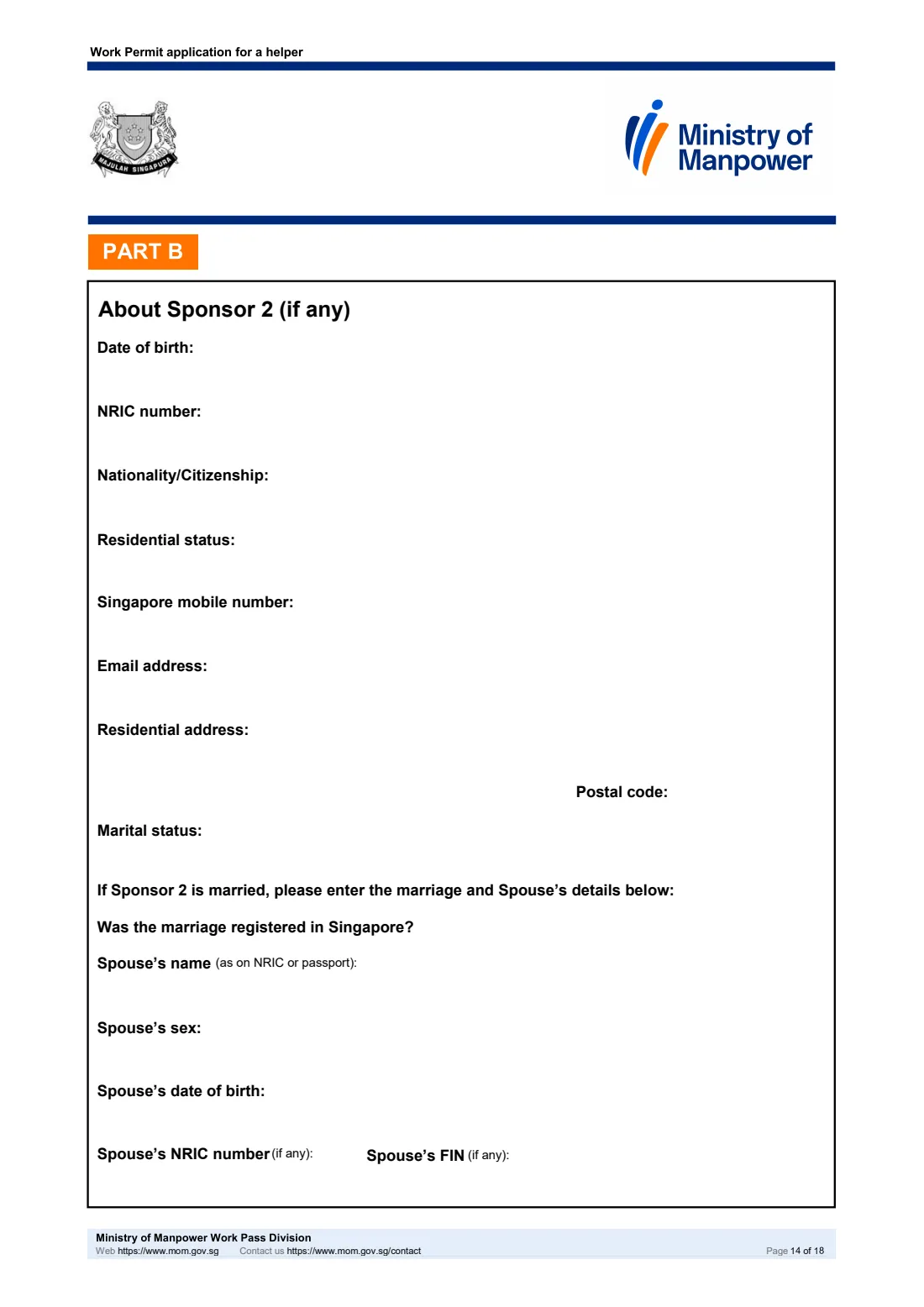
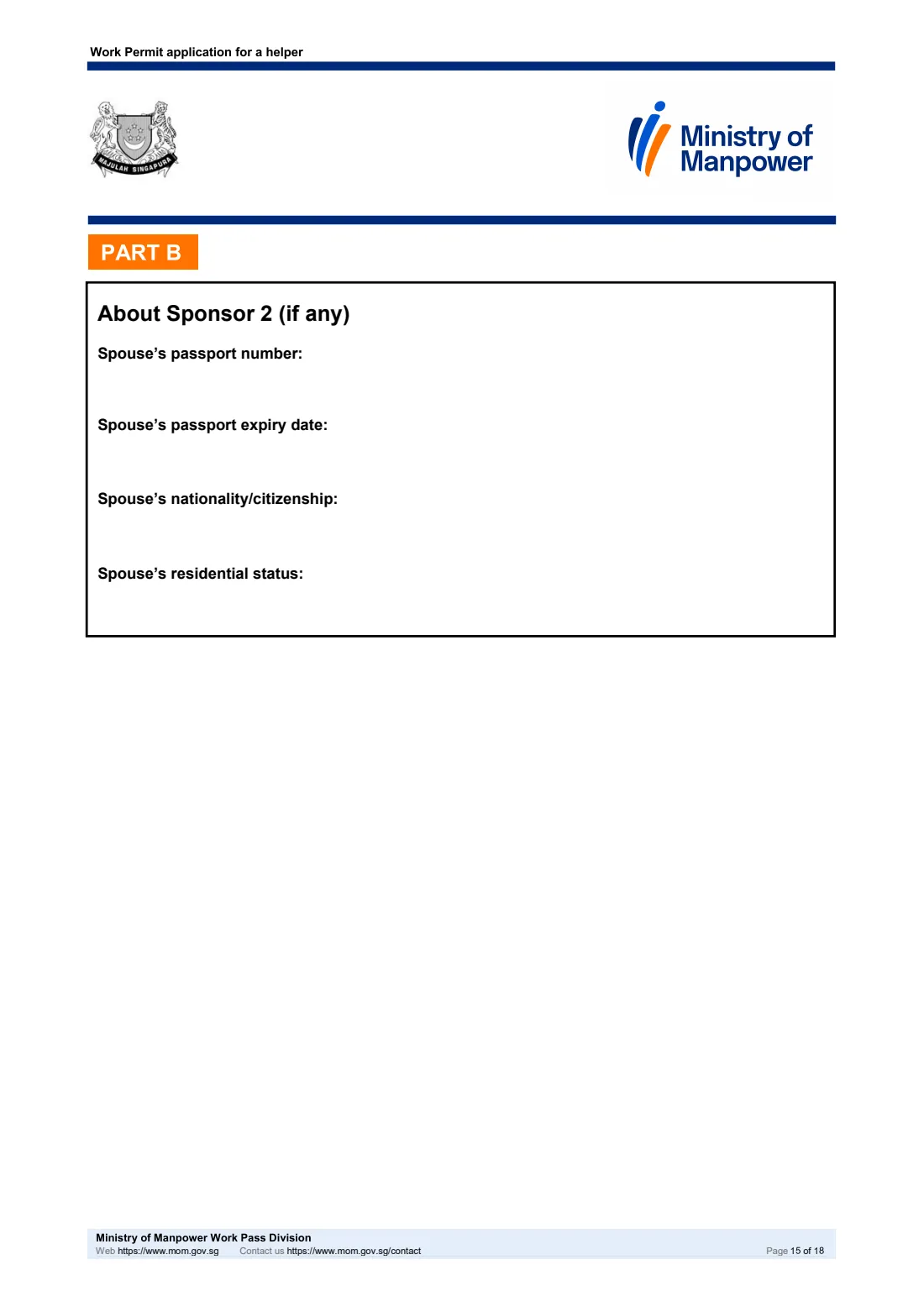
- Part B: About Sponsor 2 (if any)Sponsor
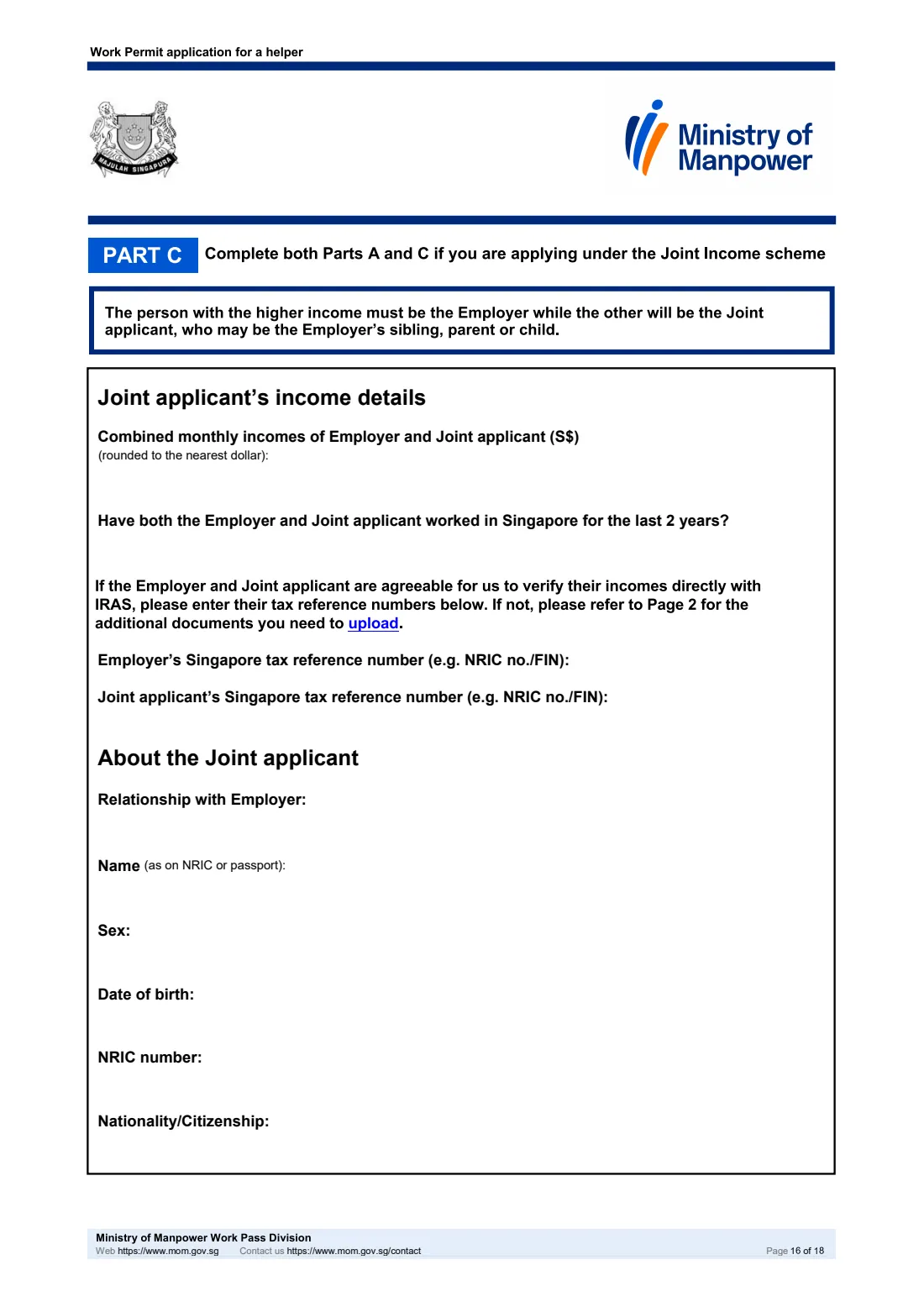
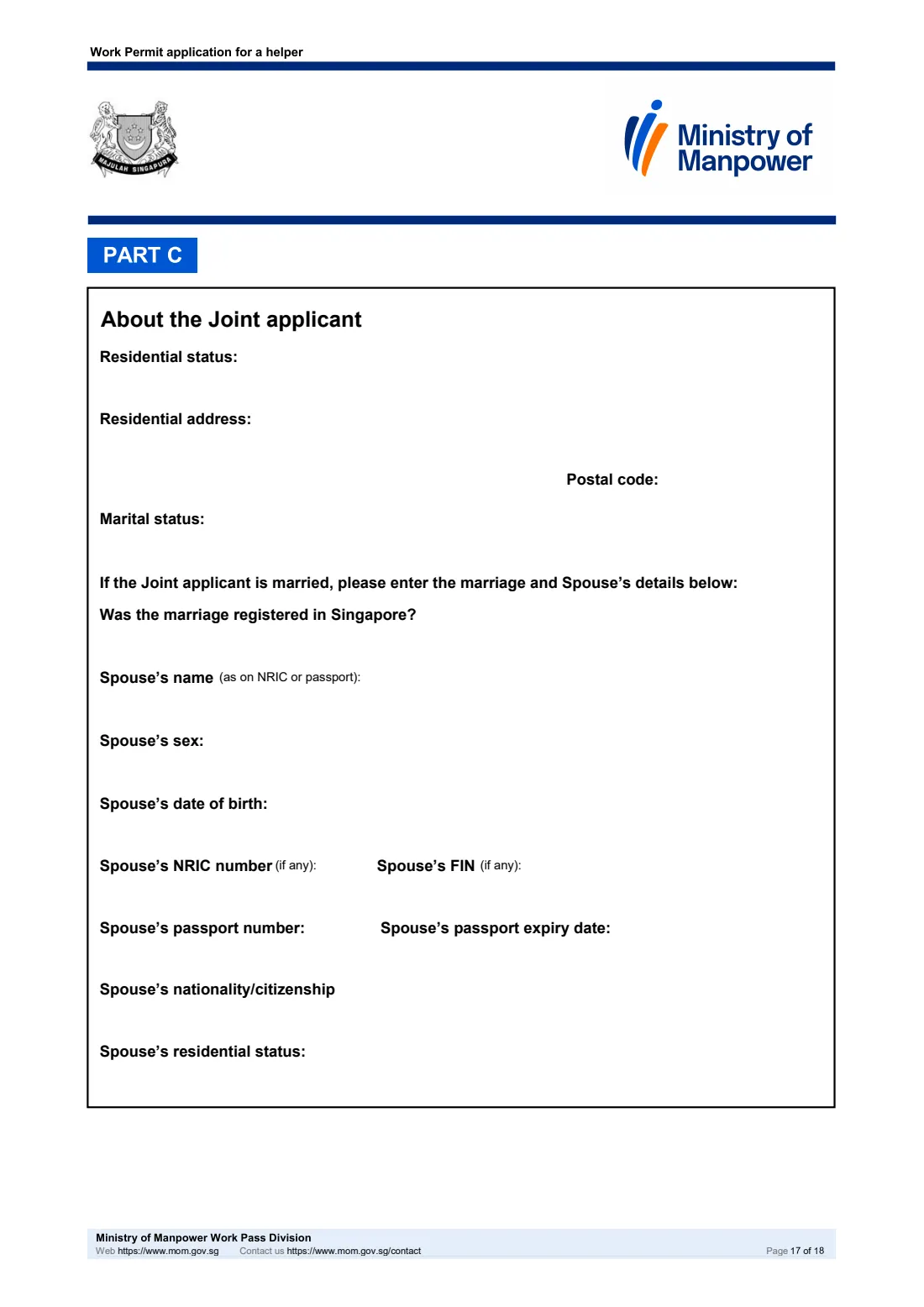
- Part C: Joint Income schemeJoint applicant
How to fill out MOM Work Permit application for a helper, step by step
1 Before you start and the declarations of employer's intent
The first pages explain who may use the form, the fee, the processing time and when MOM will reject an application — for example a helper below 23 or aged 50 and above, a male helper, or a helper related to the Employer.
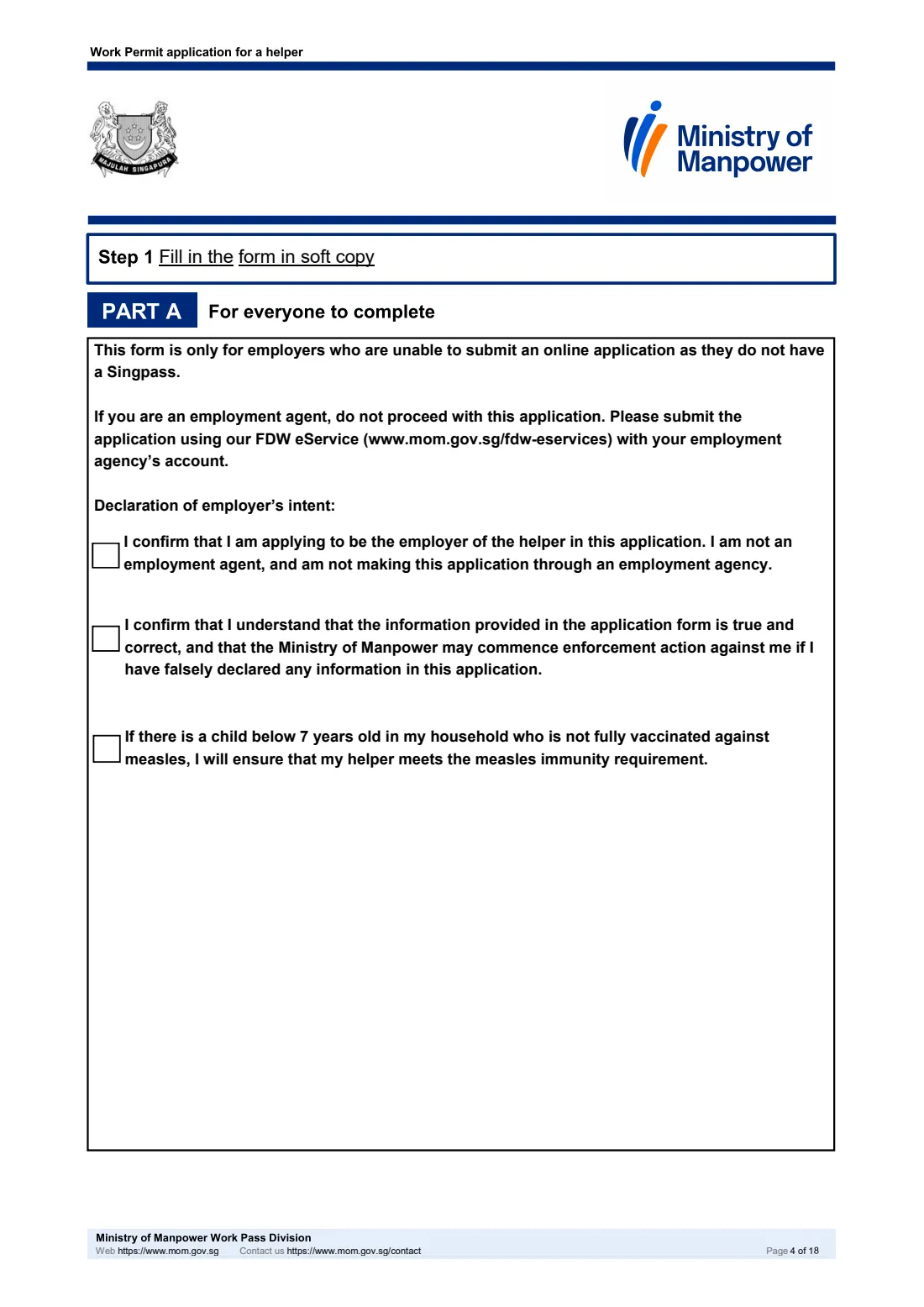
Part A opens with three declarations: the Employer is applying as the employer and not through an employment agent, the information is true and correct, and the helper will meet the measles immunity requirement if a child below 7 in the household is not fully vaccinated against measles. FileIt also asks up front which scheme you are using, so it shows the right parts.
2 Part A: About the helper
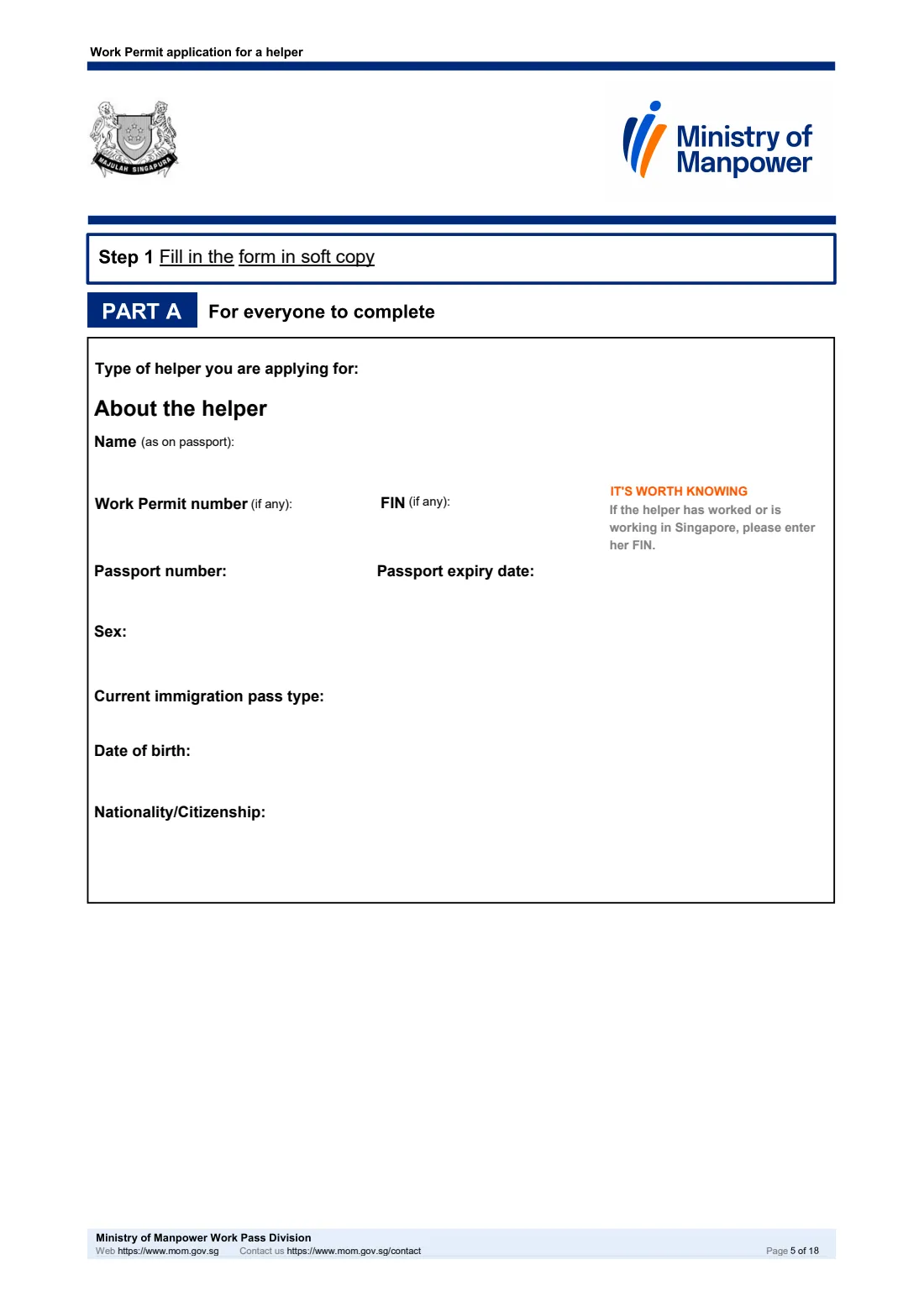
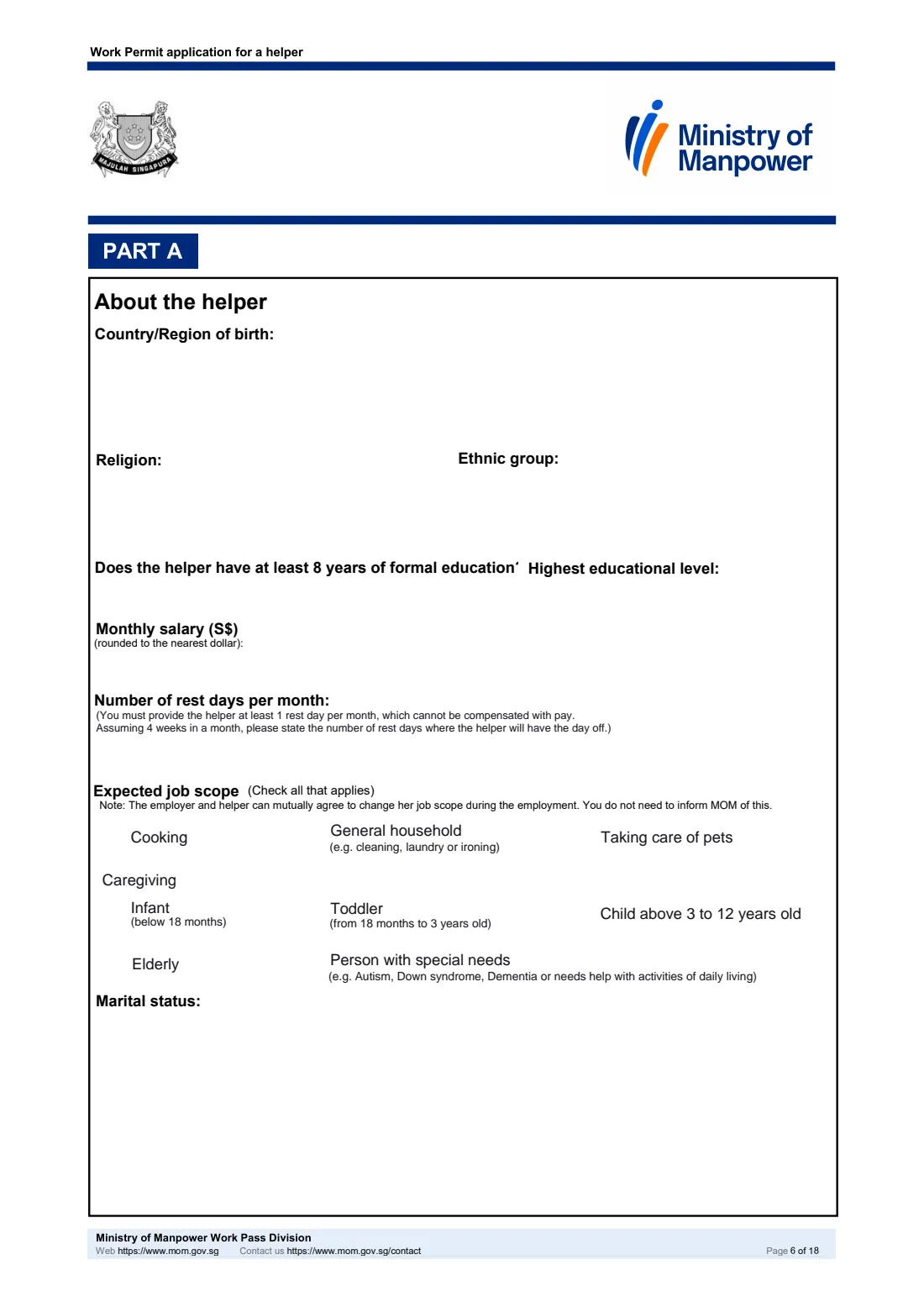
Choose a new or replacement helper, then enter her name exactly as on her passport, her Work Permit number and FIN if she has them, passport details, sex, current pass type, date of birth, nationality and country of birth (with state or province for some countries, and IC details for a Malaysian helper).
The form also asks about religion, ethnic group, education, her monthly salary rounded to the nearest dollar, rest days per month and her expected job scope, from cooking and household work to caregiving. If she is married to a Singapore citizen or permanent resident, give her spouse's name, NRIC number and date of marriage.
3 Part A: About the Employer
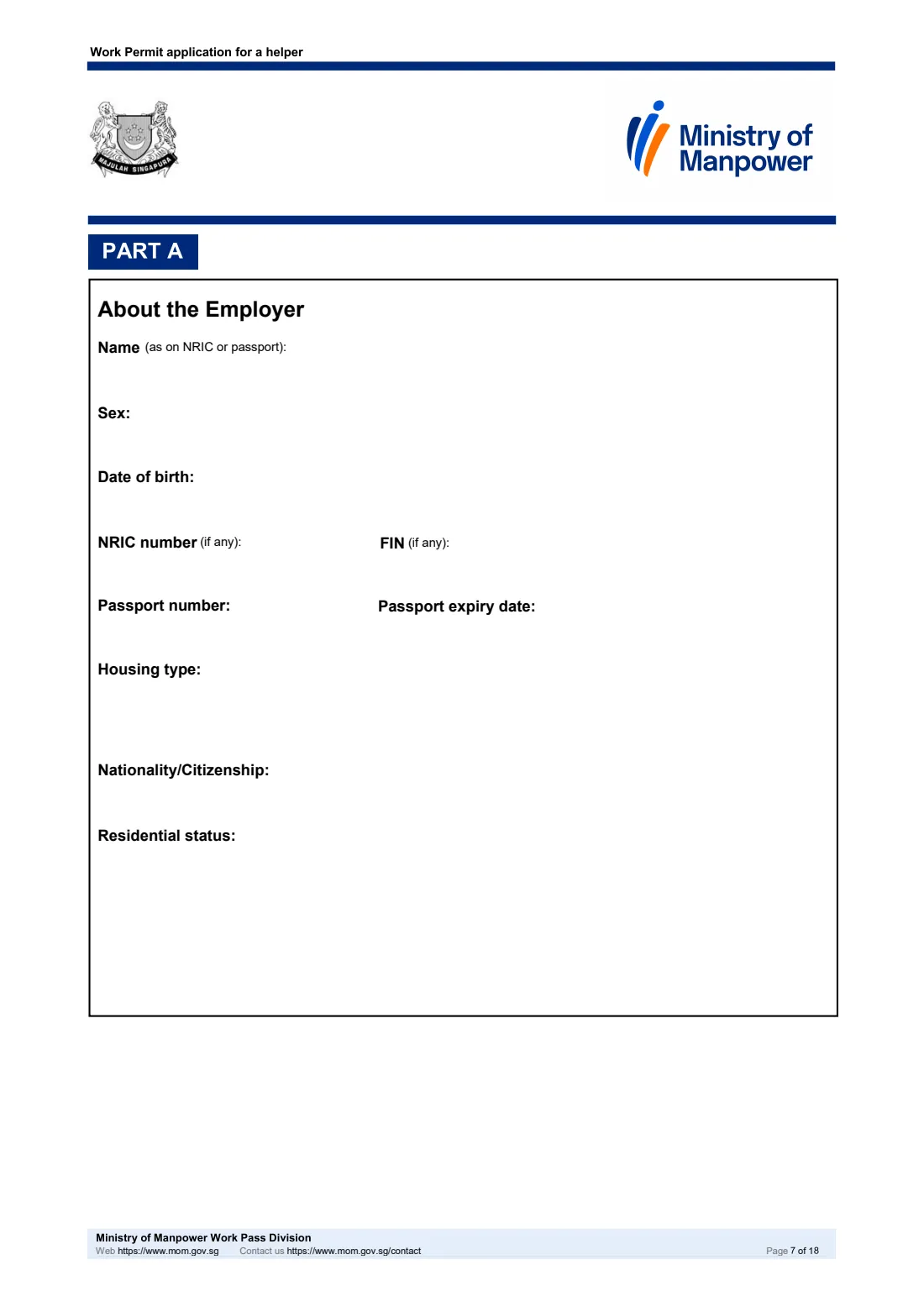
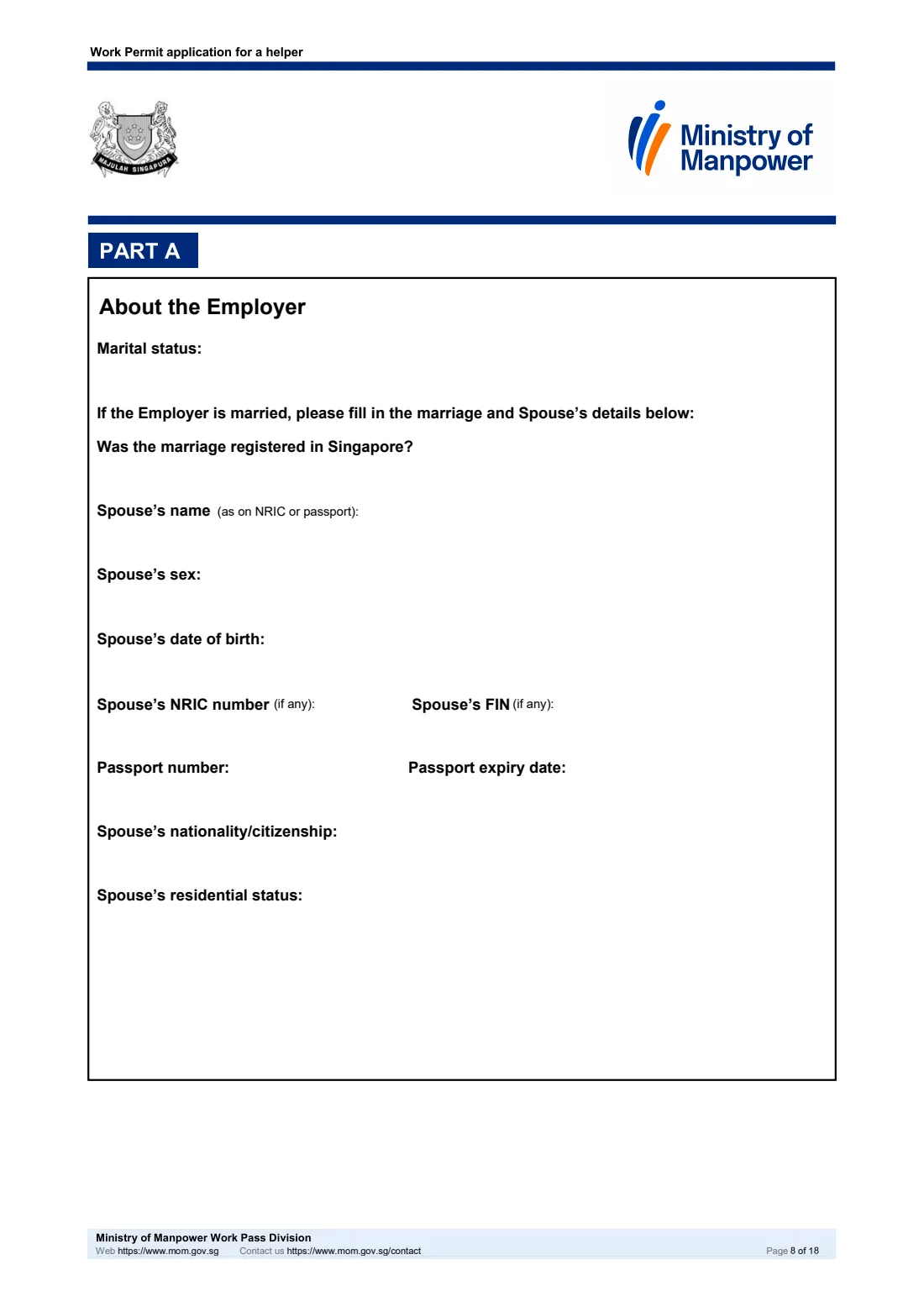
Enter the Employer's name, sex, date of birth, NRIC number or FIN, passport details, housing type, nationality and residential status (with diplomat details for a diplomat). If the Employer is married, add the marriage and Spouse's details. Finish with a Singapore mobile number, the email address MOM will send the outcome to, and the residential address.
4 Part A: People staying in the Employer's house
To assess the levy concession, list everyone living in the home apart from the Employer and Spouse — up to six people — with their ID, date of birth and relationship. For a relationship of 'Others', the form asks whether the helper will provide caregiver assistance to that person.
5 Part A: Income details
For an ordinary application, choose an income band for one of: the Employer, the Spouse, or both combined, and say whether either has worked in Singapore for the last 2 years. Enter tax reference numbers if they agree to MOM checking with IRAS; otherwise upload income documents. Under a special scheme this section stays blank, and FileIt hides it.
6 Part B: Sponsorship scheme
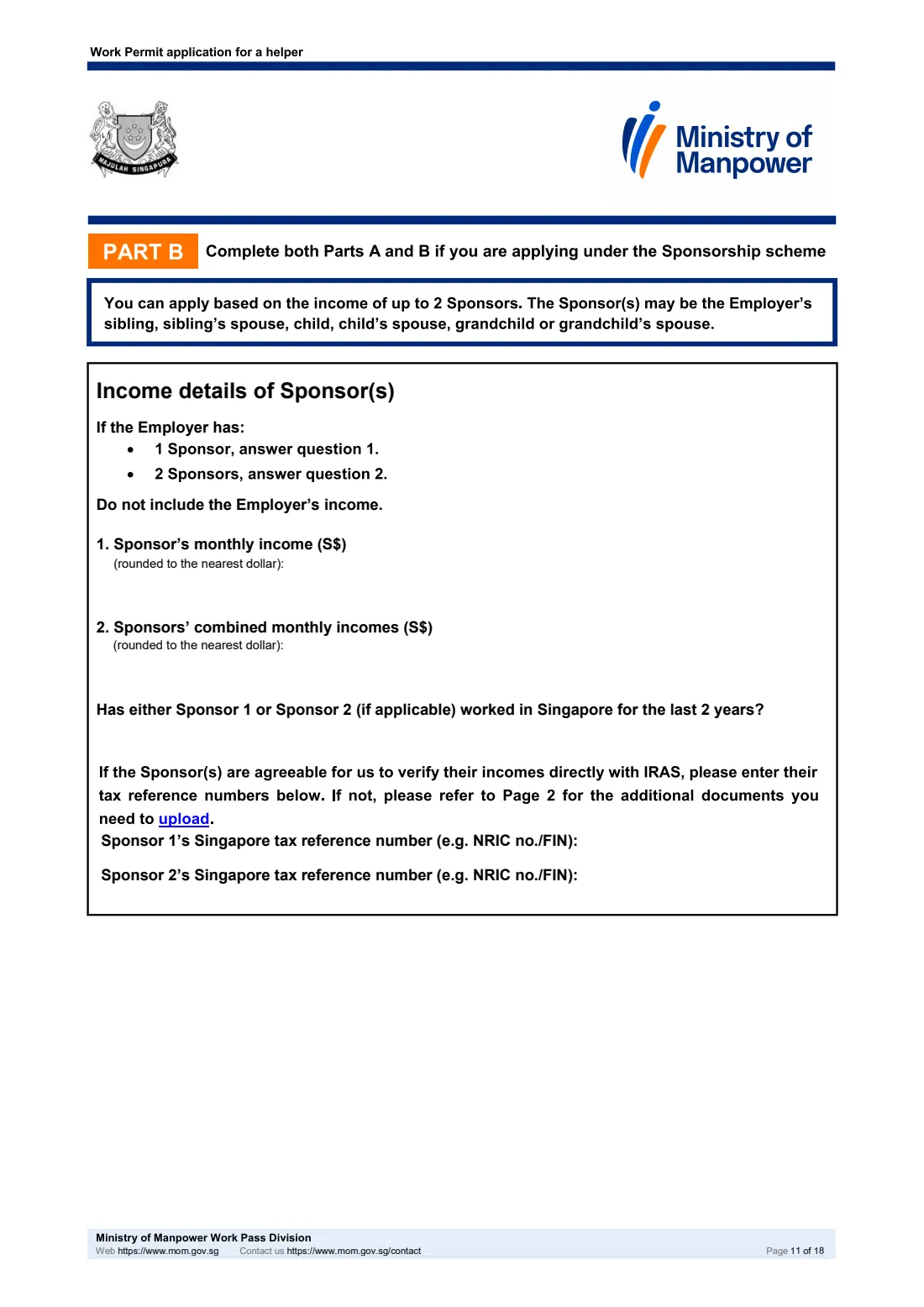
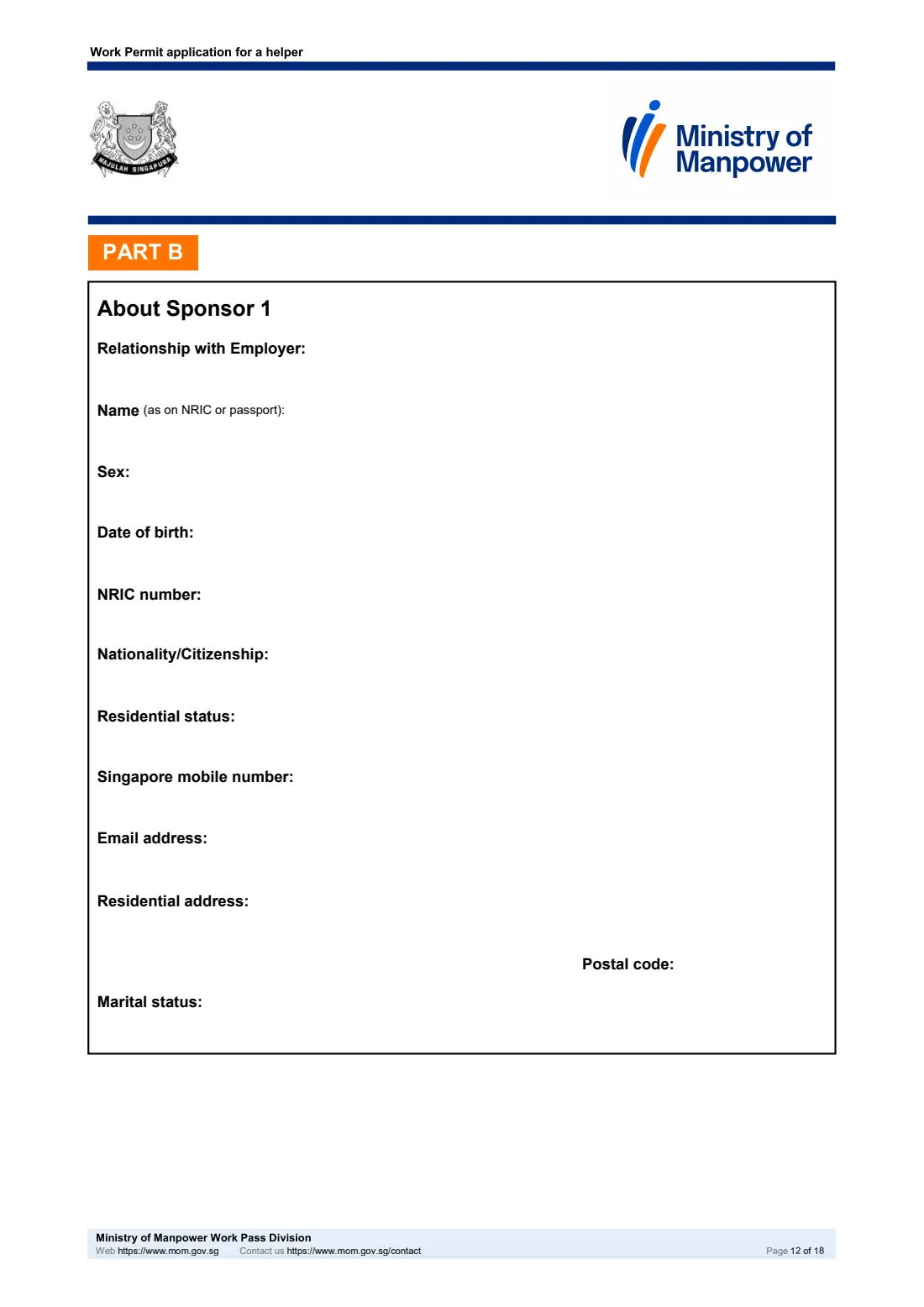
For an Employer aged 60 or above with no income who does not live with working adults. Up to 2 Sponsors aged 21 or over, not living with the Employer, can support the application: the Employer's children, grandchildren, siblings or their spouses. Give one Sponsor's income band, or the combined band for two (never the Employer's income), then each Sponsor's particulars, contact details, address and marital details.
7 Part C: Joint Income scheme
The Employer combines their income with one family member — a child, parent or sibling, not the spouse — who is 21 or older and lives with them. The person with the higher income must be the Employer. Give the combined income band, work history, tax reference numbers if agreed, and the Joint applicant's particulars, address and marital details.
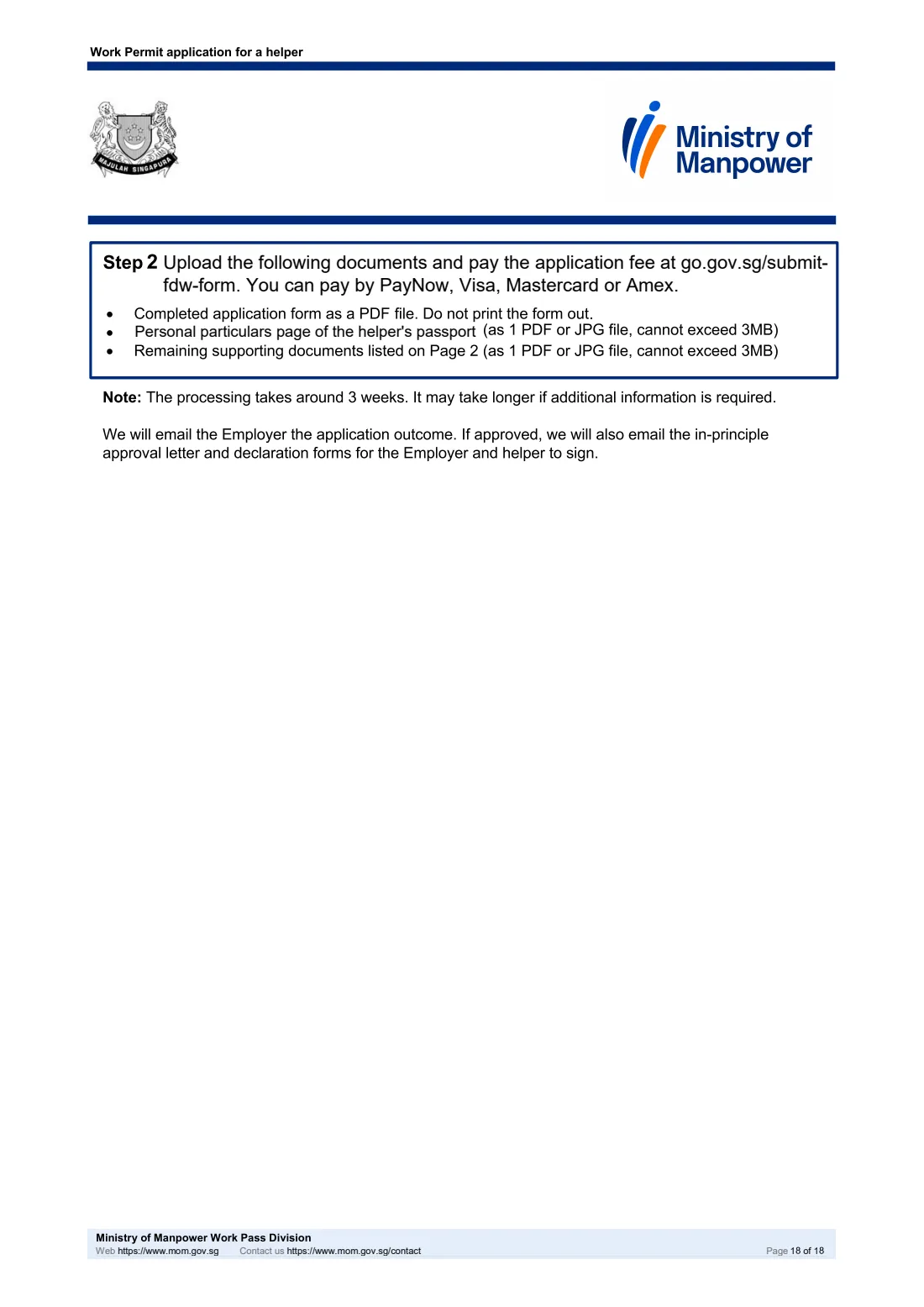
8 Step 2: Upload and pay
Upload at go.gov.sg/submit-fdw-form: the completed form as a PDF (MOM says not to print it), the helper's passport particulars page, and the remaining supporting documents from page 2, each as one PDF or JPG file of up to 3MB. Pay the fee in the same online form.
Common mistakes to avoid
- Using this form when the Employer has a Singpass or when an employment agency is involved — MOM asks you to use the FDW eService in those cases.
- Submitting before a first-time Employer has completed the Employers' Orientation Programme; it must be done at least 2 working days before the application.
- Filling in Part A's income questions as well as Part B or C. Under a special scheme the Part A income section is left blank.
- Including the Employer's income in the Sponsors' income, or answering the 1-Sponsor question when there are 2 Sponsors.
- Naming the Employer's spouse as the Joint applicant, or making the person with the lower income the Employer.
After you fill it out
There is nothing to sign on this application. Download the completed PDF from FileIt and upload it yourself at go.gov.sg/submit-fdw-form together with the helper's passport particulars page and your supporting documents, then pay the application fee there. MOM notes that processing takes around 3 weeks and may take longer if more information is needed.
MOM emails the Employer the outcome. If approved, it also emails the in-principle approval (IPA) letter and declaration forms for the Employer and the helper to sign.
Keep the completed application in the FileIt vault with the helper's passport copy and the IPA letter, so everything is together when the Work Permit is issued, renewed or replaced.
Fill out MOM Work Permit application for a helper online with FileIt
- Pick the person. Choose someone from People and FileIt fills in their name, date of birth, address and other details it already knows.
- Answer plain-language questions. One part of the form at a time, with the official help text beside each question — 205 fields in all. Your answers save as you go.
- Check the live preview. Watch your answers land on the real Ministry of Manpower (MOM), Work Pass Division form, and let FileIt do any worksheet arithmetic.
- Generate the official PDF. FileIt prints your answers into the agency’s own PDF and files it in that person’s folder in your vault.
FileIt fills the form — it never files or submits anything for you. Deliver the finished form to whoever asked for it, the way the form’s instructions say.
Start MOM Work Permit application for a helper now — it’s freeMOM Work Permit application for a helper: frequently asked questions
Can I fill in the MOM helper Work Permit application form online?
Yes. FileIt lets you fill in MOM's soft-copy form on screen with guided questions, then prints your answers into the official MOM PDF so you can download it and upload it to MOM. It is available on every FileIt account, including the free plan.
Where do I submit the completed form?
Upload it yourself as a PDF file at go.gov.sg/submit-fdw-form, MOM's online submission form, together with the supporting documents; you pay the application fee there as well. FileIt does not submit anything to MOM on your behalf.
Who can use this form instead of the FDW eService?
MOM says this form is only for Employers who do not have a Singpass and did not use an employment agency to submit the application. Everyone else should apply through the FDW eService, which MOM says is faster.
Who can be a Sponsor under the Sponsorship scheme?
The form allows up to 2 Sponsors aged 21 or over who do not live with the Employer and only employ, or sponsor an Employer with, 1 helper. They may be the Employer's child, grandchild or sibling, or their spouse.
Does anyone need to sign the application?
No. The form has no signature boxes. If MOM approves the application, it emails declaration forms for the Employer and the helper to sign.
How much does it cost and how long does it take?
The 15 June 2026 edition states a $35 application fee and around 3 weeks' processing with this form, longer if MOM needs more information. Check MOM's website for current fees.
Official sources
- Blank form (PDF), published by Ministry of Manpower (MOM), Work Pass Division: https://www.mom.gov.sg/-/media/mom/documents/services-forms/passes/wp_appln_for_fdw_sponsorship.pdf
- Official instructions and guidance: https://www.mom.gov.sg/passes-and-permits/work-permit-for-foreign-domestic-worker/apply-for-work-permit
- Edition shown on this page: Updated on 15 Jun 2026 (checked 2026-09-25).
FileIt is not affiliated with or endorsed by Ministry of Manpower (MOM), Work Pass Division or any government. This page explains the form in general terms and is not legal, tax or immigration advice. Always read the official instructions, and check that you are using the edition the recipient accepts. Page last reviewed 2026-09-25.