What is BIR Form 1901 registration (self-employed)?
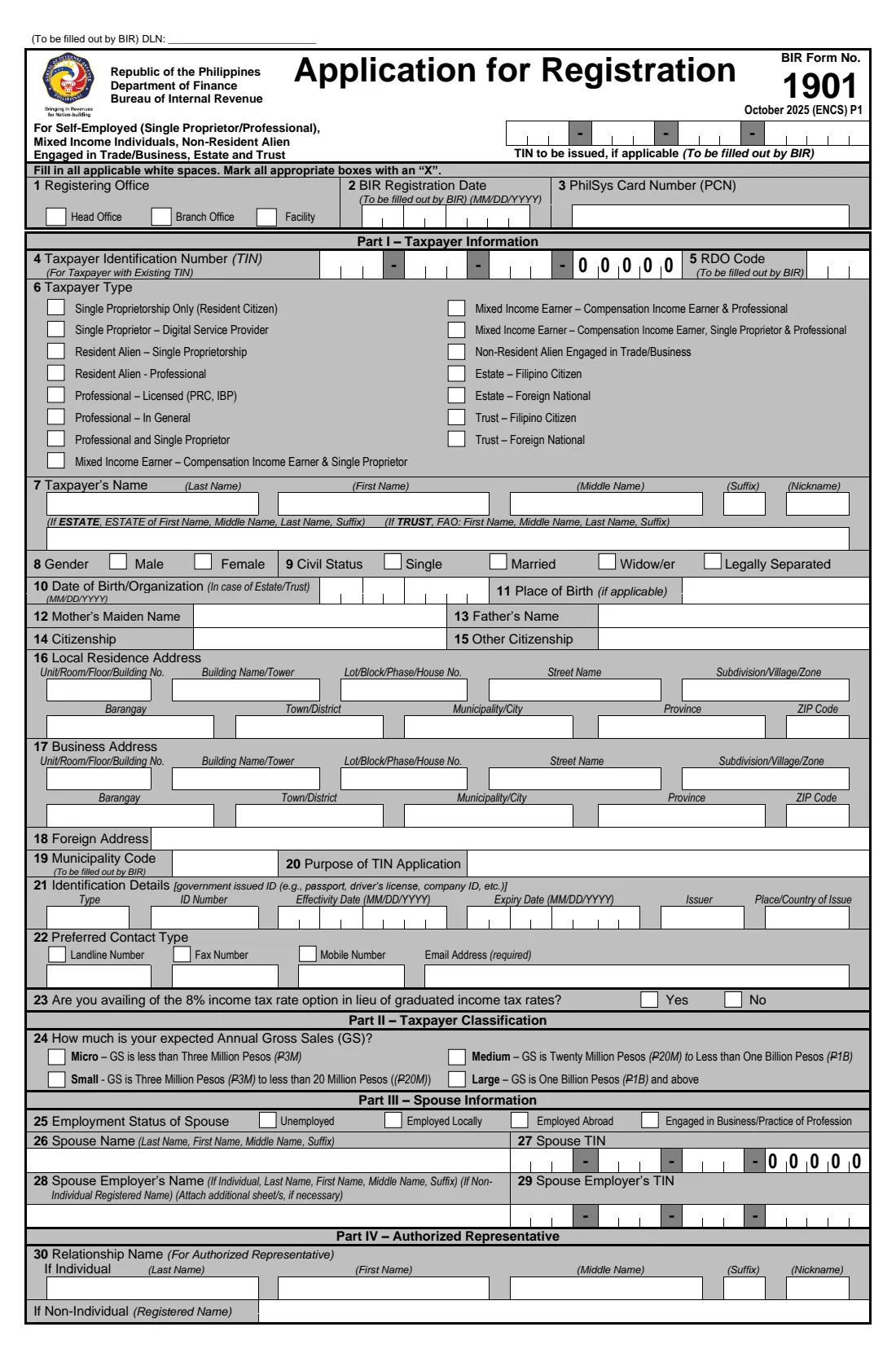
Anyone starting a business or practising a profession in the Philippines registers with the BIR using Form 1901. It covers single proprietors, licensed and unlicensed professionals, mixed-income earners who also have a job, resident and non-resident aliens in business, and estates and trusts.
The form asks for your details and addresses, an ID, your preferred contact, whether you'll use the 8% income tax option, your expected gross sales, your spouse, an authorized representative, your business registrations, the invoices you'll use and any multiple employments. You file it at your Revenue District Office with the documentary requirements, or register through ORUS online.
FileIt prints your answers onto the BIR's own October 2025 PDF: capitals in the white boxes, dates in MM/DD/YYYY cells, TINs in their groups and an X in each box you choose, with names with accents printed correctly.
- Who fills it
- Self-employed individuals, professionals, mixed-income earners, estates and trusts
- Filed with
- The BIR Revenue District Office (RDO), or online through ORUS
- Fee on the form
- P30.00 loose documentary stamp for the Certificate of Registration
- Signature
- Taxpayer or authorized representative, by hand over the printed name
- Edition
- October 2025 (ENCS)
Who needs to fill out BIR Form 1901 registration (self-employed)?
- Freelancers and sole proprietors starting a business, including digital service providers.
- Doctors, lawyers, engineers and other professionals, licensed or not.
- Employees who also earn business or professional income (mixed-income earners).
- Executors and trustees registering an estate or trust.
When to use BIR Form 1901 registration (self-employed)
- Before you start your business or practice, to get your TIN and Certificate of Registration.
- When an existing employee with a TIN starts a business or practice and registers it.
What you need before you start
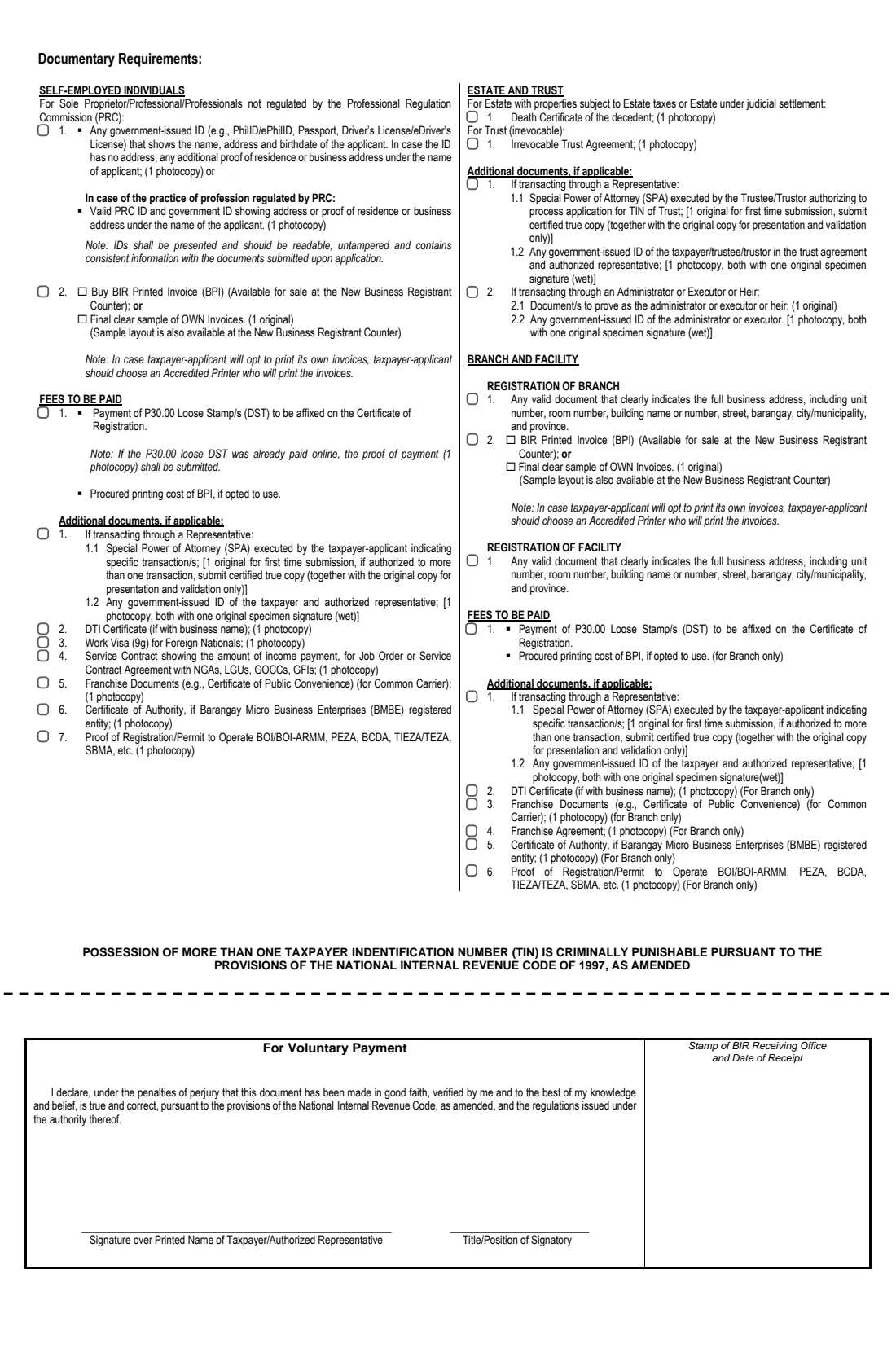
- A government-issued ID showing your name, address and birthdate (or a PRC ID for regulated professions).
- Your residence and business addresses, and your DTI, SEC, CDA or LGU registration if you have one.
- Your spouse's details and TIN, if married.
- Whether you'll buy BIR Printed Invoices or have an accredited printer print your own.
- The P30.00 loose documentary stamp, and an SPA if a representative files for you.
What’s on BIR Form 1901 registration (self-employed)
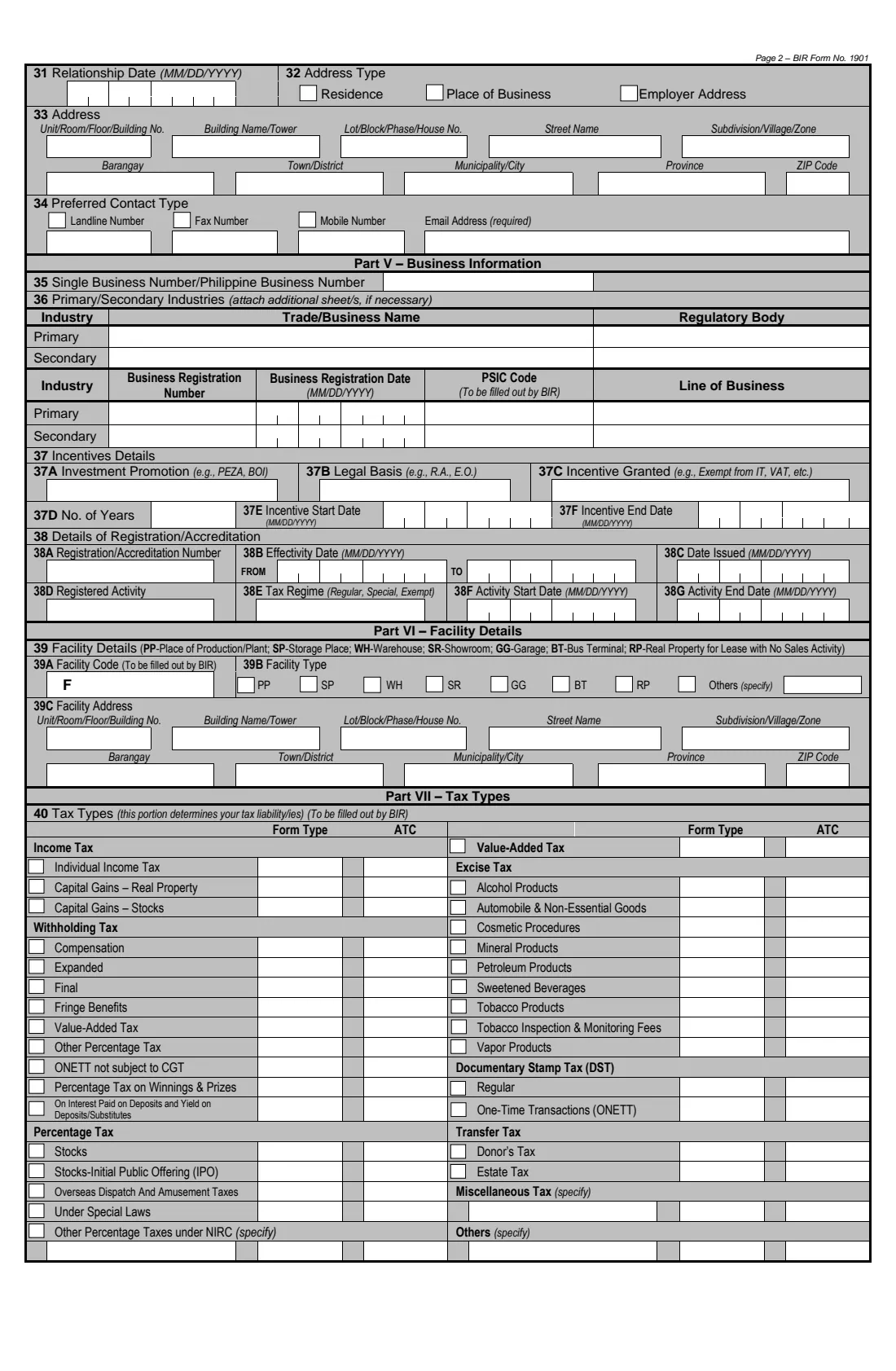
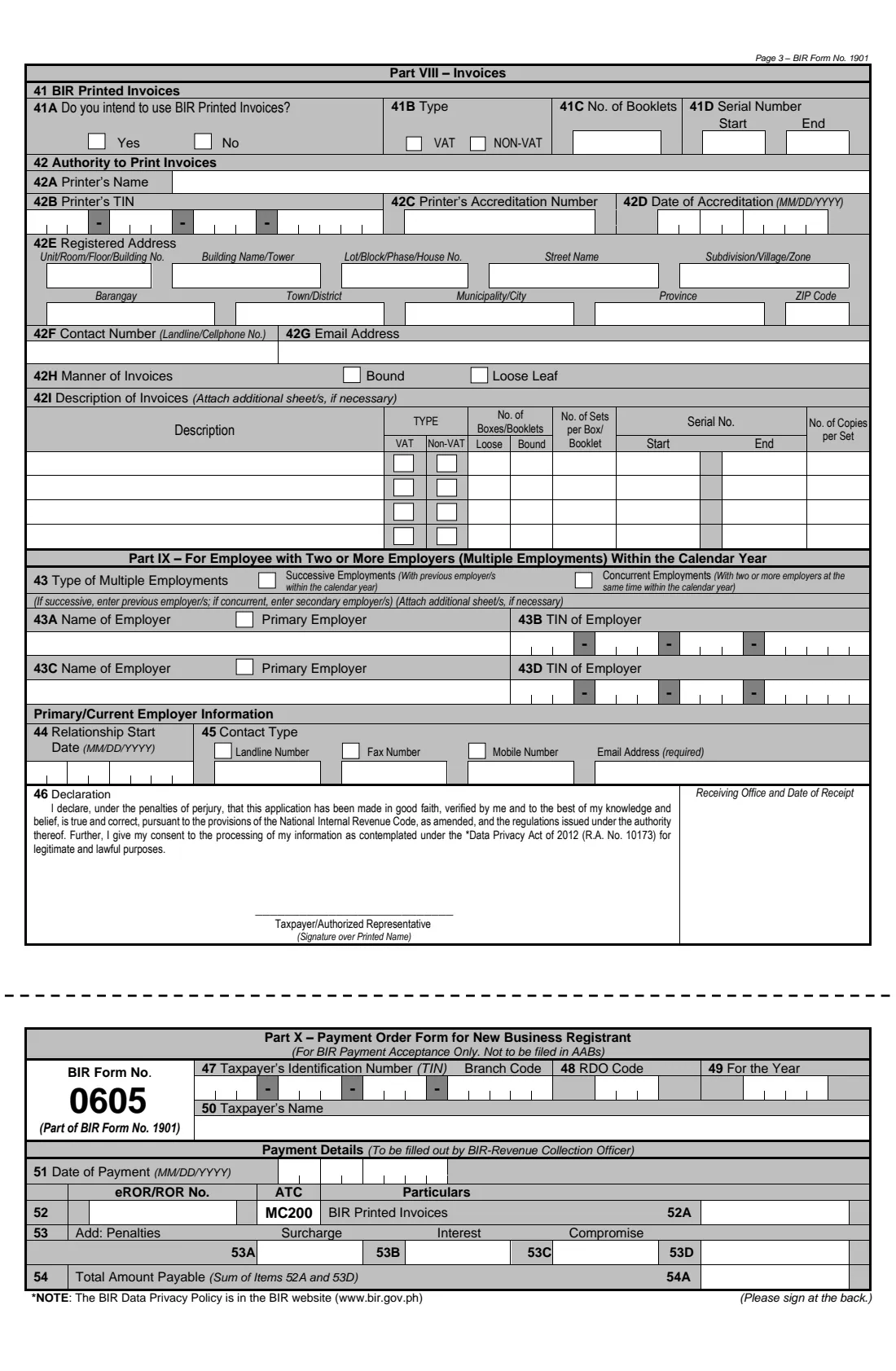
The 2025 edition has 4 pages. FileIt asks for it in 11 parts:
- Part I — Taxpayer information (items 1-15)Taxpayer
- Part I — Addresses (items 16-18)Taxpayer
- Part I — Purpose and identification (items 20-21)Taxpayer
- Part I-II — Contact details, 8% option and gross sales (items 22-24)Taxpayer
- Part III — Spouse information (items 25-29)Taxpayer
- Part IV — Authorized representative (items 30-34)Taxpayer
- Part V — Business information (items 35-36)Taxpayer
- Part VIII — BIR Printed Invoices (item 41)Taxpayer
- Part VIII — Authority to Print invoices (item 42)Taxpayer
- Part IX — Two or more employers within the calendar year (items 43-45)Taxpayer
- 46 DeclarationTaxpayer
How to fill out BIR Form 1901 registration (self-employed), step by step
1 Part I — you
Choose your taxpayer type, then give your name, gender, civil status, date of birth, parents, citizenship and addresses.
2 ID and contact
Add an ID with its dates, your preferred contact and email, whether you'll avail of the 8% option, and your expected gross sales.
3 Spouse and representative
Switch on Part III if you're married and Part IV if an authorized representative will act for you.
4 Business and invoices
Add your business registrations in Part V, then say whether you'll use BIR Printed Invoices or an Authority to Print.
5 Multiple employments and declaration
Mixed-income earners with two or more employers fill in Part IX. Sign above your printed name.
Common mistakes to avoid
- Applying for a new TIN when you already have one: the form warns that having more than one TIN is criminally punishable.
- Choosing the wrong taxpayer type, for example Professional instead of Mixed Income Earner when you also have a job.
- Long addresses that don't fit the boxes; FileIt asks you to abbreviate rather than cut them.
- Forgetting the loose documentary stamp or the ID photocopy.
After you fill it out
Sign above your printed name and file the form at your RDO with the documentary requirements on page 4.
Pay the registration requirements on the form and receive your Certificate of Registration.
File BIR Form 1906 if you'll have your own invoices printed.
FileIt keeps the completed PDF in your vault.
Fill out BIR Form 1901 registration (self-employed) online with FileIt
- Pick the person. Choose someone from People and FileIt fills in their name, date of birth, address and other details it already knows.
- Answer plain-language questions. One part of the form at a time, with the official help text beside each question — 162 fields in all. Your answers save as you go.
- Check the live preview. Watch your answers land on the real Bureau of Internal Revenue form, and let FileIt do any worksheet arithmetic.
- Generate the official PDF. FileIt prints your answers into the agency’s own PDF and files it in that person’s folder in your vault.
FileIt fills the form — it never files or submits anything for you. Deliver the finished form to whoever asked for it, the way the form’s instructions say.
Start BIR Form 1901 registration (self-employed) now — it’s freeBIR Form 1901 registration (self-employed): frequently asked questions
What is BIR Form 1901?
The BIR's Application for Registration for self-employed individuals, mixed-income earners, non-resident aliens engaged in trade or business, estates and trusts.
What's the difference between Form 1901 and Form 1902?
Form 1902 is for employees earning purely compensation income. Form 1901 is for people with business or professional income, including mixed-income earners.
What is the 8% option?
Item 23 asks whether you'll pay 8% income tax on gross sales or receipts instead of the graduated rates, an option for self-employed individuals and professionals.
Can I register online instead?
Yes, the BIR's ORUS system handles online registration, but paper filing at the RDO is still accepted.
Does FileIt cover every part of the form?
FileIt covers Parts I to V, VIII and IX. Parts VI (facility), VII (tax types, filled by the BIR) and X (payment order) are left for the BIR or the RDO.
Official sources
- Blank form (PDF), published by Bureau of Internal Revenue: https://bir-cdn.bir.gov.ph/BIR/pdf/1901%20October%202025%20ENCS%20Final.pdf
- Official instructions and guidance: https://www.bir.gov.ph/bir-forms
- Edition shown on this page: October 2025 (ENCS) (checked 2026-10-25).
FileIt is not affiliated with or endorsed by Bureau of Internal Revenue or any government. This page explains the form in general terms and is not legal, tax or immigration advice. Always read the official instructions, and check that you are using the edition the recipient accepts. Page last reviewed 2026-10-25.