What is IR6 Estate or trust return 2026?
Trustees of a family trust and executors of a deceased estate file an IR6 for each income year. It reports the estate's or trust's income, allocates it between beneficiaries (whose details go on IR6B forms) and the trustee, works out the tax on trustee income and, for NZ domestic trusts, gives the extra financial information Inland Revenue now asks for.
The 2026 IR6 covers 1 April 2025 to 31 March 2026. The form says to send it by 7 July unless you have a tax agent, that any tax to pay is due by 7 February 2027, and to send it to Inland Revenue, PO Box 39090, Wellington Mail Centre, Lower Hutt 5045.
FileIt fills in Inland Revenue's own 2026 IR6. It adds up total income and tax credits, works through the trustee tax calculation at the rate you choose, the summary of tax payable and the refund, and totals the assets, liabilities and accumulated trust funds. If the estate or trust has nothing to declare (question 7B), only the declaration is filled in, as the form says.
- Income year
- 1 April 2025 to 31 March 2026
- Who files
- Trustees of trusts and executors or administrators of estates
- Due
- 7 July, unless you have a tax agent
- Tax to pay
- By 7 February 2027
- Attach
- IR6B beneficiary details, on top of page 4
- Posted to
- Inland Revenue, PO Box 39090, Wellington Mail Centre, Lower Hutt 5045
- Edition
- IR6 2026 (March 2026)
Who needs to fill out IR6 Estate or trust return 2026?
- Trustees of family trusts and other complying trusts.
- Executors or administrators of a deceased person's estate.
- Trustees of foreign and non-complying trusts, which also report distributions.
- NZ domestic trusts giving the statement of profit or loss and financial position, unless an exemption applies.
When to use IR6 Estate or trust return 2026
- After 31 March 2026, once the trust's or estate's accounts and allocations are done.
- By 7 July, unless you have a tax agent.
- Each year; the 2026 IR6 is for 1 April 2025 to 31 March 2026 only.
What you need before you start
- The estate's or trust's IRD number, postal address, phone, BIC code and bank account.
- Interest, dividend, Māori authority, partnership, trust and overseas income statements.
- Residential property figures and any business, property sale or other income.
- How the income is allocated to beneficiaries and the trustee, and the IR6B forms.
- The trust's assets, liabilities and beneficiary current accounts for questions 33 to 37.
What’s on IR6 Estate or trust return 2026
The 2026 edition has 6 pages. FileIt asks for it in 18 parts, and it is signed by Trustee or executor:
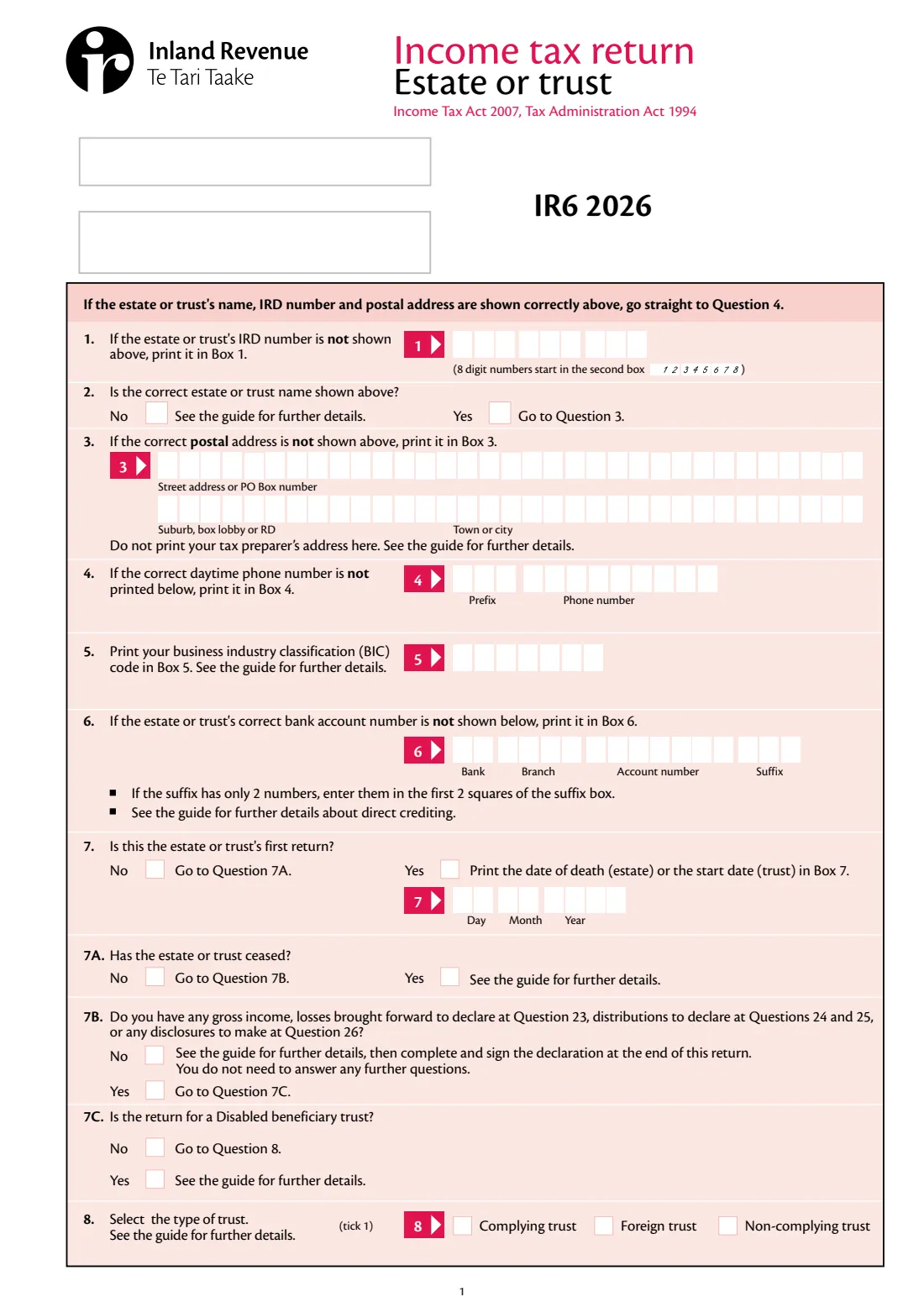
- Estate or trust details (boxes 1–8)Trustee or executor
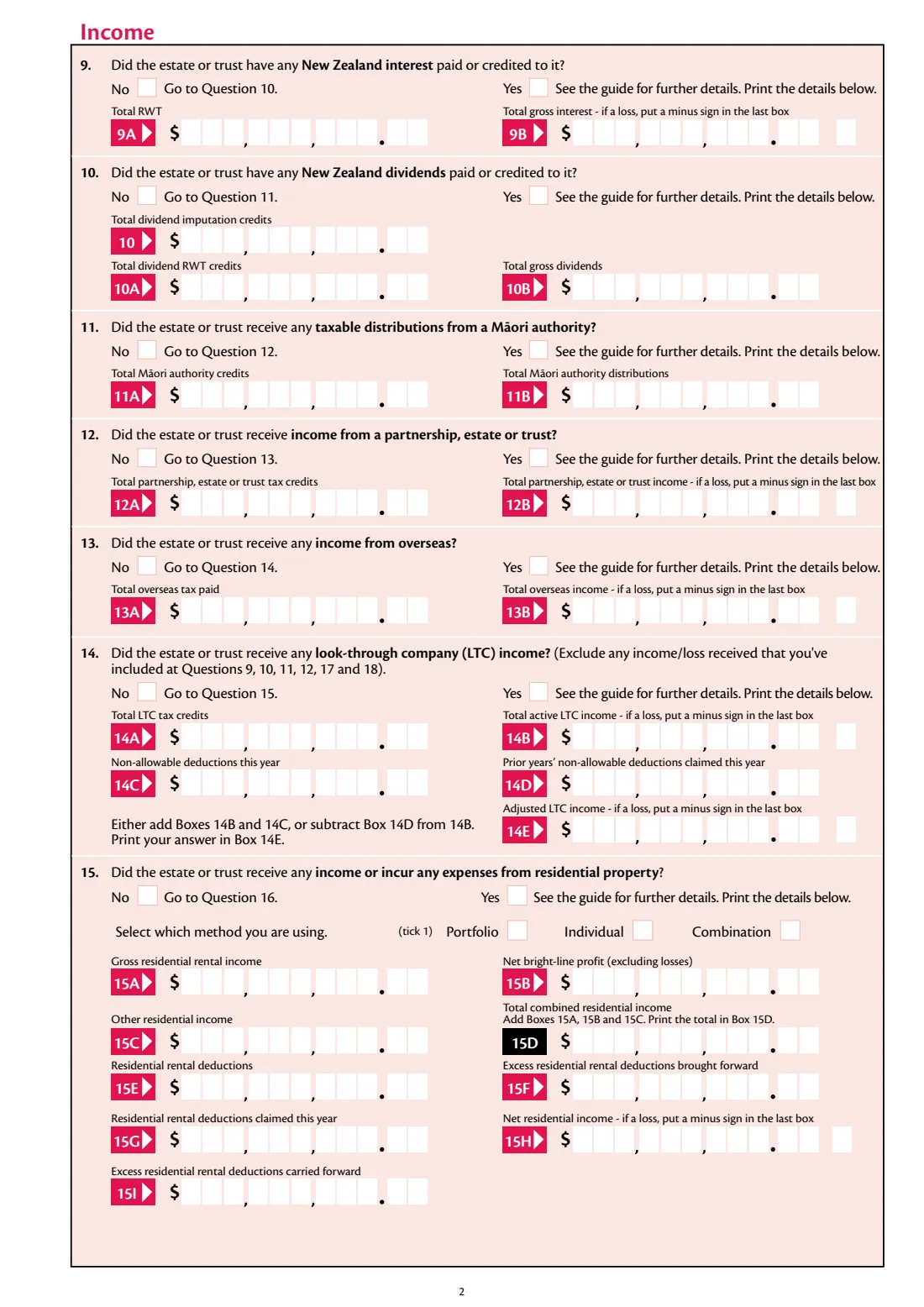
- 9 New Zealand interestTrustee or executor
- 10 New Zealand dividendsTrustee or executor
- 11 Māori authority distributionsTrustee or executor
- 12 Partnership, estate or trust incomeTrustee or executor
- 13 Overseas incomeTrustee or executor
- 14 LTC incomeTrustee or executor
- 15 Residential propertyTrustee or executor
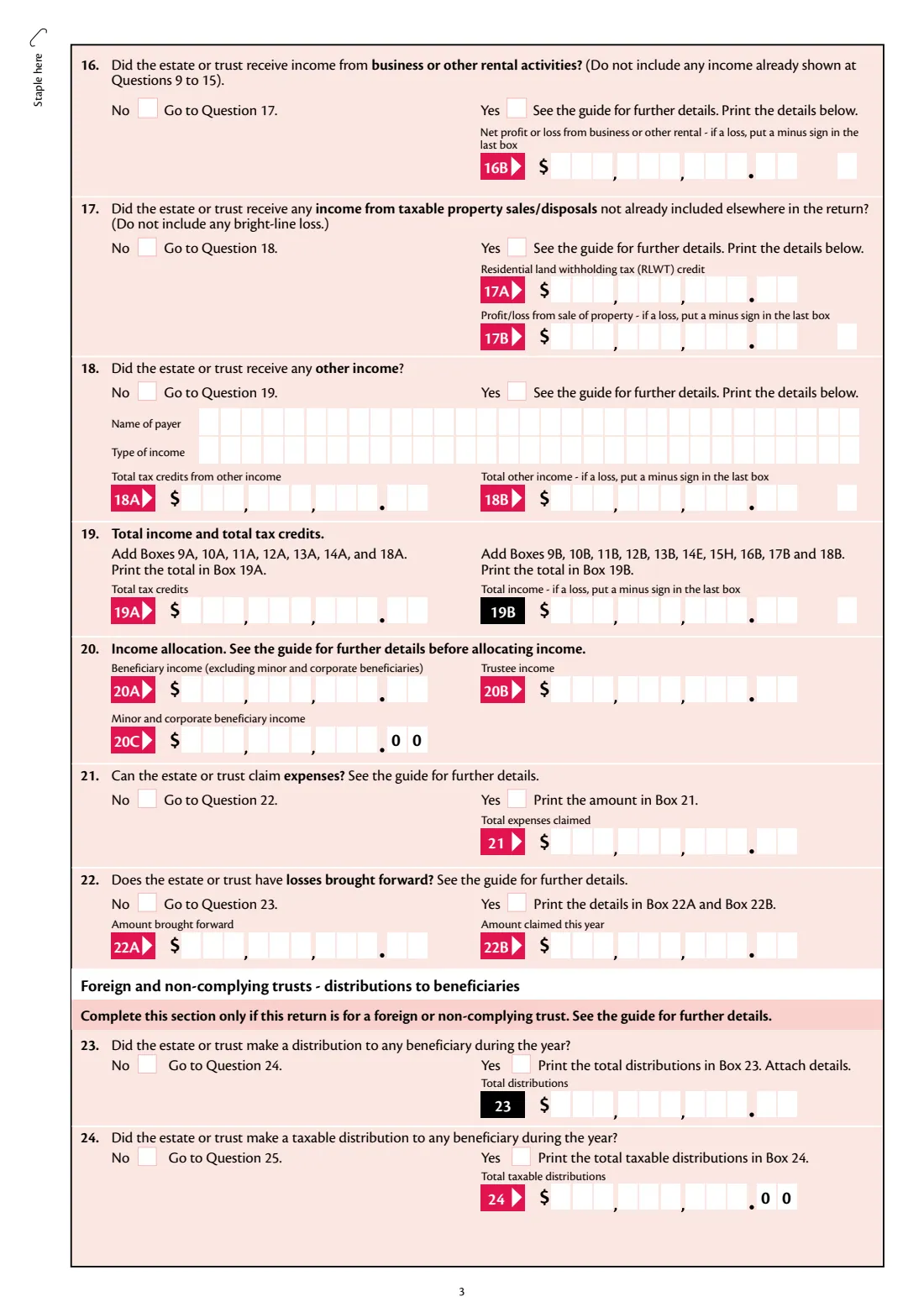
- 16 Business or other rental incomeTrustee or executor
- 17 Taxable property salesTrustee or executor
- 18 Other incomeTrustee or executor
- 19–22 Totals, allocation, expenses and lossesTrustee or executor
- 23–25 Distributions and foreign investmentsTrustee or executor
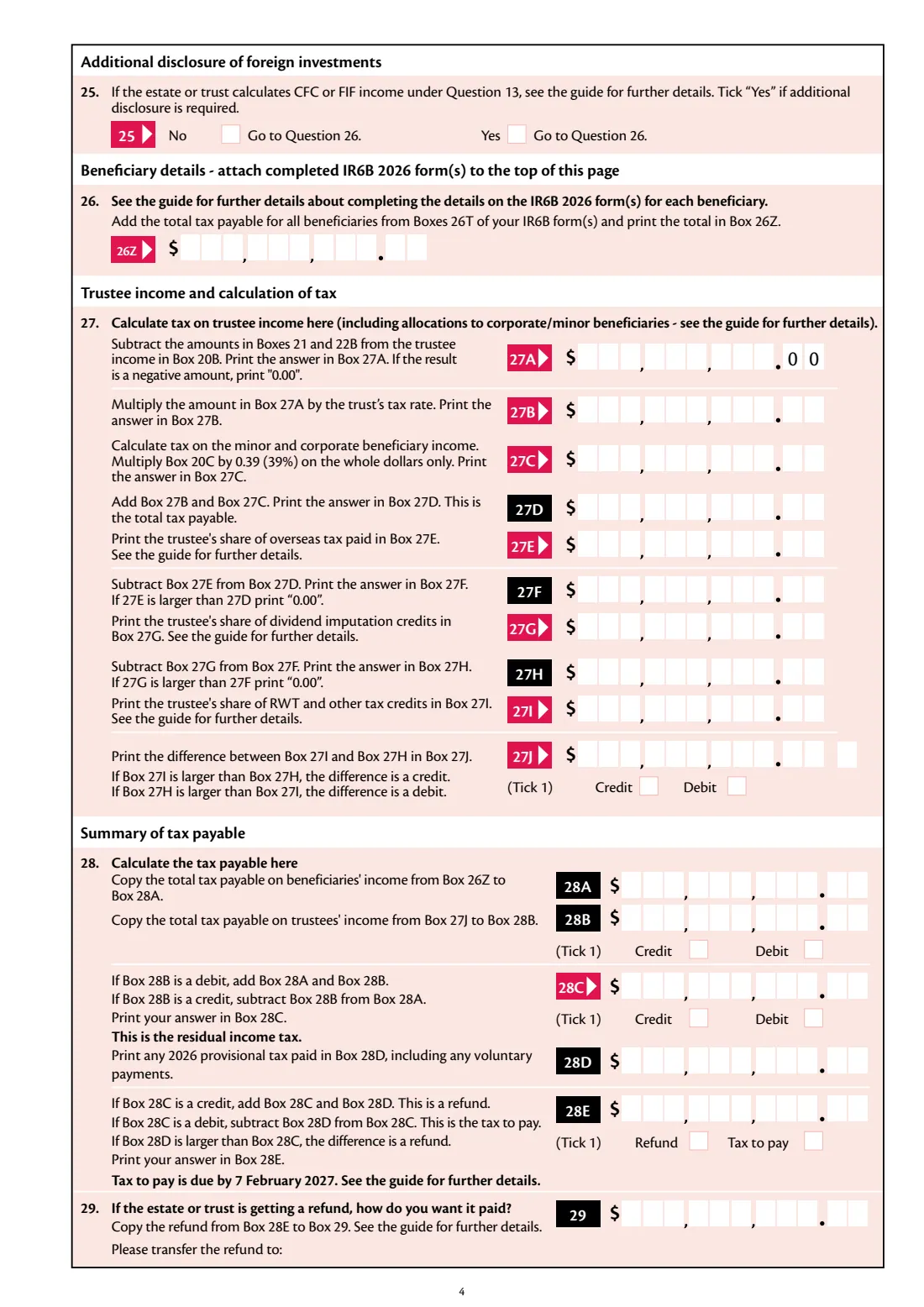
- 26–28 Beneficiary tax, trustee tax and tax payableTrustee or executor
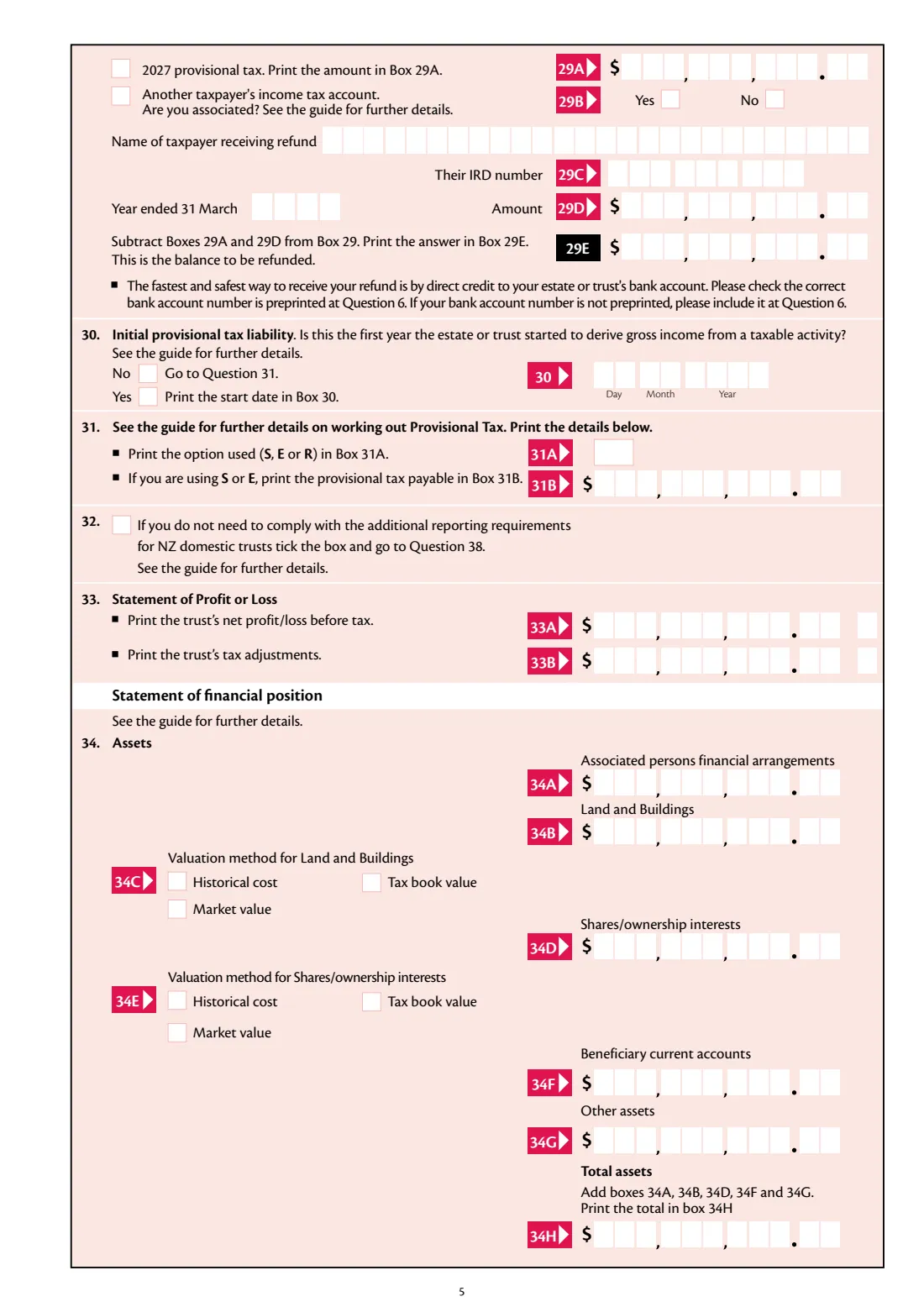
- 29 RefundTrustee or executor
- 30–31 2027 provisional taxTrustee or executor
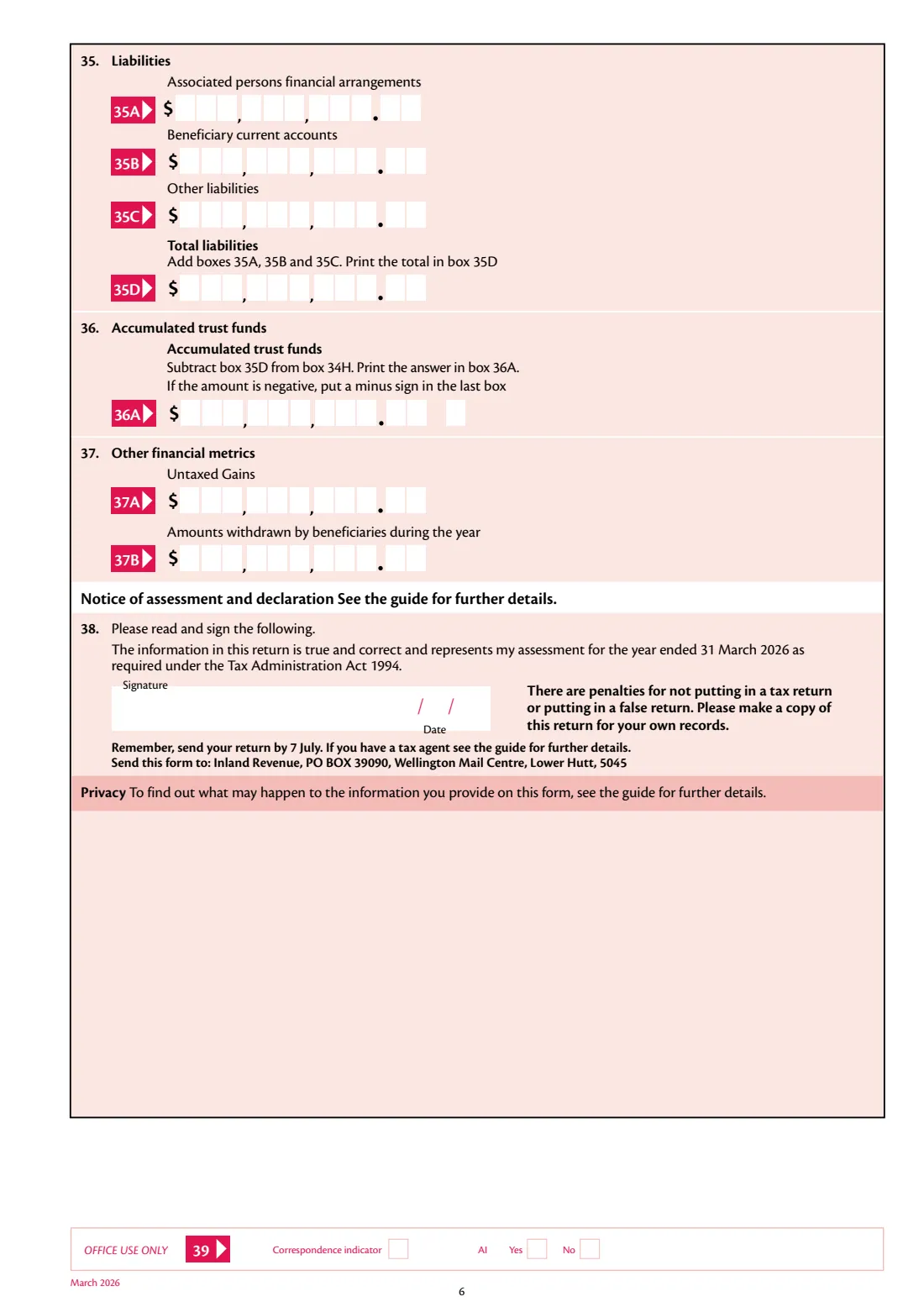
- 32–37 Financial information for NZ domestic trustsTrustee or executor
- 38 DeclarationTrustee or executor
How to fill out IR6 Estate or trust return 2026, step by step
1 Details and 7B
Give the trust's details, then answer 7B. If there's no income, loss, distribution or disclosure, the rest is skipped and you just sign.
2 Income
Answer questions 9 to 18. Only the boxes for a Yes are shown; tick the loss box for any loss. FileIt works out 14E and the residential boxes.
3 Totals and allocation
FileIt adds up total tax credits (19A) and total income (19B). Enter beneficiary income, trustee income and any minor or corporate beneficiary income at question 20.
4 Trustee tax
Enter expenses and losses, choose the trustee tax rate, and FileIt works out 27A to 27J and the summary of tax payable, ticking credit, debit, refund or tax to pay.
5 Refund and provisional tax
Choose any refund transfers and the 2027 provisional tax option.
6 Financial information and declaration
NZ domestic trusts complete questions 33 to 37 unless exempt; FileIt totals 34H, 35D and 36A. Then the trustee signs.
Common mistakes to avoid
- Answering every question when 7B is No. The form says only the declaration is needed then.
- Forgetting the IR6B forms for the beneficiaries, which give the figure in Box 26Z.
- Entering cents in the whole-dollar boxes 20C and 24, which have 00 printed.
- Typing a minus sign. Tick the loss box and the minus prints in the last box.
- Skipping questions 33 to 37 for an NZ domestic trust that isn't exempt from the extra reporting.
After you fill it out
Download the PDF, have a trustee sign it, attach the IR6B forms to the top of page 4, and post it to Inland Revenue, PO Box 39090, Wellington Mail Centre, Lower Hutt 5045.
Pay any tax to pay by 7 February 2027.
Keep a copy. The filled return stays in your FileIt vault.
Fill out IR6 Estate or trust return 2026 online with FileIt
- Pick the person. Choose someone from People and FileIt fills in their name, date of birth, address and other details it already knows.
- Answer plain-language questions. One part of the form at a time, with the official help text beside each question — 141 fields in all. Your answers save as you go.
- Check the live preview. Watch your answers land on the real Inland Revenue (Te Tari Taake) form, and let FileIt do any worksheet arithmetic.
- Generate the official PDF. FileIt prints your answers into the agency’s own PDF and files it in that person’s folder in your vault. Sign it, or send it for e-signature.
FileIt fills the form — it never files or submits anything for you. Deliver the finished form to whoever asked for it, the way the form’s instructions say.
Start IR6 Estate or trust return 2026 now — it’s freeIR6 Estate or trust return 2026: frequently asked questions
What rate is trustee income taxed at?
Box 27B is trustee income times the trust's tax rate. FileIt offers 39% and 33% and lets you enter the tax yourself when another rate applies; the IR6 guide explains which applies. Minor and corporate beneficiary income in 20C is taxed at 39%, as the form says.
Do I need to fill in the whole return if the trust had no income?
No. If you answer No at question 7B, the form says to complete and sign the declaration only.
What are questions 33 to 37?
Extra financial information for NZ domestic trusts: profit or loss, tax adjustments, assets, liabilities, accumulated trust funds, untaxed gains and amounts withdrawn by beneficiaries. Tick question 32 if the trust doesn't need to comply.
Where do the beneficiaries' details go?
On IR6B forms attached to page 4. The total tax payable from their Boxes 26T goes in Box 26Z.
Does FileIt file the return?
No. FileIt fills in Inland Revenue's PDF for the trustee to sign and post. It never submits anything.
Official sources
- Blank form (PDF), published by Inland Revenue (Te Tari Taake): https://www.ird.govt.nz/-/media/project/ir/home/documents/forms-and-guides/ir1---ir99/ir6/ir6-2026.pdf
- Official instructions and guidance: https://www.ird.govt.nz/roles/trusts-and-estates
- Edition shown on this page: IR6 2026 (March 2026) — income year 1 April 2025 to 31 March 2026 (checked 2026-10-25).
FileIt is not affiliated with or endorsed by Inland Revenue (Te Tari Taake) or any government. This page explains the form in general terms and is not legal, tax or immigration advice. Always read the official instructions, and check that you are using the edition the recipient accepts. Page last reviewed 2026-10-25.