What is IR4 Company tax return 2026?
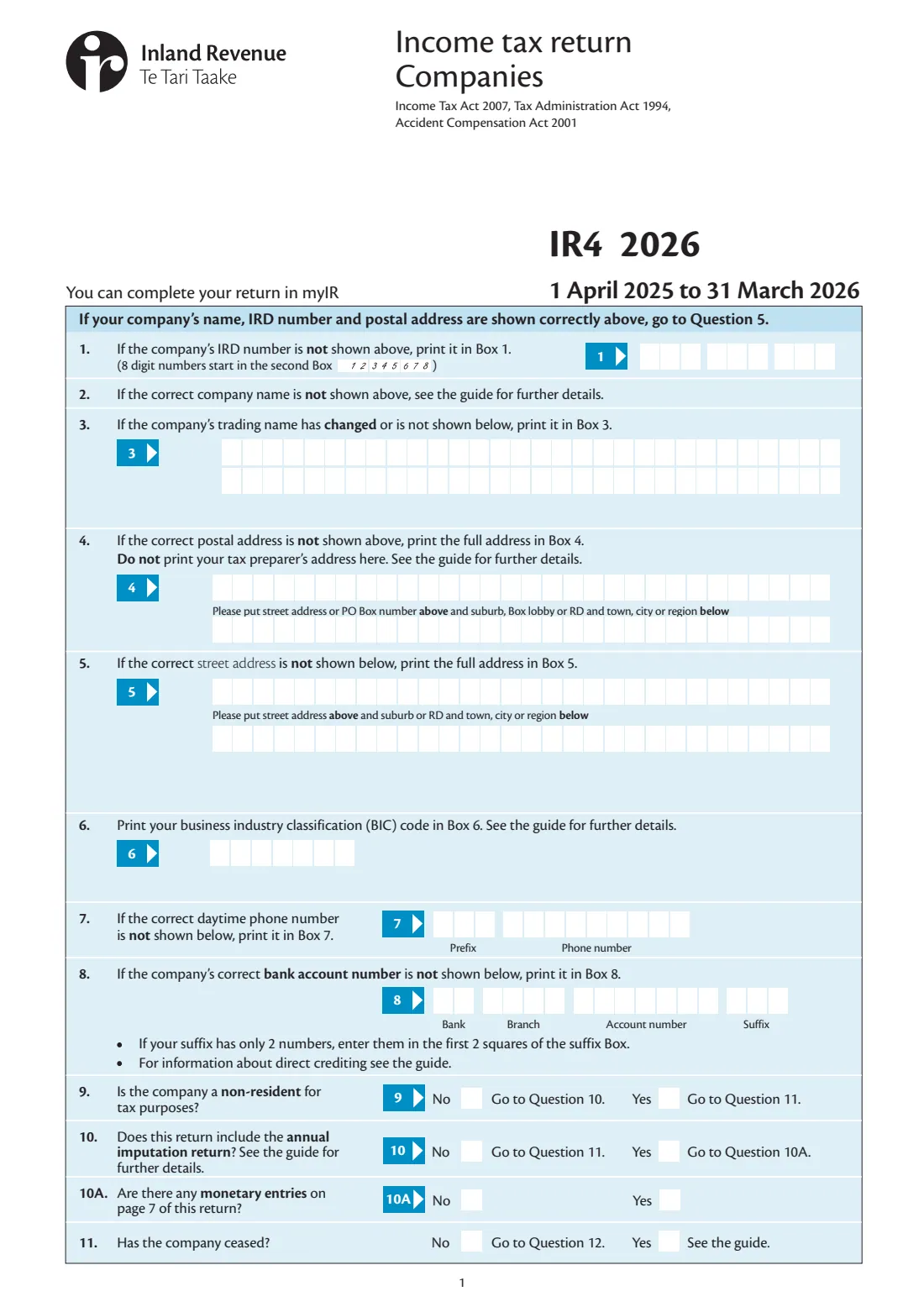
Every company files an income tax return for its income year; the form says it can also be completed in myIR. The paper IR4 covers income, donations, losses brought forward and group loss offsets, the tax calculation, refunds, 2027 provisional tax, disclosures, shareholder details on page 6 and the annual imputation return on page 7.
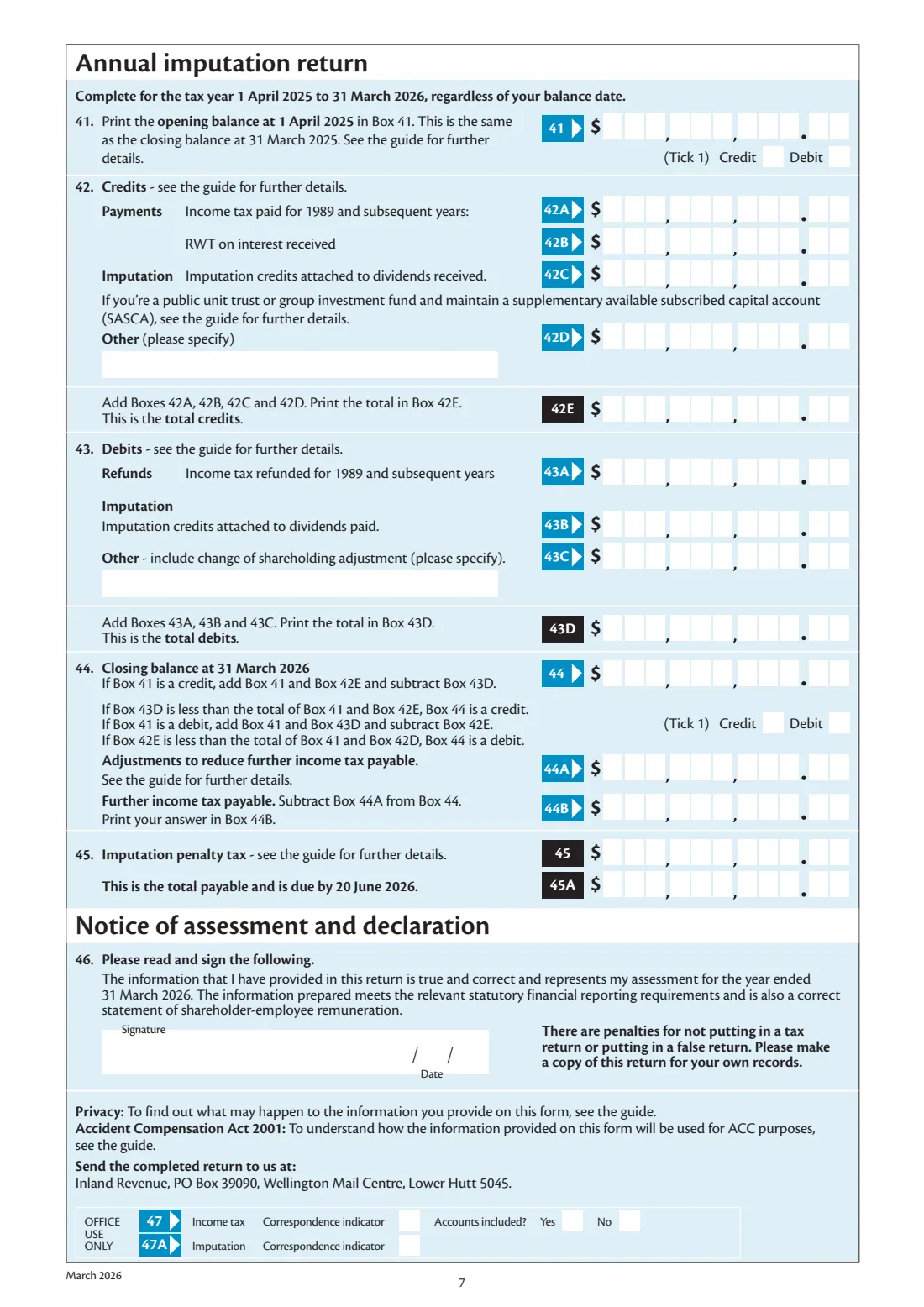
The 2026 IR4 covers 1 April 2025 to 31 March 2026. Tax is worked out at 28 cents in the dollar, as the form says, and the imputation return on page 7 is for the tax year 1 April 2025 to 31 March 2026 whatever the company's balance date, with any further income tax and imputation penalty tax due by 20 June 2026. The return is posted to Inland Revenue, PO Box 39090, Wellington Mail Centre, Lower Hutt 5045.
FileIt fills in Inland Revenue's own 2026 IR4. It adds up total and taxable income, carries losses and subvention payments through, works out the tax at 28%, each credit and the refund or tax to pay, and the imputation closing balance, printing minus signs and ticking credit, debit, refund or tax to pay for you.
- Income year
- 1 April 2025 to 31 March 2026
- Who files
- New Zealand companies (the form says myIR is an option)
- Tax rate
- 28 cents in the dollar, as the form says
- Imputation return
- Page 7, for the tax year 1 April 2025 to 31 March 2026
- Imputation payable due
- 20 June 2026
- Posted to
- Inland Revenue, PO Box 39090, Wellington Mail Centre, Lower Hutt 5045
- Edition
- IR4 2026 (March 2026)
Who needs to fill out IR4 Company tax return 2026?
- New Zealand companies, including family companies and holding companies.
- Companies paying shareholder-employees without PAYE, or lending to shareholders.
- Companies in a group sharing losses or making subvention payments.
- Non-resident companies with New Zealand income.
When to use IR4 Company tax return 2026
- After the company's income year ends, once its accounts are finished.
- With the annual imputation return on page 7, when the company keeps an imputation credit account.
- Use the 2026 IR4 for the year 1 April 2025 to 31 March 2026 only.
What you need before you start
- The company's IRD number, addresses, BIC code, phone and bank account.
- The year's financial statements and tax workings.
- Interest, dividend, Māori authority, partnership and overseas income statements.
- Losses brought forward, and any loss offsets or subvention payments with group companies.
- Shareholders' IRD numbers and remuneration, loans and current account balances.
- The imputation credit account's opening balance, credits and debits for page 7.
What’s on IR4 Company tax return 2026
The 2026 edition has 7 pages. FileIt asks for it in 22 parts, and it is signed by Company:
- Company details (boxes 1–11)Company
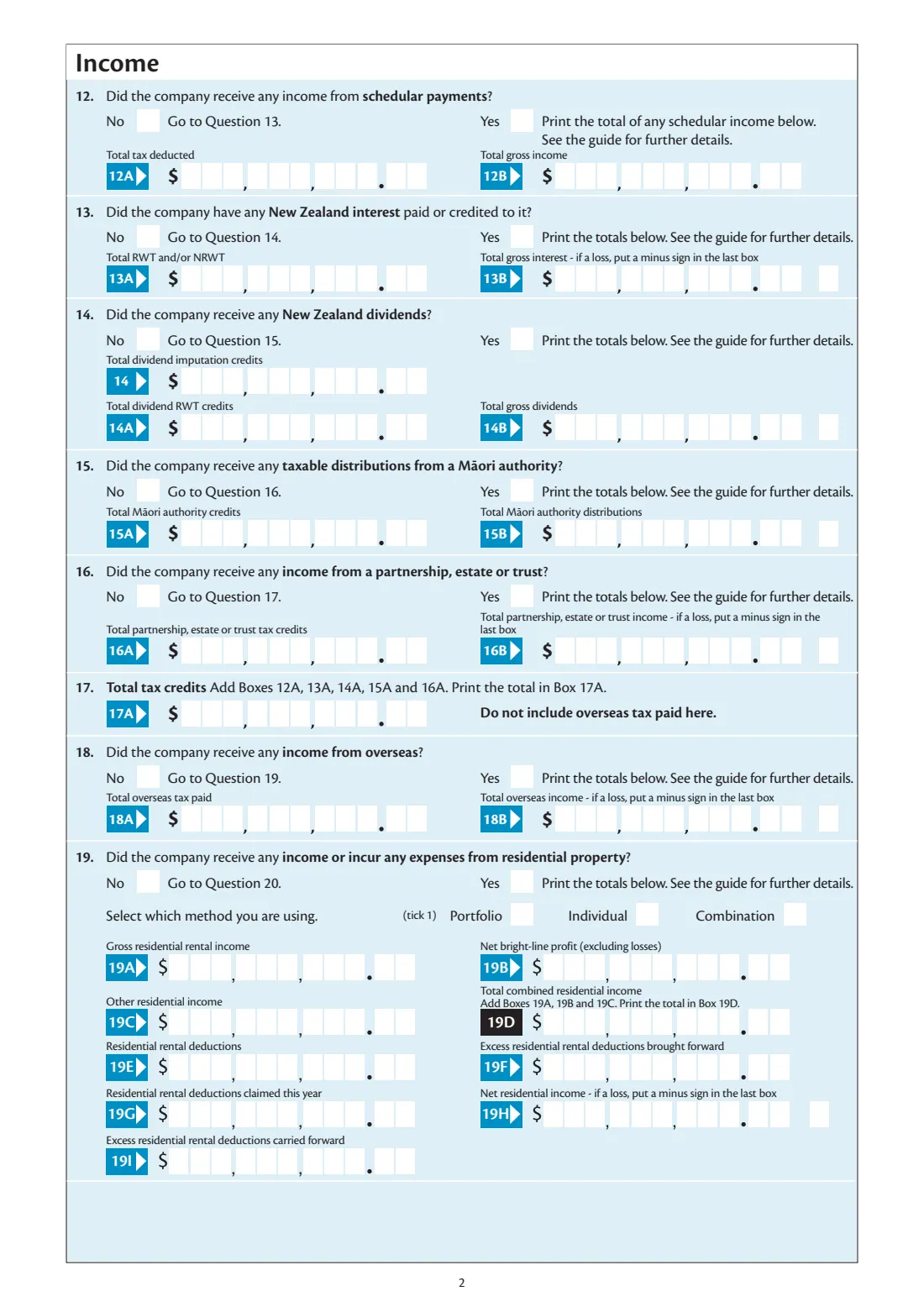
- 12 Schedular paymentsCompany
- 13 New Zealand interestCompany
- 14 New Zealand dividendsCompany
- 15 Māori authority distributionsCompany
- 16 Partnership, estate or trust incomeCompany
- 18 Overseas incomeCompany
- 19 Residential propertyCompany
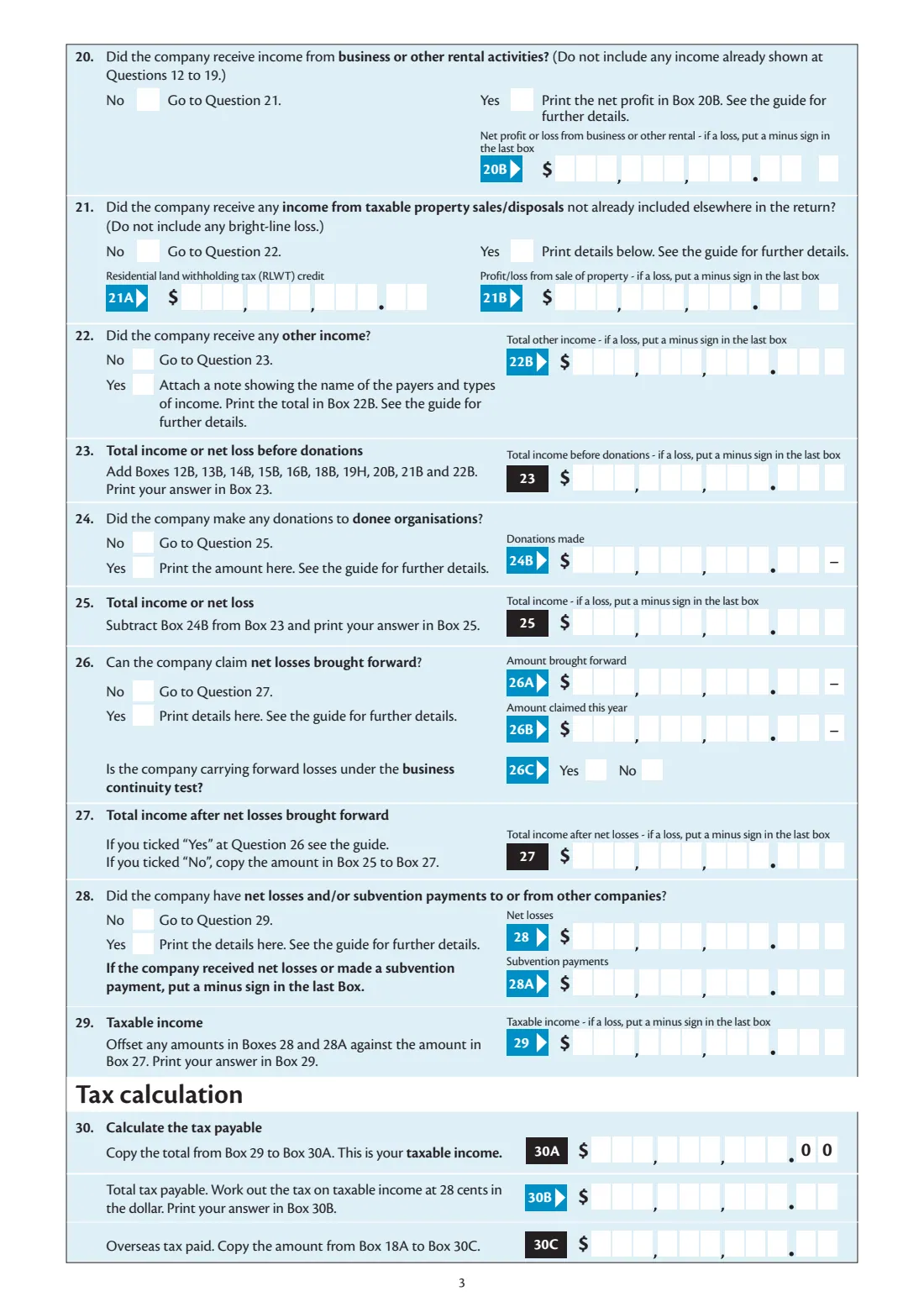
- 20 Business or other rental incomeCompany
- 21 Taxable property salesCompany
- 22 Other incomeCompany
- 23–29 Total and taxable incomeCompany
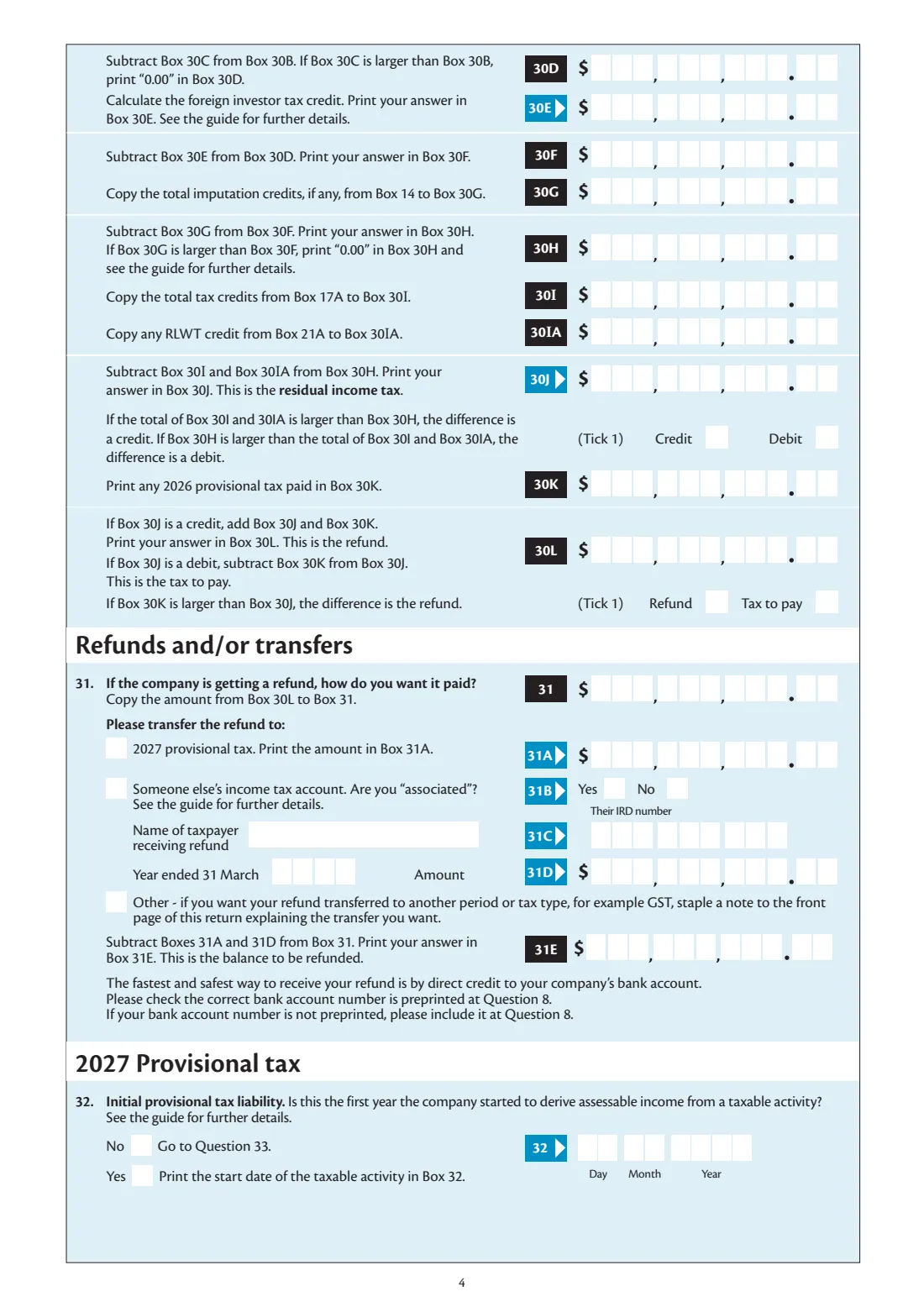
- 30 Tax calculationCompany
- 31 Refunds and transfersCompany
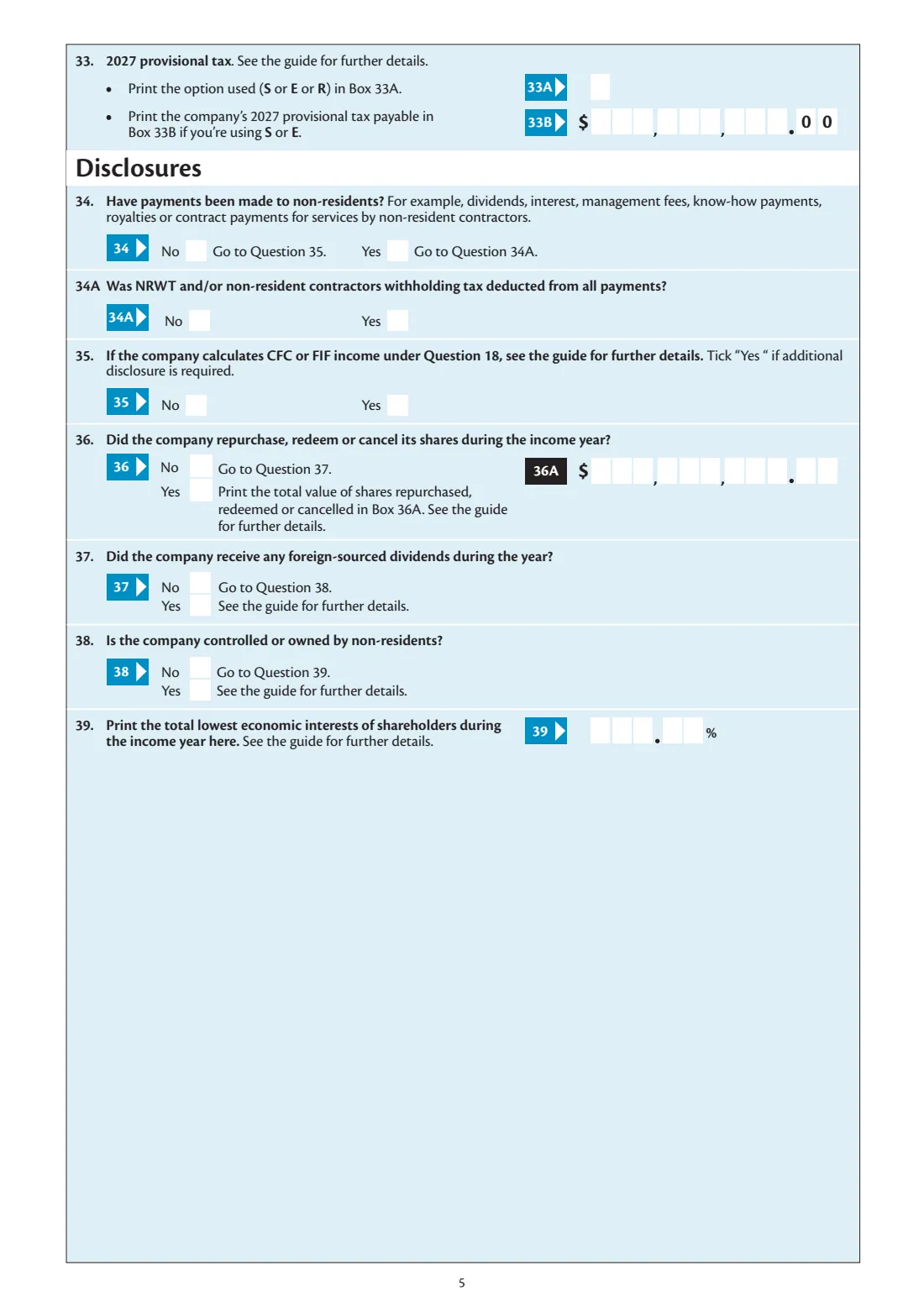
- 32–33 2027 provisional taxCompany
- 34–39 DisclosuresCompany
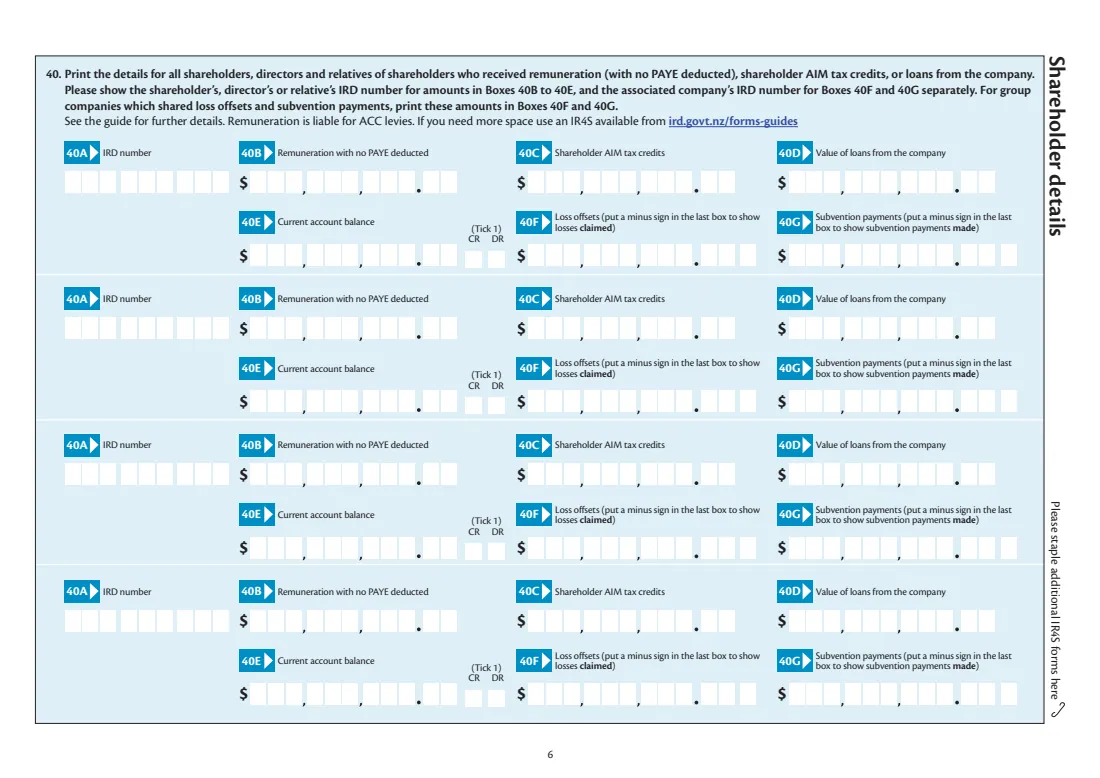
- 40 Shareholder details — shareholder 1Company
- 40 Shareholder details — shareholder 2Company
- 40 Shareholder details — shareholder 3Company
- 40 Shareholder details — shareholder 4Company
- 41–45 Annual imputation return (page 7)Company
- 46 DeclarationCompany
How to fill out IR4 Company tax return 2026, step by step
1 Company details
Give the IRD number, trading name, addresses, BIC code, phone and bank account, and answer the residence, imputation return and ceased questions.
2 Income
Answer questions 12 to 22. Only the boxes for a Yes are shown; tick the loss box for any loss. FileIt totals the tax credits at 17A and the residential boxes.
3 Taxable income
FileIt adds total income (23), subtracts donations (25) and losses claimed (27), and offsets net losses and subvention payments into taxable income (29).
4 Tax calculation
FileIt works out 30A to 30L: tax at 28%, overseas tax, imputation credits, tax credits and RLWT, the residual income tax and the refund or tax to pay. You enter the foreign investor tax credit and provisional tax paid.
5 Refund, provisional tax and disclosures
Choose any refund transfers, the 2027 provisional tax option and amount, and answer questions 34 to 39.
6 Shareholders, imputation and declaration
Add up to four shareholder rows, fill in the imputation return if question 10A is Yes (FileIt works out 42E, 43D, 44, 44B and 45A), and a director signs.
Common mistakes to avoid
- Entering cents in Box 33B, which has 00 printed. It takes whole dollars.
- Forgetting the minus sign for net losses received or subvention payments made. Tick the box at 28 or 28A.
- Leaving out the IRD number for each shareholder row on page 6.
- Typing a minus sign into an amount. Tick the loss box and the minus prints in the last box.
- Filling in page 7 when question 10A is No.
After you fill it out
Download the PDF, have a director sign it, attach any notes the form asks for, and post it to Inland Revenue, PO Box 39090, Wellington Mail Centre, Lower Hutt 5045.
If page 7 shows further income tax or imputation penalty tax, it's due by 20 June 2026.
Keep a copy. The filled return stays in your FileIt vault.
Fill out IR4 Company tax return 2026 online with FileIt
- Pick the person. Choose someone from People and FileIt fills in their name, date of birth, address and other details it already knows.
- Answer plain-language questions. One part of the form at a time, with the official help text beside each question — 181 fields in all. Your answers save as you go.
- Check the live preview. Watch your answers land on the real Inland Revenue (Te Tari Taake) form, and let FileIt do any worksheet arithmetic.
- Generate the official PDF. FileIt prints your answers into the agency’s own PDF and files it in that person’s folder in your vault. Sign it, or send it for e-signature.
FileIt fills the form — it never files or submits anything for you. Deliver the finished form to whoever asked for it, the way the form’s instructions say.
Start IR4 Company tax return 2026 now — it’s freeIR4 Company tax return 2026: frequently asked questions
Does FileIt work out the company's tax?
Yes. Box 30B is the taxable income in 30A at 28 cents in the dollar, as the form says, and FileIt then takes off the credits in the form's order down to the refund or tax to pay.
What is the annual imputation return?
Page 7 tracks the company's imputation credit account for the tax year 1 April 2025 to 31 March 2026: the opening balance, credits, debits and the closing balance at 31 March 2026.
How many shareholders can I list?
Page 6 has four rows. If you need more, the form points you to IR4S forms from ird.govt.nz/forms-guides.
Can I file in myIR instead?
Yes, the form says you can complete your return in myIR.
Does FileIt file the return?
No. FileIt fills in Inland Revenue's PDF for a director to sign and post. It never submits anything.
Official sources
- Blank form (PDF), published by Inland Revenue (Te Tari Taake): https://www.ird.govt.nz/-/media/project/ir/home/documents/forms-and-guides/ir1---ir99/ir4/ir4-2026.pdf
- Official instructions and guidance: https://www.ird.govt.nz/income-tax/income-tax-for-businesses-and-organisations
- Edition shown on this page: IR4 2026 (March 2026) — income year 1 April 2025 to 31 March 2026 (checked 2026-10-25).
FileIt is not affiliated with or endorsed by Inland Revenue (Te Tari Taake) or any government. This page explains the form in general terms and is not legal, tax or immigration advice. Always read the official instructions, and check that you are using the edition the recipient accepts. Page last reviewed 2026-10-25.