What is ISP-3025 GIS application?
Form ISP-3025 is Service Canada's application for the Guaranteed Income Supplement (GIS), a non-taxable amount added to the monthly Old Age Security (OAS) pension for seniors with lower incomes who live in Canada. The amount depends on your marital status and your net annual income, or a couple's combined net income. You use this form if you already get the OAS pension but are not yet receiving the GIS.
The form is short on money questions because Service Canada gets your income figures from the Canada Revenue Agency. Instead it asks about where you have lived in the last two years, whether you retired or had your pension income reduced recently, foreign income, any sponsorship into Canada, your marital status, and, if you have one, your spouse or common-law partner. The form itself says there is no disadvantage to applying: even if you do not qualify now, Service Canada reviews your income every year and pays the GIS automatically if you become entitled, as long as you file your tax return.
FileIt takes you through each question in plain English and prints your answers into Service Canada's own ISP-3025 PDF. Your name, date of birth and email can be pre-filled from the People in your vault, names with accents or Polish and Romanian letters print correctly, and FileIt checks things such as date order in the residence table and that a married or common-law applicant fills in the spouse part. The finished PDF is saved to the person's vault folder, ready to print and sign by hand. FileIt never sends it to Service Canada for you.
- Who fills it
- A person who receives the OAS pension, lives in Canada, and wants to apply for the GIS
- Given to
- A Service Canada office, by mail or in person (addresses on the form's last page)
- Pages
- 5 form pages, a 2-page Reference Guide and a list of Service Canada office addresses
- Signatures
- The applicant (C1); the spouse or common-law partner (C2) if you have one; a witness or authorized person (C3) only in special cases
- Edition
- SC ISP-3025 (2025-06-06) E
- Income figures
- None to enter: Service Canada gets them from the Canada Revenue Agency
Who needs to fill out ISP-3025 GIS application?
- People who already receive the Old Age Security pension, live in Canada, and are not receiving the Guaranteed Income Supplement.
- Seniors whose income has dropped, for example because they retired or a pension ended or was reduced, and who may now qualify.
- Married or common-law seniors, where the application also lets the spouse or partner apply for the GIS.
- People who came to Canada under a sponsorship agreement, since the form asks detailed sponsorship questions.
- A family member or other person who holds a power of attorney or trusteeship and is applying on someone's behalf.
When to use ISP-3025 GIS application
- When you receive the OAS pension but not the GIS, and think your income may be low enough to qualify.
- After you retire, or when a pension ends or goes down: the form says your GIS may then be worked out on an estimate of your current income, which may increase it.
- When you did not apply for the GIS together with your OAS pension (the OAS application ISP-3550 also covers the GIS).
- After a sponsorship undertaking has ended or been broken. The Reference Guide says that from October 1, 2025, people under a sponsorship agreement cannot receive the GIS for the full length of that agreement.
What you need before you start
- Your Social Insurance Number, and your spouse's or common-law partner's if you have one.
- Your date of birth, home address and telephone number.
- If you have not lived in Canada for the whole of the last two years: each country you lived in, with dates.
- The month you retired or your pension income was reduced, if that happened in the last two years or will happen in the next two.
- Any income you receive from another country: its type and the yearly amount in the currency it is paid.
- If you were sponsored: your IRCC Unique Client Identifier (UCI), the sponsorship category, the date you became a permanent resident and the length of the undertaking. The Reference Guide says these are on documents such as your IMM 5688, IMM 5716 or IMM 1000.
- Your spouse's or partner's name, date of birth and date of marriage or common-law union, if you have one.
What’s on ISP-3025 GIS application
The 2025 edition has 8 pages. FileIt asks for it in 8 parts:
- Section A: Personal informationApplicant
- Section B: Residence (B1)Applicant
- Income and foreign income (B2 to B4)Applicant
- Sponsorship (B5)Applicant
- Marital status (B6)Applicant
- Your spouse or common-law partner (B7 to B12, C2)Spouse or common-law partner
- Section C: Declaration and signature (C1)Applicant
- C3: Witness or person authorized to act for youWitness or authorized person
How to fill out ISP-3025 GIS application, step by step
1 Section A: Personal information
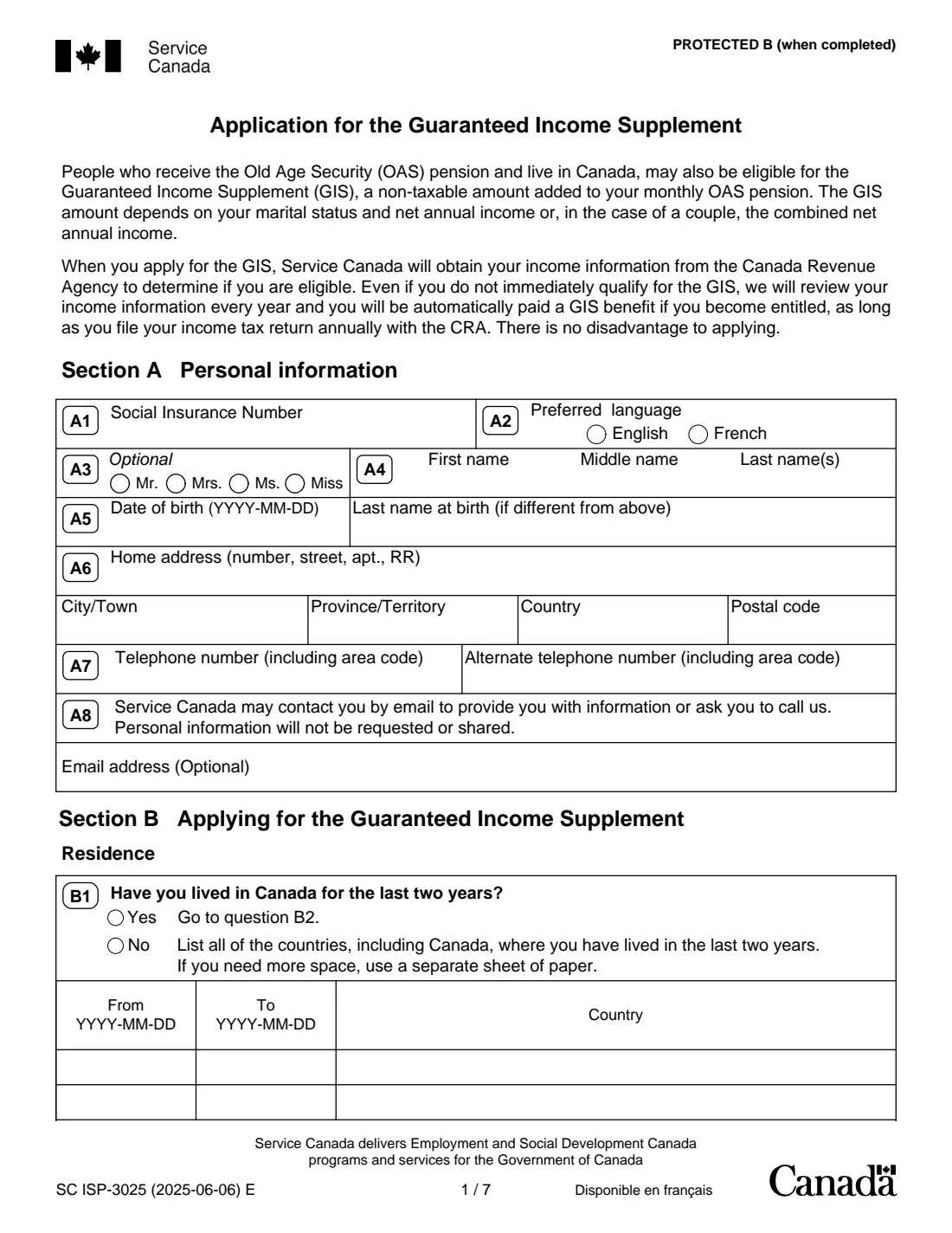
A1 to A8 ask for your Social Insurance Number, preferred language (English or French), an optional title, your first, middle and last names, date of birth, last name at birth if it was different, home address, telephone numbers and an optional email address.
Dates on this form are written year first (YYYY-MM-DD). FileIt formats them for you.
2 B1: Residence
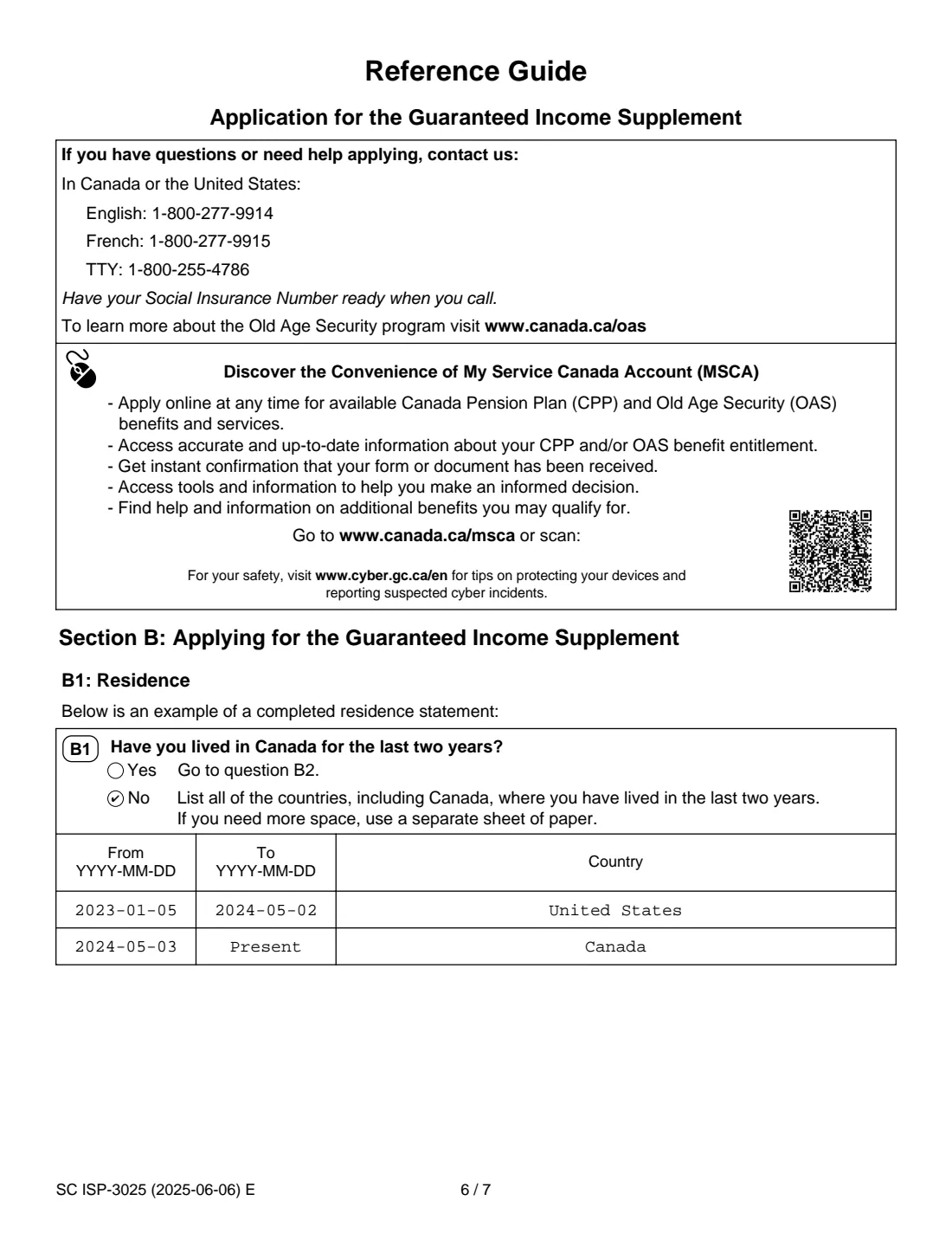
If you have lived in Canada for the last two years, answer Yes and move on. If not, answer No and list every country where you lived in those two years, including Canada, with the dates. The form has two lines; if you need more, attach a separate sheet. The Reference Guide shows an example with the last period ending "Present".
3 B2 and B3: Income changes
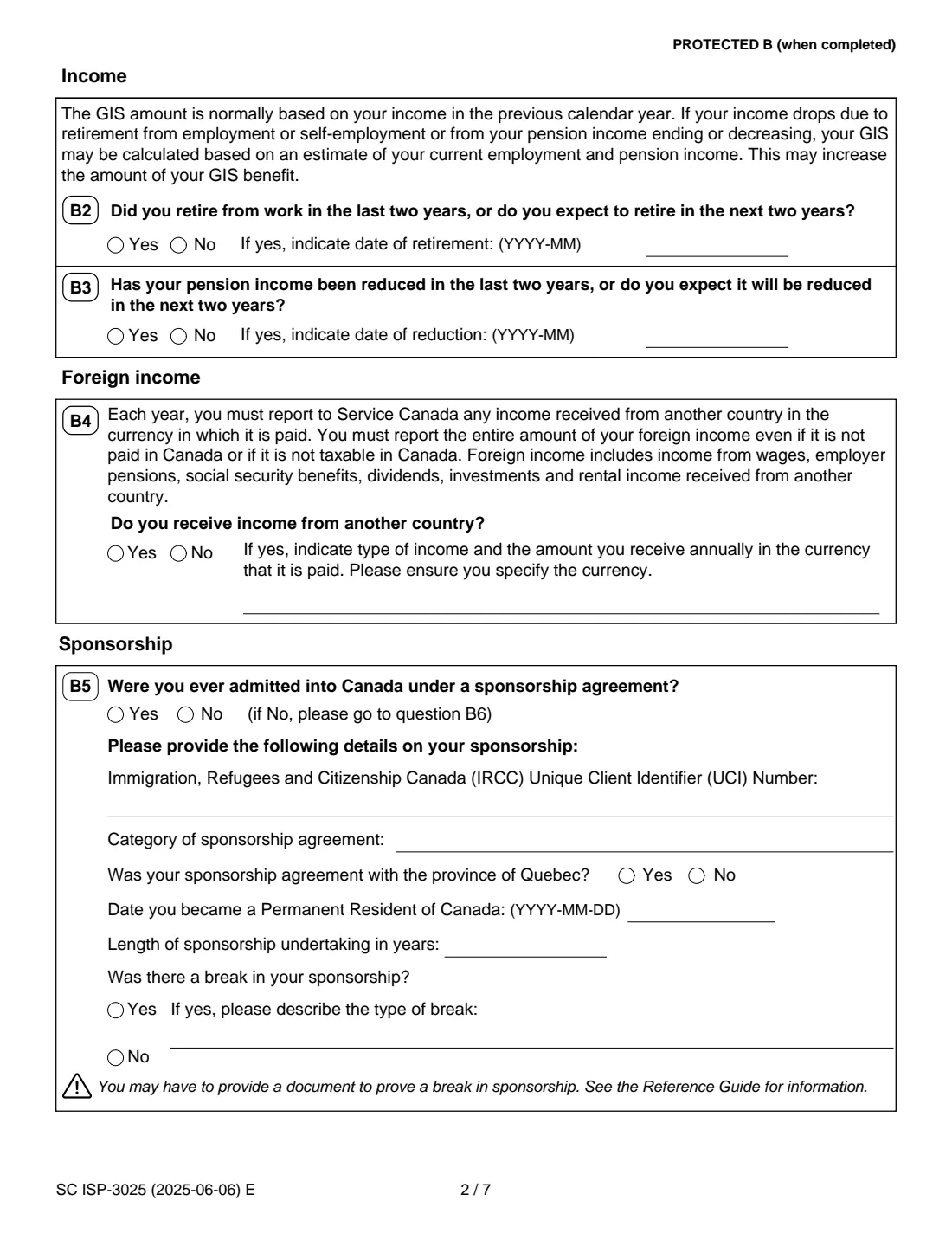
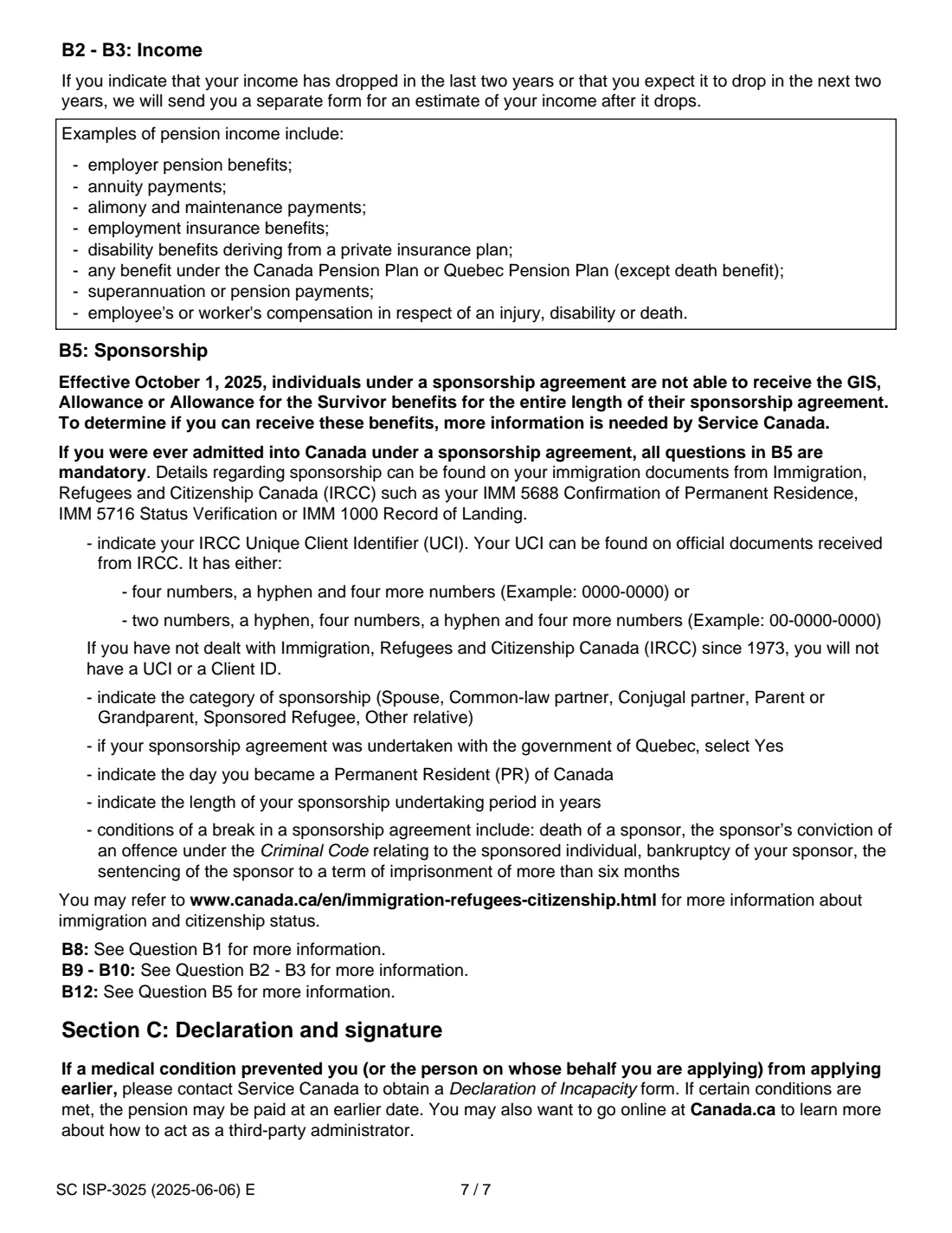
B2 asks whether you retired from work in the last two years or expect to in the next two, and B3 whether your pension income was reduced or will be. Give the month (YYYY-MM) if so. The Reference Guide says that if your income dropped or will drop, Service Canada will send you a separate form to estimate your income after the drop. Examples of pension income it lists include employer pensions, annuities, CPP or QPP benefits and workers' compensation.
4 B4: Foreign income
Say whether you receive income from another country and, if so, the type and the amount you receive each year in the currency it is paid, naming the currency. The form says you must report the entire amount, even if it is not paid in Canada or not taxable in Canada. FileIt fits your answer onto the form's two lines.
5 B5: Sponsorship
If you were ever admitted into Canada under a sponsorship agreement, the Reference Guide says every question in B5 is mandatory: your UCI (if you have one), the category of sponsorship, whether the agreement was with Quebec, the date you became a permanent resident, the length of the undertaking, and whether there was a break. The guide lists breaks such as the sponsor's death, bankruptcy, or a conviction or prison sentence of more than six months, and you may have to send a document proving the break.
6 B6 to B12: Marital status and your spouse or partner
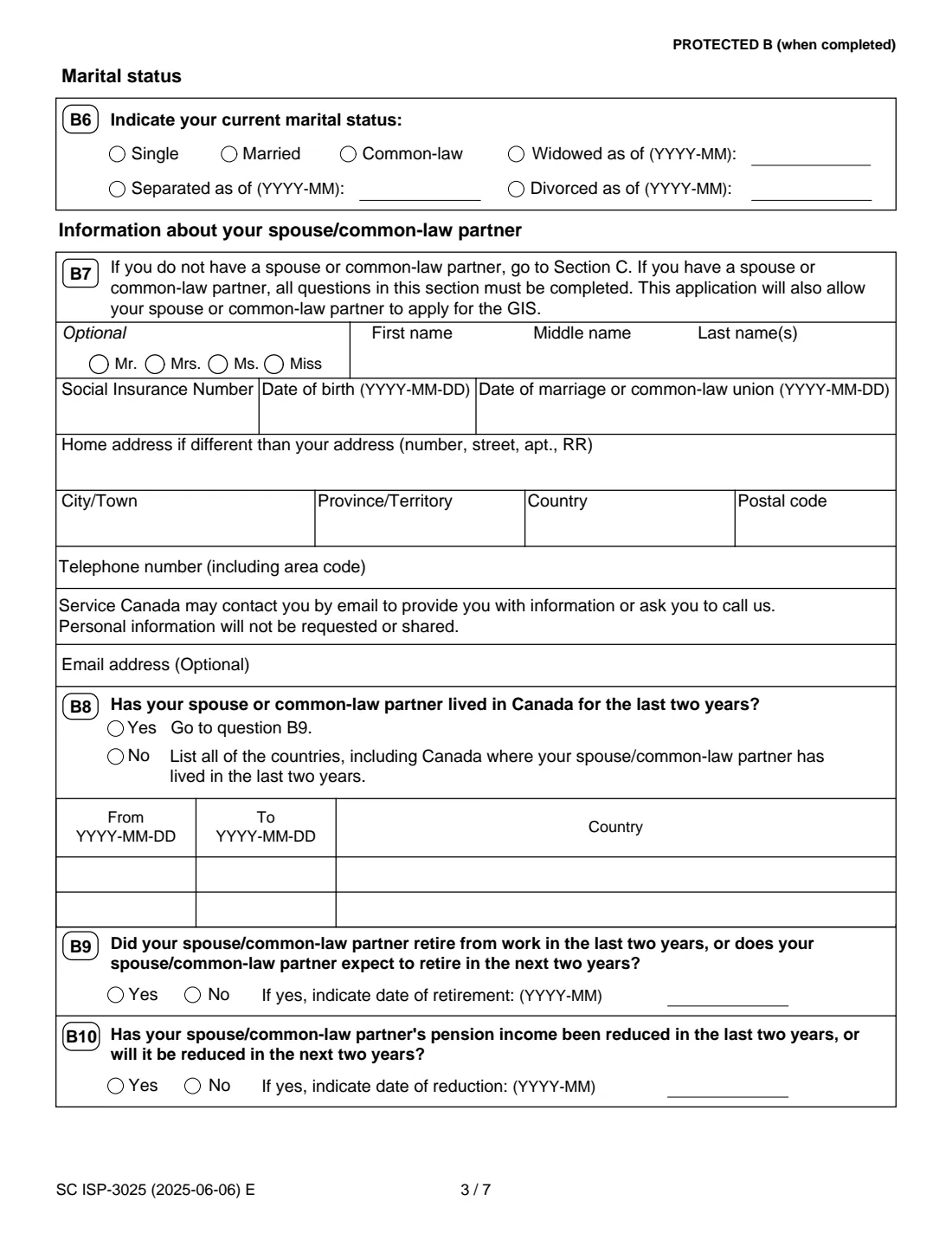
B6 records your marital status, with the month for widowed, separated or divorced. If you have a spouse or common-law partner, the form says all of B7 to B12 must be completed: their name, SIN, date of birth, date of marriage or union, address if different, contact details, where they lived in the last two years, retirement or pension reduction, foreign income and sponsorship. In FileIt this is an optional part you switch on, and FileIt reminds you if you are married or common-law and leave it out.
7 Section C: Declarations and signatures
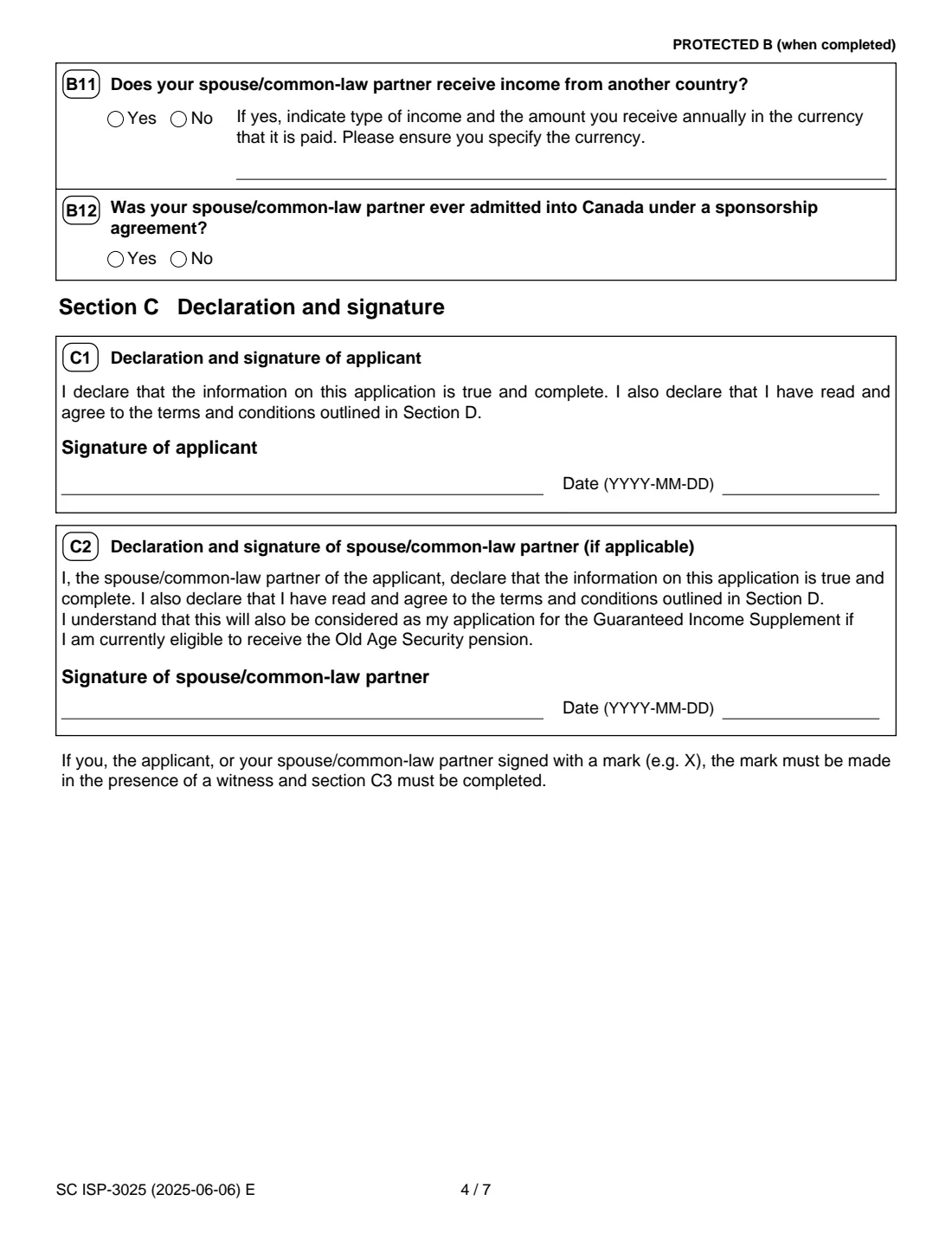
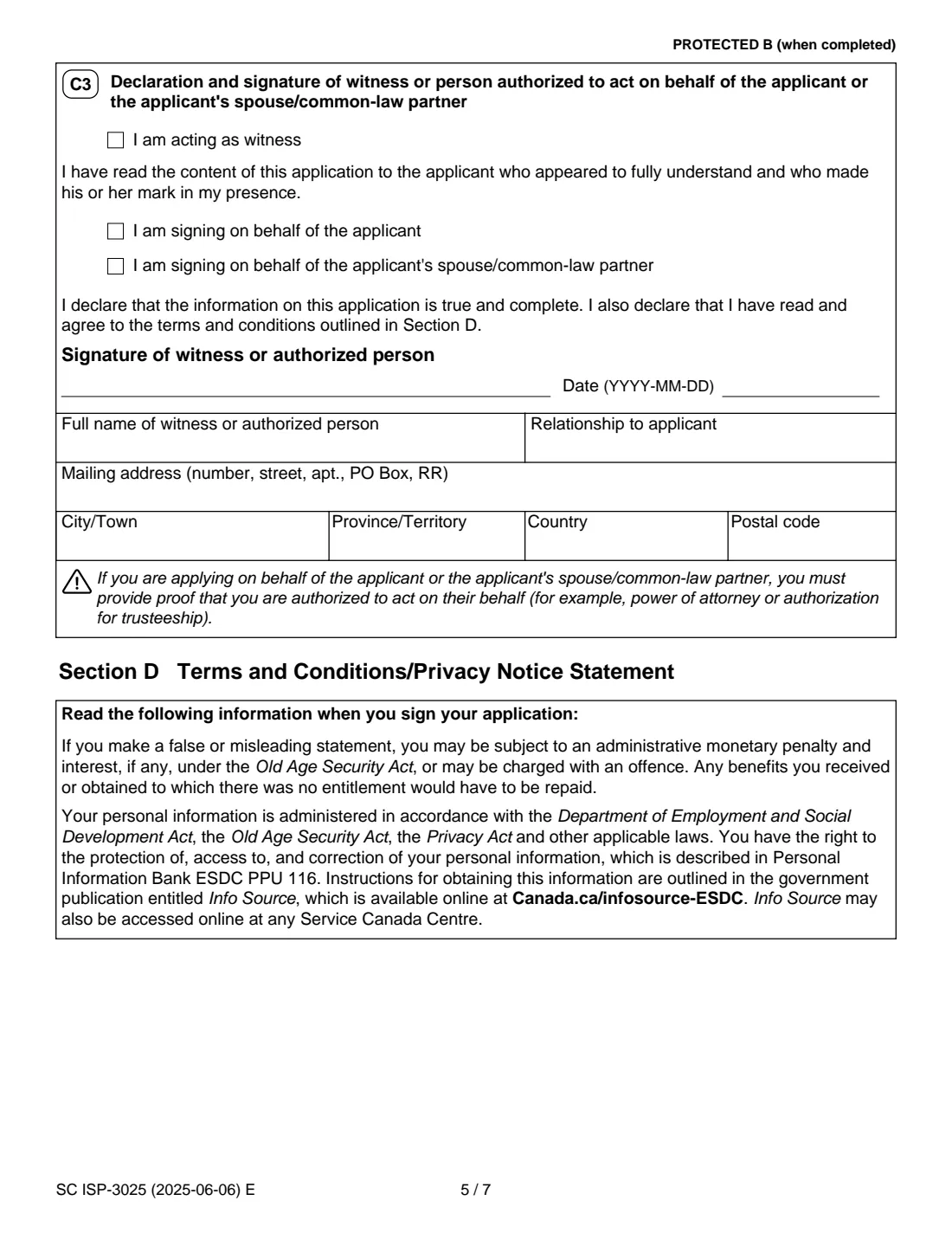
You sign and date C1. Your spouse or partner signs and dates C2; the form says this also counts as their own GIS application if they are currently eligible for the OAS pension. C3 is only for a witness, when someone signs with a mark such as an X, or for a person signing on the applicant's or spouse's behalf, who must provide proof of authority such as a power of attorney. Section D sets out the terms and the privacy notice.
Common mistakes to avoid
- Leaving out the spouse or common-law partner part: the form says every question in it must be completed if you have one.
- Forgetting your spouse's or partner's signature in C2.
- Forgetting to include Canada itself in the residence table when you answer No to B1.
- Reporting only part of your foreign income, or leaving out the currency.
- Answering B5 with No when you did come to Canada under a sponsorship agreement, even many years ago.
- Signing on someone's behalf without sending proof of your authority, such as a power of attorney.
After you fill it out
Print the PDF. You sign C1 by hand, and your spouse or common-law partner signs C2 if you have one. If either of you signs with a mark, it must be made in front of a witness who completes C3.
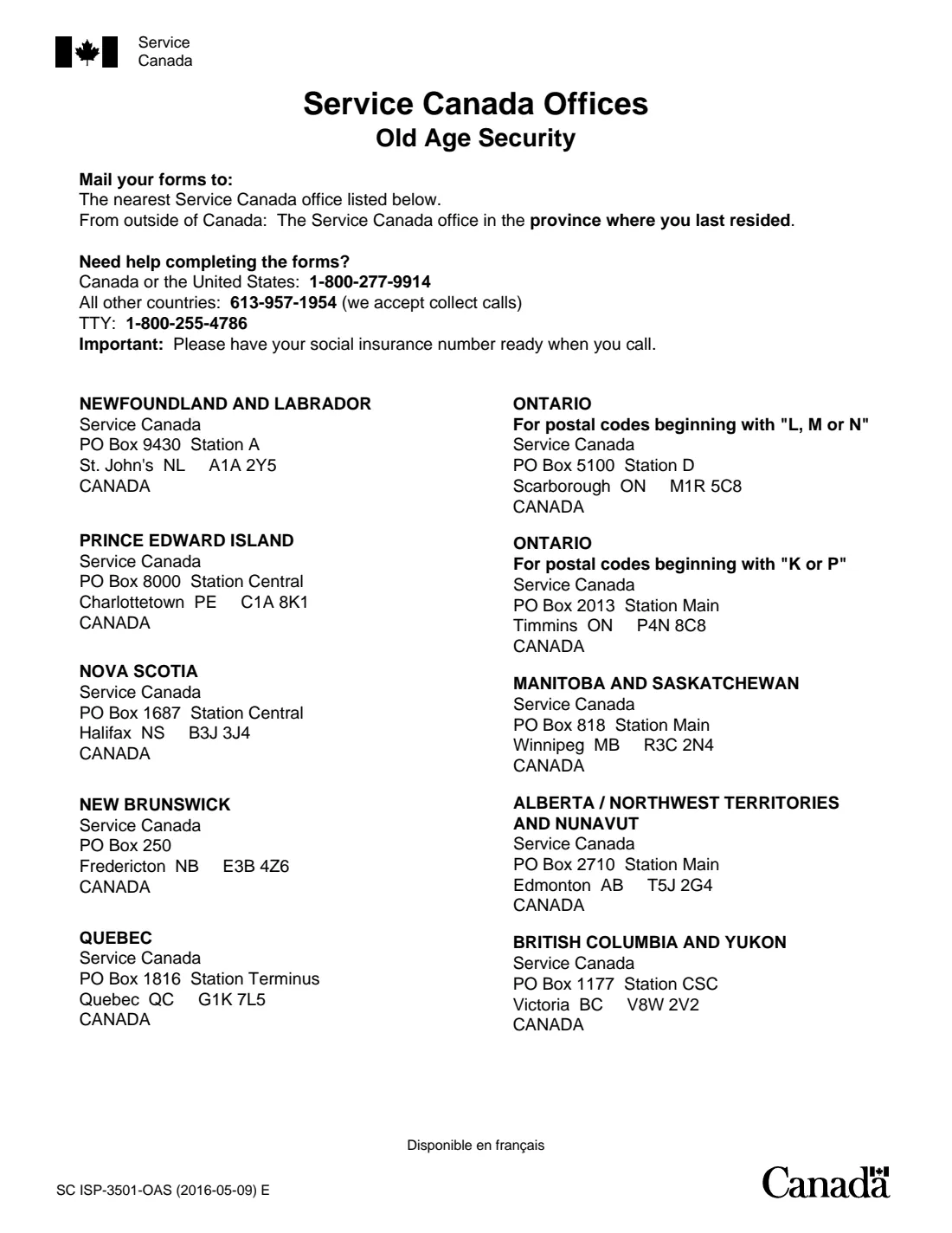
Mail the application to, or drop it off at, the Service Canada office for your province or territory. The last page of the form lists the mailing addresses. Add any documents Service Canada asks for, such as proof of a break in sponsorship or of your authority to act for someone. FileIt does not send anything for you.
Keep the PDF in your FileIt vault as your record. Keep filing your income tax return every year: the form says Service Canada uses it to review your GIS eligibility each year. If you answered Yes to B2 or B3, look out for the separate income estimate form Service Canada sends.
Fill out ISP-3025 GIS application online with FileIt
- Pick the person. Choose someone from People and FileIt fills in their name, date of birth, address and other details it already knows.
- Answer plain-language questions. One part of the form at a time, with the official help text beside each question — 81 fields in all. Your answers save as you go.
- Check the live preview. Watch your answers land on the real Service Canada, for Employment and Social Development Canada (ESDC) form, and let FileIt do any worksheet arithmetic.
- Generate the official PDF. FileIt prints your answers into the agency’s own PDF and files it in that person’s folder in your vault.
FileIt fills the form — it never files or submits anything for you. Deliver the finished form to whoever asked for it, the way the form’s instructions say.
Start ISP-3025 GIS application now — it’s freeISP-3025 GIS application: frequently asked questions
Who can use form ISP-3025?
People who already receive the Old Age Security pension and live in Canada, and want to apply for the Guaranteed Income Supplement. If you have not applied for the OAS pension yet, the OAS application (ISP-3550) covers the GIS too.
Do I need to report my income on the ISP-3025?
No income amounts are entered, apart from any income from another country. The form says Service Canada gets your income information from the Canada Revenue Agency to decide whether you are eligible.
What if I do not qualify for the GIS right now?
The form says there is no disadvantage to applying. Service Canada reviews your income every year and pays the GIS automatically if you become entitled, as long as you file your income tax return each year.
Does my spouse have to sign ISP-3025?
If you have a spouse or common-law partner, they fill in their part and sign C2. The form says this also counts as their own GIS application if they are currently eligible for the OAS pension.
Can I get the GIS if I was sponsored to come to Canada?
The Reference Guide says that from October 1, 2025, people under a sponsorship agreement cannot receive the GIS, the Allowance or the Allowance for the Survivor for the entire length of the agreement, and that Service Canada needs the B5 details to decide. A break in the sponsorship, such as the sponsor's death or bankruptcy, can matter.
Where do I send the completed ISP-3025?
To a Service Canada office, by mail or in person. The last page of the form lists the offices by province and territory.
Can I apply online instead?
The Reference Guide points to My Service Canada Account, where you can apply online for available CPP and OAS benefits and services. The paper form is for people who prefer, or need, to apply by mail or in person.
Can I fill out ISP-3025 online with FileIt?
Yes. FileIt guides you through each question, pre-fills details from your vault and prints your answers into Service Canada's official PDF. You then print it, sign it by hand and mail it or drop it off yourself.
Official sources
- Blank form (PDF), published by Service Canada, for Employment and Social Development Canada (ESDC): https://catalogue.servicecanada.gc.ca/apps/EForms/pdf/en/ISP-3025.pdf
- Official instructions and guidance: https://www.canada.ca/en/services/benefits/publicpensions/old-age-security/guaranteed-income-supplement/apply.html
- Edition shown on this page: SC ISP-3025 (2025-06-06) E (checked 2026-09-28).
FileIt is not affiliated with or endorsed by Service Canada, for Employment and Social Development Canada (ESDC) or any government. This page explains the form in general terms and is not legal, tax or immigration advice. Always read the official instructions, and check that you are using the edition the recipient accepts. Page last reviewed 2026-09-28.