What is IMM 5744?
IMM 5744 is the Immigration, Refugees and Citizenship Canada (IRCC) consent form for Access to Information and Privacy (ATIP) requests. By signing it, you authorize IRCC to release your information to a designated representative, such as an immigration consultant, a lawyer, a relative or a friend, who makes the request on your behalf. The current edition is IMM 5744 (09-2018) E.
Up to four people can be on one form: you as the applicant and up to three related individuals, such as a spouse or common-law partner and children, whose information could be in the requested records. Each person 16 or older signs for themselves. Children under 16 are listed but don't sign; both parents must consent. The consent is valid for one year from the date beside the applicant's signature, and the same form can go with each new ATIP request in that year.
FileIt fills in IMM 5744 from a guided web form and prints your answers on IRCC's own PDF, with your name and date of birth from your People record. The finished PDF is filed in your vault. FileIt never sends anything to IRCC: IRCC accepts only original handwritten signatures in blue ink, so you print the form and sign it.
- Who fills it
- The person whose immigration records are requested, plus any family members whose information is included
- Given to
- Sent with the ATIP request made by the designated representative
- Valid for
- One year from the date beside the applicant's signature
- Signatures
- Original handwritten signatures in blue ink only, from everyone 16 or older; no electronic signatures
- Edition
- IMM 5744 (09-2018) E
Who needs to fill out IMM 5744?
- People who want a consultant, lawyer, family member or friend to obtain their IRCC file through an access to information or privacy request.
- Spouses, common-law partners and children 16 or older whose information may be in the same records and who agree to its release.
- Parents of children under 16 whose information is requested: both parents consent, or one parent provides a valid Canadian court order.
When to use IMM 5744
- With an ATIP request made for you by someone else.
- Again after a year: the consent is valid for one year from the applicant's signing date.
- If more than four people need to consent, use another form.
What you need before you start
- The designated representative's name, firm or organization, telephone numbers, address and email.
- Your full name and date of birth.
- For each related individual: their name, date of birth and relationship to you.
- A blue pen for every signature.
What’s on IMM 5744
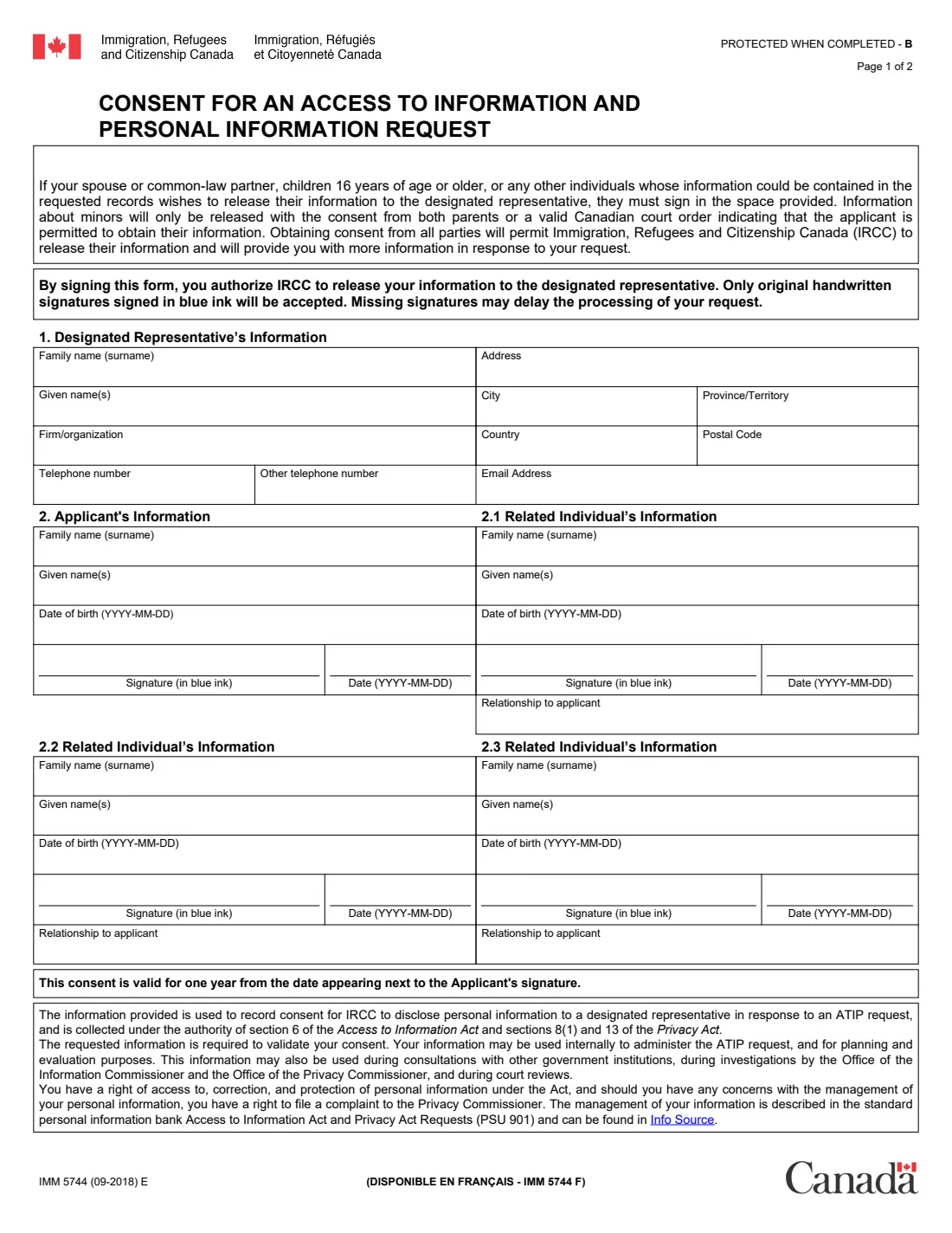
The 2018 edition has 2 pages. FileIt asks for it in 5 parts:
- Section 1 – Designated representativeApplicant
- Section 2 – ApplicantApplicant
- Section 2.1 – Related individual 1Applicant
- Section 2.2 – Related individual 2Applicant
- Section 2.3 – Related individual 3Applicant
How to fill out IMM 5744, step by step
1 Section 1 – Designated representative
The name, firm or organization, telephone numbers, address, country, postal code and email of the person who will receive your information.
2 Section 2 – Applicant
Your family name, given names and date of birth, then your signature in blue ink and the date.
3 Sections 2.1 to 2.3 – Related individuals
Up to three people whose information could be in the records: name, date of birth, relationship to you, and their own signature and date if they are 16 or older.
Common mistakes to avoid
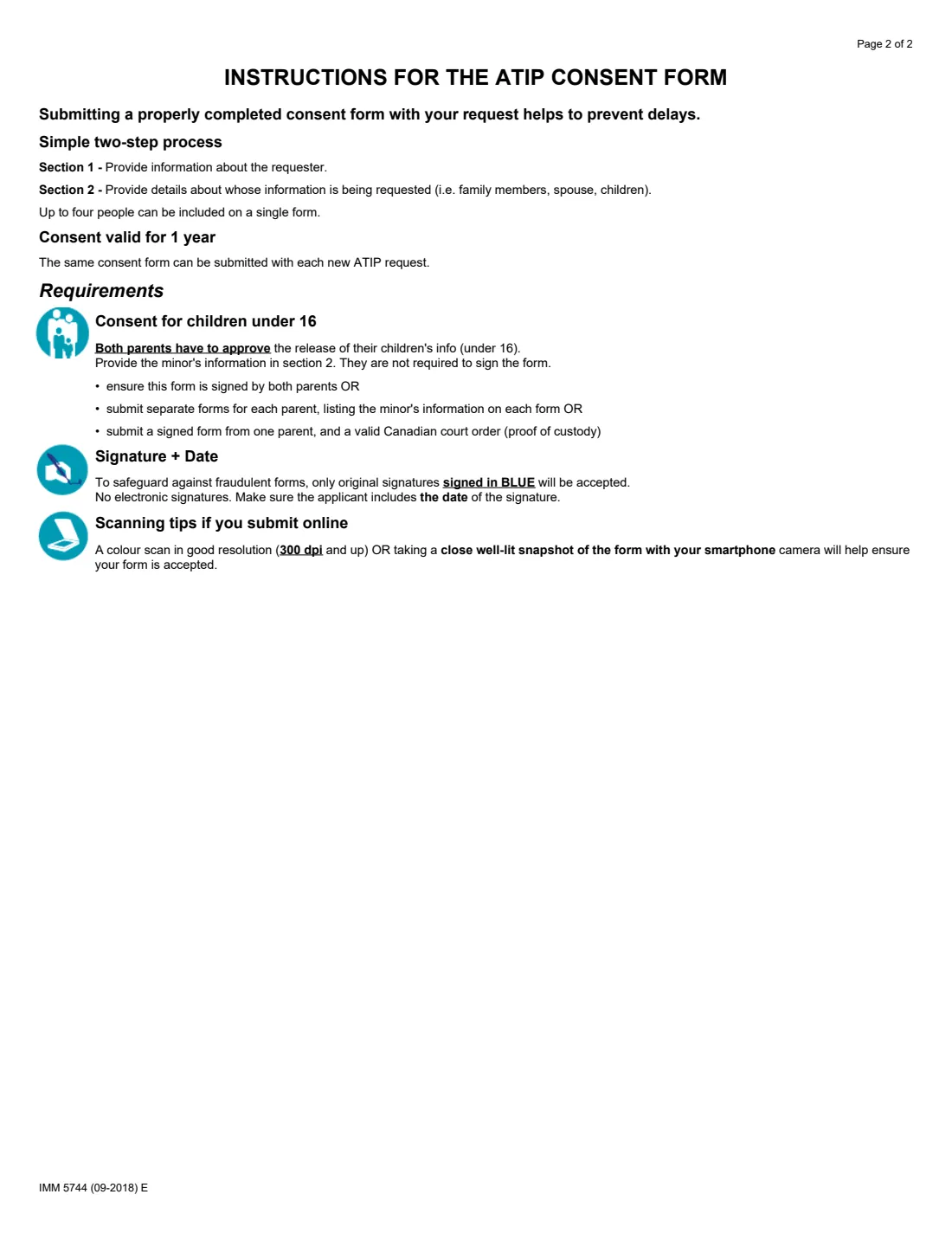
- Signing electronically or in black ink; the form says only original handwritten signatures in blue ink are accepted.
- Leaving out the date beside the applicant's signature, which starts the one-year validity.
- Having a child under 16 sign instead of getting consent from both parents.
- Missing signatures from a spouse or adult child listed on the form, which can delay the request.
After you fill it out
Print the PDF and have everyone 16 or older sign and date it in blue ink. FileIt doesn't add or send signatures.
Give it to your designated representative to send with the ATIP request. If it is submitted online, the instructions suggest a colour scan at 300 dpi or more, or a clear well-lit photo.
Keep a copy; the same signed form can be used for other ATIP requests within the year.
Fill out IMM 5744 online with FileIt
- Pick the person. Choose someone from People and FileIt fills in their name, date of birth, address and other details it already knows.
- Answer plain-language questions. One part of the form at a time, with the official help text beside each question — 30 fields in all. Your answers save as you go.
- Check the live preview. Watch your answers land on the real Immigration, Refugees and Citizenship Canada (IRCC) form, and let FileIt do any worksheet arithmetic.
- Generate the official PDF. FileIt prints your answers into the agency’s own PDF and files it in that person’s folder in your vault.
FileIt fills the form — it never files or submits anything for you. Deliver the finished form to whoever asked for it, the way the form’s instructions say.
Start IMM 5744 now — it’s freeIMM 5744: frequently asked questions
How long is IMM 5744 valid?
One year from the date that appears next to the applicant's signature.
Can I sign IMM 5744 electronically?
No. The instructions say only original signatures in blue ink are accepted and no electronic signatures.
Do my children have to sign?
Children 16 or older sign for themselves. Children under 16 are listed but don't sign; both parents must consent, or one parent provides a valid Canadian court order.
How many people can be on one form?
Up to four: the applicant and three related individuals.
Is IMM 5744 the same as IMM 5476?
No. IMM 5476 appoints a representative for an immigration application; IMM 5744 is the consent for releasing your records to someone through an ATIP request.
Official sources
- Blank form (PDF), published by Immigration, Refugees and Citizenship Canada (IRCC): https://www.canada.ca/content/dam/ircc/documents/pdf/english/kits/forms/imm5744/01-09-2018/imm5744e.pdf
- Official instructions and guidance: https://www.canada.ca/en/immigration-refugees-citizenship/services/application/application-forms-guides/imm5744.html
- Edition shown on this page: IMM 5744 (09-2018) E (checked 2026-10-01).
FileIt is not affiliated with or endorsed by Immigration, Refugees and Citizenship Canada (IRCC) or any government. This page explains the form in general terms and is not legal, tax or immigration advice. Always read the official instructions, and check that you are using the edition the recipient accepts. Page last reviewed 2026-10-01.