What is Profit and Loss Statement (SU580)?
Form SU580, Profit and Loss Statement, is how a sole trader (including a subcontractor) or a partner in a partnership shows Centrelink the income and expenses of their business for a period. Services Australia uses it to work out your business income for the income test on your Centrelink payment when you've started new employment or a new business, or when your level of business activity or self-employment income has changed.
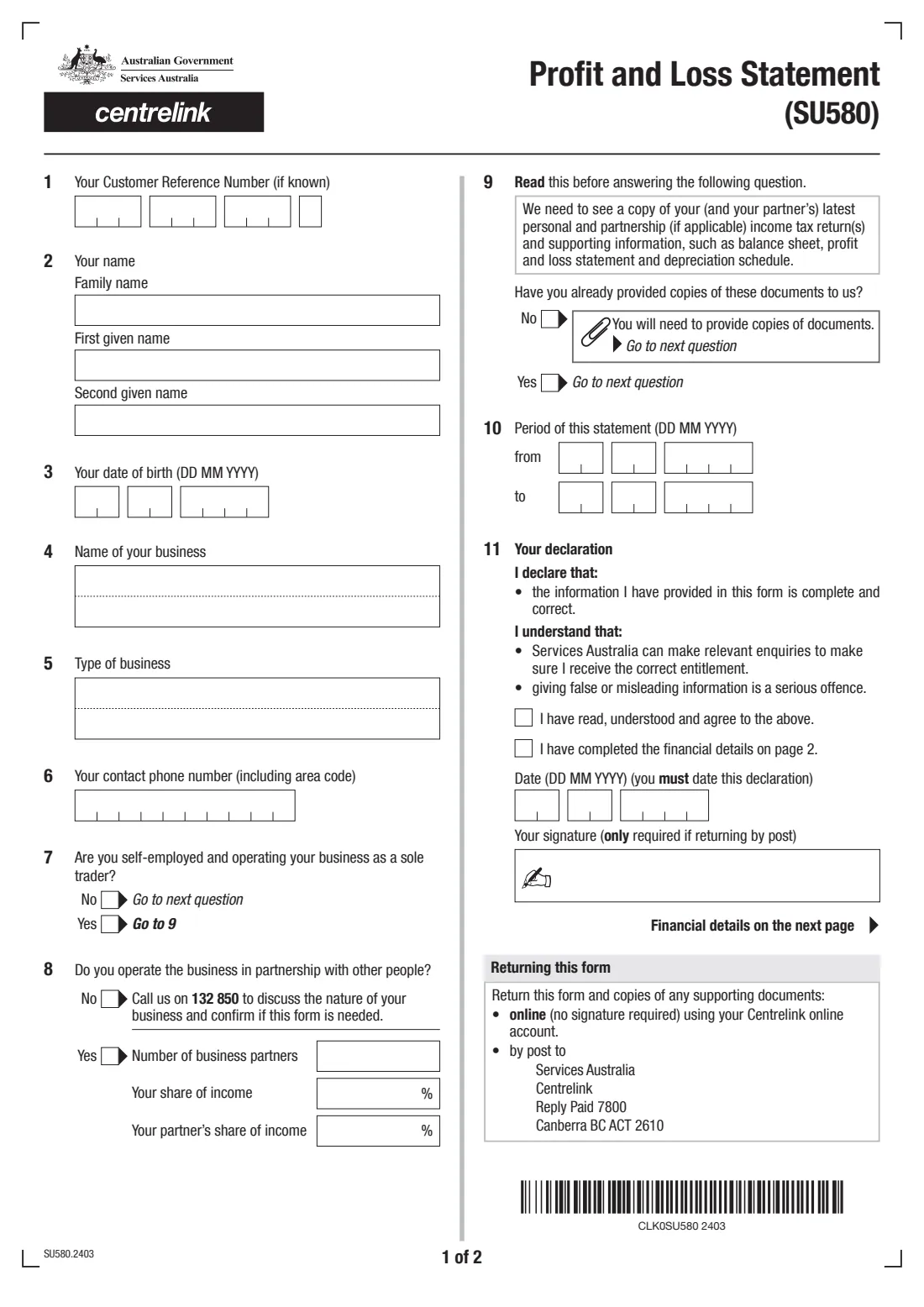
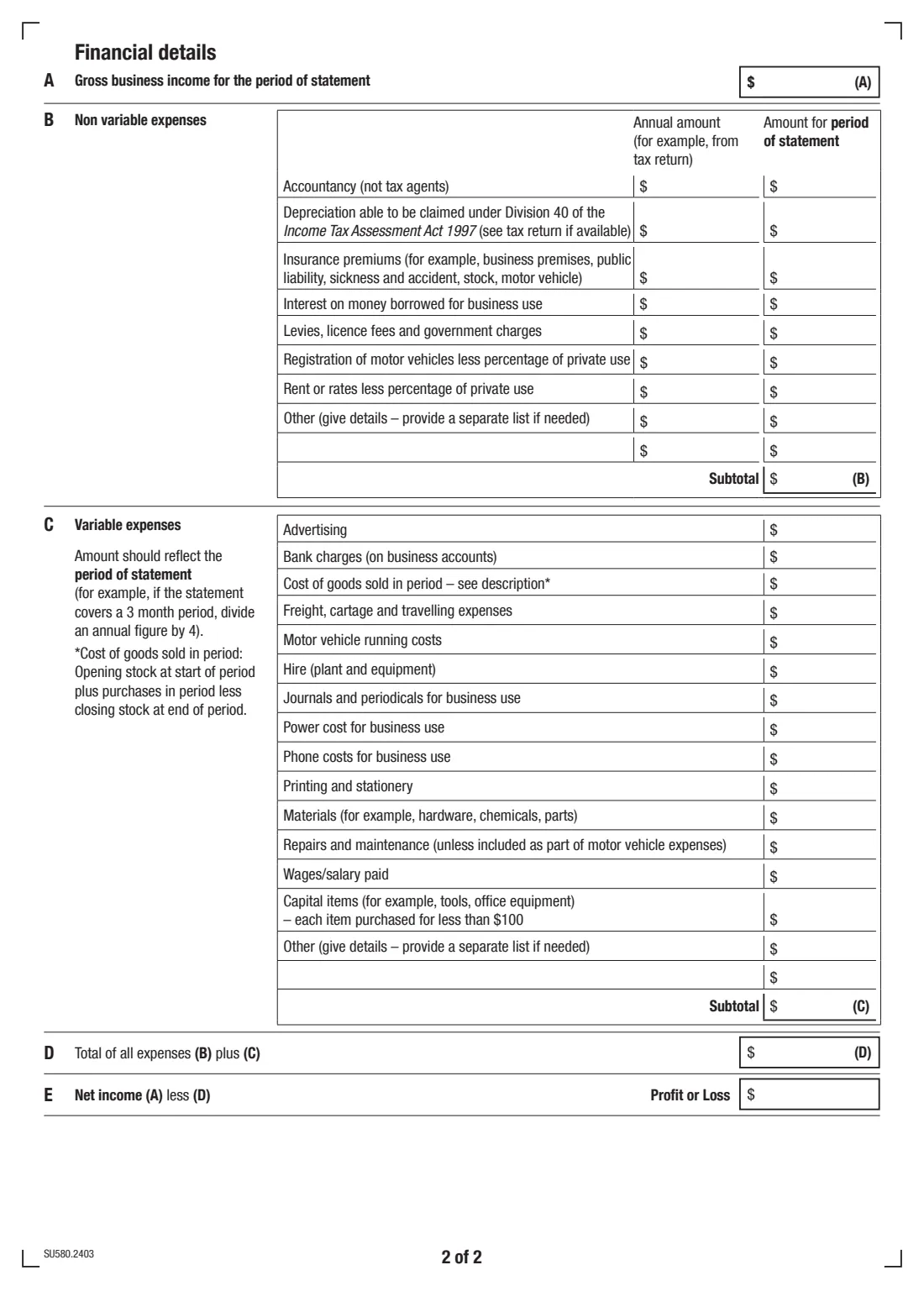
The form asks for your details, whether you run the business as a sole trader or in partnership, the period the statement covers, and whether you've already provided your latest tax returns. The second page is the financial statement: gross business income (A), non-variable expenses with an annual and a period amount (B), variable expenses for the period (C), total expenses (D) and net income — profit or loss (E).
FileIt walks you through the current edition (SU580.2403) and prints your answers into Services Australia's own PDF. It adds up subtotals (B) and (C), total expenses (D) and your profit or loss (E) for you, checks that the period and partnership shares make sense, and saves the finished statement to your FileIt vault. You then return it to Services Australia yourself — FileIt never lodges anything.
- Who fills it
- A sole trader (including a subcontractor) or a partner in a partnership who gets, or is claiming, a Centrelink payment
- Given to
- Services Australia (Centrelink) — uploaded through your Centrelink online account, or by post
- When
- When you start new employment or a new business, or your business activity or self-employment income changes
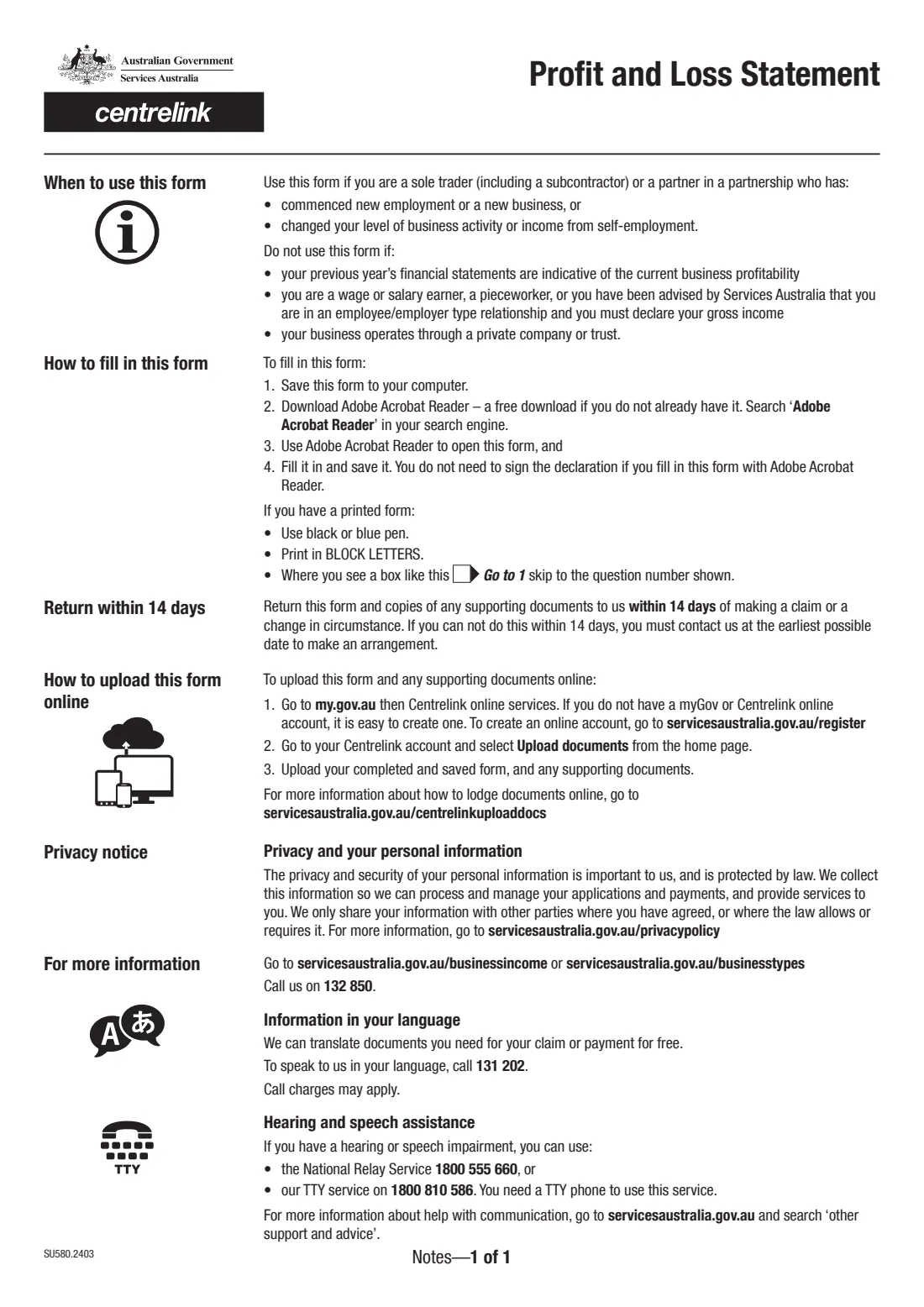
- Deadline on the form
- Within 14 days of making a claim or a change in circumstances
- Signature
- Only needed if you return it by post
- Edition
- SU580.2403
Who needs to fill out Profit and Loss Statement (SU580)?
- Sole traders, including subcontractors, who receive or are claiming a Centrelink payment and have started a new business or new self-employment.
- Partners in a business partnership whose business income has changed.
- Self-employed people whose level of business activity has changed, so last year's tax return no longer reflects what the business earns.
- People asked by Services Australia to give a profit and loss statement for a set period.
When to use Profit and Loss Statement (SU580)
- When you start a new business or new self-employment while getting a Centrelink payment.
- When your business activity or income from self-employment changes.
- Not when your previous year's financial statements still reflect how profitable the business is.
- Not if you're a wage or salary earner or pieceworker, or Services Australia has told you you're in an employee/employer type relationship — you declare your gross income instead.
- Not if your business operates through a private company or trust.
What you need before you start
- Your Centrelink Customer Reference Number (CRN), if you know it.
- Your business name, type of business and a contact phone number.
- The number of partners and each person's share of income, if it's a partnership.
- The start and end dates of the period the statement covers.
- Your gross business income for that period.
- Your expenses for the period — and, for non-variable expenses such as accountancy, depreciation, insurance, interest, rent and registration, the annual amount too (for example from your tax return).
- Copies of your (and your partner's) latest personal and partnership tax returns and supporting information, if you haven't already provided them.
What’s on Profit and Loss Statement (SU580)
The 2024 edition has 3 pages. FileIt asks for it in 7 parts, and it is signed by Customer:
- About you (questions 1–3)Customer
- Your business (questions 4–8)Customer
- Tax returns and the statement period (questions 9–10)Customer
- A–B · Gross income and non-variable expensesCustomer
- C · Variable expensesCustomer
- D–E · TotalsCustomer
- Your declaration (question 11)Customer
How to fill out Profit and Loss Statement (SU580), step by step
1 Questions 1–6: about you and your business
Give your CRN if you know it, your name and date of birth, the name and type of your business, and a contact phone number. FileIt prints the CRN and dates into the form's boxes and pre-fills your name and date of birth from your People record.
2 Questions 7–8: sole trader or partnership
If you run the business as a sole trader, you skip to question 9. If not, question 8 asks whether you're in a partnership — if so, give the number of partners, your share of income and your partner's share. If you're neither, the form asks you to call Services Australia on 132 850 to discuss whether this form is needed.
3 Questions 9–10: tax returns and the period
Say whether you've already given Services Australia copies of your (and your partner's) latest tax returns and supporting information such as the balance sheet, profit and loss statement and depreciation schedule. Then give the period this statement covers.
4 A and B: income and non-variable expenses
Enter gross business income for the period. For each non-variable expense — accountancy (not tax agents), depreciation under Division 40, insurance premiums, interest, levies and licence fees, vehicle registration and rent or rates (less private use) — give the annual amount and the amount for the period. FileIt adds the period column into subtotal (B).
5 C: variable expenses
Enter each variable expense for the period of the statement, such as advertising, bank charges, cost of goods sold, freight and travel, motor vehicle running costs, materials, repairs and wages. If the statement covers 3 months, divide an annual figure by 4. Cost of goods sold is opening stock plus purchases less closing stock. FileIt adds these into subtotal (C).
6 D and E: totals
Total expenses (D) is (B) plus (C), and net income (E) is (A) less (D) — your profit, or a loss. FileIt fills both in the form's total boxes.
7 Question 11: declaration
Tick that you've read and agree to the declaration and that you've completed the financial details, then date it. You only need to sign if you return the form by post.
Common mistakes to avoid
- Using annual figures in the variable expenses section instead of amounts for the period of the statement.
- Leaving out the period dates at question 10, so the figures can't be matched to a time frame.
- Including private use in vehicle registration or rent and rates — the form asks for these less the private-use percentage.
- Claiming capital items that cost $100 or more each under 'Capital items' — that line is for items bought for less than $100.
- Forgetting to send copies of your latest tax returns if you answered No at question 9.
- Missing the 14-day return window without contacting Services Australia to make an arrangement.
After you fill it out
Check the figures and the declaration. If you return the form by post, sign it — printed from FileIt, or with an e-signature on the PDF.
Return it with any supporting documents: upload it through your Centrelink online account (Upload documents), or post it to the Services Australia address on the form. FileIt doesn't lodge it for you.
A copy stays in your FileIt vault, handy for your next statement period or your tax return.
Fill out Profit and Loss Statement (SU580) online with FileIt
- Pick the person. Choose someone from People and FileIt fills in their name, date of birth, address and other details it already knows.
- Answer plain-language questions. One part of the form at a time, with the official help text beside each question — 62 fields in all. Your answers save as you go.
- Check the live preview. Watch your answers land on the real Services Australia (Centrelink) form, and let FileIt do any worksheet arithmetic.
- Generate the official PDF. FileIt prints your answers into the agency’s own PDF and files it in that person’s folder in your vault. Sign it, or send it for e-signature.
FileIt fills the form — it never files or submits anything for you. Deliver the finished form to whoever asked for it, the way the form’s instructions say.
Start Profit and Loss Statement (SU580) now — it’s freeProfit and Loss Statement (SU580): frequently asked questions
What is the SU580 form?
It's Services Australia's Profit and Loss Statement. Sole traders and partners in a partnership use it to show Centrelink their business income and expenses for a period, so their business income can be assessed for their payment.
Who should not use the SU580?
The form says not to use it if your previous year's financial statements reflect current profitability, if you're a wage or salary earner or pieceworker, or if your business operates through a private company or trust.
How long do I have to return it?
The form asks you to return it and any supporting documents within 14 days of making a claim or a change in circumstances. If you can't, contact Services Australia as early as possible to make an arrangement.
Do I have to sign the SU580?
Only if you return it by post. The form says no signature is needed when you upload it through your Centrelink online account.
Does FileIt calculate my profit or loss?
Yes. FileIt adds up subtotal (B) from the period column of non-variable expenses, subtotal (C) from the variable expenses, total expenses (D), and net income (E) as income less total expenses, and prints them in the form's boxes.
What if I have more expenses than the form has lines for?
Use the 'Other' lines — the form says to give details, and to provide a separate list if needed.
Official sources
- Blank form (PDF), published by Services Australia (Centrelink): https://www.servicesaustralia.gov.au/sites/default/files/2024-04/su580-2403en-f.pdf
- Official instructions and guidance: https://www.servicesaustralia.gov.au/su580
- Edition shown on this page: SU580.2403 (checked 2026-09-28).
FileIt is not affiliated with or endorsed by Services Australia (Centrelink) or any government. This page explains the form in general terms and is not legal, tax or immigration advice. Always read the official instructions, and check that you are using the edition the recipient accepts. Page last reviewed 2026-09-28.