
What is Form 1023 — notification of incorrect answers?
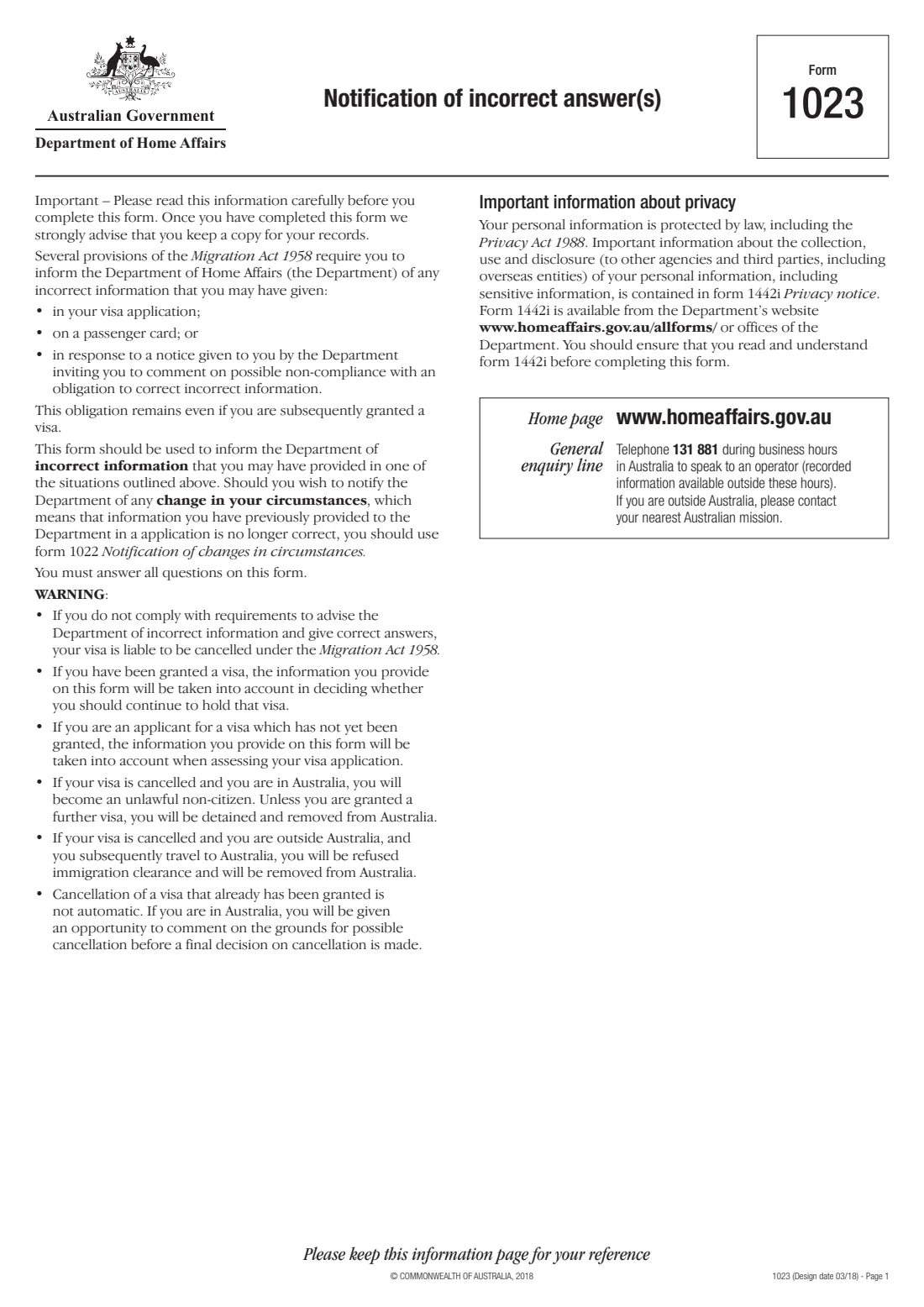
Several provisions of the Migration Act 1958 require you to tell the Department of Home Affairs about incorrect information you may have given in your visa application, on a passenger card, or in response to a notice from the Department inviting you to comment on possible non-compliance with an obligation to correct incorrect information. Form 1023, Notification of incorrect answer(s), is the paper form for doing that. The form says the obligation remains even if you are later granted a visa.
The form warns that if you don't advise the Department of incorrect information and give correct answers, your visa is liable to be cancelled, and that what you say will be taken into account — when your application is assessed, or in deciding whether you should continue to hold a visa already granted. If information was correct when you gave it but your circumstances have since changed, use form 1022 Notification of changes in circumstances instead.
FileIt guides you through Form 1023 and prints your answers into the Department's own PDF — dates in the form's Day / Month / Year boxes, names like Wiśniewska-O'Brien printed correctly, and each explanation wrapped onto the ruled lines. It saves the finished form to your vault. You sign it and give it to the Department yourself; FileIt never submits anything.
- Who fills it
- The visa applicant or visa holder who gave the incorrect information
- Covers
- A visa application, a passenger card, or form 1022
- Given to
- The Department of Home Affairs
- Signatures
- The applicant, and each other applicant aged 18 or over
- Law
- The Migration Act 1958
- Edition
- Design date 03/18
Who needs to fill out Form 1023 — notification of incorrect answers?
- Visa applicants who realise an answer on their application was wrong — for example dates of employment, travel history or family details.
- Visa holders who gave incorrect information, since the form says the obligation remains even after a visa is granted.
- Travellers who gave incorrect information on a passenger card.
- People responding to a Department notice inviting comment on possible non-compliance with the obligation to correct incorrect information.
When to use Form 1023 — notification of incorrect answers
- As soon as you become aware that information you gave was incorrect.
- Before or after your visa is granted — the obligation doesn't end at grant.
- Not for changes in circumstances since you applied (a new address, a birth, a new passport) — that's form 1022.
What you need before you start
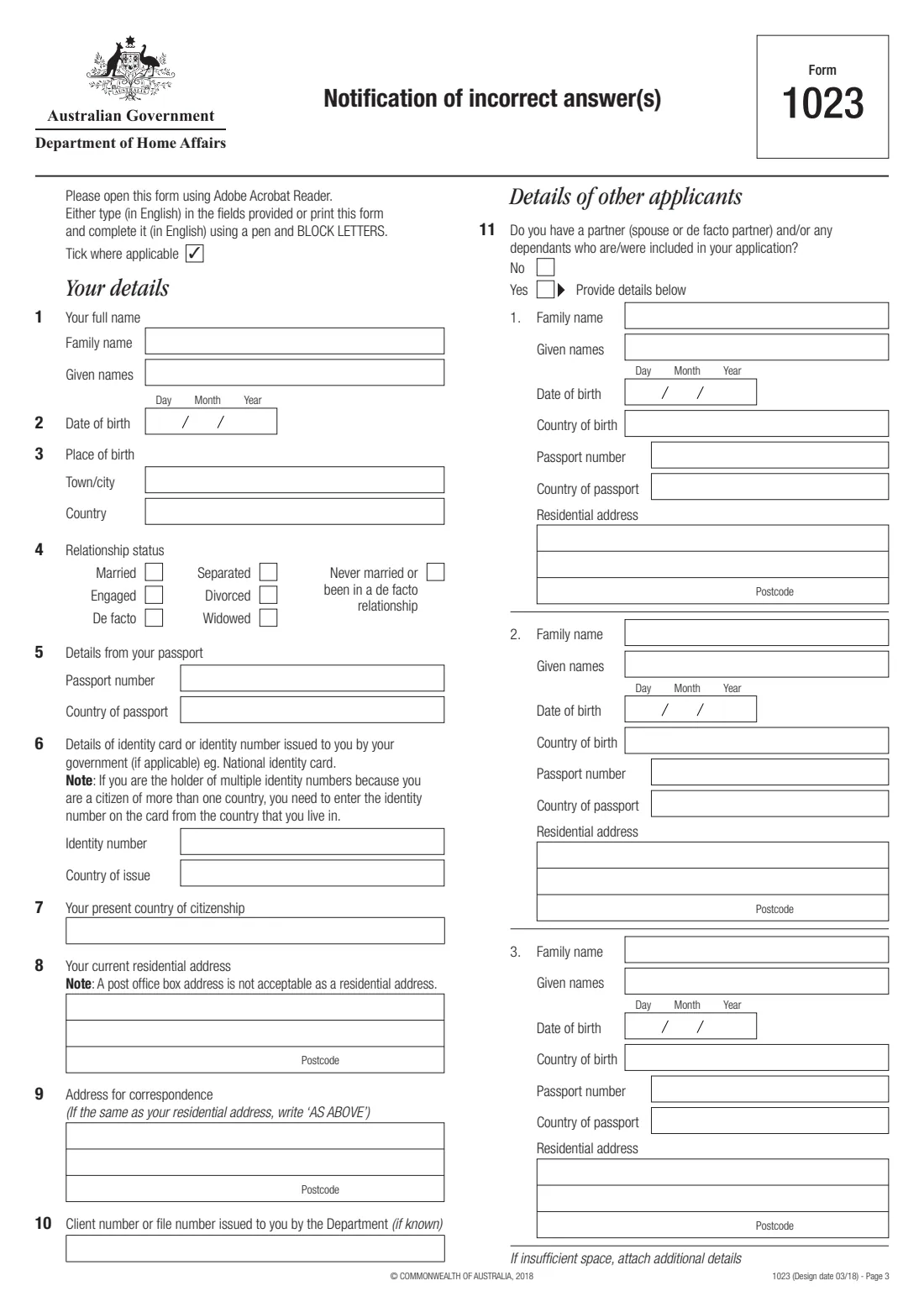
- Your full name, date and place of birth, relationship status, passport and identity card details and citizenship.
- Your residential address (not a PO box), correspondence address, and client or file number if known.
- Names, dates of birth, passport details and addresses of a partner or dependants included in your application.
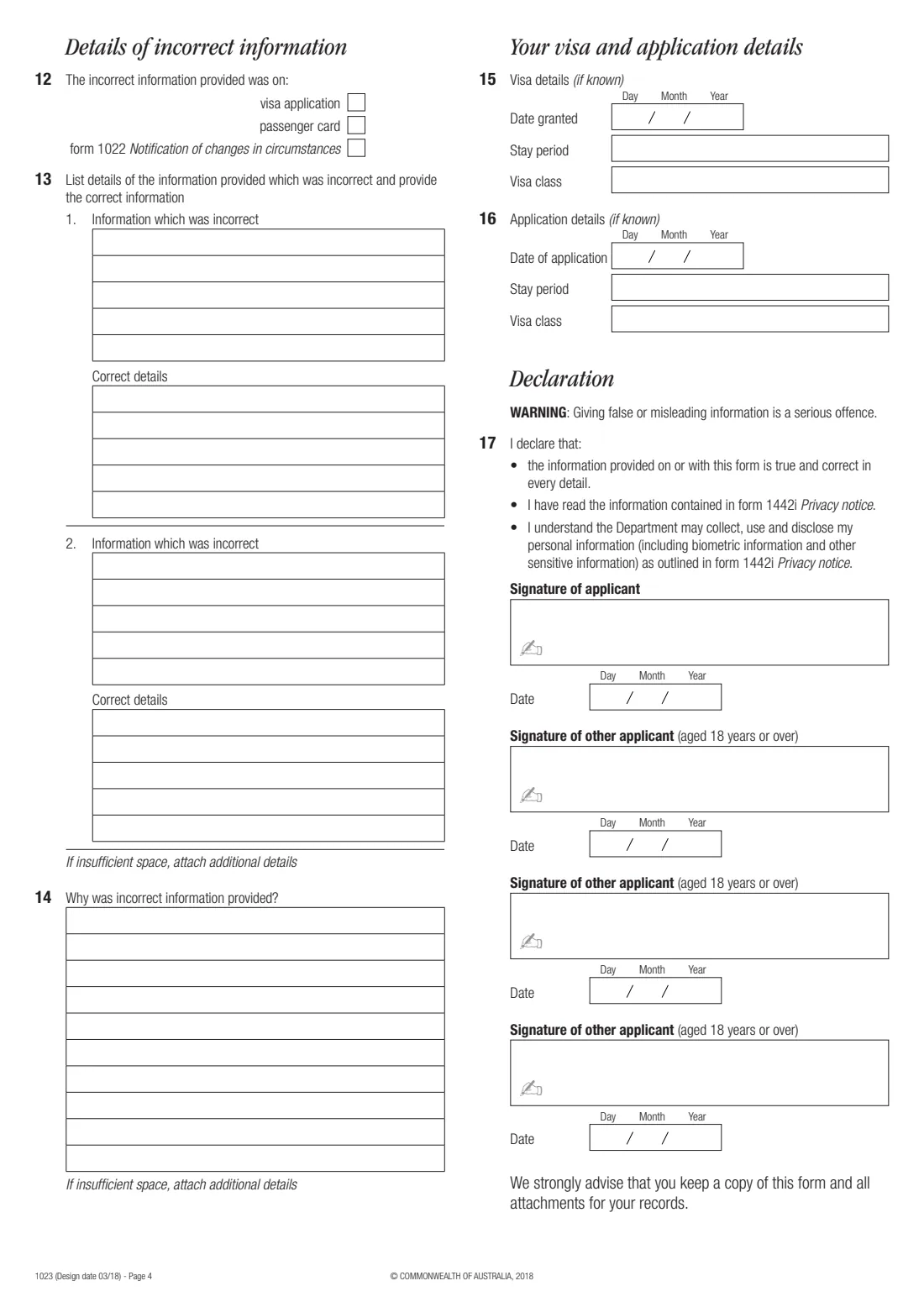
- Exactly what the incorrect information was, and the correct details.
- An explanation of why the incorrect information was given.
- Visa and application details if you know them: date granted, stay period and visa class, or date of application, stay period and visa class applied for.
What’s on Form 1023 — notification of incorrect answers
The 2018 edition has 4 pages. FileIt asks for it in 9 parts, and it is signed by Applicant:
- Your details (questions 1–7)Applicant
- Addresses and file number (questions 8–10)Applicant
- Details of other applicants (question 11)Applicant
- Other applicant 1Applicant
- Other applicant 2Applicant
- Other applicant 3Applicant
- Details of incorrect information (questions 12–14)Applicant
- Your visa and application details (questions 15–16)Applicant
- 17. DeclarationApplicant
How to fill out Form 1023 — notification of incorrect answers, step by step
1 Your details (questions 1 to 10)
Give your name, date and place of birth, relationship status, passport and identity card details, citizenship, residential and correspondence addresses and, if known, your client or file number.
2 Details of other applicants (question 11)
If a partner (spouse or de facto partner) or dependants are or were included in your application, give each person's name, date of birth, country of birth, passport details and residential address. There's room for three; attach additional details for more.
3 Details of incorrect information (questions 12 to 14)
Tick where the incorrect information was given — visa application, passenger card or form 1022. Then, for up to two answers, write the information which was incorrect and the correct details, and explain why the incorrect information was provided. Attach additional details if there isn't enough space.
4 Visa and application details (questions 15 and 16)
If you know them, give the visa's date granted, stay period and class, or the application's date, stay period and the visa class applied for.
5 Declaration (question 17)
You declare that the information on or with the form is true and correct in every detail and that you have read form 1442i Privacy notice. You sign and date it, and each other applicant aged 18 or over signs and dates their own box.
Common mistakes to avoid
- Using form 1023 for a change in circumstances since you applied — that's form 1022.
- Giving the correct details without saying what the incorrect answer was, or the other way round.
- Leaving out why the incorrect information was provided (question 14).
- Using a post office box as your residential address — the form says it's not acceptable.
- Forgetting the signatures of other applicants aged 18 or over.
After you fill it out
Sign and date the declaration, by hand or with FileIt's optional e-signature, and have each other applicant aged 18 or over sign theirs by hand.
Give the form to the Department of Home Affairs office handling your application or matter.
Keep a copy, as the form strongly advises. FileIt keeps the completed PDF in your vault with your other visa documents.
Fill out Form 1023 — notification of incorrect answers online with FileIt
- Pick the person. Choose someone from People and FileIt fills in their name, date of birth, address and other details it already knows.
- Answer plain-language questions. One part of the form at a time, with the official help text beside each question — 97 fields in all. Your answers save as you go.
- Check the live preview. Watch your answers land on the real Department of Home Affairs form, and let FileIt do any worksheet arithmetic.
- Generate the official PDF. FileIt prints your answers into the agency’s own PDF and files it in that person’s folder in your vault. Sign it, or send it for e-signature.
FileIt fills the form — it never files or submits anything for you. Deliver the finished form to whoever asked for it, the way the form’s instructions say.
Start Form 1023 — notification of incorrect answers now — it’s freeForm 1023 — notification of incorrect answers: frequently asked questions
What is Form 1023 used for?
To inform the Department of Home Affairs of incorrect information you gave in a visa application, on a passenger card, or in response to a Department notice about correcting incorrect information, and to give the correct answers.
What's the difference between Form 1022 and Form 1023?
Form 1023 corrects information that was incorrect when you gave it. Form 1022 reports a change in your circumstances that means information you gave is no longer correct.
Do I still need to correct an answer after my visa is granted?
Yes. The form says the obligation to inform the Department of incorrect information remains even if you are subsequently granted a visa.
Will my visa be cancelled?
The form warns that not complying with the requirement to correct incorrect information makes a visa liable to cancellation, and that cancellation of a granted visa is not automatic — if you're in Australia you'll be given an opportunity to comment before a final decision is made.
Can I fill in Form 1023 online?
Yes. FileIt guides you through the questions and prints your answers into the Department's official PDF, ready to sign and hand in.
Official sources
- Blank form (PDF), published by Department of Home Affairs: https://immi.homeaffairs.gov.au/form-listing/forms/1023.pdf
- Official instructions and guidance: https://immi.homeaffairs.gov.au/form-listing/forms/1023.pdf
- Edition shown on this page: Design date 03/18 (checked 2026-10-01).
FileIt is not affiliated with or endorsed by Department of Home Affairs or any government. This page explains the form in general terms and is not legal, tax or immigration advice. Always read the official instructions, and check that you are using the edition the recipient accepts. Page last reviewed 2026-10-01.