What is the wildlife rescue report form template?
When someone finds an injured hedgehog or a fledgling on the lawn, the first call to a wildlife rescue is often rushed and incomplete. The team needs to know what the animal is, what's wrong, how long it has been there, exactly where it is and whether it's safe, and photos help them decide whether it needs rescue at all.
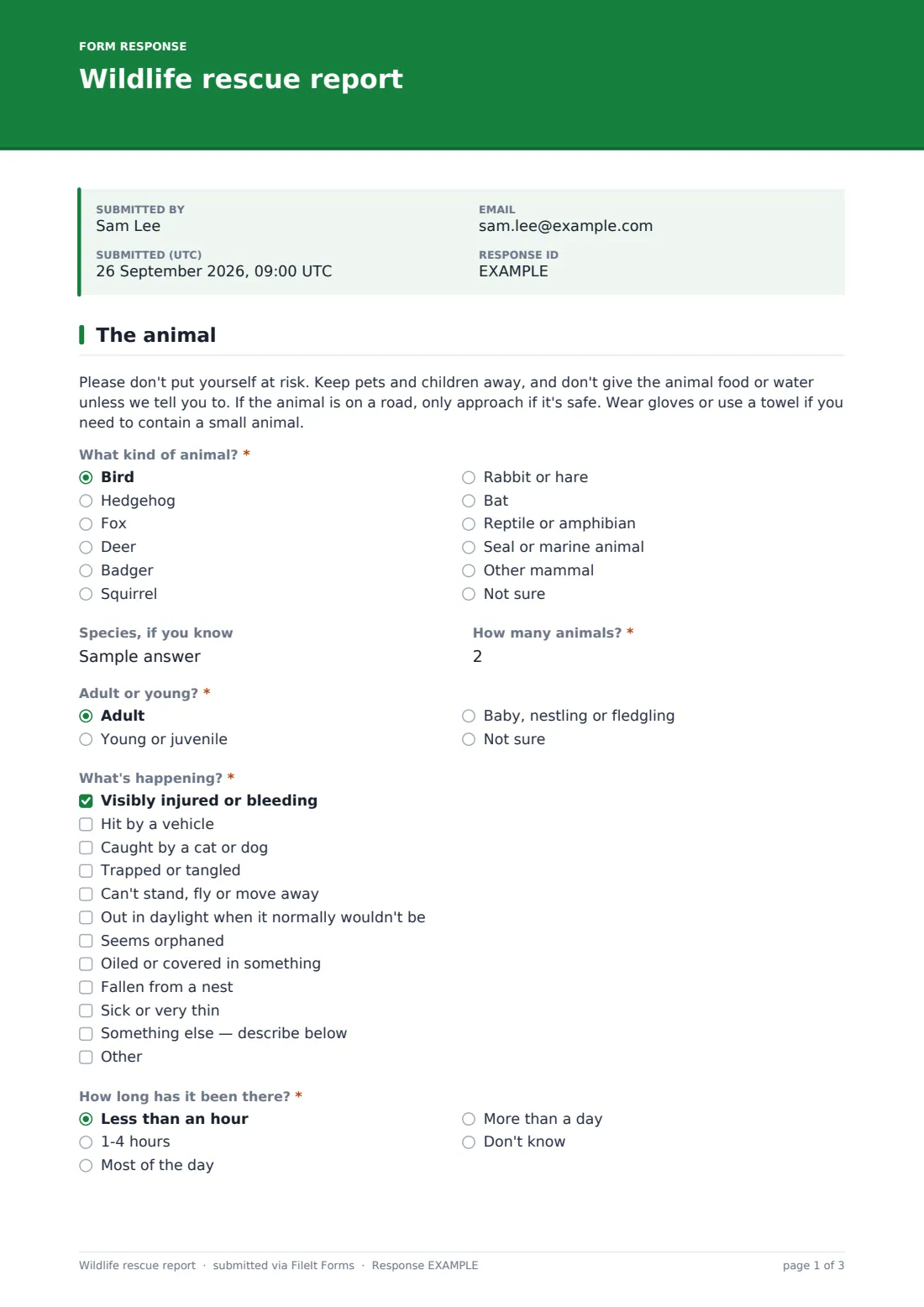
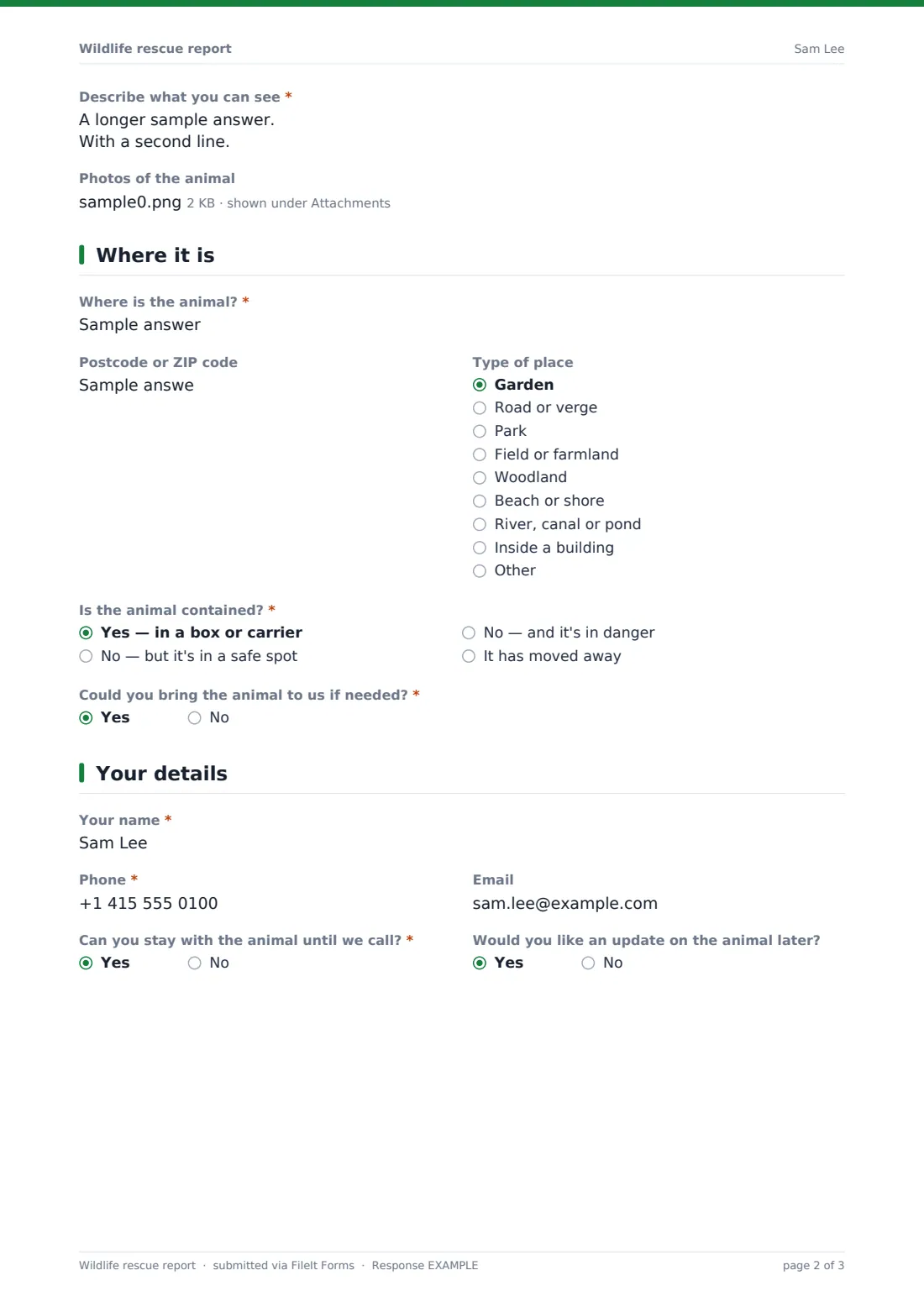
This report starts with a safety note, then asks about the animal: type and species, how many, adult or young, what's happening and how long it has been there. Selecting "Seems orphaned" explains that many young animals are left alone while parents feed. Photos can be uploaded. The second page pins down the location and whether the animal is contained, and the third collects the caller's details.
Each report is saved as a PDF in your FileIt vault with its photos, ready for whoever is on the rescue line.
- Best for
- Wildlife rescues, wildlife hospitals, hedgehog and bird sanctuaries and volunteer rescue networks
- Filled in by
- Members of the public who have found an animal
- Time to complete
- About 3-5 minutes
- Includes
- Safety note, situation checklist, orphaned-animal guidance, photo upload, location and containment, call-back details
Who uses a wildlife rescue report form?
- A wildlife hospital adding a report form to its website alongside its phone line
- A hedgehog rescue handling reports outside volunteer phone hours
- A bird rescue in spring fielding fledgling reports
- A coastal group taking reports of stranded seals or oiled seabirds
- A volunteer network routing reports to the nearest rescuer
Questions on this wildlife rescue report form
20 questions over 3 pages · includes file upload, conditional questions, multiple pages.
1 The animal
- What kind of animal?* Bird · Hedgehog · Fox · Deer · Badger · Squirrel · Rabbit or hare · Bat · Reptile or amphibian · Seal or marine animal · Other mammal · Not sure
- Species, if you know
- How many animals?*
- Adult or young?* Adult · Young or juvenile · Baby, nestling or fledgling · Not sure
- What's happening?* Visibly injured or bleeding · Hit by a vehicle · Caught by a cat or dog · Trapped or tangled · Can't stand, fly or move away · Out in daylight when it normally wouldn't be · Seems orphaned · Oiled or covered in something · Fallen from a nest · Sick or very thin · Something else — describe below
- How long has it been there?* Less than an hour · 1-4 hours · Most of the day · More than a day · Don't know
- Have you seen a parent nearby? asked only when it applies Yes · No · Not sure
- Describe what you can see*
- Photos of the animal
2 Where it is
- Where is the animal?*
- Postcode or ZIP code
- Type of place Garden · Road or verge · Park · Field or farmland · Woodland · Beach or shore · River, canal or pond · Inside a building · Other
- Is the animal contained?* Yes — in a box or carrier · No — but it's in a safe spot · No — and it's in danger · It has moved away
- Could you bring the animal to us if needed?*
- Access notes for a rescuer asked only when it applies
3 Your details
- Your name*
- Phone*
- Can you stay with the animal until we call?*
- Would you like an update on the animal later?
The wildlife rescue report form, page by page
1 The animal
A safety note opens the form. The finder chooses the kind of animal — bird, hedgehog, fox, deer, badger, bat, seal and others — adds the species if known, the number of animals and whether it's an adult, young, or a baby, nestling or fledgling. "What's happening?" lists injuries, road accidents, cat or dog attacks, being trapped, not moving away, oiling and more.
Choosing "Seems orphaned" shows a note that many young animals are left alone while parents feed. The finder says how long the animal has been there — a baby asks whether a parent has been seen — describes what they can see and uploads photos taken from a safe distance.
2 Where it is
The finder gives the location with a landmark or what3words, a postcode and the type of place, from a garden to a riverbank. "Is the animal contained?" separates a boxed animal from one that's in danger or has moved away, and if they can't bring it in, access notes help a rescuer find it.
3 Your details
The caller gives their name, a phone number for a call back and an email, and says whether they can stay with the animal and whether they'd like an update later.
Make the template yours
- Put your rescue's phone number in the safety note and the confirmation message
- Edit the animal types to the species you treat, and add a note on species you don't take
- Add your local first-aid advice for common cases such as hedgehogs out in daylight
- Notify your on-call volunteers' emails on every submission
- Remove the transport question if you always collect
- Route reports into a folder per month in your vault for your annual figures
Tips for a better wildlife rescue report form
- Make clear that an online report isn't a substitute for a phone call in an emergency
- Ask for photos — they often show whether a young animal needs rescue at all
- Reply to callers who ask for updates; they're likely to report again or donate
- Review reports at the end of the season to plan volunteer cover for busy months
- Keep the form short — finders are often standing over the animal
Every response becomes a PDF in your vault
Each report is filed as a PDF in your FileIt vault with its photos, and the rescue is emailed straight away. The caller can receive a copy of their report.
From the Responses table you can see reports by animal type, place or date, and export them to a CSV for your case records.
- Start from this template. It opens in the FileIt Forms designer — change any question, add pages, set the rules for when questions appear.
- Share it. Turn on a public link, or send it to people by email, each with their own link. They don’t need a FileIt account.
- Get the answers as PDFs. Each response is saved as a PDF in the vault folder you choose, with uploaded files attached — and listed in a Responses table you can export to CSV.
Wildlife rescue report form: frequently asked questions
Is the wildlife rescue report template free?
Yes. It's a starter template in FileIt Forms, available on every plan.
Does the form alert someone immediately?
It emails the addresses in the form's notification settings as soon as a report arrives. It isn't an emergency alarm, so keep your phone line for urgent cases.
Can people upload videos?
No. The upload takes photos — JPG, PNG, HEIC or WebP, up to five. Ask finders to describe movement or behaviour in the description box instead.
Does the form give first-aid advice?
Only general safety advice and a note about young animals. Add your own advice in the paragraphs, written by your team.
Do finders need an account?
No. Anyone with the link can report an animal.
Can we use it for domestic animals too?
It's designed for wildlife. For pets, see the animal surrender and foster templates.