What is the tuition payment plan request form template?
When a family can't pay a tuition bill in one go, the usual back-and-forth is a phone call, a half-remembered promise, and a sticky note on someone's desk. This template turns that conversation into a proper request: who the payer is, how much is owed, how they'd like to spread it, and why. Nothing here approves the plan automatically — it simply gets every detail in front of the finance office in one place, ready for a decision.
An online request form beats an email thread because every reply arrives in the same shape. You're not hunting for the amount in one message and the proposed schedule in another; the form asks for both, plus a start date and a preferred payment method, so a staff member can review a request in under a minute instead of piecing it together.
Each submission becomes a PDF that's saved straight into your FileIt vault, in whichever folder you choose — for example, filed under the family or student it belongs to. There's nothing else to file by hand, and the record is there if the family later asks what they agreed to propose.
- Best for
- Schools, colleges and training providers handling fee installment requests
- Filled in by
- A parent, guardian, sponsor, or the student themselves
- Time to complete
- About 5 minutes
- Includes
- Conditional questions, file upload, signature, declaration
Who uses a tuition payment plan request form?
- A parent whose income has changed asks to pay a term's fees in four monthly installments instead of one lump sum
- A college bursar's office wants a standard way for students to propose their own repayment schedule before enrolment is finalised
- A family with several children at the same school asks to combine and spread multiple fee balances
- A student waiting on a scholarship or funding decision requests a short delay with a revised schedule once funding arrives
- A private tutoring business or exam-prep provider lets clients request installments for a course fee
- An admissions office collects supporting documents, like a funding letter, alongside a family's proposed plan
Questions on this tuition payment plan request form
21 questions over 3 pages · includes signature, file upload, conditional questions, multiple pages, consent checkbox.
1 Student & payer
- Student's name*
- Student ID or reference
- Year / grade / programme
- Account holder's name*
- Relationship to the student I am the student · Parent · Guardian · Sponsor or employer · Other
- Email*
- Phone
2 Proposed plan
- Period this covers*
- Amount due*
- Amount you can pay now
- Number of instalments* 2 · 3 · 4 · 6 · 10 · 12 · Other
- How often?* Weekly · Every two weeks · Monthly · Each term
- Proposed schedule* asked only when it applies
- Proposed first payment date*
- Payment method Bank transfer · Direct debit / standing order · Card via the payment portal · Other
3 Reason & declaration
- Main reason for the request* Easier to budget monthly · Change in income or employment · Unexpected expense · Several children in school · Waiting on funding or a scholarship decision
- Anything else you'd like us to consider?
- Have you had a payment plan with us before?
- Supporting documents (optional)
- Declaration*
- Signature*
The tuition payment plan request form, page by page
1 Student & payer
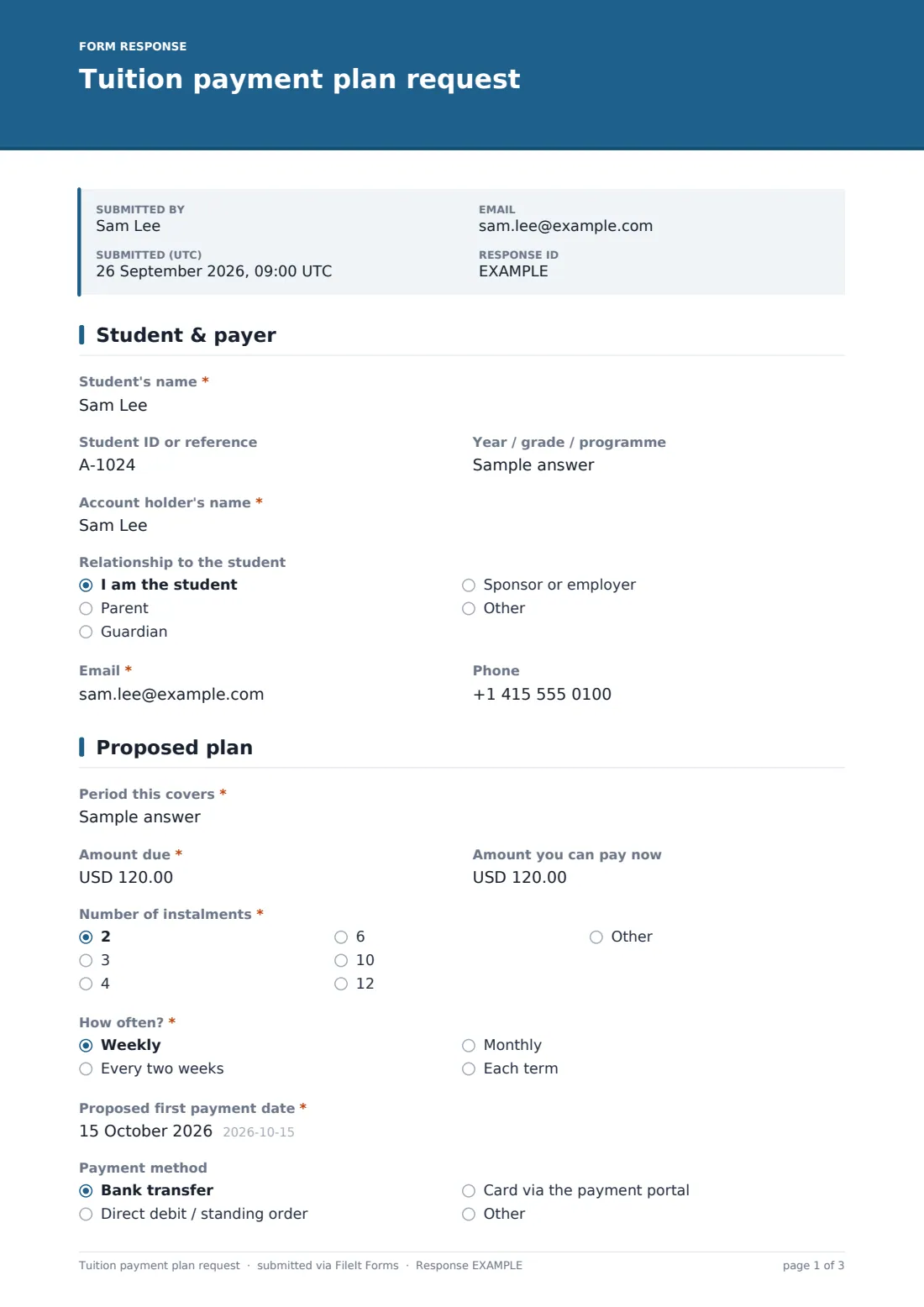
The form starts with two names: the student the fees relate to, and the account holder responsible for paying — these are often different people, so the template asks for both along with the payer's relationship to the student (self, parent, guardian, sponsor or employer). It also asks for the student's year, grade or programme and an optional student ID, so the finance office can match the request to an existing account without guessing.
Contact details for the payer — email and phone — sit on the same page, since that's who the school will actually be corresponding with about the plan.
2 Proposed plan
This is where the family sets out what they're asking for: the period the fees cover, the amount due as shown on the invoice, and how much they can pay right away as a starting deposit. A dropdown offers common installment counts (2, 3, 4, 6, 10 or 12) with an "Other" option that reveals a free-text field — Proposed schedule — for anything more specific, like "5 payments of 400."
The family also picks how often they'd like to pay (weekly, every two weeks, monthly or per term), a proposed first payment date, and their preferred payment method — bank transfer, direct debit, card through a payment portal, or something else. None of this commits the school to anything; it's simply the shape of what the family would like.
3 Reason & declaration
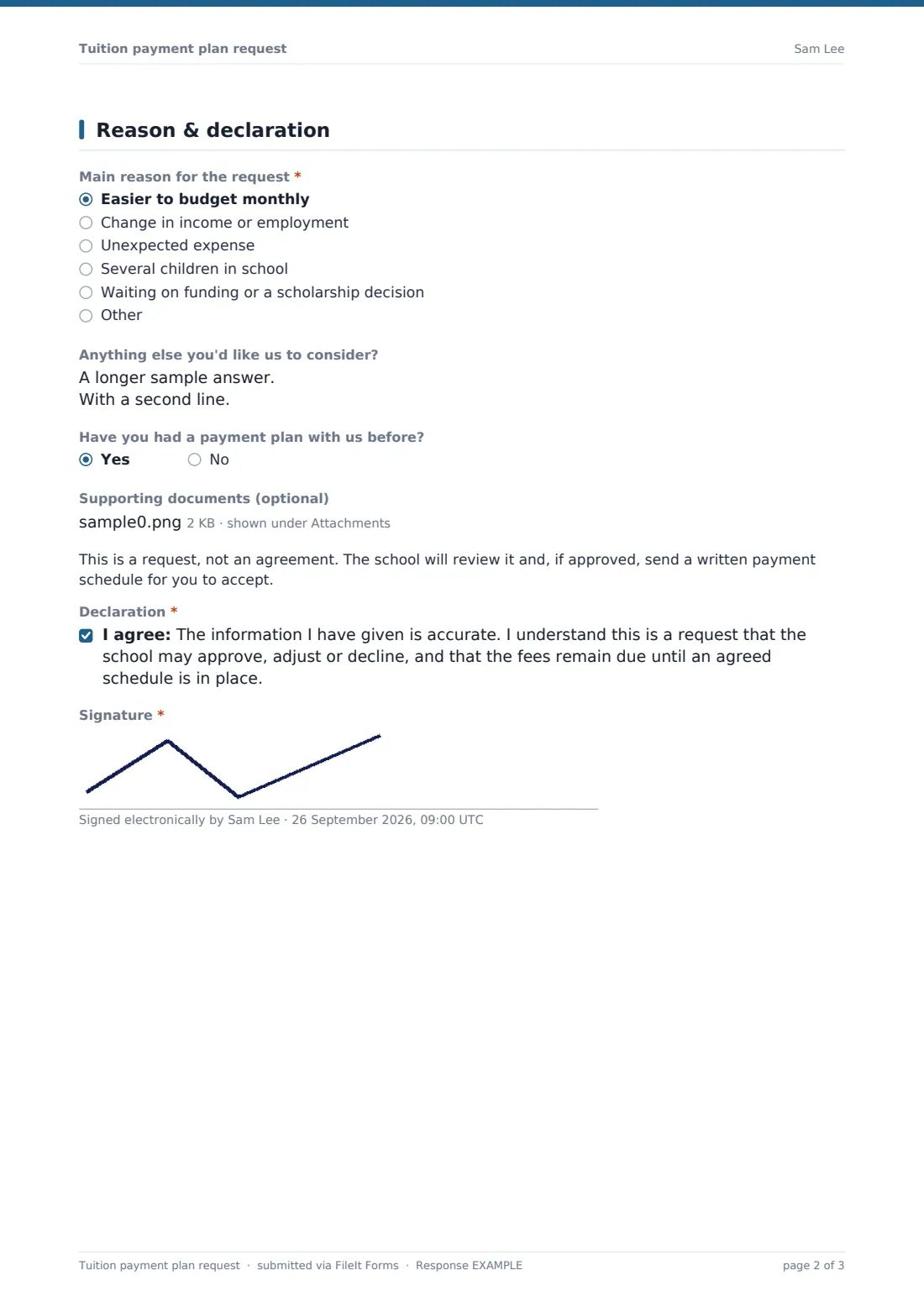
A short multiple-choice question — Main reason for the request — covers the situations that come up most often: easier monthly budgeting, a change in income or employment, an unexpected expense, several children in school at once, or waiting on funding. An "Other" option and an optional long-text field let the family add context in their own words, and the form makes clear this can be shared only as far as they're comfortable, since requests are handled confidentially.
A yes/no question asks whether they've had a payment plan with the school before, and an optional file upload lets them attach supporting documents such as a funding letter. Before signing, a plain-language note reminds everyone that this is a request, not an agreement — the school may approve, adjust or decline it, and fees remain due until a schedule is actually agreed. The family then confirms the declaration and adds a signature drawn on screen.
Make the template yours
- Rename the instalment options in the dropdown to match your own billing cycles, such as semester dates instead of generic counts
- Add a field for the specific invoice number if your billing system issues one per family
- Turn on a maximum number of responses if you only want to accept a limited number of plan requests per term
- Set a closing date so requests must arrive before a fixed cut-off, such as two weeks before the term starts
- Route each submission's PDF into a folder for the relevant family or student so it sits alongside their other paperwork
- Add extra notification emails so both the bursar and a class-level admin see new requests as they come in
- Adjust the confirmation message to state your usual response time instead of the default five working days
Tips for a better tuition payment plan request form
- Ask only for the amount and dates you actually need to make a decision — skip anything that belongs in a later conversation
- Make the declaration wording clear that submitting a request doesn't pause or waive the original due date
- Reply to every request within a set number of days, even if the answer is "we need more information", so families aren't left guessing
- Keep a simple rule for who reviews requests, so plans are approved consistently regardless of who submits one
- If a family attaches a funding or hardship letter, treat it as sensitive and limit who in your office can view it
- Review the reasons people give every term — a spike in "change in income" requests can be a useful early signal
Every response becomes a PDF in your vault
As soon as a family submits the form, FileIt turns their answers into a PDF and saves it in the vault folder you've set up — typically alongside the student's other records. You (and anyone else you've added to notifications) get an email alert, and if you've turned on the optional copy, the family receives their own PDF of what they submitted for their records.
From there, the finance office reviews the proposal in the Responses table, which can be filtered and exported to CSV if you're tracking several requests at once. The template's own confirmation message tells families the request has reached the finance office and that a decision will follow by email — the actual review, adjustment and written payment schedule happen outside the form, which only exists to collect a clear, complete request.
- Start from this template. It opens in the FileIt Forms designer — change any question, add pages, set the rules for when questions appear.
- Share it. Turn on a public link, or send it to people by email, each with their own link. They don’t need a FileIt account.
- Get the answers as PDFs. Each response is saved as a PDF in the vault folder you choose, with uploaded files attached — and listed in a Responses table you can export to CSV.
Tuition payment plan request form: frequently asked questions
Is this tuition payment plan form template free?
Yes. It's one of over 160 ready-made templates included in FileIt's Forms app on every plan, including the free plan. You can use it as-is or edit any question.
Do families need a FileIt account to submit a request?
No. You share a public link or send personal email invitations, and anyone can fill in and submit the form without creating an account.
How do we get the responses?
Each submission is saved automatically as a PDF in your FileIt vault, in the folder you choose. You can also see every response in a filterable table and export the whole list to CSV.
Does submitting this form approve the payment plan?
No. The form only records what the family is asking for. Your school decides separately whether to approve, adjust or decline the request, and the wording on the form makes that clear to the person filling it in.
Can we require a deposit before starting a plan?
You can ask families to enter how much they can pay now on the Proposed plan page, but the form doesn't process any actual payment — it only records what's proposed.
Can we limit how many requests we accept?
Yes, the Forms app lets you set a maximum number of responses or a closing date, which is useful if plan requests need to be reviewed before a term starts.
What if a family needs more instalments than the dropdown offers?
Choosing "Other" in the instalments question reveals a free-text field where they can describe exactly the schedule they'd like.
Can we attach this to enrolment paperwork?
You can file the resulting PDF in the same vault folder as a student's enrolment documents, so their payment plan request sits alongside the rest of their record.