What is the tender bid evaluation form template?
A tender is only as defensible as its scoring. If evaluators score in different ways, skip the conflict declaration or leave scores unexplained, the panel struggles to moderate fairly and an unsuccessful bidder's challenge is hard to answer.
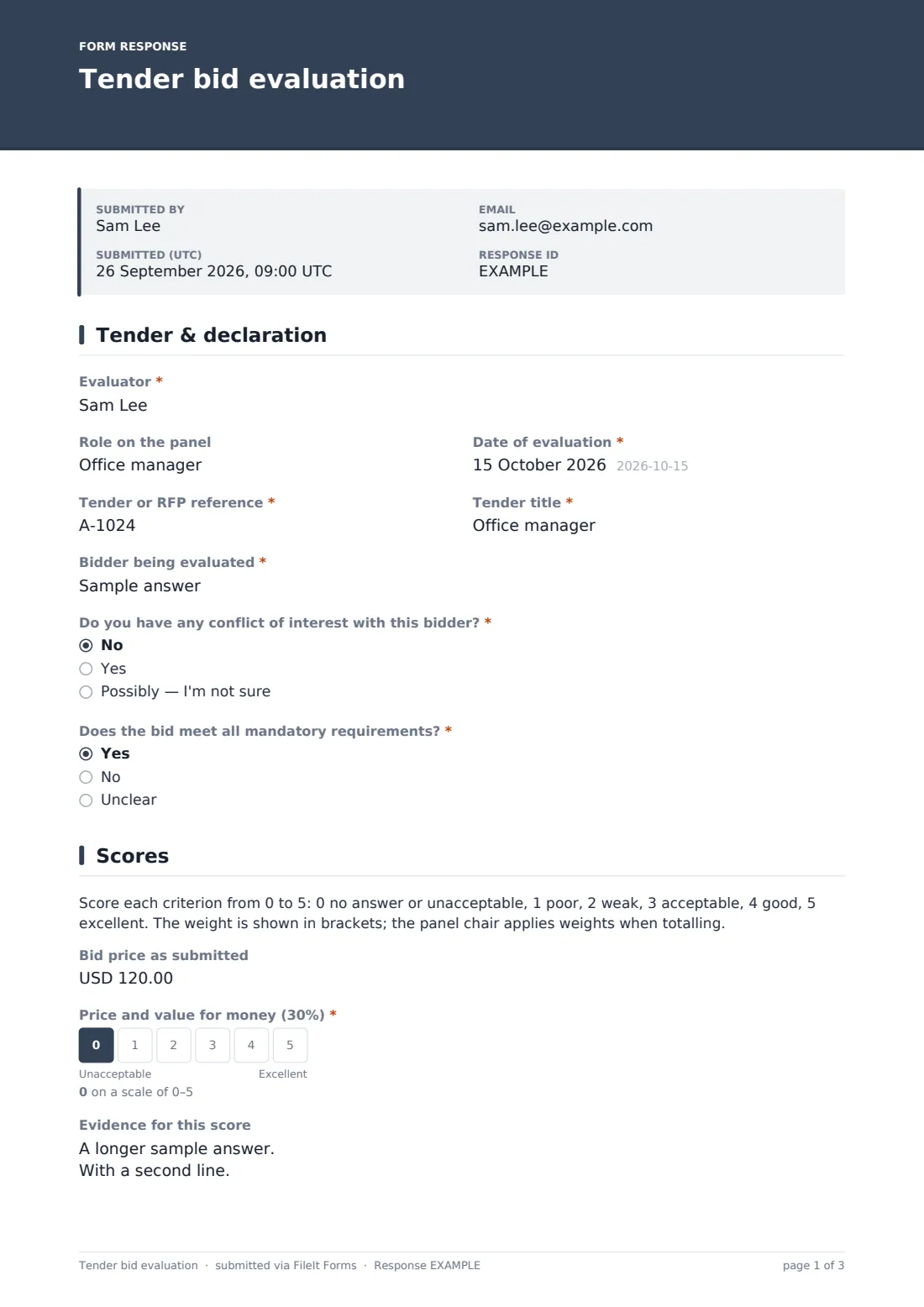
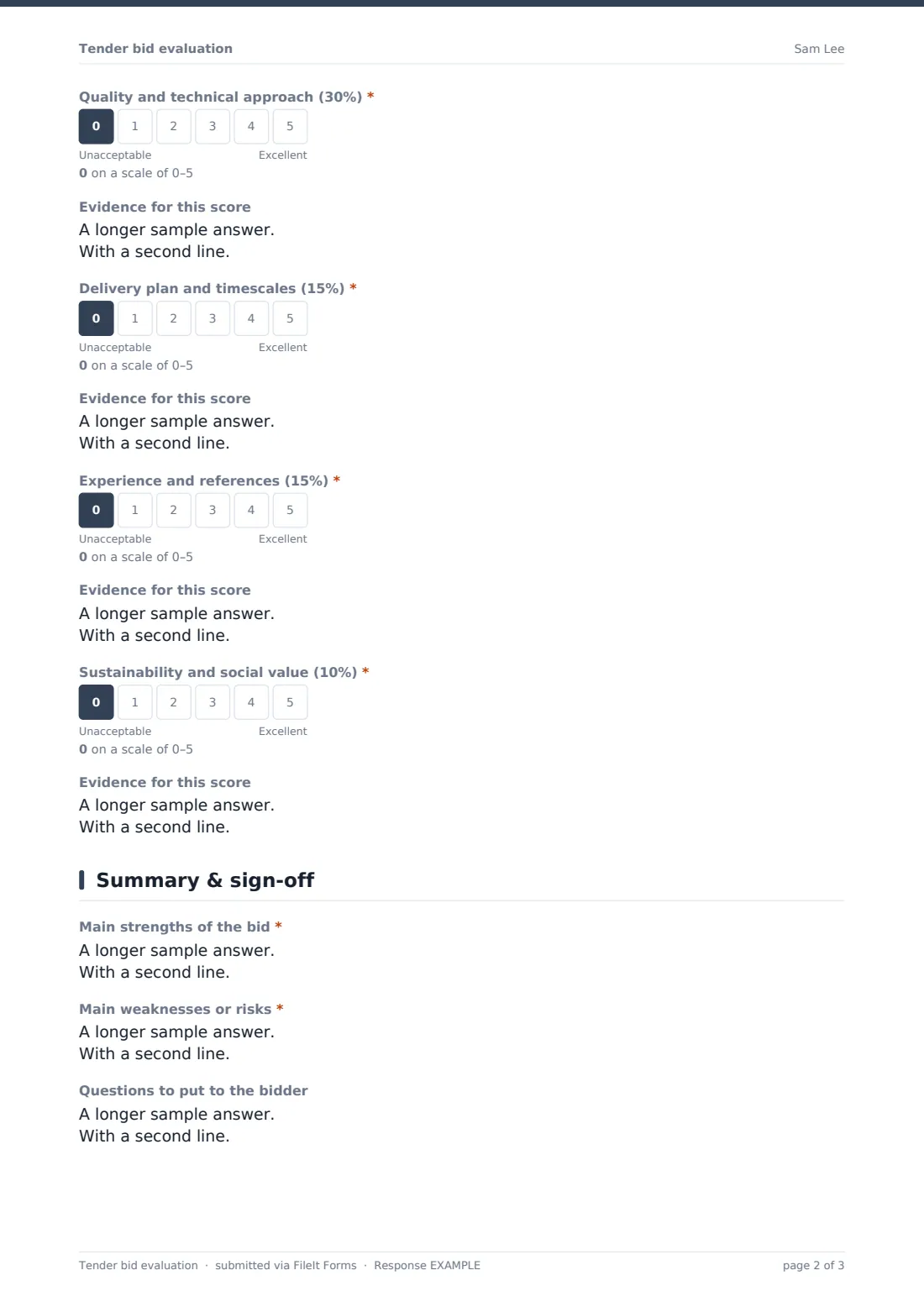
This tender bid evaluation form gives every evaluator the same structure. The first page records the evaluator, tender reference and title, and the bidder, then asks about any conflict of interest — with a note to tell the panel chair before scoring if there might be one — and whether the bid meets all mandatory requirements. The second page shows a 0–5 scoring guide and scores five weighted criteria: price and value for money, quality and technical approach, delivery plan, experience and references, and sustainability and social value, each with a box for the evidence behind the score.
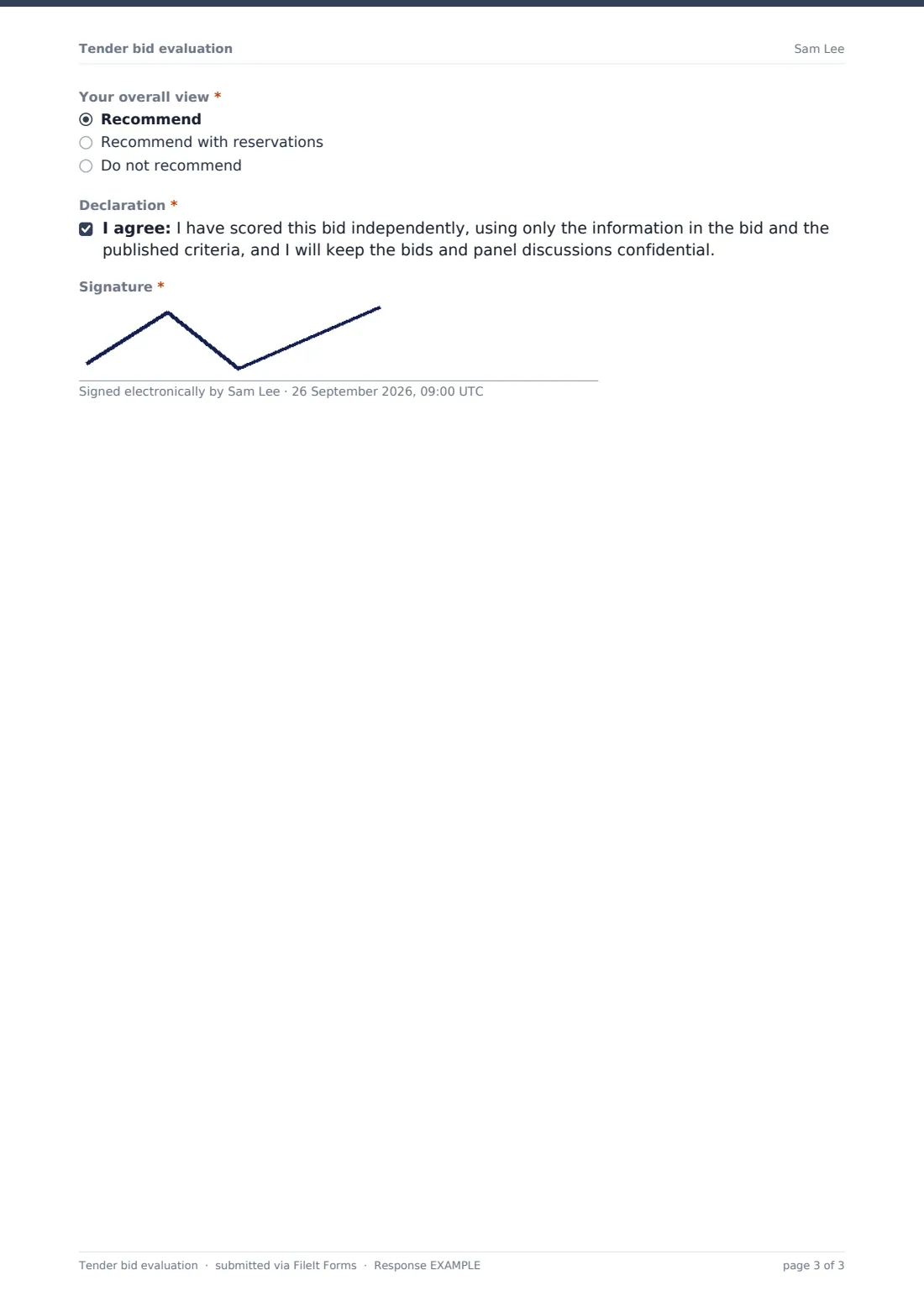
The final page captures strengths, weaknesses, questions for the bidder and an overall view, followed by a declaration of independent, confidential scoring and a signature. Each evaluation is saved as a signed PDF in your FileIt vault. The weights shown are an example — set them to match the criteria published in your tender documents.
- Best for
- Procurement teams, public bodies, housing associations, schools and businesses running tenders or RFPs
- Filled in by
- Each evaluation panel member, once per bid
- Time to complete
- About 20–30 minutes per bid, after reading it
- Includes
- Conflict and compliance checks, five 0–5 weighted scores with evidence, overall view and signature
Who uses a tender bid evaluation form?
- A council panel scoring bids for a services contract
- A business comparing responses to an RFP
- A school or university evaluating catering or cleaning tenders
- Moderation meetings where evaluators' scores and evidence are compared
- Keeping an audit trail of how a contract was awarded
- Training new panel members to score consistently
Questions on this tender bid evaluation form
27 questions over 3 pages · includes signature, conditional questions, multiple pages, consent checkbox, ratings.
1 Tender & declaration
- Evaluator*
- Role on the panel
- Date of evaluation*
- Tender or RFP reference*
- Tender title*
- Bidder being evaluated*
- Do you have any conflict of interest with this bidder?* No · Yes · Possibly — I'm not sure
- Describe the relationship or interest* asked only when it applies
- Does the bid meet all mandatory requirements?* Yes · No · Unclear
- Which requirements are missing or unclear?* asked only when it applies
2 Scores
- Bid price as submitted
- Price and value for money (30%)*
- Evidence for this score
- Quality and technical approach (30%)*
- Evidence for this score
- Delivery plan and timescales (15%)*
- Evidence for this score
- Experience and references (15%)*
- Evidence for this score
- Sustainability and social value (10%)*
- Evidence for this score
3 Summary & sign-off
- Main strengths of the bid*
- Main weaknesses or risks*
- Questions to put to the bidder
- Your overall view* Recommend · Recommend with reservations · Do not recommend
- Declaration*
- Signature*
The tender bid evaluation form, page by page
1 Tender & declaration
The evaluator gives their name, role on the panel and the evaluation date, then the tender reference, title and the bidder being evaluated. Do you have any conflict of interest with this bidder? is required; answering yes or possibly asks for detail and shows a note to tell the panel chair before scoring.
Does the bid meet all mandatory requirements? is answered yes, no or unclear, and anything other than yes asks which requirements are missing or unclear.
2 Scores
A scoring guide sets out 0 to 5, from no answer or unacceptable to excellent, and explains that the panel chair applies weights when totalling. The bid price as submitted can be recorded for reference.
Five criteria are each scored on a required 0–5 scale with an evidence box: price and value for money (30%), quality and technical approach (30%), delivery plan and timescales (15%), experience and references (15%), and sustainability and social value (10%).
3 Summary & sign-off
The evaluator lists the bid's main strengths and its main weaknesses or risks, both required, plus any questions to put to the bidder. Your overall view is recommend, recommend with reservations or do not recommend.
A declaration confirms the bid was scored independently, using only the bid and the published criteria, and that bids and discussions stay confidential. The evaluator signs to finish.
Make the template yours
- Rename the criteria and change the weights in the labels to match your published evaluation criteria
- Add or remove criteria — each one is a scale plus an evidence box
- Change the scoring guide if your tender uses a 0–10 or other scale
- Send personal links to each panel member, prefilled with their name
- File evaluations in a vault folder per tender, keeping every panel member's scores together
- Set a closing date so evaluations are in before the moderation meeting
Tips for a better tender bid evaluation form
- Use exactly the criteria and weights published to bidders — changing them after bids arrive undermines the process
- Write evidence for every score, quoting the part of the bid it's based on
- Score independently before moderation, then discuss differences as a panel
- Take conflict declarations seriously and record how the panel chair handled each one
- Keep all evaluations and moderation notes together for feedback and any challenge
- Check whether rules specific to your sector or jurisdiction apply to how the tender is run and recorded
Every response becomes a PDF in your vault
Each evaluation is saved as a signed PDF in the vault folder you choose, so every panel member's scores and evidence are on record. Owner notifications tell the panel chair or procurement lead as each evaluation comes in.
The Responses table lists every evaluation, and a CSV export lets the panel chair apply the weights and compare scores across bidders and evaluators ahead of moderation.
- Start from this template. It opens in the FileIt Forms designer — change any question, add pages, set the rules for when questions appear.
- Share it. Turn on a public link, or send it to people by email, each with their own link. They don’t need a FileIt account.
- Get the answers as PDFs. Each response is saved as a PDF in the vault folder you choose, with uploaded files attached — and listed in a Responses table you can export to CSV.
Tender bid evaluation form: frequently asked questions
Is this template free?
Yes. It's included in the FileIt Forms app on every account, including the free plan, and every question can be edited, removed or added to.
Does the form calculate weighted totals?
No. Each criterion is scored 0–5 and the weights are shown in the labels. Export the Responses table to CSV to apply the weights and total the scores.
Can I change the criteria and weights?
Yes. Rename the score questions, change the percentages in the labels, and add or remove criteria in the designer.
Should each panel member fill in one form per bid?
Yes. That keeps each evaluator's scores and evidence separate for moderation.
What happens if an evaluator declares a conflict?
The form asks for detail and tells them to inform the panel chair before scoring. What happens next is for the chair and your own procurement rules to decide.
Is the evaluation signed?
Yes. Evaluators agree to a declaration and sign on screen; both appear on the saved PDF.
Does using this form make our tender process compliant?
No. It's a scoring record. The rules your tender must follow depend on your organisation and jurisdiction.
Can bidders see the evaluations?
Not unless you share them. Share the form's link only with panel members. Responses are visible only in your FileIt account, and the saved PDFs stay in your vault.