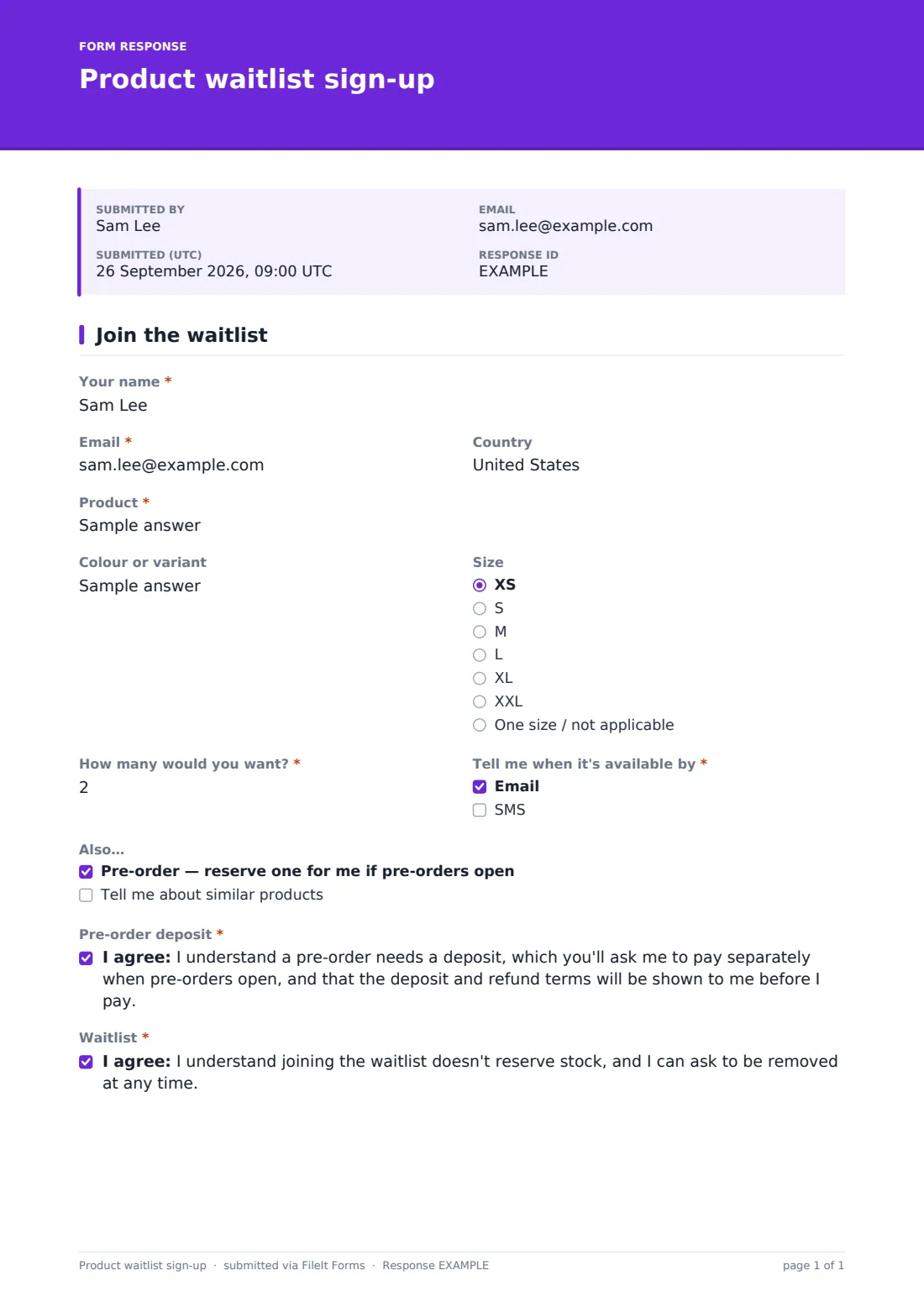
What is the product waitlist sign-up form template?
When something sells out, or a launch is weeks away, the interest is there but it has nowhere to go. A waitlist catches it. This template records exactly what each customer is waiting for, including the variant, size and how many, so when stock lands you know how much demand there is and who to tell first.
Customers enter the “Product”, “Colour or variant” and “Size”, and answer “How many would you want?” They choose how to be told under “Tell me when it's available by”: Email, SMS or both. Ticking SMS reveals a required “Mobile number”.
Pre-orders are handled carefully. Under “Also…” customers can tick “Pre-order — reserve one for me if pre-orders open” or ask to hear about similar products. Ticking the pre-order option reveals a required acknowledgement: a deposit will be needed, it's paid separately when pre-orders open, and the deposit and refund terms will be shown before paying. A second consent confirms that joining the waitlist doesn't reserve stock. Every sign-up is filed as a PDF in your FileIt vault.
- Best for
- Independent brands, makers, bike and outdoor shops, fashion labels and limited-run product launches
- Filled in by
- Customers waiting for a restock or a new release
- Time to complete
- About 1 minute
- Includes
- Product, variant, size and quantity; email or SMS alerts; pre-order interest with a deposit acknowledgement
Who uses a product waitlist sign-up form?
- A sneaker shop gauging demand by size before reordering a sold-out style
- A ceramics studio collecting interest ahead of its next kiln firing
- A bike shop with a long wait for a popular e-bike model
- A fashion label testing demand for a new colour before committing to production
- A games store taking names for a limited edition console bundle
- A plant nursery taking names for rare houseplants before the next delivery from its grower
Questions on this product waitlist sign-up form
12 questions · includes conditional questions, consent checkbox.
1 Join the waitlist
- Your name*
- Email*
- Country
- Product*
- Colour or variant
- Size XS · S · M · L · XL · XXL · One size / not applicable
- How many would you want?*
- Tell me when it's available by* Email · SMS
- Mobile number* asked only when it applies
- Also… Pre-order — reserve one for me if pre-orders open · Tell me about similar products
- Pre-order deposit* asked only when it applies
- Waitlist*
The product waitlist sign-up form, page by page
1 Join the waitlist
The customer gives their name, email and country. “Product” takes a name or product code, with half-width fields beside it for variant and size. The size list runs from XS to XXL, plus one size / not applicable, so it works for non-clothing items too. Quantity goes up to ten.
The alert question needs at least one ticked box, and SMS adds a mobile number. The “Also…” checkboxes are optional, and the pre-order one brings up the deposit acknowledgement. The required waitlist consent explains that joining doesn't reserve stock and the customer can ask to be removed at any time.
Make the template yours
- Replace the free-text product field with a dropdown of the items you're taking a waitlist for
- Swap the clothing sizes for shoe sizes, frame sizes or capacities
- Remove the pre-order option if you never take deposits
- Set a maximum number of responses for a very limited release
- Write your expected restock date in the cover text
Tips for a better product waitlist sign-up form
- Use the quantity and size answers to size your reorder
- Tell waitlisted customers before you announce publicly — it rewards their patience
- Contact pre-order customers in the order they signed up
- Show the deposit and refund terms clearly before asking for any money, as the form promises
- Close the waitlist once a product is discontinued, so nobody waits for nothing
Every response becomes a PDF in your vault
Each sign-up is filed in your vault as a PDF and you're notified by email. The customer gets a copy for their records, with the product and variant they asked about.
When stock arrives, open the Responses table, search by product name and export the list to CSV. That gives you everyone's email, mobile number and pre-order interest to contact in order.
- Start from this template. It opens in the FileIt Forms designer — change any question, add pages, set the rules for when questions appear.
- Share it. Turn on a public link, or send it to people by email, each with their own link. They don’t need a FileIt account.
- Get the answers as PDFs. Each response is saved as a PDF in the vault folder you choose, with uploaded files attached — and listed in a Responses table you can export to CSV.
Product waitlist sign-up form: frequently asked questions
Is this waitlist template free?
Yes. It's one of the starter templates in FileIt's Forms app, which comes with every account, including the free plan.
Does FileIt send the back-in-stock alerts?
No. FileIt collects and files the sign-ups. You send the email or SMS yourself, from your shop or messaging tool.
Does the form take a pre-order deposit?
No. It records that the customer wants to pre-order and has acknowledged a deposit will be needed. You take the deposit separately.
Does joining the waitlist reserve stock?
No, and the form says so. Customers agree to that before they submit.
Can I run one form for several products?
Yes. Customers type the product they're waiting for, or you can add a dropdown of products.
Do customers need an account to sign up?
No. They open your link and fill in the form, no account needed.
Can I see how many people want each size?
Yes. Export the responses to CSV from the Responses table and count them by product, variant and size in a spreadsheet. It's a quick way to decide how much to reorder before you place it with your supplier.