
What is the marina berth application form template?
Allocating berths depends on accurate numbers: a boat that's longer overall than its owner remembered, or draws more than the berth allows, causes problems on the pontoon. Insurance matters too — most marinas need proof of third-party cover before a boat arrives.
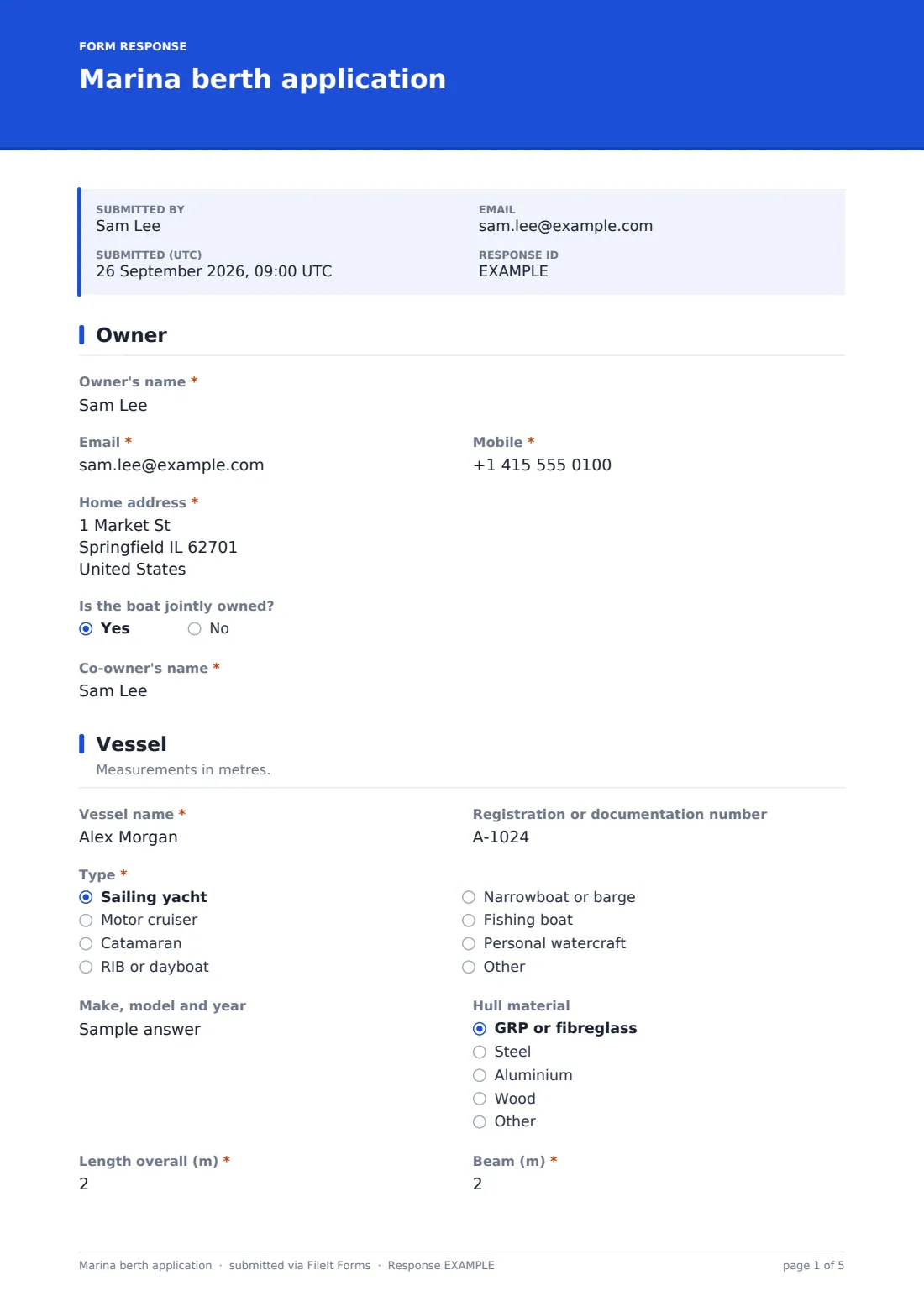
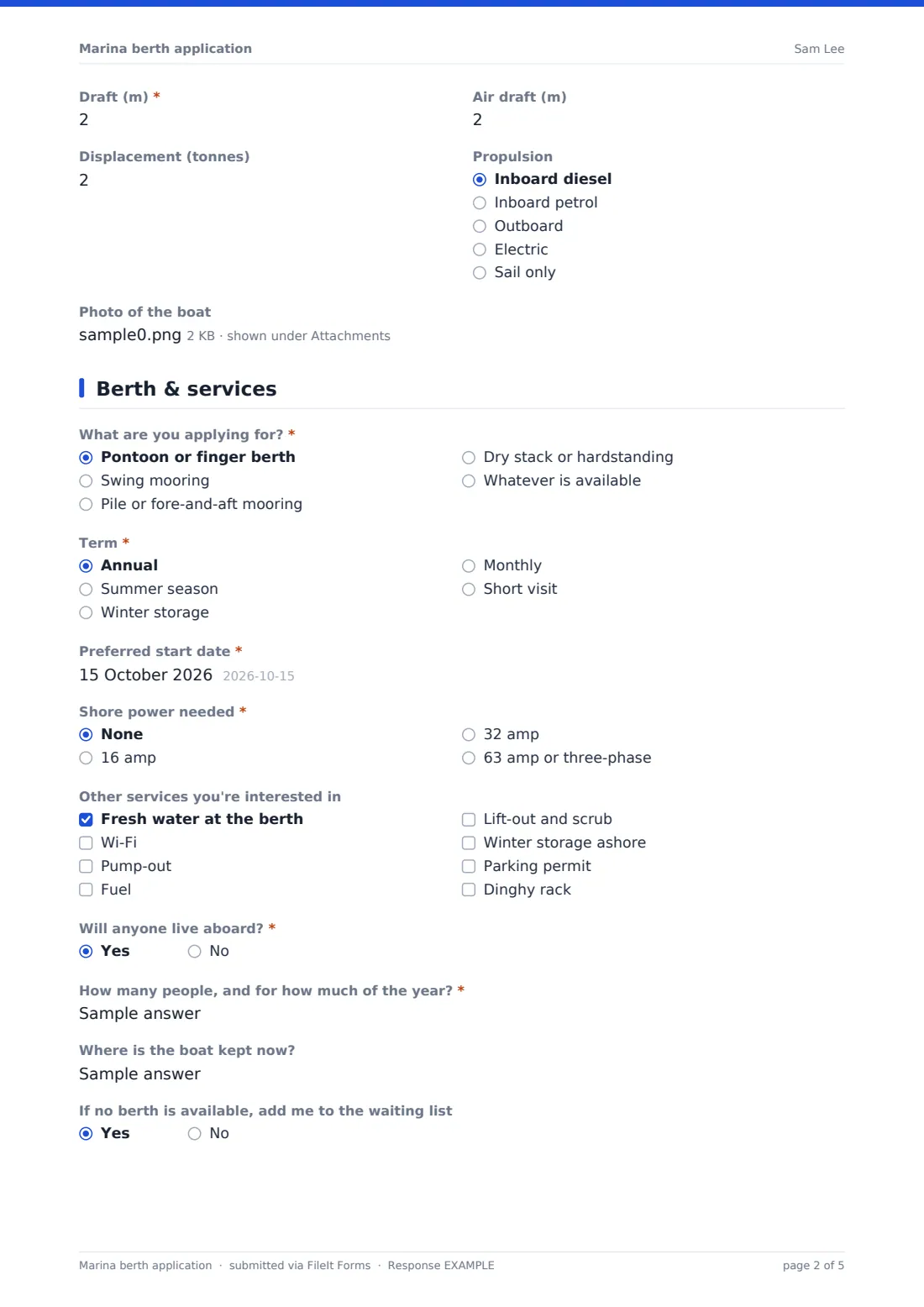
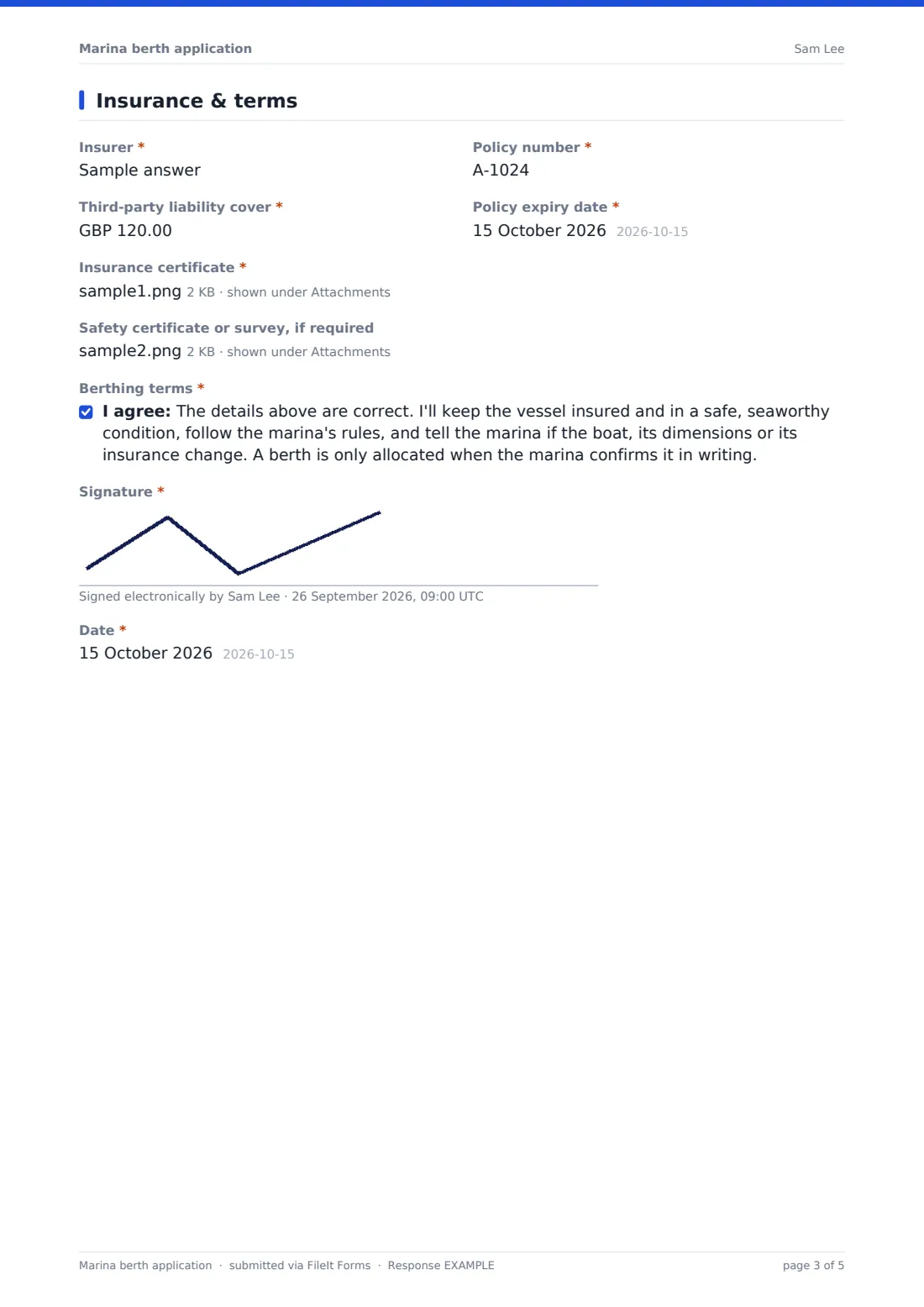
This template asks for the owner and any co-owner, then the vessel's name, registration, type, make, hull, length overall, beam, draft, air draft, displacement and propulsion, with an optional photo. The berth page covers berth type, term, start date, shore power, other services, liveaboard plans and the waiting list. The last page collects insurer, policy number, liability cover, expiry date and an uploaded certificate, then the signed terms.
Each application is filed as a PDF in your FileIt vault with its uploads, so the berthing office has the certificate on file alongside the application.
- Best for
- Marinas, harbours, boat clubs and mooring associations
- Filled in by
- Boat owners applying for a berth or mooring
- Time to complete
- About 10 minutes
- Includes
- Vessel dimensions, berth type and term, shore power and services, liveaboard question, insurance details and certificate upload, signed terms
Who uses a marina berth application form?
- A marina taking annual berth applications for the coming season
- A sailing club allocating swing moorings to members
- A harbour authority managing a waiting list for pontoon berths
- A boatyard offering dry stack and winter hardstanding
- A marina taking short-visit bookings from cruising yachts
Questions on this marina berth application form
37 questions over 4 pages · includes signature, file upload, conditional questions, multiple pages, consent checkbox.
1 Owner
- Owner's name*
- Email*
- Mobile*
- Home address*
- Is the boat jointly owned?
- Co-owner's name* asked only when it applies
2 Vessel
- Vessel name*
- Registration or documentation number
- Type* Sailing yacht · Motor cruiser · Catamaran · RIB or dayboat · Narrowboat or barge · Fishing boat · Personal watercraft · Other
- Make, model and year
- Hull material GRP or fibreglass · Steel · Aluminium · Wood · Other
- Length overall (m)*
- Beam (m)*
- Draft (m)*
- Air draft (m)
- Displacement (tonnes)
- Propulsion Inboard diesel · Inboard petrol · Outboard · Electric · Sail only
- Photo of the boat
3 Berth & services
- What are you applying for?* Pontoon or finger berth · Swing mooring · Pile or fore-and-aft mooring · Dry stack or hardstanding · Whatever is available
- Term* Annual · Summer season · Winter storage · Monthly · Short visit
- Preferred start date*
- End date asked only when it applies
- Shore power needed* None · 16 amp · 32 amp · 63 amp or three-phase
- Other services you're interested in Fresh water at the berth · Wi-Fi · Pump-out · Fuel · Lift-out and scrub · Winter storage ashore · Parking permit · Dinghy rack
- Will anyone live aboard?*
- How many people, and for how much of the year?* asked only when it applies
- Where is the boat kept now?
- If no berth is available, add me to the waiting list
4 Insurance & terms
- Insurer*
- Policy number*
- Third-party liability cover*
- Policy expiry date*
- Insurance certificate*
- Safety certificate or survey, if required
- Berthing terms*
- Signature*
- Date*
The marina berth application form, page by page
1 Owner
The owner gives their name, email, mobile and home address, and says whether the boat is jointly owned — a yes asks for the co-owner's name.
2 Vessel
Owners enter the vessel name, registration or documentation number, type, make, model and year, and hull material. Length overall, beam and draft are required in metres, with help text reminding owners to include bowsprits and davits. Air draft, displacement — needed for the hoist or dry stack — and propulsion are optional, and up to three photos can be uploaded.
3 Berth & services
"What are you applying for?" offers a pontoon or finger berth, swing mooring, pile mooring, dry stack or hardstanding, or whatever is available. Owners choose a term — annual, summer, winter storage, monthly or a short visit, which asks for an end date — a preferred start date and the shore power they need.
Other services such as water, pump-out, fuel, lift-out and parking can be ticked. "Will anyone live aboard?" asks how many people and for how long on a yes, and owners say where the boat is kept now and whether to join the waiting list.
4 Insurance & terms
Owners give their insurer, policy number, third-party liability cover and policy expiry date, and upload the insurance certificate, which is required. A safety certificate or survey can be added if the marina needs one. They agree to the berthing terms, sign and date.
Make the template yours
- Change the currency of the liability question to your own
- Add your minimum liability cover to the help text, or a paragraph listing berth fees
- Edit the berth types and services to match your marina
- Switch dimensions to feet if your owners measure in feet
- Remove the liveaboard question if your marina doesn't allow liveaboards
- File applications into a Berth applications folder, or one folder per pontoon
Tips for a better marina berth application form
- Check the length overall against the boat's documents, since owners often quote hull length instead
- Ask returning berth holders to reapply each year so insurance details stay current
- Track insurance expiry dates in your vault so certificates are renewed before they lapse
- Tell owners on the confirmation screen when you allocate berths for the season
- Keep the waiting list fair by recording application dates — the submission date in each PDF does this
Every response becomes a PDF in your vault
Each application is saved as a PDF in your FileIt vault together with the boat photos and insurance certificate, and the marina office is emailed straight away. The owner can receive a copy too.
In the Responses table you can sort applications by date, filter by berth type or term, and export the dimensions to a CSV to plan the berth layout.
- Start from this template. It opens in the FileIt Forms designer — change any question, add pages, set the rules for when questions appear.
- Share it. Turn on a public link, or send it to people by email, each with their own link. They don’t need a FileIt account.
- Get the answers as PDFs. Each response is saved as a PDF in the vault folder you choose, with uploaded files attached — and listed in a Responses table you can export to CSV.
Marina berth application form: frequently asked questions
Is the marina berth application template free?
Yes. It's a starter template in FileIt Forms, available on every plan, and you can edit any question.
Do boat owners need a FileIt account?
No. They apply from a link on your website or one you email them.
Can owners upload their insurance certificate?
Yes. The insurance page has a required upload for the certificate and an optional one for a safety certificate or survey.
Does the form allocate a berth automatically?
No. It collects applications. The marina reviews each one and confirms berths itself.
Can we take berth fees through the form?
No. FileIt Forms doesn't take payments. Send your invoice once the berth is confirmed.
Can I use feet instead of metres?
Yes. Change the labels, the page description and the number limits in the designer.
Does it work for short visits?
Yes. Choosing a short visit as the term asks for an end date as well as the start date.