What is the dorm room change request form template?
Room change requests usually arrive by email in the first weeks of term, each with a different amount of detail. Housing staff then have to ask the same questions: which room are you in now, what have you tried, what would you accept, and is there someone you want to swap with?
This template collects all of that across three short pages. Students give their current hall, room and room type, the main reason, what's happened, and what they've already tried. A safety concern shows a note to contact security straight away, and a health or accessibility reason opens an optional upload for a supporting letter. The last page covers acceptable room types, preferred halls, a named swap partner, the earliest move date and what to do if nothing matches.
Every request is saved as a PDF in your FileIt vault, so residence staff can work through them in order and keep a record of what was asked and when.
- Best for
- University and college residence offices, boarding schools, student housing providers
- Filled in by
- The student living in residence
- Time to complete
- About 5 minutes
- Includes
- Safety note, optional supporting documents, swap partner details, acknowledgement on rent and move-out
Who uses a dorm room change request form?
- A first-year student asks to move after a roommate conflict
- Two students request a mutual room swap
- A student with a new medical condition asks for a ground-floor room
- A student asks for a cheaper shared room mid-year
- A residence team handles all change requests through one link
- A boarding school records house move requests
Questions on this dorm room change request form
20 questions over 3 pages · includes file upload, conditional questions, multiple pages, consent checkbox.
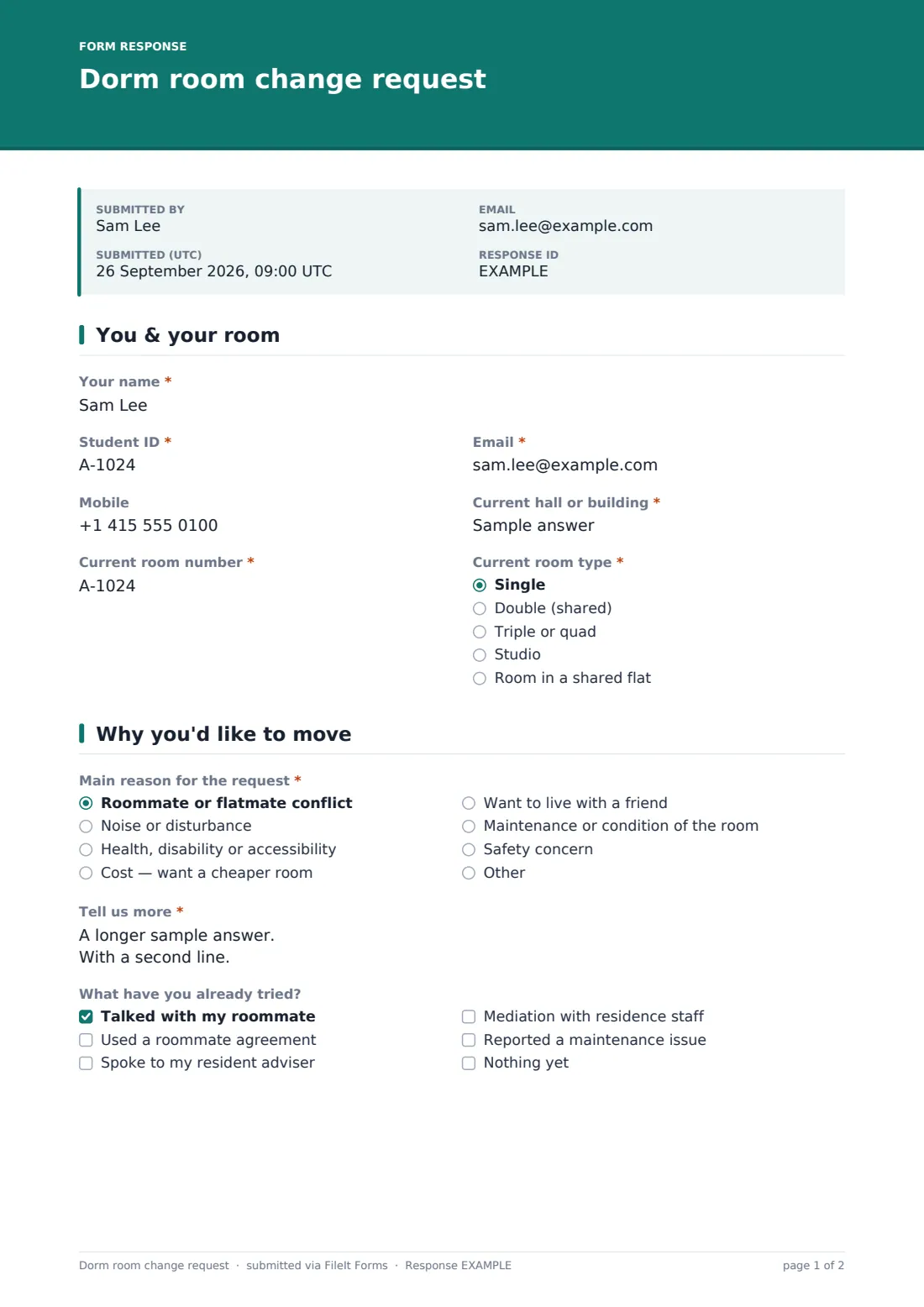
1 You & your room
- Your name*
- Student ID*
- Email*
- Mobile
- Current hall or building*
- Current room number*
- Current room type* Single · Double (shared) · Triple or quad · Studio · Room in a shared flat
2 Why you'd like to move
- Main reason for the request* Roommate or flatmate conflict · Noise or disturbance · Health, disability or accessibility · Cost — want a cheaper room · Want to live with a friend · Maintenance or condition of the room · Safety concern
- Tell us more*
- What have you already tried? Talked with my roommate · Used a roommate agreement · Spoke to my resident adviser · Mediation with residence staff · Reported a maintenance issue · Nothing yet
- Supporting documents (optional) asked only when it applies
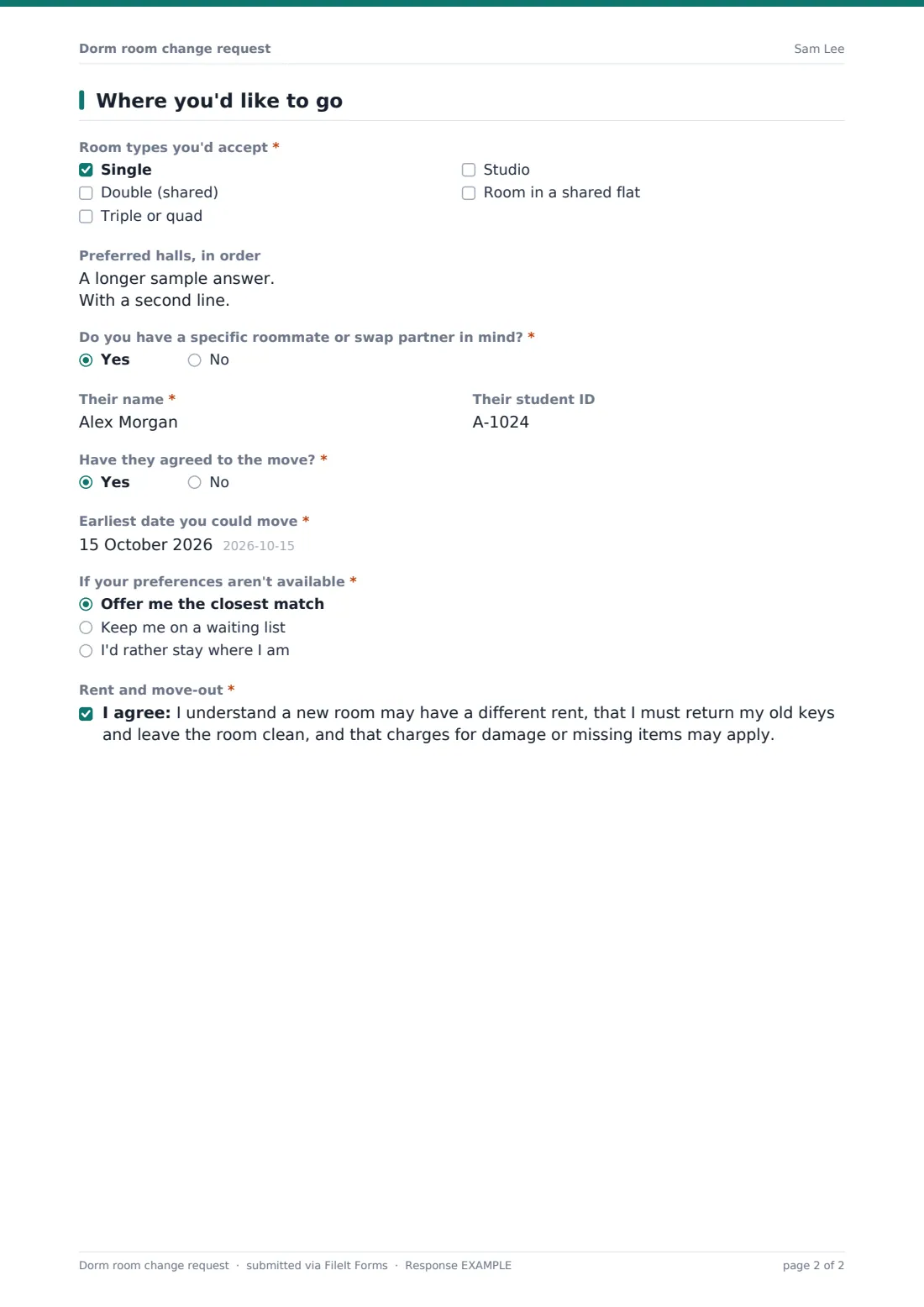
3 Where you'd like to go
- Room types you'd accept* Single · Double (shared) · Triple or quad · Studio · Room in a shared flat
- Preferred halls, in order
- Do you have a specific roommate or swap partner in mind?*
- Their name* asked only when it applies
- Their student ID asked only when it applies
- Have they agreed to the move?* asked only when it applies
- Earliest date you could move*
- If your preferences aren't available* Offer me the closest match · Keep me on a waiting list · I'd rather stay where I am
- Rent and move-out*
The dorm room change request form, page by page
1 You & your room
Your name, Student ID and email are required, with an optional mobile. Then the current hall or building, room number and room type, from single to a room in a shared flat.
2 Why you'd like to move
A required main reason, from roommate conflict or noise to health, cost, friends, maintenance or safety, with room for another reason. A safety concern shows a note to contact campus security right away. Students describe what happened and tick what they've already tried. Choosing a health, disability or accessibility reason adds an optional upload for supporting documents.
3 Where you'd like to go
Room types the student would accept, preferred halls in order, and whether they have a specific roommate or swap partner. A yes asks for their name, student ID and whether they've agreed. Then the earliest move date, what to do if preferences aren't available, and an acknowledgement about rent changes, keys and move-out charges.
Make the template yours
- Replace the room types with the ones your residences actually offer
- Turn the preferred halls box into a dropdown of your buildings
- Add a question about the student's year or programme if priority depends on it
- Edit the safety note to give your security team's phone number
- Close the form during busy periods such as the first two weeks of term
- Add a fee notice if your housing office charges for moves
Tips for a better dorm room change request form
- Ask students to talk to their resident adviser before applying for a conflict-based move
- Check swap requests with both students before confirming
- Keep a waiting list from the Responses table, sorted by submission date
- Respond to safety concerns the same day, outside the normal queue
- Keep accessibility documents in a restricted folder
Every response becomes a PDF in your vault
Each request is saved as a PDF in your vault and the housing team is emailed. The student receives a copy when they give an email.
From the Responses table you can see every pending request, filter by reason or hall, and export a CSV to match requests against vacancies.
- Start from this template. It opens in the FileIt Forms designer — change any question, add pages, set the rules for when questions appear.
- Share it. Turn on a public link, or send it to people by email, each with their own link. They don’t need a FileIt account.
- Get the answers as PDFs. Each response is saved as a PDF in the vault folder you choose, with uploaded files attached — and listed in a Responses table you can export to CSV.
Dorm room change request form: frequently asked questions
Is this dorm room change request template free?
Yes. It's one of the Forms app's starter templates, available on every FileIt account, including the free plan.
Can two students request a swap together?
Yes. Each student fills in the form and names the other as their swap partner, including whether they've agreed.
What happens if a student reports a safety concern?
The form shows a note telling them to contact campus security or residence staff straight away. Your team should also treat those requests as urgent.
Can students upload a doctor's letter?
Yes. Choosing a health, disability or accessibility reason shows an optional upload for up to three files.
Do students need a FileIt account?
No. They fill in the form from a link on any device.