What is the blood glucose log form template?
A glucose number on its own doesn't say much. The same reading means something different before breakfast, two hours after dinner or in the middle of the night. It also helps to know what was eaten, how much insulin was taken and whether there'd been a long walk. This log captures that context alongside every reading, so patterns are easier to see when you sit down with your diabetes team.
Each entry is one reading. You give the "Date" and "Time", choose "When was this reading?" from on waking to during the night, and pick your meter's "Units on your meter": mg/dL or mmol/L. The form then shows the glucose box in the right unit. Optional questions cover insulin and units, carbohydrates, food, activity, other diabetes medicine and things like illness or stress.
If the reading is under 70 mg/dL (3.9 mmol/L), the form asks "How did you treat the low?" and offers a re-check box. Every entry becomes a PDF in your FileIt vault, and the Responses table builds into a log you can export before appointments.
- Best for
- People with type 1, type 2 or gestational diabetes, and their diabetes teams
- Filled in by
- The person with diabetes, or a parent or carer
- Time to complete
- About a minute per reading
- Includes
- mg/dL or mmol/L, meal timing, insulin and carbs, a low-treatment question under 70 mg/dL
Who uses a blood glucose log form?
- Logging finger-prick readings for a diabetes review
- A parent recording a child's readings and insulin doses at school or home
- Gestational diabetes clinics asking for fasting and after-meal readings
- Adding context, such as meals and exercise, to readings from a sensor
- Keeping a record of every low and how it was treated
Questions on this blood glucose log form
22 questions · includes conditional questions.
1 Reading
- Your name*
- Date*
- Time*
- When was this reading?* On waking / fasting · Before a meal · 1–2 hours after a meal · Before bed · During the night · Before or after exercise · Feeling unwell or low · Another time
- Which meal? asked only when it applies Breakfast · Lunch · Dinner · Snack
- Units on your meter* mg/dL · mmol/L
- Glucose (mg/dL)* asked only when it applies
- Glucose (mmol/L)* asked only when it applies
- How did you treat the low?* asked only when it applies
- Re-check reading (mg/dL) asked only when it applies
- How did you treat the low?* asked only when it applies
- Re-check reading (mmol/L) asked only when it applies
- Reading from Finger-prick meter · Sensor / CGM
- Did you take insulin?
- Insulin name or type* asked only when it applies
- Units* asked only when it applies
- Carbohydrates eaten (grams)
- What did you eat?
- Exercise or activity
- Other diabetes medicine taken
- Anything else that may have affected it? Illness or infection · Stress · Poor sleep · Alcohol · Menstrual cycle · Missed or late dose
- Notes
The blood glucose log form, page by page
1 Reading
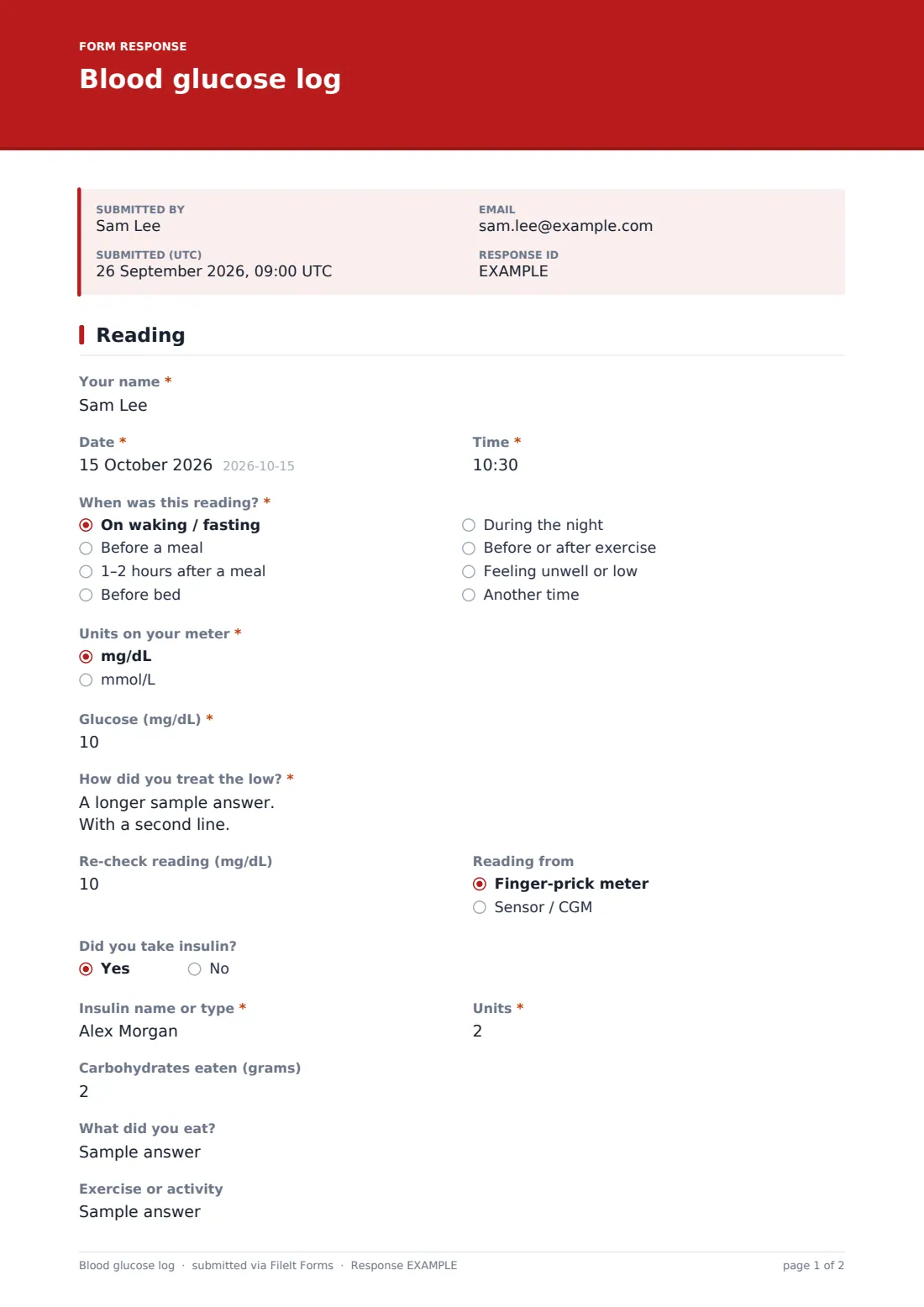
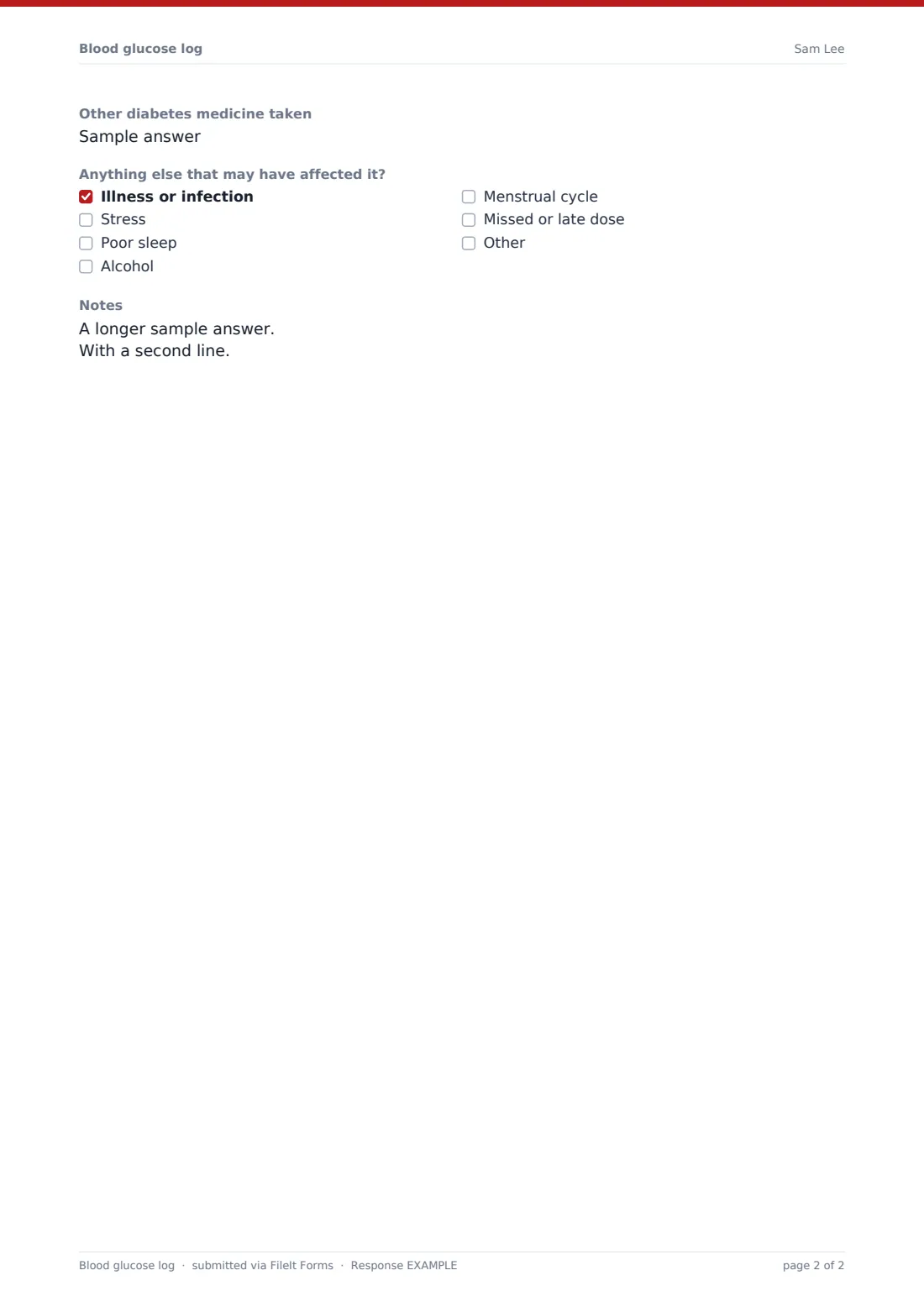
"Your name", "Date", "Time" and "When was this reading?" are required. Choosing "1–2 hours after a meal" asks "Which meal?". "Units on your meter" is required and decides which box appears: "Glucose (mg/dL)" or "Glucose (mmol/L)", which accepts one decimal place. A reading under 70 mg/dL, or under 3.9 mmol/L, opens the required "How did you treat the low?" and an optional re-check reading in the same unit. "Reading from" records a finger-prick meter or a sensor. "Did you take insulin?" opens the required "Insulin name or type" and "Units". Carbohydrates in grams, "What did you eat?", "Exercise or activity", "Other diabetes medicine taken", a checklist of other factors and "Notes" are all optional.
Make the template yours
- Change the low threshold to the one your diabetes team uses, in the logic for both glucose boxes
- Delete the unit you don't use so the form always shows one glucose box
- Add a ketones question for readings above a level your team sets
- Remove the insulin questions for people managing with diet or tablets alone
- Send it as an emailed request so readings arrive under the right patient's name
- File each person's log in their own vault folder
Tips for a better blood glucose log form
- Log readings when you take them. Times and doses are easy to forget by the evening
- Write down every low, even mild ones, with what you took to treat it
- Use "Notes" for anything unusual, like a missed meal or a new medicine
- Export the CSV before appointments to see readings by time of day
- Ask your diabetes team what your targets are. The form doesn't set them
Every response becomes a PDF in your vault
Each reading becomes a PDF titled with your name and the date, filed in the vault folder you've chosen. If your clinic set up the form, it is emailed each entry, and you can receive a copy of your own.
The Responses table lists every reading in date order. Export the CSV to sort readings by "When was this reading?" or to pick out lows, and bring it to your next diabetes review.
- Start from this template. It opens in the FileIt Forms designer — change any question, add pages, set the rules for when questions appear.
- Share it. Turn on a public link, or send it to people by email, each with their own link. They don’t need a FileIt account.
- Get the answers as PDFs. Each response is saved as a PDF in the vault folder you choose, with uploaded files attached — and listed in a Responses table you can export to CSV.
Blood glucose log form: frequently asked questions
Does the log work in mmol/L as well as mg/dL?
Yes. Choose your meter's units and the form shows the matching glucose box, with the low-reading question set at 70 mg/dL or 3.9 mmol/L.
What happens after a low reading?
The form asks how you treated the low and offers a box for the re-check reading. It doesn't give treatment advice. Follow your diabetes team's plan.
Does someone review the readings in real time?
No. The log is a record for you and your care team. Use your local emergency number if you need urgent help.
Can I upload readings from my sensor app?
This form logs one reading at a time. Add a file upload in the designer if you'd also like to attach sensor reports.
Is this template free?
Yes. It's included in the FileIt Forms app on every plan, including the free one.