What is the adopt-a-family sponsor sign-up form template?
Holiday sponsorship programs run on good matching. A single donor might manage gifts for a family of three; an office of forty can happily take on a family of eight, or two. Before you can match anyone, you need to know who's offering, how much they can give, what they're happy to buy and when the gifts will arrive. This sponsor sign-up form gathers exactly that on one page.
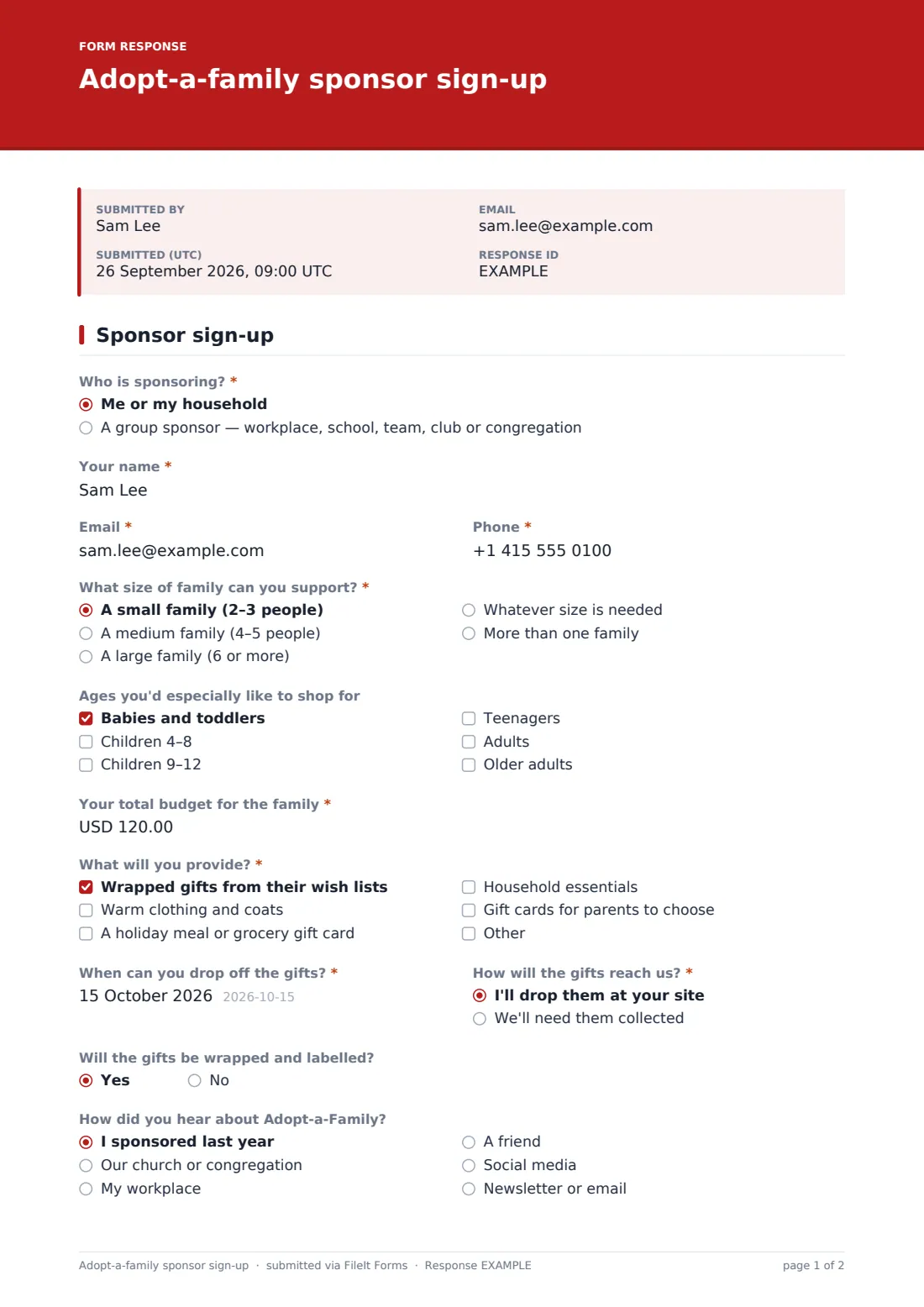
Sponsors first say whether they're giving as a household or as a group sponsor. Choosing the group option asks for the organisation's name, a coordinator and roughly how many people are taking part, because you'll want one contact rather than forty. Then come the family size they can support, any ages they'd love to shop for, a total budget, what they'll provide, and when and how the gifts will reach you.
A short privacy agreement makes sure sponsors know the family's details stay confidential. Each sign-up lands as a PDF in your FileIt vault and in the Responses table, ready for your coordinator to make matches.
- Best for
- Churches, food banks, schools and charities running holiday sponsorship
- Filled in by
- Individual donors or group coordinators
- Time to complete
- About 3 minutes
- Includes
- Household or group sponsor, family size, ages, budget, gift types, drop-off date and a privacy agreement
Who uses a adopt-a-family sponsor sign-up form?
- A church's Christmas angel or adopt-a-family program
- A school family-support team matching classes with families
- A workplace giving committee signing up departments
- A food bank adding toys and clothing to holiday boxes
- A Ramadan or Eid gift drive run by a mosque
Questions on this adopt-a-family sponsor sign-up form
19 questions · includes conditional questions, consent checkbox.
1 Sponsor sign-up
- Who is sponsoring?* Me or my household · A group sponsor — workplace, school, team, club or congregation
- Name of the group or organisation* asked only when it applies
- Group coordinator* asked only when it applies
- Roughly how many people are taking part? asked only when it applies
- Your name* asked only when it applies
- Email*
- Phone*
- What size of family can you support?* A small family (2–3 people) · A medium family (4–5 people) · A large family (6 or more) · Whatever size is needed · More than one family
- How many families?* asked only when it applies
- Ages you'd especially like to shop for Babies and toddlers · Children 4–8 · Children 9–12 · Teenagers · Adults · Older adults
- Your total budget for the family*
- What will you provide?* Wrapped gifts from their wish lists · Warm clothing and coats · A holiday meal or grocery gift card · Household essentials · Gift cards for parents to choose
- When can you drop off the gifts?*
- How will the gifts reach us?* I'll drop them at your site · We'll need them collected
- Collection address* asked only when it applies
- Will the gifts be wrapped and labelled?
- How did you hear about Adopt-a-Family? I sponsored last year · Our church or congregation · My workplace · A friend · Social media · Newsletter or email
- Anything else we should know?
- Respecting the family*
The adopt-a-family sponsor sign-up form, page by page
1 Sponsor sign-up
"Who is sponsoring?" has two answers. A household is asked for the sponsor's name. A group sponsor — workplace, school, team, club or congregation — is asked for the "Name of the group or organisation", the "Group coordinator" who'll receive the family's details, and roughly how many people are taking part. Everyone gives an email and phone.
"What size of family can you support?" runs from a small family of two or three to a large family of six or more, plus "Whatever size is needed" and "More than one family", which asks how many. "Ages you'd especially like to shop for" is optional.
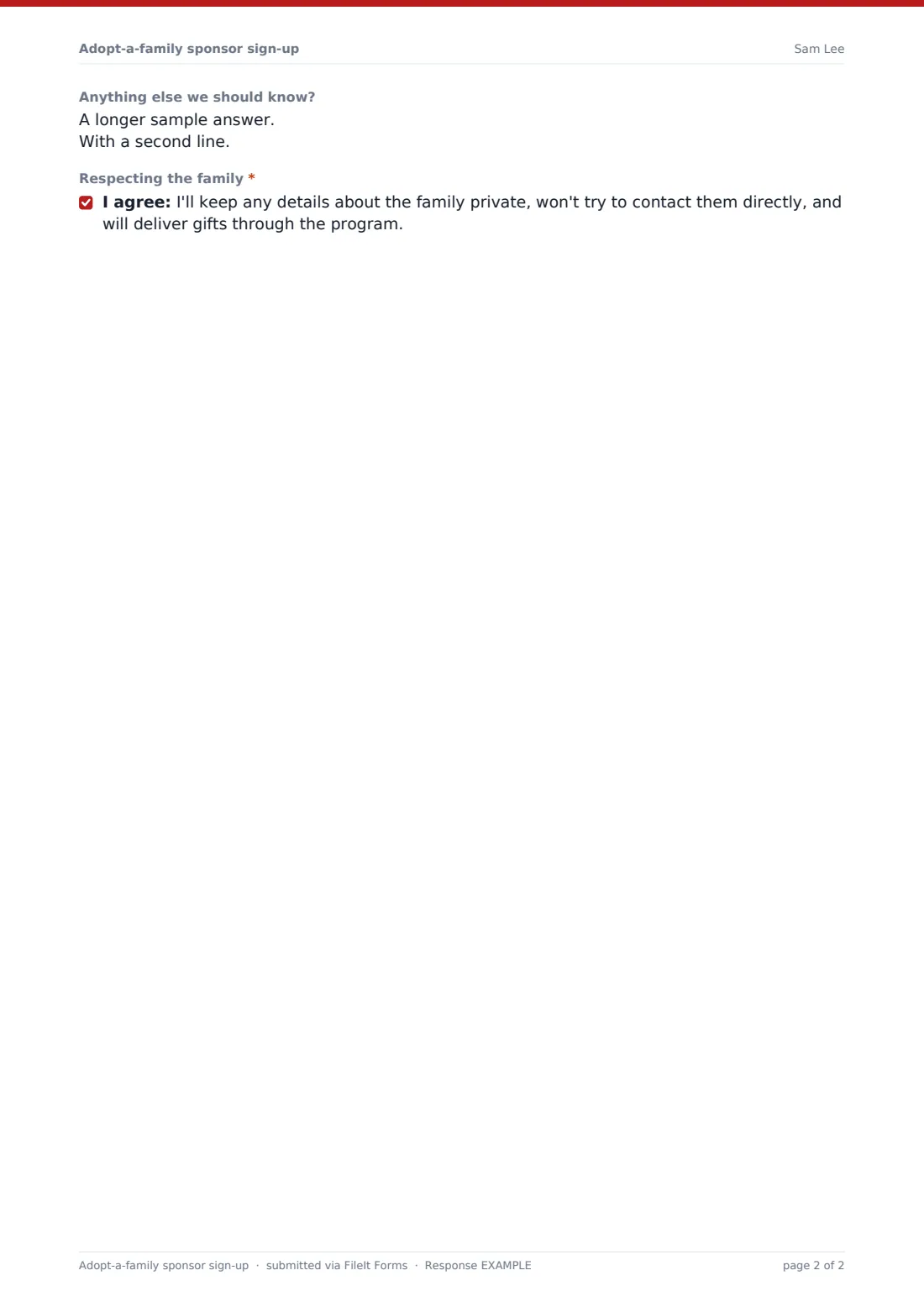
The sponsor enters "Your total budget for the family" — the help text suggests a per-person guide you can edit — and ticks "What will you provide?": wrapped gifts from wish lists, warm clothing, a holiday meal or grocery card, household essentials or gift cards for parents. They choose a drop-off date and whether they'll bring the gifts or need them collected, which asks for an address. A yes/no confirms the gifts will be wrapped and labelled, and an optional question asks how they heard about the program. Finally the sponsor agrees to "Respecting the family": details stay private, and gifts go through the program, not direct contact.
Make the template yours
- Put your gift deadline and drop-off address in the cover text
- Edit the budget guide in the help text, or remove it
- Change the currency on the budget question
- Rename the program to match yours, such as Angel Tree or Holiday Giving
- Set a close date so sign-ups stop once you have enough sponsors
- Add a question about delivering directly if your program allows it
Tips for a better adopt-a-family sponsor sign-up form
- Open sponsor sign-ups after family registrations, so you know roughly how many sponsors you need
- Match by budget per person, not per family, to keep things fair
- Send each sponsor a numbered family profile with first names only
- Remind sponsors of the drop-off date a week ahead
- Thank group coordinators publicly — it helps you recruit next year
Every response becomes a PDF in your vault
Each sign-up is saved as a PDF in the vault folder you choose, and the form owner is emailed. Sponsors receive a copy with their drop-off date, which helps them plan.
Use the Responses table to sort sponsors by family size and budget, and export to CSV to build your matching sheet alongside your list of registered families.
- Start from this template. It opens in the FileIt Forms designer — change any question, add pages, set the rules for when questions appear.
- Share it. Turn on a public link, or send it to people by email, each with their own link. They don’t need a FileIt account.
- Get the answers as PDFs. Each response is saved as a PDF in the vault folder you choose, with uploaded files attached — and listed in a Responses table you can export to CSV.
Adopt-a-family sponsor sign-up form: frequently asked questions
Is this adopt-a-family sponsor form free?
Yes. It's one of the starter templates in FileIt's Forms app, included on every account, even the free plan.
Does the form match sponsors to families automatically?
No. It collects each sponsor's offer. Your coordinator makes the matches, usually from the CSV export.
Can a whole office sign up as one sponsor?
Yes. Choose the group sponsor option and the form asks for the organisation and one coordinator.
Does it take payment?
No. Sponsors buy and deliver the gifts themselves. The budget question just helps you match them fairly.
Is there a matching family registration form?
Yes. The holiday assistance registration template collects household details and each child's sizes and wish list.
Why is there a privacy agreement?
It reminds sponsors that families' details are confidential and that gifts go through your program, which protects everyone's dignity.