What is a team building activity waiver?
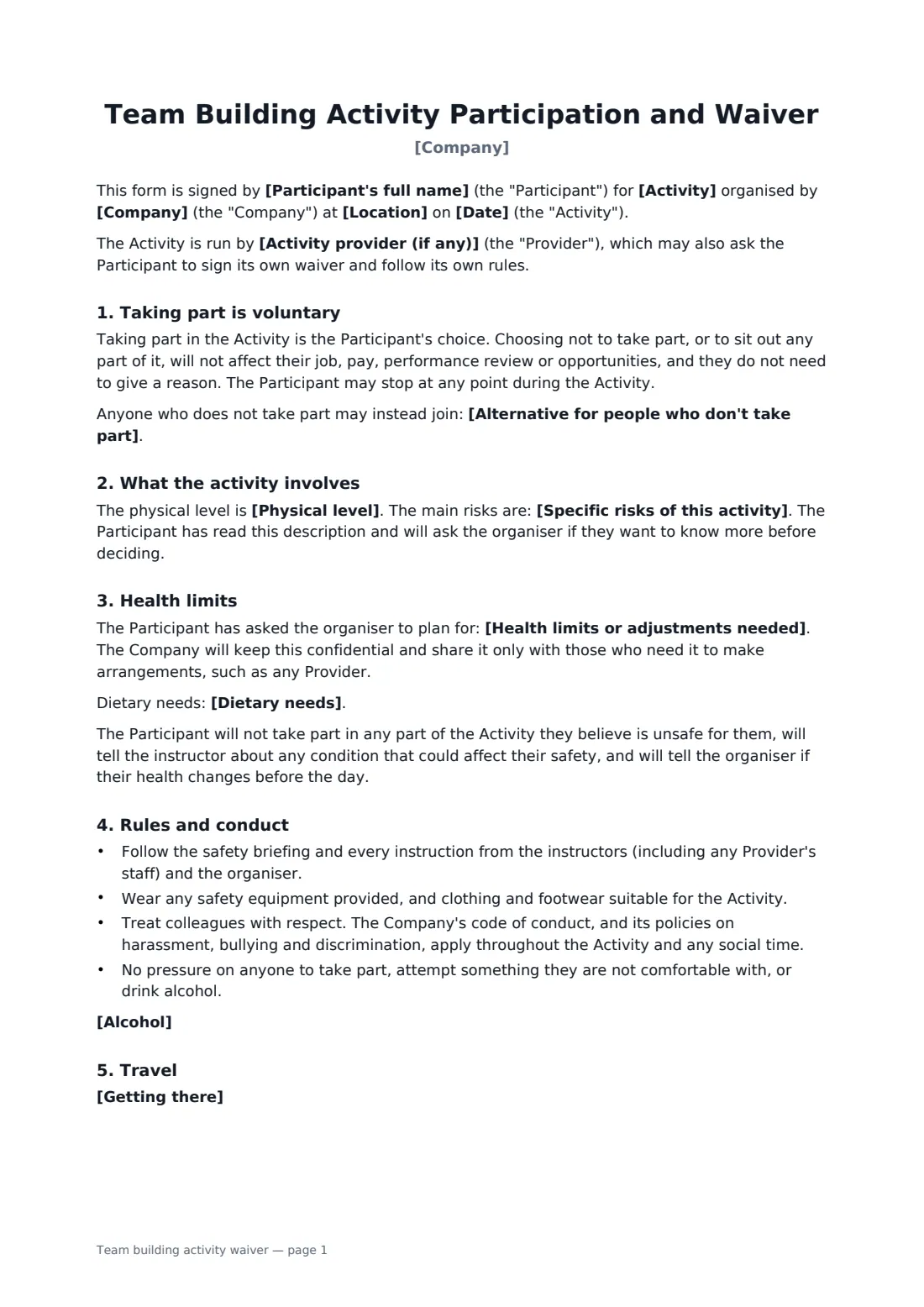
Team-building days range from escape rooms to high-ropes courses and rafting. Employees need to know what they're signing up for and that saying no won't count against them. Organisers need to know who can't do heights, who has a severe allergy and who to call in an emergency, without asking for medical records.
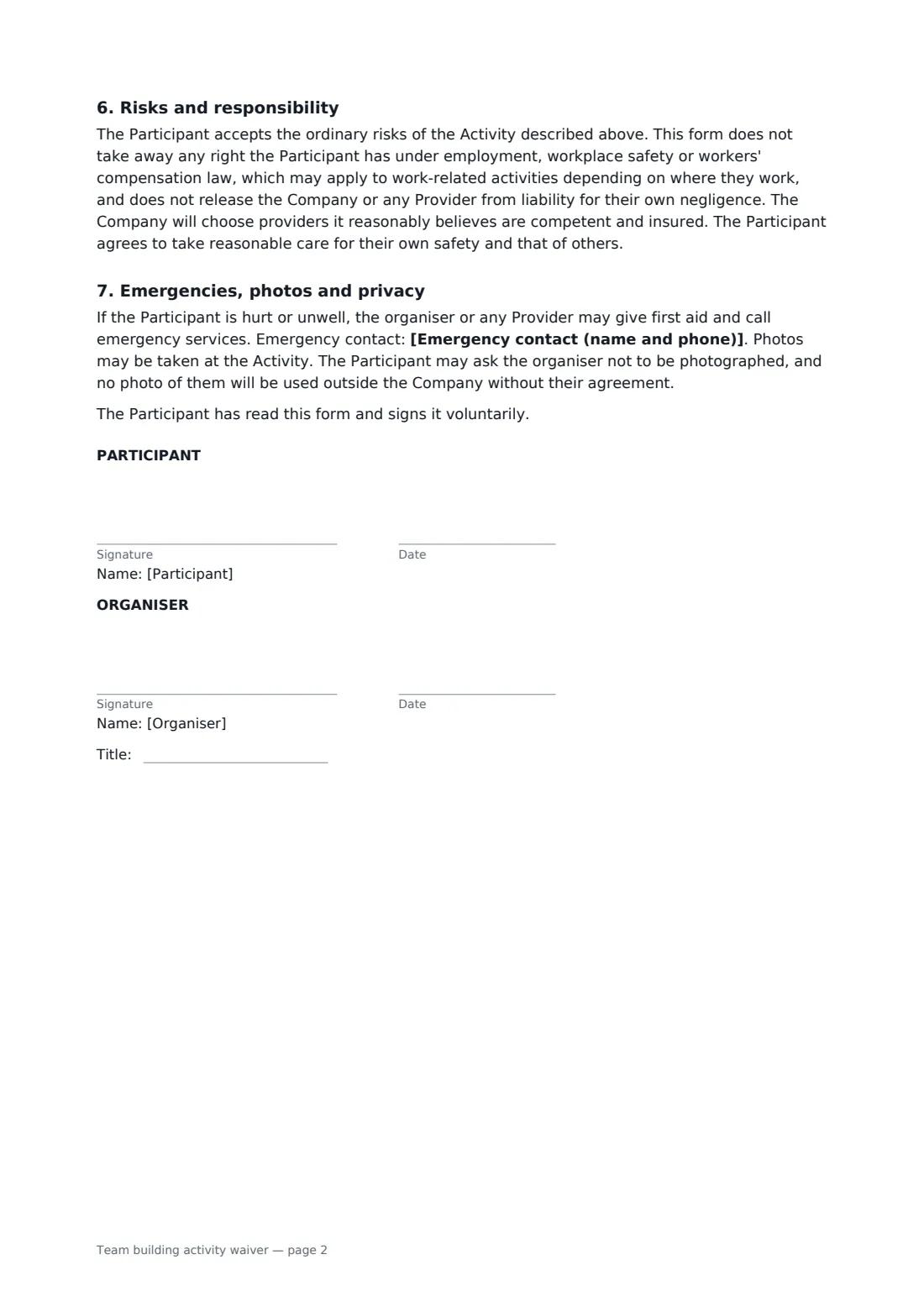
This template describes the activity, the provider, the date and place, the physical level and its main risks in your own words. It states clearly that taking part is voluntary and that sitting out has no effect on anyone's job or review, with an optional alternative for those who don't join. It collects only the health limits and dietary needs the organiser needs. It applies your code of conduct and harassment policies to the whole day, sets an alcohol rule and covers transport. It doesn't ask employees to give up rights under employment or workers' compensation law, or release anyone from their own negligence.
- Best for
- HR teams, office managers and event organisers
- Signed by
- Each participant and the organiser
- Voluntary
- Sitting out has no effect on job, pay or review
- Length
- 2 pages
When to use a team building activity waiver
- Outdoor adventure days such as ropes courses or kayaking
- Away days and offsite retreats
- Sports days and charity runs
- Cooking classes, escape rooms and other group activities
- Holiday parties with an activity element
What you fill in
14 blanks, then the name and email of each person who signs: participant, organiser.
1 The activity
- Company*
- Activity*
- Activity provider (if any)
- Date*
- Location*
- Physical level* light: mostly seated or standing, with little physical effort · moderate: some walking, lifting or climbing, with options to sit out parts · demanding: sustained physical effort, heights or water
- Specific risks of this activity*
- Alternative for people who don't take part
- Alcohol* No alcohol before or during the activity. Any drinks afterwards are optional, and the company's code of conduct still applies. · No alcohol will be served at this event.
- Getting there* The company provides transport. · Participants make their own way there. · Participants make their own way there and may claim travel costs under the company's expenses policy.
2 The participant
- Participant's full name*
- Health limits or adjustments needed
- Emergency contact (name and phone)*
- Dietary needs
3 Who signs
- Participant signature and date · The employee, contractor or guest taking part.
- Organiser signature and date, job title · The person organising the activity for the company, usually HR, a manager or an events lead.
What the team building activity waiver covers
- Taking part is voluntary
- What the activity involves
- Health limits
- Rules and conduct
- Travel
- Risks and responsibility
- Emergencies, photos and privacy
Using the team building activity waiver, step by step
1 Describe the activity
Your company name fills in. Add the activity, provider, date, location, physical level and the main risks, and an alternative for anyone not taking part.
2 Set the rules
Choose the alcohol rule and how people get there.
3 Send to the team
Each person gets their own link, adds any health limits, dietary needs and an emergency contact, and signs.
4 Plan and keep
You countersign, share the needed adjustments with the provider, and keep the forms in your FileIt vault.
Tips before you send it
- Choose activities that most people can join, and offer a real alternative for those who can't.
- Ask the provider for its risk assessment and insurance before booking.
- Keep health information on a need-to-know basis and delete it after the event.
- Check how your local employment and workers' compensation law treats injuries at work events.
Sign it online in minutes
- Fill in the blanks. Names, dates and amounts go straight into the agreement — the preview shows exactly where.
- Name who signs. Tick “This is me” for your own part. FileIt builds the PDF with every signature, date box on the right line, and you can check or move anything before sending.
- Send it. Each signer gets a secure link and signs from any device — no account needed. The signed PDF, with an audit trail and a Certificate of Completion, is filed in your vault and emailed to everyone.
Team building activity waiver: frequently asked questions
Can an employee refuse to take part?
Yes. The form says taking part is voluntary and refusing won't affect their job, pay, review or opportunities.
Does the employee give up workers' compensation rights?
No. The form says it doesn't take away rights under employment, workplace safety or workers' compensation law.
What if an outside provider runs the activity?
Name them. The form notes they may also ask participants to sign their own waiver.
Do employees have to share medical details?
No. They're asked only for limits or adjustments the organiser needs to plan for.