What is a smoke-free workplace policy acknowledgement?
Smoking rules cause more friction than they should: vapers unsure whether the rules apply to them, smokers crowding the front door, or a company van that smells of cigarettes when a client climbs in. Writing the rules down once, and having each employee sign that they've read them, removes the guesswork.
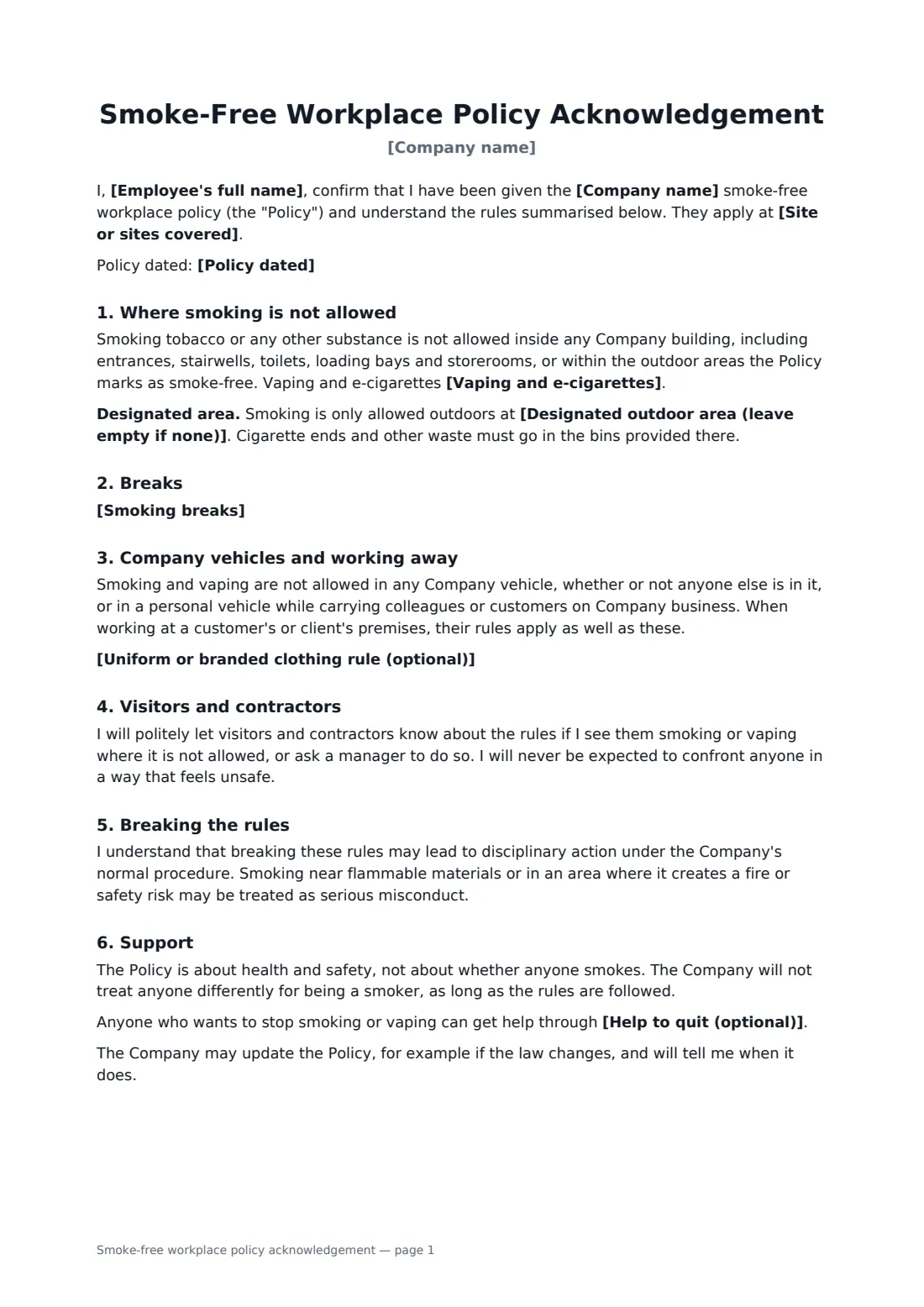
This acknowledgement names the sites covered and whether vaping is treated the same as smoking. Add a designated outdoor area, or leave it empty and the text says the whole site is smoke-free and asks people not to gather at entrances or neighbours' doors. It covers breaks, company and personal vehicles used for work, customer premises, an optional uniform rule, telling visitors politely, breaches, and help to quit if you offer it.
- Best for
- Offices, warehouses, shops, sites and fleets
- Signed by
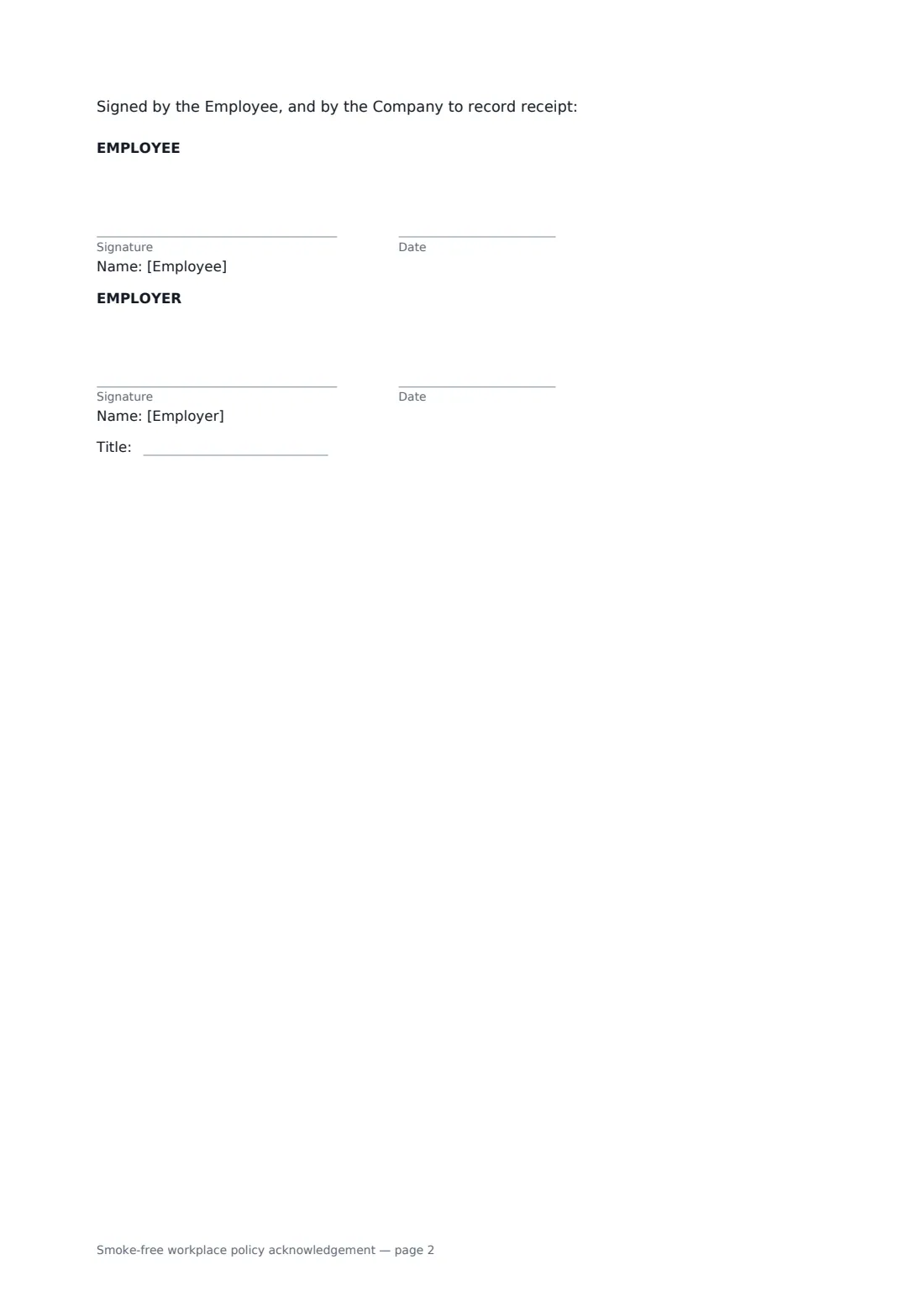
- The employee, then the employer with job title
- Options
- Designated area or fully smoke-free, vaping rule, break rule
- Length
- About 2 pages
When to use a smoke-free workplace policy acknowledgement
- Introducing a fully smoke-free site, including the car park
- Bringing vaping under the same rules as smoking
- Onboarding drivers who use company vehicles
- Tackling complaints about smoke at the main entrance
- Moving or removing a designated smoking shelter
What you fill in
9 blanks, then the name and email of each person who signs: employee, employer.
1 Details
- Company name*
- Employee's full name*
- Site or sites covered*
- Policy dated
2 The rules
- Vaping and e-cigarettes* are treated the same as smoking · are allowed only in the designated area, like smoking
- Designated outdoor area (leave empty if none)
- Smoking breaks* Smoking or vaping is only allowed during normal rest and meal breaks. There are no extra smoking breaks. · Short smoking breaks are allowed with a manager's agreement, and the time is made up or recorded as the Policy sets out.
- Uniform or branded clothing rule (optional)
3 Support
- Help to quit (optional)
4 Who signs
- Employee signature and date
- Employer signature and date, job title · The manager or HR person recording the acknowledgement.
What the smoke-free workplace policy acknowledgement covers
- Where smoking is not allowed
- Breaks
- Company vehicles and working away
- Visitors and contractors
- Breaking the rules
- Support
Using the smoke-free workplace policy acknowledgement, step by step
1 Name the employee and the site
Enter the employee's name and the sites covered, plus the policy date if you have one.
2 Set the rules
Choose how vaping is treated, add a designated outdoor area or leave it empty for a fully smoke-free site, and pick the break rule.
3 Add the extras
Add a rule about smoking in uniform if you want one, and the stop-smoking support you offer.
4 Send for signature
The employee signs to acknowledge the policy and you sign to record receipt. The signed copy is kept in your vault.
Tips before you send it
- Check the local smoke-free laws first — many already ban smoking in enclosed workplaces and work vehicles, whatever your policy says.
- Put the designated area well away from doors, windows and air intakes.
- Treat everyone's breaks the same so non-smokers don't feel short-changed.
- Offering help to quit tends to get more goodwill than enforcement alone.
Sign it online in minutes
- Fill in the blanks. Names, dates and amounts go straight into the agreement — the preview shows exactly where.
- Name who signs. Tick “This is me” for your own part. FileIt builds the PDF with every signature, date box on the right line, and you can check or move anything before sending.
- Send it. Each signer gets a secure link and signs from any device — no account needed. The signed PDF, with an audit trail and a Certificate of Completion, is filed in your vault and emailed to everyone.
Smoke-free workplace policy acknowledgement: frequently asked questions
Does the policy cover vaping?
You choose: vaping can be treated exactly like smoking, or allowed only in the designated area along with smoking.
What if we don't have a smoking area?
Leave the designated area empty. The text then says the whole site, including car parks and grounds, is smoke-free and that anyone who smokes must leave the site during a break.
Are smokers allowed extra breaks?
By default, no — smoking is only allowed during normal breaks. You can choose a second option that allows short breaks with a manager's agreement and time made up or recorded.
Does this single out smokers?
No. The form says the policy is about health and safety and that no one is treated differently for being a smoker, as long as the rules are followed.