What is a retreat booking agreement?
A retreat booking agreement gives participants a clear picture of what they're paying for and what happens if plans change, and gives the organiser the health information and conduct terms needed to run a safe, enjoyable retreat.
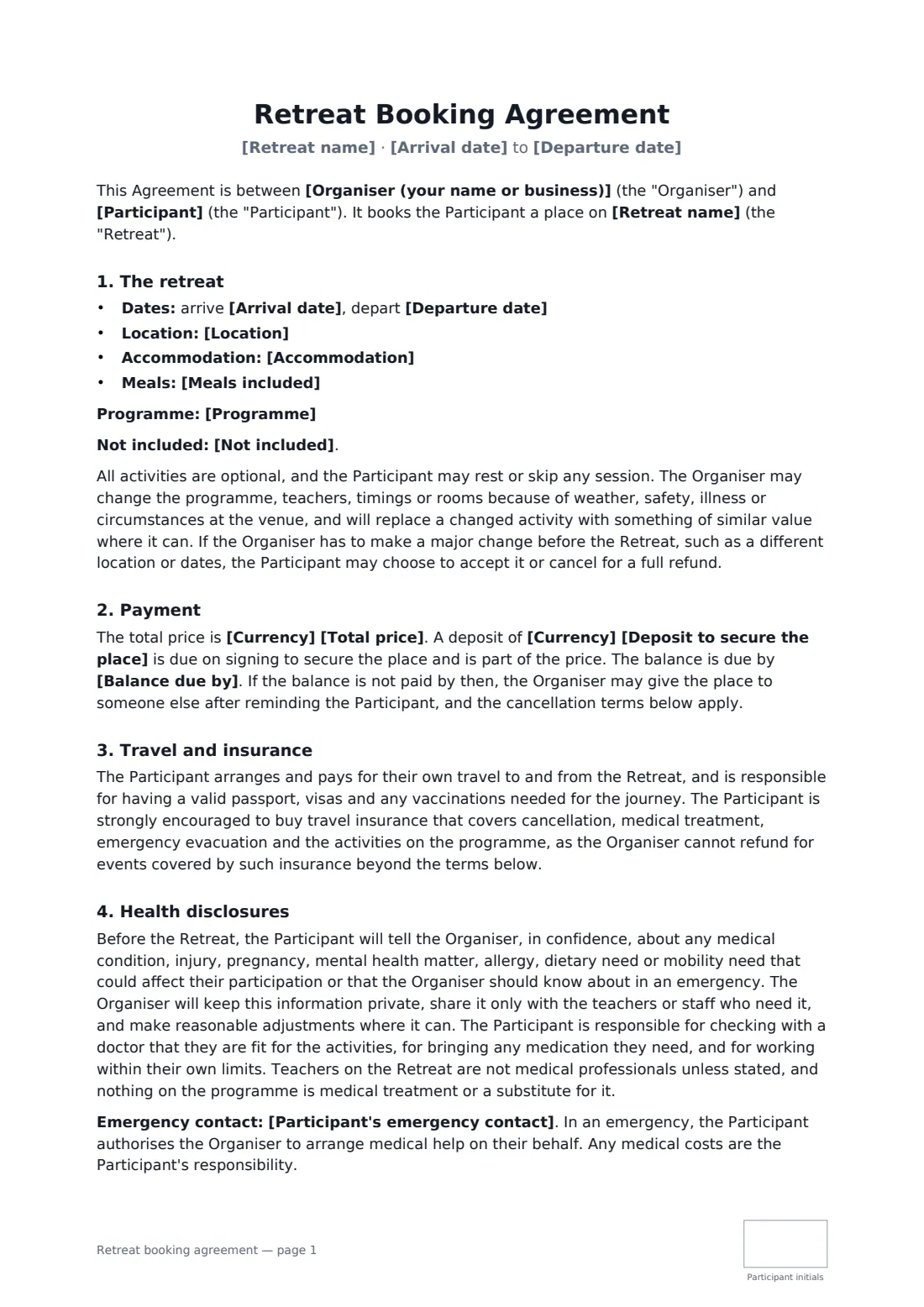
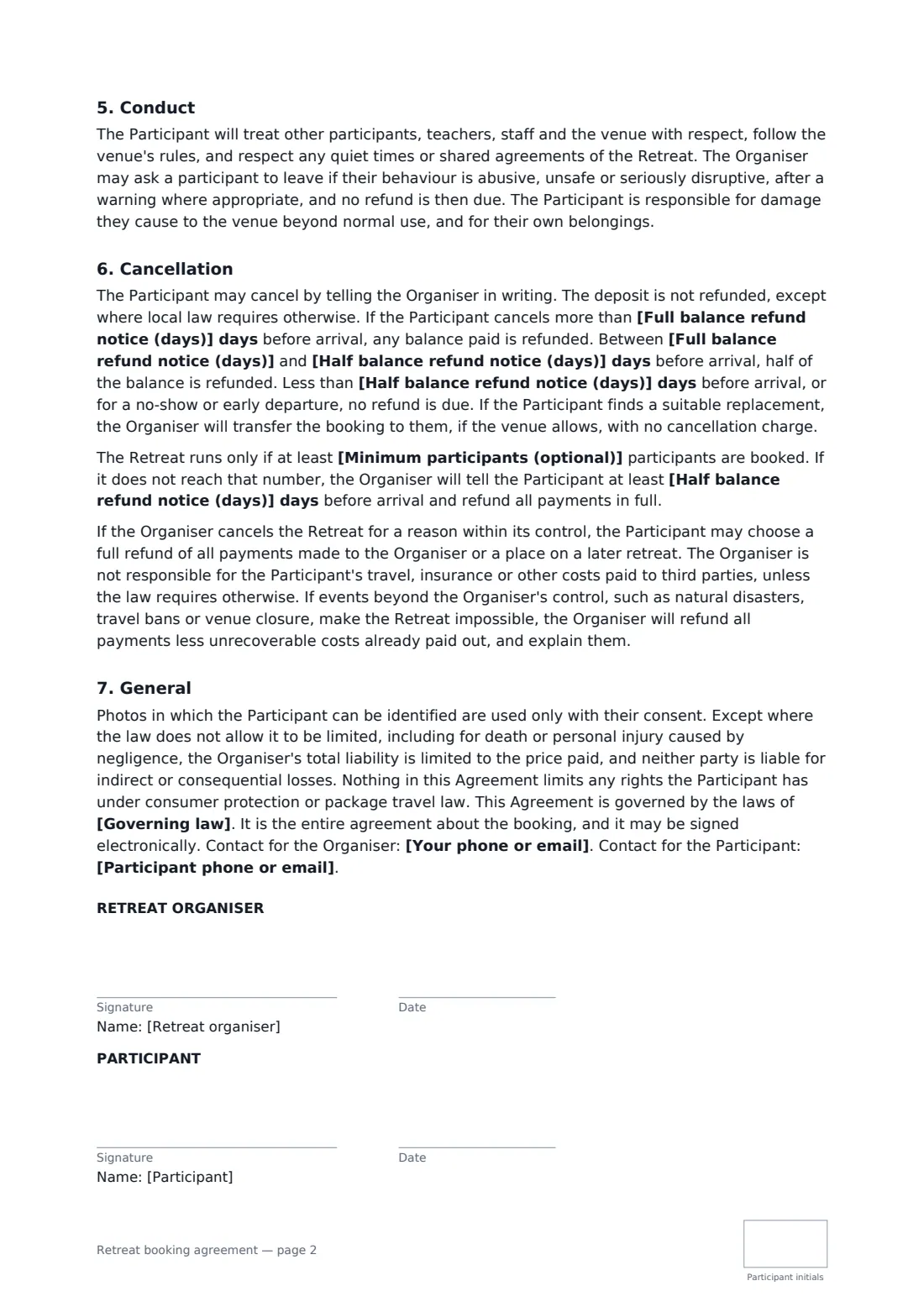
This template covers the dates and location, accommodation, meals, programme and what isn't included, programme changes and the right to cancel after a major change, deposit and balance date, travel documents and travel insurance, confidential health disclosures, an emergency contact, conduct and removal, tiered cancellation refunds, transferring a place to a replacement, an optional minimum number for the retreat to run, cancellation by the organiser, events beyond anyone's control, and photos only with consent. FileIt places the signature and date boxes for both parties, with initials for the participant.
- Best for
- Yoga teachers, wellness coaches and retreat and event organisers
- Signed by
- The retreat organiser and the participant
- Cancellation
- Two tiers you set: full balance refund, then half, then none
- Length
- About 2 pages
When to use a retreat booking agreement
- A week-long yoga retreat in a rented villa
- A weekend wellness or meditation retreat
- A writing or creative retreat with workshops
- A business leadership retreat for founders
- A walking or hiking retreat with guided days
What you fill in
21 blanks, then the name and email of each person who signs: retreat organiser, participant.
1 The parties
- Organiser (your name or business)*
- Your phone or email*
- Participant*
- Participant phone or email*
- Participant's emergency contact*
2 The retreat
- Retreat name*
- Arrival date*
- Departure date*
- Location*
- Programme*
3 Accommodation and meals
- Accommodation*
- Meals included*
- Not included*
4 Payment
- Currency*
- Total price*
- Deposit to secure the place*
- Balance due by*
5 Cancellation
- Full balance refund notice (days)*
- Half balance refund notice (days)*
- Minimum participants (optional)
- Governing law*
6 Who signs
- Retreat organiser signature and date, initials on every page · The person or business running the retreat.
- Participant signature and date, initials on every page · The person booking a place on the retreat.
What the retreat booking agreement covers
- The retreat
- Payment
- Travel and insurance
- Health disclosures
- Conduct
- Cancellation
- General
Using the retreat booking agreement, step by step
1 Enter the participant
Add the participant's details and an emergency contact.
2 Describe the retreat
Enter the retreat name, arrival and departure dates, location, programme, accommodation, meals and what isn't included.
3 Payments and cancellation
Enter the price, deposit and balance date, then the two notice periods for a full and a half refund of the balance, and any minimum number of participants.
4 Send for signature
Add the participant as a signer. They sign, date and initial each page.
Tips before you send it
- Package travel or consumer law may apply if you bundle accommodation, transport and activities. Check the rules where you sell.
- Strongly encourage travel insurance covering cancellation, medical care and the activities on your programme.
- Keep health disclosures private and share them only with the teachers or staff who need them.
- If you set a minimum number, tell participants by the half-refund deadline if it isn't reached — the template does.
Sign it online in minutes
- Fill in the blanks. Names, dates and amounts go straight into the agreement — the preview shows exactly where.
- Name who signs. Tick “This is me” for your own part. FileIt builds the PDF with every signature, date and initials box on the right line, and you can check or move anything before sending.
- Send it. Each signer gets a secure link and signs from any device — no account needed. The signed PDF, with an audit trail and a Certificate of Completion, is filed in your vault and emailed to everyone.
Retreat booking agreement: frequently asked questions
What if the participant can't come?
They can cancel in writing. The deposit is kept unless local law requires otherwise; the balance is refunded in full or by half depending on how much notice they give. They can also transfer their place to a suitable replacement if the venue allows.
What if the organiser cancels?
For a reason within the organiser's control, the participant chooses a full refund of all payments or a place on a later retreat. If events beyond the organiser's control make it impossible, payments are refunded less unrecoverable costs, with an explanation.
Is the organiser responsible for flights?
No. The participant arranges and pays for their own travel, documents and insurance, and the organiser isn't responsible for costs paid to third parties unless the law requires otherwise.
Is it valid if signed online?
In most countries, including the US (ESIGN Act and UETA), the UK, the EU (eIDAS) and Canada, an electronic signature is generally valid for an ordinary services contract like this one. FileIt keeps an audit trail and a Certificate of Completion with the signed PDF as evidence of who signed and when.
Can I change the wording?
You fill in the blanks and choose the options on the setup page; optional clauses appear only when you fill them in. If you need different clauses, draft your own document and upload it to FileIt eSignature instead — you can still place the signature boxes in the editor.
Is this template free?
Yes. The template is free to use with the eSignature app in FileIt. The person you send it to doesn't need a FileIt account to sign.