What is a resident amenity use agreement?
Shared amenities make a building or community attractive, but they come with safety and liability questions. An amenity use agreement gives every resident the same rules and a clear understanding of the risks, and gives the manager a signed record.
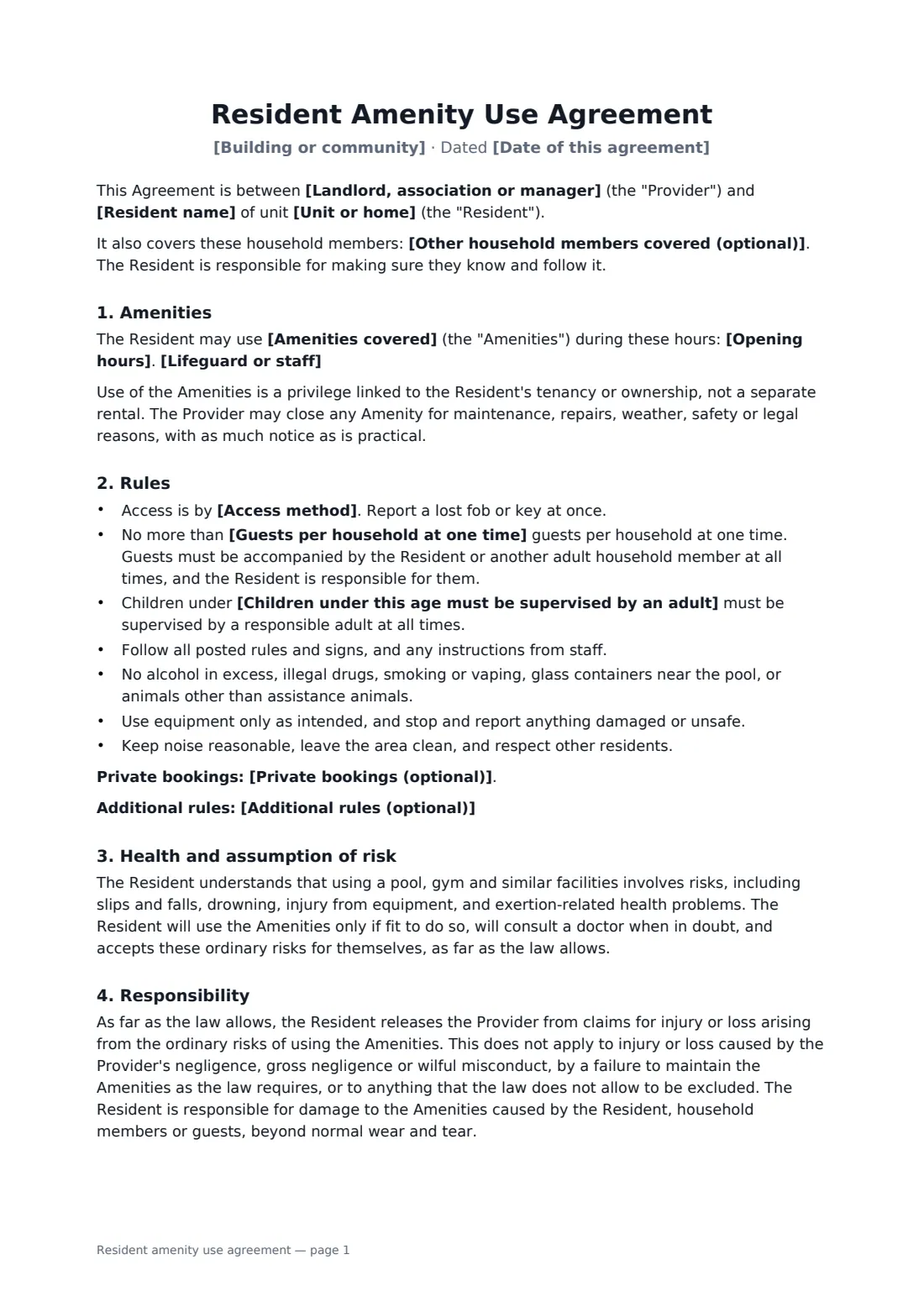
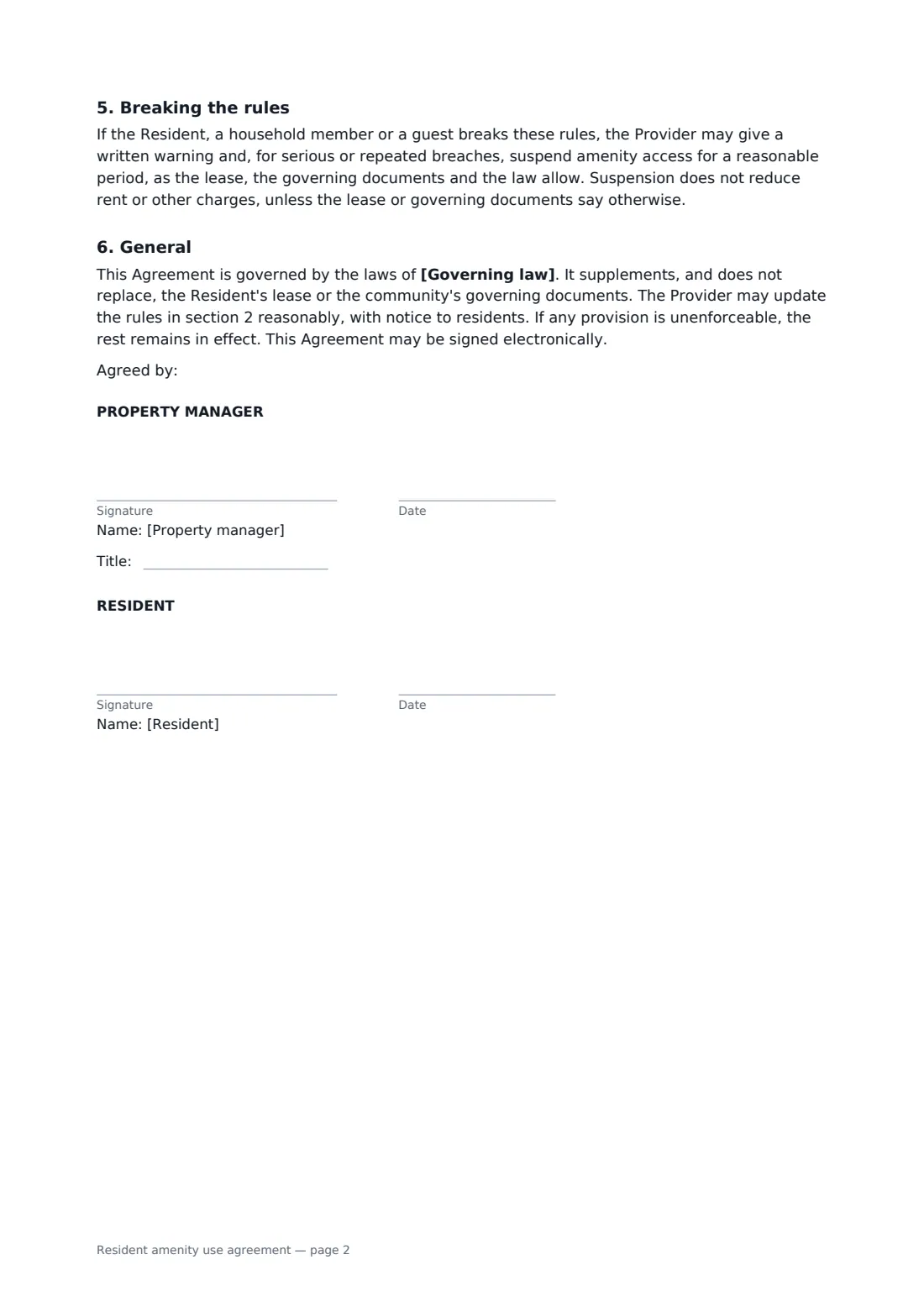
This template covers the amenities and hours, whether a lifeguard or attendant is on duty, access by fob, guest limits, child supervision, standard conduct rules, private bookings, an assumption of ordinary risks, a limited release that doesn't cover the provider's own negligence or failure to maintain, responsibility for damage, and suspension for serious or repeated breaches. Waiver rules vary, so the release applies only as far as the law allows.
- Best for
- Apartment buildings, HOAs and condo communities with shared amenities
- Signed by
- Property manager (with job title) and each adult resident
- Covers
- Pool, gym, clubhouse, roof terrace, playground — whatever you list
- Length
- 2 pages
When to use a resident amenity use agreement
- Opening the pool for the season
- Issuing gym fobs to new residents
- Setting guest limits after overcrowding
- Allowing private clubhouse bookings
- Standardising rules across several buildings
What you fill in
15 blanks, then the name and email of each person who signs: property manager, resident.
1 The community
- Date of this agreement*
- Landlord, association or manager*
- Building or community*
- Resident name*
- Unit or home*
- Other household members covered (optional)
2 Amenities
- Amenities covered*
- Opening hours*
- Lifeguard or staff* There is no lifeguard or attendant on duty. All use is at the user's own risk. · A lifeguard is on duty at the pool during posted hours only. Other amenities are unsupervised.
3 Rules
- Guests per household at one time*
- Children under this age must be supervised by an adult*
- Access method*
- Private bookings (optional)
- Additional rules (optional)
- Governing law*
4 Who signs
- Property manager signature and date, job title · The landlord, association or property manager who controls the amenities.
- Resident signature and date · The adult resident or homeowner. Each adult in the household can sign their own copy.
What the resident amenity use agreement covers
- Amenities
- Rules
- Health and assumption of risk
- Responsibility
- Breaking the rules
- General
Using the resident amenity use agreement, step by step
1 Name the community and resident
Enter the provider, community, resident, unit and any other household members covered.
2 List the amenities
List the amenities and hours, and choose whether a lifeguard or attendant is on duty.
3 Set the rules
Set the guest limit, child supervision age and access method, and add booking rules or extra rules.
4 Send to each adult
Add the governing law and send a copy to each adult resident to sign.
Tips before you send it
- Post the same rules at each amenity so the signed agreement matches what residents see.
- Check local rules on pool safety, signage and lifeguards.
- Releases are limited by law in many places — the agreement doesn't try to exclude the provider's own negligence.
- Keep each signed agreement in your vault by unit for quick reference.
Sign it online in minutes
- Fill in the blanks. Names, dates and amounts go straight into the agreement — the preview shows exactly where.
- Name who signs. Tick “This is me” for your own part. FileIt builds the PDF with every signature, date box on the right line, and you can check or move anything before sending.
- Send it. Each signer gets a secure link and signs from any device — no account needed. The signed PDF, with an audit trail and a Certificate of Completion, is filed in your vault and emailed to everyone.
Resident amenity use agreement: frequently asked questions
Does this release the landlord from all liability?
No. The resident accepts the ordinary risks of using the amenities, as far as the law allows. The release doesn't cover the provider's negligence, gross negligence, wilful misconduct, failure to maintain as the law requires, or anything the law doesn't allow to be excluded.
Can access be suspended?
For serious or repeated breaches, after a written warning, for a reasonable period and as the lease, governing documents and law allow.
Should each adult sign?
Yes, ideally each adult in the household signs their own copy; household members can also be listed on the resident's agreement.
Is an e-signed amenity agreement valid?
Electronic signatures are generally accepted for ordinary agreements like a amenity agreement in the US (ESIGN Act and UETA), the UK, the EU (eIDAS) and Canada, though local rules can add requirements. FileIt keeps an audit trail and a Certificate of Completion with the signed PDF.