What is a hOA architectural change request?
Most homeowners and condominium associations require approval before exterior changes — fences, decks, paint colours, extensions, solar panels, landscaping. A clear request form with a signed decision protects both sides: the homeowner knows exactly what's approved, and the association has a record if questions come up later.
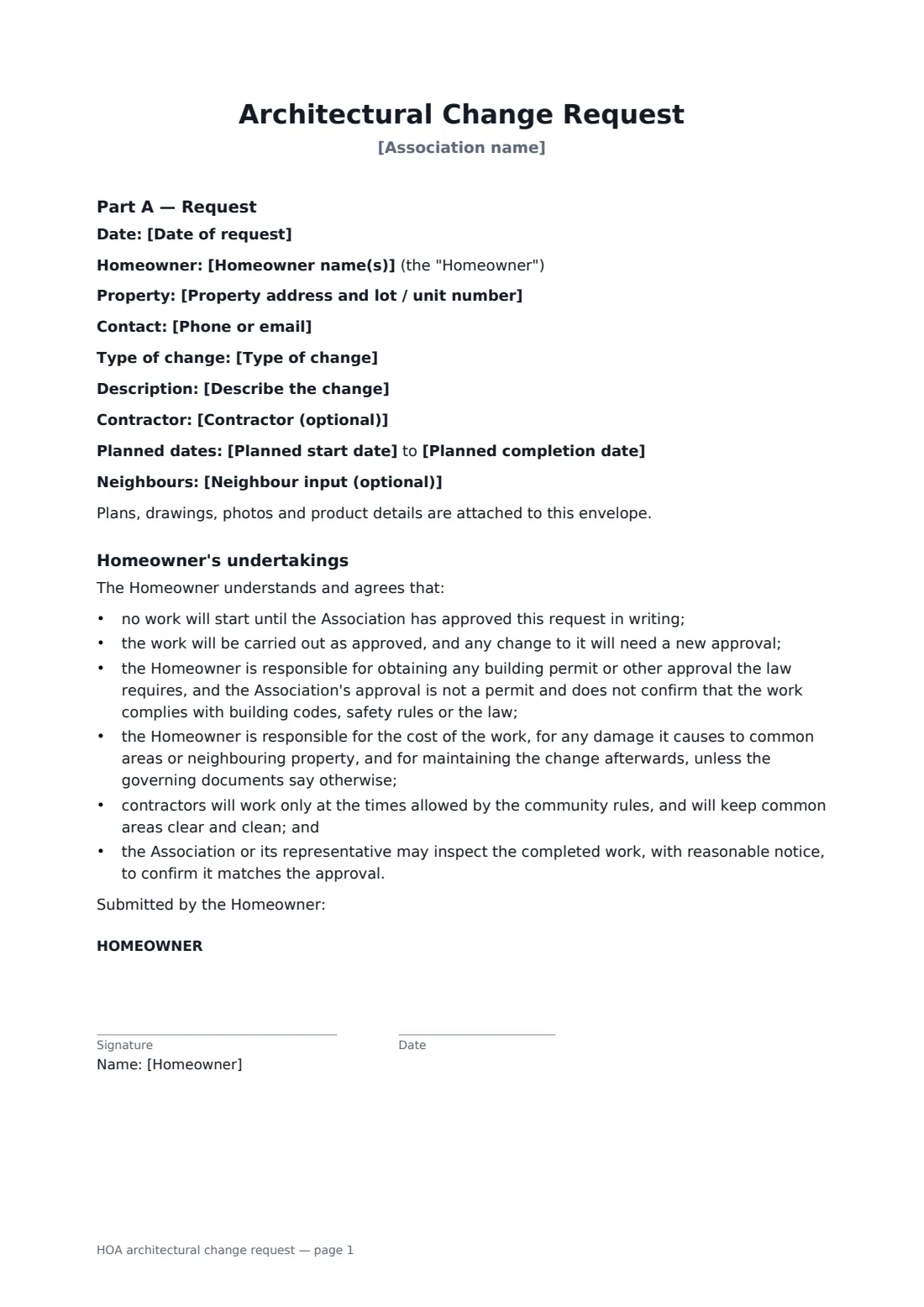
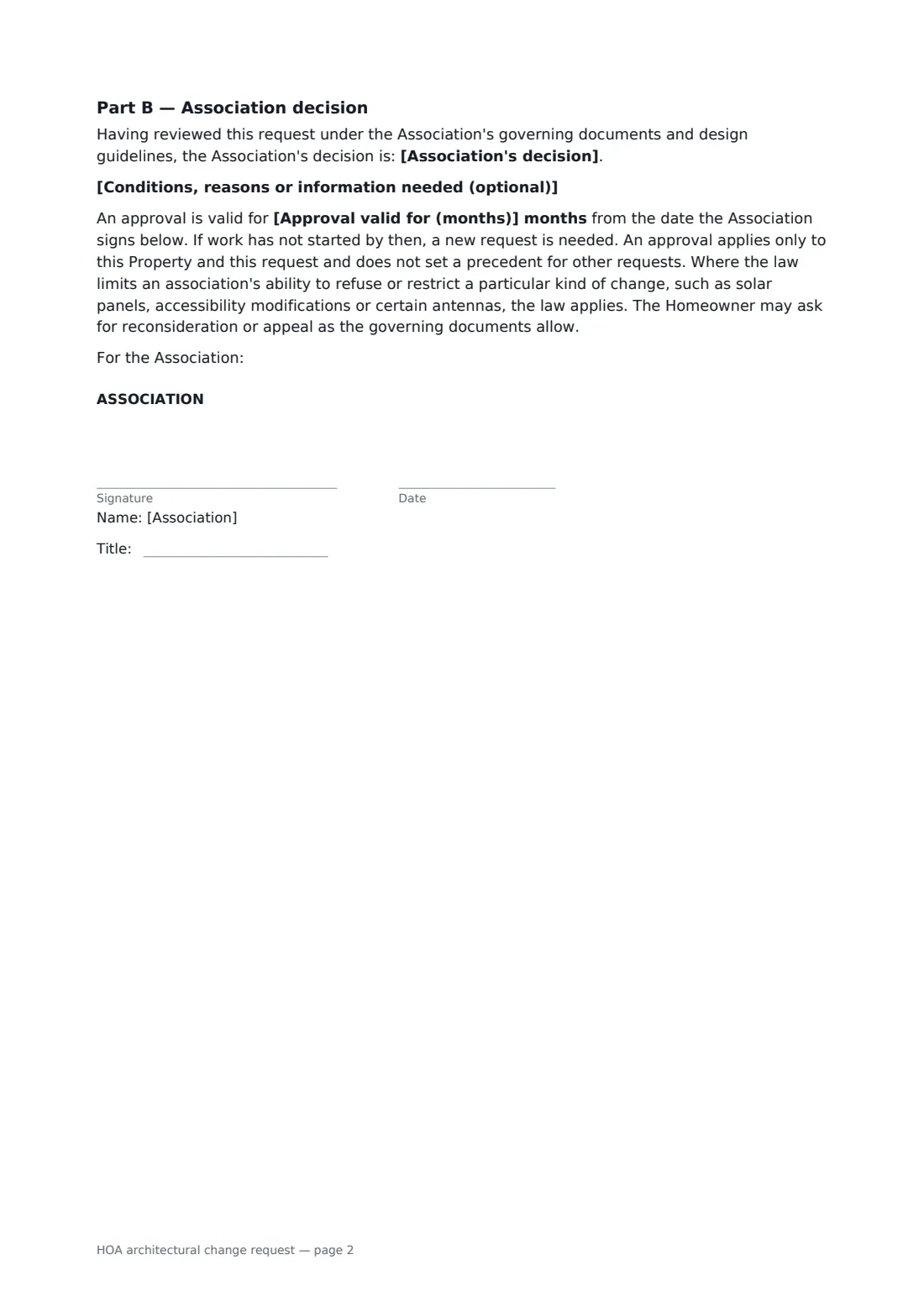
This form has two parts. Part A sets out the property, the type of change, a description, contractor and planned dates, and neighbour input, with homeowner undertakings: no work before approval, building permits are the homeowner's job, costs and damage, contractor hours and inspection. Part B records the association's decision — approved, approved with conditions, not approved or more information needed — with notes, how long approval lasts, and a note that the law can limit restrictions on some changes such as solar or accessibility.
- Best for
- Homeowners associations, condo boards and architectural committees
- Signed by
- Homeowner (request) and association representative with job title (decision)
- Decisions
- Approved, approved with conditions, not approved, more information needed
- Length
- 2 pages
When to use a hOA architectural change request
- Approving a new fence or deck
- A change of exterior paint colour
- Solar panel installations
- Landscaping or driveway changes
- Recording conditions on an approved extension
What you fill in
14 blanks, then the name and email of each person who signs: homeowner, association.
1 The request
- Date of request*
- Association name*
- Homeowner name(s)*
- Property address and lot / unit number*
- Phone or email*
2 The change
- Type of change* Fence or wall · Deck, patio or porch · Extension or outbuilding · Exterior paint or colour change · Roof, windows or doors · Solar panels · Landscaping or hardscaping · Pool or spa
- Describe the change*
- Contractor (optional)
- Planned start date*
- Planned completion date*
- Neighbour input (optional)
3 Decision (association)
- Association's decision* APPROVED as submitted · APPROVED subject to the conditions below · NOT APPROVED, for the reasons below · MORE INFORMATION NEEDED, as set out below
- Conditions, reasons or information needed (optional)
- Approval valid for (months)*
4 Who signs
- Homeowner signature and date · The owner making the request. If owned jointly, each owner can sign their own copy.
- Association signature and date, job title · The board member, committee chair or community manager authorised to sign the decision. The association usually prepares this form from the homeowner's plans, records its decision and sends it to the homeowner to sign.
What the hOA architectural change request covers
- Part A — Request
- Homeowner's undertakings
- Part B — Association decision
Using the hOA architectural change request, step by step
1 Enter the request
From the homeowner's application, enter the association, homeowner, property and contact, the type of change, a description and the planned dates.
2 Attach the plans
Add the drawings, product sheets, colour samples and photos to the same envelope.
3 Record the decision
Choose the decision, add any conditions or reasons and set how long the approval is valid.
4 Send for signatures
Send it to the homeowner to sign the request and undertakings; the association's representative signs the decision.
Tips before you send it
- Check your governing documents for the review timetable and how long approvals last.
- Be specific in conditions — colours, heights, materials — so the finished work can be checked against them.
- Approval isn't a building permit; the form says so and the homeowner remains responsible for permits.
- Keep every signed request in your vault by property address for future buyers' questions.
Sign it online in minutes
- Fill in the blanks. Names, dates and amounts go straight into the agreement — the preview shows exactly where.
- Name who signs. Tick “This is me” for your own part. FileIt builds the PDF with every signature, date box on the right line, and you can check or move anything before sending.
- Send it. Each signer gets a secure link and signs from any device — no account needed. The signed PDF, with an audit trail and a Certificate of Completion, is filed in your vault and emailed to everyone.
HOA architectural change request: frequently asked questions
Does association approval replace a building permit?
No. The homeowner undertakes to get any permit the law requires, and approval doesn't confirm the work meets building codes or the law.
Can the association refuse solar panels?
It depends on local law, which in some places limits an association's ability to refuse or restrict solar panels, accessibility changes or certain antennas. The form says the law applies where it does.
Does one approval set a precedent?
No. Approval applies only to that property and request.
Is an e-signed HOA approval form valid?
Electronic signatures are generally accepted for ordinary agreements like a HOA approval form in the US (ESIGN Act and UETA), the UK, the EU (eIDAS) and Canada, though local rules can add requirements. FileIt keeps an audit trail and a Certificate of Completion with the signed PDF.