What is a proof of delivery form?
A proof of delivery (POD) form is the signed record that goods arrived, when, and in what condition. Noting shortages or damage at the door is often what makes a later claim possible.
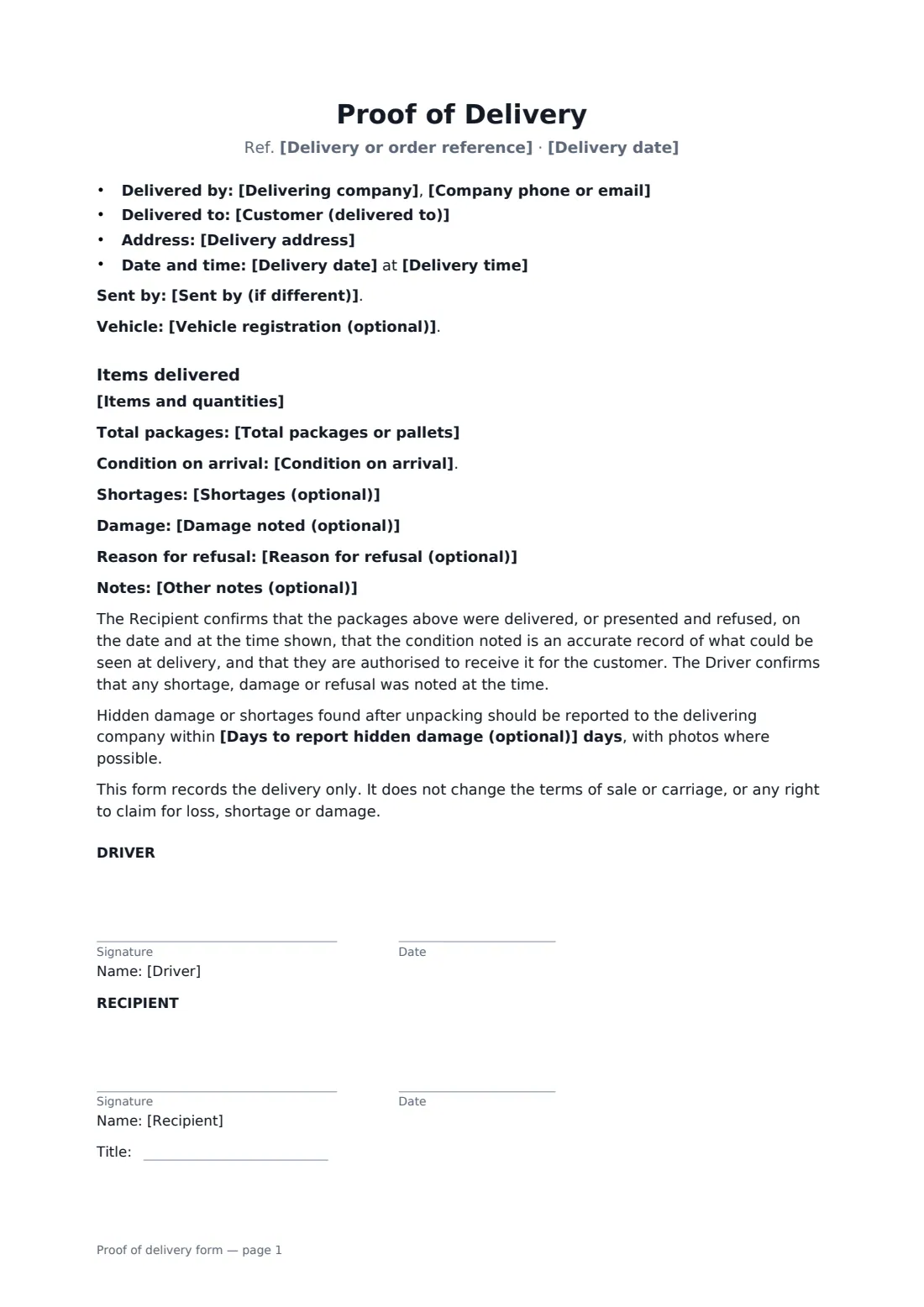
This one-page form covers the delivering company and contact, the order or delivery reference, the shipper, customer and address, delivery date and time, vehicle, items and quantities, total packages, the condition on arrival (complete and good, with exceptions, unchecked subject to inspection, or refused), shortages, damage, the reason for a refusal, notes, an optional period for reporting hidden damage, and a statement that the form doesn't change the terms of sale or carriage. FileIt places the signature and date boxes for the driver and recipient, with a job-title box for the recipient.
- Best for
- Couriers, delivery drivers, wholesalers and businesses delivering their own goods
- Signed by
- The driver and the recipient
- Condition
- Good, with exceptions, unchecked, or refused
- Length
- 1 page
When to use a proof of delivery form
- A wholesaler delivering pallets to a shop
- A furniture or appliance delivery to a home
- A courier delivering to an office reception
- A delivery accepted unchecked, subject to inspection
- Recording a refused or damaged delivery
What you fill in
17 blanks, then the name and email of each person who signs: driver, recipient.
1 The delivery
- Delivering company*
- Company phone or email*
- Delivery or order reference*
- Sent by (if different)
- Customer (delivered to)*
- Delivery address*
- Delivery date*
- Delivery time*
- Vehicle registration (optional)
2 Items
- Items and quantities*
- Total packages or pallets*
3 Condition
- Condition on arrival* All items received complete and in good condition · Received with the exceptions noted below · Received unchecked, subject to inspection · Delivery refused
- Shortages (optional)
- Damage noted (optional)
- Reason for refusal (optional)
- Days to report hidden damage (optional)
- Other notes (optional)
4 Who signs
- Driver signature and date · The driver or courier making the delivery, for the delivery business.
- Recipient signature and date, job title · The person receiving the goods, for the customer.
What the proof of delivery form covers
- Items delivered
Using the proof of delivery form, step by step
1 Enter the delivery
Add the delivering company, a reference, the customer and address, the date and time and, optionally, the shipper and vehicle.
2 List the items
Enter the items and quantities and the total number of packages or pallets.
3 Record the condition
Choose the condition on arrival and note any shortages, damage, refusal reason or other notes, and any period for reporting hidden damage.
4 Send for signature
Add the driver and the recipient as signers and send. Each receives a link to sign, and both get the signed copy.
Tips before you send it
- Note damage to the outer packaging before signing, and take photos.
- If the recipient can't check the goods, choose "Received unchecked, subject to inspection" — the form then says the signature confirms the number of packages only.
- Use the same delivery reference as your invoice or delivery note so the records match.
- Only set a hidden-damage reporting period if your terms of sale or carriage give one.
Sign it online in minutes
- Fill in the blanks. Names, dates and amounts go straight into the agreement — the preview shows exactly where.
- Name who signs. Tick “This is me” for your own part. FileIt builds the PDF with every signature, date box on the right line, and you can check or move anything before sending.
- Send it. Each signer gets a secure link and signs from any device — no account needed. The signed PDF, with an audit trail and a Certificate of Completion, is filed in your vault and emailed to everyone.
Proof of delivery form: frequently asked questions
Does signing the form waive the right to claim?
No. The form records the delivery only and does not change the terms of sale or carriage, or any right to claim for loss, shortage or damage.
What if the recipient refuses the delivery?
Choose "Delivery refused" as the condition and enter the reason. The form then records that the goods were presented and refused and taken back by the driver, and both the driver and the recipient sign to confirm what happened.
Should I use one form per delivery?
Yes. Each form records one delivery to one address, with its own reference, date and time, so it can be matched to the invoice or delivery note.
Is it valid if signed online?
In most countries, including the US (ESIGN Act and UETA), the UK, the EU (eIDAS) and Canada, an electronic signature is generally accepted for a delivery receipt like this one. FileIt keeps an audit trail and a Certificate of Completion with the signed PDF as evidence of who signed and when.
Can I change the wording?
You fill in the blanks and choose the options on the setup page; optional clauses appear only when you fill them in. If you need different clauses, draft your own document and upload it to FileIt eSignature instead — you can still place the signature boxes in the editor.
Is this template free?
Yes. The template is free to use with the eSignature app in FileIt. The person you send it to doesn't need a FileIt account to sign.