What is a general bill of sale?
A bill of sale is the simplest proof that you sold something, or bought it. When a second-hand laptop turns out to have a problem, when a bike you sold is later reported missing, or when you need to show an insurer what you paid, a one-page document signed by both sides settles the question in a way a chat message can't.
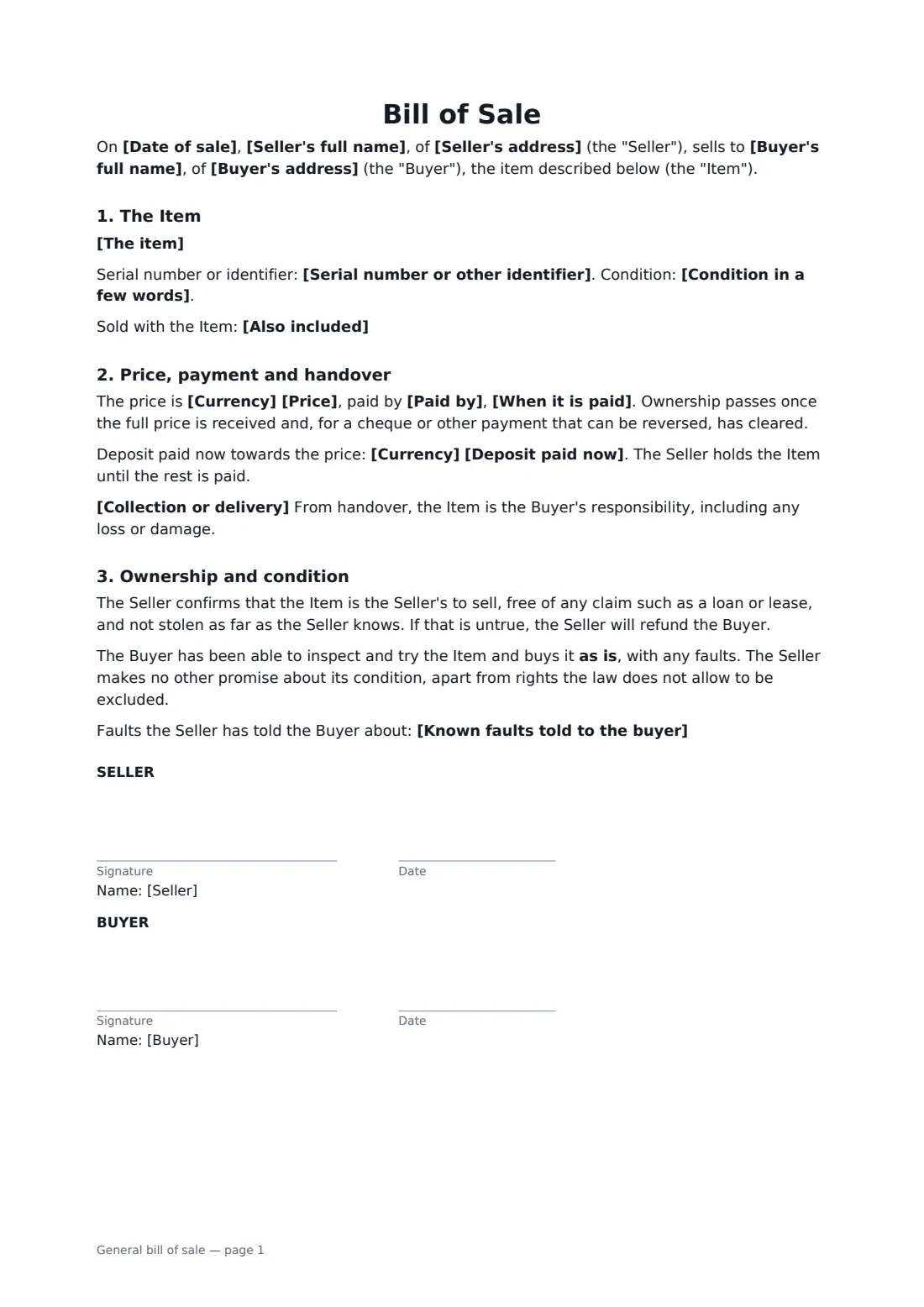
This general version is for personal property other than vehicles: furniture, bicycles, electronics, musical instruments, garden machinery, sports gear and similar items. It records the item and its serial number, its condition and anything sold with it, the price and how and when it is paid (in full, or a deposit with the balance on collection), when ownership passes, the seller's confirmation that the item is theirs and free of any loan or lease, an as-is sale with known faults listed, and who is responsible after handover. Selling a car, motorbike or van? Use the vehicle bill of sale instead, which adds the VIN and odometer.
- Best for
- Private sales of furniture, bikes, electronics, tools and equipment
- Signed by
- Seller and buyer
- Payment
- In full on the day, or a deposit with the balance on collection
- Length
- 1 page
When to use a general bill of sale
- Selling a road bike or e-bike to someone who answered your listing
- Buying a used laptop, camera or games console and keeping proof of purchase
- Taking a deposit on a dining table the buyer will collect next weekend
- Selling garden machinery, power tools or gym equipment you no longer use
- Recording a sale between friends or family at an agreed price
What you fill in
16 blanks, then the name and email of each person who signs: seller, buyer.
1 The seller and buyer
- Seller's full name*
- Seller's address
- Buyer's full name*
- Buyer's address
2 The item
- The item*
- Serial number or other identifier
- Condition in a few words
- Also included
- Known faults told to the buyer
3 Price and handover
- Date of sale*
- Currency*
- Price*
- Paid by* cash · bank transfer · mobile payment app · cheque · another method agreed between us
- When it is paid* in full on the date of sale · as a deposit now, with the balance paid when the item is collected
- Deposit paid now
- Collection or delivery
4 Who signs
- Seller signature and date · The person who owns the item and is selling it.
- Buyer signature and date · The person paying for the item and taking it away.
What the general bill of sale covers
- The Item
- Price, payment and handover
- Ownership and condition
Using the general bill of sale, step by step
1 Describe the item
Write the make, model, size and colour, and copy the serial number from the item itself, under a bike's bottom bracket or on a label on electronics. Add its condition in a few words and anything included, such as a charger, case or original receipt.
2 Set the price and payment
Enter the price and currency and choose how it is paid. If the buyer is paying a deposit now and the rest on collection, enter the deposit and the agreement says the seller holds the item until the balance arrives.
3 List any faults
Write down every fault you know about. The item is sold as is, and a written list shows exactly what the buyer was told. If you know of none, leave it empty and the bill of sale says so.
4 Sign together
Tick "This is me" as the seller and add the buyer's name and email. The buyer can sign from the email on their own phone at the handover, and doesn't need a FileIt account. The signed copy is saved in your FileIt vault.
Tips before you send it
- Check the serial number on the item matches any receipt or box before you sign.
- For a cash sale, count the money together before signing. The bill of sale records how it was paid.
- Don't hand over an item paid by cheque until the cheque has cleared. The agreement says ownership passes only then.
- Keep a photo of the item with the signed bill of sale, especially for high-value electronics.
- If the item is still under a manufacturer's warranty, check whether the warranty can be transferred to the buyer.
Sign it online in minutes
- Fill in the blanks. Names, dates and amounts go straight into the agreement — the preview shows exactly where.
- Name who signs. Tick “This is me” for your own part. FileIt builds the PDF with every signature, date box on the right line, and you can check or move anything before sending.
- Send it. Each signer gets a secure link and signs from any device — no account needed. The signed PDF, with an audit trail and a Certificate of Completion, is filed in your vault and emailed to everyone.
General bill of sale: frequently asked questions
What is the difference between this and the vehicle bill of sale?
The vehicle version records the VIN, plate and odometer reading and deals with registration, insurance, tolls and fines after handover. This general version is for items that aren't registered, like furniture, bikes and electronics.
Does a bill of sale need to be notarised?
For everyday personal items, usually not. A few places or uses, such as boats and trailers, have official forms or extra steps. Check the local rules if the item is registered or regulated.
What does "sold as is" mean for the buyer?
The buyer takes the item in its current condition, with any faults. The seller still confirms that the item is theirs to sell, and the buyer keeps any rights the law says cannot be excluded.
Can we sign it on the spot when the buyer collects?
Yes. Send the envelope from your phone and each of you signs from the link in your email, right there at the handover. FileIt adds a Certificate of Completion with who signed and when.
Is this template free?
Yes. It is free to use with the eSignature app in FileIt.