What is a pPC management agreement?
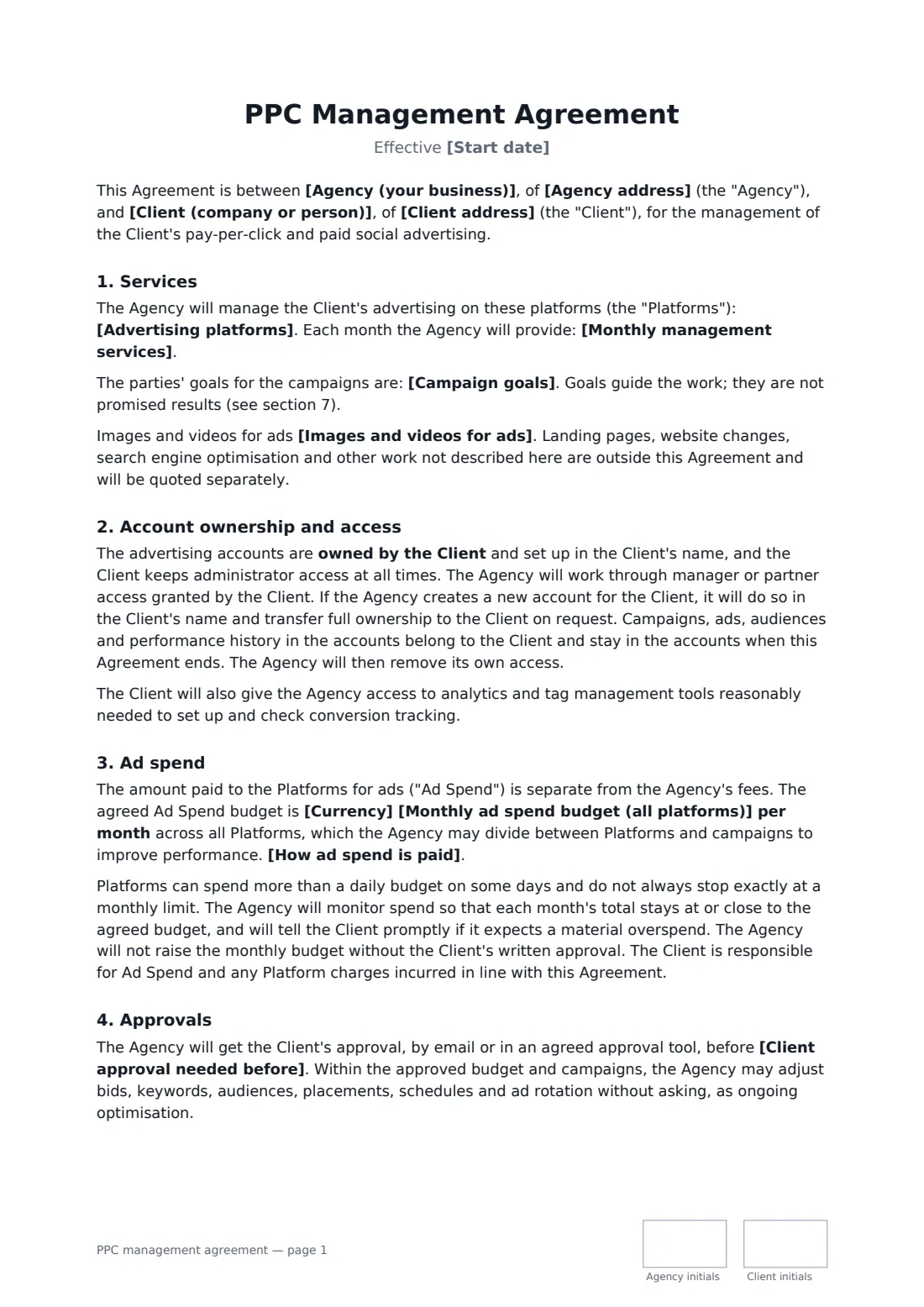
A PPC management agreement sets the terms between an agency or freelancer and a business whose paid search and paid social ads it runs. Two kinds of money are involved — the ad spend that goes to the platforms and the agency's management fee — and the contract needs to keep them apart, say who pays the platforms, and stop budgets being exceeded without approval.
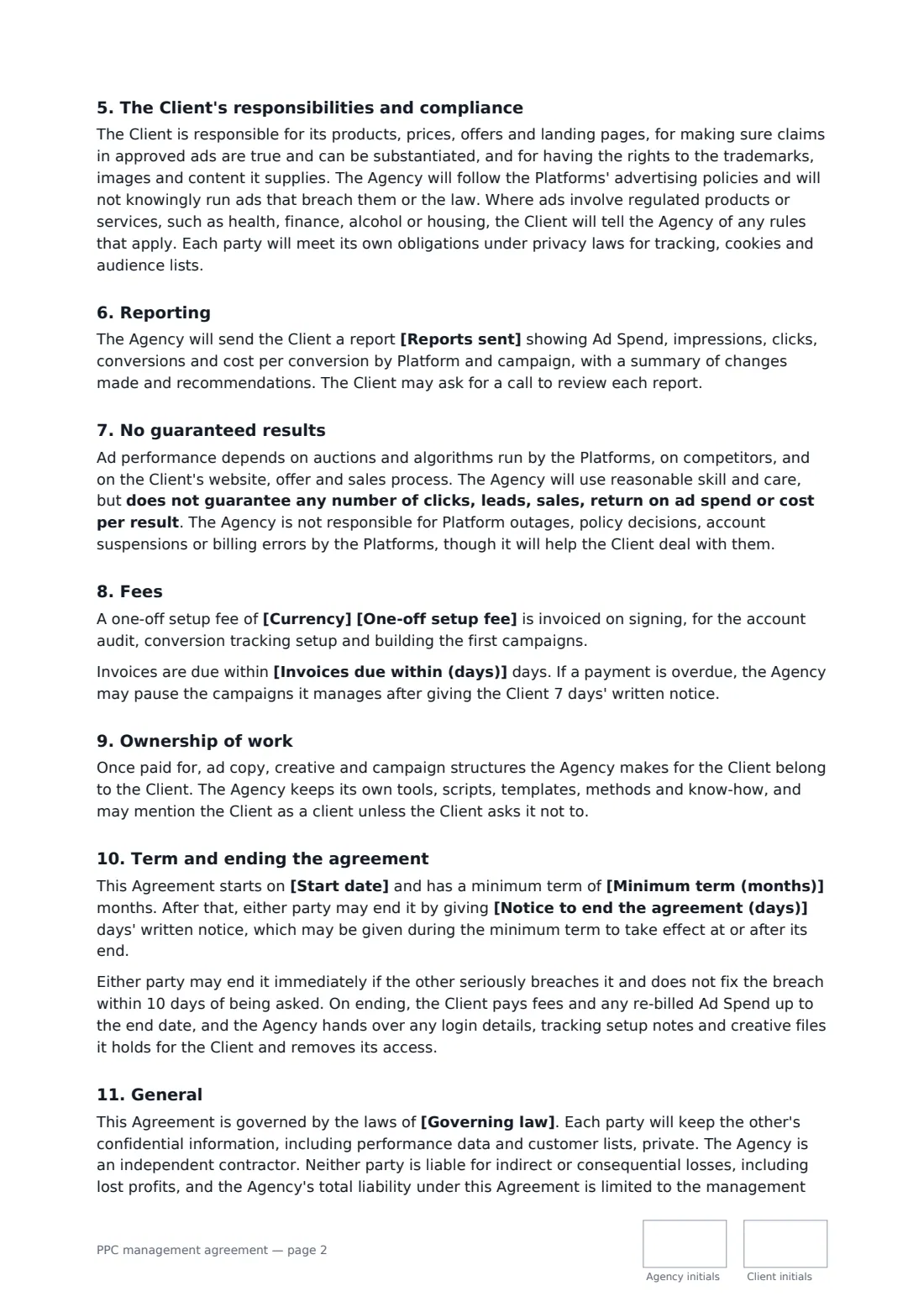
This template lists the platforms and monthly services, the goals, and who produces ad creative. It makes the client the owner of the ad accounts, with the agency working through manager access. You set the monthly ad budget and whether the client pays the platforms directly or the agency re-bills at cost, and choose a fixed fee, a percentage of spend, or a percentage with a minimum, plus an optional setup fee. It covers approvals before launches and budget changes, compliance and the client's responsibility for its claims, reporting frequency, no guaranteed clicks or return on ad spend, ownership of ads, an optional minimum term and handover when it ends.
- Best for
- PPC agencies and freelancers managing Google, Microsoft and Meta ads
- Signed by
- The agency and the client, both with job titles
- Fee options
- Fixed monthly, percentage of ad spend, or percentage with a minimum
- Length
- About 3 pages, initialled on every page
When to use a pPC management agreement
- An agency takes over a client's Google Ads account on a monthly fee
- A freelancer runs Meta lead-generation campaigns for a local business
- An e-commerce brand pays a percentage of spend with a minimum fee
- An agency builds new accounts in the client's name with a setup fee
- A client wants to approve every new ad before it goes live
What you fill in
22 blanks, then the name and email of each person who signs: agency, client.
1 The parties
- Agency (your business)*
- Agency address
- Client (company or person)*
- Client address
2 The work
- Start date*
- Advertising platforms*
- Campaign goals
- Monthly management services*
- Images and videos for ads* are supplied by the Client · are produced by the Agency as part of the fee · are produced by the Agency and quoted separately
- Client approval needed before* launching new campaigns, publishing new ad copy or creative, and changing the monthly budget · launching new campaigns and changing the monthly budget
3 Ad spend and fees
- Currency*
- Monthly ad spend budget (all platforms)*
- How ad spend is paid* The Client pays the platforms directly, using its own payment method on each account · The Agency pays the platforms and re-bills the ad spend to the Client at cost, invoiced monthly in advance
- Management fee* a fixed monthly fee · a percentage of monthly ad spend · a percentage of monthly ad spend, with a minimum monthly fee
- Fixed or minimum monthly fee
- Percentage of ad spend
- One-off setup fee
- Invoices due within (days)*
4 Other terms
- Reports sent* weekly · every two weeks · monthly
- Minimum term (months)
- Notice to end the agreement (days)*
- Governing law*
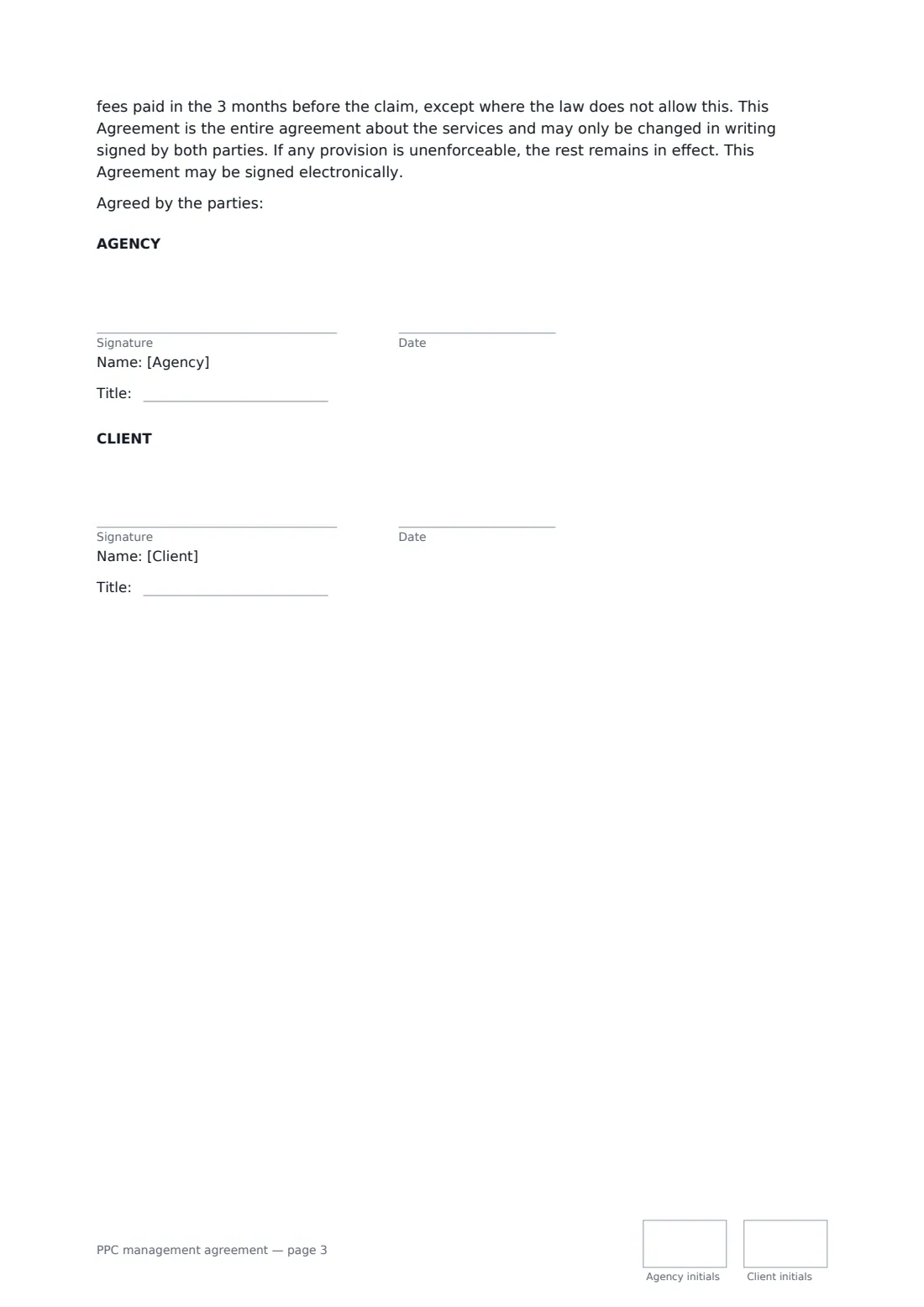
5 Who signs
- Agency signature and date, job title, initials on every page · The agency or freelancer managing the ad accounts.
- Client signature and date, job title, initials on every page · The business whose ads are being run.
What the pPC management agreement covers
- Services
- Account ownership and access
- Ad spend
- Approvals
- The Client's responsibilities and compliance
- Reporting
- No guaranteed results
- Fees
- Ownership of work
- Term and ending the agreement
- General
Using the pPC management agreement, step by step
1 List platforms and services
Enter the platforms, the monthly management work and any campaign goals, and choose who produces the images and videos.
2 Set ad spend and fees
Enter the monthly ad budget, choose whether the client pays the platforms directly, and pick the fee model, amounts and any setup fee.
3 Agree approvals and term
Choose what needs the client's approval, how often reports are sent, any minimum term and the notice period.
4 Send for signature
Add the client's signer and send. Both of you sign with job titles and initial each page; the signed copy is filed in your vault.
Tips before you send it
- Keep the client's own card on the ad accounts where you can — it keeps ad spend off your books.
- Ask for manager or partner access rather than the client's login.
- Agree what a conversion is and check tracking before the first report.
- If you re-bill ad spend, invoice it in advance so you are never funding a client's ads.
Sign it online in minutes
- Fill in the blanks. Names, dates and amounts go straight into the agreement — the preview shows exactly where.
- Name who signs. Tick “This is me” for your own part. FileIt builds the PDF with every signature, date and initials box on the right line, and you can check or move anything before sending.
- Send it. Each signer gets a secure link and signs from any device — no account needed. The signed PDF, with an audit trail and a Certificate of Completion, is filed in your vault and emailed to everyone.
PPC management agreement: frequently asked questions
Who owns the ad accounts?
The client. Accounts are set up in the client's name, the client keeps administrator access, and campaigns and history stay in the accounts when the agreement ends.
Can the agency increase the budget?
Not without the client's written approval. Within the approved budget, the agency may adjust bids, keywords, audiences and placements as ongoing optimisation.
Are results guaranteed?
No. Ad performance depends on the platforms' auctions, competitors and the client's website and offer. The agreement says no number of clicks, leads, sales or return on ad spend is guaranteed.
Is a document signed electronically legally binding?
In most countries, including the US (ESIGN Act and UETA), the UK, the EU (eIDAS) and Canada, an electronic signature is generally valid for an ordinary agreement like this one. FileIt keeps an audit trail and a Certificate of Completion with the signed PDF as evidence of who signed and when.
Is this template free?
Yes. The template is free to use with the eSignature app in FileIt. Your client doesn't need a FileIt account to sign.