What is a parental leave plan?
Parental leave goes more smoothly when the employee and their manager have talked through the practical details before it starts: when leave begins and ends, what pay and benefits continue, who covers the work, how much contact the employee wants, and what the return looks like.
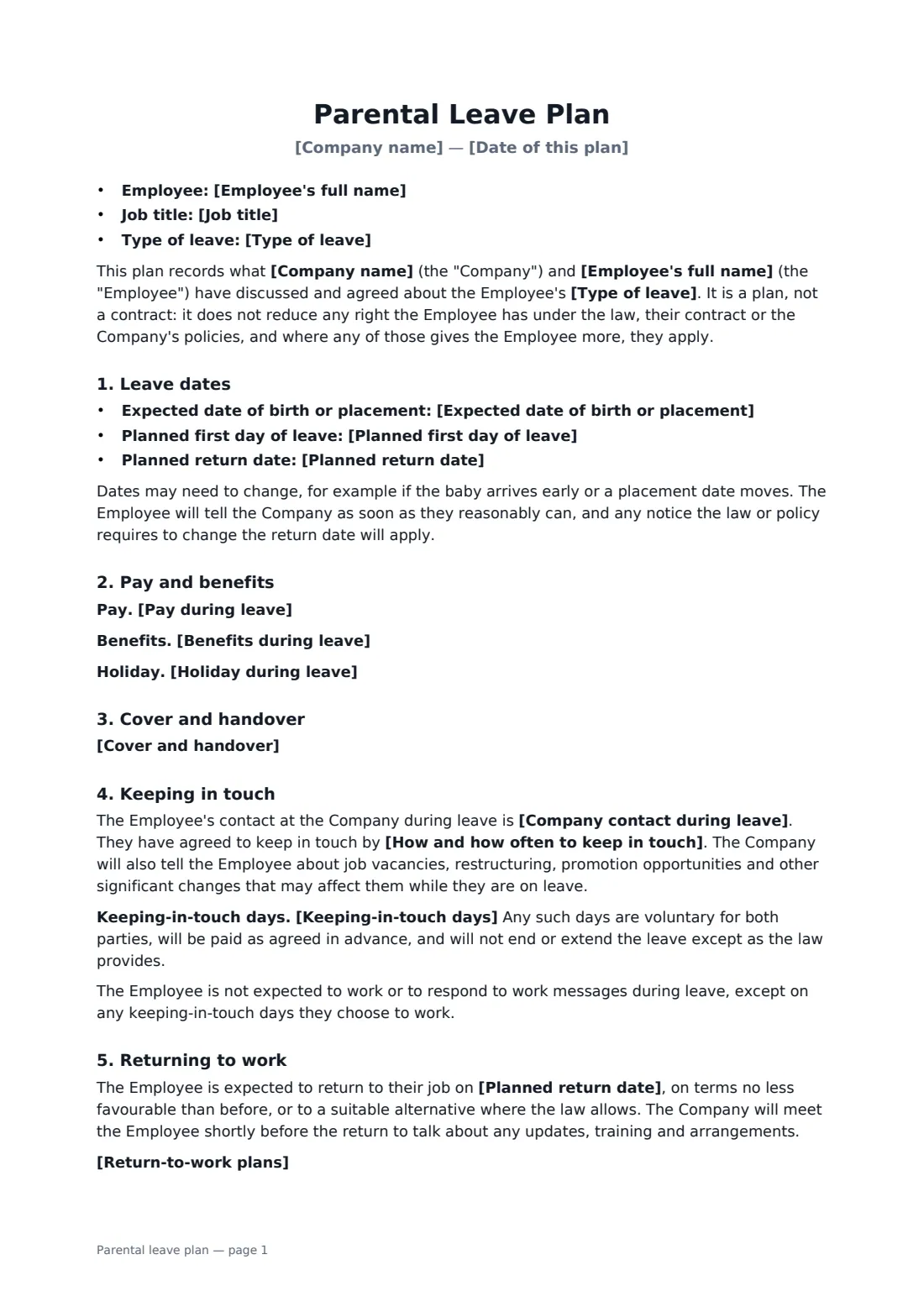
This plan records those conversations for maternity, paternity or partner, adoption, shared or parental leave. It sets out the expected date and planned leave dates, describes pay, benefits and holiday, names a company contact and how often to keep in touch, and lets you add optional keeping-in-touch days. It covers the return to the same job, any flexible or phased return being discussed, and breastfeeding facilities. It is explicitly a plan, not a contract — it never reduces what the law, the employee's contract or your policy already gives.
- Best for
- Maternity, paternity, adoption, shared and parental leave
- Signed by
- The employer and the employee
- Legal entitlements
- Never reduced — local law and your policy prevail where they give more
- Length
- About 2 pages
When to use a parental leave plan
- Planning maternity leave with a team leader before the due date
- Agreeing a short paternity or partner leave and its cover
- Adoption leave where the placement date may move
- Recording how often an employee on leave wants to hear from work
- Discussing a phased or flexible return in advance
What you fill in
17 blanks, then the name and email of each person who signs: employer, employee.
1 Details
- Company name*
- Date of this plan*
- Employee's full name*
- Job title
2 Leave
- Type of leave* Maternity leave · Paternity or partner leave · Adoption leave · Shared or parental leave · Parental leave
- Expected date of birth or placement
- Planned first day of leave*
- Planned return date*
3 Pay and benefits
- Pay during leave*
- Benefits during leave
- Holiday during leave
4 Cover
- Cover and handover
5 Keeping in touch
- Company contact during leave*
- How and how often to keep in touch*
- Keeping-in-touch days
6 Return to work
- Return-to-work plans
- Breastfeeding or expressing facilities* Not applicable · The Company will provide a private, suitable space and breaks for expressing or breastfeeding on return, as the law and its policy require
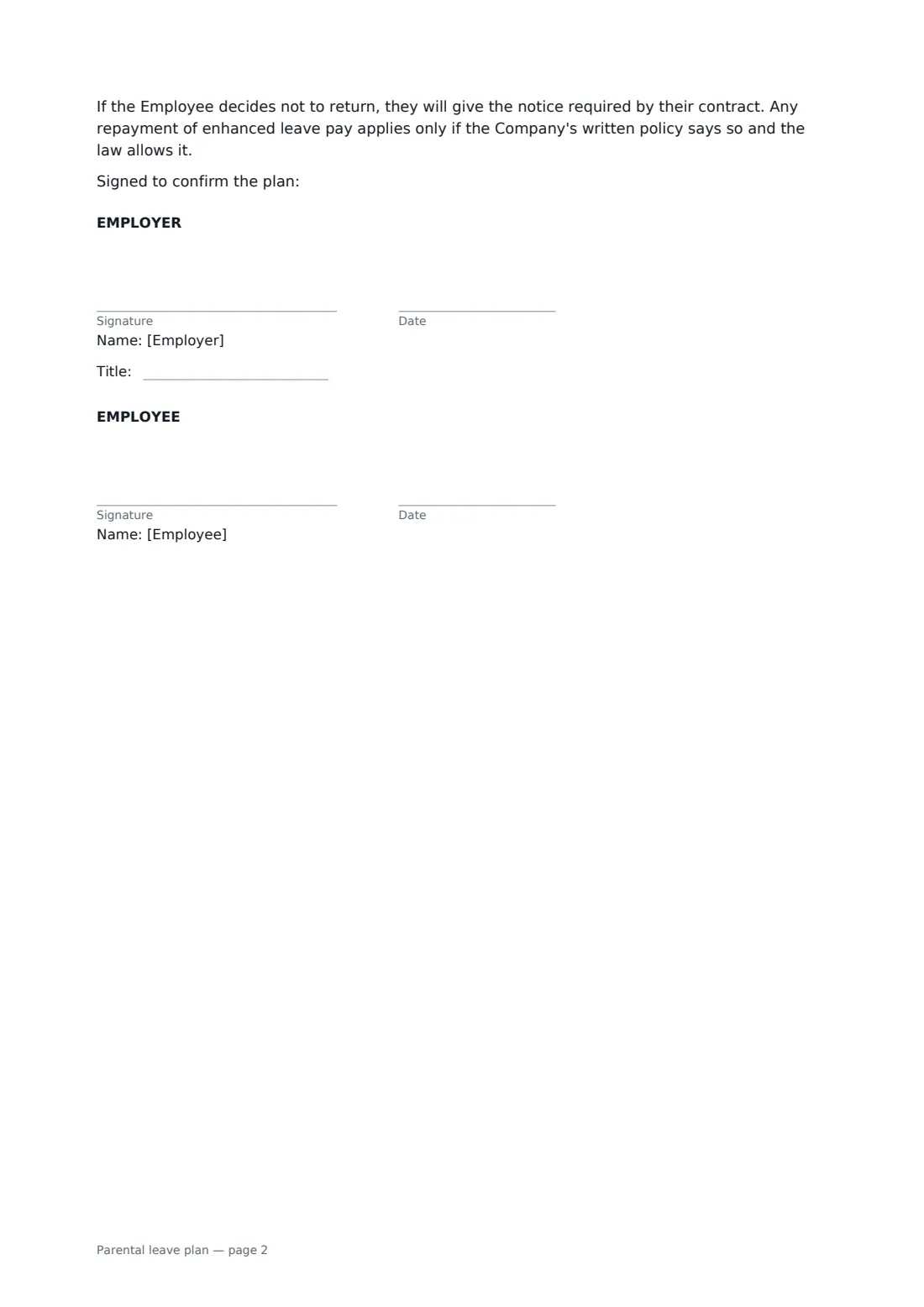
7 Who signs
- Employer signature and date, job title · The manager or HR person agreeing the plan.
- Employee signature and date
What the parental leave plan covers
- Leave dates
- Pay and benefits
- Cover and handover
- Keeping in touch
- Returning to work
Using the parental leave plan, step by step
1 Choose the type of leave
Pick the type of leave and enter the expected date of birth or placement, the first day of leave and the planned return date.
2 Describe pay and benefits
Explain what pay the employee will receive, which benefits continue and how holiday is handled. Use your parental leave policy and the law where they work.
3 Plan cover and contact
Say who covers the work, who the employee's contact is, and how and how often to keep in touch. Add optional keeping-in-touch days if both of you want them.
4 Plan the return and sign
Note any flexible or phased return you've discussed and whether breastfeeding facilities apply. Send it to the employee to sign.
Tips before you send it
- Meet before you fill it in. The plan should record a conversation, not start one.
- Check the notice rules and pay entitlements where the employee works before entering dates and pay.
- Respect the employee's choice about contact — some want regular updates, others none.
- Keep inviting the employee to hear about vacancies and changes while they're away.
Sign it online in minutes
- Fill in the blanks. Names, dates and amounts go straight into the agreement — the preview shows exactly where.
- Name who signs. Tick “This is me” for your own part. FileIt builds the PDF with every signature, date box on the right line, and you can check or move anything before sending.
- Send it. Each signer gets a secure link and signs from any device — no account needed. The signed PDF, with an audit trail and a Certificate of Completion, is filed in your vault and emailed to everyone.
Parental leave plan: frequently asked questions
Is this a contract?
No. The plan says it records what was discussed and agreed, and does not reduce any right the employee has under the law, their contract or company policy.
What if the baby arrives early or the dates change?
The plan expects dates may change. The employee tells the company as soon as they reasonably can, and any notice the law or policy requires applies.
Does the template set leave and pay entitlements?
No. Entitlements depend on where the employee works and your own policy. You describe what applies in the pay and benefits fields.
Can we update the plan later?
Yes. Send a new version from the same template when things change. Each signed version is kept with its own audit trail.