What is a office fit-out contract?
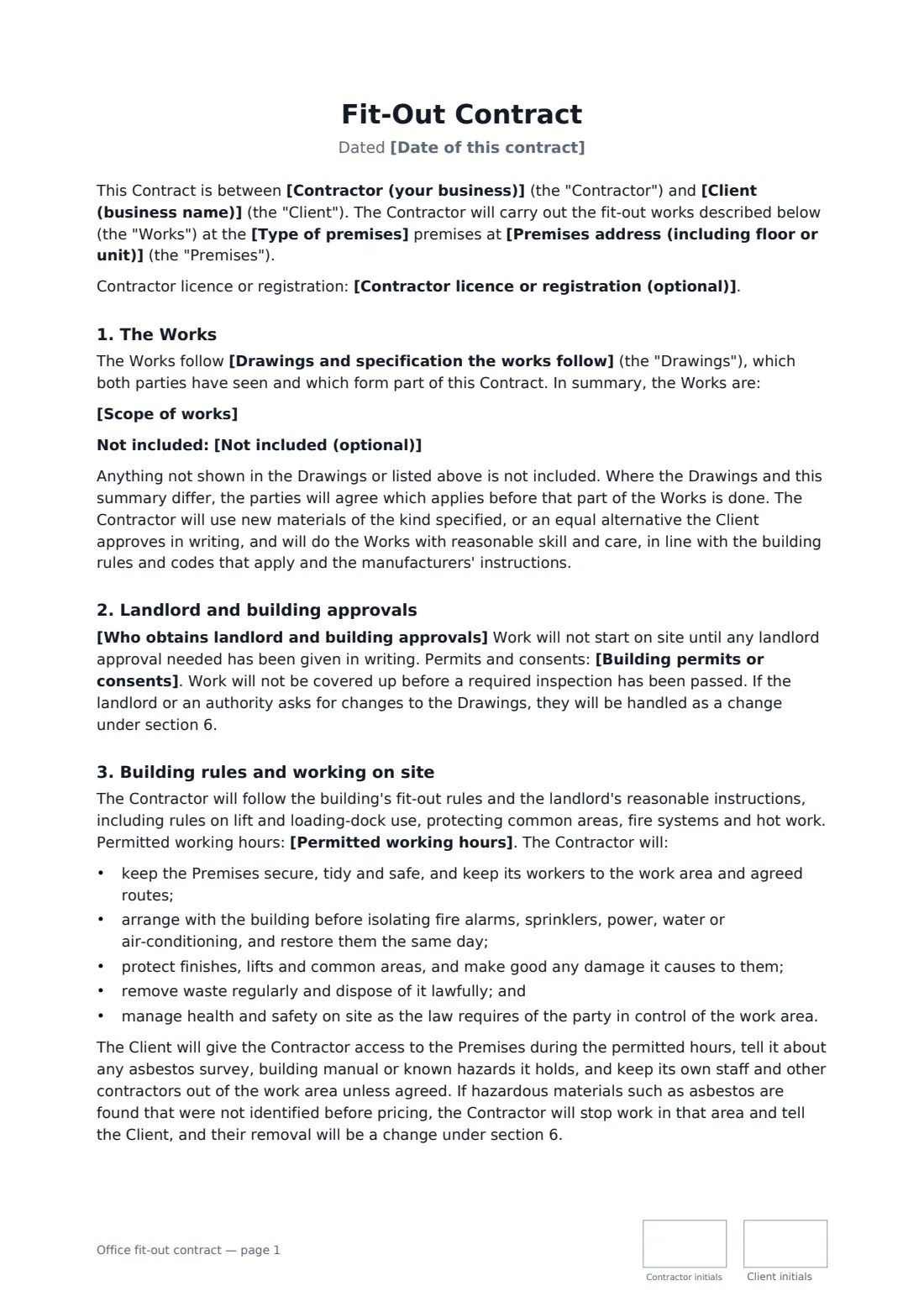
A commercial fit-out is different from a home renovation: the premises sit in a building with its own rules, the landlord usually has to approve the drawings, noisy work may be limited to certain hours, and the client often has a fixed date to move in or start trading. An office fit-out contract puts all of that in writing between the fit-out contractor and the business it works for.
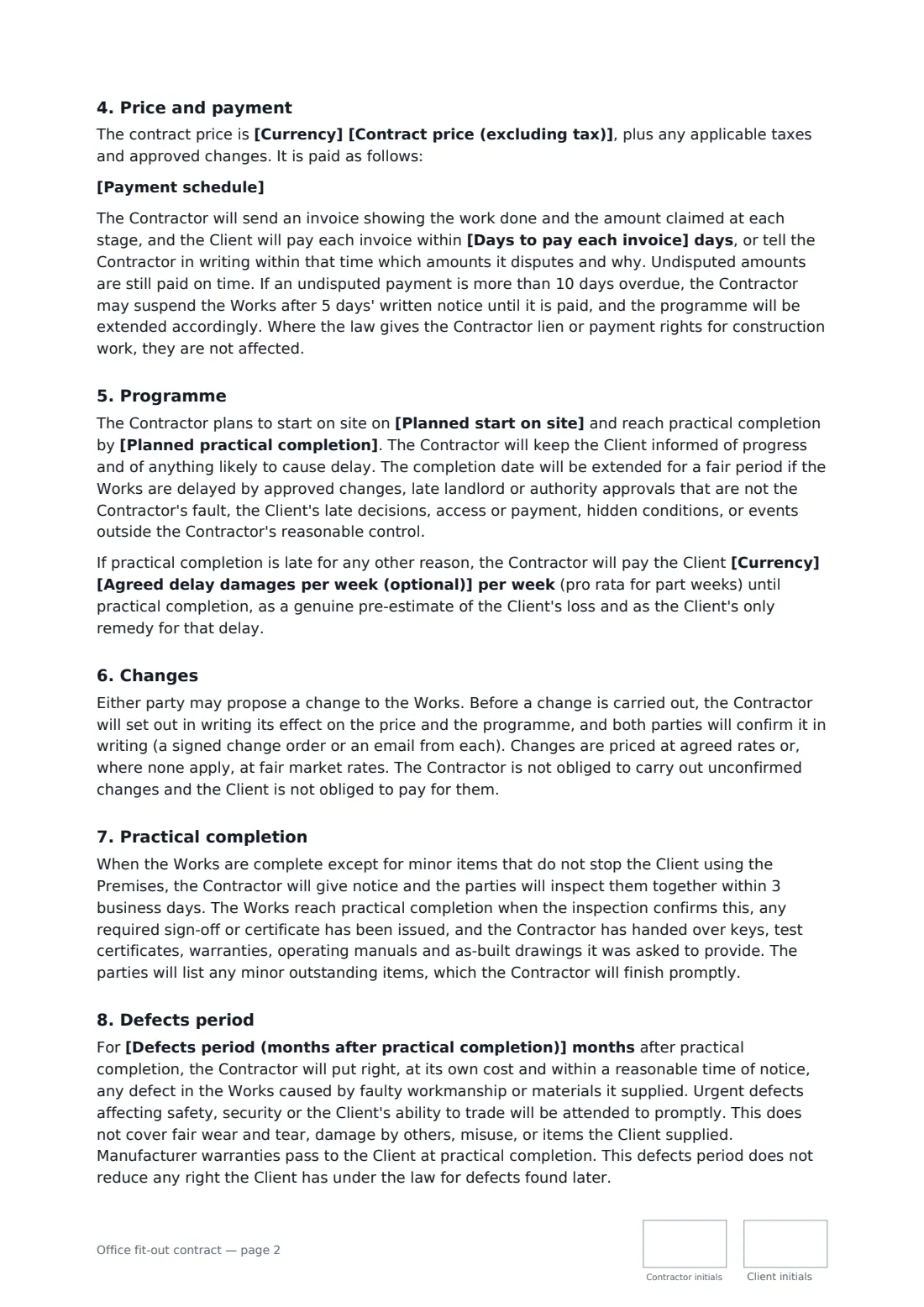
This template ties the works to a named set of drawings and a short scope, with an optional list of exclusions. You choose who gets the landlord's approval and any permits, copy in the building's working hours, and set the price, payment schedule (with retention as a default), payment days and programme. Optional weekly delay damages can be added. It finishes with a joint inspection at practical completion, a handover of manuals and certificates, and a defects period you set in months.
- Best for
- Office, shop, showroom, clinic and front-of-house fit-outs
- Signed by
- The contractor and the client business, with job titles, initialled on every page
- Payments
- Your schedule, invoices paid in a set number of days, retention released after defects
- Length
- About 3 pages
When to use a office fit-out contract
- A tenant fitting out new leased office space before moving in
- A retailer fitting out a shop unit in a mall or high street
- Refreshing an existing office with new meeting rooms, ceilings and lighting
- A clinic, studio or showroom fit-out in a commercial building
- A design-and-build firm signing up a client after the drawings are agreed
What you fill in
23 blanks, then the name and email of each person who signs: contractor, client.
1 The parties
- Date of this contract*
- Contractor (your business)*
- Contractor's project contact (name, phone or email)*
- Contractor licence or registration (optional)
- Client (business name)*
- Client's project contact (name, phone or email)*
2 The premises and the works
- Premises address (including floor or unit)*
- Type of premises* office · shop · showroom · clinic or studio · restaurant or cafe front of house
- Drawings and specification the works follow*
- Scope of works*
- Not included (optional)
3 Approvals and site rules
- Who obtains landlord and building approvals* The Client obtains the landlord's written approval of the drawings; the Contractor provides the drawings, method statements and insurance details the landlord asks for. · The Contractor applies for the landlord's approval on the Client's behalf; the Client signs any forms the landlord requires. · No landlord approval is needed because the Client owns the premises.
- Building permits or consents* the Contractor applies for any permits or consents the works need and books the inspections, included in the price · the Client (or its designer) obtains any permits or consents the works need, and the Contractor books the inspections · the parties have confirmed with the local authority that no permit is needed for these works
- Permitted working hours*
4 Price and payment
- Currency*
- Contract price (excluding tax)*
- Payment schedule*
- Days to pay each invoice*
5 Programme
- Planned start on site*
- Planned practical completion*
- Agreed delay damages per week (optional)
6 Completion and law
- Defects period (months after practical completion)*
- Governing law*
7 Who signs
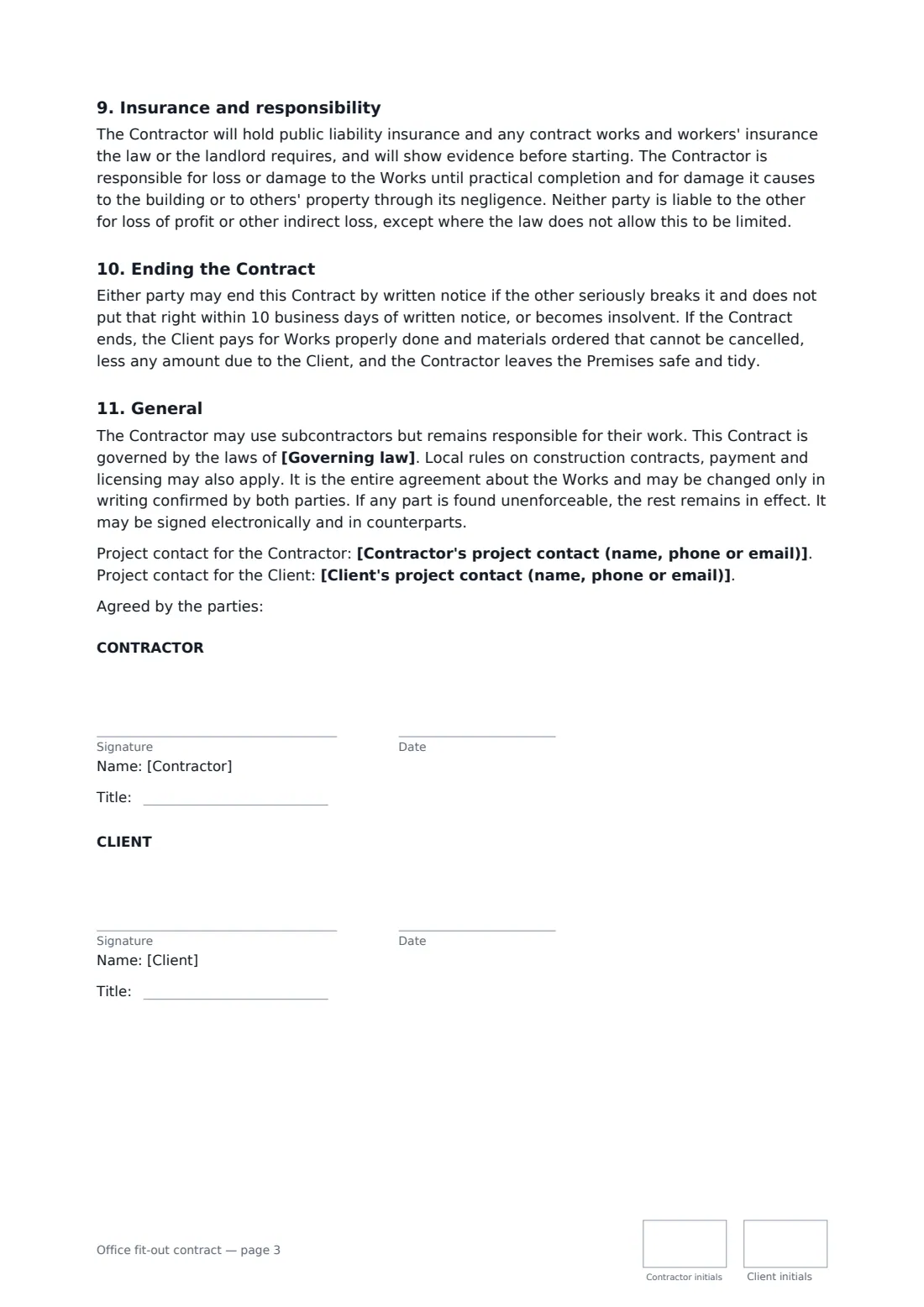
- Contractor signature and date, job title, initials on every page · The fit-out company or builder doing the work.
- Client signature and date, job title, initials on every page · The business the premises are being fitted out for, usually the tenant. Someone authorised to sign for it.
What the office fit-out contract covers
- The Works
- Landlord and building approvals
- Building rules and working on site
- Price and payment
- Programme
- Changes
- Practical completion
- Defects period
- Insurance and responsibility
- Ending the Contract
- General
Using the office fit-out contract, step by step
1 Pin down the drawings and scope
Name the drawing numbers, revision and date, then summarise the main work packages and list what is excluded, such as furniture, IT or signage.
2 Settle approvals and site rules
Choose who gets the landlord's approval and any building permit, and copy the building's permitted working hours.
3 Set price, payments and programme
Enter the price, the payment schedule and the days to pay, the start and completion dates, and an optional weekly delay amount.
4 Choose the defects period and sign
Set the defects period in months and the governing law. Both parties initial each page and sign on the last page.
Tips before you send it
- Get the landlord's fit-out guide early. It often sets working hours, insurance levels and contractor rules you have to follow.
- Use delay damages only if you can explain the figure, such as the extra rent the client pays while it waits to move.
- Rules on deposits, payment claims and retention for construction work differ from place to place, so check local rules before you send it.
- Record every change in writing before the work is done. Changes are the most common source of fit-out disputes.
Sign it online in minutes
- Fill in the blanks. Names, dates and amounts go straight into the agreement — the preview shows exactly where.
- Name who signs. Tick “This is me” for your own part. FileIt builds the PDF with every signature, date and initials box on the right line, and you can check or move anything before sending.
- Send it. Each signer gets a secure link and signs from any device — no account needed. The signed PDF, with an audit trail and a Certificate of Completion, is filed in your vault and emailed to everyone.
Office fit-out contract: frequently asked questions
What is practical completion?
In this template, it is the point where the works are finished apart from minor items that don't stop the client using the premises, any required sign-off has been given, and the handover documents have been delivered. The defects period starts from that date.
What is retention?
A small share of each payment held back until the end of the defects period, so the contractor has a reason to come back and fix defects. The default schedule uses 5%. You can change it or remove it.
Is this the same as a tenant improvement agreement?
No. A tenant improvement agreement is between landlord and tenant about who pays for and approves the works. This contract is between the business and the contractor who does them.
Can it be signed electronically?
Yes. Commercial building contracts like this one can usually be signed electronically under laws such as the US ESIGN Act and UETA, eIDAS in the EU and UK law. FileIt keeps an audit trail and a Certificate of Completion with the signed PDF.