What is a building move reservation agreement?
In an apartment or condo building, moving day affects everyone: one elevator out of action, a blocked loading dock, scuffed corridor walls. Most buildings handle this with a reservation form, a deposit and a request for the mover's insurance certificate. This template puts all of that into one signed page.
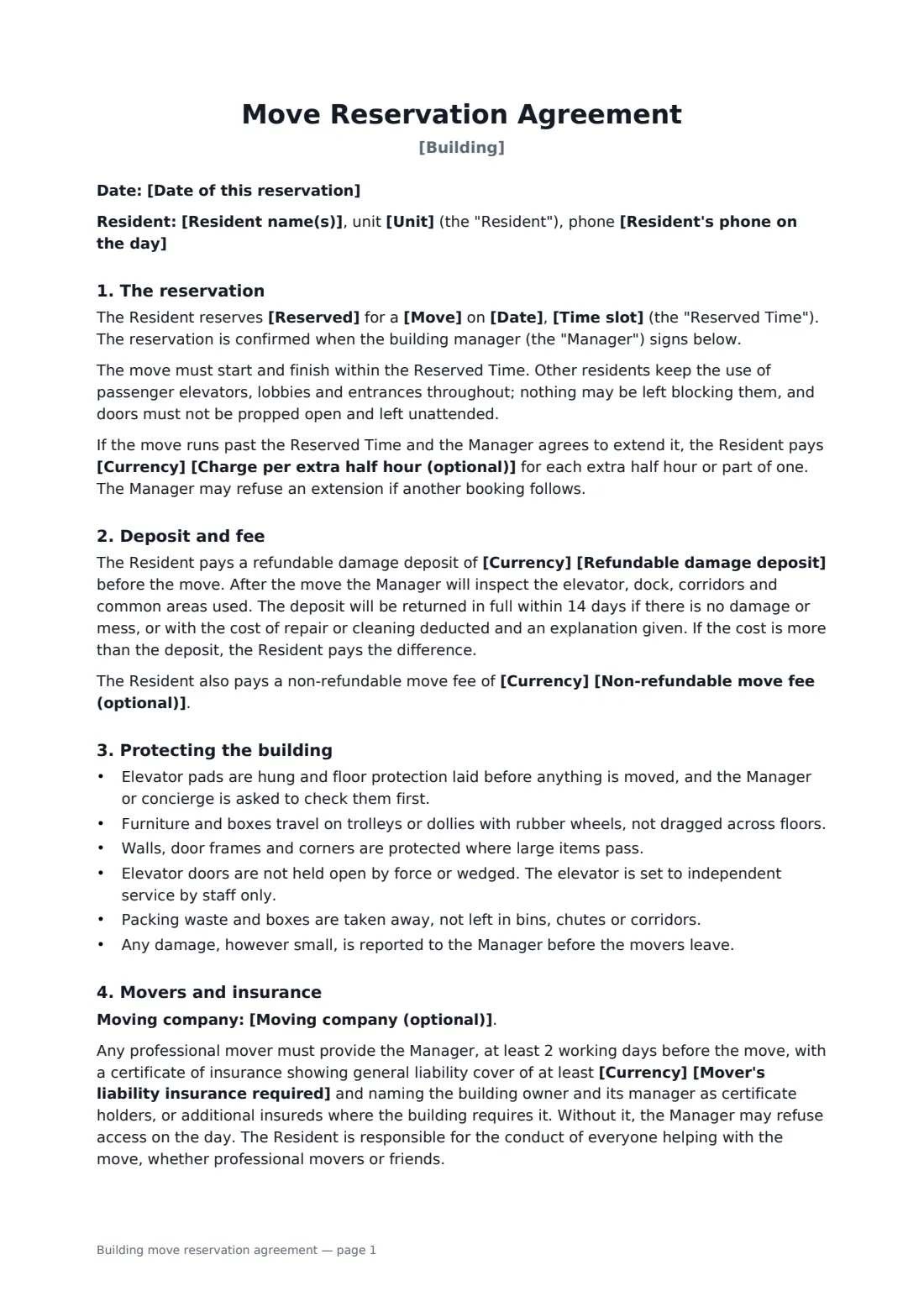
The resident books a date and time slot for the service elevator, the dock or both, for a move in or out or a big delivery. The agreement sets a refundable damage deposit, an optional move fee and an overtime rate, and lists the protection rules: pads up, floors covered, no dragging, rubbish removed, damage reported before the movers go. It requires a mover's certificate of insurance in advance, explains who pays for damage, and sets cancellation notice. The manager signs to confirm.
- Best for
- Apartment, condo and office buildings with shared elevators or docks
- Signed by
- Resident requests; building manager approves
- Money
- Refundable damage deposit, optional move fee and overtime rate
- Length
- 2 pages
When to use a building move reservation agreement
- A new tenant booking a Saturday morning move-in
- An owner moving out after selling their condo
- Delivery of a piano, sofa or large appliance
- Clearing a unit for renovation with a junk removal crew
- A building replacing an old paper sign-up sheet
What you fill in
16 blanks, then the name and email of each person who signs: resident, building manager.
1 The resident
- Date of this reservation*
- Building*
- Resident name(s)*
- Unit*
- Resident's phone on the day*
2 The booking
- Move* move in · move out · delivery of large items · removal of large items
- Date*
- Time slot*
- Reserved* the service elevator and the loading dock · the service elevator only · the loading dock only · a passenger elevator set to independent service, with protective pads
3 Movers
- Moving company (optional)
- Mover's liability insurance required*
4 Deposit and fees
- Currency*
- Refundable damage deposit*
- Non-refundable move fee (optional)
- Charge per extra half hour (optional)
- Cancel or change at least (hours before)*
5 Who signs
- Resident signature and date · The owner or tenant moving in or out.
- Building manager signature and date, job title · The building or property manager, or concierge, who approves the reservation.
What the building move reservation agreement covers
- The reservation
- Deposit and fee
- Protecting the building
- Movers and insurance
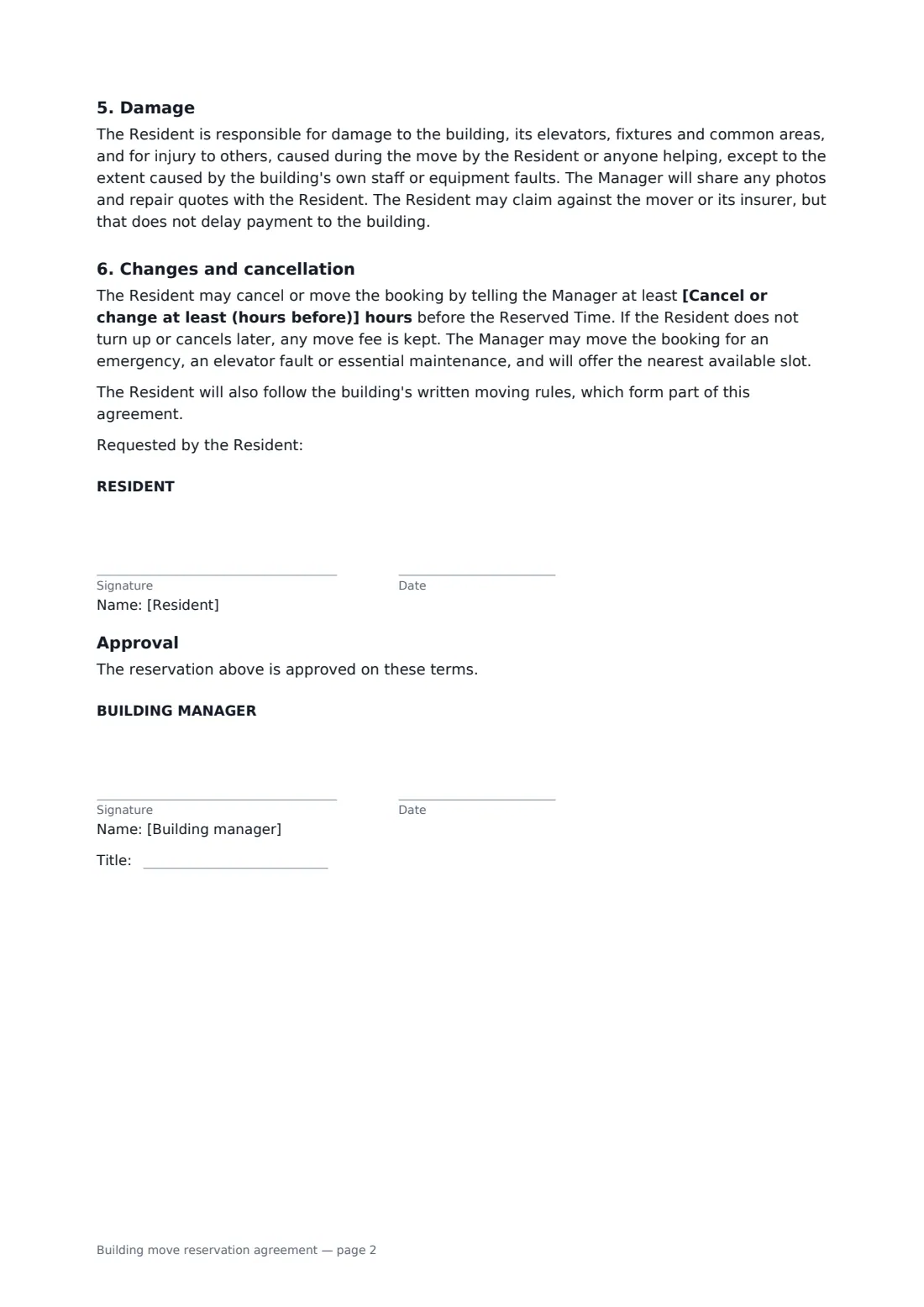
- Damage
- Changes and cancellation
- Approval
Using the building move reservation agreement, step by step
1 Enter the resident
Add the building, the resident, the unit and a phone number for the day.
2 Book the slot
Choose the kind of move, the date and time slot, and what's being reserved.
3 Movers and money
Name the moving company, set the insurance amount, the deposit and any move fee, overtime rate and cancellation notice.
4 Send for approval
Sign and send to the building manager. Their signature confirms the booking, and the audit trail shows when.
Tips before you send it
- Ask your mover for the certificate of insurance as soon as you book them; it often takes a day or two.
- Book the earliest slot you can; moves almost always run long.
- Photograph the elevator and corridor before and after, so the deposit discussion is easy.
- Attach the building's moving rules to the envelope so they're part of what you both sign.
Sign it online in minutes
- Fill in the blanks. Names, dates and amounts go straight into the agreement — the preview shows exactly where.
- Name who signs. Tick “This is me” for your own part. FileIt builds the PDF with every signature, date box on the right line, and you can check or move anything before sending.
- Send it. Each signer gets a secure link and signs from any device — no account needed. The signed PDF, with an audit trail and a Certificate of Completion, is filed in your vault and emailed to everyone.
Building move reservation agreement: frequently asked questions
When is the reservation confirmed?
When the building manager signs. Until then it's a request.
What if my movers don't have the insurance certificate?
The agreement lets the manager refuse access on the day. Send the certificate at least two working days before the move.
How do I get my deposit back?
The manager inspects the areas used after the move. If there's no damage or mess it comes back in full within 14 days; otherwise the cost is deducted with an explanation.
Can a building manager approve this electronically?
Yes. FileIt sends the request to the manager to sign, and both of you get the completed PDF with an audit trail.