What is a membership freeze request?
Most gyms and studios let members pause a membership for injury, pregnancy, travel or a busy spell at work. A freeze request form turns a front-desk conversation into a clear record: which dates, what it costs, what happens to the minimum term and billing, and whether the club approved it — so nobody is surprised by a charge or a contract that runs longer than expected.
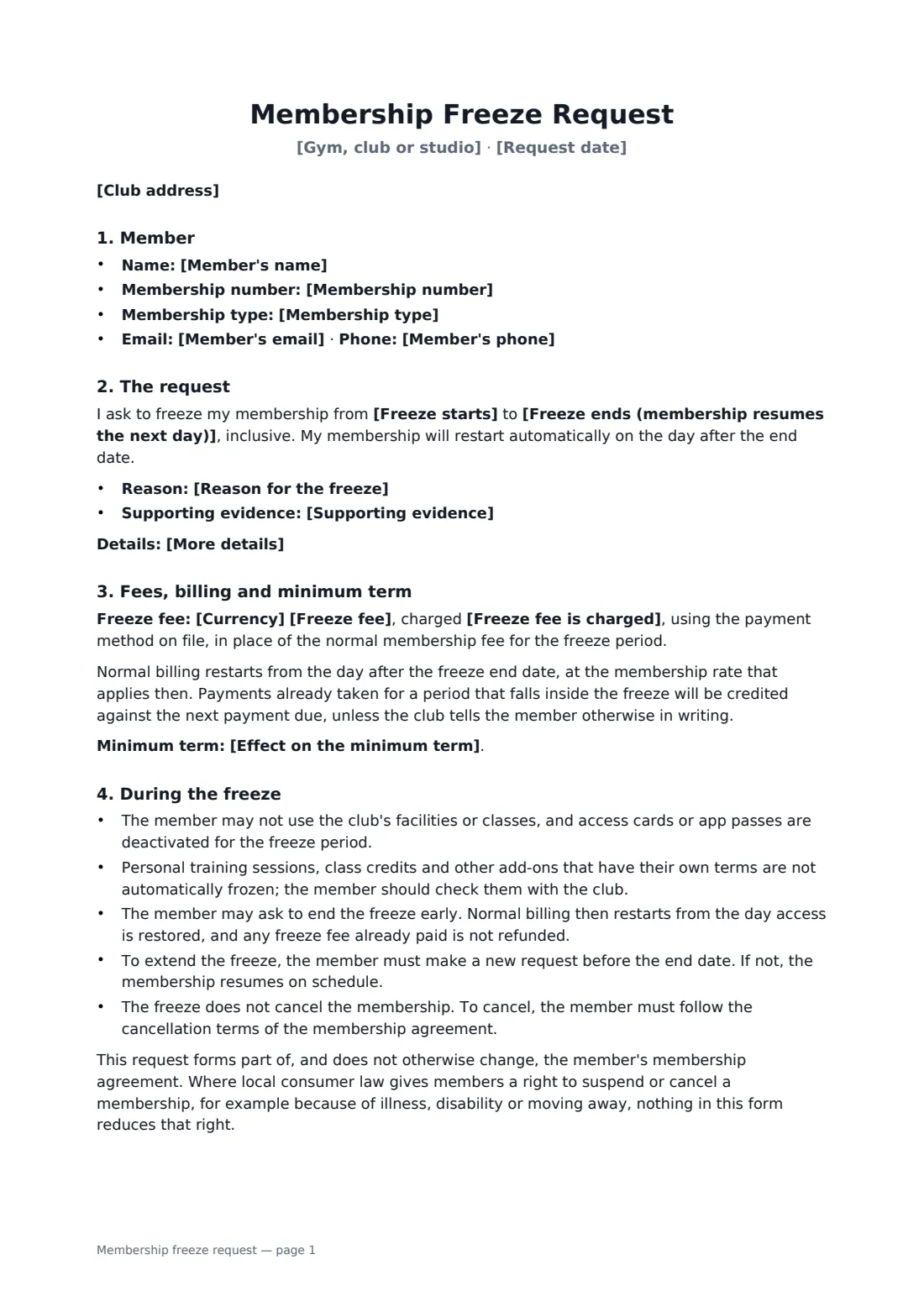
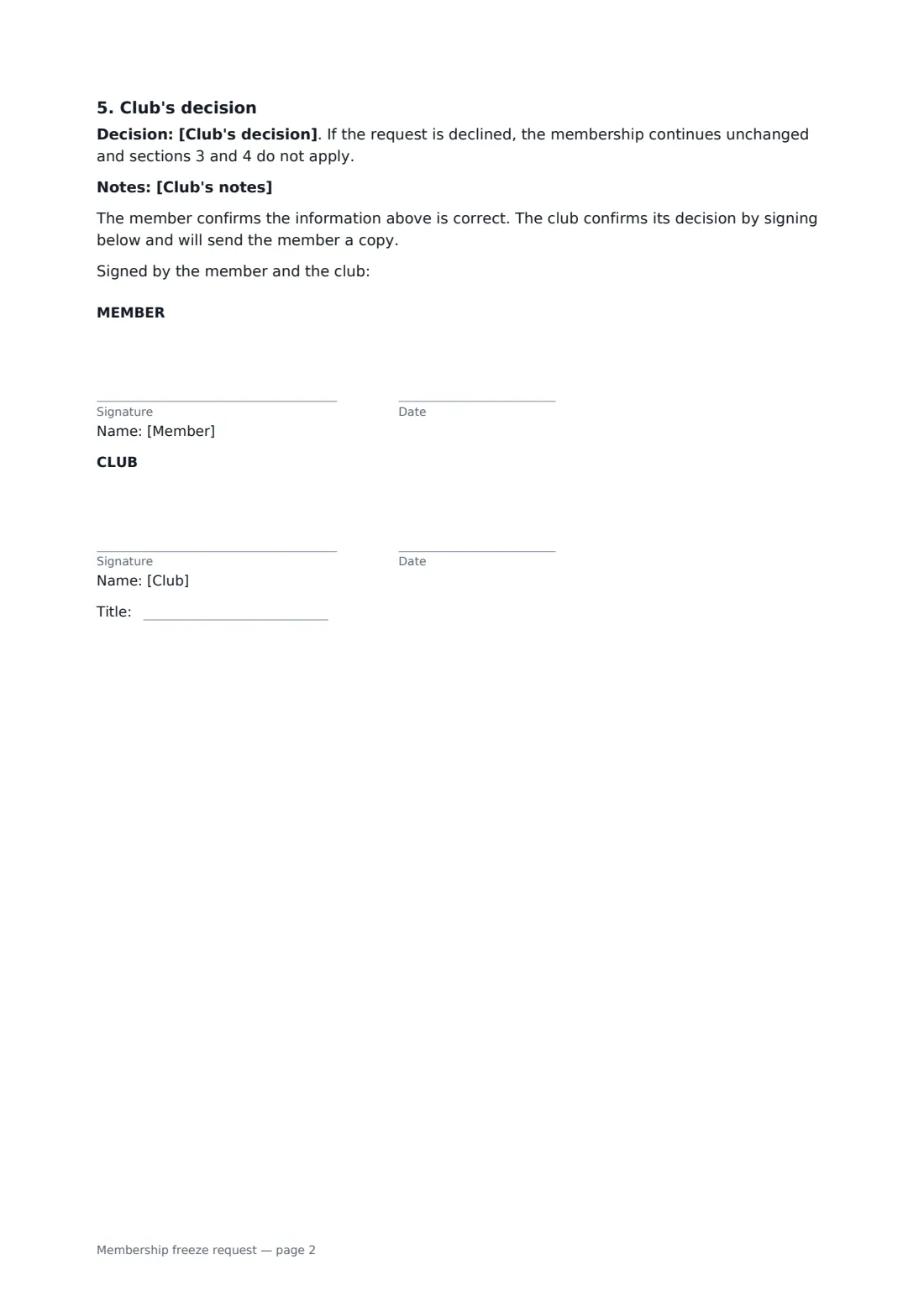
This form records the member and membership, the reason with optional details and supporting evidence, and the freeze start and end dates, with the membership restarting automatically the next day. It sets an optional freeze fee charged monthly or once, credits payments that fall inside the freeze, and says whether the minimum term is extended or a prepaid end date is pushed back. It explains no access during the freeze, add-ons such as personal training, ending early, extending and that a freeze is not a cancellation — without reducing any consumer-law right to suspend or cancel — and ends with the club's decision and notes.
- Best for
- Gyms, fitness clubs, yoga and pilates studios, climbing walls
- Signed by
- The member, and the club manager (with job title)
- Decision
- Approved, approved with changes, or declined — recorded on the form
- Length
- About 2 pages
When to use a membership freeze request
- A member freezes for three months after knee surgery
- A member pauses during pregnancy and recovery after birth
- A member travels for work for two months
- A studio offers a paid monthly freeze on a 12-month contract
- A club approves a freeze with a shorter period than requested
What you fill in
20 blanks, then the name and email of each person who signs: member, club.
1 The club
- Gym, club or studio*
- Club address
- Request date*
2 The member
- Member's name*
- Membership number
- Member's email
- Member's phone
- Membership type
3 The freeze
- Reason for the freeze* Medical condition or injury · Pregnancy or recovery after birth · Travel or temporary relocation · Work or study commitments · Financial reasons · Other
- More details
- Supporting evidence* Not required · Attached · To be provided before the freeze starts
- Freeze starts*
- Freeze ends (membership resumes the next day)*
4 Fees and billing
- Currency*
- Freeze fee
- Freeze fee is charged* for each month of the freeze · once, for the whole freeze
- Effect on the minimum term* The minimum term is extended by the length of the freeze · The minimum term is not changed · The membership has no minimum term
- Prepaid memberships* Not applicable — the membership is billed regularly · The end date of the prepaid membership is extended by the length of the freeze
5 Club use
- Club's decision* Approved as requested · Approved with the changes noted below · Declined, for the reason noted below
- Club's notes
6 Who signs
- Member signature and date · The member asking to freeze their membership.
- Club signature and date, job title · The club manager or membership staff member who approves the request.
What the membership freeze request covers
- Member
- The request
- Fees, billing and minimum term
- During the freeze
- Club's decision
Using the membership freeze request, step by step
1 Enter the member
Add the member's name, membership number, contact details and membership type.
2 Set the freeze
Choose the reason, add details if the member wants, mark whether evidence is needed, and enter the start and end dates.
3 Fees and minimum term
Enter any freeze fee and whether it's monthly or one-off, and choose the effect on the minimum term or prepaid end date.
4 Decide and sign
Record the club's decision and any notes. The member signs the request and the club signs to confirm.
Tips before you send it
- Ask only for the evidence your policy needs, and keep any medical notes private.
- Pause personal training and class packs separately if their terms allow it.
- Put the restart date in your billing system the day you approve the freeze.
- Where local law gives members a right to suspend or cancel, follow it — the form says it doesn't reduce those rights.
Sign it online in minutes
- Fill in the blanks. Names, dates and amounts go straight into the agreement — the preview shows exactly where.
- Name who signs. Tick “This is me” for your own part. FileIt builds the PDF with every signature, date box on the right line, and you can check or move anything before sending.
- Send it. Each signer gets a secure link and signs from any device — no account needed. The signed PDF, with an audit trail and a Certificate of Completion, is filed in your vault and emailed to everyone.
Membership freeze request: frequently asked questions
Does freezing extend my contract?
It depends on the club's choice on the form: the minimum term may be extended by the length of the freeze, left unchanged, or there may be no minimum term. For prepaid memberships, the end date can be extended by the length of the freeze.
Can I come back early?
Yes. Ask the club to end the freeze early. Billing restarts from the day access is restored, and any freeze fee already paid isn't refunded.
Is a freeze the same as cancelling?
No. The membership restarts automatically on the day after the freeze ends. To cancel, follow the cancellation terms of the membership agreement.
Is a document signed electronically legally binding?
In most countries, including the US (ESIGN Act and UETA), the UK, the EU (eIDAS) and Canada, an electronic signature is generally valid for an ordinary agreement like this one. FileIt keeps an audit trail and a Certificate of Completion with the signed PDF as evidence of who signed and when.
Is this template free?
Yes. The template is free to use with the eSignature app in FileIt. The member doesn't need a FileIt account to sign.