What is a recurring bank debit authorization?
Taking money straight from a customer's bank account every month is convenient for both sides — no chasing invoices, no forgotten card payments. But a bank debit is only fair, and only easy to defend if it's questioned, when the customer has clearly agreed to it in writing: how much, how often, from which account, starting when, and how they can stop it.
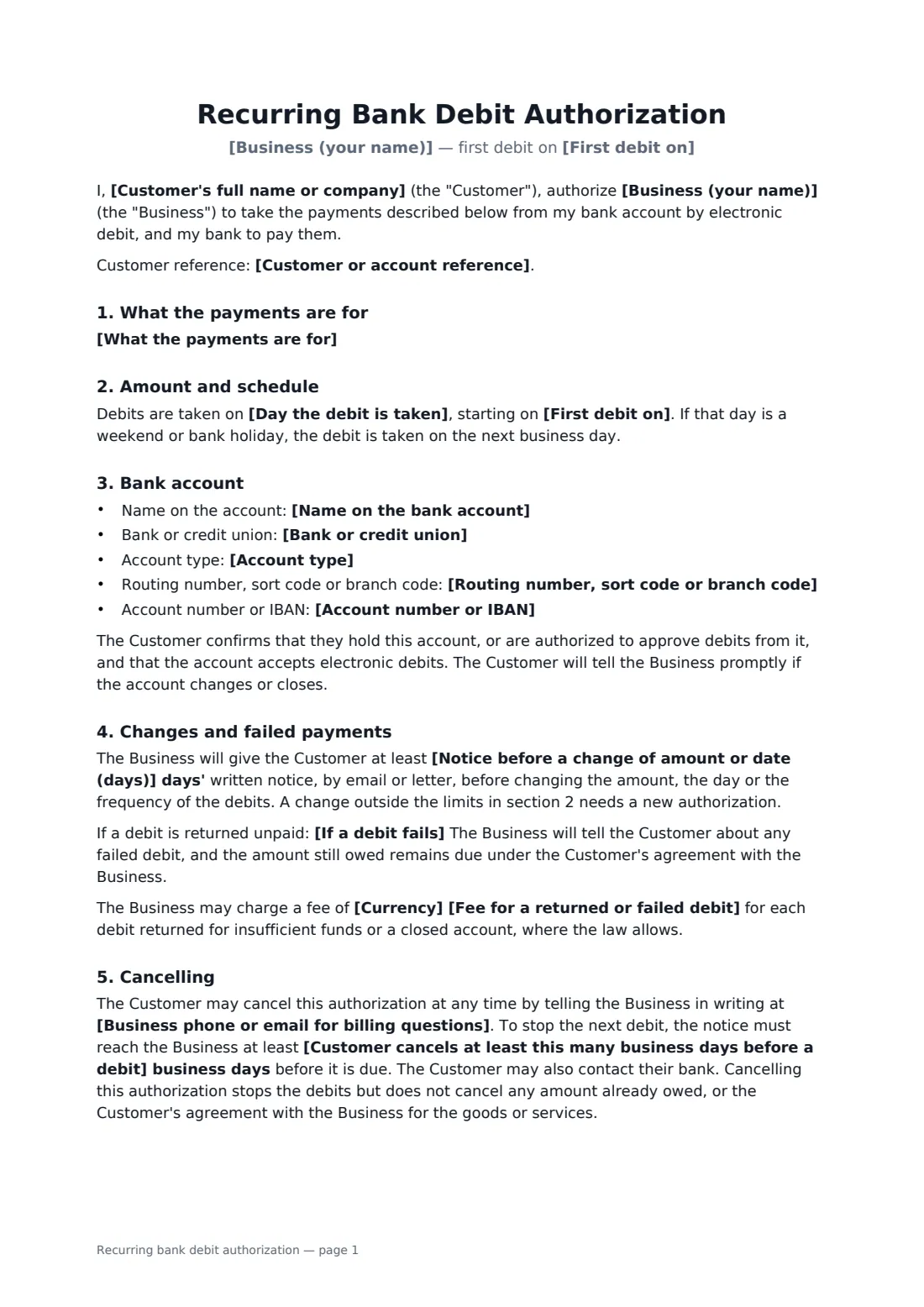
This authorization records exactly that. You describe what the payments are for, choose a fixed amount or the invoiced amount up to a cap, and set the frequency, debit day and first date. The debits can run until cancelled, until an end date or for a set number of payments. It holds the bank account details (or leaves them for the customer to write in), commits you to notice before any change, says what happens when a debit fails, and gives the customer a plain way to cancel and to have errors refunded.
- Best for
- Memberships, subscriptions, service plans, tuition and instalment payments
- Signed by
- The account holder, and the business to accept it
- Amount
- A fixed amount, or each invoice up to a limit you set
- Length
- 2 pages
When to use a recurring bank debit authorization
- A gym or studio collecting monthly membership fees by bank debit
- A lawn care or cleaning company setting up autopay for a service plan
- A private school or nursery taking termly or monthly fees
- A landlord or property manager collecting rent on the first of the month
- A business collecting agreed instalments on an outstanding balance
What you fill in
23 blanks, then the name and email of each person who signs: business, account holder.
1 The parties
- Business (your name)*
- Business phone or email for billing questions*
- Customer's full name or company*
- Customer or account reference
2 The payments
- What the payments are for*
- The amount is* a fixed amount · the amount on each invoice, up to a limit
- Currency*
- Fixed amount, or the most any one debit can be*
- How often* weekly · every two weeks · monthly · every three months · yearly
- Day the debit is taken*
- First debit on*
- The debits continue* until the customer cancels · until a set end date · for a set number of payments
- Last debit on
- Number of payments
3 Bank account
- Name on the bank account*
- Bank or credit union*
- Account type* checking / current · savings · business
- Routing number, sort code or branch code
- Account number or IBAN
4 Notice and cancellation
- Notice before a change of amount or date (days)*
- Customer cancels at least this many business days before a debit*
- Fee for a returned or failed debit
- If a debit fails* The Business may try the debit once more within 10 days. · The Business will not retry, and will ask the Customer to pay another way.
5 Who signs
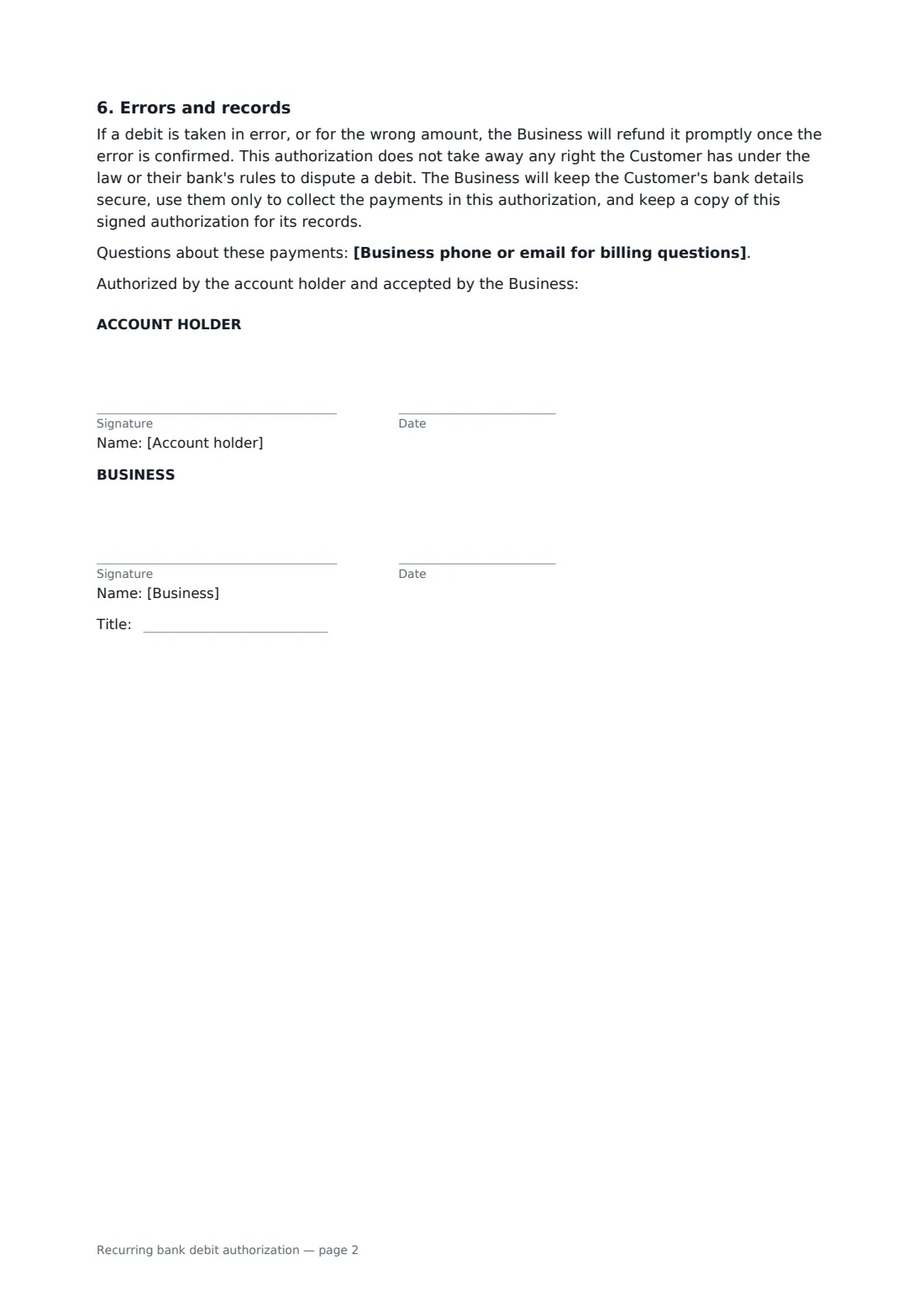
- Business signature and date, job title · The business that will collect the payments.
- Account holder signature and date · The person who holds the bank account and authorizes the debits. If the account is joint and the bank needs both holders, add the second holder as an extra signer in the editor.
What the recurring bank debit authorization covers
- What the payments are for
- Amount and schedule
- Bank account
- Changes and failed payments
- Cancelling
- Errors and records
Using the recurring bank debit authorization, step by step
1 Say what you're collecting
Describe what the payments are for — ideally pointing to the agreement or plan they belong to — and add the customer's account or membership reference so they can match the debits on their statement.
2 Set the amount and schedule
Pick a fixed amount, or the amount on each invoice with a maximum per debit. Choose weekly, fortnightly, monthly, quarterly or yearly, the debit day and the first date, then whether it runs until cancelled, to an end date or for a set number of payments.
3 Bank details, or leave them blank
Fill in the account holder, bank and account details if you already have them, or leave the number fields empty so the customer writes them in by hand. Many businesses prefer to collect account numbers over the phone or through their payment provider instead.
4 Notice, failures and send
Set how many days' notice you give before a change, how close to a debit the customer can cancel, whether you retry a failed debit, and any returned-payment fee. Then send it — the account holder signs first and you countersign.
Tips before you send it
- Your bank or payment processor may have its own mandate wording it insists on. If so, use theirs, or check this form covers what they need before relying on it.
- Send a reminder or invoice before each debit when the amount varies — customers dispute surprises, not bills they expected.
- The signed PDF holds bank details. In FileIt it is stored in your vault, so you don't need to keep paper copies lying around.
- Cancelling the debit doesn't cancel the debt. Keep the underlying service or payment agreement separate and signed too.
Sign it online in minutes
- Fill in the blanks. Names, dates and amounts go straight into the agreement — the preview shows exactly where.
- Name who signs. Tick “This is me” for your own part. FileIt builds the PDF with every signature, date box on the right line, and you can check or move anything before sending.
- Send it. Each signer gets a secure link and signs from any device — no account needed. The signed PDF, with an audit trail and a Certificate of Completion, is filed in your vault and emailed to everyone.
Recurring bank debit authorization: frequently asked questions
Is this an ACH authorization or a direct debit mandate?
It is written to work for either, without naming a particular banking scheme. Some banks and payment providers require their own form or specific wording — for example for US ACH debits or UK Direct Debit — so check with yours before you start collecting.
Can the business change the amount?
Only with advance written notice of the number of days you set, and only within the limits in the form. A change beyond the fixed amount or the per-debit maximum needs a new authorization.
How does the customer cancel?
By telling the business in writing, at least the number of business days you set before the next debit. They can also contact their bank. Cancelling stops future debits but doesn't cancel money already owed.
Can a bank debit authorization be signed electronically?
In many places, yes — electronic signatures are generally valid in the US (ESIGN Act and UETA), the UK, the EU (eIDAS) and Canada, and banking rules often accept electronically signed authorizations. Check your bank's requirements. FileIt keeps an audit trail and a Certificate of Completion with the signed PDF.
Is this template free?
Yes. It's free to use with the eSignature app in FileIt, and the customer signs from a link without needing a FileIt account.