What is a food allergy acknowledgement?
A verbal "no nuts, please" is easy to mishear, forget or fail to pass on to whoever is plating the dish. For events, private dinners and cooking classes, a written allergy disclosure means the kitchen knows exactly what to avoid, how serious it is, and what to do if something goes wrong.
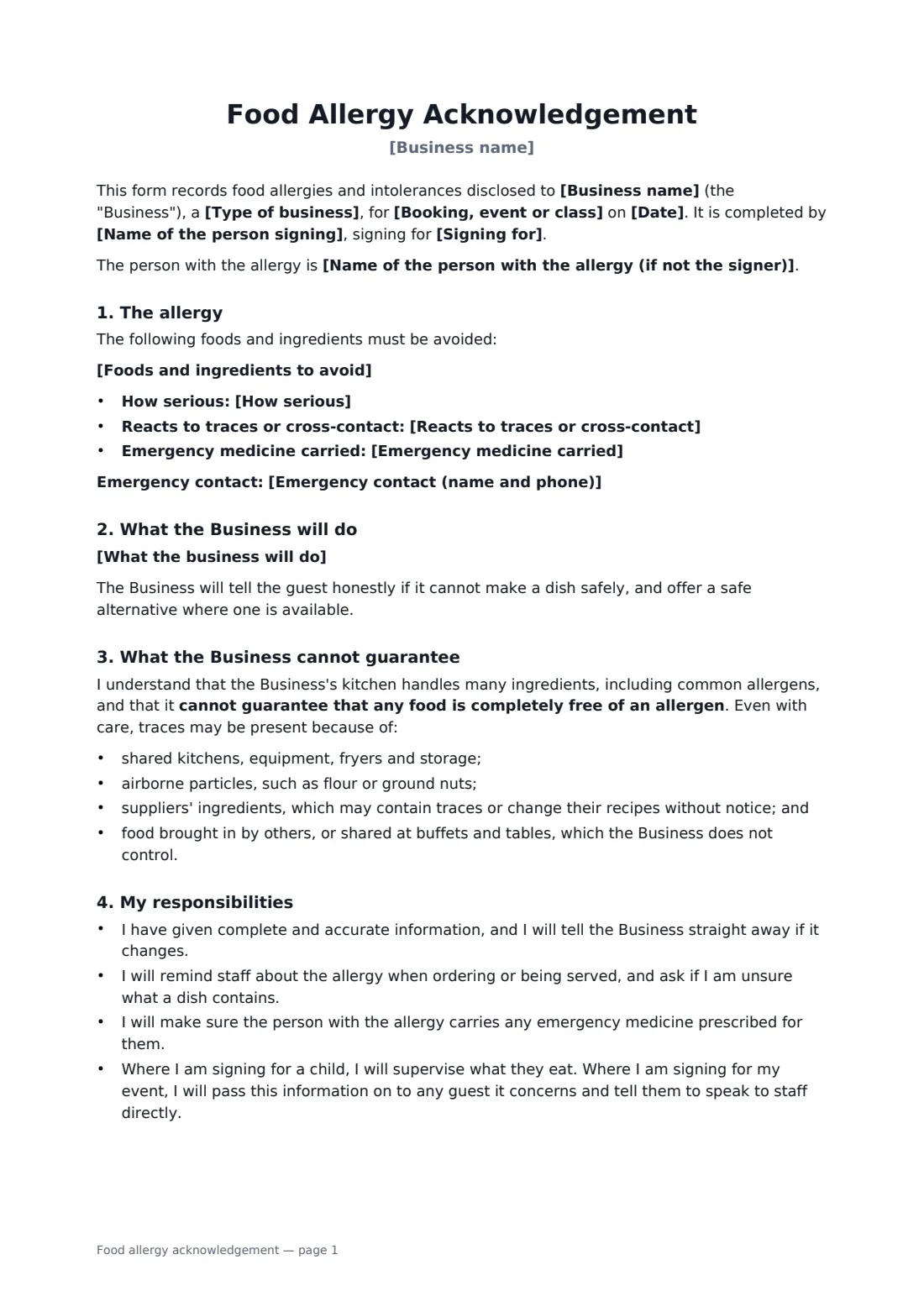
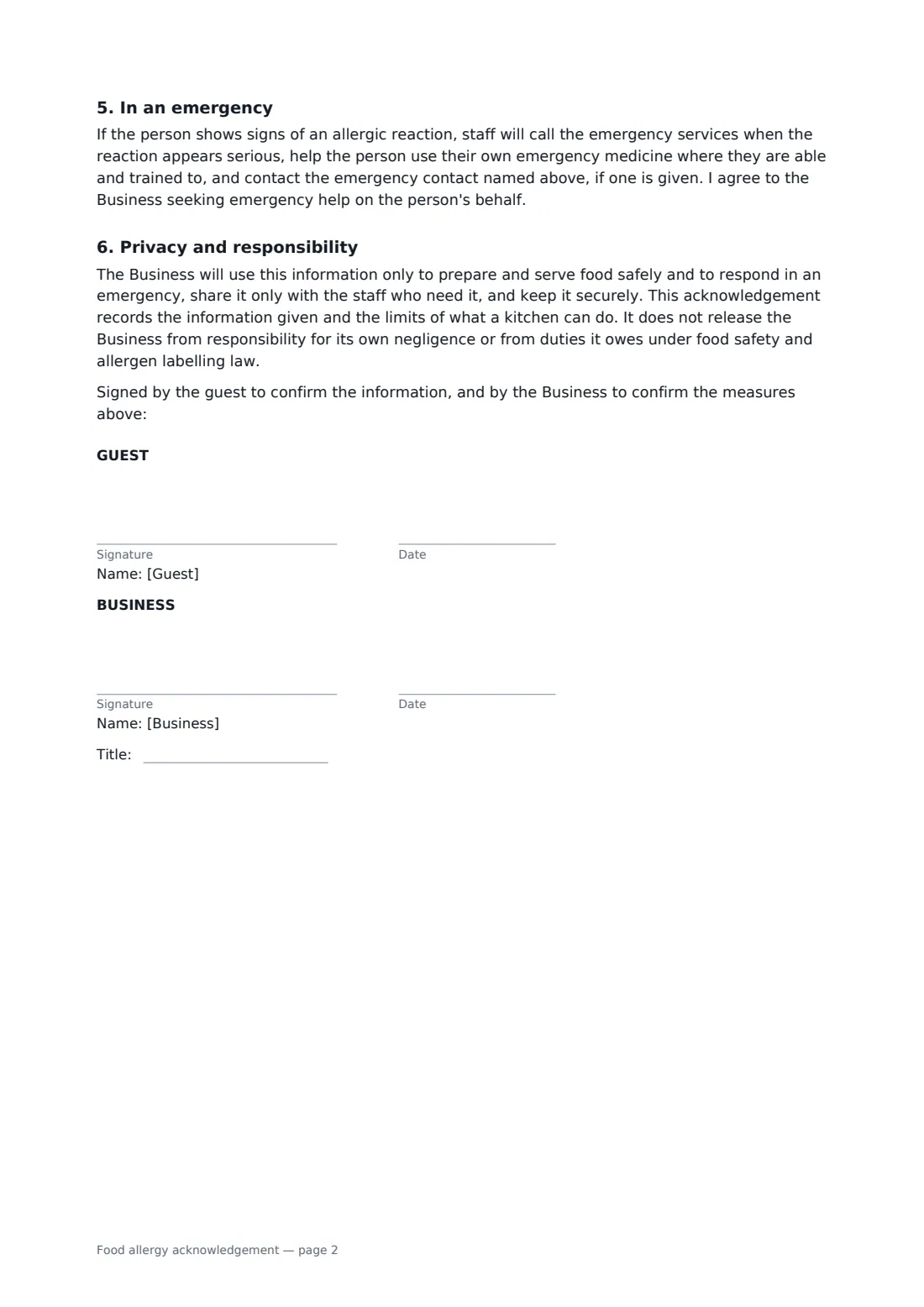
This form records the business and booking, who is signing (for themselves, a child or an event guest), the foods to avoid, how serious the allergy is, whether traces matter, any emergency medicine carried and an emergency contact. You set out what your kitchen will actually do, such as checking ingredients, preparing food separately and briefing staff. The guest acknowledges that a shared kitchen cannot guarantee a food is allergen-free because of shared equipment, airborne flour, supplier changes and food brought in by others, with an extra warning for severe allergies. It also covers the guest's responsibilities, what staff do in an emergency, and privacy, without releasing the business from its own negligence or its legal duties.
- Best for
- Restaurants, caterers, private chefs, bakeries, cooking schools
- Signed by
- The guest, parent or event client, and the business
- Records
- Allergens, severity, trace sensitivity, emergency medicine, kitchen measures
- Length
- 2 pages
When to use a food allergy acknowledgement
- A wedding client recording one guest's severe allergy
- A parent booking a child into a cooking class or birthday party
- A private chef cooking for a guest with a severe nut allergy
- A restaurant taking a large group booking with dietary requirements
- A bakery making a custom cake for someone with a sesame allergy
What you fill in
13 blanks, then the name and email of each person who signs: guest, business.
1 The business
- Business name*
- Type of business* restaurant · caterer · cooking school · private chef · bakery
- Booking, event or class*
- Date*
2 The person with allergies
- Name of the person signing*
- Signing for* myself · my child · a guest at my event
- Name of the person with the allergy (if not the signer)
3 The allergy
- Foods and ingredients to avoid*
- How serious* intolerance — not life-threatening · allergy — previous reactions have been mild · severe allergy — risk of anaphylaxis
- Reacts to traces or cross-contact* Yes · No · Not known
- Emergency medicine carried* None · Antihistamine · Adrenaline (epinephrine) auto-injector · Adrenaline auto-injector and antihistamine
- Emergency contact (name and phone)
4 Kitchen measures
- What the business will do*
5 Who signs
- Guest signature and date · The guest, the parent or guardian of a child guest, or the client booking an event.
- Business signature and date, job title · The restaurant, caterer, chef or cooking school.
What the food allergy acknowledgement covers
- The allergy
- What the Business will do
- What the Business cannot guarantee
- My responsibilities
- In an emergency
- Privacy and responsibility
Using the food allergy acknowledgement, step by step
1 Business and booking
Your business name fills in from your account. Choose the type of business and add the booking, event or class and its date.
2 The person and the allergy
Add who is signing and for whom, list the foods to avoid one per line, and choose the severity, trace sensitivity and emergency medicine.
3 Kitchen measures
Edit the default list so it matches exactly what your kitchen will do for this guest. Do not promise more than you can deliver.
4 Sign before the event
Send it to the guest when the booking is made. They sign, you countersign, and the form is filed in your FileIt vault to share with the kitchen team.
Tips before you send it
- Share the signed form with the chef and front-of-house team, not just the person who took the booking.
- Keep your allergen information for each dish up to date when recipes or suppliers change.
- Follow local allergen labelling and food safety rules; this form does not replace them.
- For severe allergies, talk to the guest directly before the event.
Sign it online in minutes
- Fill in the blanks. Names, dates and amounts go straight into the agreement — the preview shows exactly where.
- Name who signs. Tick “This is me” for your own part. FileIt builds the PDF with every signature, date box on the right line, and you can check or move anything before sending.
- Send it. Each signer gets a secure link and signs from any device — no account needed. The signed PDF, with an audit trail and a Certificate of Completion, is filed in your vault and emailed to everyone.
Food allergy acknowledgement: frequently asked questions
Does the form promise allergen-free food?
No. It says the kitchen cannot guarantee any food is completely free of an allergen, explains why, and records the measures the business will take.
Does signing release the business from liability?
No. It records the information and the limits of what a kitchen can do, but does not release the business from its own negligence or its food safety and allergen labelling duties.
Can an event client sign for their guests?
Yes. Choose 'a guest at my event'. The client agrees to pass the information on and to tell the guest to speak to staff directly.
What happens in an emergency?
Staff call the emergency services for a serious reaction, help the person use their own emergency medicine where able and trained to, and call the emergency contact.