What is a fence installation contract?
A fence looks simple until a neighbour says it's on their side, the auger hits a sprinkler line, or the gate sags after one winter. A fence installation contract between a fencing contractor and a property owner deals with those problems in advance, and the most important part is the boundary: who decides where the fence goes, and who is responsible if that turns out to be wrong.
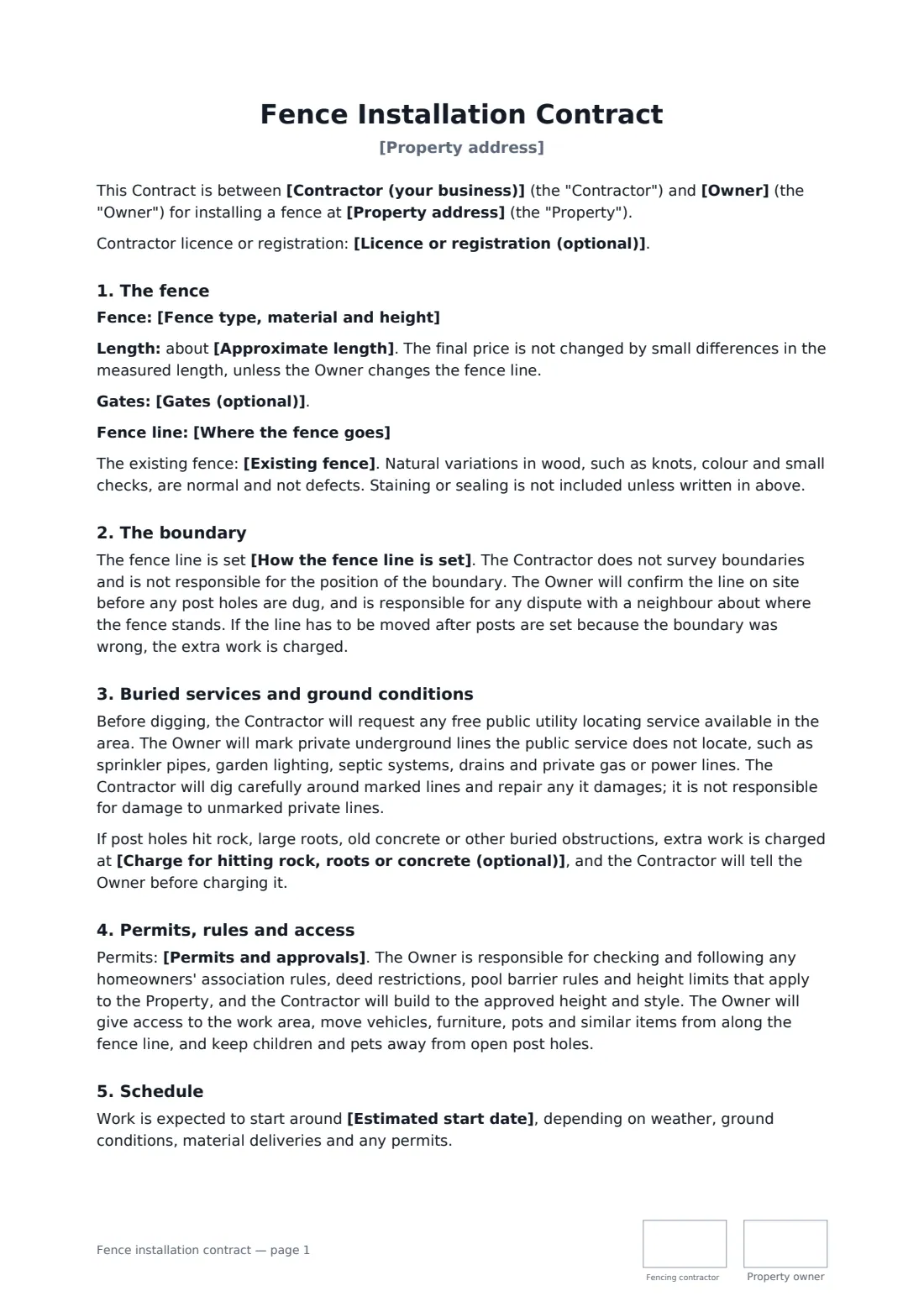
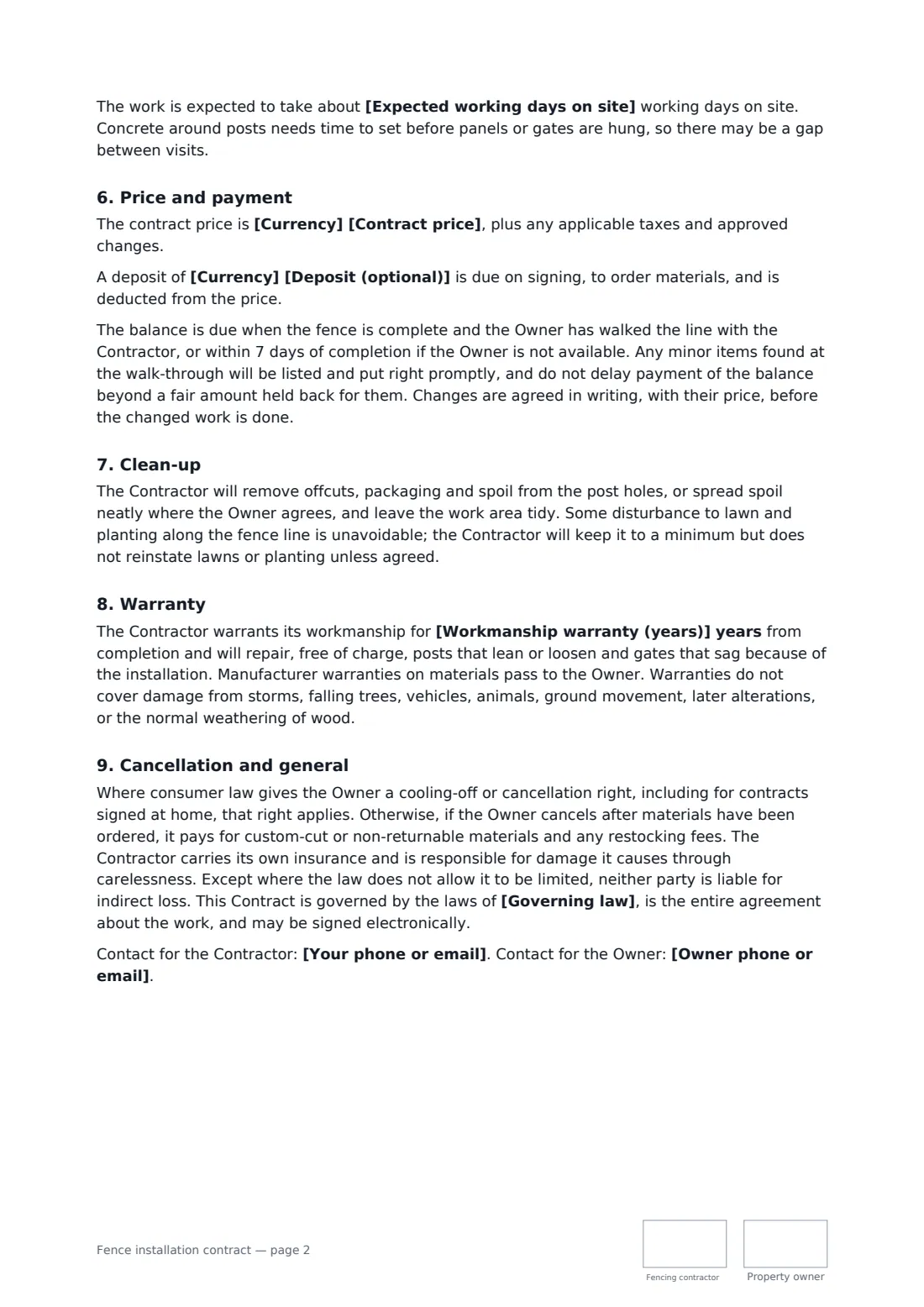
This template describes the fence type, material and height, the approximate length, any gates, and the fence line. You choose how the line is set: marked by the owner, taken from a survey, or agreed with the neighbour in writing. It covers utility locating and private underground lines, an optional charge for hitting rock or old concrete, permits, HOA and pool barrier rules, removing an old fence, and what the owner clears beforehand. It also sets the price, an optional deposit, a walk-through before the balance, clean-up of spoil, a workmanship warranty against leaning posts and sagging gates, and cancellation rights.
- Best for
- Fencing contractors, landscapers and handymen installing fences
- Signed by
- The fencing contractor and the property owner
- Boundary
- Owner-marked, from a survey, or agreed with the neighbour
- Length
- About 2-3 pages, initialled on every page
When to use a fence installation contract
- A cedar privacy fence around a suburban back yard
- Replacing a rotten fence with vinyl, including removal of the old one
- Chain link fencing and a drive gate for a small business yard
- A pool barrier fence with self-closing gates
- Post-and-rail fencing for a paddock
What you fill in
21 blanks, then the name and email of each person who signs: fencing contractor, property owner.
1 The parties
- Contractor (your business)*
- Your phone or email*
- Licence or registration (optional)
- Owner*
- Owner phone or email*
2 The fence
- Property address*
- Fence type, material and height*
- Approximate length*
- Gates (optional)
- Where the fence goes*
- How the fence line is set* the Owner marks the line and is responsible for it being on the Owner's land · from a survey the Owner provides, with the fence set just inside the boundary · by agreement with the neighbour, recorded in writing before work starts
- Existing fence* none to remove · removed and taken away by the Contractor, included in the price · removed by the Owner before work starts
- Permits and approvals* the Contractor applies for any permit, included in the price · the Owner obtains any permit and HOA approval · not required, as confirmed by the Owner
3 Price and schedule
- Currency*
- Contract price*
- Deposit (optional)
- Charge for hitting rock, roots or concrete (optional)
- Estimated start date*
- Expected working days on site
- Workmanship warranty (years)*
- Governing law*
4 Who signs
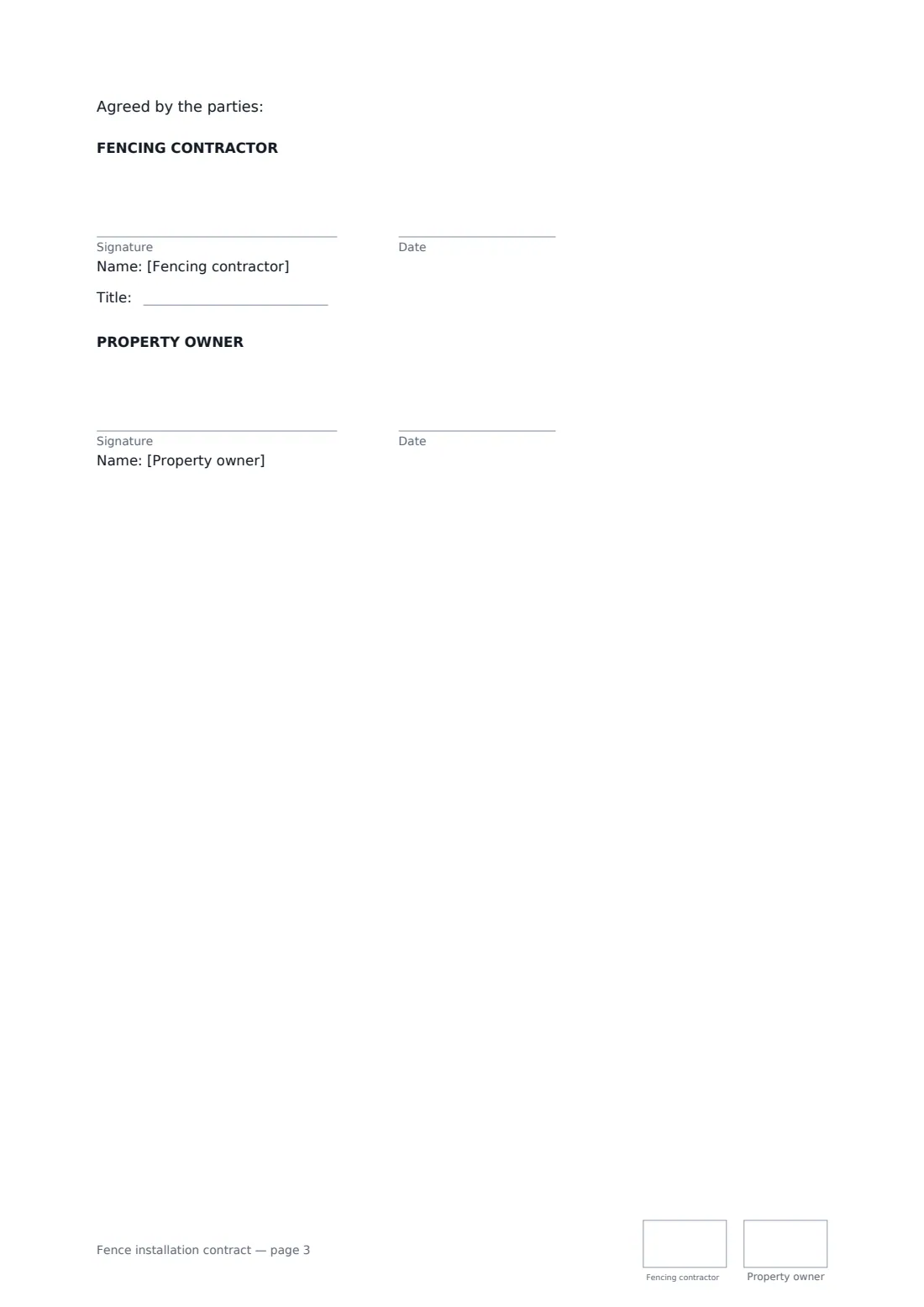
- Fencing contractor signature and date, job title, initials on every page · The fencing business doing the work.
- Property owner signature and date, initials on every page · The owner of the property, or someone authorised by the owner.
What the fence installation contract covers
- The fence
- The boundary
- Buried services and ground conditions
- Permits, rules and access
- Schedule
- Price and payment
- Clean-up
- Warranty
- Cancellation and general
Using the fence installation contract, step by step
1 Describe the fence
Enter the type, material, height and post spacing, the approximate length, and any gates with their hardware.
2 Fix the fence line
Describe where the fence runs and choose how the line is set. Point to a signed sketch or survey if you have one.
3 Cover the site
Choose what happens to any existing fence and who handles permits. Add a charge for rock or buried concrete if you use one.
4 Price, schedule and send
Enter the price, an optional deposit, the start date, expected days on site and the warranty years, then send to the owner.
Tips before you send it
- Never set posts until the owner has confirmed the line on site. The template makes that a step, and moving set posts later is charged.
- When the fence follows a shared boundary, suggest the owner talks to the neighbour first. A written agreement with them prevents the most bitter fence disputes.
- Request the public utility locate early. In many places it's free but needs a few working days' notice.
- Pool barrier fences often have strict height, gap and gate-closing rules. Check them before you quote.
Sign it online in minutes
- Fill in the blanks. Names, dates and amounts go straight into the agreement — the preview shows exactly where.
- Name who signs. Tick “This is me” for your own part. FileIt builds the PDF with every signature, date and initials box on the right line, and you can check or move anything before sending.
- Send it. Each signer gets a secure link and signs from any device — no account needed. The signed PDF, with an audit trail and a Certificate of Completion, is filed in your vault and emailed to everyone.
Fence installation contract: frequently asked questions
Who is responsible if the fence is on the wrong side of the boundary?
The contractor doesn't survey boundaries. The line is set the way you choose in the contract, and the owner confirms it on site before digging and is responsible for disputes with neighbours. If posts have to be moved because the boundary was wrong, the extra work is charged.
What if the post holes hit rock?
If you entered a rate, extra work is charged at that rate after telling the owner. If not, the contractor explains the options and price before doing more.
What does the warranty cover?
Posts that lean or loosen and gates that sag because of the installation, for the number of years you set. It doesn't cover storms, falling trees, vehicles, ground movement or normal weathering of wood.
Can a fence contract be signed online?
Electronic signatures are generally valid for home improvement contracts in the US, UK, EU and Canada, though some places add specific notices for work signed at home. FileIt keeps an audit trail and Certificate of Completion with the signed PDF.
Is it free?
Yes. The template is free with FileIt eSignature, and the owner signs without needing an account.