What is a facility use agreement?
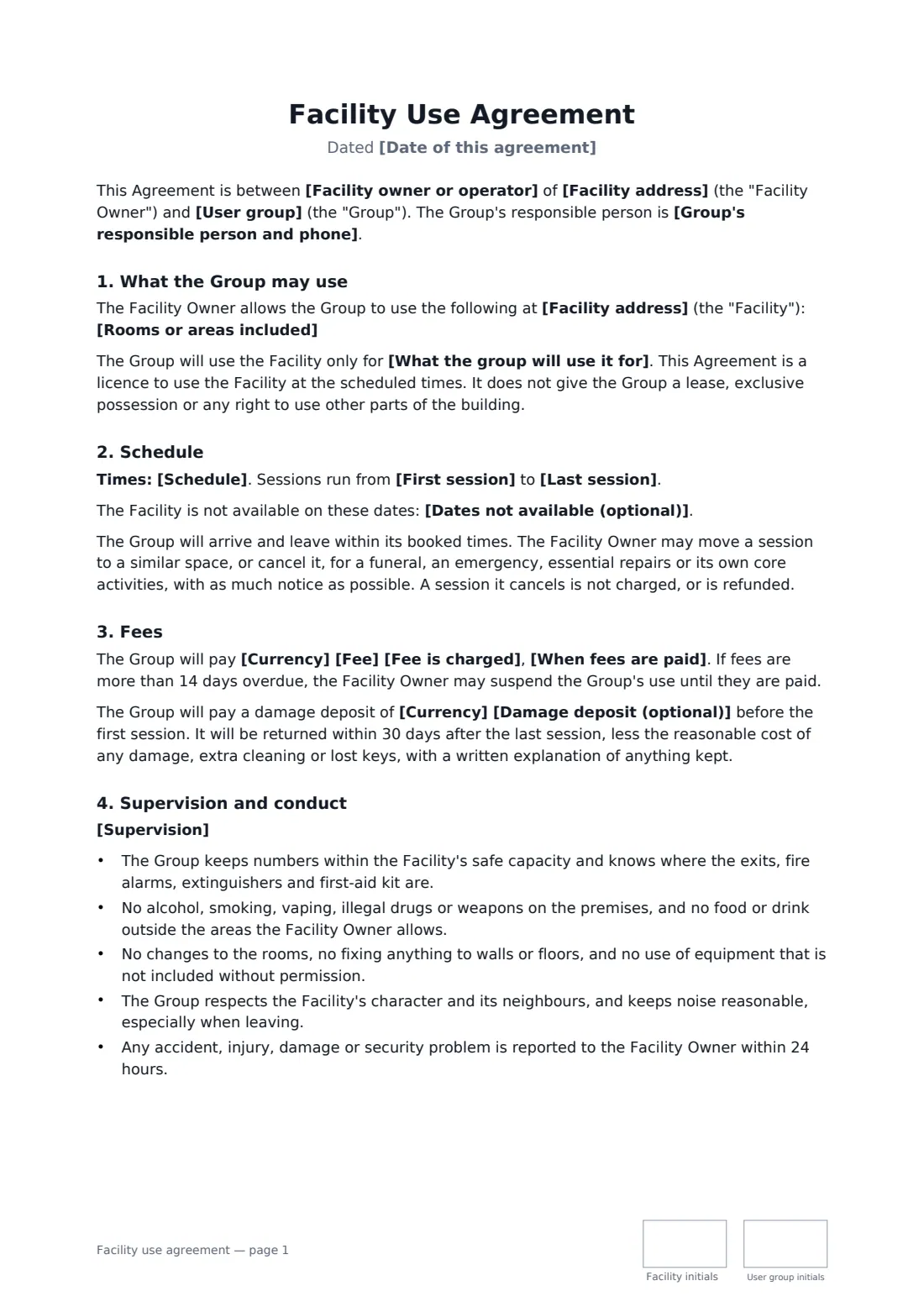
Schools, churches, community centres and clubs often have rooms that sit empty in the evenings, and plenty of local groups need them. A facility use agreement makes the arrangement predictable for both sides: which rooms, which nights, what it costs and who locks up.
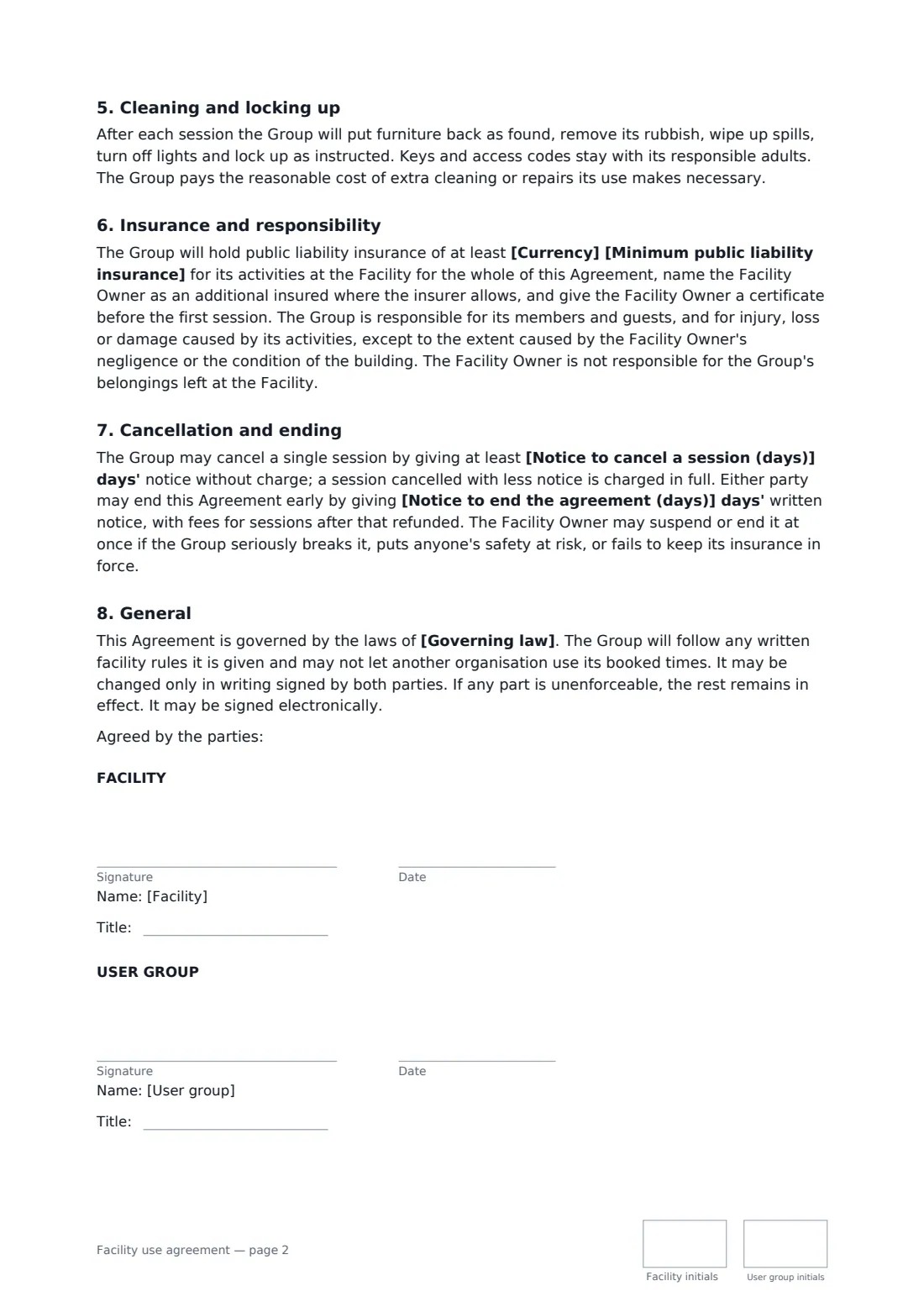
This template lists the rooms included and those that aren't, sets a recurring schedule with start and end dates and any dates the building is unavailable, and lets you charge per session, per hour, per month or for the whole period, with an optional damage deposit. It covers adult supervision and safeguarding, a short conduct list, cleaning and locking up, liability insurance with a certificate, cancelling a single session and ending early, and makes clear it is a licence rather than a lease.
- Best for
- Recurring use of a hall, gym, field or classroom by an outside group
- Signed by
- The facility's authorised signer and the group's leader
- Fees
- Per session, hour, month or whole period, plus optional deposit
- Length
- 2 pages
When to use a facility use agreement
- A youth basketball league practising in a school gym twice a week
- A community choir rehearsing in a church hall on Monday nights
- A martial arts or yoga instructor running classes at a community centre
- A support group meeting monthly in a library room
- A club renting a sports field for a season of Saturday matches
What you fill in
21 blanks, then the name and email of each person who signs: facility, user group.
1 The parties
- Date of this agreement*
- Facility owner or operator*
- Facility address*
- User group*
- Group's responsible person and phone*
2 Use
- What the group will use it for*
- Rooms or areas included*
- Schedule*
- First session*
- Last session*
- Dates not available (optional)
3 Fees
- Currency*
- Fee*
- Fee is charged* per session · per hour · per month · for the whole period
- When fees are paid*
- Damage deposit (optional)
4 Rules
- Supervision* At least one responsible adult named by the Group will be present for the whole of each session. Where children or vulnerable adults take part, the Group will follow its own safeguarding policy and keep at least two adults present, with any background checks the law requires. · At least one responsible adult named by the Group will be present for the whole of each session. No children or vulnerable adults will take part without the Facility's prior written agreement.
- Minimum public liability insurance*
5 Cancellation
- Notice to cancel a session (days)*
- Notice to end the agreement (days)*
- Governing law*
6 Who signs
- Facility signature and date, job title, initials on every page · The person authorised to sign for the school, church, club or centre that owns or runs the facility.
- User group signature and date, job title, initials on every page · The person authorised to sign for the group using the facility, such as its chair, coach or organiser.
What the facility use agreement covers
- What the Group may use
- Schedule
- Fees
- Supervision and conduct
- Cleaning and locking up
- Insurance and responsibility
- Cancellation and ending
- General
Using the facility use agreement, step by step
1 Name both sides
Enter the facility owner and address, the group and its responsible person.
2 Set the schedule
Describe the purpose, list the rooms included, write the weekly times and add the first and last session and any blackout dates.
3 Set fees and rules
Enter the fee and how it's charged, when it's paid, any deposit, the supervision rule and the insurance minimum.
4 Agree cancellation and sign
Set the notice for cancelling a session and for ending early, add the governing law and send it to the group's leader.
Tips before you send it
- Attach your written facility rules and a floor plan, so the group knows exactly which doors and rooms are in bounds.
- Ask for the insurance certificate before the first session, and log its expiry in FileIt so a reminder comes before it lapses.
- If children take part, ask to see the group's safeguarding policy as well as the certificate.
- Do a quick walk-through after the first session to catch cleaning or locking-up habits early.
Sign it online in minutes
- Fill in the blanks. Names, dates and amounts go straight into the agreement — the preview shows exactly where.
- Name who signs. Tick “This is me” for your own part. FileIt builds the PDF with every signature, date and initials box on the right line, and you can check or move anything before sending.
- Send it. Each signer gets a secure link and signs from any device — no account needed. The signed PDF, with an audit trail and a Certificate of Completion, is filed in your vault and emailed to everyone.
Facility use agreement: frequently asked questions
Is this a lease?
No. The template says it is a licence to use the facility at scheduled times, with no exclusive possession or right to other parts of the building.
Can the facility cancel a session?
Yes, for things like a funeral, an emergency, repairs or the owner's own core activities. The group isn't charged for a session the facility cancels, and any payment is refunded.
What if the group's insurance lapses?
The facility owner may suspend or end the agreement at once if the group stops keeping the required insurance.
Can a church or school sign this electronically?
Yes, for an ordinary agreement like this in most places, provided the person signing is authorised. FileIt records who signed and when in the audit trail and the Certificate of Completion.