What is a donation receipt?
Donors keep receipts for their records and, in many countries, to claim tax relief on gifts to registered charities. A good receipt shows who gave, who received, when, and what: the amount of money, or a description of donated goods. It also says whether the donor got anything in return, such as gala tickets, because that can change how much of the gift counts.
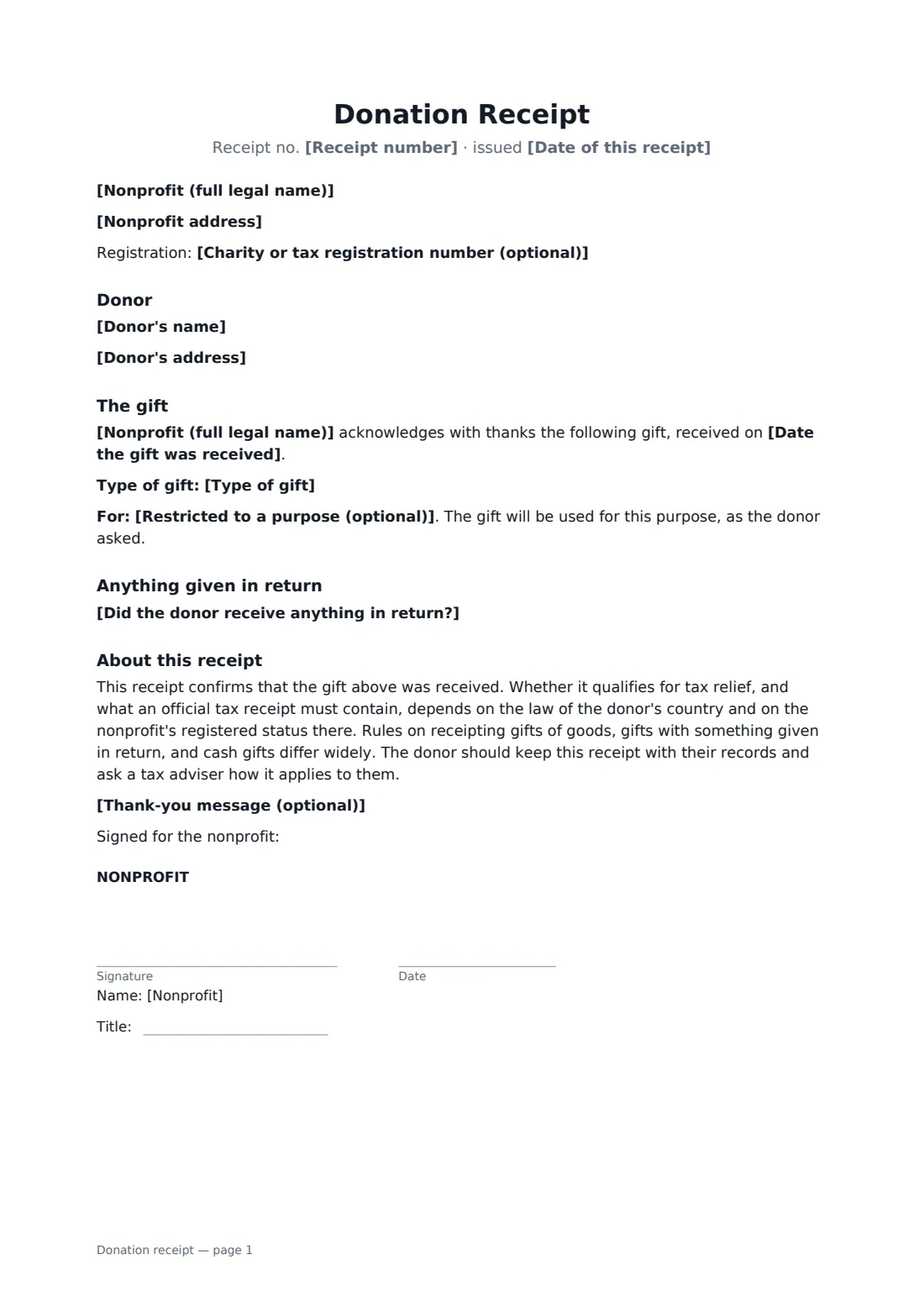
This template includes a receipt number and date, the nonprofit's name, address and optional registration number, and the donor's name and address. For money, it records the amount and how it was paid; for goods, a description and condition, with any value the donor gives noted as the donor's own and not appraised. It records an optional restricted purpose, a statement of whether anything was given in return with a description and good-faith estimate of value, and an optional thank-you. It says plainly that tax receipt rules vary by country, so the donor should check with a tax adviser.
- Best for
- Charities, community groups, schools, churches and other nonprofits
- Signed by
- An authorised person at the nonprofit
- Gifts covered
- Money or goods and property (in kind)
- Length
- 1 page
When to use a donation receipt
- Acknowledging a one-off gift by bank transfer or card
- Receipting donated laptops, furniture or clothing
- A gala ticket where part of the price is a donation
- A gift restricted to a specific appeal or program
- Sending a signed receipt for a cash collection from a supporter
What you fill in
19 blanks, then the name and email of each person who signs: nonprofit.
1 The nonprofit
- Receipt number*
- Date of this receipt*
- Nonprofit (full legal name)*
- Nonprofit address*
- Charity or tax registration number (optional)
2 The donor
- Donor's name*
- Donor's address
3 The gift
- Date the gift was received*
- Type of gift* money · goods or property (in kind)
- Currency*
- Amount of money given
- Paid by bank transfer · card · cheque · cash · online giving platform · payroll giving · other
- Description and condition of the goods or property
- Value stated by the donor (optional)
- Restricted to a purpose (optional)
4 Anything in return
- Did the donor receive anything in return?* No goods or services were provided in return for this gift. · Goods or services were provided in return, as described below.
- What was given in return
- Good-faith estimate of its value
- Thank-you message (optional)
5 Who signs
- Nonprofit signature and date, job title · The person authorised to sign receipts for the nonprofit, such as the treasurer or executive director. The signed copy can be sent to the donor.
What the donation receipt covers
- Donor
- The gift
- Anything given in return
- About this receipt
Using the donation receipt, step by step
1 Add the nonprofit's details
Enter a receipt number, the issue date, the nonprofit's legal name and address, and its registration number if it has one.
2 Record the donor and the gift
Enter the donor's name and address, the date received, and choose money or goods. Give the amount and payment method, or describe the goods and any value the donor gave.
3 Say if anything was given in return
Choose whether the donor received anything. If they did, describe it and give a good-faith estimate of its value.
4 Sign and send
Add a thank-you if you like, sign as the nonprofit, and send the signed PDF to the donor.
Tips before you send it
- Number receipts in sequence and keep a copy of every one. Auditors and regulators may ask to see them.
- For goods, describe the items and their condition rather than putting your own value on them, unless local rules say otherwise.
- Check what your country requires on an official tax receipt. Some need specific wording, registration numbers or the donor's address.
- If a donor gave in several instalments, you can issue one receipt per gift or a yearly summary, depending on local practice.
Sign it online in minutes
- Fill in the blanks. Names, dates and amounts go straight into the agreement — the preview shows exactly where.
- Name who signs. Tick “This is me” for your own part. FileIt builds the PDF with every signature, date box on the right line, and you can check or move anything before sending.
- Send it. Each signer gets a secure link and signs from any device — no account needed. The signed PDF, with an audit trail and a Certificate of Completion, is filed in your vault and emailed to everyone.
Donation receipt: frequently asked questions
Is this an official tax receipt?
It is a signed acknowledgement of the gift. Whether it qualifies as an official tax receipt depends on the law of the donor's country and the nonprofit's registered status there. Add any wording or details your local rules require.
Should the nonprofit value donated goods?
Often the donor values them, not the charity. The template notes any value the donor states, and says the nonprofit hasn't appraised it or confirmed it. Check local rules.
Why does the receipt ask whether anything was given in return?
In many countries only the part of a gift that exceeds the value of anything the donor received counts as a donation for tax purposes. Stating it plainly helps the donor and the nonprofit.
Does the donor need to sign?
No. Only the nonprofit signs. FileIt emails the signed PDF and you can send it to the donor, who doesn't need an account.