What is a in-kind donation agreement?
Not every gift is a cheque. Nonprofits receive laptops from a company refresh, furniture for a shelter, food for an event, or a designer's time for a campaign. A short written agreement avoids awkward questions later: was the donation for a particular programme, can you sell items you can't use, who pays for delivery, and does the donor expect their name on the website?
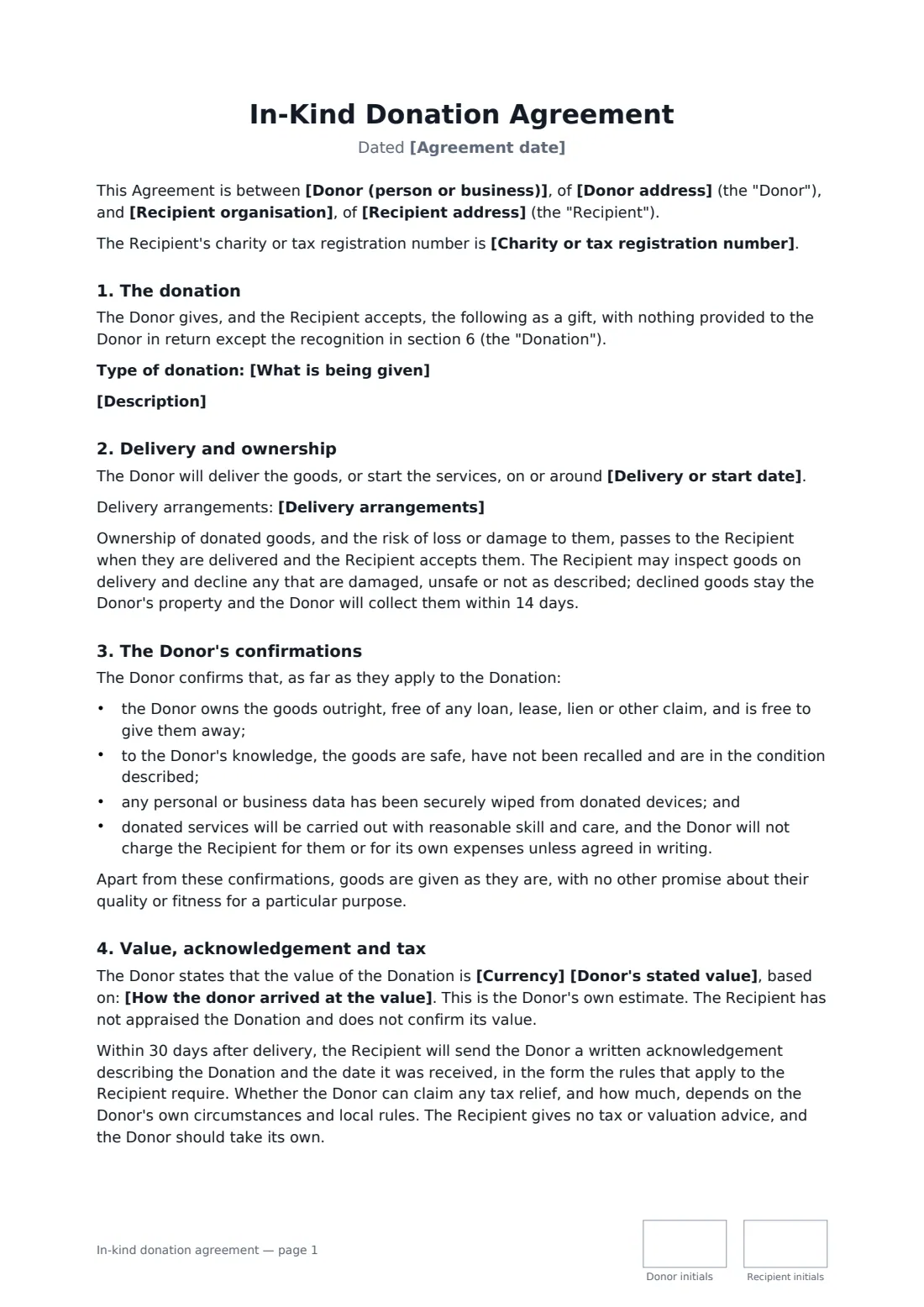
This template covers goods, services or both. It records a clear description, delivery or start date and arrangements, when ownership and risk pass, the right to decline items that arrive damaged or unsafe, the donor's confirmations (they own the goods, nothing recalled, devices wiped), the donor's own stated value — which the organisation doesn't appraise — the written acknowledgement and a plain no-tax-advice statement, unrestricted or purpose-specific use, and one of three recognition options.
- Best for
- Charities, schools, clubs and community groups receiving non-cash gifts
- Signed by
- The donor and an authorised officer of the organisation
- Value
- The donor's own estimate, recorded but not confirmed by the organisation
- Length
- 2 pages, initialled on every page
When to use a in-kind donation agreement
- A tech company donating refurbished laptops to a youth homework club
- A furniture shop giving beds and sofas to a family shelter
- A local printer donating the print run for a fundraising gala
- A photographer giving a day's shoot for a charity's annual report
- A restaurant supplying food for a community event at no charge
What you fill in
18 blanks, then the name and email of each person who signs: donor, recipient.
1 The parties
- Agreement date*
- Recipient organisation*
- Recipient address
- Charity or tax registration number
- Donor (person or business)*
- Donor address
2 The donation
- What is being given* Goods · Services · Goods and services
- Description*
- Currency
- Donor's stated value
- How the donor arrived at the value
3 Delivery
- Delivery or start date*
- Delivery arrangements
4 Use and recognition
- How the gift may be used* For any of the Recipient's charitable purposes · For a specific purpose
- Specific purpose
- Recognition* Thank the Donor by name in the annual report and on the website · Keep the Donor anonymous · No public recognition, but the Donor may say it made the gift
- Name to use in recognition
- Governing law*
5 Who signs
- Donor signature and date, initials on every page · The person or business giving the goods or services. For a company gift, an authorised officer signs.
- Recipient signature and date, job title, initials on every page · An authorised officer of the nonprofit, charity, school or community group accepting the gift.
What the in-kind donation agreement covers
- The donation
- Delivery and ownership
- The Donor's confirmations
- Value, acknowledgement and tax
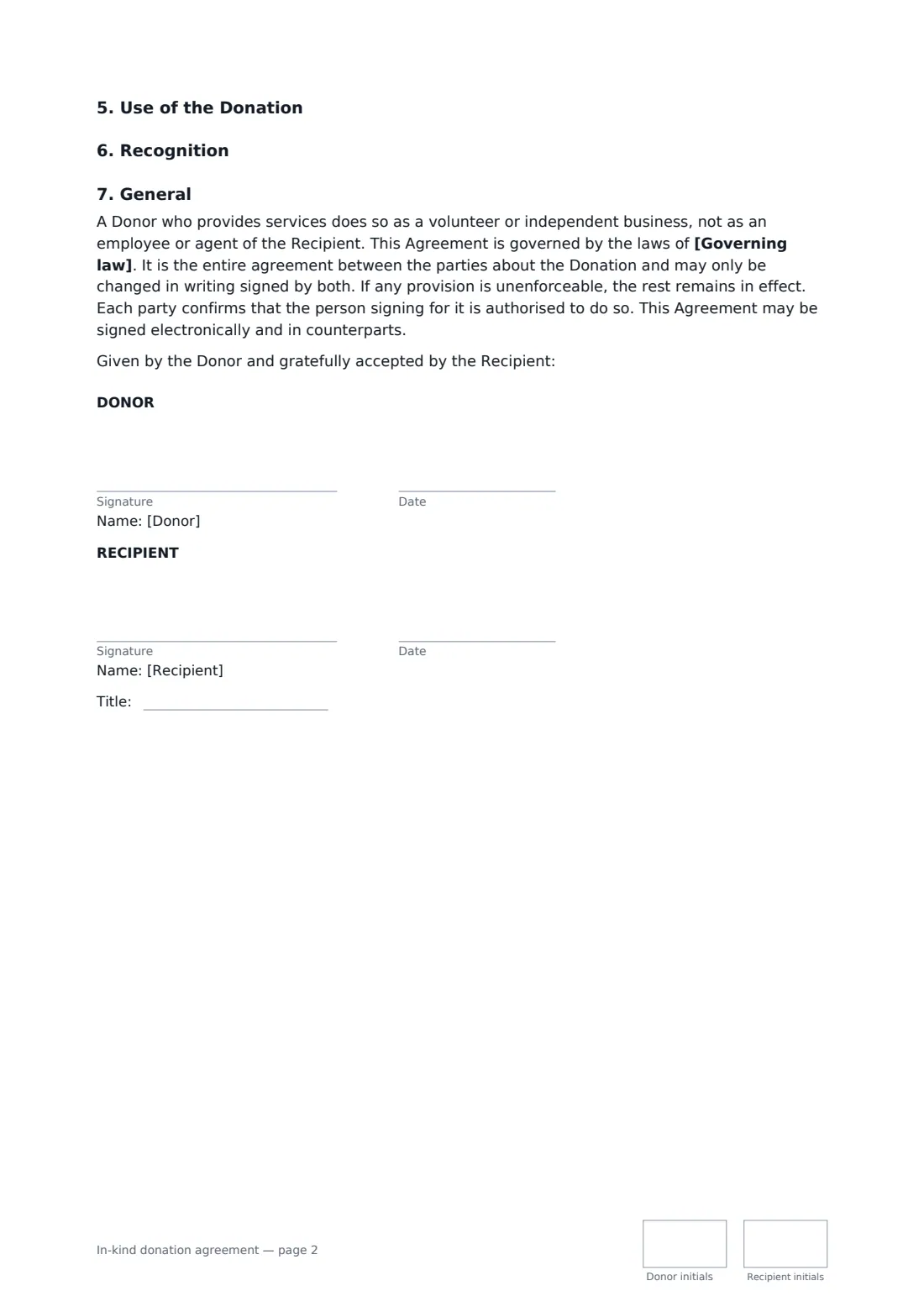
- Use of the Donation
- Recognition
- General
Using the in-kind donation agreement, step by step
1 Describe the donation
Choose goods, services or both, then list quantities, condition and model numbers, or the scope and hours of the services. The more specific, the better the acknowledgement you can send.
2 Record the donor's value, if any
Leave it empty or enter the donor's own figure and how they reached it. The agreement makes clear the organisation hasn't appraised it.
3 Set delivery, use and recognition
Add the delivery date and arrangements, choose unrestricted use or a specific purpose, and pick how the donor is recognised — named, anonymous, or no publicity.
4 Send it to the donor
Sign for the organisation and send. The donor signs online without an account, and the signed copy lands in your FileIt vault alongside your other donor records.
Tips before you send it
- Inspect goods when they arrive. The agreement lets you decline damaged or unsafe items, and the donor collects them.
- Don't put a value on a gift in kind yourself unless your own rules allow it — let the donor state their own estimate.
- For donated devices, ask the donor to confirm data has been wiped before handover; the template includes that promise.
- If you restrict a gift to a programme, agree what happens when the programme ends so you're not stuck storing items.
Sign it online in minutes
- Fill in the blanks. Names, dates and amounts go straight into the agreement — the preview shows exactly where.
- Name who signs. Tick “This is me” for your own part. FileIt builds the PDF with every signature, date and initials box on the right line, and you can check or move anything before sending.
- Send it. Each signer gets a secure link and signs from any device — no account needed. The signed PDF, with an audit trail and a Certificate of Completion, is filed in your vault and emailed to everyone.
In-kind donation agreement: frequently asked questions
Can the donor claim a tax deduction?
Possibly, depending on where they are, what was donated and your organisation's status. The agreement commits you to send a written acknowledgement and says you don't give tax or valuation advice. The donor should check the rules that apply to them.
Can we sell donated items we can't use?
With an unrestricted gift, yes: you may pass items to another nonprofit, sell them for your purposes or dispose of them responsibly. With a purpose-specific gift, you ask the donor first whether they want the items back.
Does this work for donated services?
Yes. Choose services or goods and services, describe the work and hours, and the donor confirms they won't charge for it and will work with reasonable care, as a volunteer or independent business rather than an employee.
Can it be signed electronically?
In most countries, including the US (ESIGN Act and UETA), the UK, the EU (eIDAS) and Canada, an electronic signature is generally valid for an ordinary agreement like this one. FileIt keeps an audit trail and a Certificate of Completion with the signed PDF as evidence of who signed and when.
Is this template free?
Yes. The template is free to use with the eSignature app in FileIt, and the people you send it to don't need a FileIt account to sign.