What is a credit card authorization form?
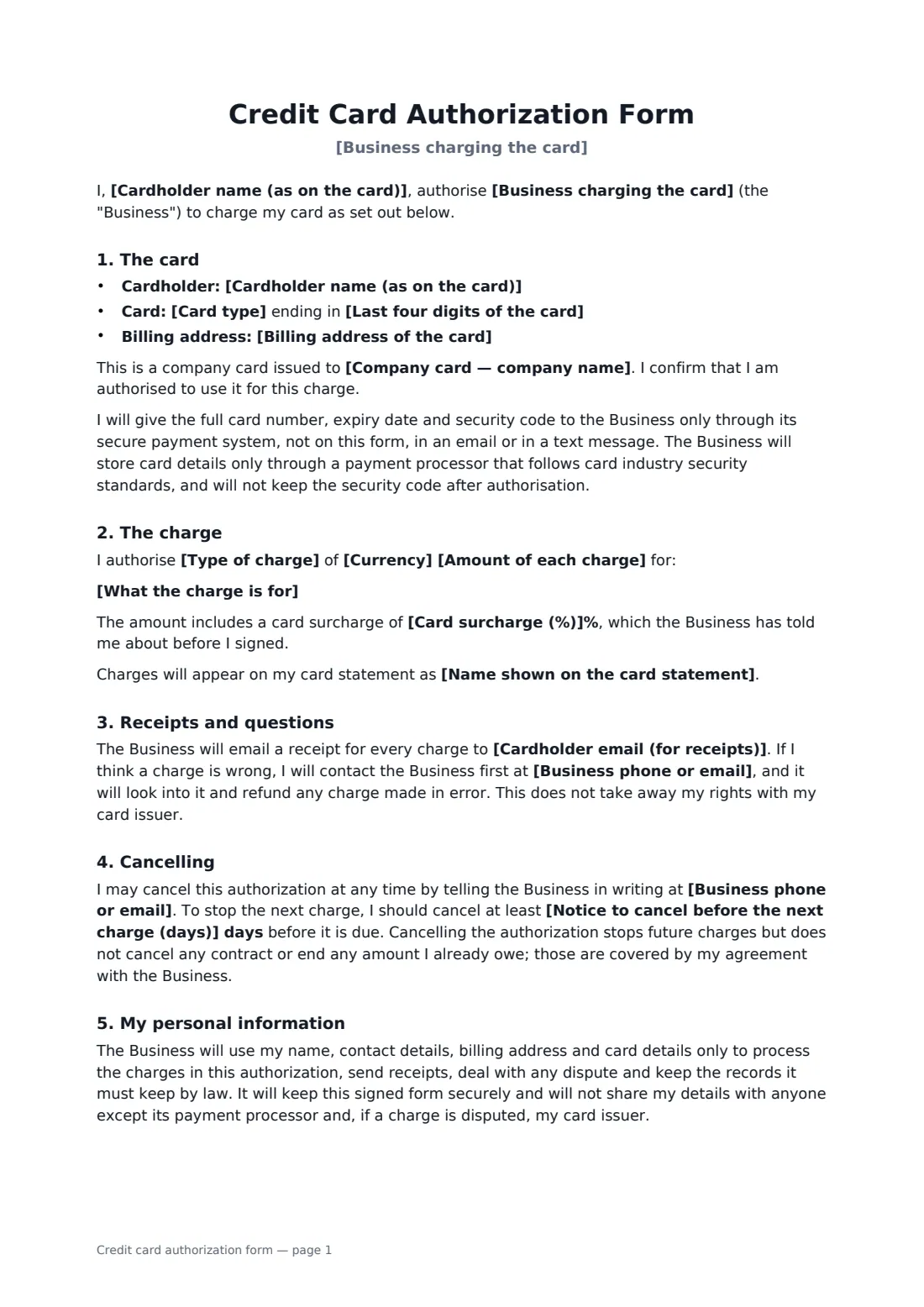
When a business keeps a card on file, takes a payment over the phone or bills a customer every month, a signed credit card authorization is its evidence that the cardholder agreed. It records the amount, what the charge is for, when it happens and how the cardholder can stop it, and it's what a business points to if a charge is ever disputed with the card issuer.
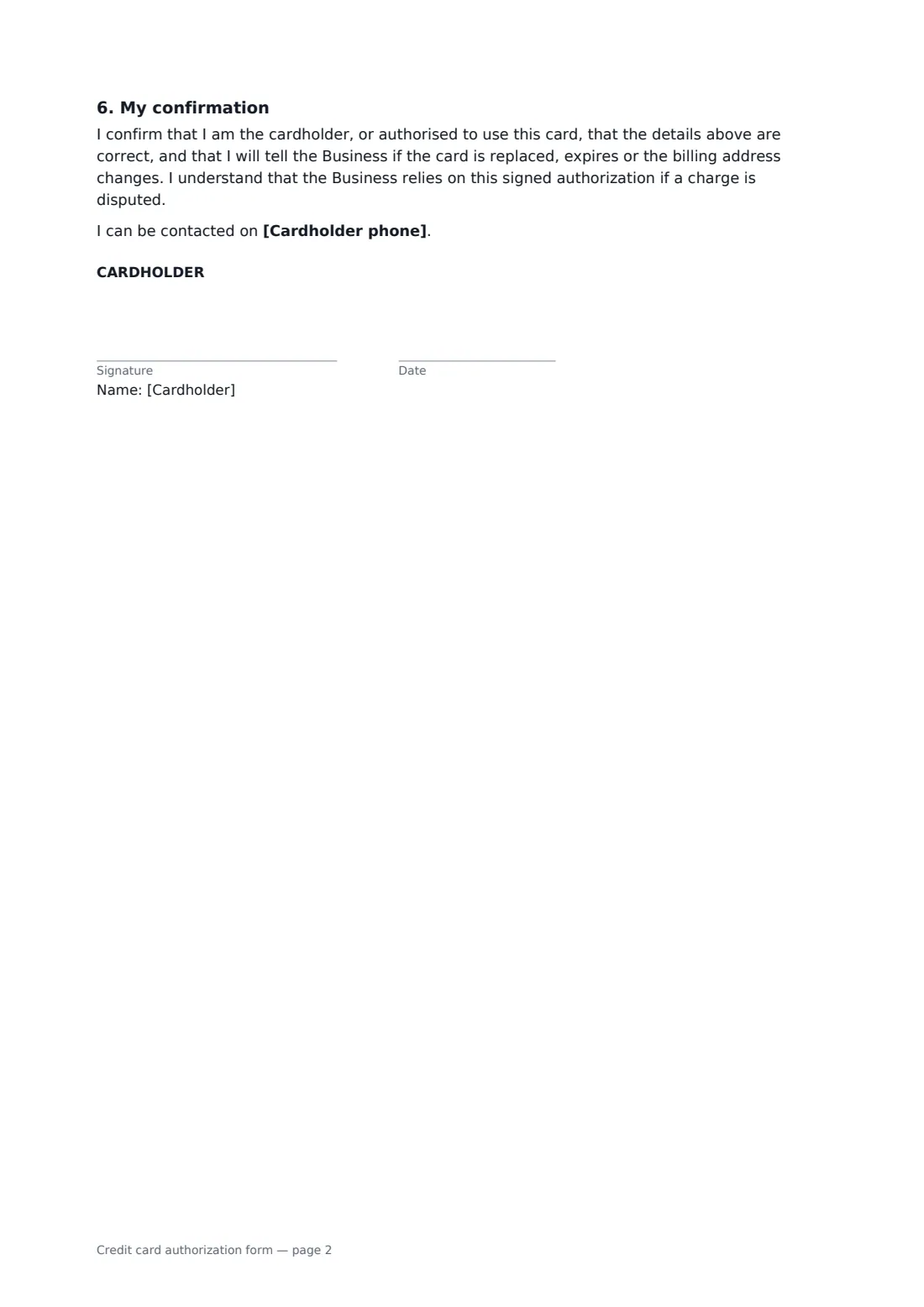
This template identifies the card only by its type and last four digits and asks the cardholder to give the full number through the business's secure payment system — never on the form. It covers personal and company cards, the billing address, a one-time charge or recurring charges with a start date, frequency and end condition, notice before any change in amount, an optional card surcharge, the statement name, emailed receipts, contacting the business first about a wrong charge, cancelling with notice before the next charge, and the cardholder's confirmation.
- Best for
- Service businesses, gyms, clinics, contractors and anyone keeping a card on file
- Signed by
- The cardholder
- Charges
- One-time, or recurring weekly to yearly
- Length
- About 2 pages
When to use a credit card authorization form
- A contractor charging the final balance once a job is signed off
- A gym or studio billing a monthly membership
- A hotel or venue charging a booking deposit taken by phone
- A clinic keeping a card on file for missed-appointment fees
- A company card authorising a supplier's monthly invoice
What you fill in
19 blanks, then the name and email of each person who signs: cardholder.
1 The business
- Business charging the card*
- Business phone or email*
- Name shown on the card statement
2 The cardholder
- Cardholder name (as on the card)*
- Cardholder email (for receipts)*
- Cardholder phone
- Billing address of the card*
3 The card
- Card type* Visa · Mastercard · American Express · Discover · Other
- Last four digits of the card*
- Company card — company name
4 The charge
- Type of charge* a one-time charge · recurring charges
- What the charge is for*
- Currency*
- Amount of each charge*
- Charge date (one-time) or first charge*
- How often (recurring) weekly · every two weeks · monthly · every three months · yearly
- Recurring charges end
- Card surcharge (%)
5 Cancelling
- Notice to cancel before the next charge (days)*
6 Who signs
- Cardholder signature and date · The person whose name is on the card. A company card is signed by someone authorised to use it.
What the credit card authorization form covers
- The card
- The charge
- Receipts and questions
- Cancelling
- My personal information
- My confirmation
Using the credit card authorization form, step by step
1 Enter your business
Add your business name, the phone or email customers use to ask questions or cancel, and the name that appears on card statements if it's different.
2 Identify the card
Enter the cardholder, their email for receipts and the billing address, then the card type and last four digits only. Add the company name for a company card.
3 Describe the charge
Choose one-time or recurring, say what it's for, and enter the amount and date. For recurring charges, pick how often and when they end.
4 Send for signature
Set the cancellation notice, add the cardholder as the signer and send. Take the full card details through your payment processor.
Tips before you send it
- Never store or email a full card number or security code. Card industry security rules forbid keeping the security code, and storing card numbers yourself brings heavy obligations.
- Use the statement name customers will actually see — unfamiliar names are a common cause of chargebacks.
- Card surcharges are restricted or banned in some places, and card networks have their own rules. Check before adding one.
- Send a receipt for every charge. It cuts disputes and reminds the customer that the authorization is still active.
Sign it online in minutes
- Fill in the blanks. Names, dates and amounts go straight into the agreement — the preview shows exactly where.
- Name who signs. Tick “This is me” for your own part. FileIt builds the PDF with every signature, date box on the right line, and you can check or move anything before sending.
- Send it. Each signer gets a secure link and signs from any device — no account needed. The signed PDF, with an audit trail and a Certificate of Completion, is filed in your vault and emailed to everyone.
Credit card authorization form: frequently asked questions
Should I write the full card number on this form?
No. The form identifies the card by its type and last four digits. The cardholder gives the full number, expiry and security code through the business's secure payment system, which keeps it to card industry security standards.
How does the cardholder stop recurring charges?
By telling the business in writing at the contact on the form, at least the number of days you set before the next charge. That stops future charges but doesn't cancel any contract or amount already owed.
Does a signed authorization stop chargebacks?
Not entirely — cardholders keep their rights with their card issuer. But a signed authorization with a clear amount, purpose and receipts is strong evidence for the business when a charge is disputed.
Is a card authorization signed online valid?
In most countries, including the US (ESIGN Act and UETA), the UK, the EU (eIDAS) and Canada, an electronic signature is generally valid for a payment authorization like this one. FileIt keeps an audit trail and a Certificate of Completion with the signed PDF as evidence of who signed and when.
Can I change the wording?
You fill in the blanks and choose the options on the setup page; optional clauses appear only when you fill them in. If you need different clauses, draft your own document and upload it to FileIt eSignature instead — you can still place the signature boxes in the editor.
Is this template free?
Yes. The template is free to use with the eSignature app in FileIt. The cardholder doesn't need a FileIt account to sign.