What is a colocation agreement?
Colocation sits between owning a server room and renting the cloud. The customer owns the hardware, and the data centre supplies the cabinet, the power and cooling, the security and the network. Disputes usually come from what wasn't written down: how much power the cabinet can really draw, who may walk in at 3am, what a remote-hands ticket costs, and how long the customer has to collect its equipment at the end.
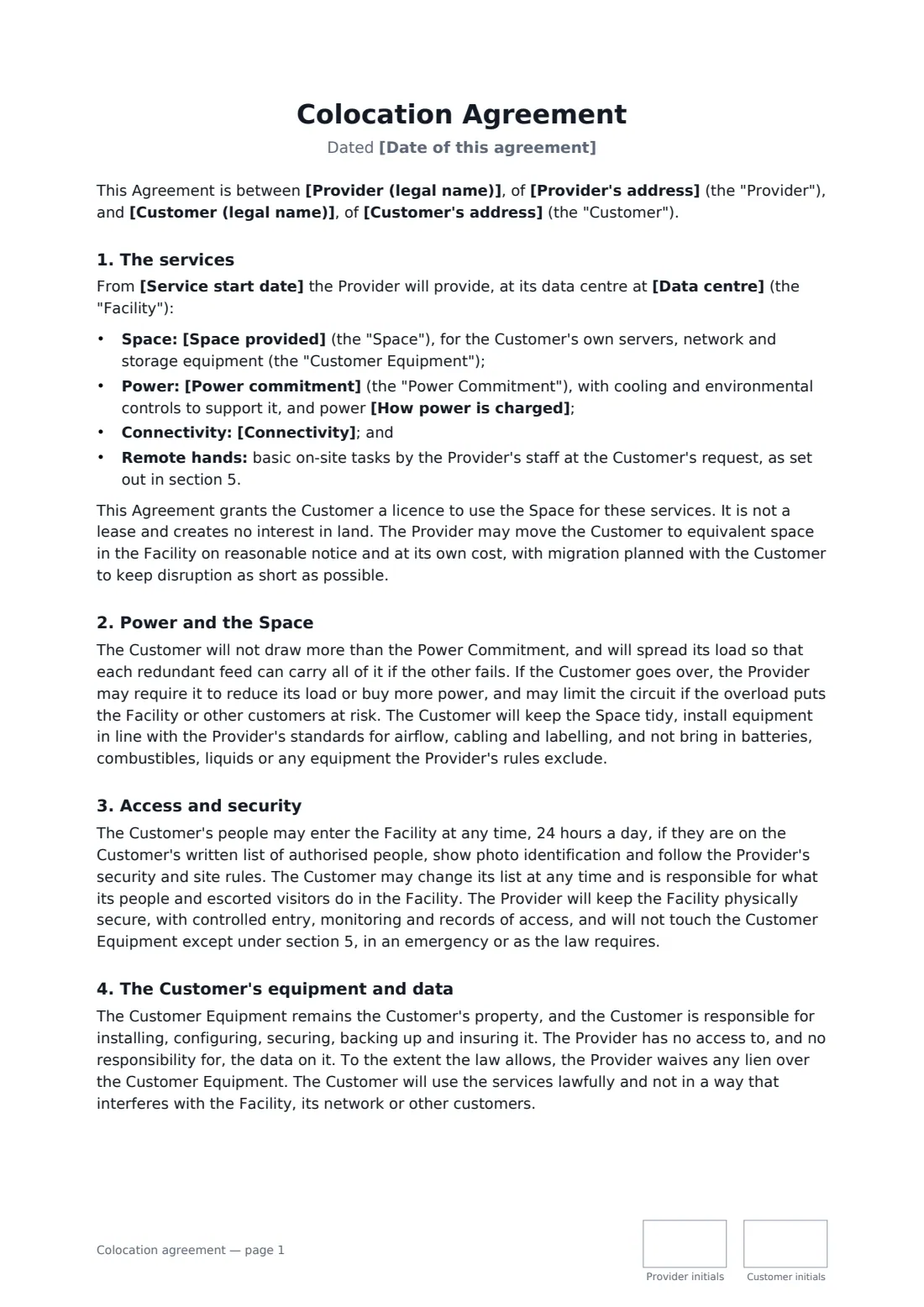
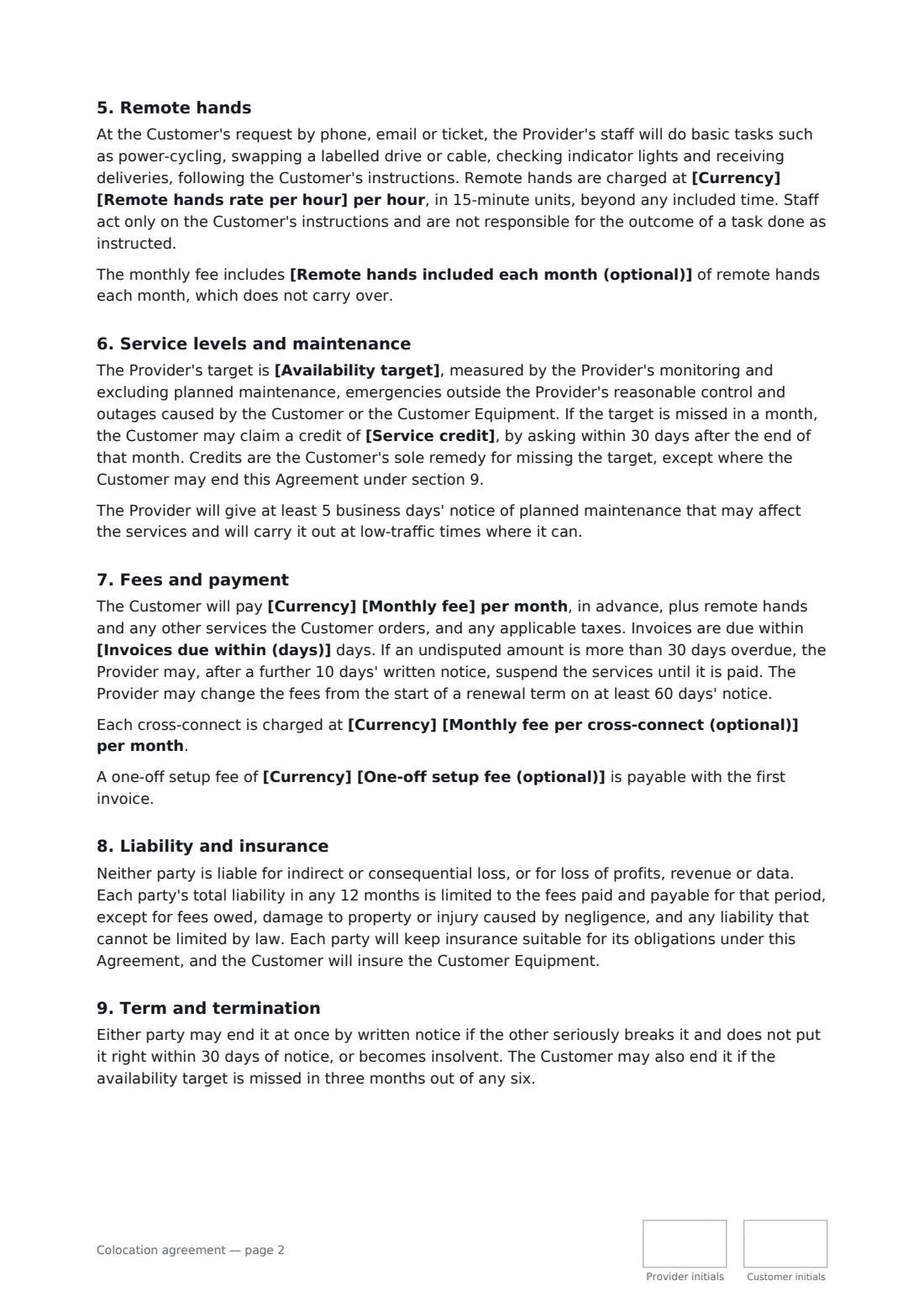
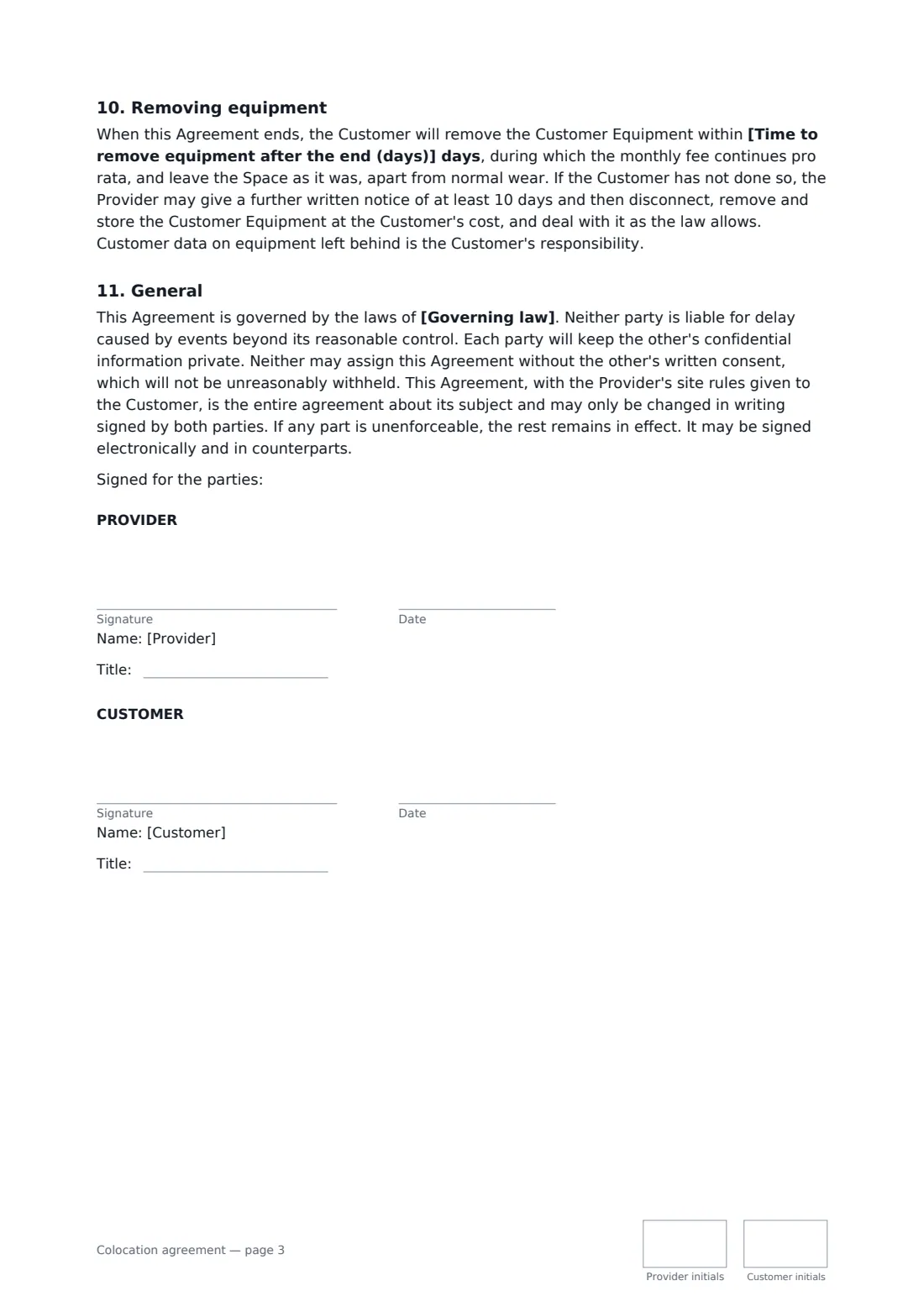
This agreement covers each of those. You describe the space and the power commitment, choose whether power is included or metered, and set the connectivity, remote-hands rate and any included time. You pick an availability target with service credits, a monthly fee with optional setup and cross-connect fees, payment terms, an initial term with renewal and notice, and a removal period at the end. It is a licence to use the space, not a lease, and the customer keeps ownership of its equipment and responsibility for its data.
- Best for
- Data centres and smaller colo providers renting racks, cabinets or part racks to business customers
- Signed by
- Provider and customer, with job titles and initials on every page
- Service levels
- Availability target you choose, with monthly service credits
- Length
- 3 pages
When to use a colocation agreement
- A regional data centre signing a customer for a single 42U cabinet
- A managed service provider renting a quarter rack to a small business
- A company moving its servers out of an office comms room into a colo facility
- A hosting company adding a second site for disaster recovery
- A university lab placing GPU servers in a commercial data centre
What you fill in
26 blanks, then the name and email of each person who signs: provider, customer.
1 The parties
- Date of this agreement*
- Provider (legal name)*
- Provider's address
- Customer (legal name)*
- Customer's address
2 Space and power
- Data centre*
- Space provided*
- Power commitment*
- How power is charged* included in the monthly fee up to the power commitment · metered and charged monthly in addition to the monthly fee
- Metered power rate (optional)
3 Connectivity and support
- Connectivity*
- Remote hands included each month (optional)
4 Fees
- Currency*
- Monthly fee*
- One-off setup fee (optional)
- Monthly fee per cross-connect (optional)
- Remote hands rate per hour*
- Invoices due within (days)*
5 Service levels
- Availability target* power to at least one feed and the internet port available 99.99% of each month · power to at least one feed available 100% of each month and the internet port 99.9% · power and the internet port available 99.9% of each month
- Service credit*
6 Term
- Service start date*
- Initial term* 1 month · 12 months · 24 months · 36 months · 60 months
- After the initial term* it renews for further 12-month periods · it continues month to month · it ends
- Notice to end at the end of a term (days)*
- Time to remove equipment after the end (days)*
- Governing law*
7 Who signs
- Provider signature and date, job title, initials on every page · The data centre operator providing the space, power and connectivity.
- Customer signature and date, job title, initials on every page · The business placing its own equipment in the data centre.
What the colocation agreement covers
- The services
- Power and the Space
- Access and security
- The Customer's equipment and data
- Remote hands
- Service levels and maintenance
- Fees and payment
- Liability and insurance
- Term and termination
- Removing equipment
- General
Using the colocation agreement, step by step
1 Describe the space and power
Name the facility, the cabinet or rack, the power commitment and feeds, and whether power is included or metered.
2 Set connectivity and support
List bandwidth, IP addresses and cross-connects, any remote-hands time included each month and the hourly rate beyond it.
3 Choose the fees and service level
Enter the monthly fee, optional setup and cross-connect fees and payment days, then pick the availability target and credit.
4 Set the term and send
Choose the initial term, renewal, notice period and equipment removal period, add the governing law and send it to the customer.
Tips before you send it
- Size the power commitment to what the equipment really draws on both feeds. Overloads trip breakers and can take both feeds down.
- Keep the authorised access list short and current, and remove leavers the same day.
- Label every device and cable before you install. Remote hands work far better when the instructions are unambiguous.
- Save the signed agreement in FileIt with the end of the initial term as its expiry date, so the notice deadline doesn't slip past.
Sign it online in minutes
- Fill in the blanks. Names, dates and amounts go straight into the agreement — the preview shows exactly where.
- Name who signs. Tick “This is me” for your own part. FileIt builds the PDF with every signature, date and initials box on the right line, and you can check or move anything before sending.
- Send it. Each signer gets a secure link and signs from any device — no account needed. The signed PDF, with an audit trail and a Certificate of Completion, is filed in your vault and emailed to everyone.
Colocation agreement: frequently asked questions
Is a colocation agreement a lease?
No. This agreement grants a licence to use the space for the services, not a lease or any interest in the land, and the provider may move the customer to equivalent space on notice.
What happens if the data centre misses its uptime target?
The customer can claim the service credit you set for that month. Credits are the only remedy for the missed target itself, but if the target is missed in three months out of any six, the customer may end the agreement.
Who is responsible for the data on the servers?
The customer. The provider has no access to the data, the customer backs it up and secures it, and the provider waives any lien over the equipment where the law allows.
What if the customer doesn't collect its equipment at the end?
It has the removal period you set, paying pro rata. After that and a further notice of at least 10 days, the provider may remove and store the equipment at the customer's cost.