What is a child incident report?
When a child is hurt at daycare, school or a club, parents want to know exactly what happened and what you did about it. Regulators and insurers often expect a written record too. A good incident report is factual and specific: the time and place, what staff saw, the injury, the first aid, who told the parent and when.
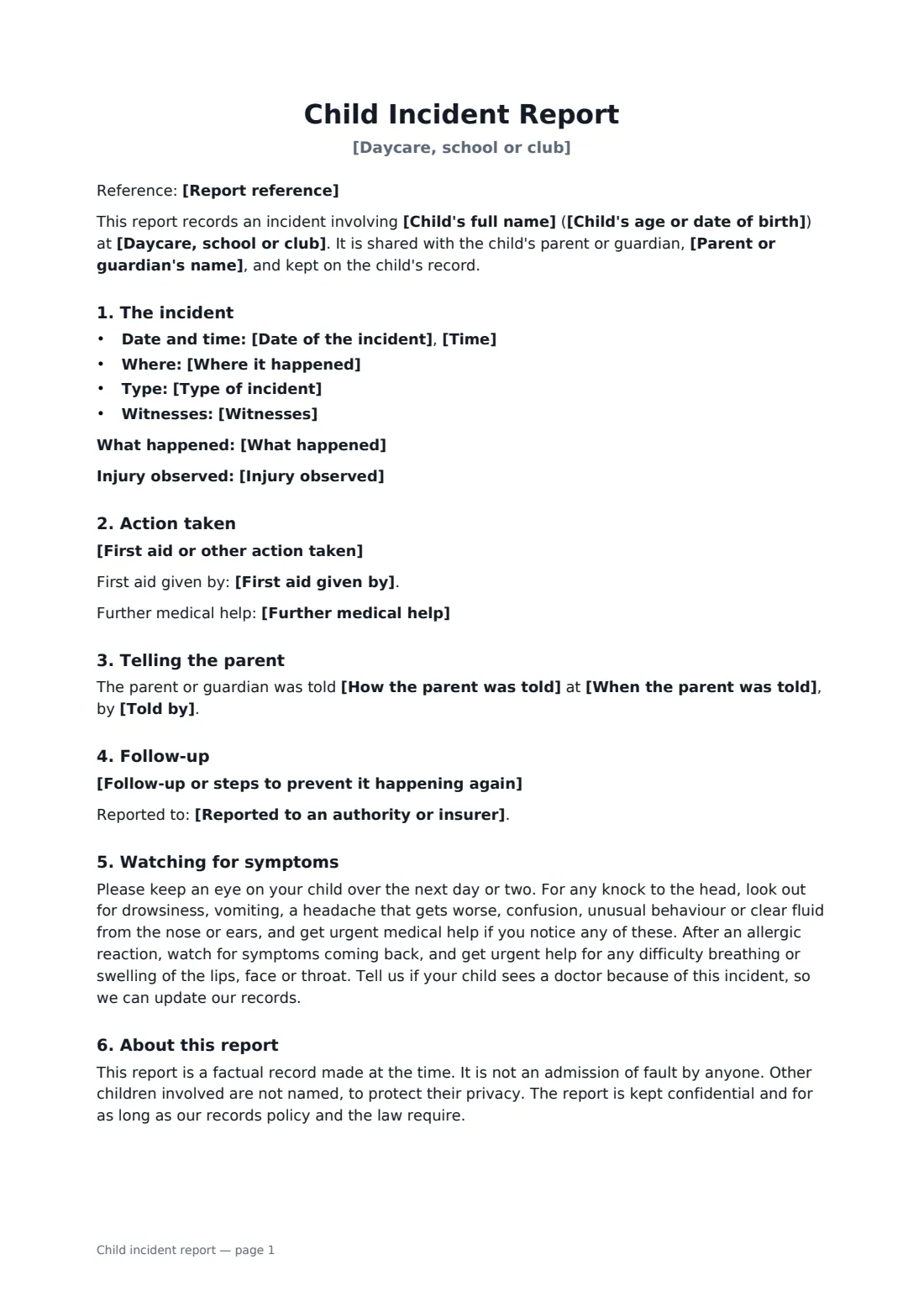
This template records the child, the date, time and place, the type of incident (accident, injury or bite from another child, allergic reaction, near miss), a factual account, the injury observed and any witnesses. It sets out first aid, whether further medical help was needed or advised, when and how the parent was told and by whom, follow-up steps and any report made to an authority or insurer. It adds standard head-injury warning signs for parents to watch for, and makes clear the report isn't an admission of fault and other children aren't named. The parent signs to acknowledge they've received it.
- Best for
- Daycares, nurseries, preschools, schools, after-school and sports clubs
- Signed by
- The staff member and the parent or guardian
- Records
- What happened, injury, first aid, witnesses, parent notification, follow-up
- Length
- 2 pages
When to use a child incident report
- A toddler bumps their head in the playground
- One child bites another at nursery
- A mild allergic reaction at lunch, treated on site
- A sports club injury during training
- A near miss worth recording, such as a child leaving the room unnoticed
What you fill in
20 blanks, then the name and email of each person who signs: staff member, parent or guardian.
1 The setting
- Daycare, school or club*
- Report reference
2 The child
- Child's full name*
- Child's age or date of birth*
- Parent or guardian's name*
3 The incident
- Date of the incident*
- Time*
- Where it happened*
- Type of incident* an accident causing an injury · an injury caused by another child · a bite from another child · an allergic reaction or sudden illness · a near miss with no injury · behaviour or another incident
- What happened*
- Injury observed
- Witnesses
4 Response
- First aid or other action taken*
- First aid given by
- Further medical help* None was needed. · The parent was advised to seek medical advice. · An ambulance or emergency services were called. · The child was taken to a doctor or hospital.
- When the parent was told*
- How the parent was told* by phone · in person at collection · by message through the setting's app · by email
- Told by*
- Follow-up or steps to prevent it happening again
- Reported to an authority or insurer
5 Who signs
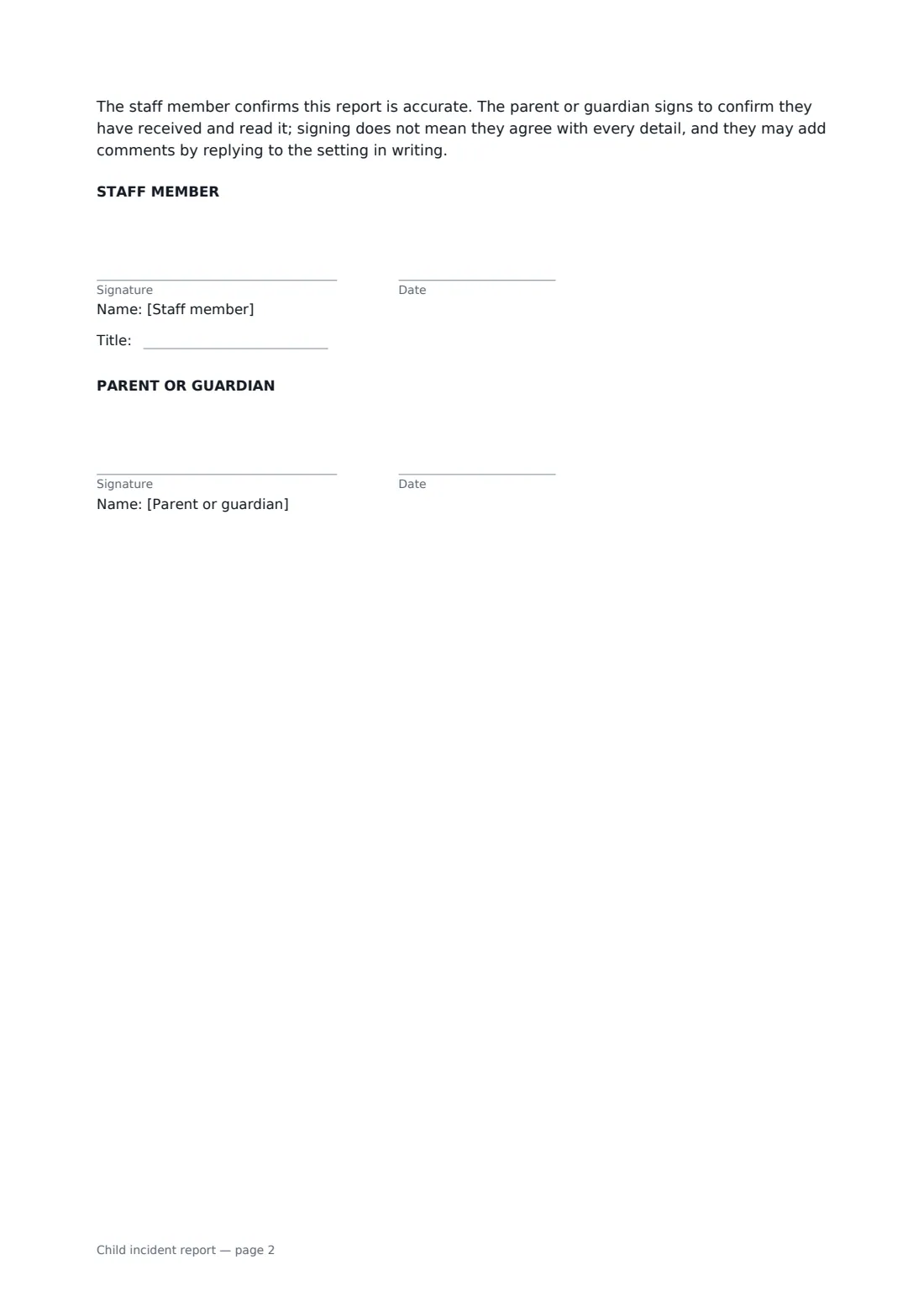
- Staff member signature and date, job title · The staff member who saw the incident or gave first aid, or the manager completing the report.
- Parent or guardian signature and date · The child's parent or legal guardian, who signs to say they have received and read the report.
What the child incident report covers
- The incident
- Action taken
- Telling the parent
- Follow-up
- Watching for symptoms
- About this report
Using the child incident report, step by step
1 Fill it in the same day
Your setting's name fills in and the date defaults to today. Add the child, time, place and type of incident.
2 Write what happened
Describe the incident and injury factually, list witnesses, and record the first aid and any medical help.
3 Record the parent call
Note when, how and by whom the parent was told, plus any follow-up and any report to a regulator or insurer.
4 Send for signature
Sign as the staff member and send the link to the parent. Their acknowledgement is stored with the report in your FileIt vault.
Tips before you send it
- Write it while memories are fresh, ideally before the end of the session.
- Stick to what was seen and heard. Avoid guesses about blame or cause.
- Use initials, not full names, for other children involved.
- Check whether your licensing body or insurer requires certain injuries to be reported, and the deadline for doing so.
Sign it online in minutes
- Fill in the blanks. Names, dates and amounts go straight into the agreement — the preview shows exactly where.
- Name who signs. Tick “This is me” for your own part. FileIt builds the PDF with every signature, date box on the right line, and you can check or move anything before sending.
- Send it. Each signer gets a secure link and signs from any device — no account needed. The signed PDF, with an audit trail and a Certificate of Completion, is filed in your vault and emailed to everyone.
Child incident report: frequently asked questions
Does the parent's signature mean they agree?
No. The form says the parent signs to confirm they received and read the report, and may add comments in writing.
Is it an admission of liability?
No. It's described as a factual record made at the time, not an admission of fault.
What about the other child in a biting incident?
The form says other children aren't named. Use initials or 'another child' in the description.
Can I use it for near misses?
Yes. Choose 'a near miss with no injury'. The injury section then reads 'none'.