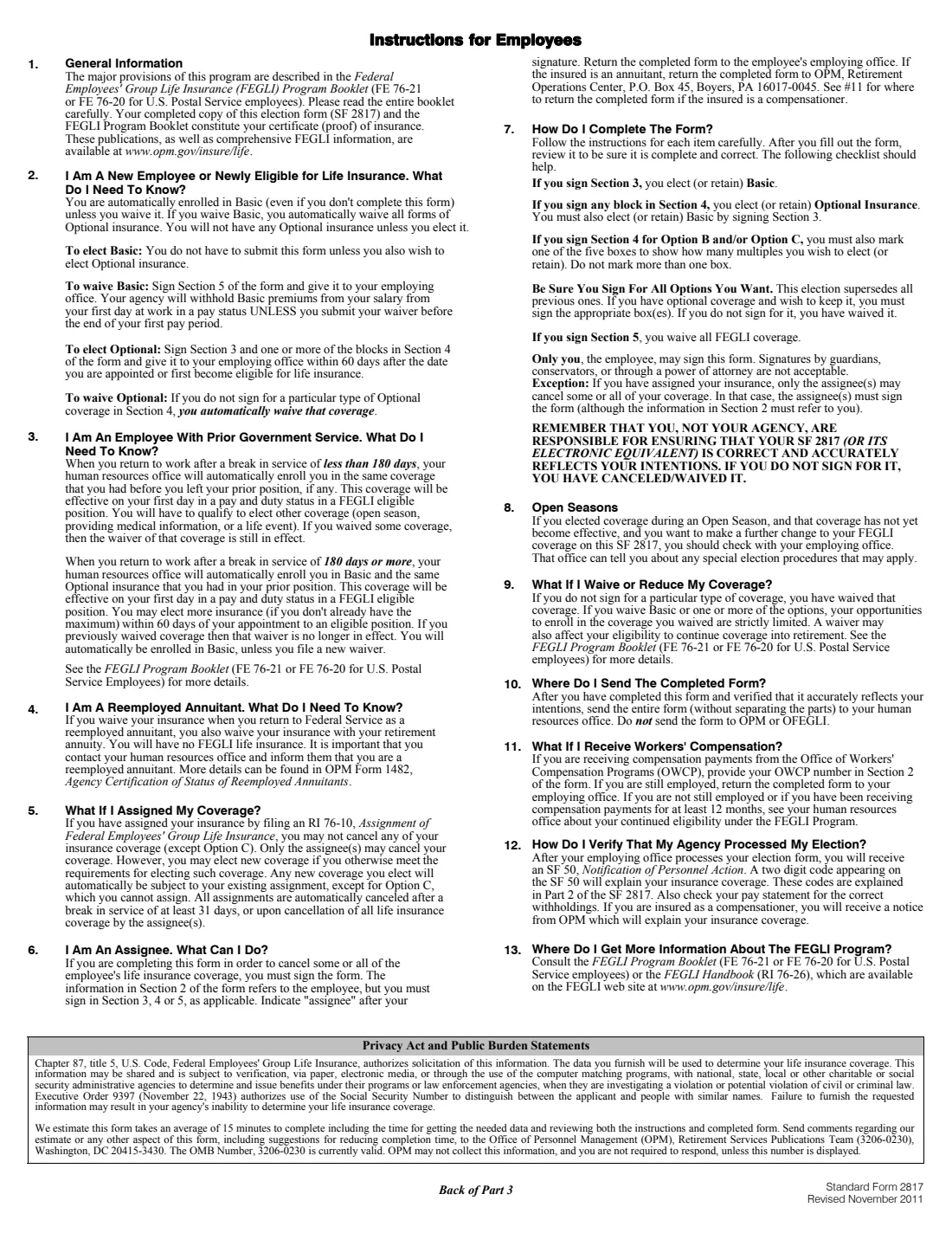
What is SF 2817?
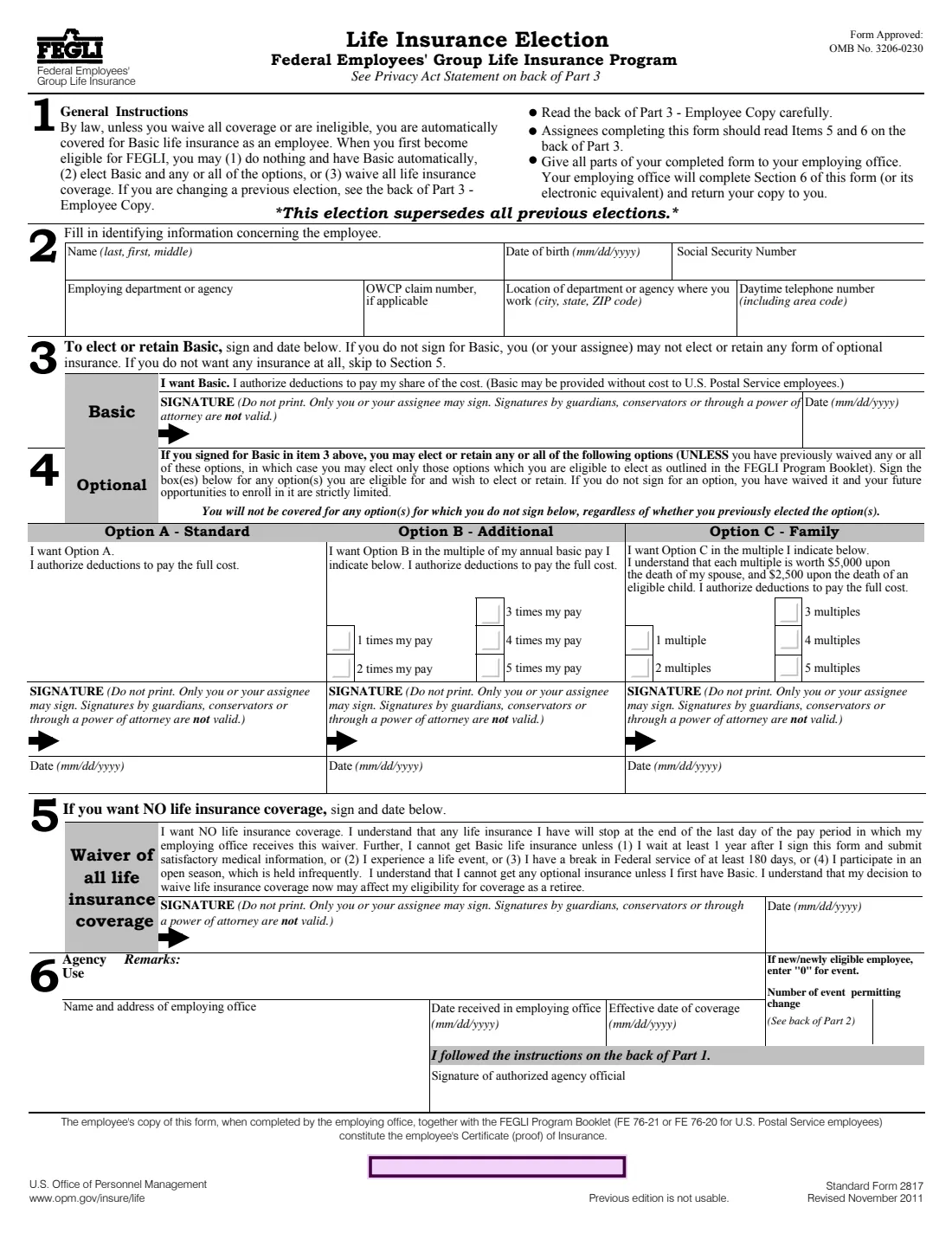
Standard Form 2817 is how a federal employee elects, keeps or waives Federal Employees' Group Life Insurance (FEGLI). By law you're automatically covered for Basic insurance unless you waive it or aren't eligible, so a new employee who wants Basic alone doesn't have to file anything. You need the form to add optional insurance or to turn coverage down.
There are three options on top of Basic. Option A - Standard adds a flat amount. Option B - Additional covers one to five times your annual basic pay. Option C - Family covers your spouse and eligible children, at $5,000 per multiple for a spouse and $2,500 for a child, up to five multiples. You must sign for Basic to elect any option, and you aren't covered for an option you don't sign for, even one you had before.
FileIt pre-fills your name, date of birth and employer from your vault, marks the multiples you choose and prints your answers onto OPM's own PDF, Revised November 2011, on both Part 1 and the agency's Part 2. It saves the finished form in your vault folder. Only you or your assignee may sign each block, by hand, so you print it and sign the elections you're making.
- Who signs
- The employee or assignee. Guardians, conservators and powers of attorney can't sign.
- Deadline (new employees)
- Options within 60 days of appointment or first eligibility; a waiver before your first pay period ends avoids Basic premiums.
- Option B
- 1 to 5 times your annual basic pay.
- Option C
- 1 to 5 multiples: $5,000 each for a spouse, $2,500 each for an eligible child.
- Edition
- SF 2817, Revised November 2011 (OMB 3206-0230)
Who needs to fill out SF 2817?
- New or newly eligible federal employees who want optional FEGLI coverage on top of Basic.
- Employees who want to waive all FEGLI life insurance.
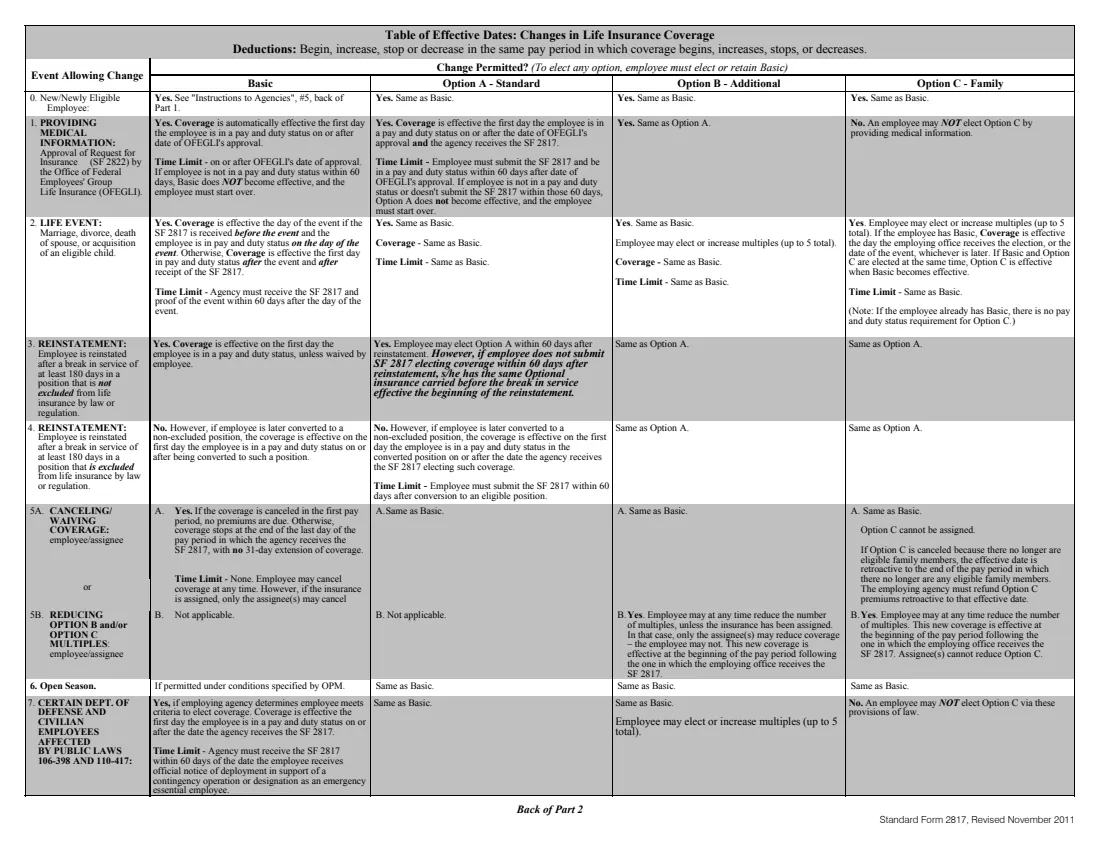
- Employees adding or changing options after a life event or during an open season.
- Assignees who need to cancel some or all of an employee's coverage.
When to use SF 2817
- Within 60 days of starting a FEGLI-eligible job, to elect options.
- Before the end of your first pay period, if you want to waive Basic without paying a premium.
- When a qualifying life event or open season lets you elect more coverage.
What you need before you start
- Your name, date of birth and Social Security number.
- Your employing department or agency, its location and your daytime phone number.
- An OWCP claim number, if you have one.
- Your choice of options and multiples. The FEGLI Program Booklet explains the costs.
What’s on SF 2817
The 2011 edition has 5 pages. FileIt asks for it in 2 parts:
- 2. Identifying information about the employeeEmployee
- 3-5. Basic, Optional insurance or a waiverEmployee
How to fill out SF 2817, step by step
1 Section 2: Employee information
Name (last, first, middle), date of birth, SSN, employing agency, OWCP claim number if any, work location and daytime phone.
2 Section 3: Basic
Sign and date to elect or keep Basic. Without this signature you can't elect or keep any option.
3 Section 4: Optional insurance
Sign and date under each option you want. Tick the multiple of pay for Option B and the number of multiples for Option C.
4 Section 5: Waiver
Sign and date here only if you want no life insurance at all. It ends Basic and every option.
5 Section 6: Agency use
Left blank. Your employing office completes it and returns your copy.
Common mistakes to avoid
- Signing for an option without signing for Basic.
- Assuming an option you had before carries over when you don't sign for it on this form.
- Having a guardian or someone with power of attorney sign for you.
- Forgetting to tick a multiple for Option B or Option C.
- Waiving all coverage without reading the limits on getting Basic back later.
After you fill it out
Print the form, then sign and date each election you're making in ink.
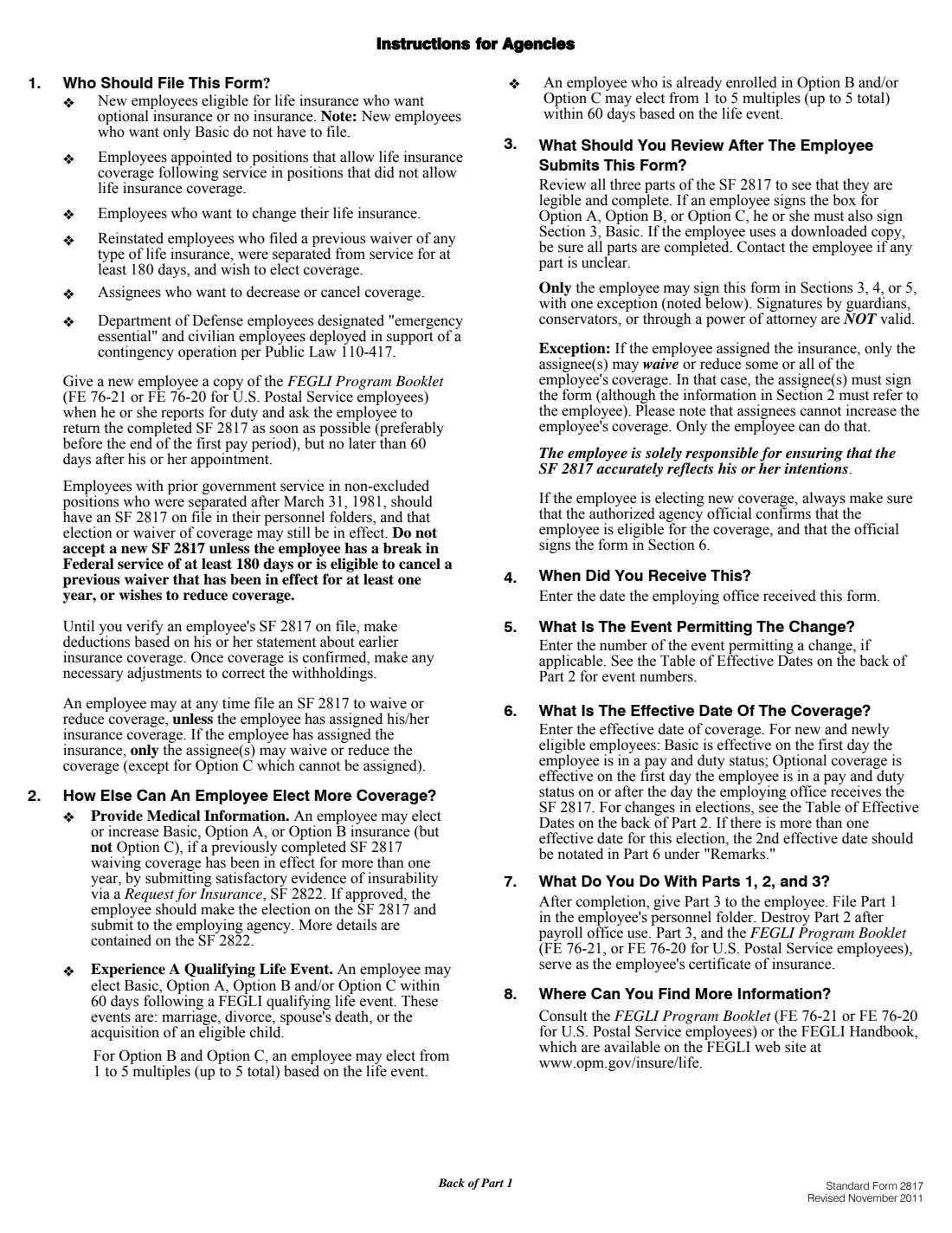
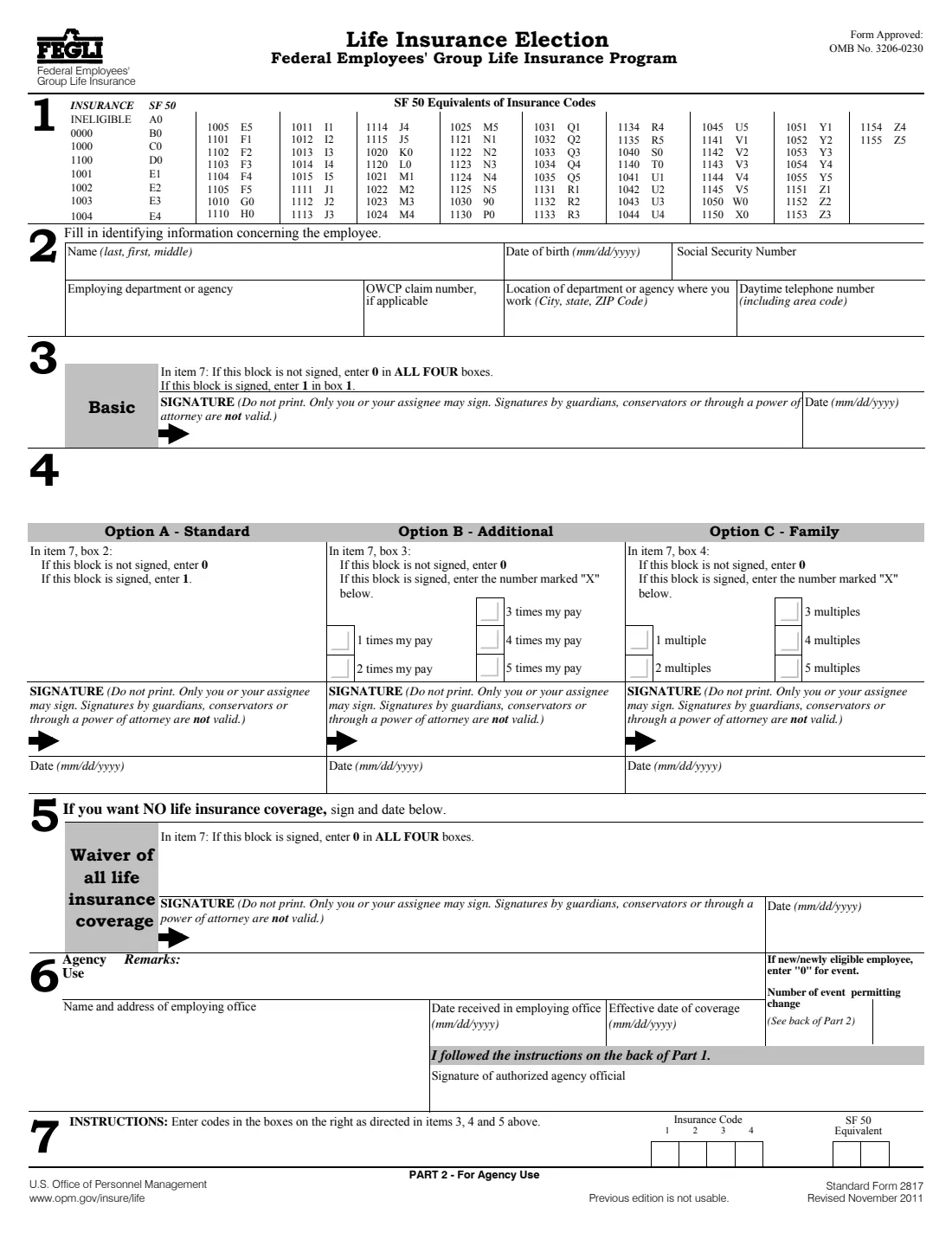
Give all parts to your employing office. FileIt prints Part 1 or Part 3 on the first page, plus Part 2 for the agency.
Your office completes Section 6 and returns your copy, which with the FEGLI Program Booklet is your certificate of insurance. FileIt keeps the PDF in your vault folder.
Fill out SF 2817 online with FileIt
- Pick the person. Choose someone from People and FileIt fills in their name, date of birth, address and other details it already knows.
- Answer plain-language questions. One part of the form at a time, with the official help text beside each question — 21 fields in all. Your answers save as you go.
- Check the live preview. Watch your answers land on the real U.S. Office of Personnel Management (OPM) form, and let FileIt do any worksheet arithmetic.
- Generate the official PDF. FileIt prints your answers into the agency’s own PDF and files it in that person’s folder in your vault.
FileIt fills the form — it never files or submits anything for you. Deliver the finished form to whoever asked for it, the way the form’s instructions say.
Start SF 2817 now — it’s freeSF 2817: frequently asked questions
Do I need SF 2817 if I only want Basic?
Not as a new employee. You're enrolled in Basic automatically unless you waive it.
Can I elect Option C without Basic?
No. The form says you must sign for Basic before you can elect or keep any option.
What happens if I waive everything?
Your coverage stops at the end of the pay period in which your office receives the waiver. Getting Basic back later needs a wait of a year plus medical information, a life event, a break in federal service of at least 180 days, or an open season.
Does this election replace my old one?
Yes. The form says this election supersedes all previous elections.
Who receives the insurance when I die?
That's set by a separate form: SF 2823 names your FEGLI beneficiaries.
Official sources
- Blank form (PDF), published by U.S. Office of Personnel Management (OPM): https://www.opm.gov/forms/pdf_fill/sf2817.pdf
- Official instructions and guidance: https://www.opm.gov/healthcare-insurance/life-insurance/
- Edition shown on this page: Standard Form 2817, Revised November 2011 (OMB 3206-0230); previous edition is not usable (checked 2026-10-19).
FileIt is not affiliated with or endorsed by U.S. Office of Personnel Management (OPM) or any government. This page explains the form in general terms and is not legal, tax or immigration advice. Always read the official instructions, and check that you are using the edition the recipient accepts. Page last reviewed 2026-10-19.