
What is OSHA Forms 300, 300A and 301?
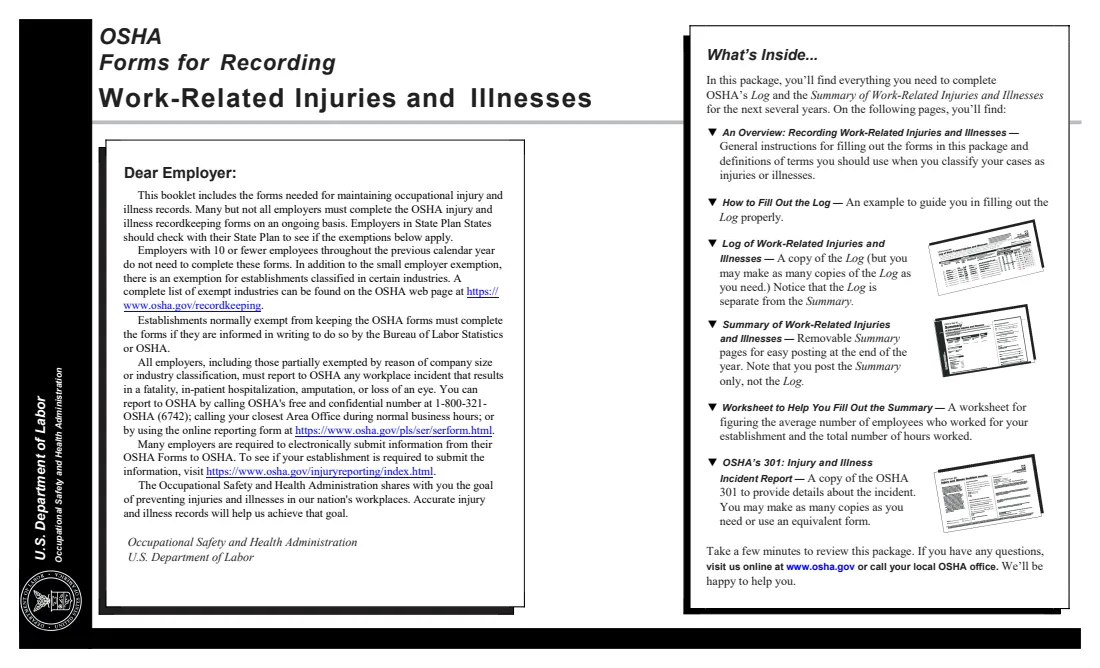
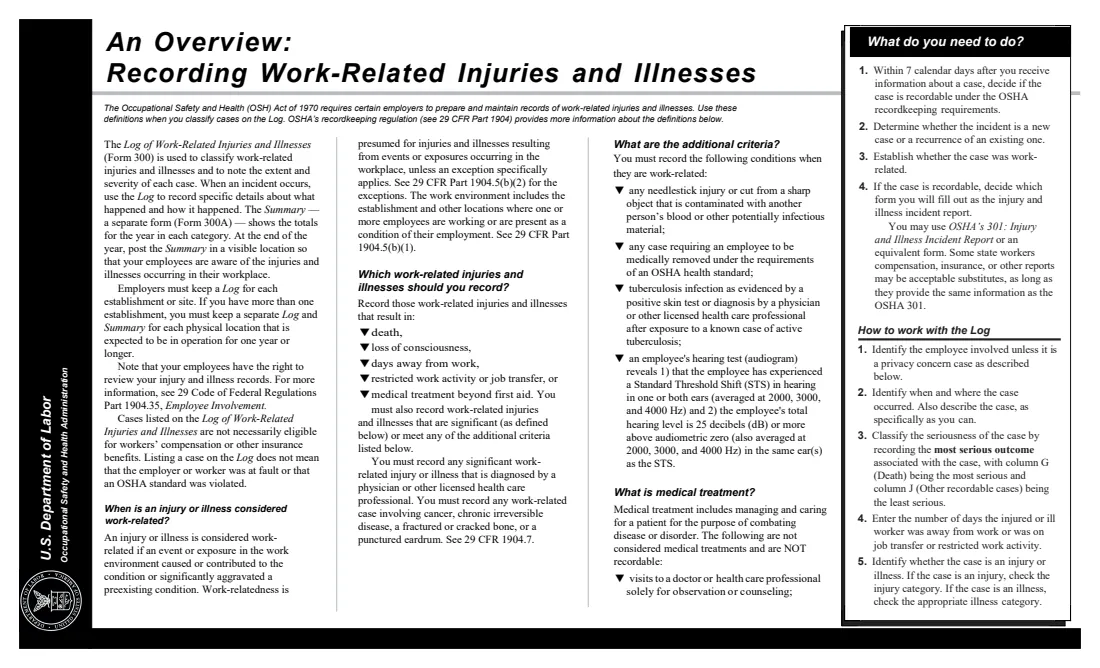
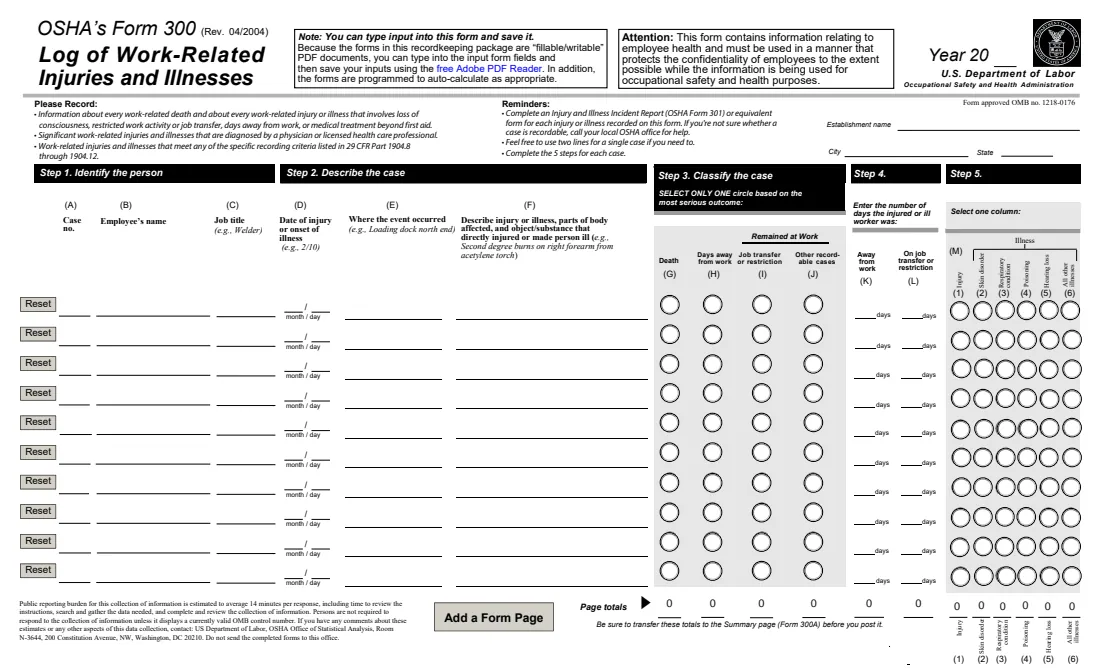
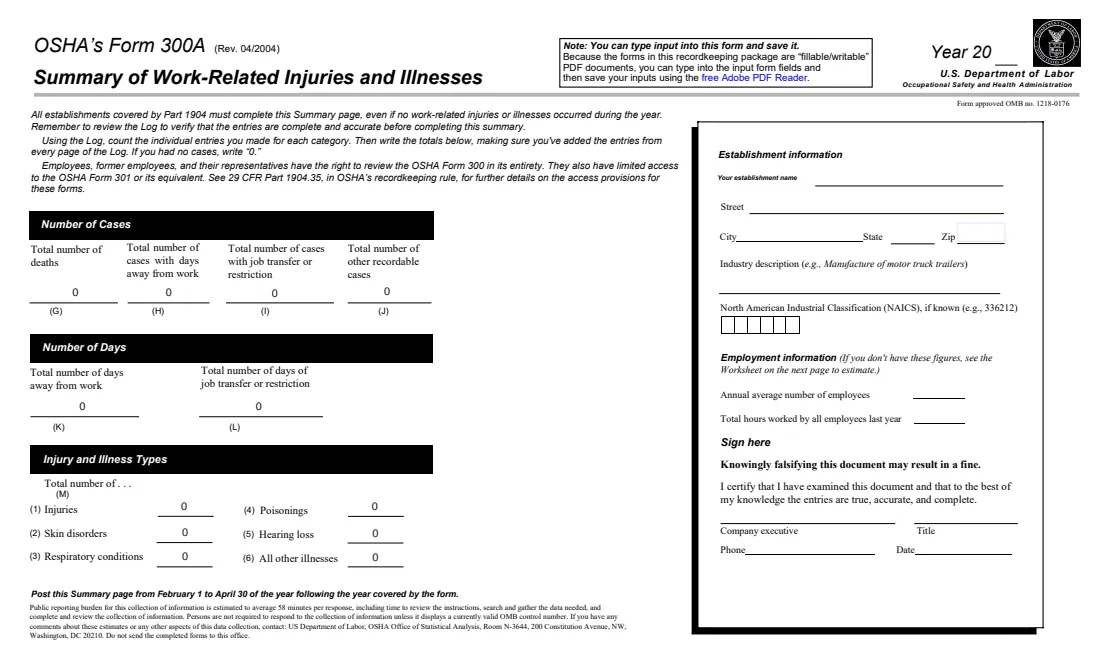
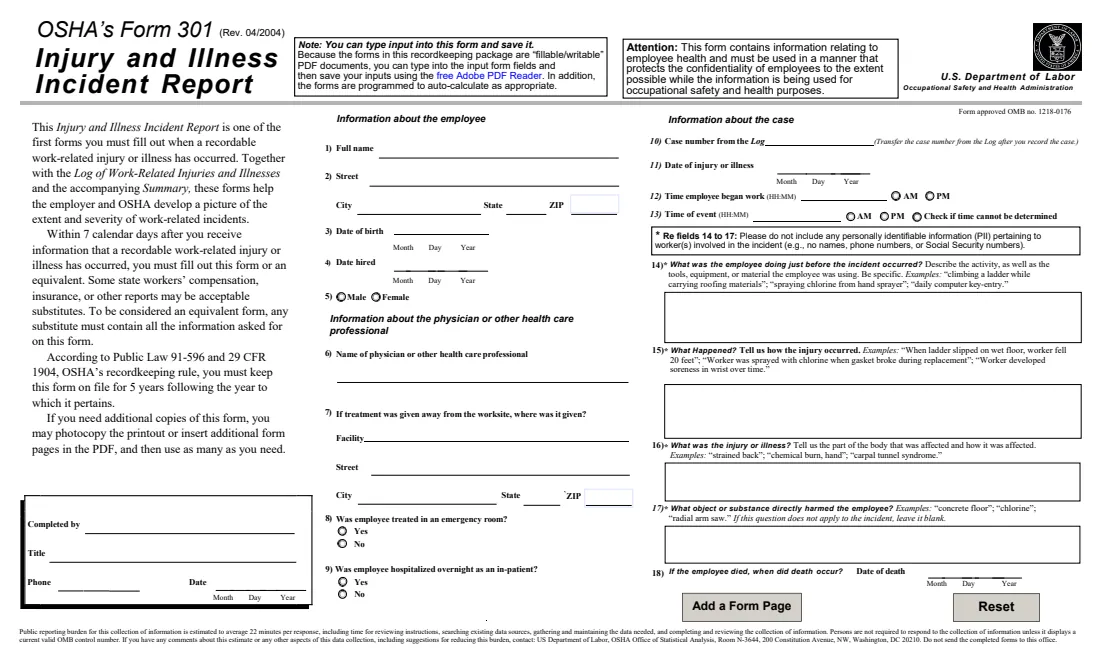
Employers covered by OSHA's recordkeeping rule (29 CFR Part 1904) keep three forms for each establishment. The Form 300 Log lists every recordable work-related injury and illness: deaths, days away from work, job transfer or restriction, and other recordable cases such as medical treatment beyond first aid. The Form 301 Incident Report describes one case in detail. The Form 300A Summary totals the year's Log and is posted where employees can see it from February 1 to April 30 of the next year.
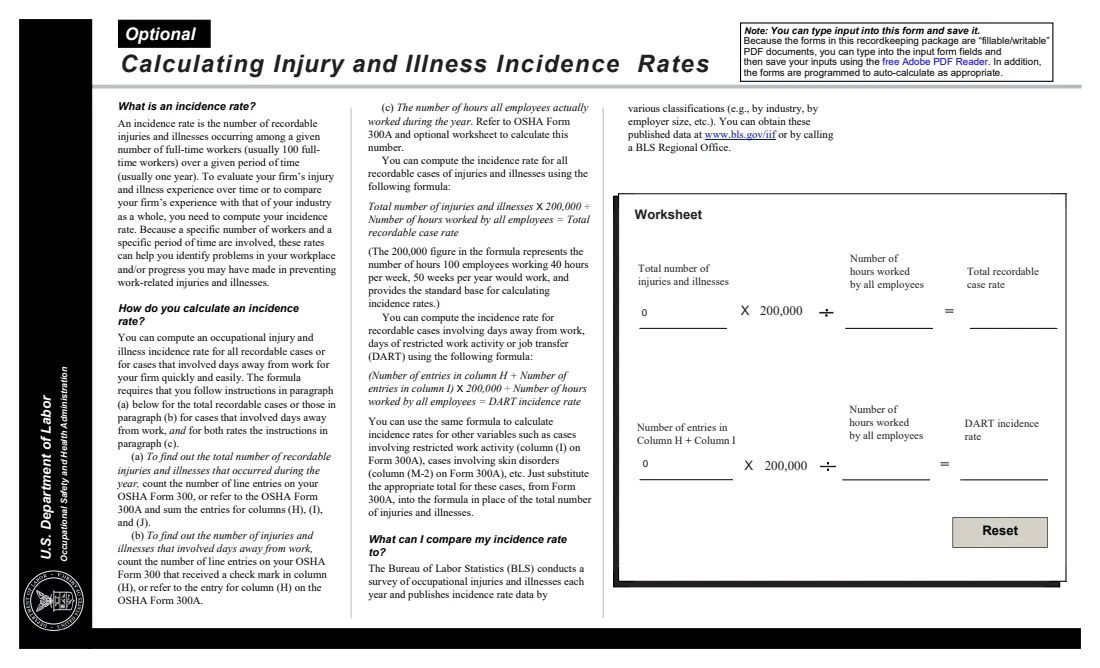
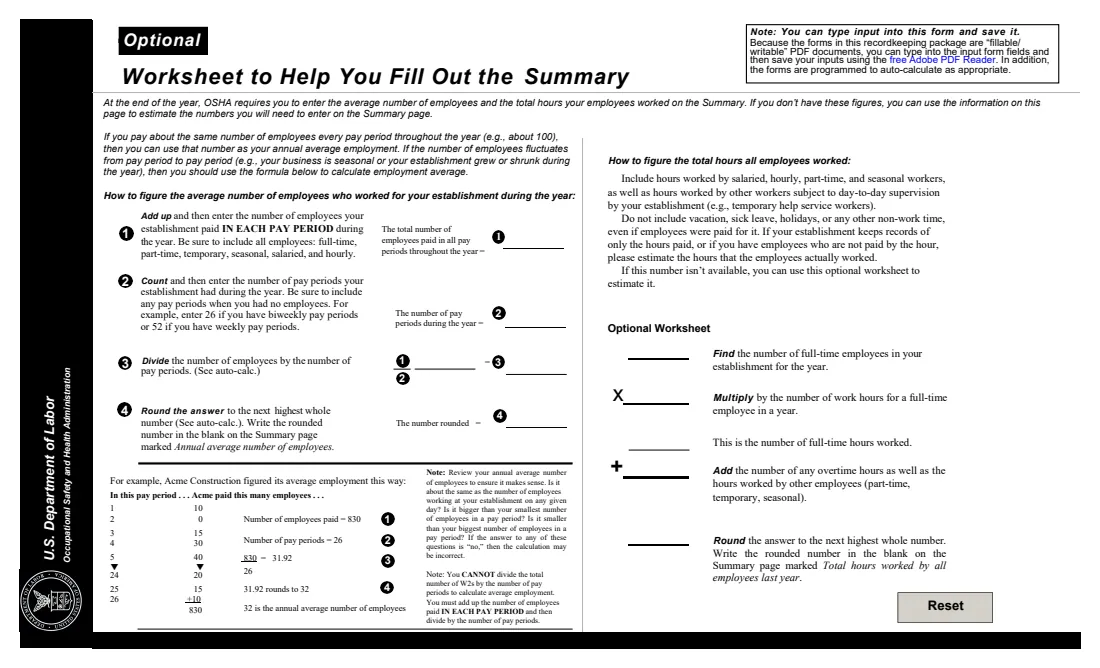
The package also has an optional worksheet for estimating the annual average number of employees and the total hours worked, and a calculator page for incidence rates: total recordable cases, and cases with days away, restricted work or transfer (DART), per 200,000 hours worked. Every covered establishment completes the 300A even with no cases, entering 0.
FileIt fills OSHA's own fillable package (Rev. 04/2004). Enter up to 10 cases on the Log and FileIt adds up the page totals, carries them to the 300A (plus totals from any other Log pages), runs the worksheet and works out both incidence rates. It can also fill a Form 301 for one case. A company executive can certify the 300A by eSignature or by hand. The forms stay with you: OSHA doesn't want them mailed, and FileIt doesn't submit them.
- Who fills it
- Employers covered by 29 CFR Part 1904, one set per establishment per calendar year.
- Kept
- On site for 5 years after the year covered. Don't send the completed forms to OSHA.
- Posting
- The 300A, from February 1 to April 30 of the year after the one it covers.
- Deadline
- Record each case within 7 calendar days of learning about it.
- Signature
- A company executive certifies the 300A.
- Edition
- OSHA Forms 300, 300A and 301 (Rev. 04/2004), OMB 1218-0176
Who needs to fill out OSHA Forms 300, 300A and 301?
- Employers with more than 10 employees in industries OSHA doesn't partially exempt.
- Safety coordinators and HR staff who keep the injury log for a site.
- Company owners and officers who certify the annual summary.
- Small employers asked by OSHA or the Bureau of Labor Statistics to keep records for a survey.
When to use OSHA Forms 300, 300A and 301
- Within 7 calendar days after learning of a recordable work-related injury or illness: a Log entry and a 301.
- At the end of the year, to total the Log and complete the 300A.
- Before February 1, so the certified 300A can be posted through April 30.
- Whenever a case's outcome changes, for example when days away turn into a job transfer.
What you need before you start
- The establishment's name, address, industry description and NAICS code if you know it.
- For each case: the employee's name (or "privacy case"), job title, date, where it happened, what the injury or illness was and what caused it, the outcome and the days away or restricted.
- For the 301: the employee's address, date of birth and hire date, the treating health care professional, and what happened.
- For the 300A: the average number of employees and total hours worked in the year, or the payroll figures to estimate them.
What’s on OSHA Forms 300, 300A and 301
The 2004 edition has 12 pages. FileIt asks for it in 17 parts, and it is signed by Company executive:
- Establishment and yearEmployer
- OSHA 300 Log: case 1Employer
- OSHA 300 Log: case 2Employer
- OSHA 300 Log: case 3Employer
- OSHA 300 Log: case 4Employer
- OSHA 300 Log: case 5Employer
- OSHA 300 Log: case 6Employer
- OSHA 300 Log: case 7Employer
- OSHA 300 Log: case 8Employer
- OSHA 300 Log: case 9Employer
- OSHA 300 Log: case 10Employer
- Form 300A: cases from other Log pagesEmployer
- Form 300A: annual summary (from the Log)Employer
- Optional worksheet: average employees and hoursEmployer
- Form 300A: employment informationEmployer
- Form 300A: sign hereCompany executive
- Form 301: Injury and Illness Incident Report (one case)Employer
How to fill out OSHA Forms 300, 300A and 301, step by step
1 Establishment and year
Enter the calendar year and the establishment details once; FileIt prints them on the Log and the Summary.
2 The Log, one case at a time
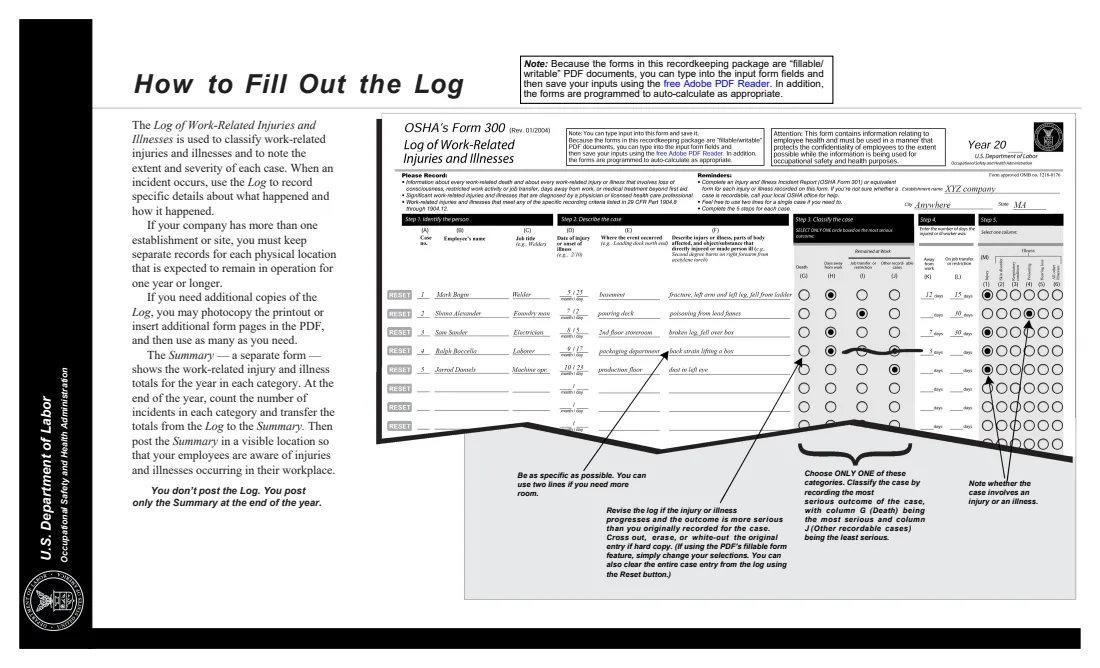
Switch on a case for each recordable injury or illness. Choose the single most serious outcome (G-J), count calendar days in K and L, and pick the type in column M.
3 Totals and other Log pages
FileIt totals the page. If you have more than 10 cases, enter the totals from your other Log pages and FileIt adds them into the 300A.
4 Employment figures and rates
Enter the average employees and hours, or use the worksheet. FileIt fills the incidence-rate page from the totals.
5 Certify and post
A company executive signs the 300A with their title, phone and date. Post it from February 1 to April 30.
6 Form 301 (optional)
Describe one case: the employee, the treatment, and what happened. Questions 14 to 17 must not include names, phone numbers or Social Security numbers.
Common mistakes to avoid
- Choosing more than one outcome for a case: tick only the most serious one.
- Counting work days instead of calendar days in columns K and L, or going past 180 days.
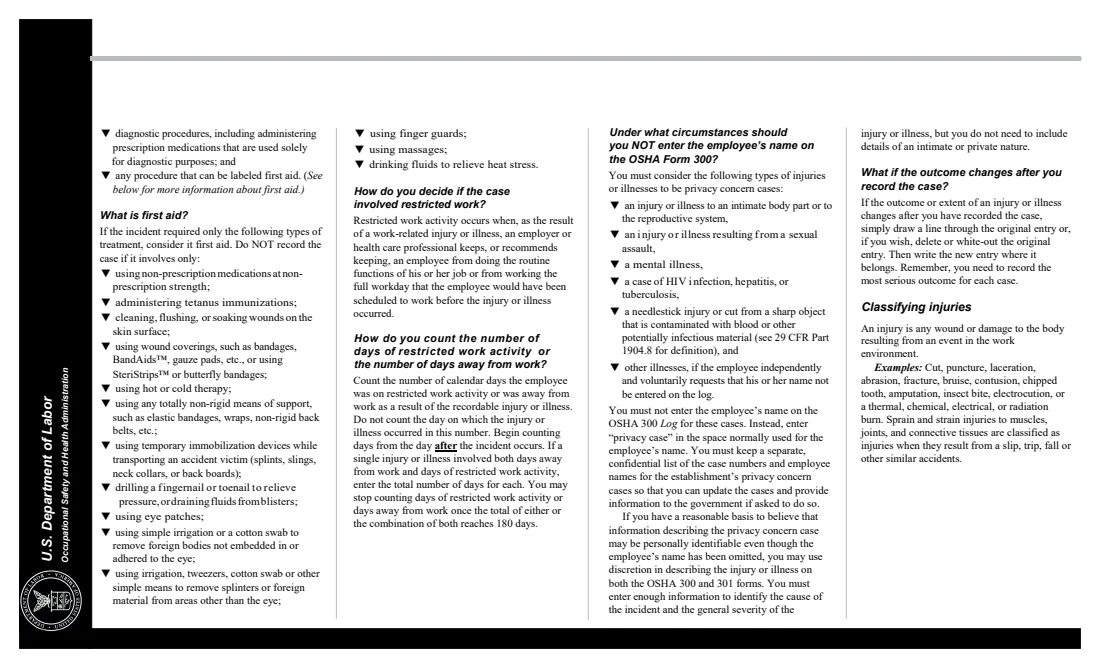
- Writing the employee's name on a privacy concern case instead of "privacy case".
- Skipping the 300A in a year with no injuries: it is still required, with zeros.
- Having the 300A signed by someone who isn't a company executive as the rule defines it.
After you fill it out
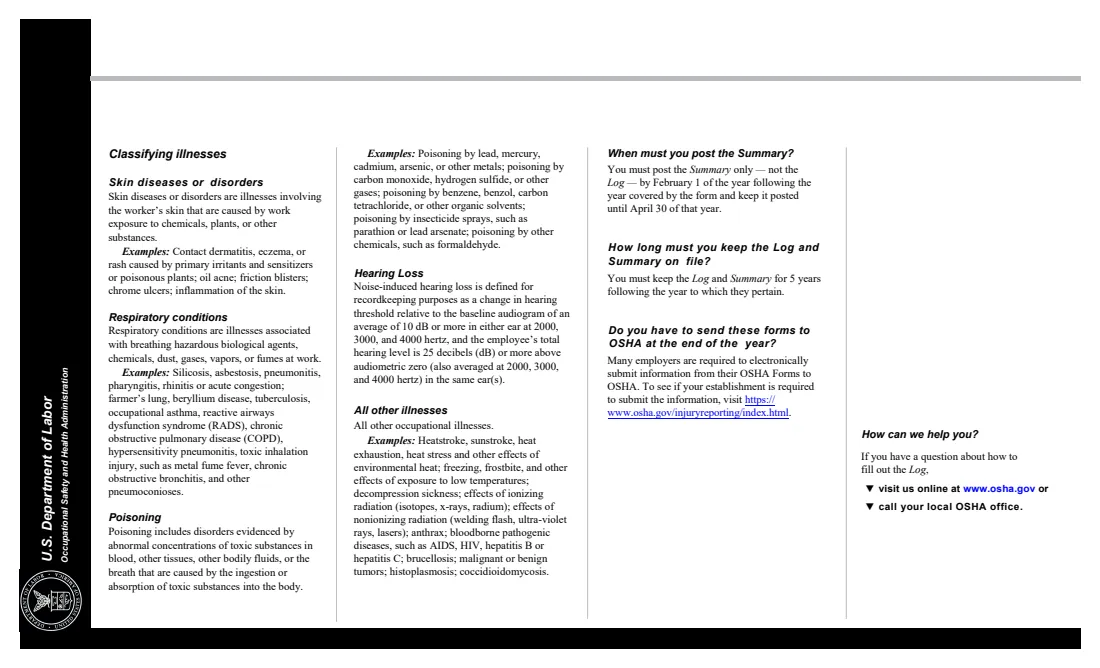
Post the signed 300A where you usually post notices to employees, from February 1 to April 30.
Keep the Log, the 300A and the 301s for 5 years after the year they cover, and update the Log if a case changes.
Check whether your establishment must also submit 300A data electronically through OSHA's Injury Tracking Application. FileIt keeps the forms in your vault.
Fill out OSHA Forms 300, 300A and 301 online with FileIt
- Pick the person. Choose someone from People and FileIt fills in their name, date of birth, address and other details it already knows.
- Answer plain-language questions. One part of the form at a time, with the official help text beside each question — 193 fields in all. Your answers save as you go.
- Check the live preview. Watch your answers land on the real U.S. Department of Labor, Occupational Safety and Health Administration (OSHA) form, and let FileIt do any worksheet arithmetic.
- Generate the official PDF. FileIt prints your answers into the agency’s own PDF and files it in that person’s folder in your vault. Sign it, or send it for e-signature.
FileIt fills the form — it never files or submits anything for you. Deliver the finished form to whoever asked for it, the way the form’s instructions say.
Start OSHA Forms 300, 300A and 301 now — it’s freeOSHA Forms 300, 300A and 301: frequently asked questions
What is the difference between OSHA Forms 300, 300A and 301?
The 300 is the running log of every recordable case, the 301 is a detailed report of one case, and the 300A is the end-of-year summary of the log that you post for employees.
Do I send OSHA forms to OSHA?
No. The forms say not to send the completed forms to OSHA. You keep them at the establishment. Some establishments must separately submit their 300A data electronically.
How are the incidence rates calculated?
Total recordable cases times 200,000, divided by the hours all employees worked, gives the total recordable case rate. The DART rate uses the cases in columns H and I. The 200,000 stands for 100 full-time employees working 40 hours a week for 50 weeks.
What if I have more than 10 cases?
OSHA's Log holds 10 cases a page. Fill the next page as a separate FileIt form and enter its totals in "cases from other Log pages" here so the 300A covers the whole year.
Who can sign the 300A?
A company executive: an owner of the company, an officer of the corporation, the highest-ranking company official working at the establishment, or that person's immediate supervisor.
Is an equivalent form accepted instead of the 301?
Yes. The 301 says an equivalent form such as a workers' compensation or insurance report can be used if it contains all the information the 301 asks for.
Official sources
- Blank form (PDF), published by U.S. Department of Labor, Occupational Safety and Health Administration (OSHA): https://www.osha.gov/sites/default/files/OSHA-RK-Forms-Package.pdf
- Official instructions and guidance: https://www.osha.gov/recordkeeping/forms
- Edition shown on this page: OSHA Forms 300, 300A and 301 (Rev. 04/2004), OMB No. 1218-0176 (checked 2026-10-19).
FileIt is not affiliated with or endorsed by U.S. Department of Labor, Occupational Safety and Health Administration (OSHA) or any government. This page explains the form in general terms and is not legal, tax or immigration advice. Always read the official instructions, and check that you are using the edition the recipient accepts. Page last reviewed 2026-10-19.