What is Form N-426?
Form N-426 is the Request for Certification of Military or Naval Service from U.S. Citizenship and Immigration Services. Current and former members of the U.S. armed forces who apply for naturalization based on their military service use it to show that service. The current edition is Edition 03/13/26.
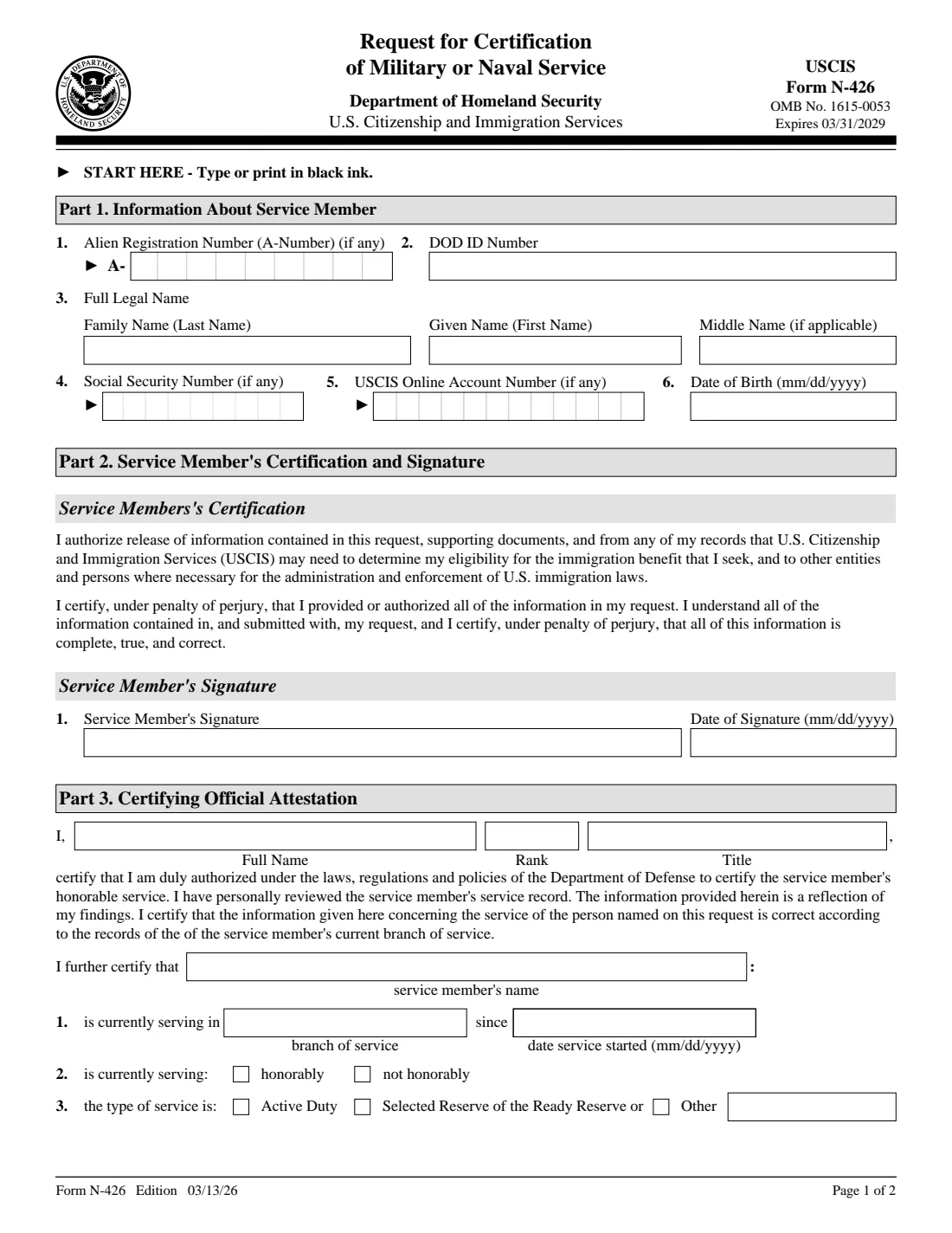
The form is short. In Part 1 you give your A-Number, DOD ID number, name, Social Security number, USCIS online account number and date of birth, and in Part 2 you sign a certification under penalty of perjury. A certifying official of your branch then completes Part 3, confirming whether you serve or served honorably and in what type of service, and adds any remarks in Part 4.
FileIt lets you fill out your part of the N-426 online. It pre-fills your name and date of birth from the People records in your vault, puts each digit of your A-Number, SSN and account number in its box, and prints everything on the official USCIS PDF. USCIS requires a handwritten signature, so you print it and sign in ink. FileIt keeps the filled form in your vault and never files anything with USCIS.
- Who fills it
- The service member or veteran fills Part 1 and signs Part 2; a certifying official completes Parts 3 and 4.
- Used with
- A naturalization application based on military service (Form N-400).
- Fee
- The N-426 has no fee of its own.
- Signatures
- Signed by hand in ink. FileIt leaves the signature boxes blank.
- Edition
- Edition 03/13/26 (OMB 1615-0053, expires 03/31/2029), 2 pages.
- Agency
- U.S. Citizenship and Immigration Services (USCIS), Department of Homeland Security.
Who needs to fill out Form N-426?
- Active-duty service members applying for U.S. citizenship.
- Members of the Selected Reserve of the Ready Reserve applying for naturalization.
- Veterans applying for citizenship based on past honorable service.
- Applicants under the military service provisions in Part 1 of Form N-400.
When to use Form N-426
- When you prepare an N-400 based on military service during a period of hostilities or one year of honorable service.
- When USCIS asks you for a certified record of your service.
- Before you hand the form to your unit's certifying official to complete Part 3.
What you need before you start
- Your A-Number, if you have one.
- Your DOD ID number from your military ID card.
- Your full legal name and date of birth.
- Your Social Security number and USCIS online account number, if you have them.
- A certifying official in your branch who can review your service record.
What’s on Form N-426
The 2026 edition has 2 pages. FileIt asks for it in 2 parts:
- Part 1. Information about the service memberService member
- Part 2. Service member's certification and signatureService member
How to fill out Form N-426, step by step
1 Part 1: Information about you
Enter your A-Number, DOD ID number, full legal name, Social Security number, USCIS online account number (if any) and date of birth.
2 Part 2: Your certification and signature
You authorize release of your records to USCIS and certify that the information is complete, true and correct. Print the form and sign it by hand, adding the date if FileIt didn't fill it.
3 Part 3: Certifying official
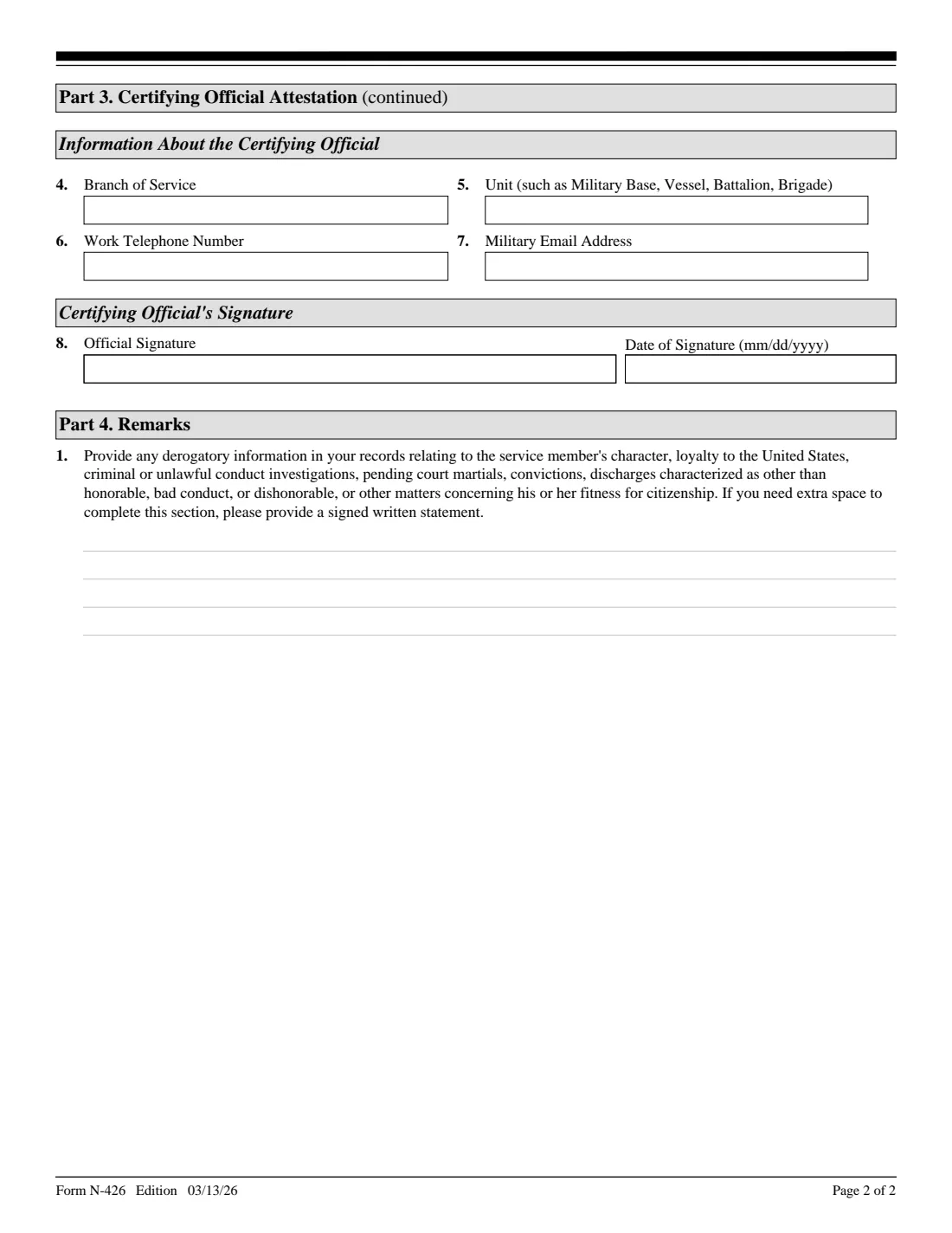
Give the form to your branch's certifying official. They state their name, rank and title, whether you serve or served honorably, the type of service and since when, their unit and contact details, and they sign.
4 Part 4: Remarks
The official uses this space for any derogatory information in your records. You leave it blank.
Common mistakes to avoid
- Signing with a typed or stamped name instead of in ink.
- Filling in Part 3 yourself: the certifying official completes it.
- Entering an 8-digit A-Number without the leading zero; the boxes hold 9 digits.
- Using a nickname instead of your full legal name.
After you fill it out
Print the form, sign Part 2 by hand and give it to your certifying official.
File it with your naturalization application as the USCIS instructions describe at uscis.gov/n-426.
FileIt keeps the filled PDF in your vault alongside your other immigration documents.
Fill out Form N-426 online with FileIt
- Pick the person. Choose someone from People and FileIt fills in their name, date of birth, address and other details it already knows.
- Answer plain-language questions. One part of the form at a time, with the official help text beside each question — 9 fields in all. Your answers save as you go.
- Check the live preview. Watch your answers land on the real U.S. Citizenship and Immigration Services (USCIS), Department of Homeland Security form, and let FileIt do any worksheet arithmetic.
- Generate the official PDF. FileIt prints your answers into the agency’s own PDF and files it in that person’s folder in your vault.
FileIt fills the form — it never files or submits anything for you. Deliver the finished form to whoever asked for it, the way the form’s instructions say.
Start Form N-426 now — it’s freeForm N-426: frequently asked questions
Do I have to pay to file Form N-426?
No. The N-426 has no fee of its own. See uscis.gov/n-400 for the naturalization application.
Who signs Part 3?
A certifying official of your branch of service who has reviewed your service record.
Can I sign Form N-426 electronically?
USCIS requires a handwritten signature on the paper form, so FileIt leaves the signature box blank for you to sign in ink.
What is a DOD ID number?
The Department of Defense identification number printed on your military ID card.
Can I fill out Form N-426 online with FileIt?
Yes. FileIt fills in Part 1 and prints it on the official USCIS PDF. You print it, sign it and pass it on yourself; FileIt doesn't file anything with USCIS.
Official sources
- Blank form (PDF), published by U.S. Citizenship and Immigration Services (USCIS), Department of Homeland Security: https://www.uscis.gov/sites/default/files/document/forms/n-426.pdf
- Official instructions and guidance: https://www.uscis.gov/n-426
- Edition shown on this page: Edition 03/13/26 (OMB 1615-0053, expires 03/31/2029) (checked 2026-10-19).
FileIt is not affiliated with or endorsed by U.S. Citizenship and Immigration Services (USCIS), Department of Homeland Security or any government. This page explains the form in general terms and is not legal, tax or immigration advice. Always read the official instructions, and check that you are using the edition the recipient accepts. Page last reviewed 2026-10-19.