What is Form MV-1?
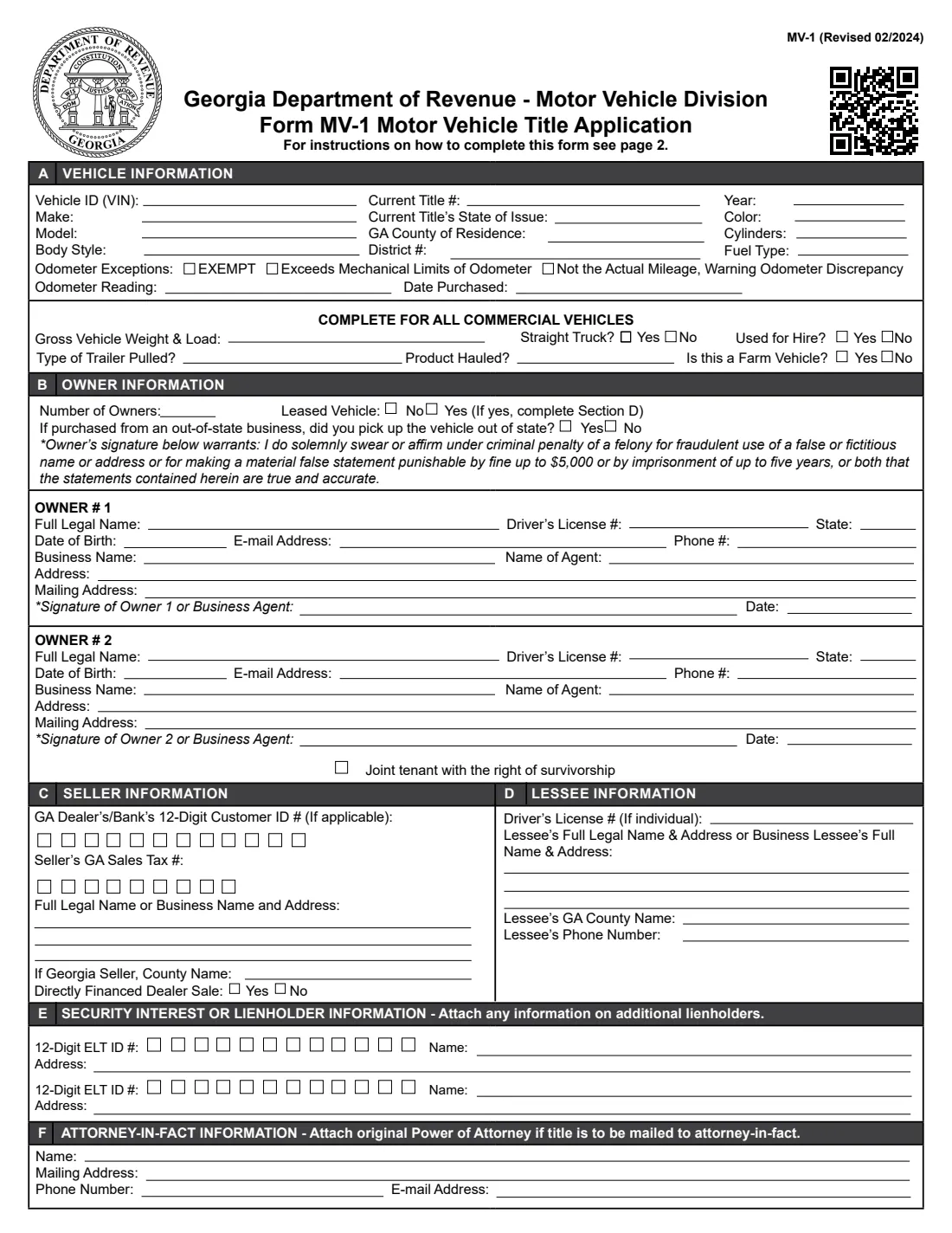
Form MV-1 is the Georgia Department of Revenue's application for a vehicle title and tag. It records the vehicle (VIN, make, model, body style, year, color, cylinders, fuel type, current title, county of residence and odometer), every owner, the seller, a lessee if the vehicle is leased, up to two lienholders, and an attorney-in-fact if someone signs for you under a power of attorney.
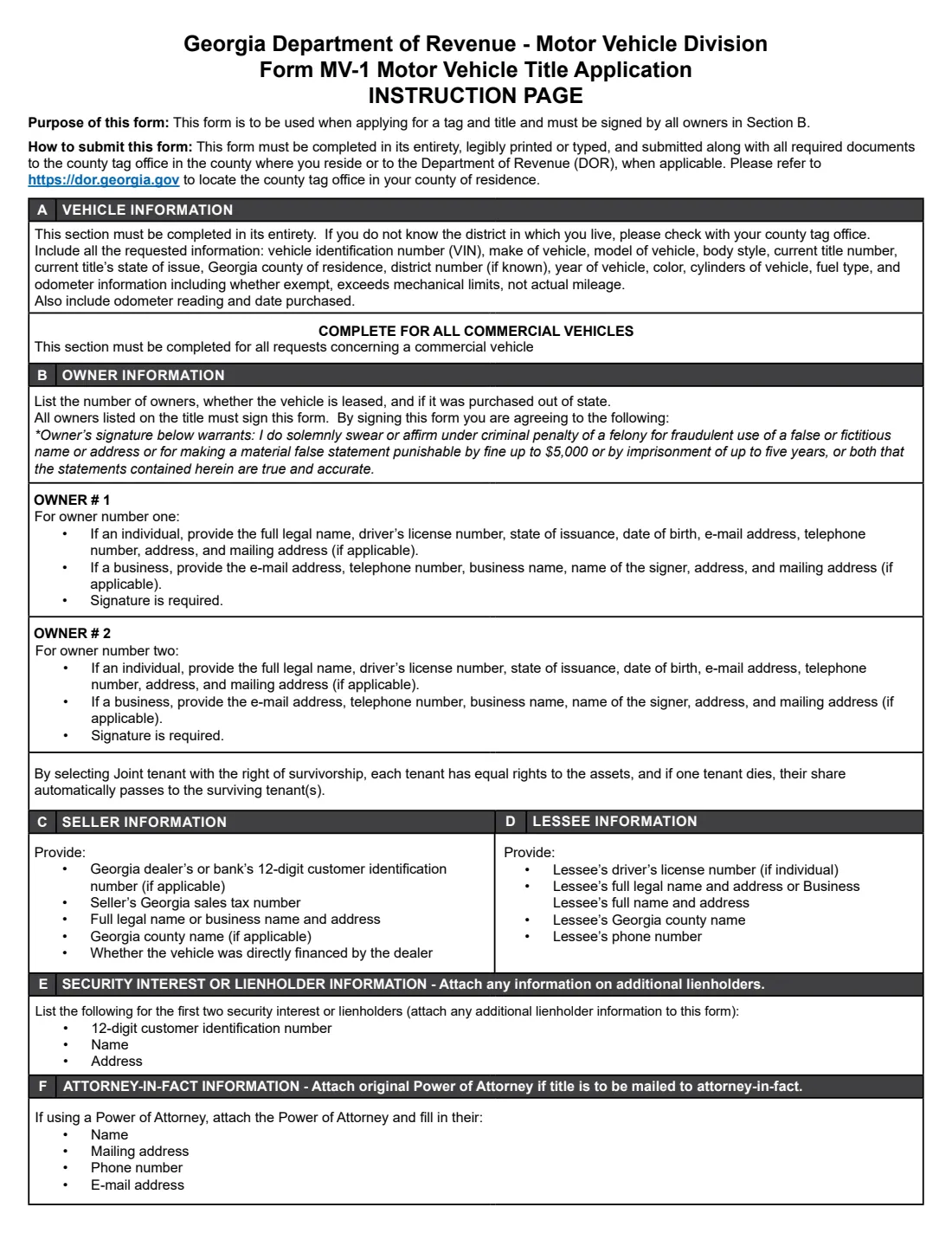
The form must be completed in its entirety, legibly printed or typed, and submitted with all the required documents to the county tag office in the county where you live, or to the Department of Revenue when applicable. All owners listed on the title must sign it, swearing under criminal penalty of a felony that the statements are true.
FileIt pre-fills the first owner's name, date of birth and email from your vault, prints everything onto the DOR's own PDF (Revised 02/2024), places each digit of the dealer, sales tax and ELT numbers in its box, and saves the finished form in your vault folder. Bring it to the tag office and sign it there; it isn't sent for electronic signature.
- Where it goes
- The county tag office in the county where you live, or the Department of Revenue when applicable.
- Who signs
- All owners listed on the title (a business through its agent), in ink.
- Owners on the form
- Two; the number-of-owners box records how many there are in all.
- Lienholders
- Two on the form; attach information on any others.
- Edition
- MV-1 (Revised 02/2024)
Who needs to fill out Form MV-1?
- Georgia residents who bought a vehicle and need a Georgia title and tag.
- New residents bringing a vehicle titled in another state.
- Businesses titling a company vehicle, including commercial trucks.
- Owners adding a co-owner, a lienholder or an attorney-in-fact.
When to use Form MV-1
- When you title and register a vehicle you bought from a dealer or a private seller.
- When you move to Georgia with a vehicle titled elsewhere.
- When your county tag office asks for an MV-1 with your other documents.
What you need before you start
- The vehicle's VIN, make, model, body style, year, color, cylinders, fuel type and odometer reading, and the current title number and state if there is one.
- The date you bought it and your Georgia county of residence.
- Each owner's full legal name, driver's license, date of birth, phone, email and address (or the business name and agent).
- The seller's name, address and, for a dealer, the 12-digit customer ID and sales tax number; any lessee, lienholder ELT ID, or attorney-in-fact details.
What’s on Form MV-1
The 2024 edition has 2 pages. FileIt asks for it in 10 parts:
- A. Vehicle informationOwner
- Commercial vehicleOwner
- B. Owner informationOwner
- Owner 1Owner
- Owner 2Owner
- C. Seller informationOwner
- D. Lessee informationOwner
- E. Security interest or lienholder 1Owner
- E. Lienholder 2Owner
- F. Attorney-in-fact informationOwner
How to fill out Form MV-1, step by step
1 A. Vehicle information
Every vehicle detail, the odometer reading (or exempt, exceeds mechanical limits, or not actual mileage), and the date purchased. Commercial vehicles also give weight, trailer, product and use.
2 B. Owner information
The number of owners, whether it's leased, and whether an out-of-state purchase was picked up out of state; then each owner's details. Tick joint tenants with right of survivorship if you want that.
3 C. Seller information
The seller's name and address, the dealer's or bank's customer ID and sales tax number, the Georgia county and whether the dealer financed the sale.
4 D. Lessee information
For a leased vehicle, the lessee's license, name, address, county and phone.
5 E. and F.
Lienholders' ELT IDs, names and addresses, and the attorney-in-fact's details if a power of attorney is used.
Common mistakes to avoid
- A VIN typed with a letter O or I instead of 0 or 1.
- Leaving parts of section A blank: it must be complete.
- Not having every owner sign.
- Ticking Leased Vehicle without completing the lessee section.
- Forgetting to attach the original power of attorney when the title is to be mailed to an attorney-in-fact.
After you fill it out
Print the form; every owner signs it by hand.
Take it with all required documents to your county tag office (the DOR's website lists them), or to the DOR when applicable.
FileIt keeps the PDF in your vault folder.
Fill out Form MV-1 online with FileIt
- Pick the person. Choose someone from People and FileIt fills in their name, date of birth, address and other details it already knows.
- Answer plain-language questions. One part of the form at a time, with the official help text beside each question — 80 fields in all. Your answers save as you go.
- Check the live preview. Watch your answers land on the real Georgia Department of Revenue, Motor Vehicle Division form, and let FileIt do any worksheet arithmetic.
- Generate the official PDF. FileIt prints your answers into the agency’s own PDF and files it in that person’s folder in your vault.
FileIt fills the form — it never files or submits anything for you. Deliver the finished form to whoever asked for it, the way the form’s instructions say.
Start Form MV-1 now — it’s freeForm MV-1: frequently asked questions
Can I sign the MV-1 electronically?
FileIt doesn't offer e-signature for the MV-1: it's signed by all owners and filed at the county tag office. Georgia has a separate form, MV-1W, for remote electronic signature.
Where do I file it?
With the county tag office in the county where you live, or with the Department of Revenue when applicable. dor.georgia.gov helps you locate your county tag office.
What does joint tenant with right of survivorship mean?
Each tenant has equal rights to the vehicle, and if one dies their share passes automatically to the surviving tenant or tenants.
What if there are more than two lienholders?
Attach the information on the additional lienholders to the form.
Official sources
- Blank form (PDF), published by Georgia Department of Revenue, Motor Vehicle Division: https://dor.georgia.gov/document/document/mv-1-dor-motor-vehicle-titletag-application-revised-10-30-2018/download
- Official instructions and guidance: https://dor.georgia.gov/document/document/mv-1-dor-motor-vehicle-titletag-application-revised-10-30-2018/download
- Edition shown on this page: MV-1 (Revised 02/2024) (checked 2026-10-25).
FileIt is not affiliated with or endorsed by Georgia Department of Revenue, Motor Vehicle Division or any government. This page explains the form in general terms and is not legal, tax or immigration advice. Always read the official instructions, and check that you are using the edition the recipient accepts. Page last reviewed 2026-10-25.