What is Form IT-2104-P?
Form IT-2104-P is the New York State Department of Taxation and Finance form for voluntary income tax withholding from annuity and pension payments. Payers don't have to withhold New York tax from these payments on their own, so retirees whose pension counts toward their New York adjusted gross income use this form to choose a set amount, in whole dollars, to come out of each payment.
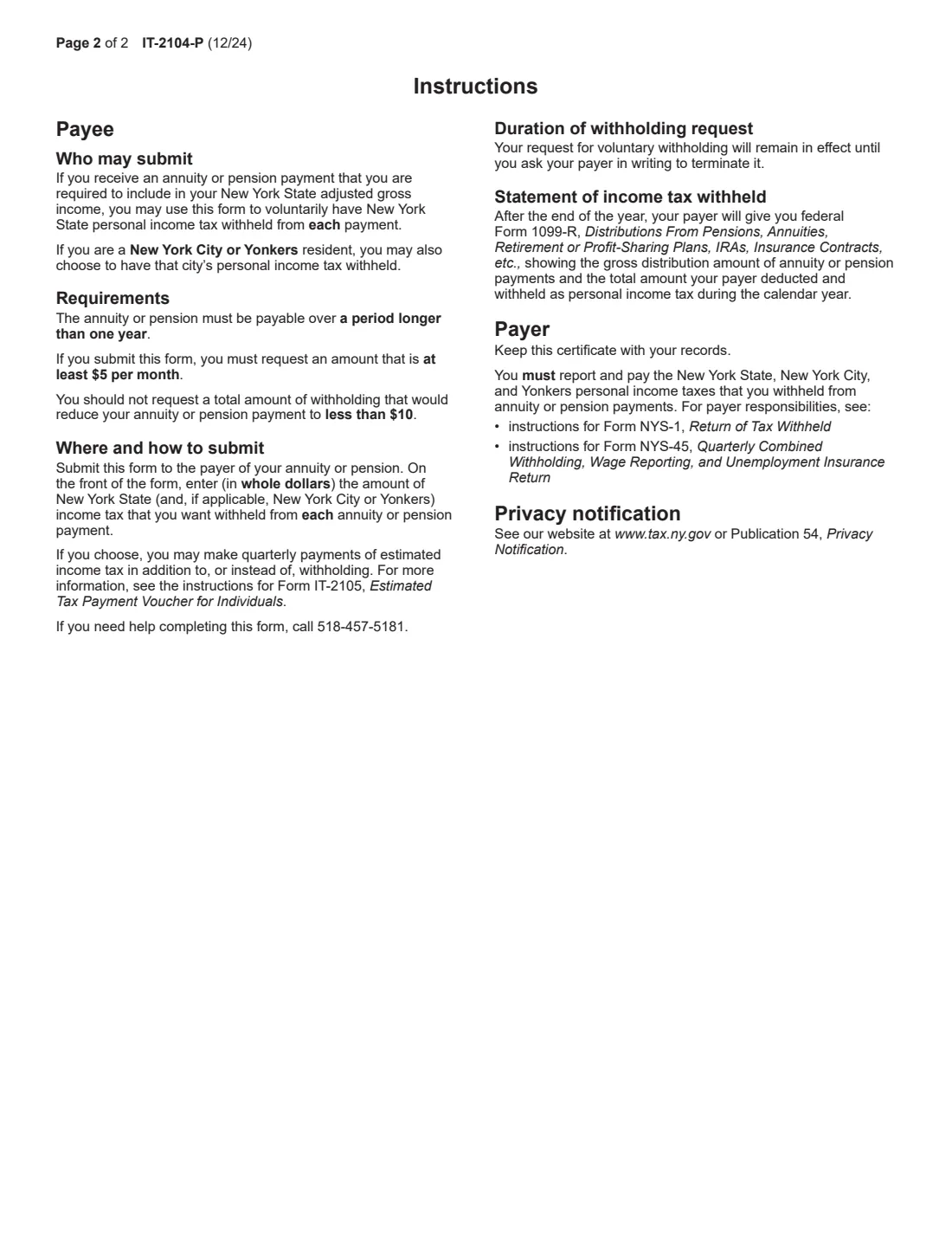
The form covers New York State tax, and also New York City and Yonkers tax for residents of those cities. The annuity or pension has to be payable over more than one year, the request must be for at least $5 a month, and it shouldn't bring a payment below $10. The request stays in effect until you tell the payer in writing to stop. If you'd rather not have tax withheld, you can make quarterly estimated payments instead (Form IT-2105).
FileIt lets you fill out the IT-2104-P online: it pre-fills your name from the People records in your vault, checks the amounts, and prints your answers onto the Tax Department's own PDF. The filled form is saved in your vault, and you can sign it with FileIt's eSignature or by hand. FileIt doesn't send it anywhere: you give it to your payer.
- Who fills it
- The annuitant: the person receiving the pension or annuity payments.
- Given to
- The payer of the annuity or pension, who keeps it. It is not sent to the Tax Department.
- Amounts
- Whole dollars per payment, at least $5 a month in total, for New York State and, if you live there, New York City or Yonkers.
- How long
- Until you ask the payer in writing to end it.
- Signatures
- You sign and date the request.
- Edition
- IT-2104-P (12/24), one page plus instructions.
Who needs to fill out Form IT-2104-P?
- Retirees receiving a pension or annuity that is included in their New York adjusted gross income and payable over more than one year.
- Anyone who wants tax taken out of pension payments instead of paying estimated tax each quarter.
- New York City and Yonkers residents who also want their city's income tax withheld.
- Annuitants changing the amount they asked for earlier: a new form replaces the old one.
When to use Form IT-2104-P
- When your pension or annuity payments start, or any time after that.
- When you expect to owe New York tax on your retirement income and want to spread the payments over the year.
- When you move into or out of New York City or Yonkers and need the city amounts added or removed.
What you need before you start
- Your name, Social Security number and permanent mailing address.
- The annuity contract, claim or identification number your payer uses (it's on your payment statements).
- The whole-dollar amount you want withheld from each payment for New York State.
- If you live in New York City or Yonkers, the amount for that city's tax as well.
What’s on Form IT-2104-P
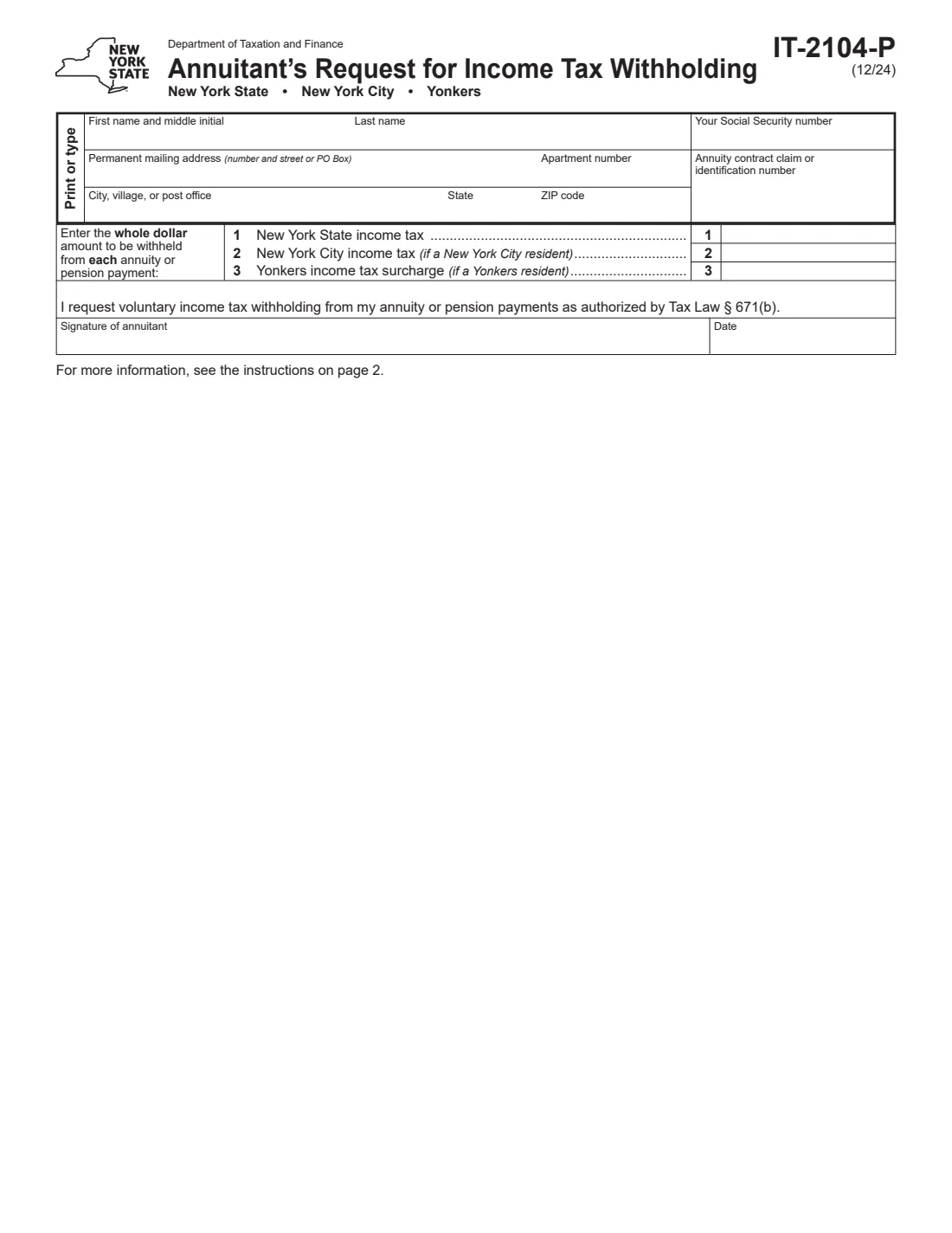
The 2024 edition has 2 pages. FileIt asks for it in 3 parts, and it is signed by Employee:
- Your detailsEmployee
- Lines 1-3: Amount to withhold from each paymentEmployee
- Request and signatureEmployee
How to fill out Form IT-2104-P, step by step
1 Your details
Enter your first name and middle initial, last name, Social Security number, permanent mailing address with apartment number, city, state and ZIP code, and the annuity contract claim or identification number.
2 Lines 1 to 3: the amounts
Line 1 is the New York State income tax to withhold from each payment. Line 2 is New York City tax, only for New York City residents. Line 3 is the Yonkers surcharge, only for Yonkers residents. Enter whole dollars; FileIt checks the total is at least $5.
3 Request, sign and date
The signature line requests voluntary withholding under Tax Law section 671(b). FileIt prints the date beside it; sign with FileIt's eSignature or on paper.
4 Give it to your payer
Send or hand the signed form to the company or plan that pays your annuity or pension. The payer reports what it withheld on your Form 1099-R after the year ends.
Common mistakes to avoid
- Entering cents or a percentage instead of a whole-dollar amount per payment.
- Asking for less than $5 a month, or an amount that would leave a payment under $10.
- Filling in the New York City or Yonkers line without living there.
- Sending the form to the Tax Department instead of the payer.
- Forgetting the contract or claim number, so the payer can't match the request to your account.
After you fill it out
Sign and date the form and give it to your payer, who keeps it with its records.
Check your next payment statements to see the withholding start. To change or stop it later, write to your payer.
FileIt keeps the filled PDF in your vault, next to your other retirement documents.
Fill out Form IT-2104-P online with FileIt
- Pick the person. Choose someone from People and FileIt fills in their name, date of birth, address and other details it already knows.
- Answer plain-language questions. One part of the form at a time, with the official help text beside each question — 16 fields in all. Your answers save as you go.
- Check the live preview. Watch your answers land on the real New York State Department of Taxation and Finance form, and let FileIt do any worksheet arithmetic.
- Generate the official PDF. FileIt prints your answers into the agency’s own PDF and files it in that person’s folder in your vault. Sign it, or send it for e-signature.
FileIt fills the form — it never files or submits anything for you. Deliver the finished form to whoever asked for it, the way the form’s instructions say.
Start Form IT-2104-P now — it’s freeForm IT-2104-P: frequently asked questions
Does my pension payer have to withhold New York tax?
Not unless you ask. Form IT-2104-P is the request for voluntary withholding from annuity or pension payments.
What's the minimum I can ask for?
The instructions say you must request at least $5 per month, and the total shouldn't reduce a payment to less than $10.
Can I have New York City or Yonkers tax withheld too?
Yes, if you are a resident of New York City or Yonkers. Use line 2 or line 3 for that city's tax.
How do I stop the withholding?
Ask your payer in writing to end it. The request stays in effect until you do.
Is this the same as federal Form W-4P?
No. Form W-4P covers federal withholding from pensions and annuities. IT-2104-P covers only New York State, New York City and Yonkers tax.
Can I fill out the IT-2104-P online?
Yes. FileIt fills it out online and prints your answers on the official PDF, which you sign and give to your payer. FileIt doesn't submit it.
Official sources
- Blank form (PDF), published by New York State Department of Taxation and Finance: https://www.tax.ny.gov/pdf/current_forms/it/it2104p_fill_in.pdf
- Official instructions and guidance: https://www.tax.ny.gov/forms/current-forms/it/it2104p.htm
- Edition shown on this page: IT-2104-P (12/24) (checked 2026-10-19).
FileIt is not affiliated with or endorsed by New York State Department of Taxation and Finance or any government. This page explains the form in general terms and is not legal, tax or immigration advice. Always read the official instructions, and check that you are using the edition the recipient accepts. Page last reviewed 2026-10-19.