What is Form I-290B?
Form I-290B is U.S. Citizenship and Immigration Services' Notice of Appeal or Motion. When USCIS denies or revokes certain applications and petitions, the decision notice tells you whether you can appeal to the Administrative Appeals Office (AAO), file a motion with the office that decided the case, or both. This one form covers all of those routes. The current edition is 05/31/24.
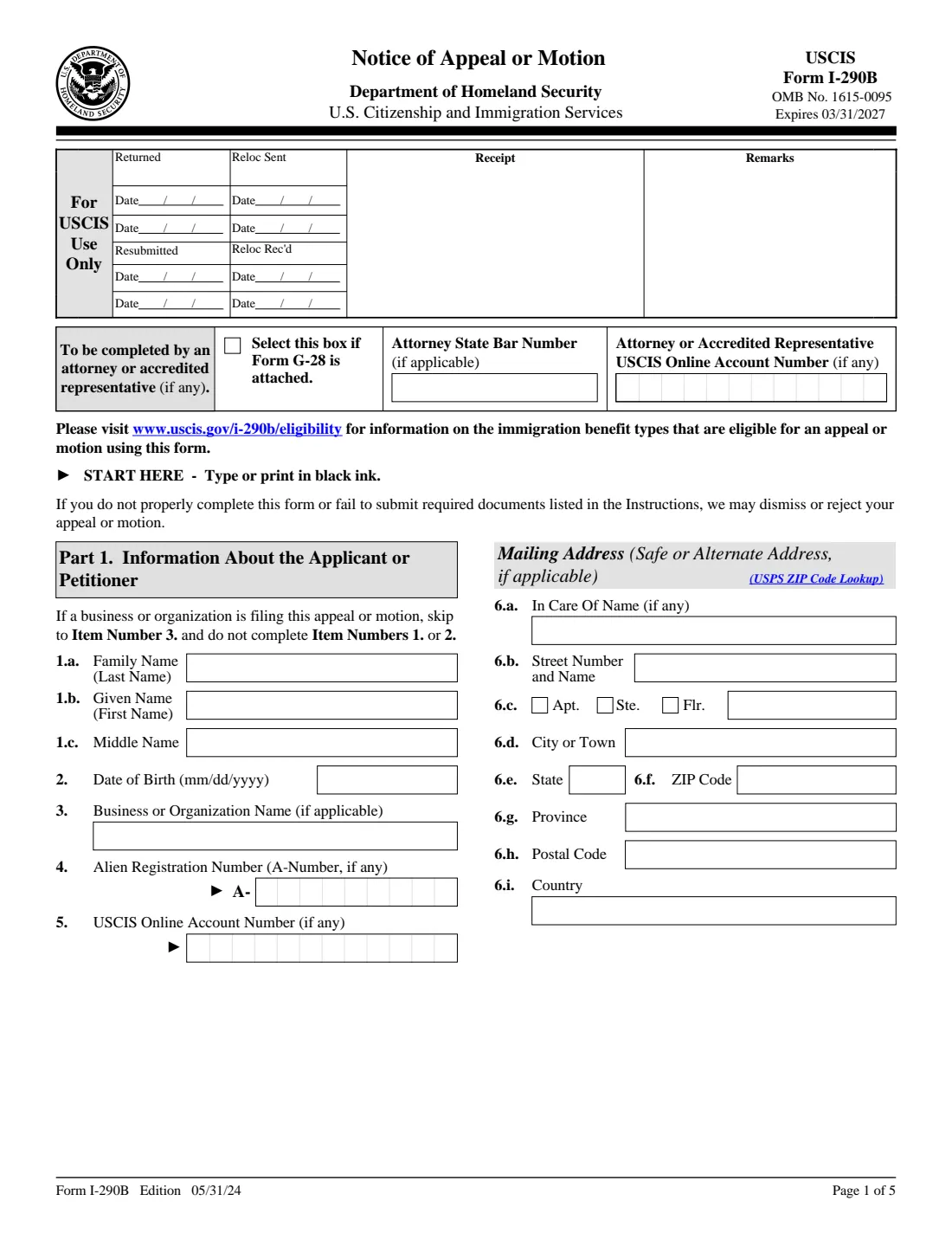
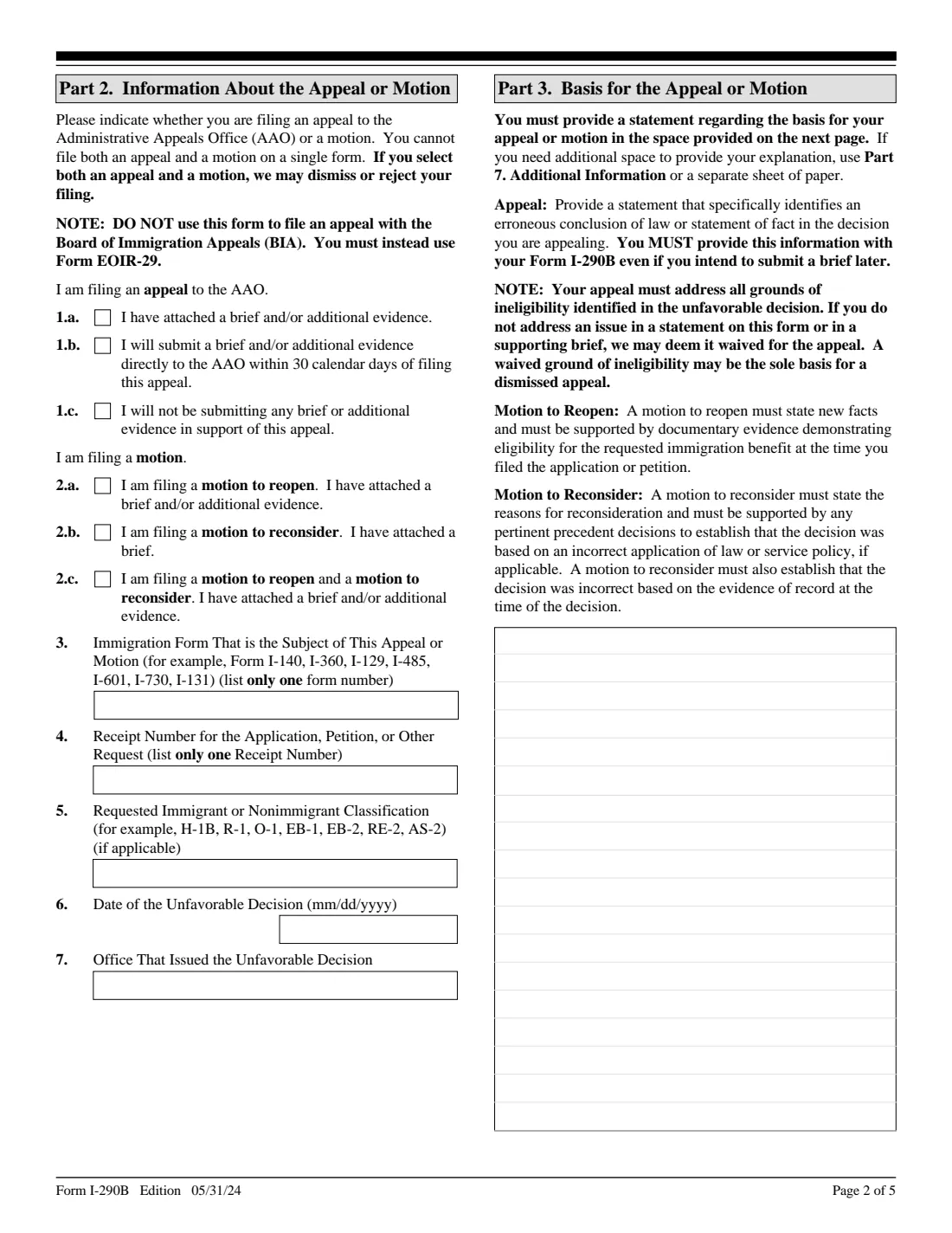
The five-page form asks who is filing, which decision you're challenging (the form number, the receipt number, the decision date and the office), whether it's an appeal or which kind of motion, and your statement of the basis for it. A motion to reopen rests on new facts with evidence; a motion to reconsider argues that the decision applied the law or USCIS policy wrongly. Before filing, USCIS's eligibility page lists which benefit types can be appealed or reopened with this form.
FileIt walks you through each part, pre-fills your name and date of birth from your vault, prints your answers on USCIS's own I-290B, and lays out the Part 3 statement and Part 7 continuation text so it fits the boxes. The finished PDF is saved in your vault. USCIS needs a handwritten signature, so you print it, sign, and file it yourself.
- Who files
- The applicant or petitioner (a person, business or organization) who received the unfavorable decision, or their attorney.
- Pages
- 5 (Parts 1-7, including interpreter, preparer and additional information).
- Choose one
- An appeal to the AAO, a motion to reopen, a motion to reconsider, or both motions together. Not an appeal and a motion on one form.
- Signature
- Handwritten; a copy or scan of the signed original is accepted.
- Edition
- 05/31/24 (OMB No. 1615-0095, expires 03/31/2027)
Who needs to fill out Form I-290B?
- Petitioners and applicants whose decision notice says they may appeal to the AAO.
- People with new facts and evidence that weren't in the record when USCIS decided their case.
- Those who believe the decision misapplied the law or USCIS policy, based on the record at the time.
- Businesses and organizations challenging a decision on a petition they filed.
When to use Form I-290B
- After you receive an unfavorable decision and the notice says Form I-290B is available for it.
- Within the deadline stated in the decision notice and the instructions. Filing late can mean the appeal or motion is rejected or dismissed.
- When you are ready to explain, on the form itself, why the decision should change. A brief and evidence can be attached, and for an appeal sent to the AAO within 30 days.
- Not for an appeal to the Board of Immigration Appeals: that goes on a different form.
What you need before you start
- The decision notice: its date, the deciding office, the form number and the receipt number.
- Your name, date of birth, A-Number and USCIS Online Account Number if you have them, or the business's name.
- A mailing address, and a safe or alternate address if that applies to you.
- Your statement of the basis for the appeal or motion, addressing each ground in the decision.
- Any brief and new evidence you're submitting with it.
- Contact details for any interpreter or preparer who helped.
What’s on Form I-290B
The 2024 edition has 5 pages. FileIt asks for it in 9 parts:
- Attorney or accredited representative (top of page 1)Preparer
- Part 1. Information about the applicant or petitionerApplicant or petitioner
- Part 1. Mailing address (safe or alternate address, if applicable)Applicant or petitioner
- Part 2. Information about the appeal or motionApplicant or petitioner
- Part 3. Basis for the appeal or motionApplicant or petitioner
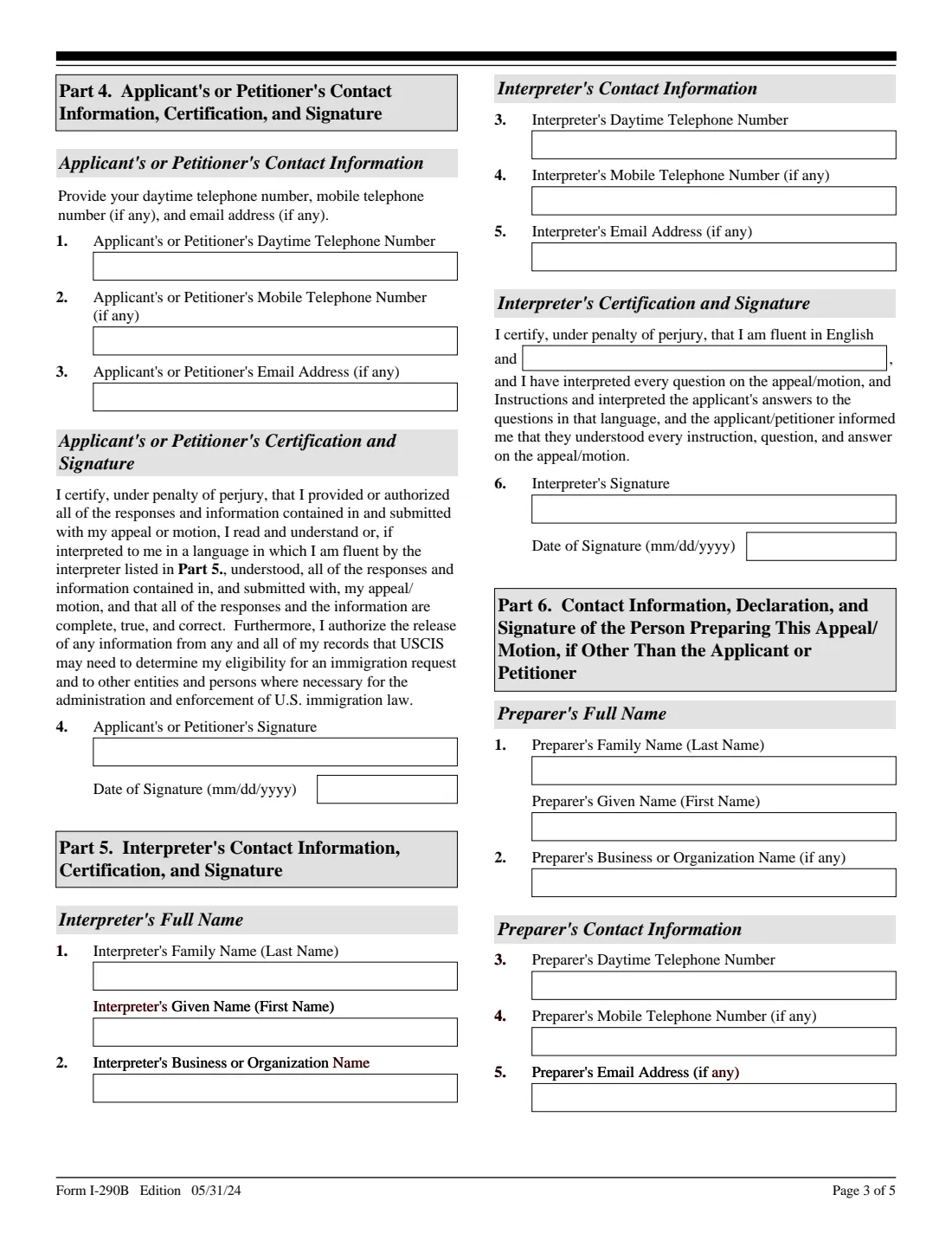
- Part 4. Applicant's or petitioner's contact information, certification and signatureApplicant or petitioner
- Part 5. Interpreter's contact information, certification and signatureInterpreter
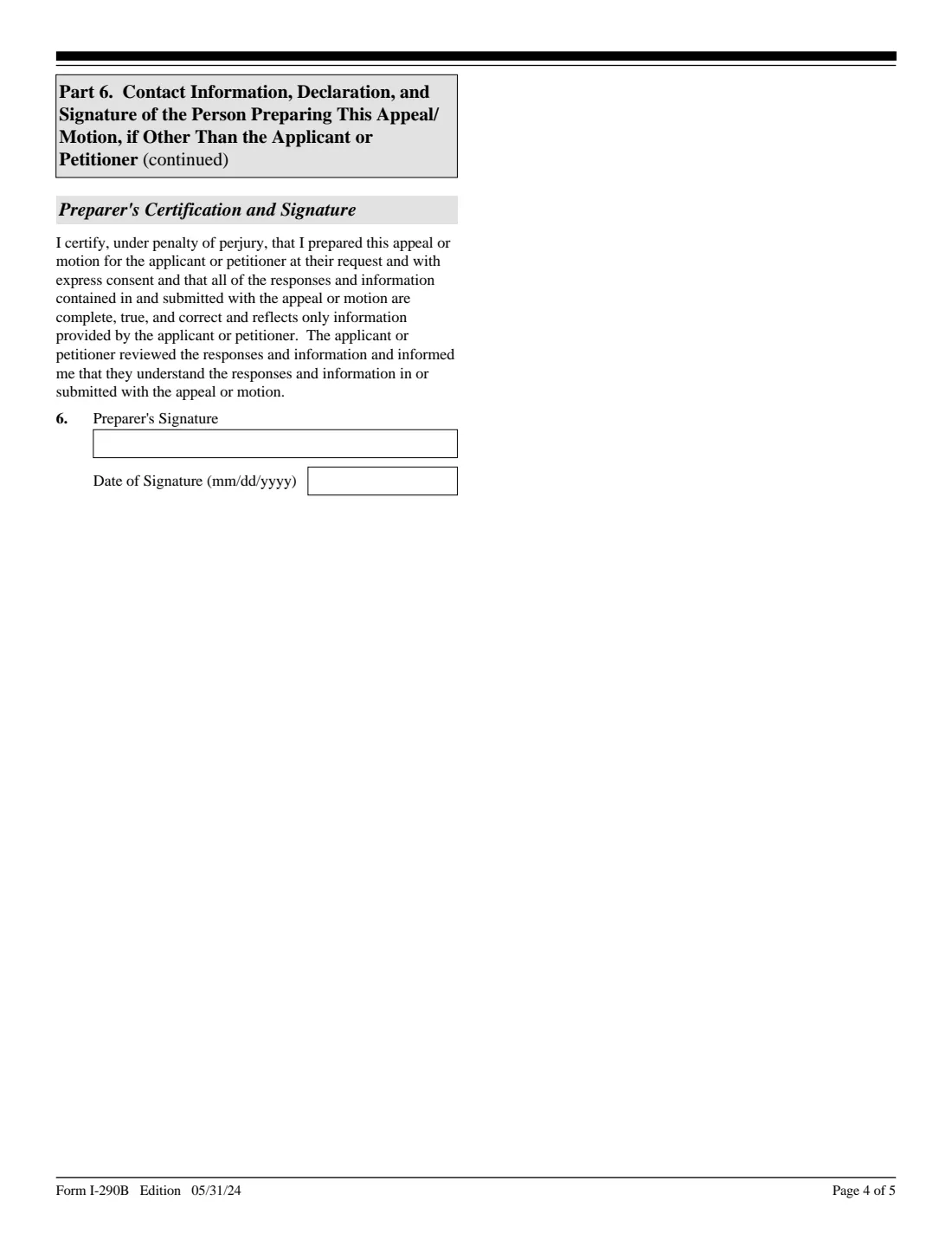
- Part 6. Person preparing this appeal or motion, if other than the applicant or petitionerPreparer
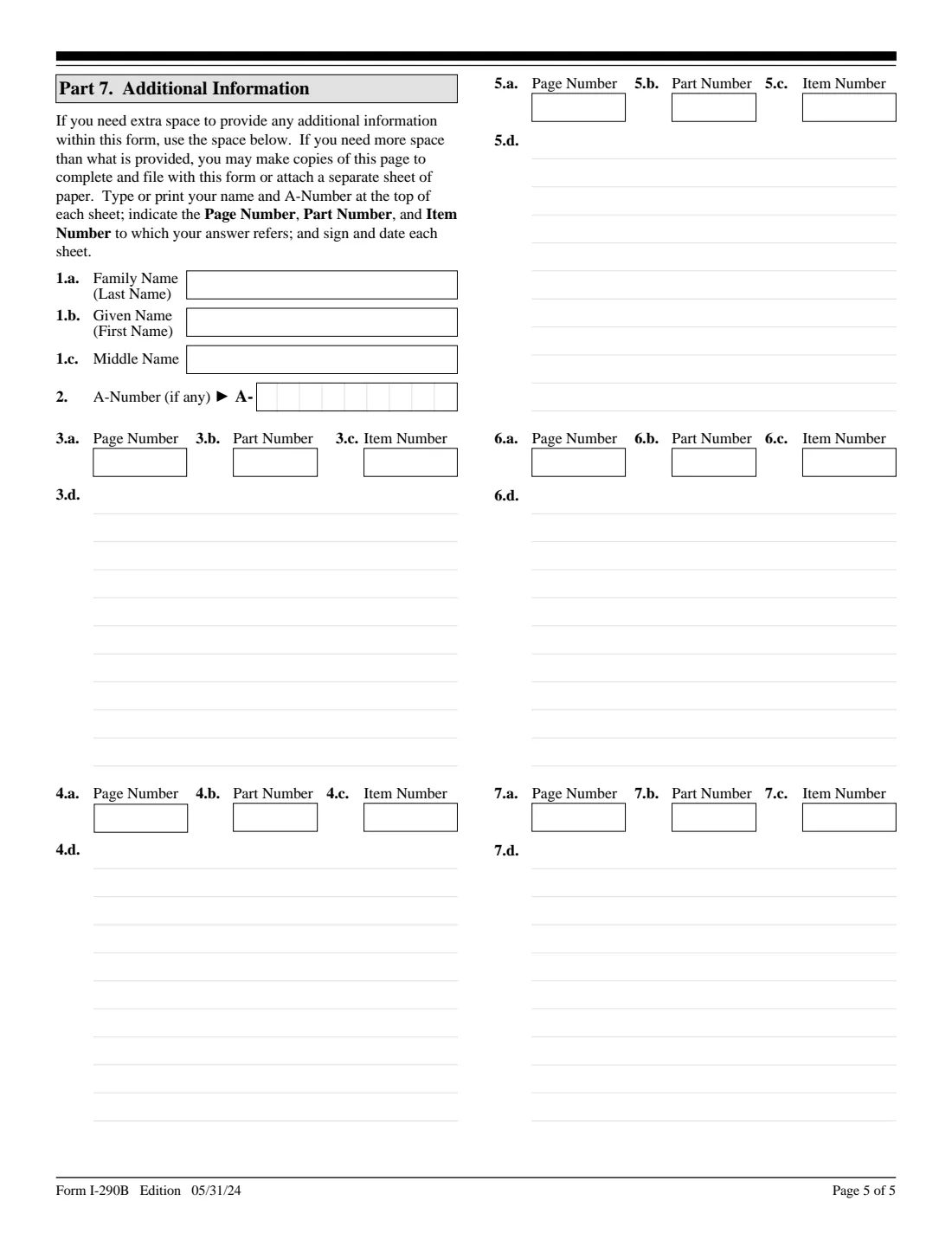
- Part 7. Additional informationApplicant or petitioner
How to fill out Form I-290B, step by step
1 Part 1. Information about you
A person gives their name and date of birth; a business or organization gives its name in item 3 instead. Then the A-Number and USCIS Online Account Number if any, and the mailing address USCIS should use.
2 Part 2. The appeal or motion
Choose one: an appeal with a brief attached, an appeal with a brief to follow within 30 days, an appeal without a brief, a motion to reopen, a motion to reconsider, or both motions. Then the form number, the receipt number, the requested classification if any, the decision date and the office that decided.
3 Part 3. Basis for the appeal or motion
Your statement, on the form itself. An appeal names the erroneous conclusion of law or statement of fact. A motion to reopen states the new facts; a motion to reconsider explains the error in applying law or policy. FileIt wraps your text inside the box and tells you if it runs over.
4 Part 4. Contact information and signature
Your phone numbers and email. Print the form and sign by hand.
5 Parts 5 and 6. Interpreter and preparer
Only if someone interpreted the form for you or prepared it. They give their details and sign by hand.
6 Part 7. Additional information
Room to continue any answer, with the page, part and item number. Your name and A-Number print at the top for you.
Common mistakes to avoid
- Selecting both an appeal and a motion: USCIS may dismiss or reject the filing.
- Leaving Part 3 empty and relying only on a later brief.
- Not addressing every ground of ineligibility in the decision.
- Listing more than one form number or receipt number.
- Filing after the deadline in the decision notice.
- Using this form for a decision it doesn't cover; check USCIS's eligibility page first.
After you fill it out
Print the form and sign Part 4 by hand. Have any interpreter and preparer sign their parts.
Attach your brief and evidence, check the fee and filing address on uscis.gov/i-290b, and file it. FileIt never submits anything for you.
If you chose to send a brief to the AAO later, send it directly to the AAO within 30 calendar days of filing, as the form says.
Keep the signed copy. FileIt saves the filled PDF in your vault next to the decision notice.
Fill out Form I-290B online with FileIt
- Pick the person. Choose someone from People and FileIt fills in their name, date of birth, address and other details it already knows.
- Answer plain-language questions. One part of the form at a time, with the official help text beside each question — 67 fields in all. Your answers save as you go.
- Check the live preview. Watch your answers land on the real U.S. Citizenship and Immigration Services (USCIS) form, and let FileIt do any worksheet arithmetic.
- Generate the official PDF. FileIt prints your answers into the agency’s own PDF and files it in that person’s folder in your vault.
FileIt fills the form — it never files or submits anything for you. Deliver the finished form to whoever asked for it, the way the form’s instructions say.
Start Form I-290B now — it’s freeForm I-290B: frequently asked questions
What is Form I-290B?
It is USCIS's Notice of Appeal or Motion: the form to appeal an unfavorable decision to the Administrative Appeals Office, or to ask the office that decided your case to reopen or reconsider it.
Can I file an appeal and a motion together?
Not on one form. The form warns that if you select both, USCIS may dismiss or reject your filing. You can file a motion to reopen and a motion to reconsider together, which is option 2.c.
What goes in Part 3?
Your own statement of why the decision should change. The form says you must provide it in the space on the form, and you can continue in Part 7 or on a separate sheet.
Can I send my brief later?
For an appeal, yes: option 1.b says you will submit a brief and/or evidence directly to the AAO within 30 calendar days of filing. Motions need the brief or evidence attached.
Does this form work for the Board of Immigration Appeals?
No. The I-290B is for USCIS decisions; appeals to the Board of Immigration Appeals use a different form.
Does FileIt file the I-290B for me?
No. FileIt fills USCIS's official PDF and saves it in your vault. You sign it and file it with USCIS yourself.
Official sources
- Blank form (PDF), published by U.S. Citizenship and Immigration Services (USCIS): https://www.uscis.gov/sites/default/files/document/forms/i-290b.pdf
- Official instructions and guidance: https://www.uscis.gov/i-290b
- Edition shown on this page: 05/31/24 (OMB 1615-0095, expires 03/31/2027) (checked 2026-10-19).
FileIt is not affiliated with or endorsed by U.S. Citizenship and Immigration Services (USCIS) or any government. This page explains the form in general terms and is not legal, tax or immigration advice. Always read the official instructions, and check that you are using the edition the recipient accepts. Page last reviewed 2026-10-19.