What is SKV 7502 - Change of surname?
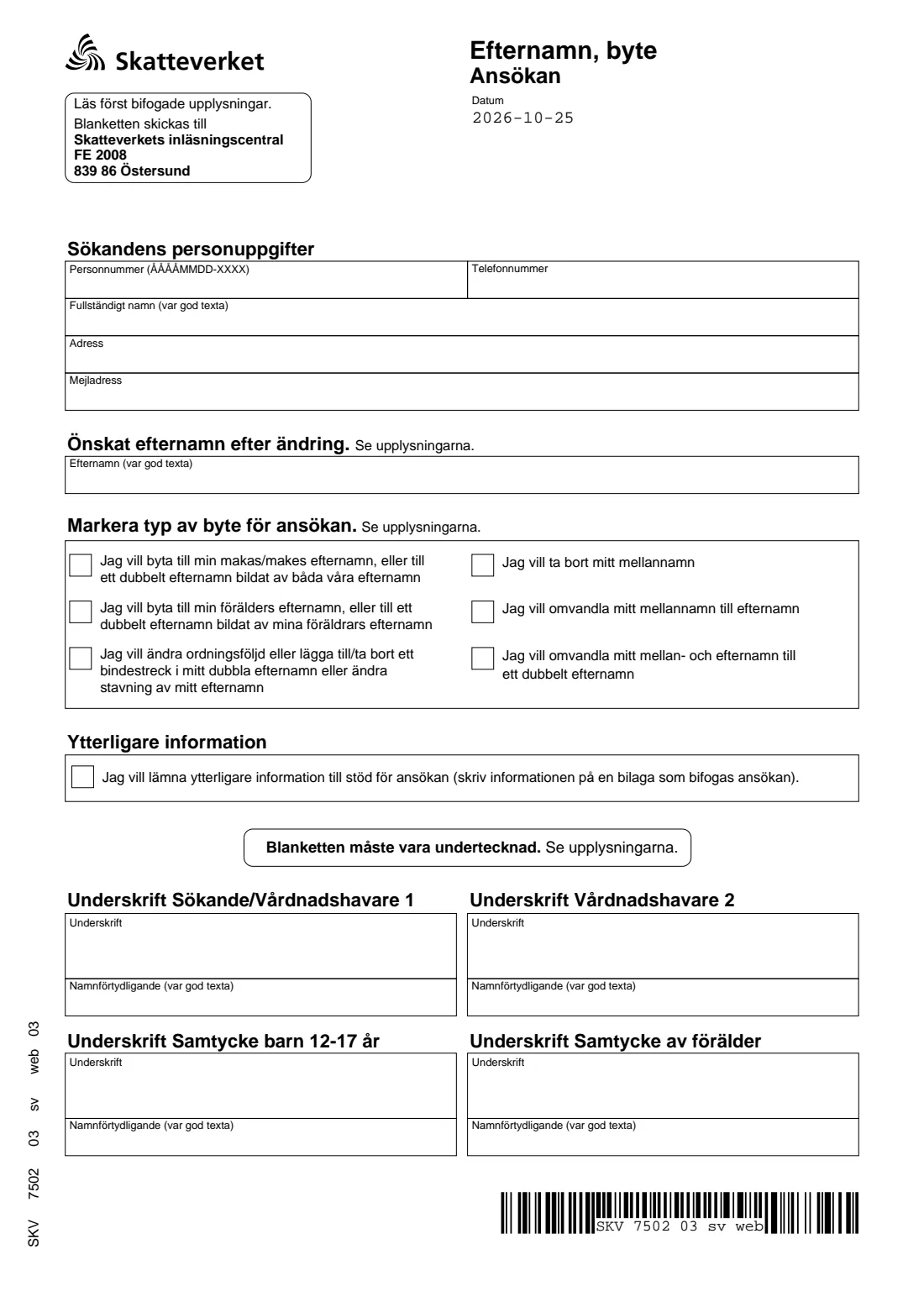
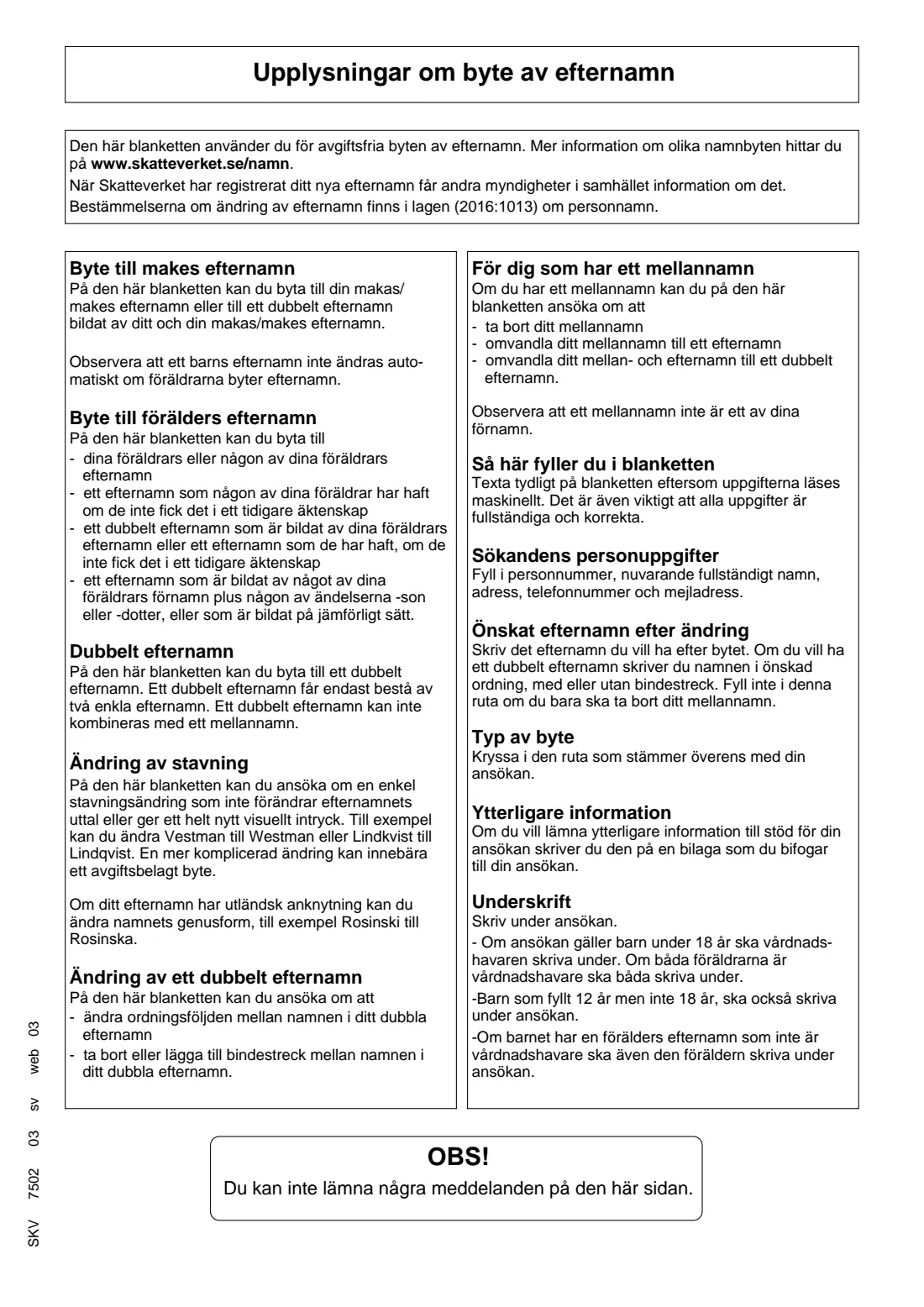
SKV 7502 is the Swedish Tax Agency's (Skatteverket's) application for the free changes of surname. The form's information page lists them: taking your spouse's surname, or a double surname made from both of yours; taking a parent's surname, a surname a parent has had, or one formed from a parent's first name with -son or -dotter; changing the order of a double surname or adding or removing its hyphen; a simple spelling change that doesn't change how the name sounds; and removing a middle name or turning it into a surname.
When Skatteverket has registered the new surname, other authorities are told automatically. A child's surname doesn't change by itself when the parents change theirs, so a child needs their own application, signed by the custodial parents (and by the child from age 12).
FileIt asks each question in English with the Swedish wording beside it, checks the personal identity number and who must sign, and prints your answers into Skatteverket's own PDF, which is saved in your vault. You sign it by hand and post it. FileIt never sends it.
- Who fills it
- The person whose surname changes, or the custodial parent(s) for a child
- Given to
- Skatteverkets inläsningscentral, FE 2008, 839 86 Östersund (printed on the form)
- Cost
- None - the form is for the free changes of surname
- Signatures
- By hand; children 12-17 also sign, and a non-custodial parent whose surname the child has
- Edition
- SKV 7502 03 sv web 03 (Swedish only)
- Pages
- 2 (page 2 is guidance)
Who needs to fill out SKV 7502 - Change of surname?
- Someone taking their spouse's surname, or a double surname made from both spouses' surnames, after marrying.
- Someone taking a parent's surname, or a double surname from both parents' surnames.
- People who want to reorder a double surname, add or drop the hyphen, or make a small spelling change (Vestman to Westman).
- People with a middle name (mellannamn) who want to remove it, or turn it into their surname or part of a double surname.
- Parents applying for a child's surname change.
When to use SKV 7502 - Change of surname
- When the change you want is one of the six listed on the form - those cost nothing.
- After a marriage, when you decide to take your spouse's surname or a double surname.
- For a child, when the child should have a parent's surname or a double surname from the parents.
- Skatteverket's name pages (skatteverket.se/namn, as the form says) describe the other name changes and how to apply for them.
What you need before you start
- The applicant's 12-digit personal identity number (personnummer) or coordination number.
- The current full name, address, and optionally a phone number and email address.
- The surname wanted after the change, spelled exactly.
- For a child: the names of the custodial parent(s), the child's own consent from age 12, and the consent of a non-custodial parent whose surname the child has.
- Any supporting information on a separate sheet, if you want to explain the application.
What’s on SKV 7502 - Change of surname
The 2026 edition has 2 pages. FileIt asks for it in 3 parts:
- Applicant's details (Sökandens personuppgifter)Applicant
- The surname you want and the type of change (Önskat efternamn, typ av byte)Applicant
- Signatures (Underskrift)Applicant
How to fill out SKV 7502 - Change of surname, step by step
1 Applicant's details (Sökandens personuppgifter)
Give the personal identity number as YYYYMMDD-NNNN, the full current name, the address, and optionally a phone number and email. FileIt checks the date and check digit of the number.
2 Surname after the change (Önskat efternamn)
Write the surname you want. For a double surname, write both names in the order you want, with or without a hyphen. A double surname may only consist of two single surnames and can't be combined with a middle name. Leave it empty if you are only removing a middle name.
3 Type of change (Markera typ av byte)
Tick the one box that matches: spouse's surname, parent's surname, order / hyphen / spelling, remove middle name, middle name to surname, or middle and surname to a double surname.
4 More information (Ytterligare information)
Tick this only if you enclose a separate sheet supporting the application. The form has no space for the text itself.
5 Date and signatures (Underskrift)
The blank form from Skatteverket already prints the day it was downloaded under Datum; FileIt strikes that through and prints your date when it differs. FileIt prints each signer's name in the clarification box; everyone signs by hand above it.
Common mistakes to avoid
- Forgetting that a child aged 12 to 17 must sign the application too.
- Only one custodial parent signing when both have custody.
- Leaving out the consent of a parent who isn't a custodian but whose surname the child has.
- Asking for a spelling change that alters the sound or look of the name - that may be a fee-paying change instead.
- Combining a double surname with a middle name, which the rules don't allow.
- Not signing: the form says an unsigned application can't be handled.
After you fill it out
Print the form, have everyone who must sign do so by hand, and post it to Skatteverkets inläsningscentral, FE 2008, 839 86 Östersund, as printed on the form. FileIt never sends it for you.
When Skatteverket has registered the new surname, other authorities are informed. You may still need a new passport or ID card in the new name.
A copy stays in your FileIt vault under the person you filled it for.
Fill out SKV 7502 - Change of surname online with FileIt
- Pick the person. Choose someone from People and FileIt fills in their name, date of birth, address and other details it already knows.
- Answer plain-language questions. One part of the form at a time, with the official help text beside each question — 15 fields in all. Your answers save as you go.
- Check the live preview. Watch your answers land on the real Skatteverket (Swedish Tax Agency) form, and let FileIt do any worksheet arithmetic.
- Generate the official PDF. FileIt prints your answers into the agency’s own PDF and files it in that person’s folder in your vault.
FileIt fills the form — it never files or submits anything for you. Deliver the finished form to whoever asked for it, the way the form’s instructions say.
Start SKV 7502 - Change of surname now — it’s freeSKV 7502 - Change of surname: frequently asked questions
Does changing my surname with SKV 7502 cost anything?
No. The form's information page says it is for the changes of surname that are free of charge. Other changes, such as taking a newly formed surname, go through Skatteverket's other routes.
Does my child's surname change when I change mine?
No. The form's information page points out that a child's surname doesn't change automatically when the parents change theirs. The child needs their own application.
Who must sign for a child?
The custodial parent, or both if both have custody. A child who has turned 12 but not 18 also signs, and so does a parent whose surname the child has but who isn't a custodian.
Can I have a double surname and a middle name?
No. The form's information page says a double surname may consist of only two single surnames and can't be combined with a middle name.
Why is the printed date crossed out?
Skatteverket's form server prints the day the blank form was downloaded under Datum. When you date the application on another day, FileIt strikes that date through and prints yours next to it.
Is there an English version?
No, SKV 7502 is only published in Swedish. FileIt explains each question in English and prints your answers in the Swedish form.
Official sources
- Blank form (PDF), published by Skatteverket (Swedish Tax Agency): https://www1.skatteverket.se/lcmp2/lc_webapp/secure/PdfServlet.do?formularID=7502&sprak=sv&format=pdf
- Official instructions and guidance: https://www.skatteverket.se/namn
- Edition shown on this page: SKV 7502 03 sv web 03 (checked 2026-10-25).
FileIt is not affiliated with or endorsed by Skatteverket (Swedish Tax Agency) or any government. This page explains the form in general terms and is not legal, tax or immigration advice. Always read the official instructions, and check that you are using the edition the recipient accepts. Page last reviewed 2026-10-25.