What is IR454 RWT refund request?
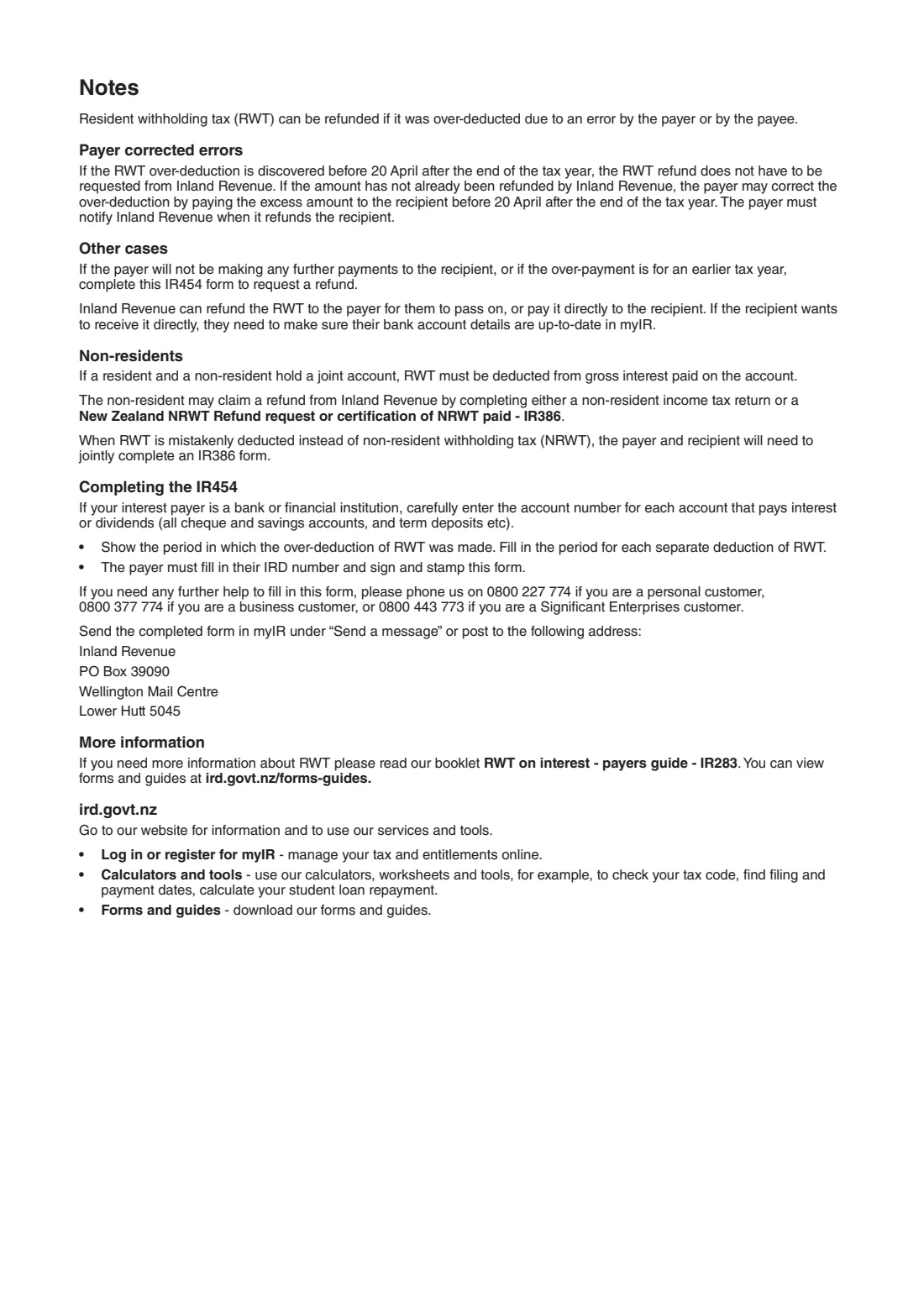
Banks and other payers deduct resident withholding tax (RWT) from interest and dividends. When too much is deducted because of an error, the payer can often fix it itself before 20 April after the end of the tax year. If the payer won't be making any more payments to you, or the over-deduction is for an earlier tax year, you ask Inland Revenue for the refund on an IR454.
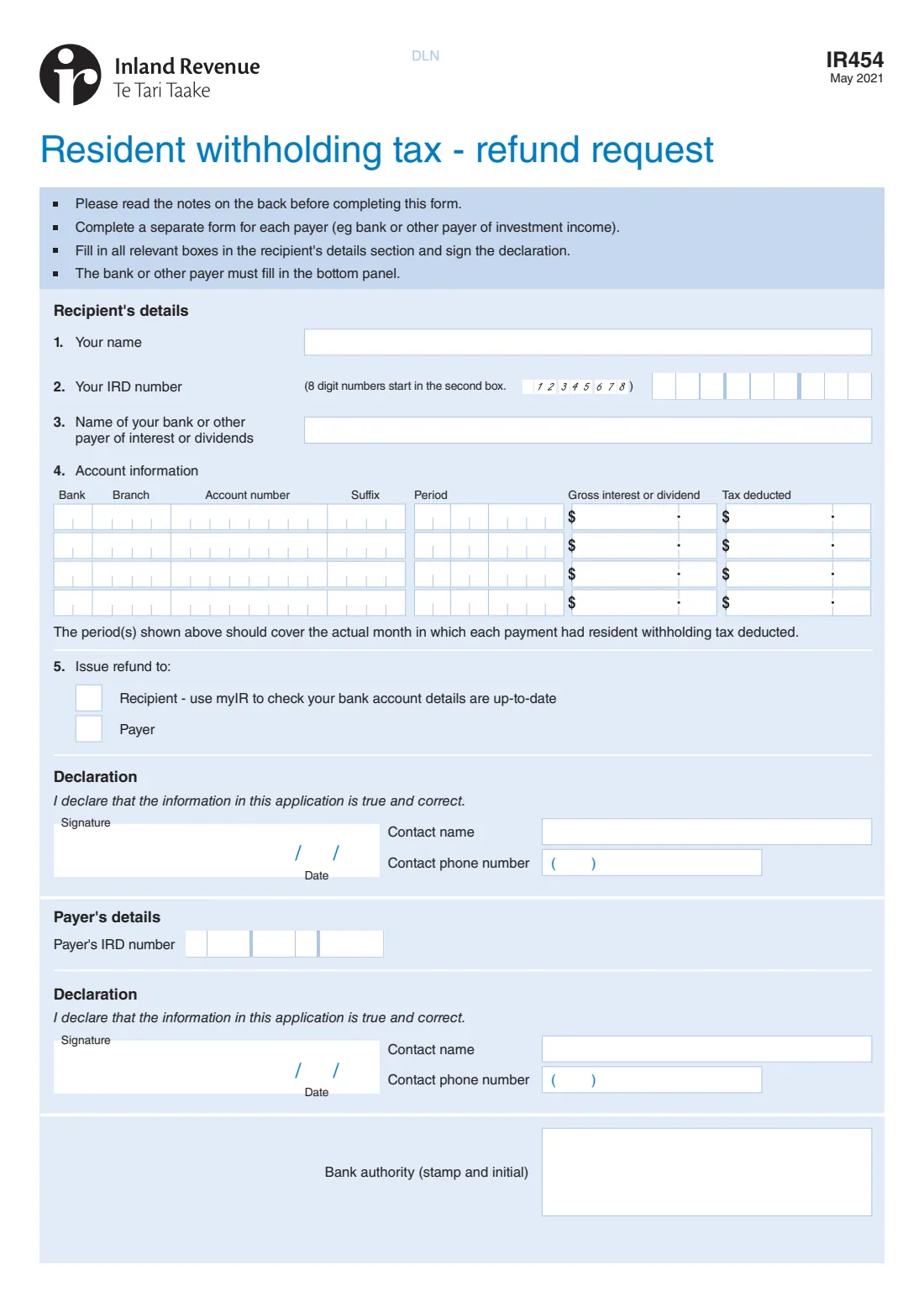
You fill in your name, IRD number, the payer and each account with the period, gross interest or dividend and tax deducted, choose whether the refund goes to you or the payer, and sign. The bank or payer then fills in its panel, signs and stamps the form. Use a separate form for each payer.
FileIt fills in Inland Revenue's own IR454, lays out the account numbers, periods and amounts in the right boxes, and checks the IRD numbers. The form is then sent in myIR under 'Send a message' or posted.
- Who fills it
- The recipient of the interest or dividends, then the bank or payer
- One form per
- Payer (for example each bank)
- Refund paid to
- You or the payer, as you choose
- Signed by
- You, and the payer (with its stamp and initials)
- Send
- In myIR under 'Send a message', or by post to Inland Revenue, PO Box 39090, Wellington Mail Centre, Lower Hutt 5045
- Edition
- IR454 May 2021
Who needs to fill out IR454 RWT refund request?
- People whose bank or investment provider deducted too much RWT and won't be making more payments to them.
- Anyone with an over-deduction from an earlier tax year.
- Not a non-resident on a joint account, who claims through a non-resident return or an IR386, as the form's notes explain.
When to use IR454 RWT refund request
- When the payer can't correct the over-deduction itself before 20 April after the end of the tax year.
- When the over-deduction is for an earlier tax year.
What you need before you start
- Your IRD number.
- The account numbers that paid interest or dividends (cheque, savings and term deposit accounts).
- For each RWT deduction: the period, the gross interest or dividend and the tax deducted.
- Up-to-date bank account details in myIR if the refund is to be paid to you.
What’s on IR454 RWT refund request
The 2021 edition has 2 pages. FileIt asks for it in 5 parts, and it is signed by Recipient:
- Recipient's details (questions 1–3)Recipient
- 4 Account informationRecipient
- 5 Issue refund toRecipient
- Recipient's declarationRecipient
- Payer's details (completed by the bank or other payer)Bank or other payer
How to fill out IR454 RWT refund request, step by step
1 Your details
Enter your name, IRD number and the bank or payer. An 8-digit IRD number starts in the second box, as the form asks.
2 Account information
Add up to four rows: the account number, a date in the month the RWT was deducted, the gross interest or dividend and the tax deducted.
3 Refund
Choose whether Inland Revenue pays the refund to you or to the payer to pass on.
4 Declaration
Give a contact name and phone number and sign. FileIt can send it for your signature.
5 Payer's panel
The bank or payer adds its IRD number, signs, dates, stamps and initials. You can fill in its IRD number and contact if you have them.
Common mistakes to avoid
- Using one form for two banks. The form asks for a separate form for each payer.
- Leaving out the period. It should cover the month each payment had RWT deducted.
- Asking to be paid directly without checking your bank account details in myIR.
- Sending the form without the payer's signature and stamp.
After you fill it out
Download the PDF, sign it and give it to the bank or payer to complete, sign and stamp.
Send the completed form in myIR under 'Send a message', or post it to Inland Revenue, PO Box 39090, Wellington Mail Centre, Lower Hutt 5045.
Keep a copy. The filled form stays in your FileIt vault.
Fill out IR454 RWT refund request online with FileIt
- Pick the person. Choose someone from People and FileIt fills in their name, date of birth, address and other details it already knows.
- Answer plain-language questions. One part of the form at a time, with the official help text beside each question — 28 fields in all. Your answers save as you go.
- Check the live preview. Watch your answers land on the real Inland Revenue (Te Tari Taake) form, and let FileIt do any worksheet arithmetic.
- Generate the official PDF. FileIt prints your answers into the agency’s own PDF and files it in that person’s folder in your vault. Sign it, or send it for e-signature.
FileIt fills the form — it never files or submits anything for you. Deliver the finished form to whoever asked for it, the way the form’s instructions say.
Start IR454 RWT refund request now — it’s freeIR454 RWT refund request: frequently asked questions
Can my bank just fix the over-deduction?
If the over-deduction is found before 20 April after the end of the tax year, the payer can correct it by refunding you directly, as the form's notes explain. Otherwise you use the IR454.
Who gets the refund?
You choose. Inland Revenue can pay it to the payer to pass on, or straight to you if your bank account details in myIR are up to date.
Why does the bank have to sign?
The payer has to confirm the deductions: it fills in its IRD number, signs the declaration and stamps and initials the form.
Does FileIt send the form?
No. FileIt fills in Inland Revenue's PDF. You and the payer sign it, and you send it in myIR or by post.
Official sources
- Blank form (PDF), published by Inland Revenue (Te Tari Taake): https://www.ird.govt.nz/-/media/project/ir/home/documents/forms-and-guides/ir400---ir499/ir454/ir454-2021.pdf
- Official instructions and guidance: https://www.ird.govt.nz/income-tax/withholding-taxes/resident-withholding-tax-rwt
- Edition shown on this page: IR454 May 2021 (checked 2026-10-25).
FileIt is not affiliated with or endorsed by Inland Revenue (Te Tari Taake) or any government. This page explains the form in general terms and is not legal, tax or immigration advice. Always read the official instructions, and check that you are using the edition the recipient accepts. Page last reviewed 2026-10-25.