What is Form TR1 (tax registration)?
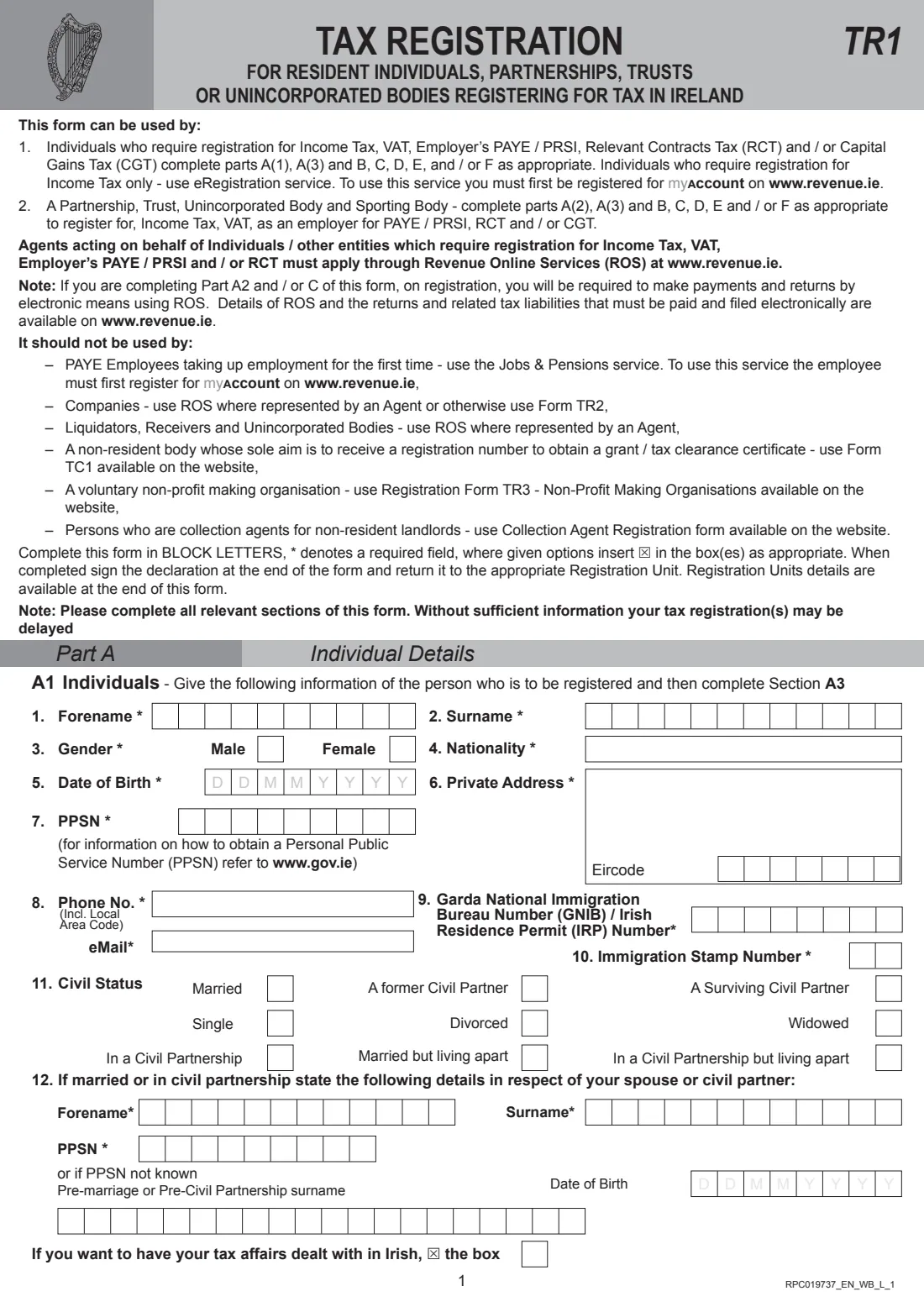
Form TR1 registers a resident individual, partnership, trust, unincorporated body or sporting body with Revenue for one or more taxes: Income Tax (non-PAYE), VAT, employer's PAYE / PRSI, Relevant Contracts Tax (RCT) and Capital Gains Tax (CGT). Individuals complete Part A1 and A3; bodies complete A2 and A3; then everyone fills in the parts for the taxes they need, B to F, and signs the declaration.
It isn't for everyone. Individuals who only need Income Tax registration can use Revenue's eRegistration service in myAccount, PAYE employees starting their first job use the Jobs & Pensions service, companies use ROS or Form TR2, and agents acting for a client apply through ROS. The form itself is eight pages of letter-per-box rows, X boxes and free-text panels, written in block letters.
FileIt asks only for the parts you switch on, puts each letter and digit in its own box, ticks the 'registering for' box of every part you complete, adds up the turnover totals and checks your IBANs. Your name, date of birth and email can come from your FileIt People records, and the finished form is stored in your vault. FileIt doesn't register you: you sign the form and return it to the Registration Unit listed on its last page.
- Who fills it
- Resident individuals, partnerships, trusts and unincorporated bodies
- Registers for
- Income Tax, VAT, employer PAYE / PRSI, RCT and / or CGT
- Not for
- Companies (TR2), first-time PAYE employees, Income-Tax-only individuals (myAccount)
- Return to
- The Registration Unit listed on page 8
- Pages
- 8, completed in block letters
- Edition
- RPC019737_EN_WB_L_1
Who needs to fill out Form TR1 (tax registration)?
- People starting out as sole traders or self-employed who need Income Tax and possibly VAT.
- Landlords registering rental income, where they need more than Income Tax alone.
- Sole traders taking on their first employee and registering as an employer.
- Partnerships, trusts, clubs and other unincorporated bodies registering for tax.
- Subcontractors and principal contractors in construction registering for RCT.
- People who need a Capital Gains Tax registration.
When to use Form TR1 (tax registration)
- When you start a business or other taxable activity in Ireland.
- When your turnover passes the VAT registration threshold, or you decide to elect to register.
- Before your first employee starts work.
- When you start working under the RCT system as a principal or subcontractor.
What you need before you start
- Your PPSN, date of birth, address with Eircode and contact details (or the body's name and responsible person, and each partner's PPSN and shareholding).
- Your business name, address, type of business and a precise description of what it does.
- The date the business started, your accounts year-end and the expected turnover for the next 12 months.
- Your accountant's details and TAIN, if you have one.
- Landlord and rent details if you rent premises, with a copy of the lease.
- Bank details (IBAN and BIC) for refunds.
- For VAT: the registration date, turnover figures and your plans for trade with other EU countries and imports.
- For PAYE: the number of employees, the first start date and your payroll system.
What’s on Form TR1 (tax registration)
The 2026 edition has 8 pages. FileIt asks for it in 16 parts, and it is signed by Applicant (individual, precedent partner or responsible person):
- Part A1: Individual detailsApplicant (individual, precedent partner or responsible person)
- Part A2: Partnership, trust or unincorporated bodyApplicant (individual, precedent partner or responsible person)
- Part A3: Business detailsApplicant (individual, precedent partner or responsible person)
- 29-30 Accountant or tax advisorApplicant (individual, precedent partner or responsible person)
- 31 Rented business premisesApplicant (individual, precedent partner or responsible person)
- 32 Business acquired from a previous ownerApplicant (individual, precedent partner or responsible person)
- Part B: Registration for Income Tax (non-PAYE)Applicant (individual, precedent partner or responsible person)
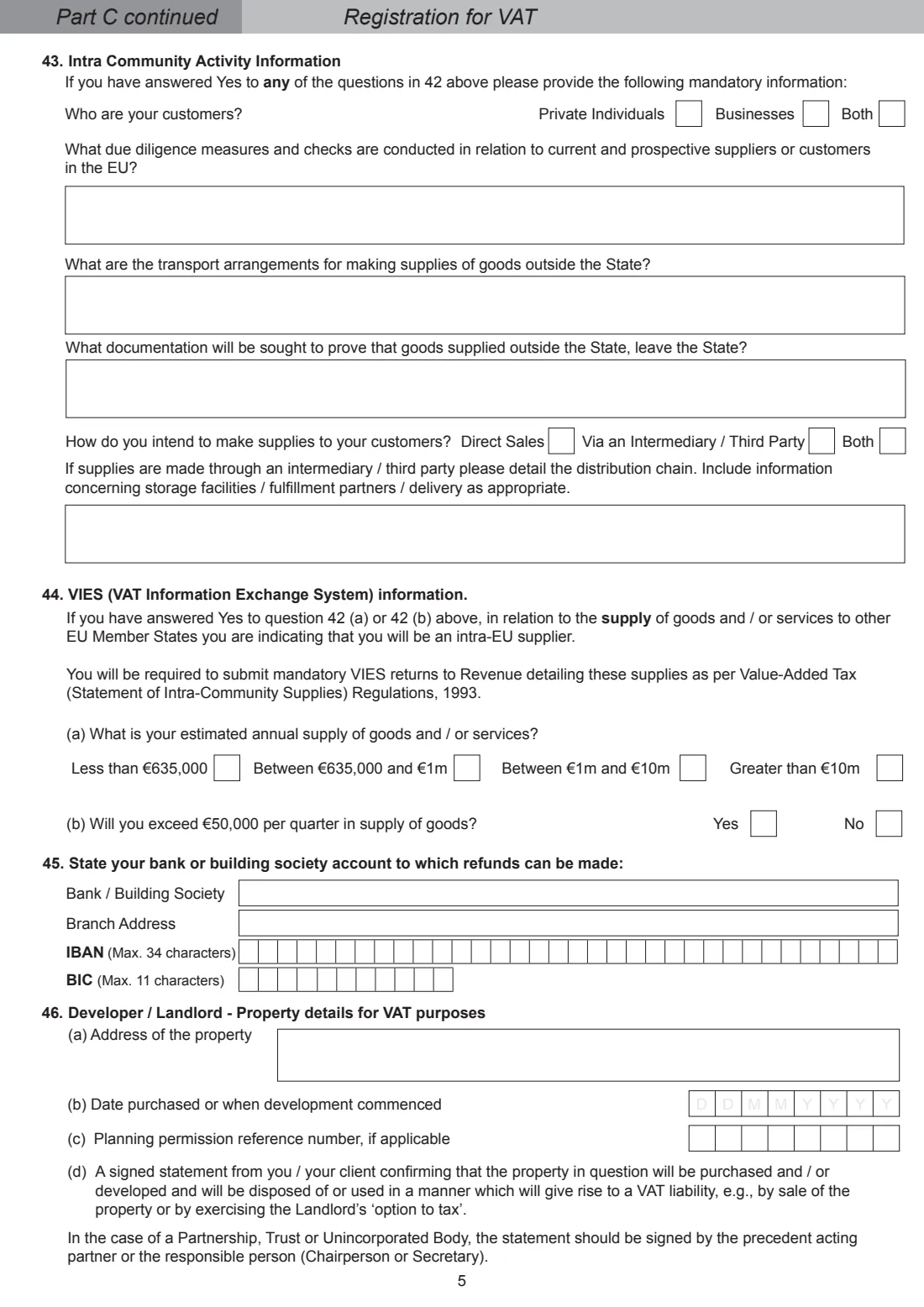
- Part C: Registration for VATApplicant (individual, precedent partner or responsible person)
- 43-44 Intra-Community activity informationApplicant (individual, precedent partner or responsible person)
- 45 Account for VAT refundsApplicant (individual, precedent partner or responsible person)
- 46 Developer / landlord: property details for VATApplicant (individual, precedent partner or responsible person)
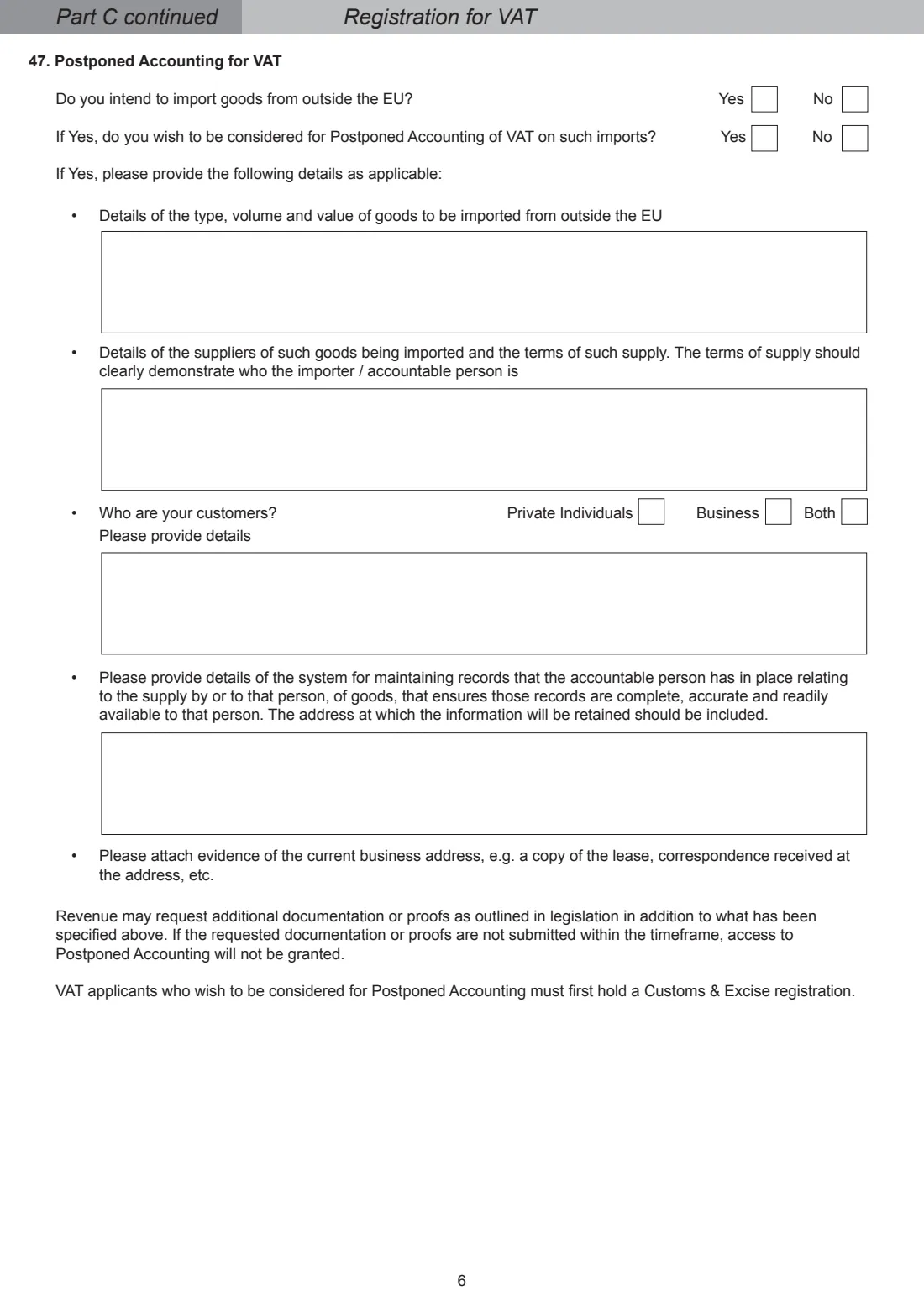
- 47 Postponed Accounting for VATApplicant (individual, precedent partner or responsible person)
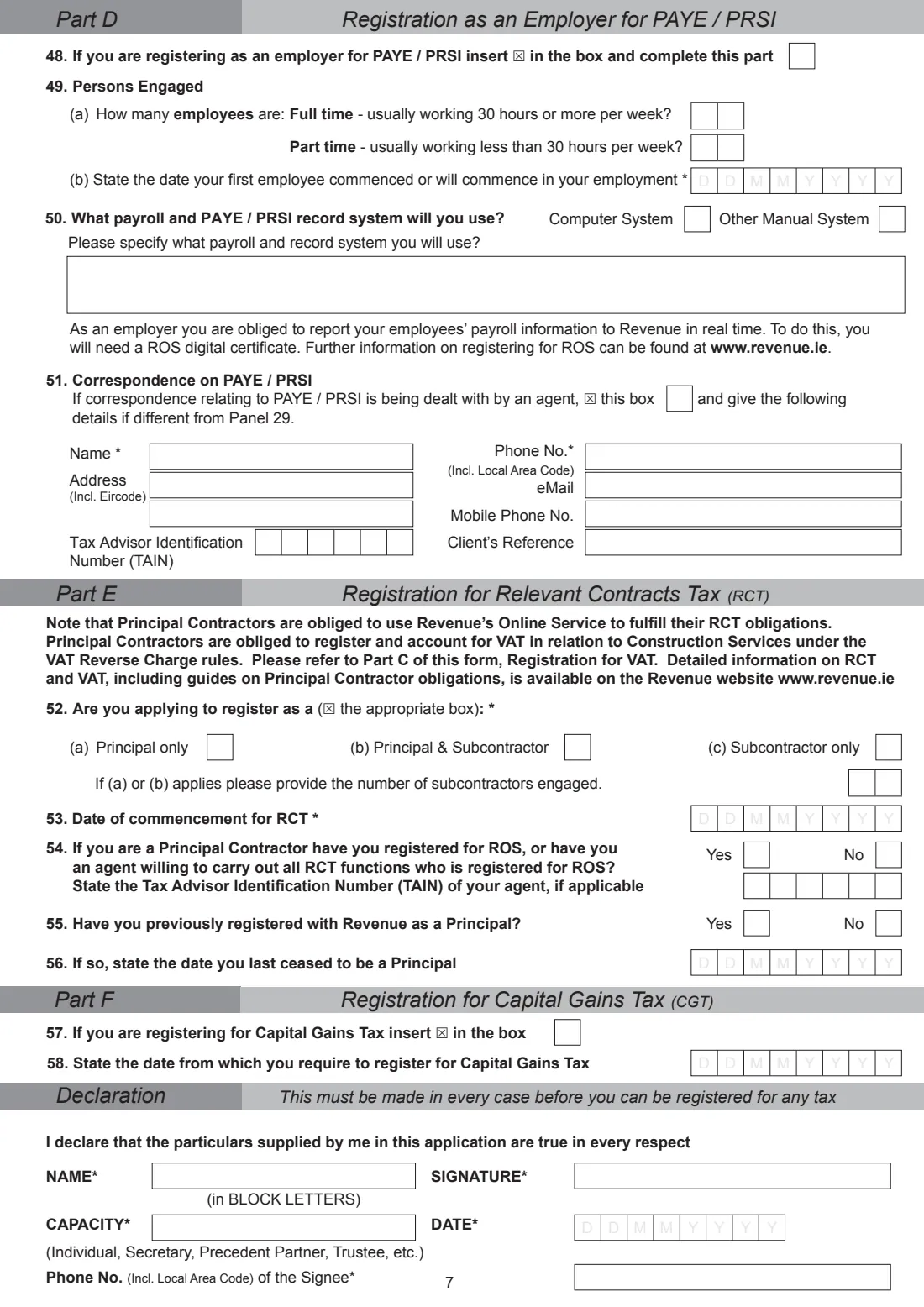
- Part D: Registration as an employer for PAYE / PRSIApplicant (individual, precedent partner or responsible person)
- Part E: Registration for Relevant Contracts Tax (RCT)Applicant (individual, precedent partner or responsible person)
- Part F: Registration for Capital Gains Tax (CGT)Applicant (individual, precedent partner or responsible person)
- DeclarationApplicant (individual, precedent partner or responsible person)
How to fill out Form TR1 (tax registration), step by step
1 Part A1 or A2: who is registering
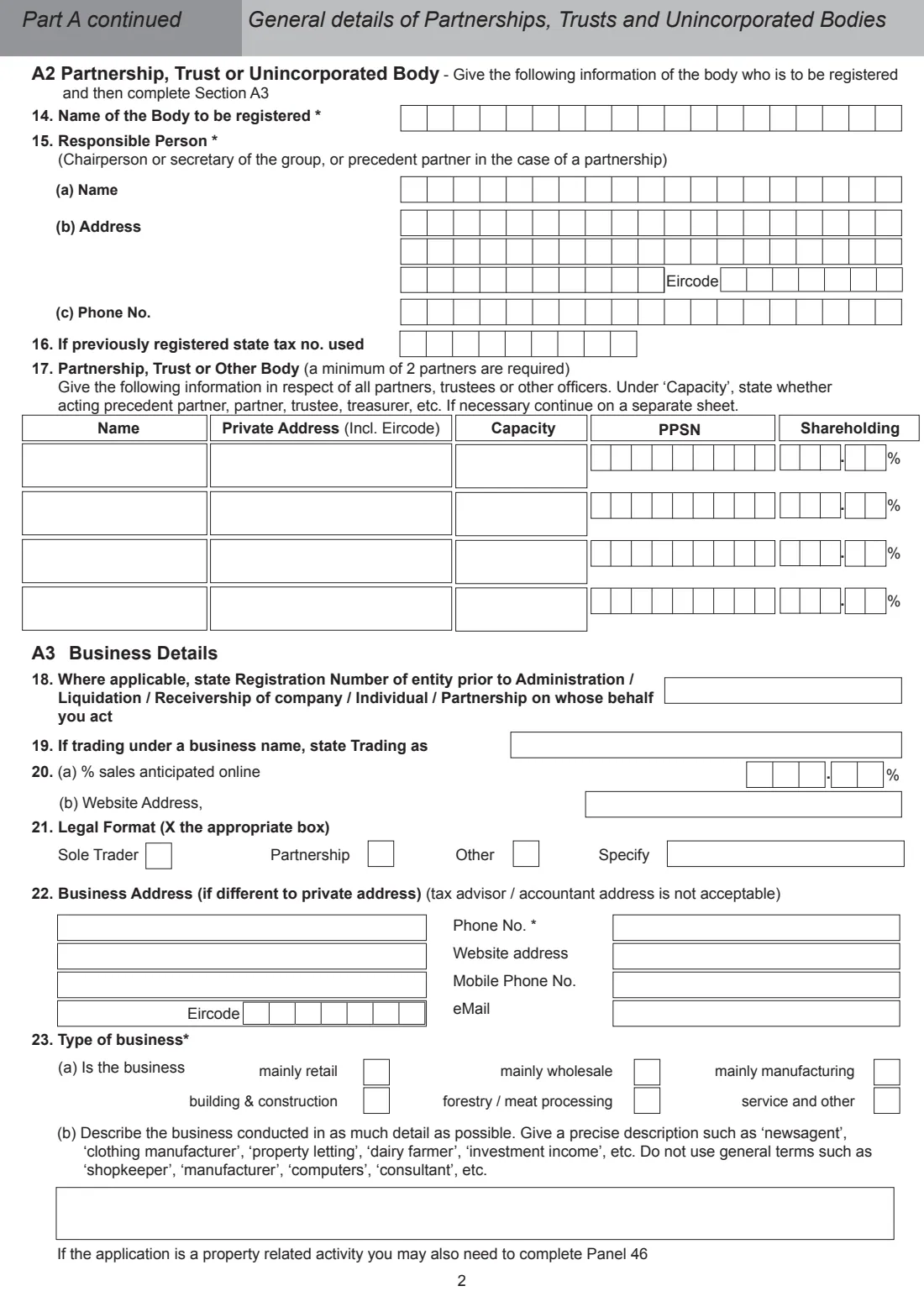
An individual gives forename, surname, gender, nationality, date of birth, private address and Eircode, PPSN, phone and email, any Irish Residence Permit number, civil status and spouse or civil partner details. A partnership, trust or body gives its name, the responsible person and every partner, trustee or officer with their PPSN and shareholding.
2 Part A3: business details
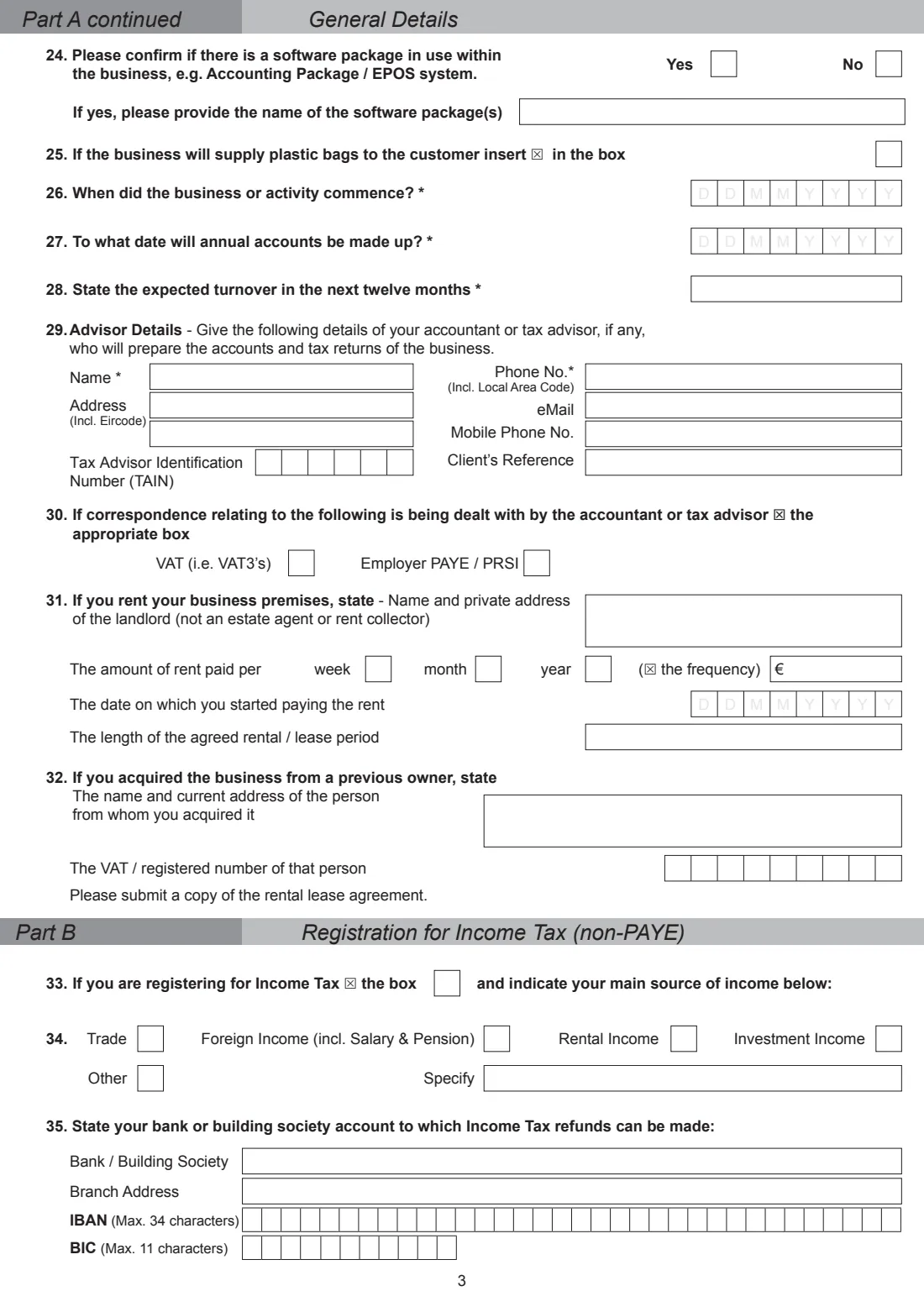
Give the trading name, online sales share, legal format, business address and contacts, type of business and a precise description, such as 'property letting' rather than 'consultant'. Then the software you use, commencement date, accounts date, expected turnover, your advisor, rented premises and any previous owner.
3 Part B: Income Tax
Choose your main source of income (trade, foreign income, rental, investment or other) and the account Income Tax refunds should go to.
4 Part C: VAT
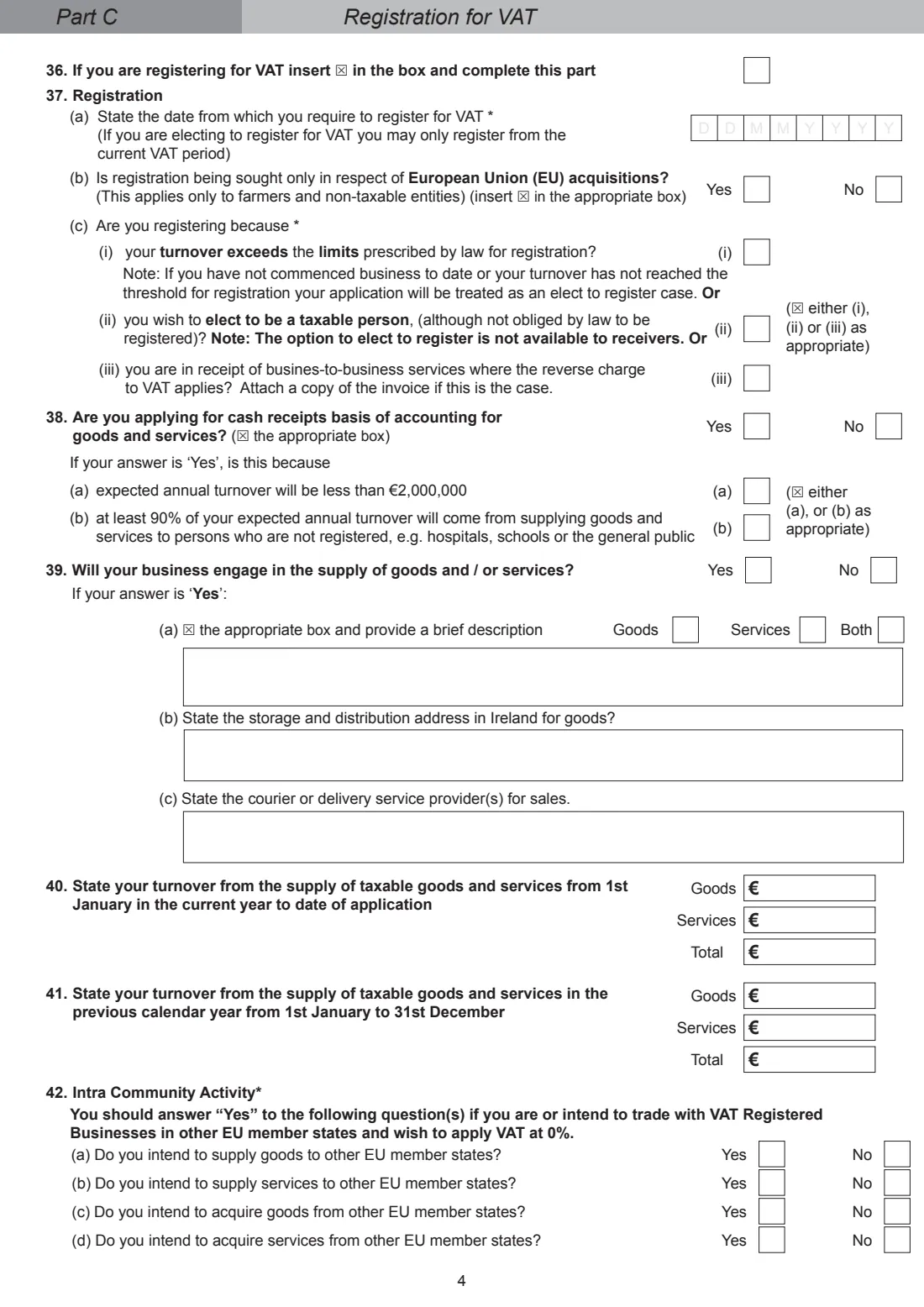
Give the date you want VAT registration from, why you are registering, whether you want the cash receipts basis, what you supply and your turnover. Answer the intra-Community questions; a Yes brings in panels 43 and 44 (customers, due diligence, transport and VIES). Add refund bank details, property details for a developer or landlord, and Postponed Accounting if you import from outside the EU.
5 Parts D, E and F
As an employer, say how many full-time and part-time staff you'll have, when the first one starts and what payroll system you'll use. For RCT, choose principal, subcontractor or both, with the start date. For CGT, give the date you want registration from.
6 Declaration
Print your name, capacity (individual, secretary, precedent partner, trustee) and phone number, date it and sign. This declaration is needed in every case before you can be registered for any tax.
Common mistakes to avoid
- Using the TR1 when myAccount's eRegistration would do. Individuals needing Income Tax only can register online.
- Using it for a company. Companies use ROS or Form TR2.
- Giving your accountant's address as the business address. The form says it's not acceptable.
- Describing the business in general terms like 'consultant' or 'computers'. Revenue asks for a precise description.
- Answering Yes to an intra-Community question in 42 without completing panels 43 and 44.
- Leaving out a copy of the lease when you rent your premises.
After you fill it out
Download the PDF from FileIt, sign the declaration and attach anything the form asks for, such as a copy of your lease or the reverse-charge invoice.
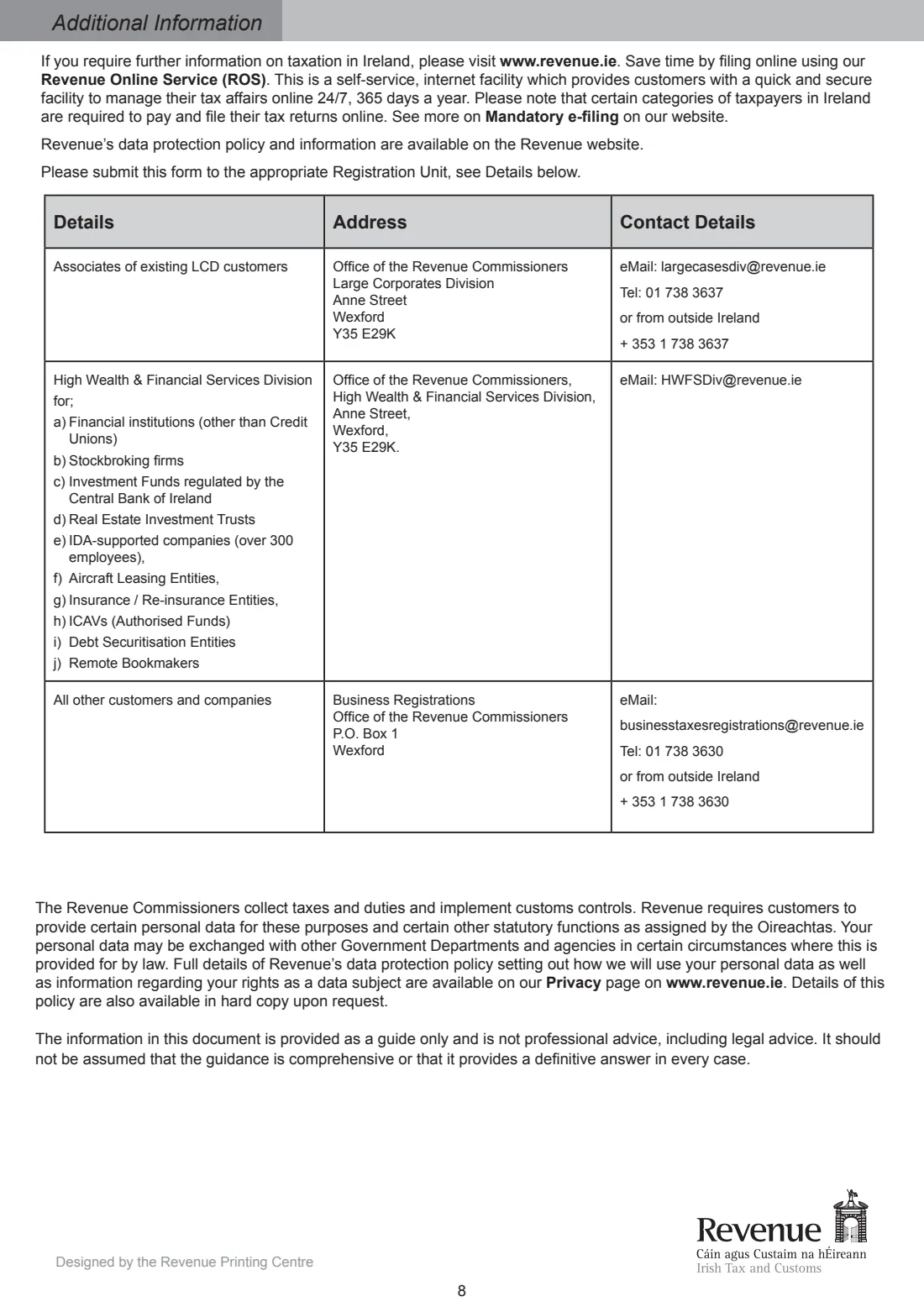
Return it to the appropriate Registration Unit listed on page 8 of the form.
Once registered for VAT or with a body under Part A2, you'll need to file returns and pay electronically through ROS.
Keep the copy in your FileIt vault for when Revenue writes with your registration numbers.
Fill out Form TR1 (tax registration) online with FileIt
- Pick the person. Choose someone from People and FileIt fills in their name, date of birth, address and other details it already knows.
- Answer plain-language questions. One part of the form at a time, with the official help text beside each question — 164 fields in all. Your answers save as you go.
- Check the live preview. Watch your answers land on the real Office of the Revenue Commissioners (Revenue) form, and let FileIt do any worksheet arithmetic.
- Generate the official PDF. FileIt prints your answers into the agency’s own PDF and files it in that person’s folder in your vault. Sign it, or send it for e-signature.
FileIt fills the form — it never files or submits anything for you. Deliver the finished form to whoever asked for it, the way the form’s instructions say.
Start Form TR1 (tax registration) now — it’s freeForm TR1 (tax registration): frequently asked questions
What is Form TR1 used for?
Registering a resident individual, partnership, trust or unincorporated body in Ireland for Income Tax, VAT, employer PAYE / PRSI, RCT and / or Capital Gains Tax.
Do I need a TR1 to register as a sole trader?
If you need more than Income Tax, for example VAT or employer registration, the TR1 covers it. Revenue's form says individuals who only need Income Tax should use the eRegistration service in myAccount.
Can a company use Form TR1?
No. The form says companies use ROS where they have an agent, or otherwise Form TR2.
Where do I send the TR1?
To the appropriate Revenue Registration Unit. Their details are on the last page of the form.
Can my accountant submit it for me?
The form says agents acting for individuals or other entities must apply through Revenue Online Service (ROS) rather than on paper.
Does FileIt register me with Revenue?
No. FileIt fills the official form so every box is neat and complete. You sign it and send it in yourself.
Official sources
- Blank form (PDF), published by Office of the Revenue Commissioners (Revenue): https://www.revenue.ie/en/self-assessment-and-self-employment/documents/form-tr1.pdf
- Official instructions and guidance: https://www.revenue.ie/en/starting-a-business/registering-for-tax/index.aspx
- Edition shown on this page: RPC019737_EN_WB_L_1 (checked 2026-10-19).
FileIt is not affiliated with or endorsed by Office of the Revenue Commissioners (Revenue) or any government. This page explains the form in general terms and is not legal, tax or immigration advice. Always read the official instructions, and check that you are using the edition the recipient accepts. Page last reviewed 2026-10-19.