What is Form P11D (employer benefits return) 2025?
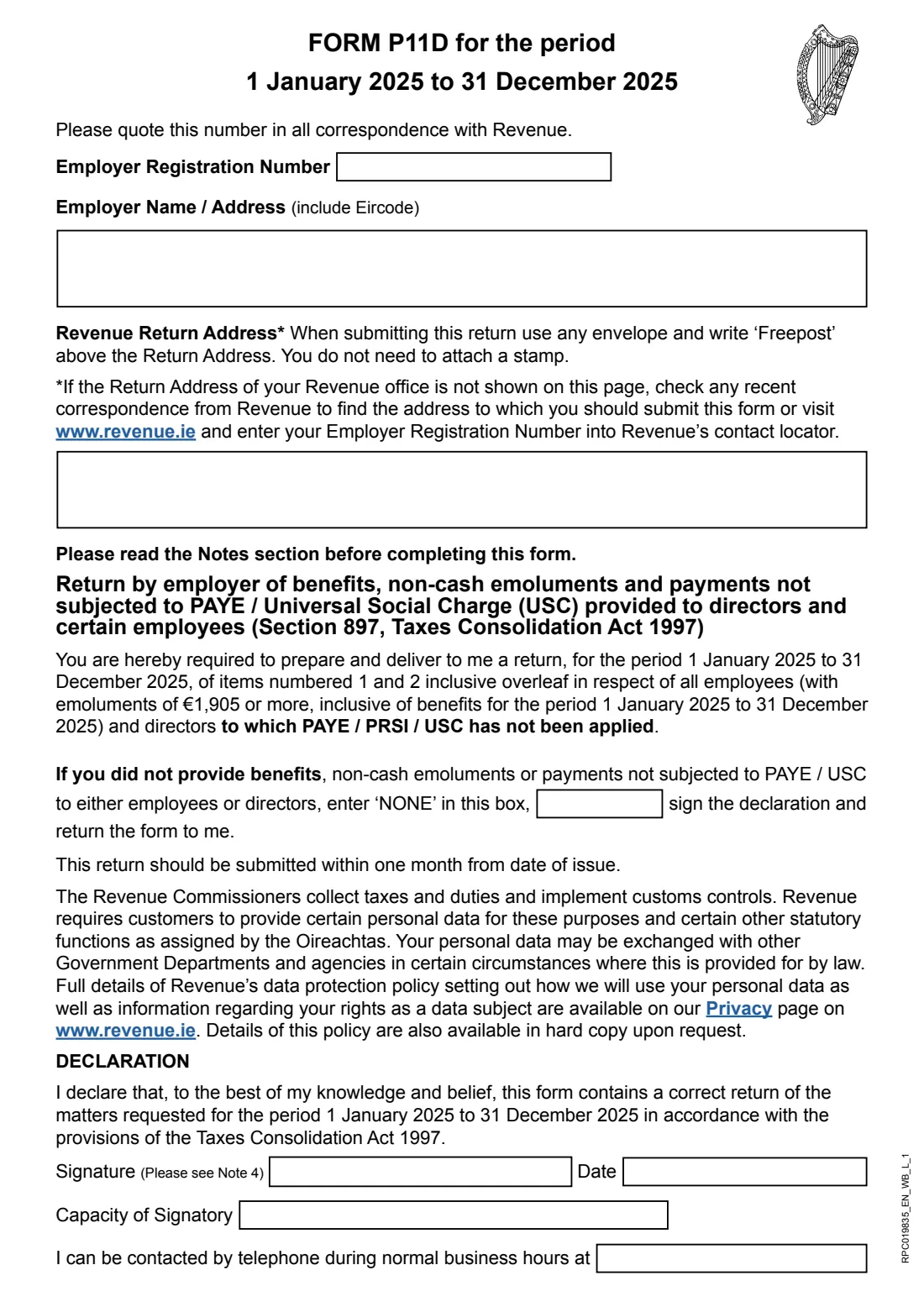
Revenue issues Form P11D to an employer when it wants a return of benefits, non-cash emoluments and payments not subjected to PAYE / USC, under section 897 of the Taxes Consolidation Act 1997. This edition covers 1 January 2025 to 31 December 2025, and asks about directors and about employees whose emoluments, including benefits, were €1,905 or more for the year.
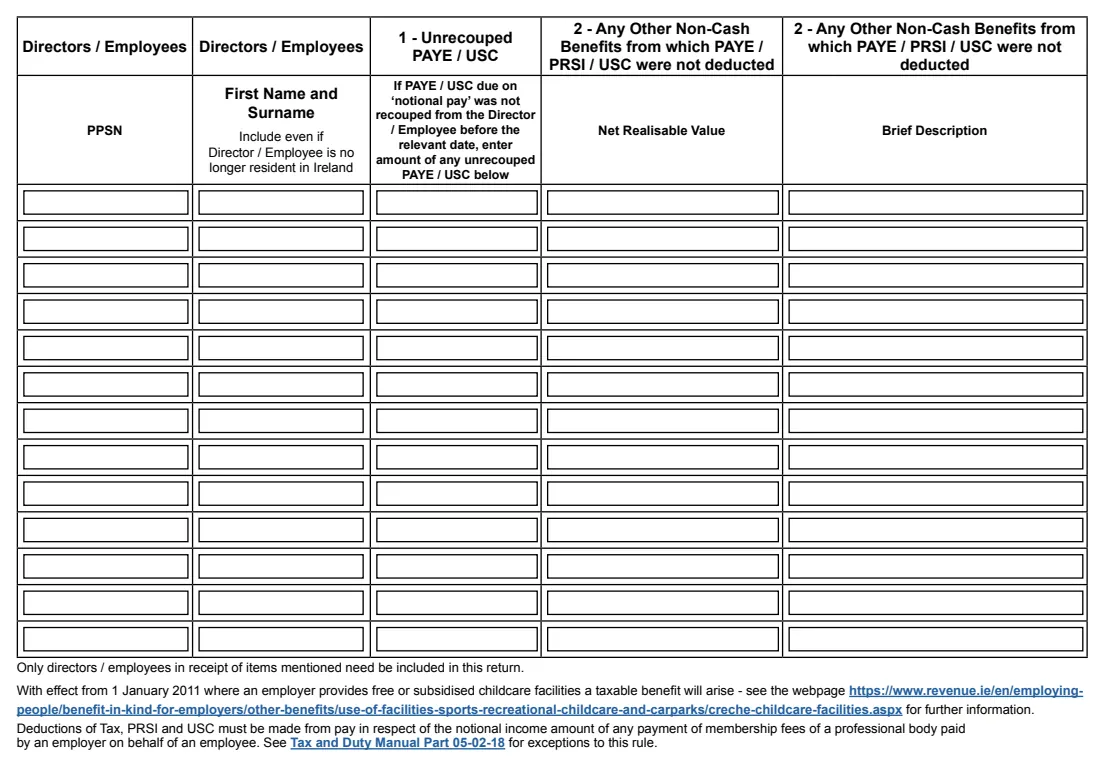
The return has two items. Item 1 is any PAYE / USC due on 'notional pay' that wasn't recouped from the director or employee before the relevant date. Item 2 is any other non-cash benefit from which PAYE / PRSI / USC weren't deducted, with its net realisable value and a brief description. If you provided nothing of the kind, you write NONE in the box on page 1, sign the declaration and return it. Revenue asks for the return within one month of the date it was issued.
FileIt walks you through the employer details, one line per director or employee for up to 13 people, and the declaration, then fills Revenue's official PDF and stores it in your vault. It checks that every line has a PPSN, a name and an amount, and that nobody is listed twice. Which benefits are exempt is set out in the form's own notes; FileIt doesn't decide that for you or send the return.
- Who fills it
- An employer that Revenue has asked for a P11D
- Period
- 1 January 2025 to 31 December 2025
- Due
- Within one month of the date of issue
- Covers
- Directors, and employees with emoluments of €1,905 or more
- Send by
- Post (Freepost, no stamp) to the return address, or MyEnquiries
- Edition
- RPC019835_EN_WB_L_1
Who needs to fill out Form P11D (employer benefits return) 2025?
- Employers who have received a Form P11D request from Revenue for 2025.
- Small companies whose directors received benefits that weren't run through payroll.
- Employers who paid PAYE / USC on notional pay and didn't recoup it from the employee in time.
- Employers with nothing to report, who still return the form marked NONE.
When to use Form P11D (employer benefits return) 2025
- Within one month of the date Revenue issued the P11D to you.
- Once your 2025 payroll records are final, so you can tell which benefits were taxed through PAYE.
- Only for the 2025 period: each year's P11D names its own period.
What you need before you start
- Your Employer Registration Number.
- The employer's name and address with Eircode.
- For each director or employee concerned: PPSN, name, any unrecouped PAYE / USC, and the net realisable value and description of other non-cash benefits.
- The Revenue return address, if it isn't printed on your copy.
- The capacity of the person signing and a daytime phone number.
What’s on Form P11D (employer benefits return) 2025
The 2025 edition has 4 pages. FileIt asks for it in 15 parts, and it is signed by Employer (director, secretary or authorised person):
- Employer detailsEmployer (director, secretary or authorised person)
- Director / employee 1Employer (director, secretary or authorised person)
- Director / employee 2Employer (director, secretary or authorised person)
- Director / employee 3Employer (director, secretary or authorised person)
- Director / employee 4Employer (director, secretary or authorised person)
- Director / employee 5Employer (director, secretary or authorised person)
- Director / employee 6Employer (director, secretary or authorised person)
- Director / employee 7Employer (director, secretary or authorised person)
- Director / employee 8Employer (director, secretary or authorised person)
- Director / employee 9Employer (director, secretary or authorised person)
- Director / employee 10Employer (director, secretary or authorised person)
- Director / employee 11Employer (director, secretary or authorised person)
- Director / employee 12Employer (director, secretary or authorised person)
- Director / employee 13Employer (director, secretary or authorised person)
- DeclarationEmployer (director, secretary or authorised person)
How to fill out Form P11D (employer benefits return) 2025, step by step
1 Employer details
Enter your Employer Registration Number and the employer's name and address with Eircode. The Revenue return address is normally printed on the form Revenue sends you.
2 Nothing to report?
If you didn't provide any benefits, non-cash emoluments or payments outside PAYE / USC to employees or directors, tick 'none'. FileIt writes NONE in the box, and you go straight to the declaration.
3 Directors and employees
Add one line per person: PPSN, first name and surname, any unrecouped PAYE / USC on notional pay (item 1), and for other non-cash benefits the net realisable value and a short description (item 2). Include people even if they no longer live in Ireland.
4 Check the exclusions
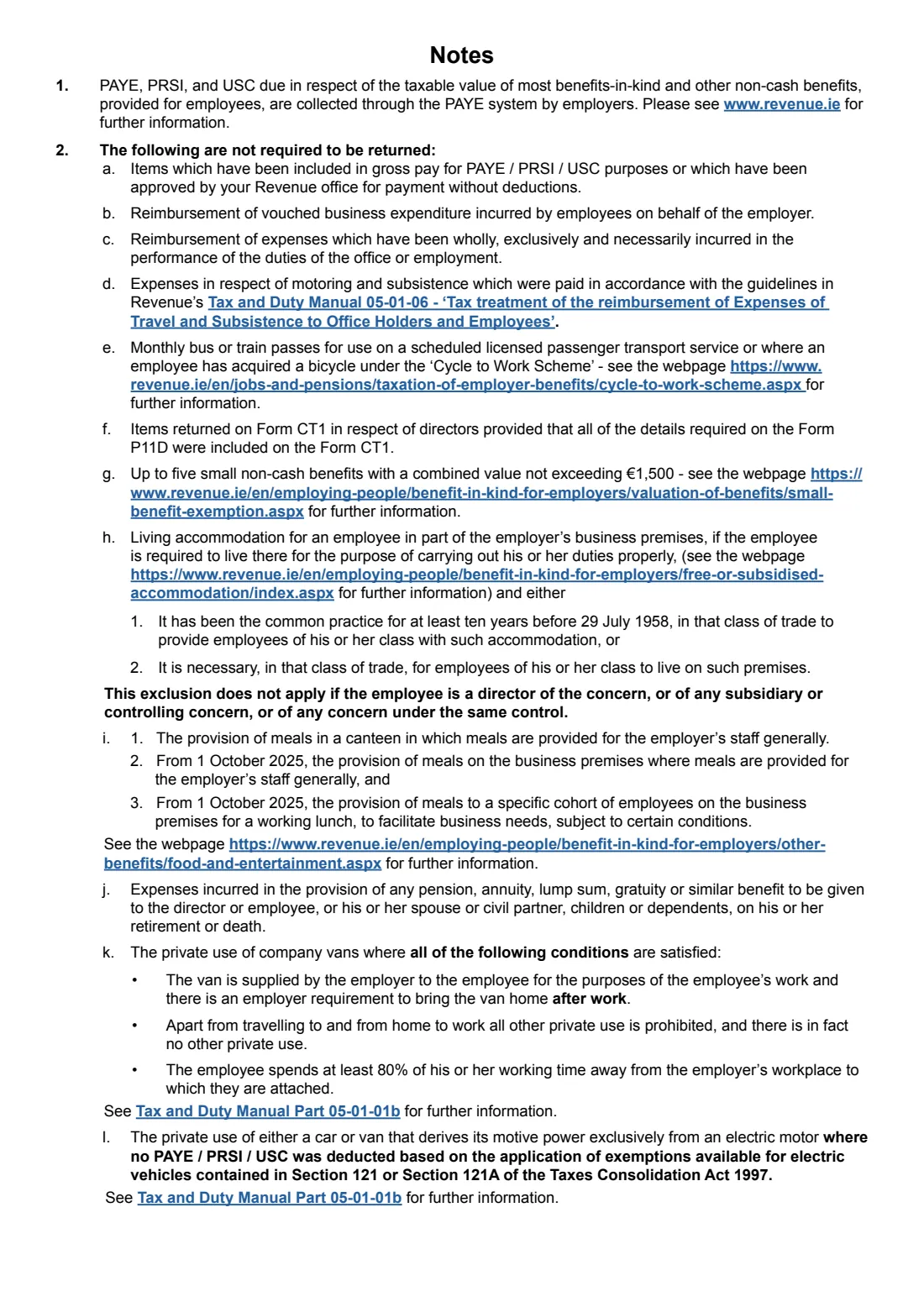
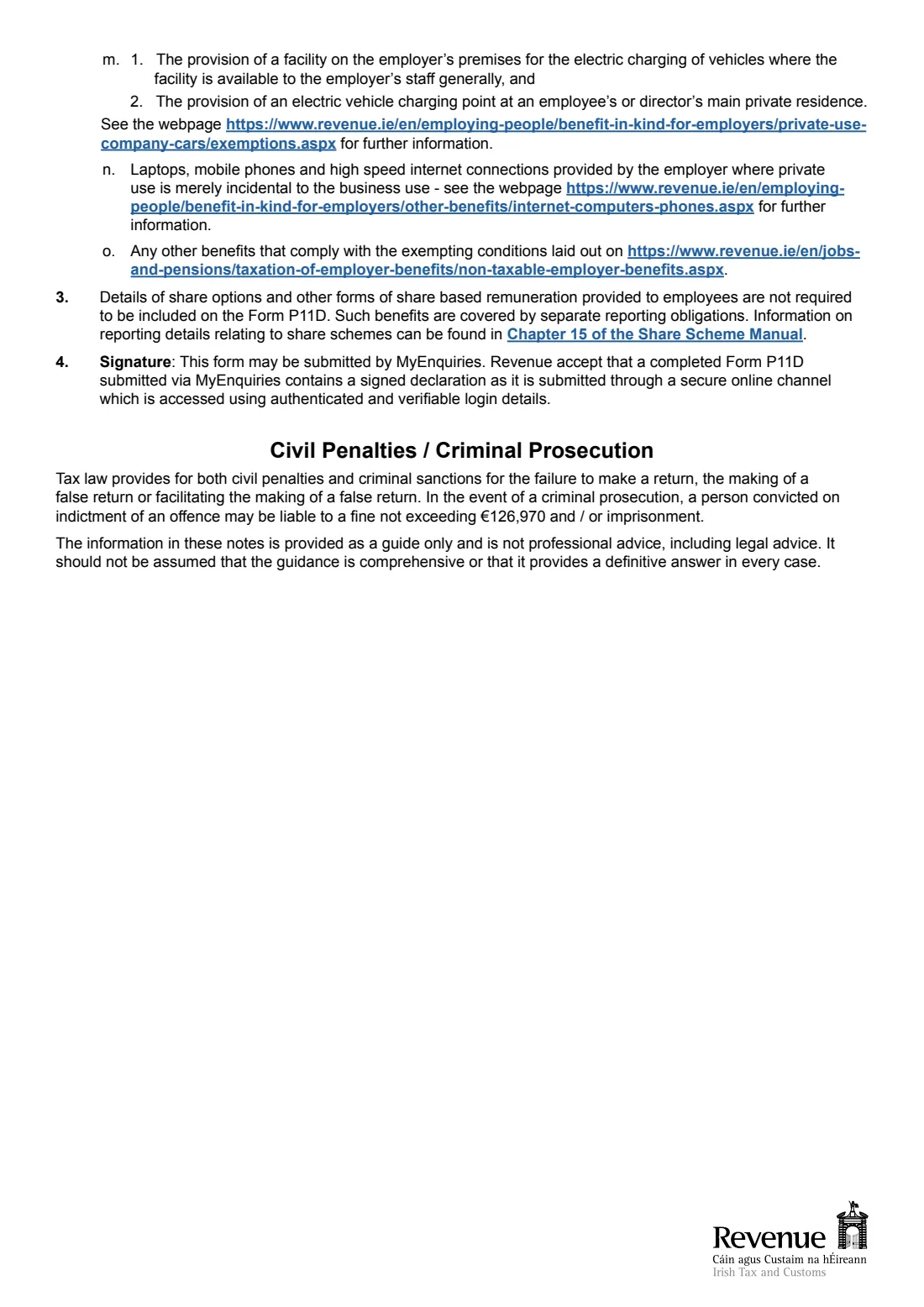
The notes list what doesn't need returning, such as items already in gross pay, vouched business expenses, Cycle to Work bicycles, up to five small benefits totalling €1,500 or less, and certain electric vehicle and phone or laptop benefits. Share-based remuneration is reported separately.
5 Declaration
Date it, give the signatory's capacity and a business-hours phone number, and sign. Note 4 says a P11D sent through MyEnquiries counts as signed.
Common mistakes to avoid
- Listing benefits that were already put through payroll. Items included in gross pay aren't returned.
- Leaving the form unreturned when there's nothing to report. Revenue asks for NONE and a signed declaration.
- Splitting one person over several lines. Keep each director or employee on one line.
- Including share options. The notes say these have their own reporting.
- Missing the one-month deadline from the date of issue.
After you fill it out
Sign the declaration and post the form in any envelope with 'Freepost' written above Revenue's return address, or submit it through MyEnquiries.
Keep the copy in your FileIt vault with the payroll and benefit records behind it.
Where benefits should have been taxed, Revenue's notes point to collecting PAYE, PRSI and USC on them through payroll.
Fill out Form P11D (employer benefits return) 2025 online with FileIt
- Pick the person. Choose someone from People and FileIt fills in their name, date of birth, address and other details it already knows.
- Answer plain-language questions. One part of the form at a time, with the official help text beside each question — 72 fields in all. Your answers save as you go.
- Check the live preview. Watch your answers land on the real Office of the Revenue Commissioners (Revenue) form, and let FileIt do any worksheet arithmetic.
- Generate the official PDF. FileIt prints your answers into the agency’s own PDF and files it in that person’s folder in your vault. Sign it, or send it for e-signature.
FileIt fills the form — it never files or submits anything for you. Deliver the finished form to whoever asked for it, the way the form’s instructions say.
Start Form P11D (employer benefits return) 2025 now — it’s freeForm P11D (employer benefits return) 2025: frequently asked questions
What is Form P11D in Ireland?
It's Revenue's return under section 897 asking an employer to list benefits, non-cash emoluments and payments to directors and certain employees on which PAYE / PRSI / USC wasn't applied, for the period it names.
Do I need to return the P11D if I have nothing to report?
Yes. Write NONE in the box on page 1, sign the declaration and return the form.
Which employees does it cover?
Directors, and employees whose emoluments including benefits were €1,905 or more for 1 January to 31 December 2025. Only those who received the items need be listed.
Can I submit the P11D online?
Note 4 says the form may be submitted through MyEnquiries, and Revenue accepts a form sent that way as containing a signed declaration.
Are small gifts or vouchers included?
The notes exclude up to five small non-cash benefits with a combined value of no more than €1,500. Anything outside that exemption that wasn't taxed through PAYE belongs on the return.
Does FileIt send the P11D to Revenue?
No. FileIt fills the official PDF. You sign it and send it by post or MyEnquiries.
Official sources
- Blank form (PDF), published by Office of the Revenue Commissioners (Revenue): https://www.revenue.ie/en/employing-people/documents/form-p11d.pdf
- Official instructions and guidance: https://www.revenue.ie/en/employing-people/benefit-in-kind-for-employers/index.aspx
- Edition shown on this page: Period 1 January 2025 to 31 December 2025 (RPC019835_EN_WB_L_1) (checked 2026-10-19).
FileIt is not affiliated with or endorsed by Office of the Revenue Commissioners (Revenue) or any government. This page explains the form in general terms and is not legal, tax or immigration advice. Always read the official instructions, and check that you are using the edition the recipient accepts. Page last reviewed 2026-10-19.